
Password correct. Please wait...
Disable the chat with .custom-disable-chat
WP Plugin Comparisonby neo-wp.com


WP Plugin Real Media Library Lite
Comparison & Alternatives
The 11 best alternatives to the WordPress plugin Real Media Library Lite by devowl.io GmbH
- neo Library - neoWP
- Filebird - Ninja Team
- Media Library Organizer - Themeisle
- Media Library Plus - maxfoundry
- Folders - Premio
- Enhanced Media Library - webbistro
- Media Library File Size - Sully
- Media Library Assistant - David Lingren
- Organize Media Folder - Katsushi Kawamori
- Media Folders Lite - jbulies
- Ifolders - Avirtum
WordPress Plugin Best List
Comparison & Ranking
Number #
neo Library - The new Image Media Library
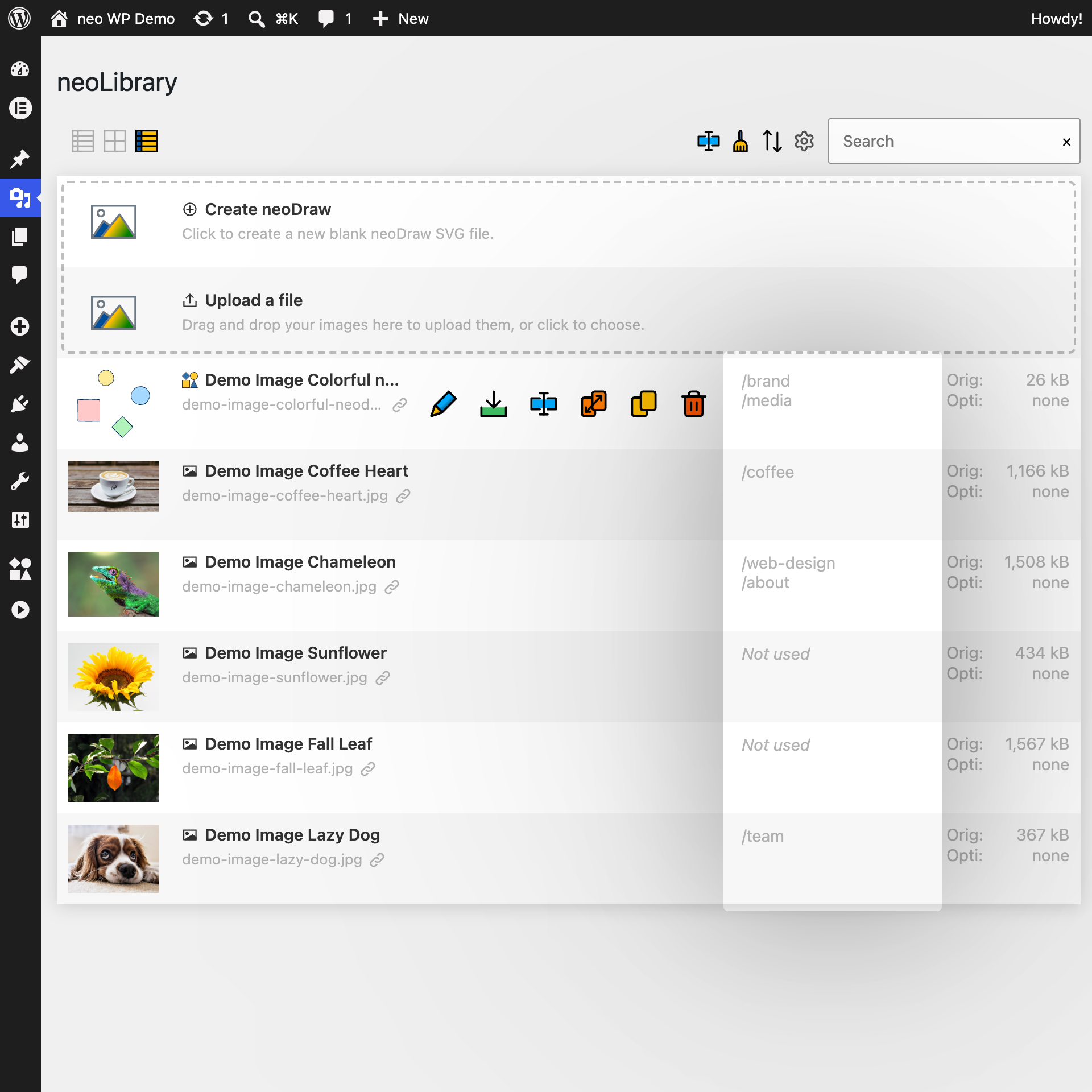
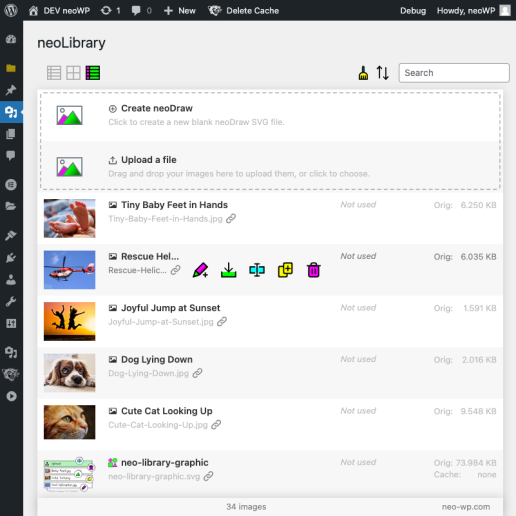
The WordPress plugin neo Library from neo WP was released on 2026-08-01 and is part of the new neoWP plugin series. The plugin leverages modern web development capabilities, reflected in its performance and intuitive design. Reviews indicate that since its release the plugin has delighted users with well-chosen and cleverly implemented features. Especially notable is the solid coding. A look at the source code confirms that an experienced software development team is behind the plugin.
“The plugins in the neo package are very well coordinated and solve all common image problems in WordPress.”
Features - Powerful tools cleverly implemented
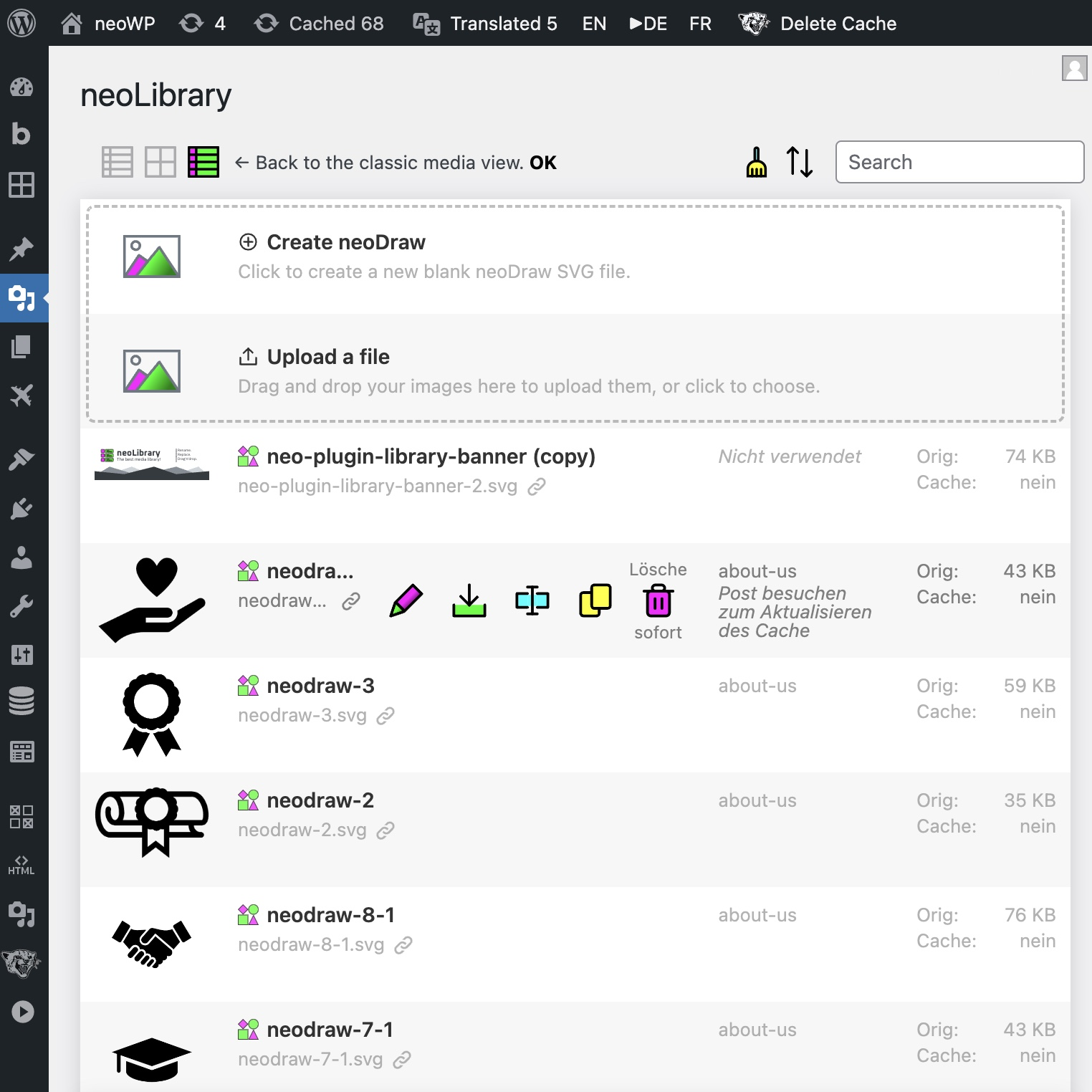
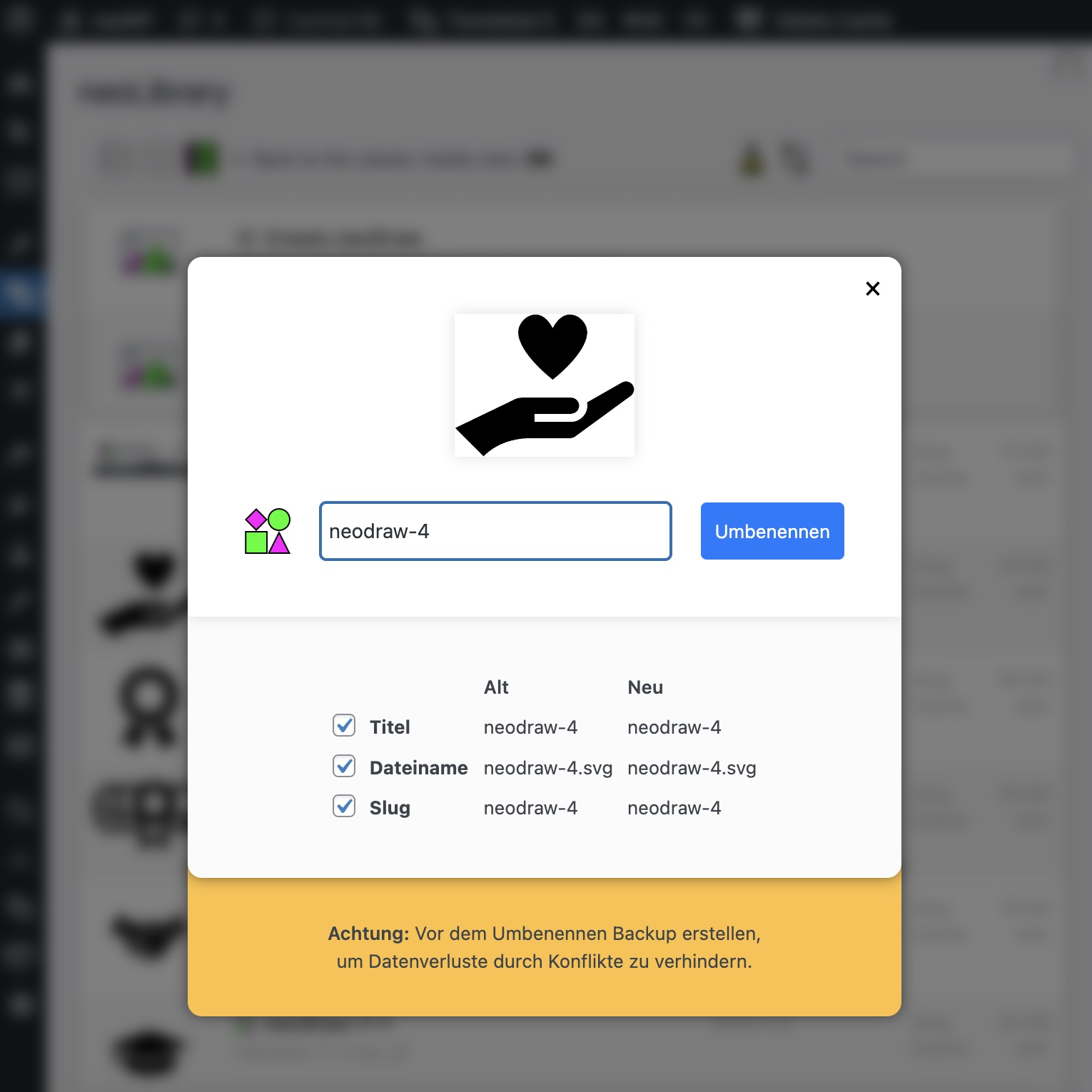
- Powerful tools: Rename, Replace, and Duplicate
- List of posts that use the image
- Sort and filter photos
- Video and PDF preview via thumbnails
- Integrated display of documents and videos
- Show file size and change date (sorting)
- Display all images on one page with infinite scroll
- Media download and upload via drag and drop
- Editor for alt text, description and caption
- Duplicate detection for images (Pro)
- Tag images - Smarter than folders (Pro)
“Great what you can do with neo Rename. The Pro version takes it even further.”
Technical details - Modern implementation with high compatibility
The neo Library plugin is available for free download in the current version 1.0.0. It requires at least WordPress version 6.2 and PHP version 8.0 or higher. The plugin was tested up to current version 7.1 by the beta tester group. The developers released the last update in 2026-08. Continuous updates and enhancements to the plugin reflect the commitment to further development.
“It is convenient to get all media plugins from a single developer. The complete neo universe runs performant, reliable and stable.”
Quality and support - Fast and helpful assistance
Support for neo Library receives mostly positive feedback, mainly due to fast response times and effective problem solving. Many users report that the developers provide committed and helpful support for both the free and Pro versions. The neo WP team is directly reachable via the developer page by chat, email and contact form. Additionally, the official support forum is available for further assistance.
“The developers respond quickly, personally and are very helpful.”
Conclusion - Very high-quality WordPress plugin package
The plugin neo Library lives up to its slogan “Bring order to your media library and show you where your images are used!” in every respect. Even in the free version, the entire neo plugin series offers a comprehensive solution for the typical requirements of media management in WordPress. If you already use neo Library, it’s worth taking a look at the other plugins from neo WP.
Show more
Detailed plugin information
Plugin slug: neo-library
Plugin name: neoLibrary
Plugin title: neo Library - Die neue Image Media Library
Plugin keywords: #library #media #image #organizer #folder
Plugin version: 1.0.0
Last updated: 2026-08
Release date: 2026-08-01
Required WP version: 6.2
Required PHP version: 8.0
Tested with WP version: 7.1
Active installations: 1+
Average rating: 5.0
Number of reviews: 4
Number of support requests: 0 (in the last 2 months)
Number of resolved support requests: 0 (in the last 2 months)
Plugin author: neo WP
Developer homepage: https://neo-wp.com/?ref=wporg-info
WP developer profile page: https://profiles.wordpress.org/neoplugins/
Support URL in the WordPress Plugin Directory: https://neo-wp.com/support/?ref=wporg-info
Developer support URL: https://neo-wp.com/support/?ref=wporg-info
WP Plugin Directory: https://neo-wp.com/plugin/neo-library/?ref=wporg-info
0.0
/ 10
#library #media #image #organizer #folder
Number #
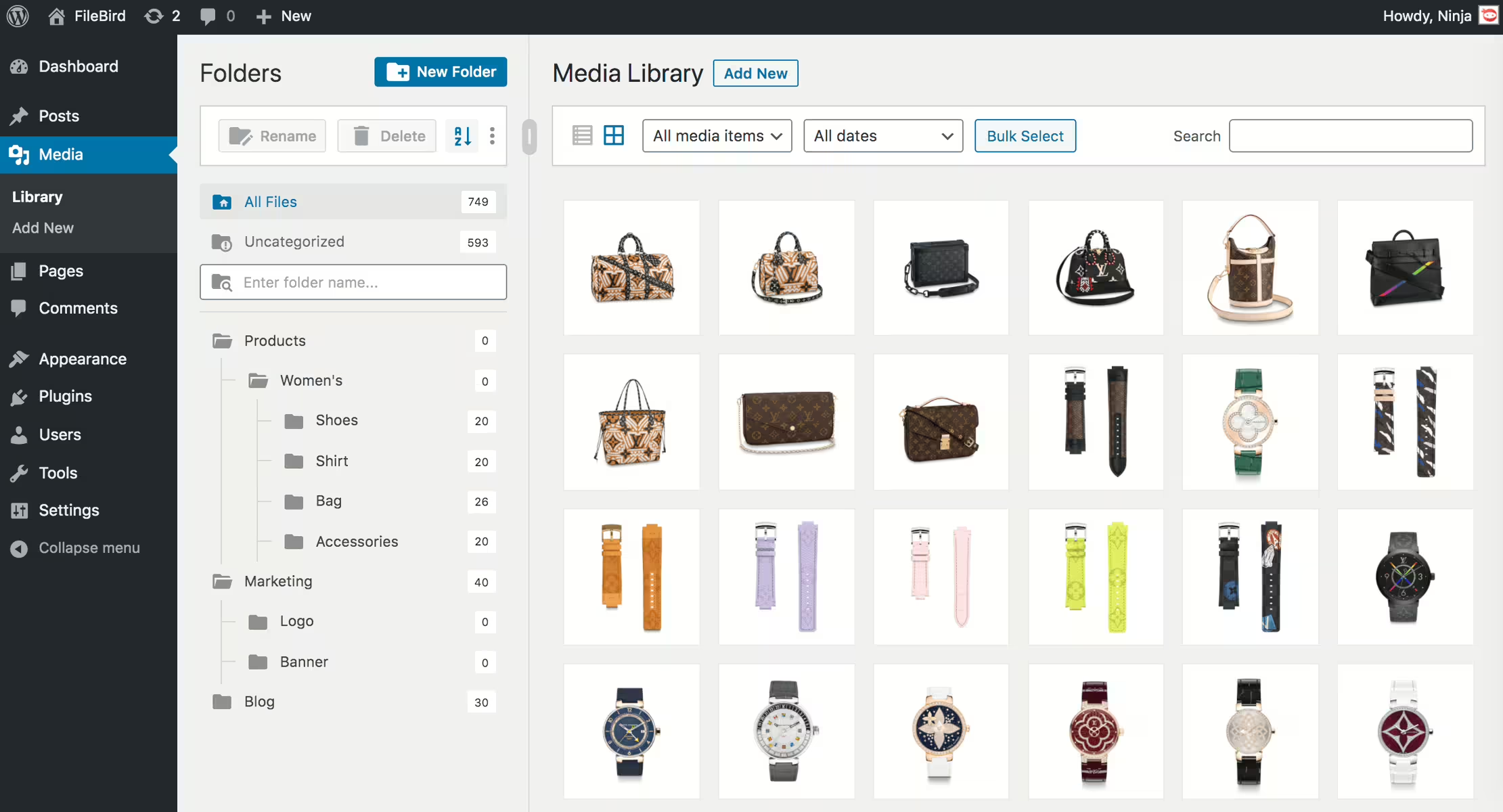
Filebird - Efficient organization of the WordPress media library
Filebird, developed by Ninja Team, is active on over 200 000+ websites. With its drag and drop organizer and virtual folders it simplifies media organization. It is valued by WordPress administrators for its ease of use and has a rating of 4.7 stars based on 1 120.
“An absolute must for organizing the media library - easy to set up and effective.”
Features - Extensive file management tools
- Unlimited main folders and subfolders - Free organization without folder limits.
- Virtual folders - Does not affect media links.
- Drag & Drop - Simplifies file and folder management.
- Search function - Easily find media.
- Folder tree themes - Customizable appearance (Pro).
- Download media folders - Export to ZIP file (Pro).
- Smart start folders - Quick access to frequently used folders (Pro).
“The Pro version offers exactly the functions I need for efficient management of my content.”
Technical Details - Developer-specific insights
With the use of shortcodes and APIs, Filebird offers flexibility and integration. It improves load times by lazy-loading files per folder. Minimum requirements: PHP 7.4, WordPress 3.0. Tested up to 7.1, continuously updated.
“The continuous updates and support are remarkable.”
Quality and Support - High performance and assistance
Filebird impresses with smart load optimization and strong drag-and-drop features. Users praise the intuitive user experience. Support is fast and helpful, reachable via the support forum or directly at Ninja Team.
Conclusion - Effective tool with potential for optimization
Filebird offers a well-thought-out solution for media management of large collections. The Pro version significantly extends the functionality. Continuous updates reflect the commitment to improvement, although the update policy is occasionally viewed critically. It remains a strong plugin for more efficient media management.
Show more
Detailed plugin information
Plugin slug: filebird
Plugin name: Filebird
Plugin title: FileBird – WordPress Media Library Folders & File Manager
Plugin Keywords: #file manager #media #media folders #organization #WordPress media library folders
Plugin version: 6.5.8
Last updated: 2026-08
Release Date: 2018-07-02
Required WP Version: 3.0
Required PHP version: 7.4
Tested with WP version: 7.1
Active Installations: 200 000+
Average rating: 4.7
Number of reviews: 1 120
Number of support requests: 4 (in the last 2 months)
Number of support requests resolved: 4 (in the last 2 months)
Plugin author: Ninja Team
Developer Homepage: https://ninjateam.org/wordpress-media-library-folders/
WP Developer Profile Page: https://profiles.wordpress.org/ninjateam/
Support URL in the WordPress Plugin Directory: https://wordpress.org/support/plugin/filebird/
Developer Support URL: https://wordpress.org/support/plugin/filebird/#fallback-commercial-support-url
WP Plugin Directory: https://wordpress.org/plugins/filebird/
0.0
/ 10
#file manager #media #media folders #organization #WordPress media library folders
Number #
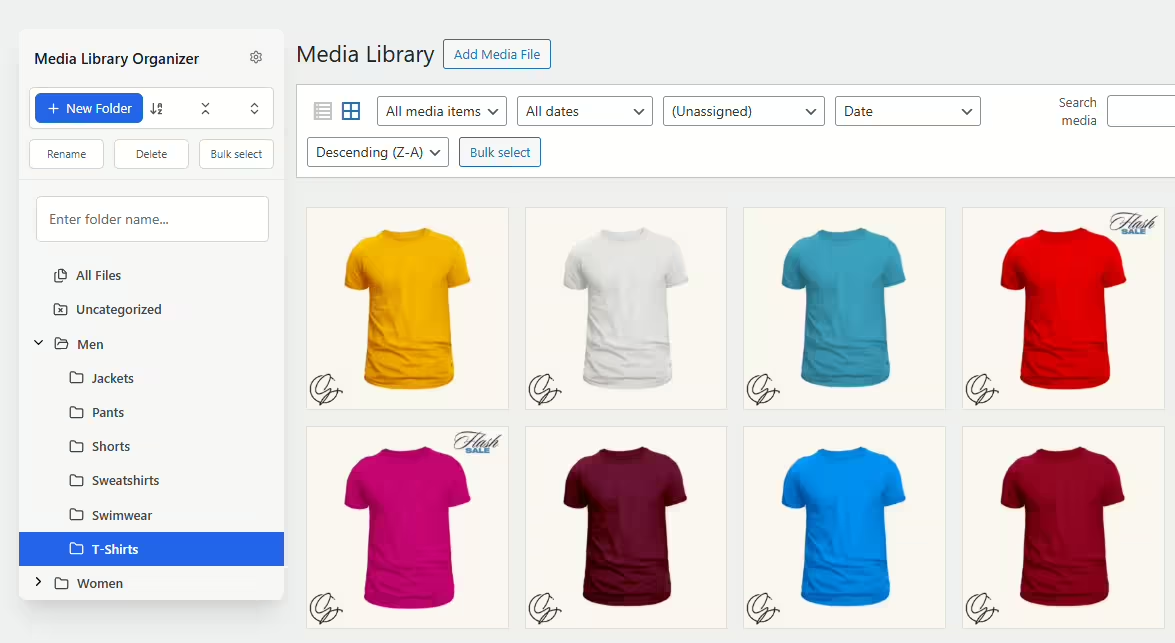
Media Library Organizer - Efficient organization of media files
Media Library Organizer by Optimole offers effective management of images, videos and files in WordPress. It supports unlimited categories, which simplifies organization. The plugin is highly rated by users who manage large media libraries.
"This plugin is necessary to organize the WP library."
Features - Comprehensive toolkit for media management
- Media categorization - Unlimited categories for images and videos.
- Tree View - Intuitive sidebar with drag and drop.
- Bulk categorization - Mass categorization via tree view.
- Automatic categorization - (Pro) Automatic image categorization.
- Dynamic galleries - (Pro) Extension of the shortcode.
- Support & documentation - (Pro) Access to email support and extensive documentation.
- Import/Export - Backup and transfer of categories.
"Has good potential, unfortunately the Pro with the really good add-ons is far too expensive."
Technical details - Requirements and compatibility
Developed with the WordPress Taxonomy API, seamless integration and extensible features. It supports import/export including JSON and XML and is compatible up to WordPress version 5.0. Minimum PHP is 5.6. The current plugin version is 2.1.2.
"A solid plugin, however you should regularly check the PHP and WP versions to ensure the best compatibility."
Quality and support - Usability and help offerings
Seamless WordPress integration provides an optimized user experience. The categorization feature stands out. The Pro version offers better support via email, while the free version is supported via WordPress forums. Reviews mention the lack of an uninstall function and infrequent updates as weaknesses.
Conclusion - Evaluation of the Media Library Organizer by Optimole
Media Library Organizer impresses with robust functionality in media management. While the Pro version offers extended options, the price is debated. Overall it remains a reliable tool for large media libraries, despite some criticisms.
Show more
Detailed plugin information
Plugin slug: media-library-organizer
Plugin name: Media Library Organizer
Plugin title: Media Library Organizer – Folders, File Manager & Media Categories
Plugin keywords: #file manager #media categories #media folders #organize files #taxonomy
Plugin version: 2.1.2
Last updated: 2026-08
Release date: 2017-08-14
Required WP version: 5.0
Required PHP version: 5.6
Tested with WP version: 7.1
Active installations: 20 000+
Average rating: 4.7
Number of reviews: 148
Number of support requests: 2 (in the last 2 months)
Number of resolved support requests: 2 (in the last 2 months)
Plugin author: Themeisle
Developer homepage: https://wpmedialibrary.com
Profile page of the WP developer: https://profiles.wordpress.org/themeisle/
Support URL in the WordPress Plugin Directory: https://wordpress.org/support/plugin/media-library-organizer/
Developer's support URL: https://wordpress.org/support/plugin/media-library-organizer/#fallback-commercial-support-url
WP Plugin Directory: https://wordpress.org/plugins/media-library-organizer/
0.0
/ 10
#file manager #media categories #media folders #organize files #taxonomy
Number #
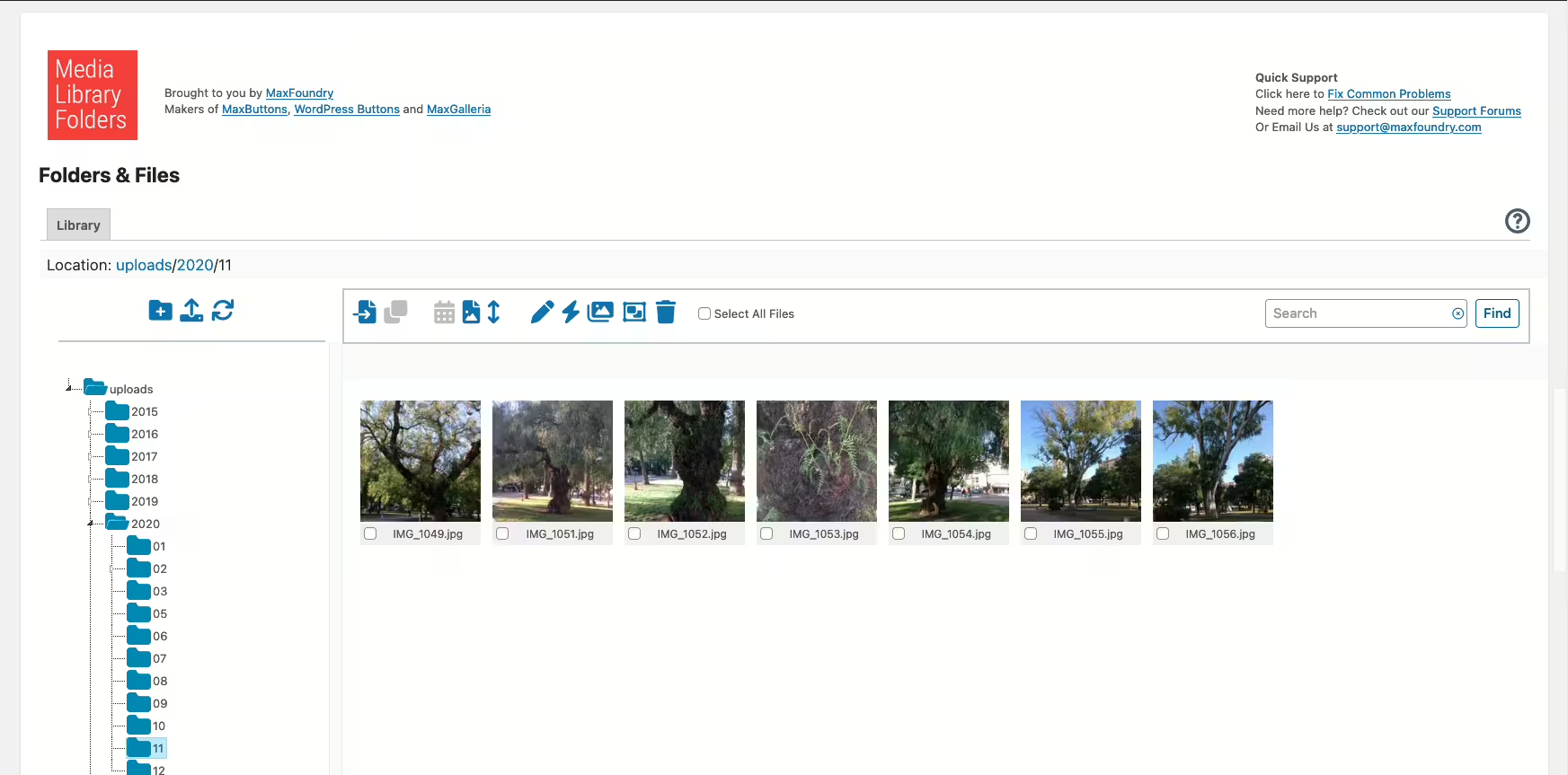
Media Library Plus - plugin for improved media management
Media Library Plus is a WordPress plugin by Max Foundry with over 10 000+ active installations. It offers structured media library organization and is ideal for users with large amounts of media.
"This plugin made a huge difference! I have hundreds of photos and PDF files in my media library."
Features - comprehensive tools for optimization
This plugin offers numerous management features:
- Real folders - optimized media library organization.
- Drag and drop interface - simplified file management.
- Block direct access - protect sensitive files.
- Add images to WooCommerce product gallery (Pro) - special integration.
- Multisite support (Pro) - functionality in multisite environments.
- Advanced media library (Pro) - categorization and interchangeability.
- Image SEO - set ALT and TITLE attributes.
"The advanced features of the Pro version are ideal for larger projects and offer a level of organization not possible with the base version."
Technical details - Requirements and compatibility
The plugin changes how media files are handled in WordPress by using an actual filesystem structure and requires at least PHP version 7.4 and WordPress version 4.0. Tested up to version 7.1, FTP uploads are integrated seamlessly. The current plugin version is 8.3.9, with the last update in 2026-08.
Quality and support - advantages and criticisms
Effective use of folder structures improves media organization, but some report loading time issues and a complex user interface. Support receives mixed feedback, with quick response times for simple requests but sometimes insufficient for more complex issues. Available via WordPress forum and commercial support.
"Every time I had even the simplest questions, support was patient and helpful."
Conclusion - Beneficial for large media libraries
Media Library Plus by Max Foundry offers efficient media management in WordPress, praised for drag-and-drop functionality and folder structures. The Pro version is especially useful for larger projects. The free version is limited, and there is room for improvement in synchronization and the user interface.
Show more
Detailed plugin information
Plugin slug: media-library-plus
Plugin name: Media Library Plus
Plugin title: Media Library Folders
Plugin keywords: #media library folders #organize media library
Plugin version: 8.3.9
Last updated: 2026-08
Release date: 2015-09-12
Required WP version: 4.0
Required PHP version: 7.4
Tested with WP version: 7.1
Active installations: 10 000+
Average rating: 4.3
Number of reviews: 463
Number of support requests: 0 (in the last 2 months)
Number of resolved support requests: 0 (in the last 2 months)
Plugin author: maxfoundry
Developer homepage: https://maxgalleria.com
WP developer profile page: https://profiles.wordpress.org/maxfoundry/
Support URL in the WordPress Plugin Directory: https://wordpress.org/support/plugin/media-library-plus/
Developer support URL: https://wordpress.org/support/plugin/media-library-plus/#fallback-commercial-support-url
WP Plugin Directory: https://wordpress.org/plugins/media-library-plus/
0.0
/ 10
#media library folders #organize media library
Number #

Folders - Efficient media library management
Folders, developed by Premio, is a WordPress plugin for efficient media organization. With high user satisfaction and numerous active installations, it has established itself as a popular tool.
"Folders is a handy plugin that really helps organize the website."
Features - Comprehensive tools for organization and management
- Unlimited folders - Create an unlimited number of folders for better organization.
- Drag and drop - Easily move content by dragging and dropping.
- Replace media - Replace files and changes are reflected automatically.
- Folder icon colors - Customize colors for better clarity.
- Dynamic folders - Automatic organization using filters (Pro).
- Unlimited subfolders - Create deep structures (Pro).
- User access management - Manage access for team members (Pro).
"The Pro version is fantastic - it enriches the media library and offers many useful features."
Technical details - Flexible and sustainable design
The plugin uses virtual folders based on metadata to enable efficient file organization. Developer-friendly through extensibility via the WordPress API and continuous compatibility with current WordPress versions.
"Folders is kept up to date and secure because it is regularly updated to remain compatible with the latest WordPress version."
Quality and support - User-friendly and helpful service
Recognized for improving content maintenance through efficient features like dynamic folders. Support from Premio is praised for handling inquiries quickly and competently. High user satisfaction confirms the quality and supportive role of the plugin.
"I am grateful for the help I received from the Folders Pro Premio Helpdesk."
Conclusion - Versatile tool with great value
Folders is a powerful plugin for media organization, appreciated for its ease of use and versatile features. While the free version meets basic needs, the Pro version offers extended options for more demanding requirements. The simple handling and high functional value make it a preferred solution, despite occasionally intrusive Pro announcements.
Show more
Detailed plugin information
Plugin slug: folders
Plugin name: Folders
Plugin title: Folders – Unlimited Folders to Organize Media Library Folder, Pages, Posts, File Manager
Plugin keywords: #folder #folders #media library #pages folders #replace media
Plugin version: 3.1.9
Last updated: 2026-08
Release date: 2015-05-01
Required WP version: 4.7
Required PHP version: 7.4
Tested with WP version: 7.1
Active installations: 90 000+
Average rating: 5.0
Number of reviews: 1 517
Number of support requests: 1 (in the last 2 months)
Number of Resolved Support Requests: 1 (in the last 2 months)
Plugin author: Premio
Developer homepage: https://wordpress.org/support/plugin/folders/#fallback-homepage
WP developer profile page: https://profiles.wordpress.org/premio/
Support URL in the WordPress Plugin Directory: https://wordpress.org/support/plugin/folders/
Developer support URL: https://wordpress.org/support/plugin/folders/#fallback-commercial-support-url
WP Plugin Directory: https://wordpress.org/plugins/folders/
0.0
/ 10
#folder #folders #media library #pages folders #replace media
Number #
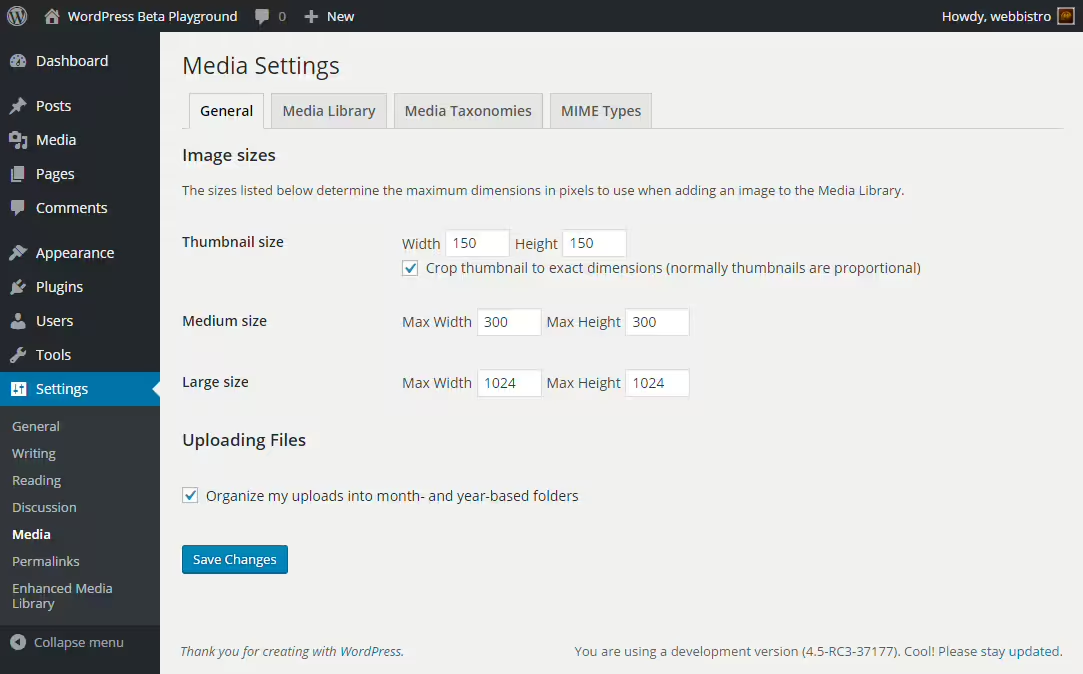
Enhanced Media Library - Efficient media management for WordPress
Enhanced Media Library by wpUXsolutions is a powerful plugin to improve media management in WordPress, released on 2013-11-03 with over 60 000+ active installations. It offers intuitive use and organization for large media libraries and has a rating of 4.3 from 298 reviews.
"It allows seamless integration into the media management workflow and is simple and intuitive to use."
Features - Scope of plugin functions
- Unlimited categories & tags - For detailed organization.
- MIME type management - Adds or removes file types.
- Drag’n’Drop reordering - Efficient user interface.
- Multisite compatible - Network-wide activation possible.
- Advanced search (Pro) - Filters by character input.
- Auto-categorization (Pro) - Automates media categorization.
"This plugin provides a way to organize media into 'folders' without actually moving the media or changing links."
Technical details - Easy integration and lightweight
Enhanced Media Library uses native WordPress hooks and supports the REST API without additional database tables, which improves performance. It is compatible with PHP from version 5.6 and WordPress from version 6.0.
Quality and support - Strengths and challenges
The plugin scores points for ease of use and drag'n'drop functionality, however performance issues and missing updates can impair the user experience. Support is sometimes fast but not always consistent.
"I submitted several requests and technical support was available within 24 hours."
Conclusion - Effectiveness compared to the Pro version
Enhanced Media Library offers simple media management and is fit for large libraries. The Pro version extends with useful features, while the base version can be limited. Regular updates would increase user satisfaction.
Show more
Detailed plugin information
Plugin slug: enhanced-media-library
Plugin name: Enhanced Media Library
Plugin title: Enhanced Media Library
Plugin keywords: #media categories #media folders #media library #media tags #mime-types
Plugin version: 2.9.4
Last update: 2024-07
Release date: 2013-11-03
Required WP Version: 6.0
Required PHP version: 5.6
Tested with WP version: 6.5.10
Active installations: 60 000+
Average rating: 4.3
Number of ratings: 298
Number of support requests: 2 (in the last 2 months)
Number of resolved support requests: 0 (in the last 2 months)
Plugin author: webbistro
Developer homepage: https://wpUXsolutions.com/plugins/enhanced-media-library
WP developer profile page: https://profiles.wordpress.org/webbistro/
Support URL in the WordPress Plugin Directory: https://wordpress.org/support/plugin/enhanced-media-library/
Developer support URL: https://wordpress.org/support/plugin/enhanced-media-library/#fallback-commercial-support-url
WP Plugin Directory: https://wordpress.org/plugins/enhanced-media-library/
0.0
/ 10
#media categories #media folders #media library #media tags #mime-types
Number #
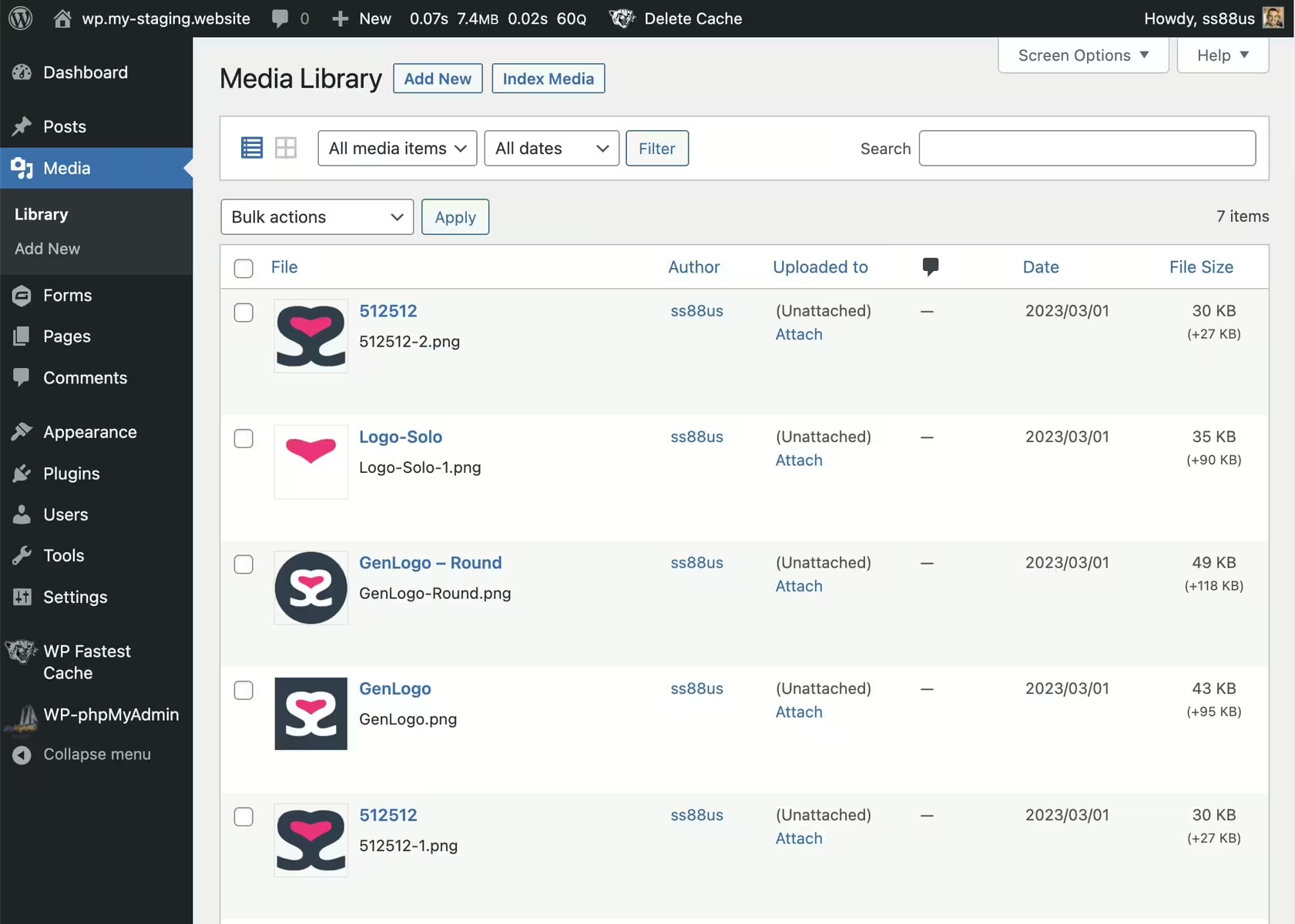
Media Library File Size - Efficient media management for WordPress
Media Library File Size, by SS88 LLC, enhances the WordPress media library with additional features. Over 6 000+ active installations confirm the popularity of the plugin released on 2023-03-09. Users can sort media by file size, which simplifies storage management. The target audience is website owners with extensive media content, for example photographers. With 4.6 out of 5 stars from 5 reviews it is well regarded in the WordPress Plugin Directory.
"Helpful for identifying large media files that take up server space."
Features - Useful tools for the media library
- New column for file sizes - Shows files including variant size.
- Sort files by size - Simplifies file size sorting.
- View Variants - Modal for image variants with details.
- Index Media Button - Controls media indexing.
- Index media (Pro) - Re-indexes on changes.
Technical details - System requirements and performance
The plugin requires at least PHP 5.6 and WordPress 4.1. The current version is 1.7 and compatible up to WordPress 7.0.4. Technically efficient, it minimally interferes with database processes.
“The default media manager in WordPress felt a bit lacking and I was glad to try some plugins.”
Quality and support - Performance and assistance
Works well for managing large amounts of media. Minor limitations in image size display. Support via the official support forum and optionally directly from SS88 LLC. Overall satisfaction though room for improvement.
"Helpful for identifying large media files that take up server space."
Conclusion - Solid plugin with room for improvement
Media Library File Size beneficially extends WordPress by providing file size visibility and sorting options. Despite 4.6 stars, image size limits and sorting reliability are criticized. The free usage makes it attractive for limited budgets. Future updates could fix issues and expand functionality.
Show more
Detailed plugin information
Plugin slug: media-library-file-size
Plugin name: Media Library File Size
Plugin title: Media Library File Size
Plugin-Keywords: #file size #image size #library size #media library
Plugin Version: 1.7
Last update: 2026-06
Release Date: 2023-03-09
Required WP Version: 4.1
Required PHP version: 5.6
Tested with WP version: 7.0.4
Active Installations: 6 000+
Average Rating: 4.6
Number of reviews: 5
Number of support requests: 0 (in the last 2 months)
Number of resolved support requests: 0 (in the last 2 months)
Plugin author: Sully
Developer Homepage: https://neoboffin.com/plugins/media-library-file-size?utm_source=wordpress&utm_medium=link&utm_campaign=mlfs
WP Developer Profile: https://profiles.wordpress.org/ss88_uk/
Support URL in WordPress Plugin Directory: https://wordpress.org/support/plugin/media-library-file-size/
Developer Support URL: https://wordpress.org/support/plugin/media-library-file-size/#fallback-commercial-support-url
WP Plugin Directory: https://wordpress.org/plugins/media-library-file-size/
0.0
/ 10
#file size #image size #library size #media library
Number #
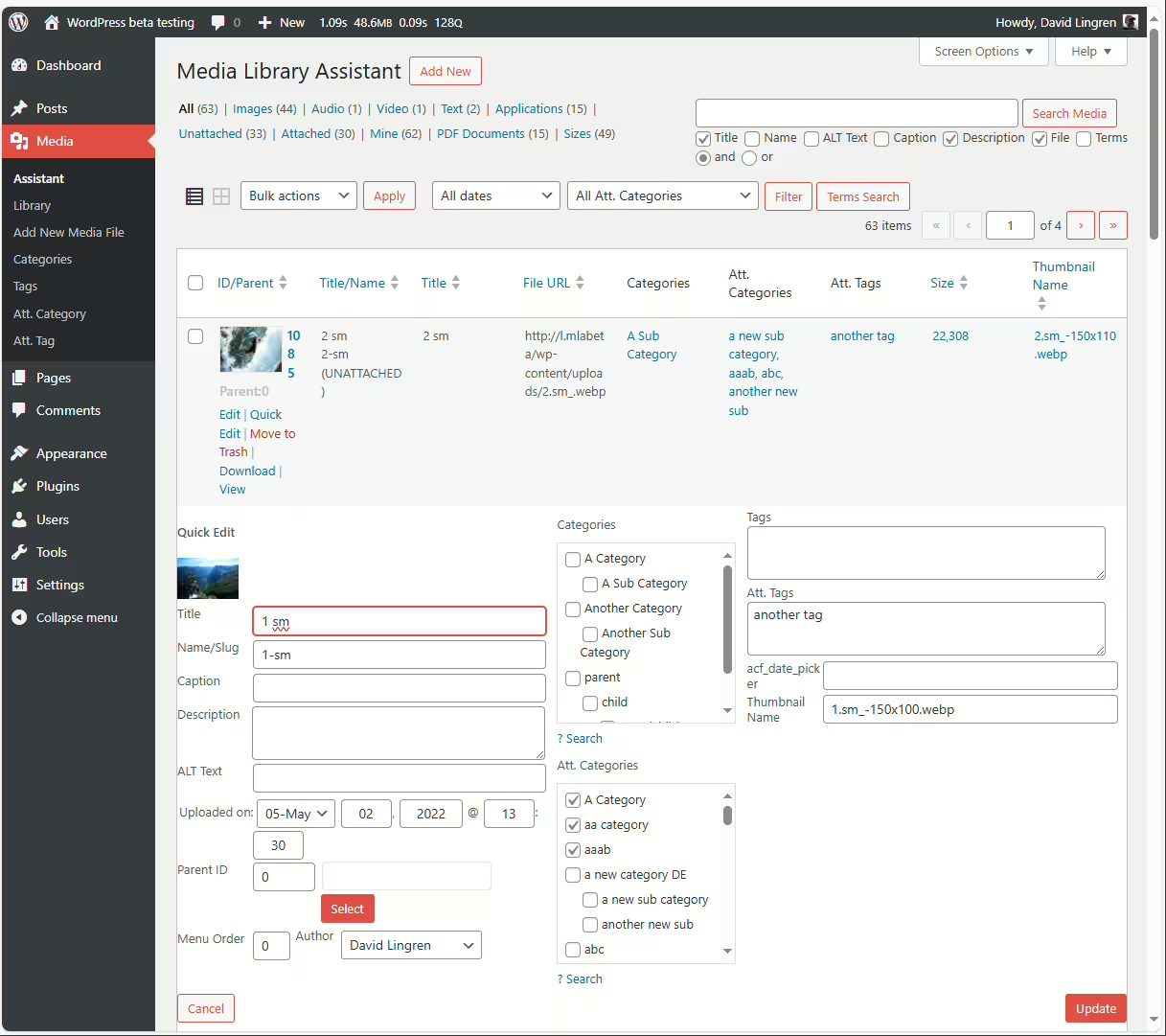
Media Library Assistant - Overview and Benefits
Media Library Assistant by David Lingren, published on 2012-08-13, offers advanced media management features for over 70 000+ websites. With flexibility and customizability it stands out and receives a rating of 4.8 out of 5 stars from 201 reviews.
"This plugin adds media library features that should have been there all along, like the ability to sort files and assign categories."
Features - Efficient management and flexibility
- Metadata support - IPTC, EXIF, XMP and PDF assignable
- [mla_gallery] and other shortcodes for galleries
- Compatible with WPML and Polylang
- Integration with plugins - Supports Photonic Gallery, Jetpack etc.
- Inline "Bulk Edit" and "Quick Edit"
- Advanced search - Search by name, ALT text, captions
- Hook and template customization (Pro) - Customizable via 28 hooks
"The plugin offers features missing in many paid plugins."
Technical details - requirements and customization options
Requires at least PHP version 7.4, WordPress version 5.3.0. Compatibility tested up to 5.8. Current version: 3.40. Memory requirements and customizability via numerous shortcodes and hooks are especially valuable for developers.
"The plugin runs stably even on older servers and brings many long-awaited features for media management."
Quality and support - usability and help
Media Library Assistant excels in versatility, with experienced users appreciating the customization. Support from David Lingren is prompt and efficient; forum and commercial support available. Despite high ratings it can be challenging for beginners; better documentation is needed.
"The support is also great, fast, with good understanding and direct communication."
Conclusion - strengths, weaknesses and community response
The Media Library Assistant is a comprehensive media management tool with essential features for large libraries but requires a learning curve. Despite potential performance issues on large installs and documentation that could be improved, it remains a valued option with high utility potential.
Show more
Detailed plugin information
Plugin slug: media-library-assistant
Plugin name: Media Library Assistant
Plugin title: Media Library Assistant
Plugin keywords: #categories #images #media #media library #tags
Plugin version: 3.40
Last updated: 2026-08
Release date: 2012-08-13
Required WP version: 5.3.0
Required PHP version: 7.4
Tested with WP version: 7.0.4
Active installations: 70 000+
Average rating: 4.8
Number of reviews: 201
Number of support requests: 3 (in the last 2 months)
Number of resolved support requests: 3 (in the last 2 months)
Plugin author: David Lingren
Developer homepage: http://davidlingren.com/#two
WP developer profile page: https://profiles.wordpress.org/dglingren/
Support URL in the WordPress Plugin Directory: https://wordpress.org/support/plugin/media-library-assistant/
Developer support URL: https://wordpress.org/support/plugin/media-library-assistant/#fallback-commercial-support-url
WP Plugin Directory: https://wordpress.org/plugins/media-library-assistant/
0.0
/ 10
#categories #images #media #media library #tags
Number #
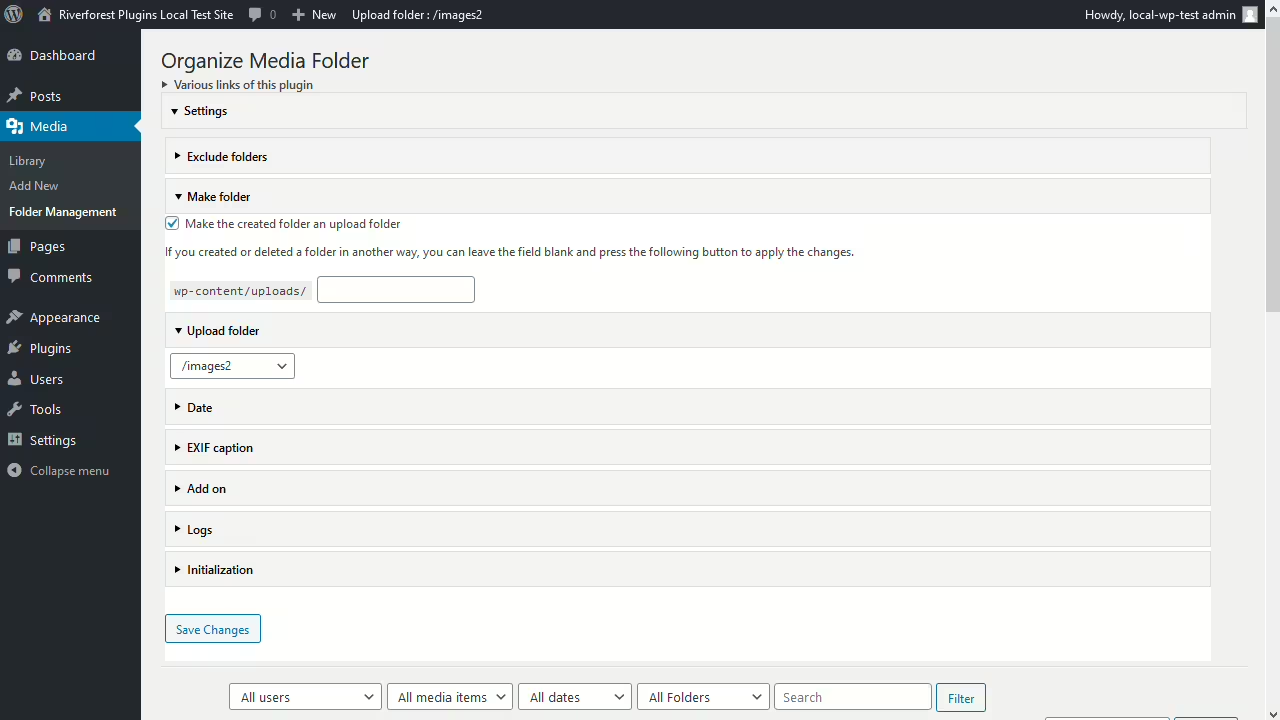
Organize Media Folder - Efficient media management
Organize Media Folder, created by Katsushi Kawamori, is a WordPress plugin for organizing the media library into folders. With 2 000+ active installations and an average rating of 4.1 / 5 stars it especially helps users with many media files.
"A very useful plugin! It fixes the terrible organization of the default media library by allowing directories to be created within the uploads directory."
Features - Optimized media management with diverse functions
- Organize files into folders - Structures the media library.
- Create new folders - Improves overview.
- Filter by folders - Makes finding files easier.
- Replace URL in content - Adjusts URLs when changes occur.
- Direct upload into folders - Increases efficiency.
- Change physical file structure (Pro) - Improved management.
- Flexible upload scheduling (Pro) - Enables automation.
"A very practical plugin that finally allows changing the media structure physically instead of only virtually."
Technical details - Requirements and noteworthy components
The plugin requires at least PHP version 8.0 and WordPress version 4.7. Tested up to WordPress version 7.1. It makes physical changes to directories and works filesystem-based which may have implications depending on server configuration.
"The plugin works well with the specified WordPress version, but older PHP versions could cause issues."
Quality and support - Mixed impressions of features and help
Organize Media Folder scores with useful functionality but receives mixed reactions regarding user comfort and performance. Support is available via the plugin forum, though detailed support experiences are lacking in the reviews.
"I posted my requests in the support forum and received helpful answers within a reasonable timeframe."
Conclusion - Necessary solution with room for improvement
Organize Media Folder, by Katsushi Kawamori, extends WordPress in media organization. Technically skilled users benefit from deep filesystem interventions. However, the plugin could be improved with less complexity and better user guidance. Caution regarding security aspects and performance is recommended.
Show more
Detailed plugin information
Plugin slug: organize-media-folder
Plugin name: Organize Media Folder
Plugin title: Organize Media Folder
Plugin keywords: #admin #directories #folders #media #media library
Plugin version: 1.37
Last updated: 2026-08
Release date: 2020-12-25
Required WP version: 4.7
Required PHP version: 8.0
Tested with WP version: 7.1
Active installations: 2 000+
Average rating: 4.1
Number of reviews: 16
Number of support requests: 0 (in the last 2 months)
Number of resolved support requests: 0 (in the last 2 months)
Plugin author: Katsushi Kawamori
Developer homepage: https://wordpress.org/plugins/organize-media-folder/
WP developer profile page: https://profiles.wordpress.org/katsushi-kawamori/
Support URL in the WordPress Plugin Directory: https://wordpress.org/support/plugin/organize-media-folder/
Developer support URL: https://wordpress.org/support/plugin/organize-media-folder/#fallback-commercial-support-url
WP Plugin Directory: https://wordpress.org/plugins/organize-media-folder/
0.0
/ 10
#admin #directories #folders #media #media library
Number #
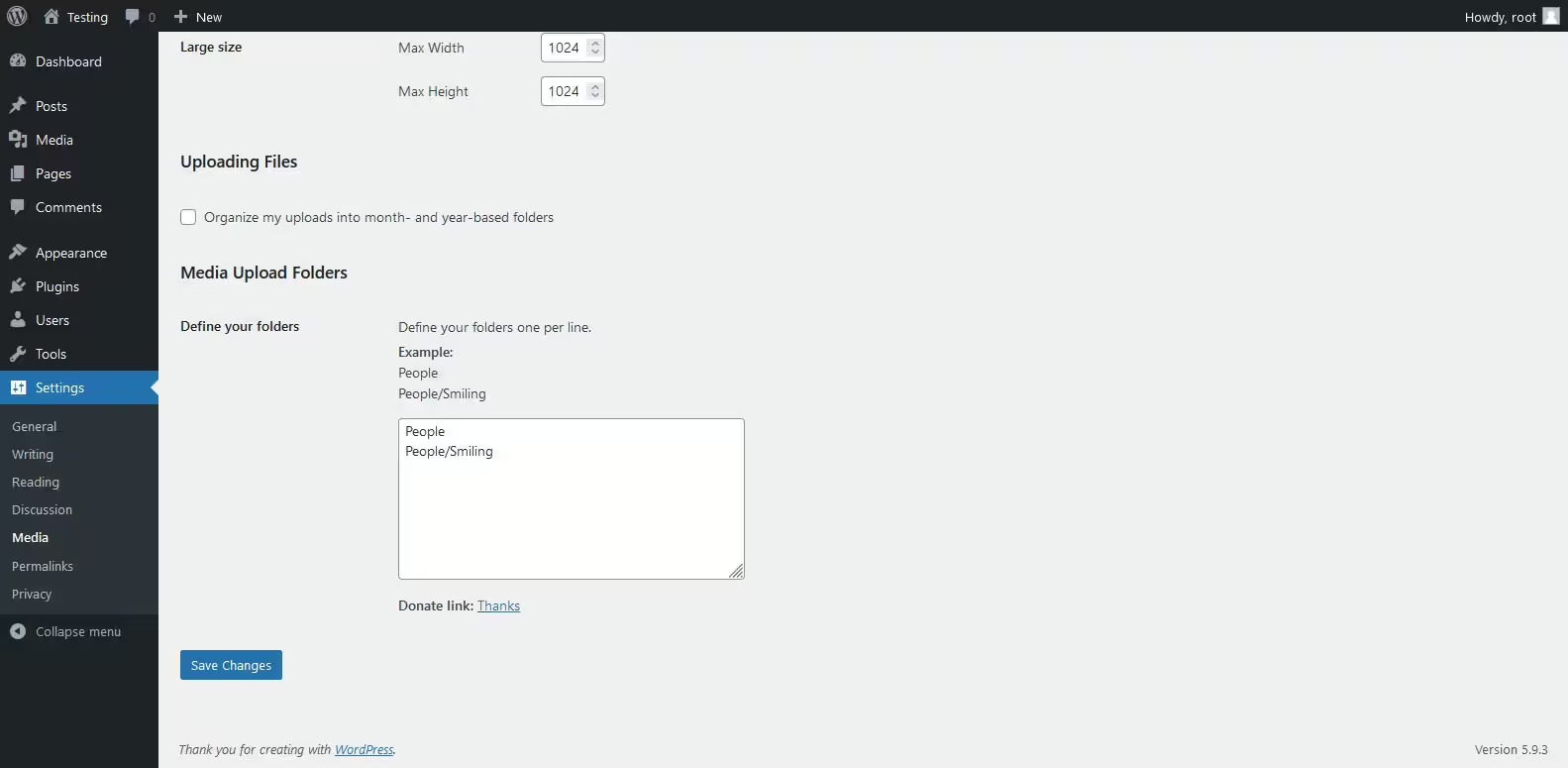
Media Folders Lite - Popular plugin for media organization
Media Folders Lite is a WordPress plugin by jbulies, that has over 100+ active installations. It allows customizing the upload path for attachments and filtering files by folders which greatly simplifies media management.
“Simple and straightforward. Plugins like this are great!”
Features - Extensive media management
- Create real folders for attachments - Organizes attachments into specific folders.
- Choose the folder when uploading - Pick a folder during file upload for better organization.
- Filter attachments by folders - Makes management and search easier.
- No new database tables - Compatibility is preserved.
- Save in year/month folders - Default option for structure.
- Reduces filename conflicts - Improves management.
“This is how the media library should be. Period.”
Technical details - Requirements and compatibility
Requires PHP 7.4+ and WordPress 5.0+. The plugin is tested up to WordPress version 6.5.10. Current version: 1.0.2, last update in 2024-05.
Quality and Support - User Opinions and Assistance
Users appreciate the simple media management and the creation of real folders but criticize performance issues with large numbers of files. The support offers options via the official WP Plugin Directory and on the vendor website.
"Support responds quickly to inquiries, which is very helpful."
Conclusion - Strengths and Weaknesses
The Media Folders Lite plugin improves media organization in WordPress and offers useful features like real folders. However, there are challenges with file migration and performance with many files. an average rating of 5.0 stars reflects mixed user feedback.
Show more
Detailed plugin information
Plugin slug: media-folders-lite
Plugin name: Media Folders Lite
Plugin title: Media Folders Lite
Plugin keywords: #directories #directory #folders #media #upload
Plugin version: 1.0.2
Last update: 2024-05
Release date: 2022-04-28
Required WP version: 5.0
Required PHP version: 7.4
Tested with WP version: 6.5.10
Active installations: 100+
Average rating: 5.0
Number of ratings: 2
Number of support requests: 0 (in the last 2 months)
Number of resolved support requests: 0 (in the last 2 months)
Plugin author: jbulies
Developer homepage: https://wordpress.org/support/plugin/media-folders-lite/#fallback-homepage
WP developer profile page: https://profiles.wordpress.org/jbulies/
Support URL in the WordPress Plugin Directory: https://wordpress.org/support/plugin/media-folders-lite/
Developer support URL: https://wordpress.org/support/plugin/media-folders-lite/#fallback-commercial-support-url
WP Plugin Directory: https://wordpress.org/plugins/media-folders-lite/
0.0
/ 10
#directories #directory #folders #media #upload
Number #
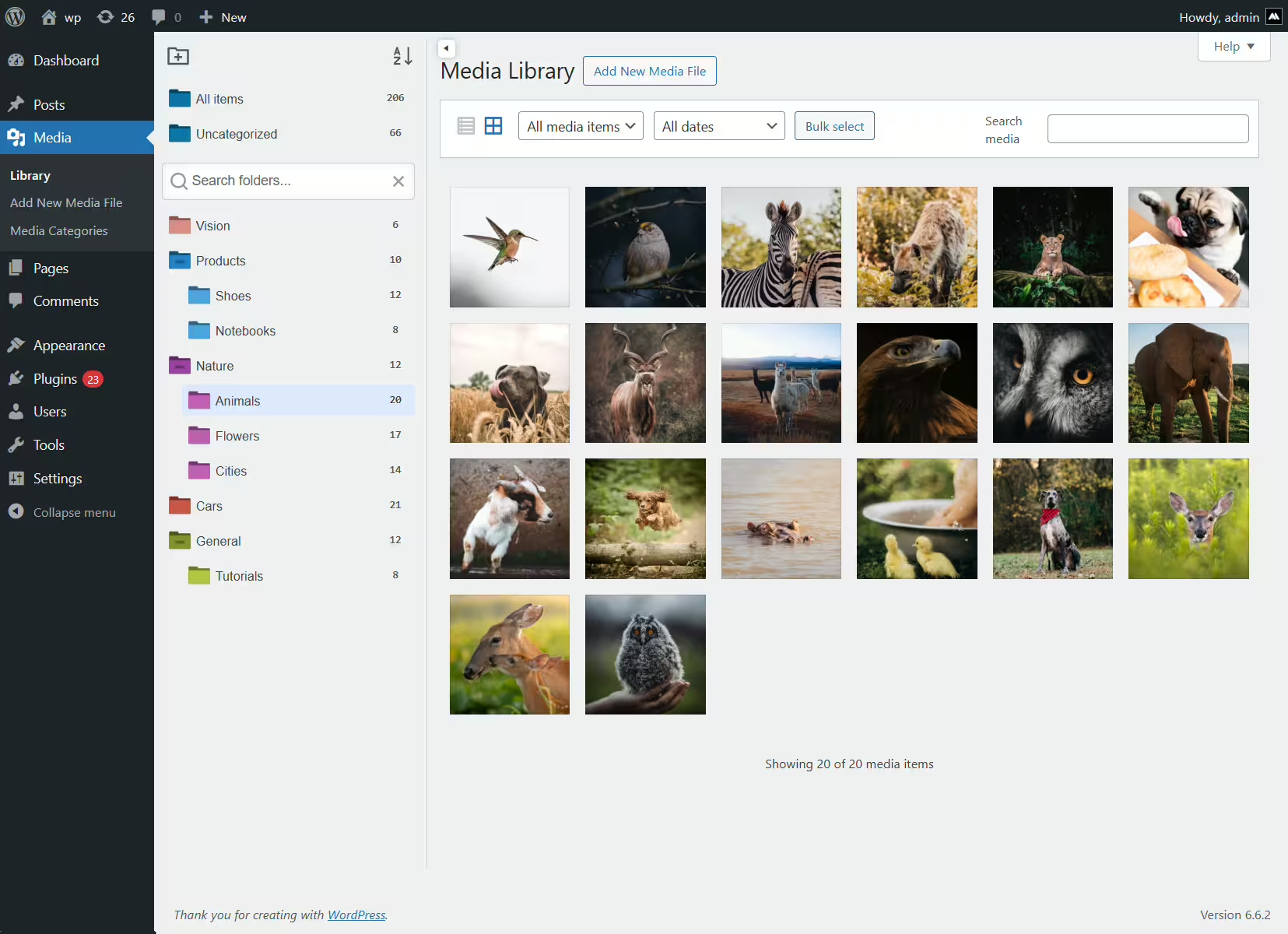
iFolders - Powerful media organizer
iFolders, developed by Avirtum, is a WordPress plugin for seamless organization of media libraries, posts and pages in a folder-based structure. With 300+ active installations and a rating of 4.6 it is very popular among WordPress users. It offers intuitive drag & drop management and significantly extends WordPress standard features.
"This plugin delivers exactly what it promises, no frills."
Features - Effective management functions
- Unlimited folders - Organize content with unlimited (sub)folders.
- Drag & Drop - Easily move content.
- Bulk operations - Edit multiple items at once.
- ZIP export - Download folders as ZIP files.
- Custom sorting - Organize by name, date, etc.
- Replace media - Replace images without changing the URL (Pro)
- WooCommerce support - Organize products and orders (Pro)
"Works exactly as it should, even in the free version."
Technical details - Requirements and structure
iFolders improves content management with a flexible folder structure and drag & drop. Minimum requirements are PHP 7.4 and WordPress 4.6. The current version 2.9.1 is compatible with older WordPress versions.
Quality and support - Usability and help
The plugin stands out for quality and reliable support. Positive user reviews highlight seamless WordPress integration. For support requests there is a support forum, and quick developer responses are praised.
"The developer stepped in immediately and fixed the issue."
Conclusion - Summary of strengths
iFolders offers an efficient solution for content management in WordPress. Usability, extensive features and reliable support lead to high user satisfaction. Future updates are potentially promising.
Show more
Detailed plugin information
Plugin slug: ifolders
Plugin name: Ifolders
Plugin title: iFolders – Ultimate Folder Organizer for Media Library, Pages, Posts and Users
Plugin keywords: #file manager #media folder #media library #media library categories #media library folders
Plugin version: 2.9.1
Last update: 2025-12
Release date: 2022-08-25
Required WP version: 4.6
Required PHP version: 7.4
Tested with WP version: 6.9.7
Active installations: 300+
Average Rating: 4.6
Number of reviews: 11
Number of support requests: 0 (in the last 2 months)
Number of resolved support requests: 0 (in the last 2 months)
Plugin author: Avirtum
Developer homepage: https://1.envato.market/getifolders
WP developer profile page: https://profiles.wordpress.org/avirtum/
Support URL in the WordPress Plugin Directory: https://wordpress.org/support/plugin/ifolders/
Developer support URL: https://wordpress.org/support/plugin/ifolders/#fallback-commercial-support-url
WP Plugin Directory: https://wordpress.org/plugins/ifolders/
0.0
/ 10
#file manager #media folder #media library #media library categories #media library folders
In comparison with:

Real Media Library: Media Library Folder & File Manager - Efficient organization for WordPress media
Real Media Library Lite by devowl.io offers improved management of media files in WordPress. With over 100 000+ active installations since 2020-02-26 it helps users organize their media library efficiently.
"The plugin helps to get a better overview of all media uploads."
Features - Organization and customization of the media library - Extensive features for optimal media organization
- Create unlimited top-level folders - Efficient organization without limiting the number of folders.
- Complete file and folder manager - Create, rename, move and delete folders.
- Drag & Drop - Move files easily between folders.
- Filter in the media dialog - Search media using folder filters in the WP upload dialog.
- Create galleries from folders - Create folder galleries directly in the Gutenberg editor.
- Create subfolders (Pro) - Enhanced organization options with subfolders.
"It has everything I need to keep my large collection easily accessible and tidy."
Technical details - Features and API integrations - Developer tools and compatibility
The plugin offers APIs and customization options for developers, supported by detailed documentation. Integration with React and PHP APIs enables seamless customizations. Required are PHP 7.4.0 and WordPress 6.1. Tested up to WP version 7.1. Currently Version 4.23.0, updated on 2026-08.
"This plugin is one of the few that has very detailed API documentation."
Quality and support - Efficient organization and help - Usability and quick assistance
The plugin stands out for intuitive operation and efficiency in media organization. Drag & Drop and folder management make handling easier. Criticisms include possible high resource usage and occasional bugs. Support is usually described as quick and helpful; improvements to documentation are desirable.
"The developers respond quickly and try to solve issues."
Conclusion - Summary of pros and cons - Weighing benefits and potential
Real Media Library Lite by devowl.io offers a robust solution for media management in WordPress. The free version includes essential features like folder creation and Drag & Drop, while the Pro version adds advanced organization. Despite occasional resource strain the support is mostly positive. Potential security concerns and documentation improvements should be considered.
Show more
Detailed plugin information
Plugin slug: real-media-library-lite
Plugin name: Real Media Library Lite
Plugin title: Real Media Library: Media Library Folder & File Manager
Plugin keywords: #file manager #media folder #media library folder #media library folders #WordPress media library folders
Plugin version: 4.23.0
Last updated: 2026-08
Release date: 2020-02-26
Required WP version: 6.1
Required PHP version: 7.4.0
Tested with WP version: 7.1
Active installations: 100 000+
Average rating: 4.8
Number of reviews: 290
Number of support requests: 4 (in the last 2 months)
Number of resolved support requests: 3 (in the last 2 months)
Plugin author: devowl.io GmbH
Developer homepage: https://devowl.io/wordpress-real-media-library/
WP developer profile page: https://profiles.wordpress.org/devowl/
Support URL in the WordPress Plugin Directory: https://wordpress.org/support/plugin/real-media-library-lite/
Developer support URL: https://wordpress.org/support/plugin/real-media-library-lite/#fallback-commercial-support-url
WP Plugin Directory: https://wordpress.org/plugins/real-media-library-lite/
#file manager #media folder #media library folder #media library folders #WordPress media library folders
Was the comparison to Real Media Library Lite helpful?
All about Real Media Library: Media Library Folder & File Manager
Real Media Library: Media Library Folder & File Manager
Real Media Library Lite, developed by devowl.io, is a WordPress plugin for improved management of media files. Since its release on 2020-02-26 the plugin has already recorded over 100 000+ active installations. The main benefit is organizing WordPress’s often chaotic media library by providing the ability to sort files into folders, collections, and galleries. This is especially advantageous for users who work with a large number of media files such as images, videos, or documents. A standout unique feature is the complete file and folder manager that offers precise control over organization, a feature not included in the standard WP media library. The target audience primarily includes WordPress users who need to manage and organize their media files efficiently, such as growing blogs or websites with daily uploads. With an average rating of 4.8 out of 5 stars from 290 reviews in the official WordPress Plugin Directory, the plugin has built a strong user base. The following section looks in more detail at the specific features of Real Media Library Lite.
"The plugin helps to get a better overview of all media uploads."
Features - Organizing and customizing the media library
The Real Media Library Lite plugin offers numerous features to efficiently organize WordPress’s media library. Another notable feature is the enhanced filter in the media dialog, which enables filtering media files by folders. This makes finding specific files much easier, especially in large libraries.
"It has everything I need to keep my large collection easily accessible and tidy."
Free features - Free access to essential functions
- Create unlimited root folders - Allows organizing media files without limiting the number of folders.
- Complete file and folder manager - Functions like create, rename, move, and delete folders.
- Drag & Drop - Easily move files between folders by dragging and dropping.
- Create file shortcuts - Use SHIFT and drag & drop to create shortcuts of files in different folders.
- Filter in the media dialog - Provides the ability to filter by folders in the WordPress media dialog.
- Custom image order - Arrange images by drag and drop for a specific order.
- List mode - Also works in the list mode of the WordPress media library for better overview.
- Advanced upload management - Shows status, remaining time, and upload speed during uploads.
- Upload files directly into folders - Select the destination folder while uploading in the media upload dialog.
- Create galleries from folders - Integrate folders to create galleries directly in the Gutenberg editor.
Pro features - Advanced functions for even more control
- Create subfolders - The Pro version expands media management capabilities by allowing creation of subfolders.
"The only plugin that keeps my media well organized without creating many subfolders."
License & value - Free features and fair prices for extra functionality
Real Media Library Lite is available for free in its base version and already offers a comprehensive set of features that is sufficient for many users. The Pro version enables additional features like creating subfolders, which makes organization easier for larger libraries. Users consider the Pro version’s pricing fair because the extra features provide real added value.
"I use both the free and the paid version, and both are great."
Technical details - Features and API integrations
From a technical perspective the Real Media Library Lite plugin is very interesting for developers because it offers a variety of developer APIs and customization options. On the frontend the plugin is written in React and provides a JavaScript API for integration into React applications or for interacting with plain JavaScript. This API enables developers to seamlessly integrate and customize media management functions into their own projects. On the backend modern PHP is used, working with WordPress actions and filters to extend functionality. Notable are the comprehensive PHP API and the REST API endpoints that allow deeper integration. This API architecture supports developers who want to create add-ons or make existing plugins compatible. The plugin uses the internal WordPress database system to manage folder structures and fully supports media management on the filesystem level, including features like drag & drop or immediate uploading into folders.
"This plugin is one of the few that has very detailed API documentation."
System requirements - Minimum requirements and compatibility
To use Real Media Library Lite, specific minimum requirements for the server environment must be met to ensure smooth operation. The required PHP version is at least 7.4.0, which ensures the plugin's basic features are supported. In addition, the plugin requires at least WordPress version 6.1, which is compatible with most current installations. The plugin has been tested up to WordPress version 7.1, ensuring high reliability and stability on these systems. The current plugin version number is 4.23.0, and the last update was released in 2026-08. These details underline the plugin's active development and support.
"This plugin helps you clear the clutter in the media library. It's easy to use and does exactly what it's supposed to."
Quality - Efficient organization and attention to detail
The Real Media Library Lite plugin stands out for its high quality and user-friendliness, with a particular focus on organizing media files in the WordPress media library. The ability to place files into specific folders while uploading and the easy moving via drag & drop give the user an intuitive experience. Broad compatibility with common page builders and other WordPress plugins ensures it integrates seamlessly into existing systems without impairing performance. Despite its functionality, the plugin is occasionally criticized for its size, as it is described as somewhat resource-intensive on the backend. This aspect should be considered when integrating into already heavily loaded systems. Still, for many users the benefit of tidy media management outweighs the downside of potentially increased system load.
"The plugin offers exactly the features needed to manage a large media library."
Support - Contact options and user experiences
Support for the Real Media Library Lite plugin is described by many users as fast and helpful. Various contact options are available, including creating a support ticket specifically for plugin use. Developers writing add-ons or ensuring compatibility with other systems are also offered comprehensive support. Users' experiences with support are mostly positive. Nevertheless, there are isolated reports of unsatisfactory assistance. Users can use the official developer support if further help is needed.
"The developers respond quickly and try to solve issues."
Rating - User opinions and ratings at a glance
Despite the extensive features of Real Media Library Lite, the plugin enjoys an impressive average rating of 4.8 out of 5 stars, supported by 290 user reviews. This high rating shows that many users appreciate the features and ease of use. The benefit most frequently highlighted is the facilitation of organizing large media libraries, which is a valuable feature especially for users with many media files.
Positive feedback often highlights the plugin's reliable performance:
"This plugin has worked smoothly for me for years, and I really appreciate the developers' work!"
However, there are critical voices that point to certain limitations, such as the need for the Pro version for some functions:
"The biggest downside is that only the Pro version offers the option to import folders from an old plugin."
Another aspect that is rated positively is the time savings the plugin enables through efficient file management:
"I can find the image I need in a tenth of the time."
Criticism - Problems, security issues and suggestions for improvement
The Real Media Library Lite plugin faces some criticisms that potential users should consider. A frequently mentioned problem is the occurrence of bugs that can cause created folders in the media library to disappear, undermining the effectiveness of organization. Another significant concern relates to compatibility after updates, especially after version 4.18.6, as reports followed of websites being deactivated, requiring rollback measures. This issue raises doubts about the plugin's update strategy.
Security concerns are also expressed in some reviews, despite GDPR compliance and the statement that no personal data is collected without consent. Critics emphasize that the required consent for using the plugin combined with the terms linking to data transfer is displeasing to some, which some consider unacceptable.
Suggestions for improvement often focus on documentation and the lack of new features after updates. Users report that the existing documentation is insufficient to fully understand all functions, and a clearly structured guide would be desirable. Furthermore, users call for new features to be included in updates rather than just bug fixes and language additions.
"I stopped using the plugin because after two years only bug fixes and no new features were implemented."
Conclusion - Summary of pros and cons
Real Media Library Lite, a product of devowl.io, offers improved media management for WordPress users who want to bring order to their media libraries. The free version provides basic yet powerful tools like folder creation, drag & drop and an advanced filter option, which help especially with large collections. The feature set is sufficient in many cases, while the Pro version offers extended possibilities and is perceived as reasonably priced despite additional costs.
On the technical side the plugin scores with a well thought-out API and modern software architecture, even though it is sometimes criticized for its resource consumption. Support is mostly perceived positively, though documentation could be expanded to provide a better user experience. Discussions about security issues require a watchful eye regarding privacy matters.
Overall, Real Media Library Lite offers a stable solution for proper media management and is particularly suitable for users who want to organize their media with minimal effort. Potential issues should, however, be considered when updating to ensure smooth operation.
Show more
Detailed plugin information
Plugin slug: real-media-library-lite
Plugin name: Real Media Library Lite
Plugin title: Real Media Library: Media Library Folder & File Manager
Plugin keywords: #file manager #media folder #media library folder #media library folders #WordPress media library folders
Plugin version: 4.23.0
Last updated: 2026-08
Release date: 2020-02-26
Required WP version: 6.1
Required PHP version: 7.4.0
Tested with WP version: 7.1
Active installations: 100 000+
Average rating: 4.8
Number of reviews: 290
Number of support requests: 4 (in the last 2 months)
Number of resolved support requests: 3 (in the last 2 months)
Plugin author: devowl.io GmbH
Developer homepage: https://devowl.io/wordpress-real-media-library/
WP developer profile page: https://profiles.wordpress.org/devowl/
Support URL in the WordPress Plugin Directory: https://wordpress.org/support/plugin/real-media-library-lite/
Developer support URL: https://wordpress.org/support/plugin/real-media-library-lite/#fallback-commercial-support-url
WP Plugin Directory: https://wordpress.org/plugins/real-media-library-lite/
Before switching to the alternative
If you run into problems with the plugin "Real Media Library: Media Library Folder & File Manager" it might be sensible, before switching to an alternative plugin, to check the requirements for WordPress and the server.
The current plugin version 4.23.0 from 2026-08 requires at least WordPress version 6.1 and has been tested with WordPress 7.1. You should preferably use an Apache server running at least PHP version 7.4.0.
WordPress provides a support forum for the Real Media Library Lite plugin. In the last two months, 4 questions were posted there and 3 of them were answered by devowl.io GmbH, which indicates the level of support activity.
Further troubleshooting information could be provided by the Real Media Library Lite website and its support page.
Real Media Library Lite has been developed by devowl.io GmbH since 2020-02-26 and runs on a total of 100 000+ active WordPress installations. About 290 users have rated the plugin with an average of 4.8 stars. However, some users are looking for an alternative with different features.
The alternative plugins can be found in the official WordPress Plugin Directory using the following keywords and can be downloaded free of charge: #file manager #media folder #media library folder #media library folders #WordPress media library folders
The comparison above presents and evaluates the most important features of these plugin alternatives.
Decision criteria of the plugin ranking
- Usability:
The plugin should be easy to install, configure and use. - Functionality:
The plugin should perform the promised functions reliably and efficiently. - Performance:
It should not negatively impact the site's load times and should be resource efficient. - Security:
The plugin must receive regular updates to ensure continuous secure operation. - Reviews:
Positive experiences from many users give a good indication of quality and reliability. - Support:
Good customer support and comprehensive documentation are crucial to resolve issues quickly. - Documentation:
Detailed and understandable documentation makes setup and use of the plugin easier. - Value for money:
The plugin should either be free or offer fair value for money. - Adaptability:
The plugin should be flexible enough to allow individual requirements and customizations. - Compatibility:
The plugin should be compatible with different WordPress versions, themes, and other plugins.
