
Password correct. Please wait...
Disable the chat with .custom-disable-chat
WP Plugin Comparisonby neo-wp.com


WP Plugin Ifolders
Test report
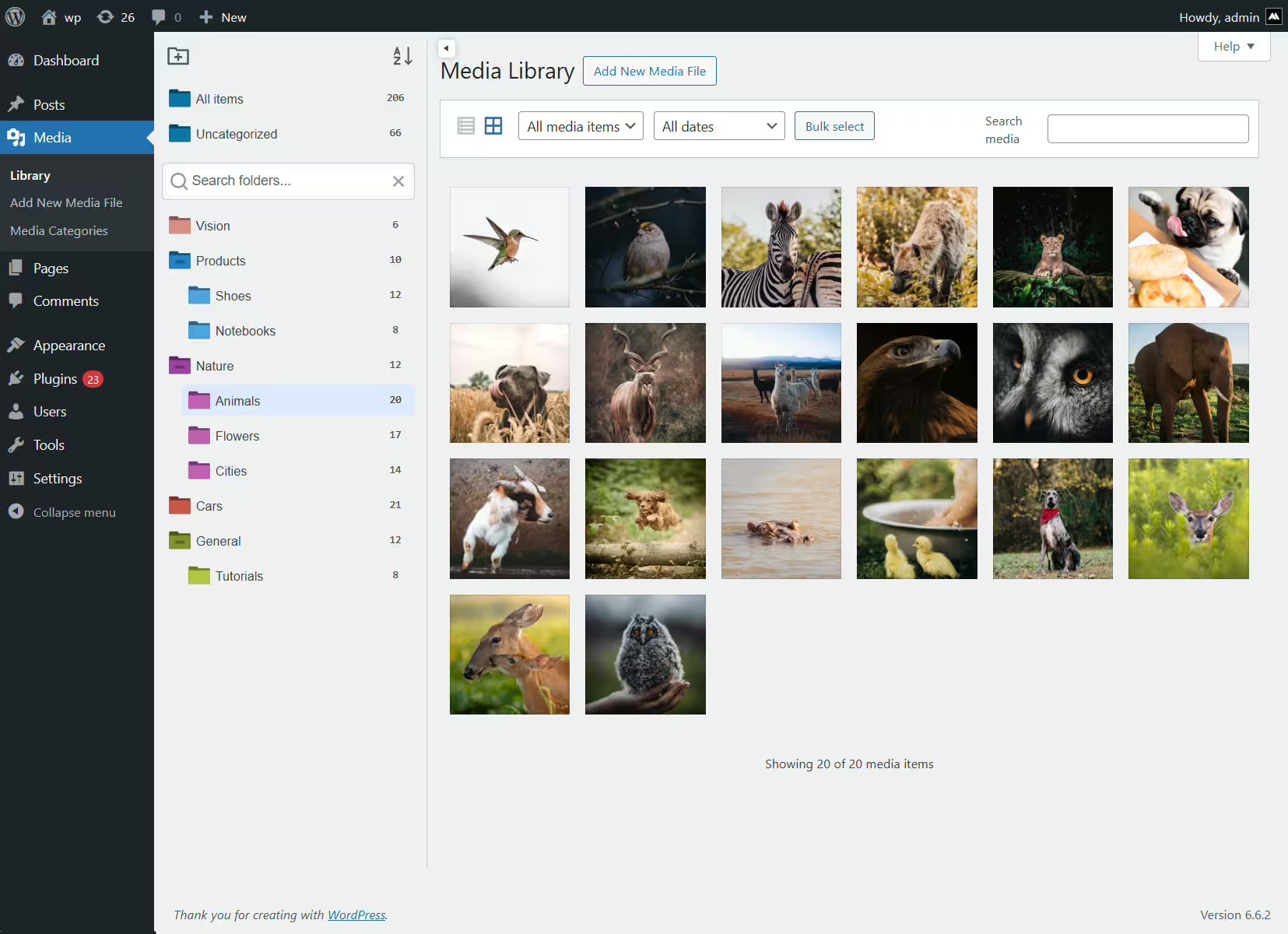
iFolders - Ultimate Folder Organizer for Media Library, Pages, Posts and Users
iFolders is an innovative WordPress plugin from Avirtum, that was released on 2022-08-25 and now has over 300+ active installations. The plugin stands out for its ability to seamlessly manage media libraries, posts and pages with an intuitive folder-based organization structure. A unique selling point of iFolders is the ability to create unlimited folders and subfolders that can be easily managed via drag & drop. This provides a user-friendly solution that goes far beyond WordPress' standard features and boosts productivity through time savings and optimized content management. The target audience includes WordPress users who need to manage a large number of posts, pages or media files. With an average rating of 4.6 from 11 reviews in the official WordPress Plugin Directory, iFolders is well received by its users. The next section will take a closer look at the plugin's specific features.
"This plugin delivers exactly what it promises, no frills."
Features - Extensive options for media organization
In addition to folder-based organization, the iFolders plugin offers a comprehensive range of features that significantly simplify content management in WordPress. A notable addition is bulk operations, which allow multiple items to be moved or edited at once, optimizing the workflow for users with large content libraries. The plugin also offers custom sorting, allowing items within folders to be ordered by various criteria, further improving navigation and findability of content.
"This plugin delivers exactly what it promises, no frills."
Free-Features - Extensive free functionality

- Unlimited folders - Allows creating an unlimited number of folders and subfolders that can be easily moved.
- Drag & drop interface - Enables quick moving of multiple items into folders or within other folders.
- Bulk operations - Enables effortless execution of mass actions such as moving multiple items.
- Create & manage folders - Easy creation of new folders and organization in a tree structure via drag & drop.
- Download folders as ZIP - Exports selected folders into a ZIP file that preserves the same folder structure.
- Folder permissions - Defines permissions for users or roles to perform specific actions.
- Replace media - Allows replacing an image without manually changing the URL or properties.
- Custom sorting - Arrange items within folders by name, date, modification or author.
- Search & filter - Enables quick searching and filtering of folders with keywords or phrases.
- Organize items - Categorizes all standard types in WordPress, including media files, posts and pages.
- Custom post types - Advanced folder management for custom post types.
- WooCommerce - Supports folders for WooCommerce listings, including products, orders and coupons.
- Fast media management - Enables easy moving of media files between folders.
- Direct upload & management - Allows uploading new files directly into a folder.
- Responsive sidebar - Customizable sidebar for folders that can be shown or hidden as needed.
- Smart delete - Easy add, rename or delete folders with one click.
- Color folders - Option to color-code folders for better clarity.
- New features? - Feedback is welcomed to implement future features.
License - Free to use with extensive functionality
The iFolders plugin is completely free to use and offers a variety of features that significantly simplify organizing and managing content in WordPress. Users appreciate the extensive capabilities the plugin provides without any additional costs. This is especially emphasized by users who rely on simple and efficient solutions. The licensing structure is seen as clear and very fair for the features provided.
"Works exactly as it should, even in the free version."
Technical details - Insight into internal workings
The WordPress plugin iFolders is designed to improve content structuring and management through comprehensive file system functionality. At the core of the plugin is a flexible folder structure that allows developers to categorize content according to specific criteria. A key aspect is the implementation of a drag & drop interface that enables intuitive organization and rearrangement of folders and files. In addition, the plugin offers extensive bulk operations that allow multiple items to be moved or managed simultaneously. The iFolders plugin accesses the WordPress file system directly to ensure seamless integration with the existing media library and other content types such as posts and pages. This design decision not only enables immediate media replacement but also preserves a consistent URL structure, thereby avoiding database-intensive processes.
"This plugin is very handy. I have many files on my site and have tried many plugins, but this is the best because it includes options and colors."
System requirements - Minimum requirements and recommended configurations
To run iFolders, some basic system requirements must be met. The plugin requires at least PHP version 7.4 or higher to ensure all current PHP features can be used. In addition, WordPress version 4.6 or higher must be installed to avoid compatibility issues. The plugin has been extensively tested and guarantees full functionality up to WordPress version 4.6. The current plugin version 2.9.1 is the last version 2.9.1, and the most recent update was last updated on 2025-12. This information helps ensure the plugin is compatible with both older and newer WordPress installations.
"This plugin delivers exactly what it promises, no frills. Highly recommended for WordPress users."
Quality - Efficient and reliable organization
The iFolders plugin is praised in most reviews for its high quality and reliable performance. Users particularly highlight the fast and efficient content management enabled by the intuitive folder structure. The seamless integration into the WordPress ecosystem ensures the plugin works well with various themes and page builders, providing an uninterrupted user experience. Features like drag & drop and bulk operations significantly reduce administrative effort and make the plugin a valuable tool for organizing content. Speed is described as comparable to the efficiency of a structured file manager, which is especially beneficial for large amounts of content. The few critical voices do not mention any notable negative aspects regarding quality, which suggests solid and mature development.
"An indispensable tool when the WordPress site has many pages and subpages. Exactly what it promises."
Support - Contact options, response time and user experiences
Support for the iFolders plugin is highlighted by users as particularly positive. Users report fast response times from the support team, which greatly contributes to problem resolution. In case of difficulties with the plugin, for example when integrating with certain page builders or themes, it is possible to ask for help in the official support forum. This forum serves as a central point for support requests and offers a platform for exchanging solutions and tips. Plugin developers act proactively by stepping in directly to resolve issues, as reviews clearly confirm. In addition, a direct developer support URL is available to address specific commercial inquiries. The high satisfaction with support is reflected in the positive reviews, which do not describe negative experiences regarding the support service.
"The developer stepped in immediately and fixed the issue."
Rating - Positive reception and complete satisfaction
With an impressive average rating of 4.6 from 11 reviews, the iFolders plugin has received consistently positive feedback so far. Users particularly appreciate the user-friendliness and efficient organization the plugin enables within the WordPress ecosystem.
Because detailed reviews of concrete experiences are lacking, the appreciation remains general regarding the features and the user interface. Users have conveyed a positive impression, but concise and specific core statements are not present in abundance.
"This plugin delivers exactly what it promises, no frills."
High user satisfaction shows that iFolders is clearly perceived as a solid solution for organizing extensive media libraries in WordPress. Despite the few reviews submitted so far, the overall tenor remains very positive.
Criticism - No relevant defect reports
There are currently no detailed critical feedback reports about the iFolders plugin. In the available reviews and reports there are no indications of specific technical problems, security vulnerabilities or serious application errors. No negative comments can be found regarding possible security concerns or data protection issues. Users seem satisfied with the provided features and stable performance. The developers' willingness to receive feedback and suggestions for improvement suggests dynamic potential for enhancement, even though concrete starting points are not described in the feedback.
"This plugin delivers exactly what it promises, no frills."
Conclusion - Summary of strengths and closing remarks
The iFolders plugin from Avirtum offers a powerful and user-friendly platform for organizing content in WordPress. With its comprehensive media management features and intuitive drag & drop interface, it is a valuable extension for users who want to manage large content libraries more efficiently. The consistently positive reviews reflect user satisfaction with the functionality and reliability of the plugin. Fast support and the developers' responsiveness are also convincing. Overall, the plugin represents a well-thought-out solution without notable defects that could gain further usefulness in the future through adjustments and improvements.
#file manager #media folder #media library #media library categories #media library folders
Show more
Detailed plugin information
Plugin slug: ifolders
Plugin name: Ifolders
Plugin title: iFolders – Ultimate Folder Organizer for Media Library, Pages, Posts and Users
Plugin keywords: #file manager #media folder #media library #media library categories #media library folders
Plugin version: 2.9.1
Last update: 2025-12
Release date: 2022-08-25
Required WP version: 4.6
Required PHP version: 7.4
Tested with WP version: 6.9.7
Active installations: 300+
Average Rating: 4.6
Number of reviews: 11
Number of support requests: 0 (in the last 2 months)
Number of resolved support requests: 0 (in the last 2 months)
Plugin author: Avirtum
Developer homepage: https://1.envato.market/getifolders
WP developer profile page: https://profiles.wordpress.org/avirtum/
Support URL in the WordPress Plugin Directory: https://wordpress.org/support/plugin/ifolders/
Developer support URL: https://wordpress.org/support/plugin/ifolders/#fallback-commercial-support-url
WP Plugin Directory: https://wordpress.org/plugins/ifolders/
Was the review of iFolders helpful?
Popular alternatives to Ifolders
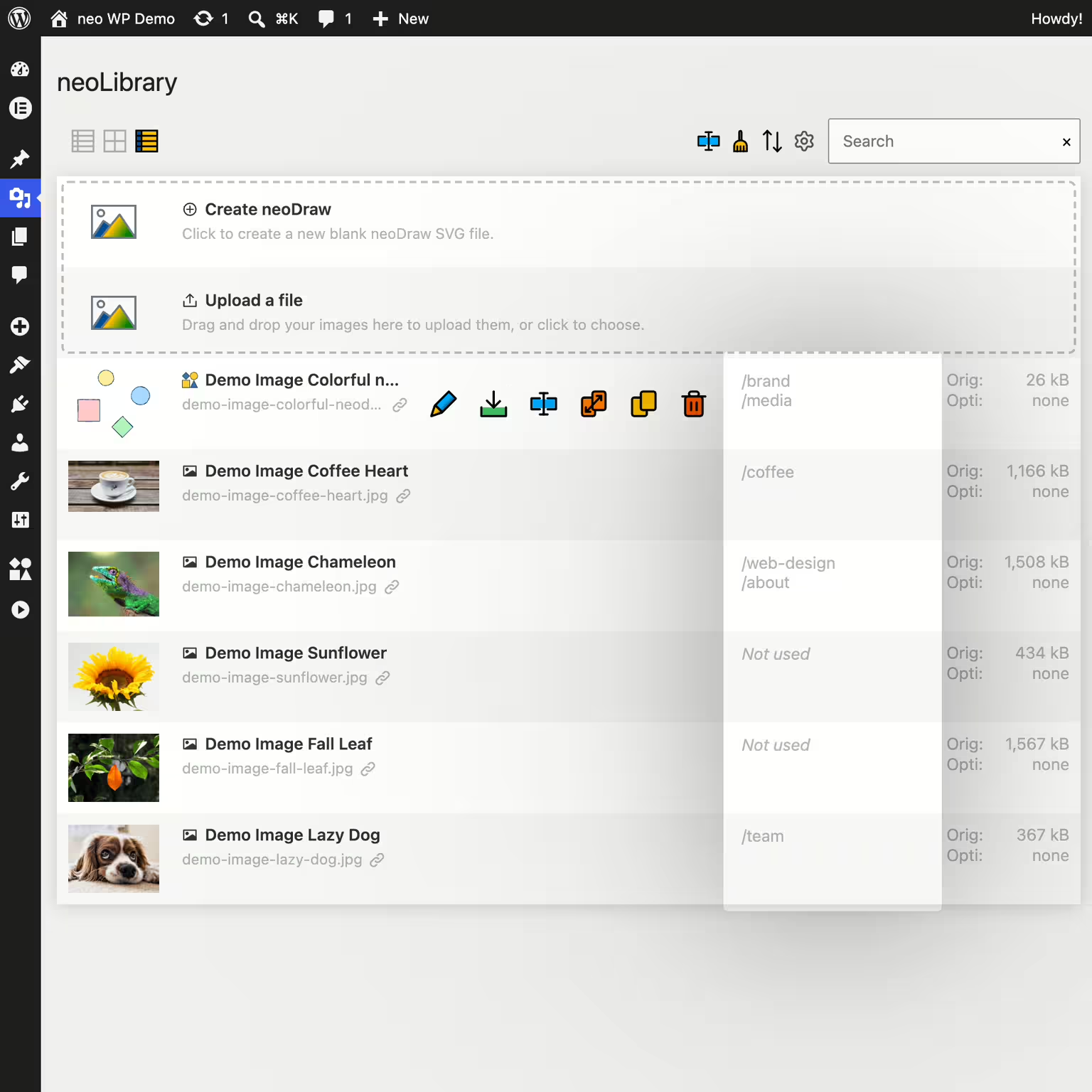


neo Library
Bring order to your media library and show where your images are being used!
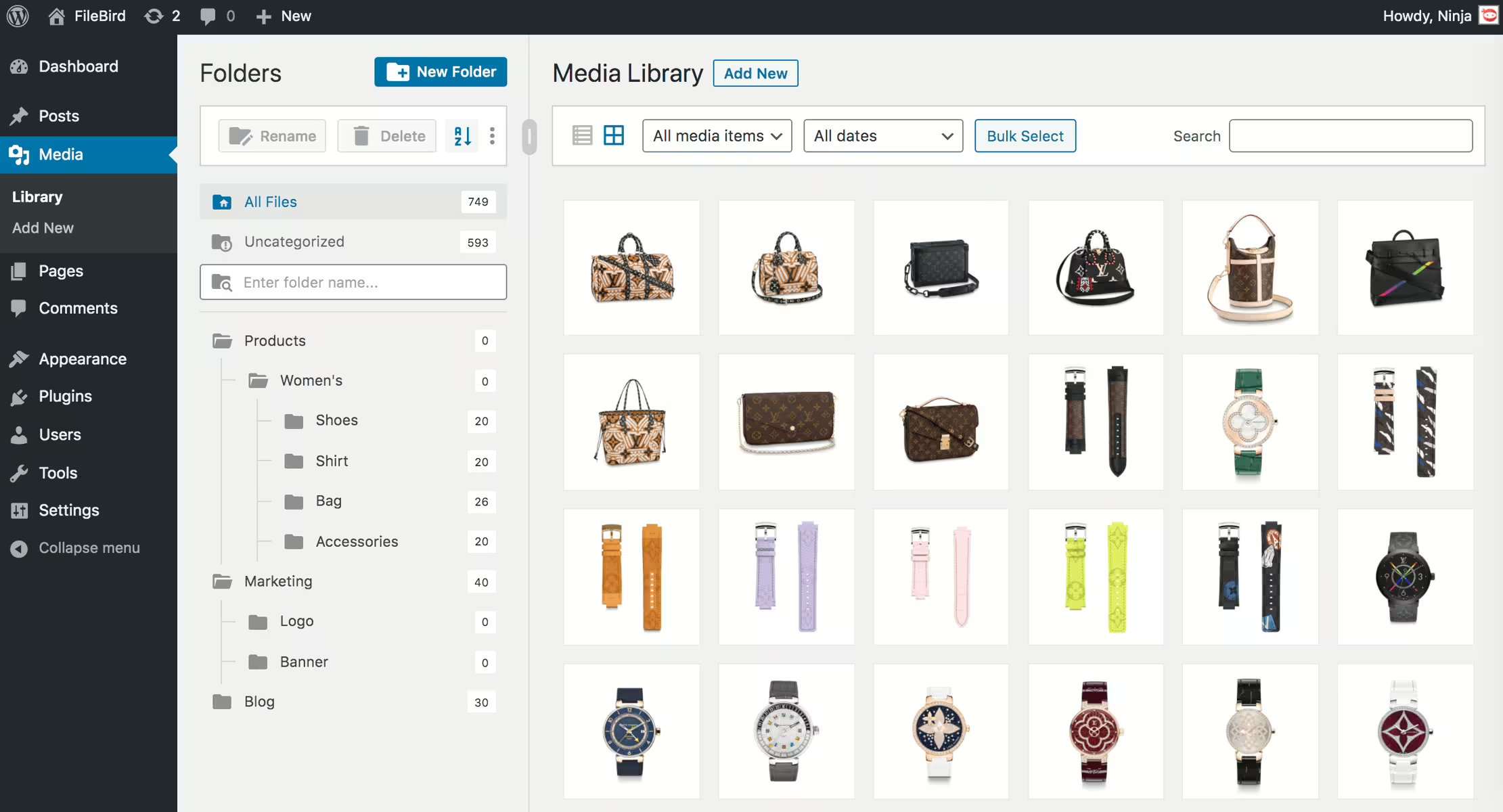
Filebird
FileBird – WordPress Media Library Folders & File Manager
#file manager #media #media folders #organization #WordPress media library folders
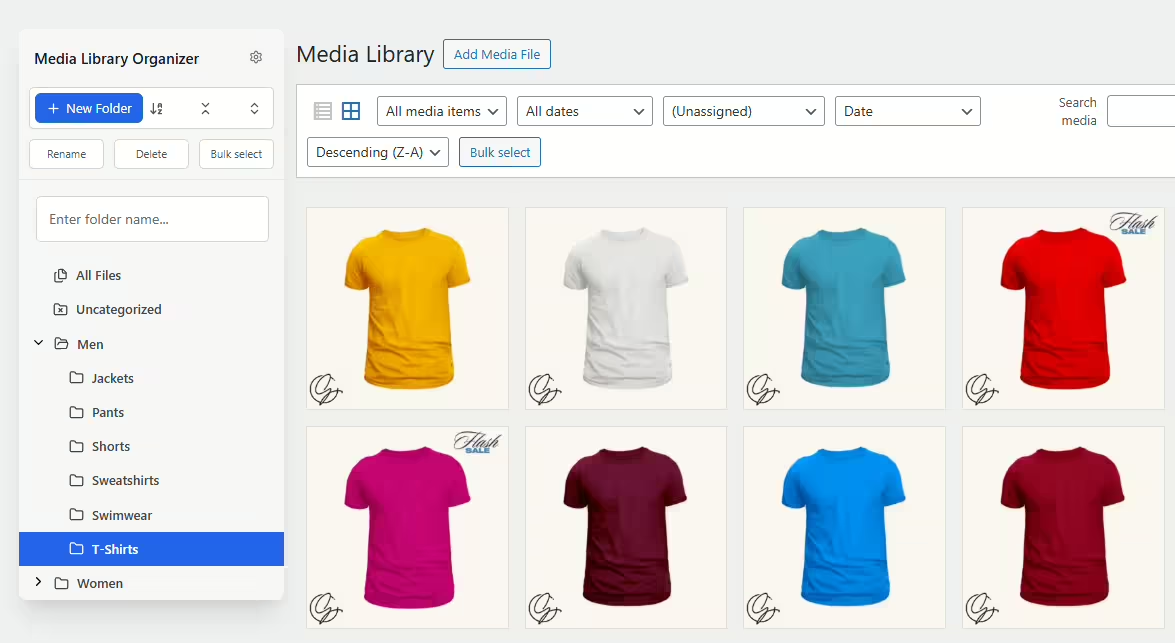
Media Library Organizer
Media Library Organizer – Folders, File Manager & Media Categories
#file manager #media categories #media folders #organize files #taxonomy
Real Media Library Lite
Real Media Library: Media Library Folder & File Manager
#file manager #media folder #media library folder #media library folders #WordPress media library folders
