
Password correct. Please wait...
Disable the chat with .custom-disable-chat
WP Plugin Comparisonby neo-wp.com


WP Plugin Organize Media Folder
Test report
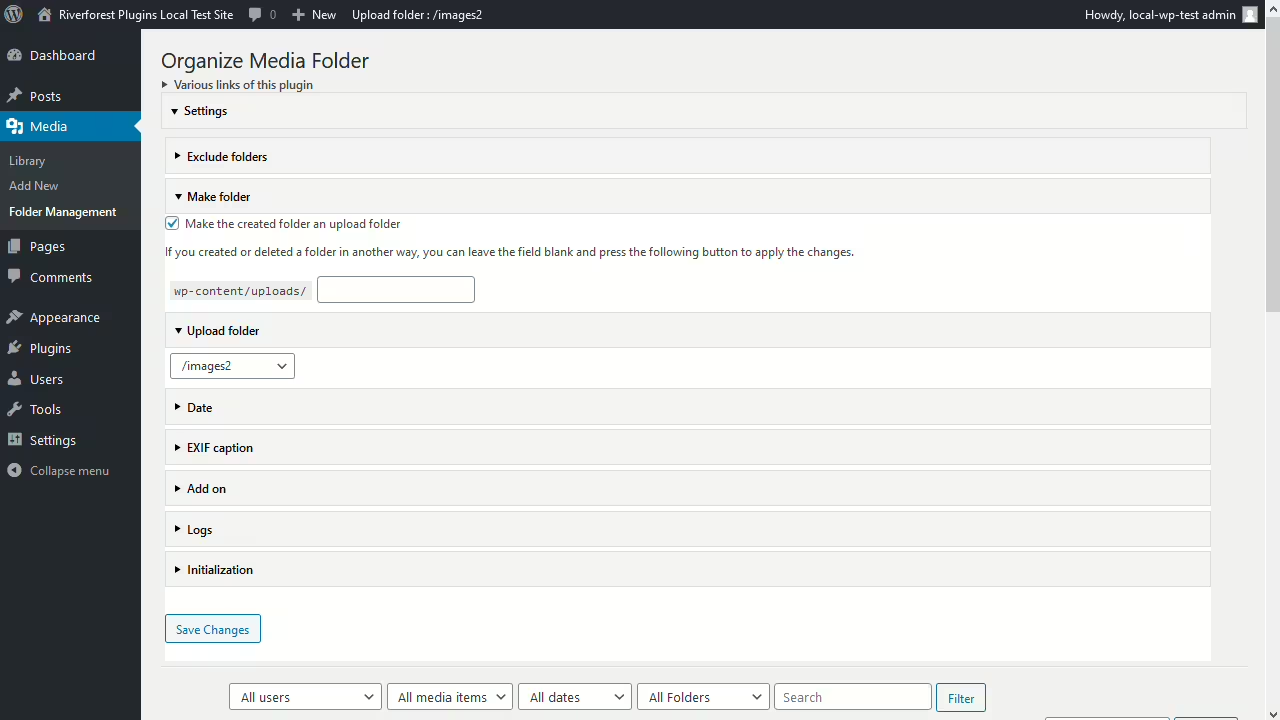
Organize Media Folder
Organize Media Folder, developed by Katsushi Kawamori, is a WordPress plugin that was released on 2020-12-25. With over 2 000+ active installations and an average rating of 4.1 out of 5 stars from 16 reviews in the official WordPress Plugin Directory, it offers a unique way to organize the WordPress media library into clear folders. Users can customize the media library by creating and managing folders, which significantly simplifies access to and management of media files. This unique feature sets it apart from other solutions that often provide only a flat structure without such capabilities. The plugin is mainly aimed at users who need a substantial improvement in media management, such as operators of online shops with various product variations or website owners with extensive media files. The following section will cover the plugin's features.
"A very useful plugin! It fixes the terrible organization of the default media library by allowing directories to be created within the uploads directory."
Features - Extensive functionality for better media management
The Organize Media Folder plugin offers comprehensive features that allow users to efficiently structure the WordPress media library. In addition to creating folders and the ability to upload media directly into specific folders, the plugin is notable for its capability to make physical changes to the uploads folder. This not only simplifies management but also significantly improves the discoverability of files. Another notable feature is the ability to adjust content URLs, which is beneficial when reorganizing media files. This plugin is aimed at anyone looking for a more optimized workflow for their media content.
"A very practical plugin that finally allows changing the media structure physically instead of only virtually."
Free features - Free yet versatile
- Organize files into specified folders - Allows structuring of the media library.
- Create folders - Enables creating new folders for better organization.
- Filter searches by folder - Makes finding files easier through targeted filtering.
- Replace URL in content - Adjusts URLs in content when restructuring.
- Upload media into specified folders - Media can be uploaded directly into desired folders.
- Upload media at a specific date and time - Supports scheduled uploading of media content.
License - User-friendly cost structure
The Organize Media Folder plugin is offered for free and is especially appreciated for its functionality, which is often missed as a native feature in WordPress. Users particularly value that the plugin provides high utility for free and offers flexible media management options. Opinions on the plugin's usability are mixed, however. Some users mention that getting started takes time despite the free cost and that the plugin's complexity can be somewhat off-putting.
"For a free plugin that offers so many features, it is truly impressive."
Technical details - A look at how it works technically
The Organize Media Folder plugin takes a pragmatic approach to structuring media within the WordPress environment. Internally it works at the file system level to create and manage folder structures inside the uploads directory. Of interest to developers is that the plugin makes physical changes to WordPress's directory structure. Depending on server configuration this can have different implications. While some features, like automatic URL adjustment, provide an extra layer of flexibility, this could be a challenge in very large installations in terms of performance and complexity. The plugin integrates seamlessly into the WordPress media library by extending native functions, however deeper customizations or integrations are not documented, which may appeal to developers who like to work directly with the code.
System requirements - Relevant technical requirements
The plugin requires at least PHP version 8.0 to use. WordPress must be installed in version 4.7 or higher to ensure full compatibility. It has been tested up to WordPress version 7.1. The current plugin version 1.37 and the last update published on 2026-08. These details are essential to ensure the plugin runs smoothly and provides all features as expected.
"The plugin works well with the specified WordPress version, but older PHP versions could cause issues."
Quality - Unclear performance but practical functionality
The quality of the Organize Media Folder plugin can be judged mainly by its functionality and integration with the WordPress media library. Users praise the plugin for providing a much-needed structure within the media library. This practical functionality is often described as a missing native feature in WordPress. However, detailed information on the plugin's performance is lacking. There are no concrete indications of resource usage or effects on backend speed. User reviews are mixed regarding the plugin's reliability and stability. Some users report positive experiences and smooth integration, while others point to difficulties, particularly with the complexity of getting started and the absence of certain features. The plugin may be especially suitable for users who require intensive folder structures, but the mixed reviews indicate room for improvement in terms of usability.
"A very useful plugin! It fixes the terrible organization of the default media library by allowing directories to be created within the uploads directory."
Support - Availability and user experiences
Support for the Organize Media Folder plugin is available via the WordPress plugin forum and a developer support URL. However, detailed information on specific contact options or support response times is missing. The available reviews and information do not provide direct insights into users' experiences with support. User reviews address aspects like functionality and usability, but there are hardly any ratings or notes regarding support. This could indicate that support services are not prominently highlighted or that there are generally few issues that require contact.
"I posted my requests in the support forum and received helpful answers within a reasonable timeframe."
Rating - Mixed opinions on usability
The Organize Media Folder plugin has an average rating of 4.1 out of 5 stars from a total of 16 reviews in the official WordPress Plugin Directory. These reviews show mixed opinions about the plugin's ease of use and efficiency. Some users praise it for its useful features, while others have reported difficulties in handling it.
A frequently highlighted positive trait is the plugin’s ability to significantly improve the structure of the media library.
"Great plugin that does exactly what’s needed to cover the basic management of physical media files in WordPress."
However, there are also critical voices that have addressed the plugin’s usability.
"This plugin does not even recognize the folders that were already created."
Still, there are grateful feedbacks that emphasize the basic improvement of media management.
"Thanks for writing this plugin."
Overall it appears that Organize Media Folder is suitable for users who have specific media management needs, while others may experience issues with the plugin’s complexity and user guidance.
Criticism - Challenges and Potential for Improvement
Despite the useful functionalities of the Organize Media Folder plugin, there are significant criticisms, mainly regarding usability and technical difficulties. Users often complain that the plugin is too complicated and hard to understand, which makes it difficult to use. A major technical challenge is that the plugin apparently does not reliably detect existing folders, which leads to frustration. There are also reports of error messages and bugs that interrupt the intended functionality and hinder effective use of the plugin. In addition, missing features, such as more flexible organization of upload folders, are criticized. While the plugin operates at the file system level, which some users see as beneficial, there are also concerns that this could cause security issues if used incorrectly. It is noted that the lack of a clear roadmap for further development and specific improvement plans could affect the plugin’s long-term prospects.
"I just needed a separate media folder, but this plugin only showed me errors."
In summary, there is potential for improvement in several areas, particularly in user guidance and system stability.
Conclusion - A necessary but incomplete solution for many users
Organize Media Folder, developed by Katsushi Kawamori, provides a much-needed extension of media management options within WordPress. Above all, the ability to create and manage physical folder structures brings order to the media library, which many users see as a useful advancement. Still, mixed reviews and the occasionally mentioned complexity of user guidance suggest there is room for improvement. The plugin stands out from other solutions by allowing deeper interventions in the file system, which can be valuable for technically skilled users. Nevertheless, caution is advised to avoid potential security risks and performance problems. The overall average rating shows that the plugin can be useful for users with clear requirements, while for others it may not provide the hoped-for relief.
#admin #directories #folders #media #media library
Show more
Detailed plugin information
Plugin slug: organize-media-folder
Plugin name: Organize Media Folder
Plugin title: Organize Media Folder
Plugin keywords: #admin #directories #folders #media #media library
Plugin version: 1.37
Last updated: 2026-08
Release date: 2020-12-25
Required WP version: 4.7
Required PHP version: 8.0
Tested with WP version: 7.1
Active installations: 2 000+
Average rating: 4.1
Number of reviews: 16
Number of support requests: 0 (in the last 2 months)
Number of resolved support requests: 0 (in the last 2 months)
Plugin author: Katsushi Kawamori
Developer homepage: https://wordpress.org/plugins/organize-media-folder/
WP developer profile page: https://profiles.wordpress.org/katsushi-kawamori/
Support URL in the WordPress Plugin Directory: https://wordpress.org/support/plugin/organize-media-folder/
Developer support URL: https://wordpress.org/support/plugin/organize-media-folder/#fallback-commercial-support-url
WP Plugin Directory: https://wordpress.org/plugins/organize-media-folder/
Was the test report about Organize Media Folder helpful?
Organize Media Folder Was the right plugin?
Organize Media Folder - Compare nowOpen plugin in sandboxTo the official WP StorePopular alternatives to Organize Media Folder
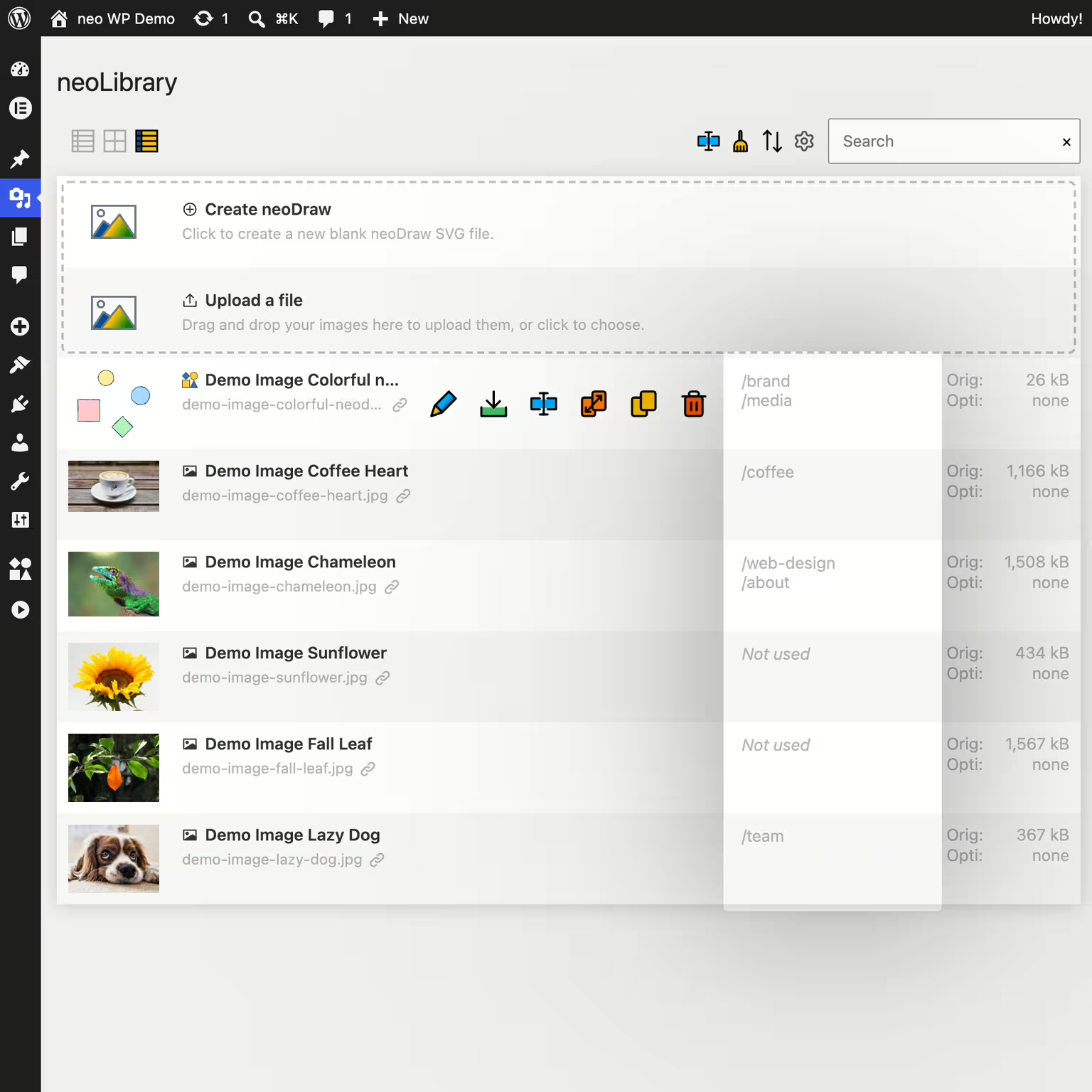


neo Library
Bring order to your media library and show where your images are being used!
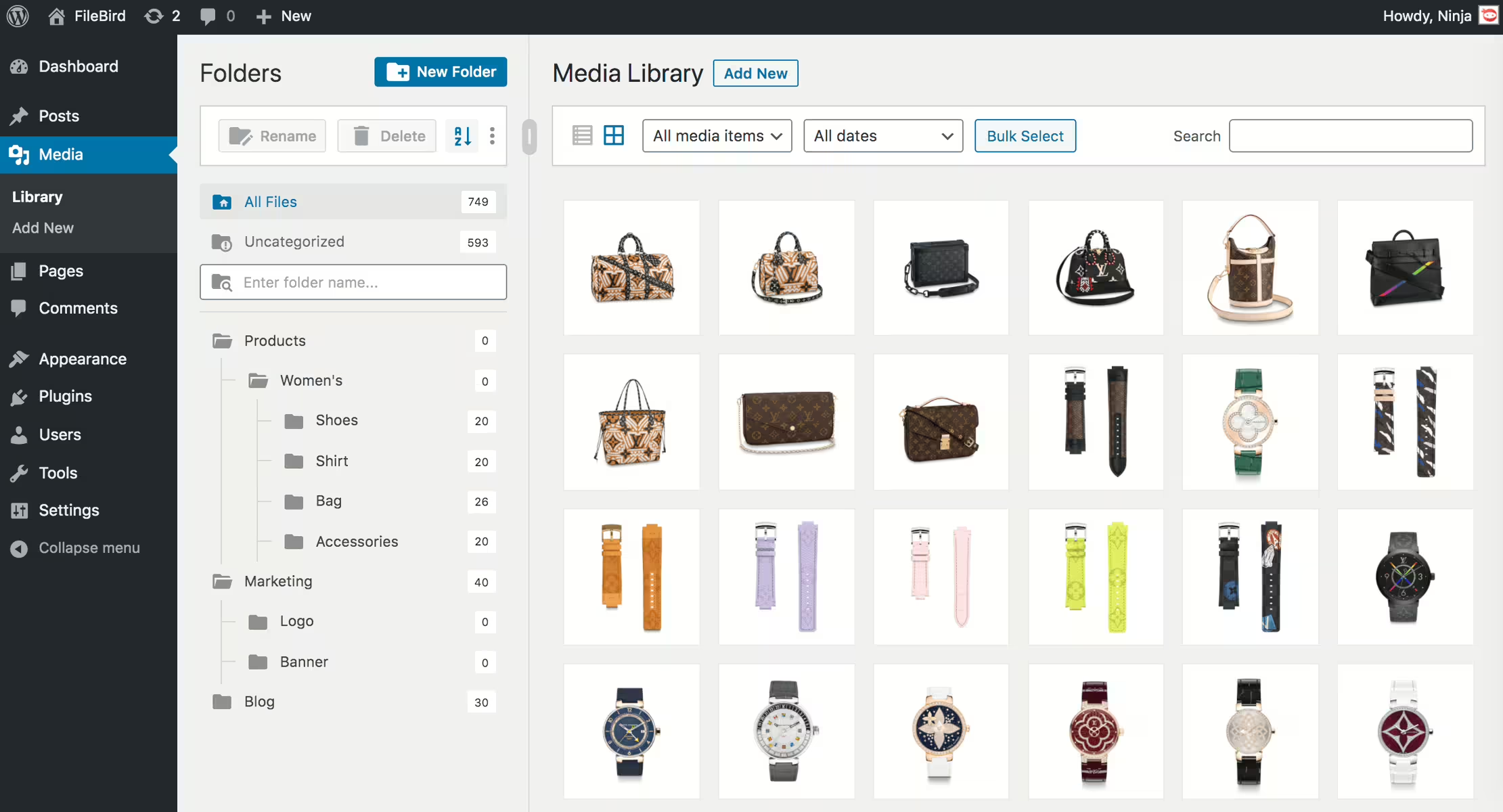
Filebird
FileBird – WordPress Media Library Folders & File Manager
#file manager #media #media folders #organization #WordPress media library folders
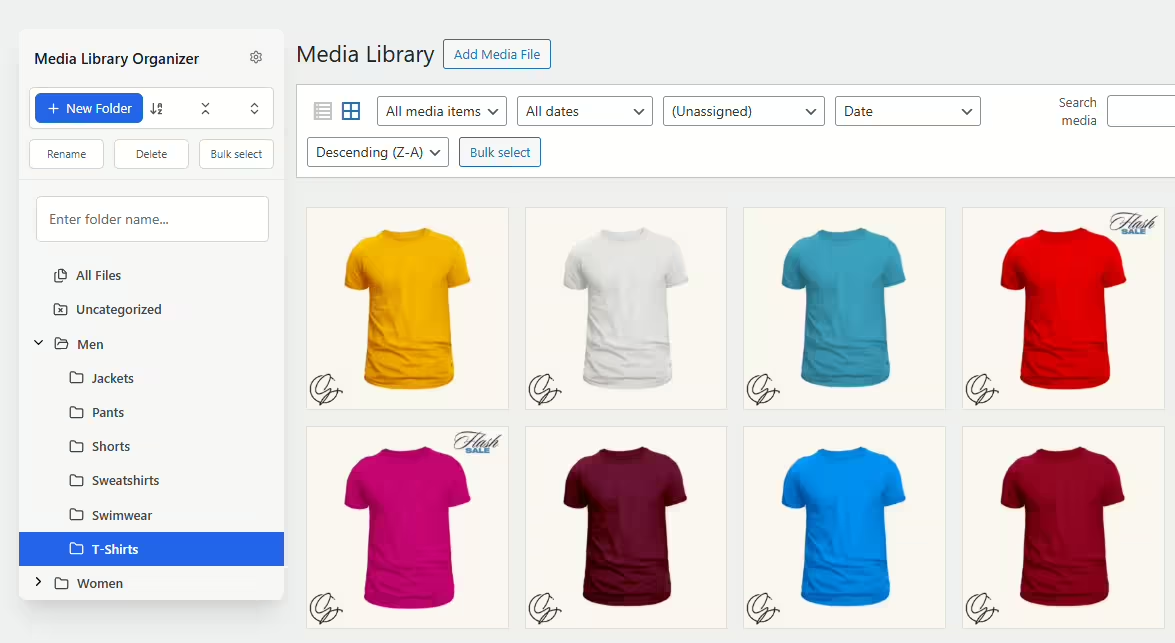
Media Library Organizer
Media Library Organizer – Folders, File Manager & Media Categories
#file manager #media categories #media folders #organize files #taxonomy
Real Media Library Lite
Real Media Library: Media Library Folder & File Manager
#file manager #media folder #media library folder #media library folders #WordPress media library folders
