
Password correct. Please wait...
Disable the chat with .custom-disable-chat
WP Plugin Comparisonby neo-wp.com


WP Plugin Media Library Organizer
Test report
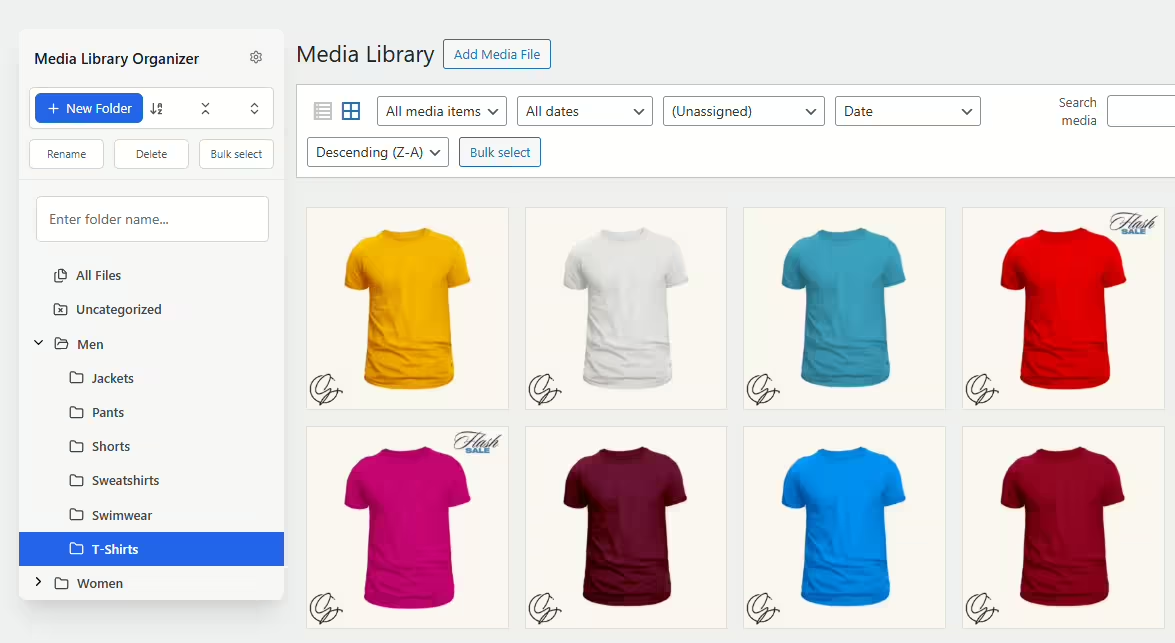
Media Library Organizer - WordPress Media Library Folders & File Manager
Media Library Organizer by Optimole was published on 2017-08-14 and has since been installed over 20 000+ times. This WordPress plugin lets you add media categories to images, videos and other files, enabling better organization of media files in the WordPress media library. A standout feature is the ability to create unlimited categories and subcategories, which sets it apart from similar plugins that often limit categorization. The target users of the Media Library Organizer are primarily WordPress users looking for more effective management of large media libraries. The average rating of 4.7 out of 5 stars from 148 reviews in the official WordPress Plugin Directory highlights overall satisfaction. The following section examines the plugin’s various features in more detail.
"This plugin is necessary to organize the WP library."
Features - Comprehensive feature selection for optimal media management
The Media Library Organizer offers a variety of features to efficiently organize and manage the WordPress media library. In addition to the aforementioned unlimited categories and subcategories, the plugin provides a comprehensive tree view feature that simplifies management of media categories via an intuitive sidebar. This feature lets you move media items easily using drag and drop. Another notable feature is the ability to bulk edit media categories, which greatly improves media management efficiency. The import and export function for categorization data also ensures data can be backed up and transferred seamlessly.
Free-Features - Robust functionality even in the free version
- Media categorization - Images, videos and other media can be categorized with an unlimited number of categories and subcategories.
- Search and filtering - Attachments can be searched and filtered by category in all media library views.
- Bulk categorization - Multiple attachments can be categorized in bulk using the tree view.
- Tree view - A sidebar for quick management of media categories (add, edit, delete, drag & drop).
- Intuitive category selection - Seamlessly integrated into WordPress’s native interface.
- Import and export - Categories and categorization data can be imported from and exported to JSON or WordPress standard export files.
Pro-Features - Advanced features for demanding users
- Automatic categorization - Images uploaded via WordPress are automatically categorized using image recognition.
- Bulk and quick edit - Titles, descriptions, categories and more can be edited in bulk and quickly.
- Default attributes - Define default titles, alt tags, descriptions and categories for newly uploaded files.
- Duplicate attachments - Duplicate one or more attachments in the media library.
- Dynamic galleries - Extends the WordPress shortcode to create paginated, dynamic galleries.
- EXIF and IPTC - Read, write and display EXIF, GPS and IPTC image data.
- Output customization - Change the size of thumbnails in the media library.
- Taxonomy manager - Define additional taxonomies alongside media categories.
- ZIP and unzip - Automatically unzip files on upload and zip multiple media files.
- Support - Access to personal email support.
- Documentation - Detailed documentation for installation and configuration of the plugin.
- Updates - One-click update notifications in the WordPress admin area.
- Seamless upgrade All current settings are retained when upgrading to Pro.
"Has good potential, unfortunately the Pro with the really good add-ons is far too expensive."
License & price performance A deciding factor for many users
The Media Library Organizer offers a free version that provides basic media organization features, with support handled mainly through the WordPress forums. This version is ideal for users who do not have extensive requirements but still want a tidy organization of their media. The Pro version, however, which includes a range of advanced features like automatic categorization and dynamic galleries, is offered for a fee.
While some users find the price high, others see the potential, especially when working with very large media libraries. The ability to switch from the free version to the Pro version without losing any settings is viewed positively.
“The Pro version seems expensive to me but it might make sense if you have many files...”
Technical details Dive deep and explore the technical aspects
The Media Library Organizer plugin is built using WordPress’s native taxonomy API, resulting in seamless integration with the existing WordPress infrastructure. This ensures reliable extensibility and compatibility with a variety of themes and plugins. Developers can benefit from the robust implementation of actions and filters, allowing customization and extension of functionalities. The functionality also extends to taxonomy management, with additional custom taxonomies easily configurable to meet specific needs, such as categorization by color or size attributes.
Within the internal architecture there are built-in methods for import and export operations that support JSON or WordPress’s native XML format. These features also simplify data migration from other plugins like FileBird or Wicked Folders via specific import routines. Another feature allows image metadata like EXIF and IPTC to be imported and exported for standard files, which eases data-intensive work with large image libraries.
System requirements Requirements for smooth operation
The Media Library Organizer plugin has certain system requirements to ensure optimal performance. The minimum requirement is PHP version 5.6 or higher. Since WordPress is continuously updated, a minimum version of WordPress 5.0 or higher must be installed to run the plugin. The plugin has been thoroughly tested and is supported up to WordPress version 5.0 or higher. The current version of the plugin is 2.1.2, and the last update was published in 2026-08. For many, this compatibility with the latest versions ensures that new features and security improvements can be used.
"A solid plugin, however you should regularly check the PHP and WP versions to ensure the best compatibility."
Quality Seamless integration and optimized user experience
The quality of the Media Library Organizer plugin is praised by many users, particularly for its seamless integration into the existing WordPress infrastructure. Unlike other plugins, Media Library Organizer does not simply replace the media library views but enhances WordPress’s native interface. This provides a smooth and intuitive user experience appreciated by many users. In addition, coding to WordPress standards ensures high compatibility with various themes and plugins, resulting in reliable and stable performance.
Another quality advantage is the ability to manage the media library without limits on categories and subcategories, which combined with the tree view feature enables efficient media organization and searching. While there is some criticism about usability with a very large number of categories, the overall functionality of the plugin is described as solid and reliable.
“Works as expected and I found no incompatibilities.”
Support Contact options, response time and user experiences
Support for the Media Library Organizer plugin is provided mainly through the WordPress forums, which is common for a free plugin. According to user reports, support response times are fairly quick, especially for urgent issues, with one user noting positively that a bug was resolved the same day. This indicates the developers are proactive and helpful.
However, support is limited due to the nature of a free plugin. For personalized email support an upgrade to the Pro version is recommended, which some users consider justified while others view it as a drawback depending on individual support and functionality needs. In addition to the forums, the full documentation provides a useful self-help resource.
For users seeking more comprehensive assistance, commercial support from the developer is also available, more information at Fallback Commercial Support.
“Support is excellent, I received a reply within minutes.”
Rating High ratings and mixed reviews
The Media Library Organizer plugin receives an impressive average rating of 4.7 out of 5 stars from 148 reviews in the official WordPress Plugin Directory. Users often praise the plugin’s reliability and its ability to organize the media library effectively. Several reviewers emphasize that the plugin does exactly what it promises, without causing technical issues, and has been successfully used for years to manage large media libraries.
A predominantly positive rating reflects the satisfaction of many users:
“This is a first-class plugin that has helped me manage the media library daily for years and has never let me down.”
However, there are negative voices pointing out critical aspects such as difficulties with uninstallation and intrusive review notifications:
“The message that appears on the dashboard asking for a review = EXTREMELY ANNOYING.”
The overall feedback remains positive, however, as many reviews praise the plugin's usefulness and efficiency:
“This plugin is necessary to organize the WP library. I have a separate folder for documents, photos, and photo subcategories. I can't live without it!”
Criticism - Weaknesses and potential improvements
The plugin Media Library Organizer also has its weaknesses, which become clear in user reviews. A common criticism is the insufficient ability to uninstall and deactivate directly via the plugin interface, which can cause frustration. Furthermore, there is no bulk processing and assignment of media to categories, which can significantly slow down the workflow, especially for large libraries. Some users also point out the lack of support for existing WordPress taxonomies, which makes integration difficult for users who do not want to re-categorize their entire media collection.
There are currently no known security vulnerabilities or error messages indicating potential risks. However, irregular updates are noted, which could lead to compatibility issues with newer WordPress versions over time. Improvement ideas range from introducing a reliable auto-categorization feature to the ability to create dynamic galleries to expand functionality and improve usability.
“The only missing feature is the ability to select media in bulk and assign them to a category.”
Conclusion - Evaluation of the Media Library Organizer by Optimole
The Media Library Organizer from Optimole shines with its comprehensive functionality, enabling efficient media organization in both the free and pro versions. The plugin stands out with its flexible categorization feature and seamless integration into the existing WordPress ecosystem. While the pro version offers more extensive features, its pricing is a matter of debate. Some users find the cost too high, especially compared to the additional features offered. Nevertheless, the plugin’s ability to effectively manage large media libraries is consistently praised. Criticisms mainly concern lacking uninstall options and the need for regular updates. Despite some weaknesses, the Media Library Organizer is consistently regarded as a reliable tool for improving media management in WordPress.
#file manager #media categories #media folders #organize files #taxonomy
Show more
Detailed plugin information
Plugin slug: media-library-organizer
Plugin name: Media Library Organizer
Plugin title: Media Library Organizer – Folders, File Manager & Media Categories
Plugin keywords: #file manager #media categories #media folders #organize files #taxonomy
Plugin version: 2.1.2
Last updated: 2026-08
Release date: 2017-08-14
Required WP version: 5.0
Required PHP version: 5.6
Tested with WP version: 7.1
Active installations: 20 000+
Average rating: 4.7
Number of reviews: 148
Number of support requests: 2 (in the last 2 months)
Number of resolved support requests: 2 (in the last 2 months)
Plugin author: Themeisle
Developer homepage: https://wpmedialibrary.com
Profile page of the WP developer: https://profiles.wordpress.org/themeisle/
Support URL in the WordPress Plugin Directory: https://wordpress.org/support/plugin/media-library-organizer/
Developer's support URL: https://wordpress.org/support/plugin/media-library-organizer/#fallback-commercial-support-url
WP Plugin Directory: https://wordpress.org/plugins/media-library-organizer/
Was the test report about Media Library Organizer helpful?
Media Library Organizer Was the right plugin?
Media Library Organizer - Compare nowOpen plugin in sandboxTo the official WP StorePopular alternatives to Media Library Organizer
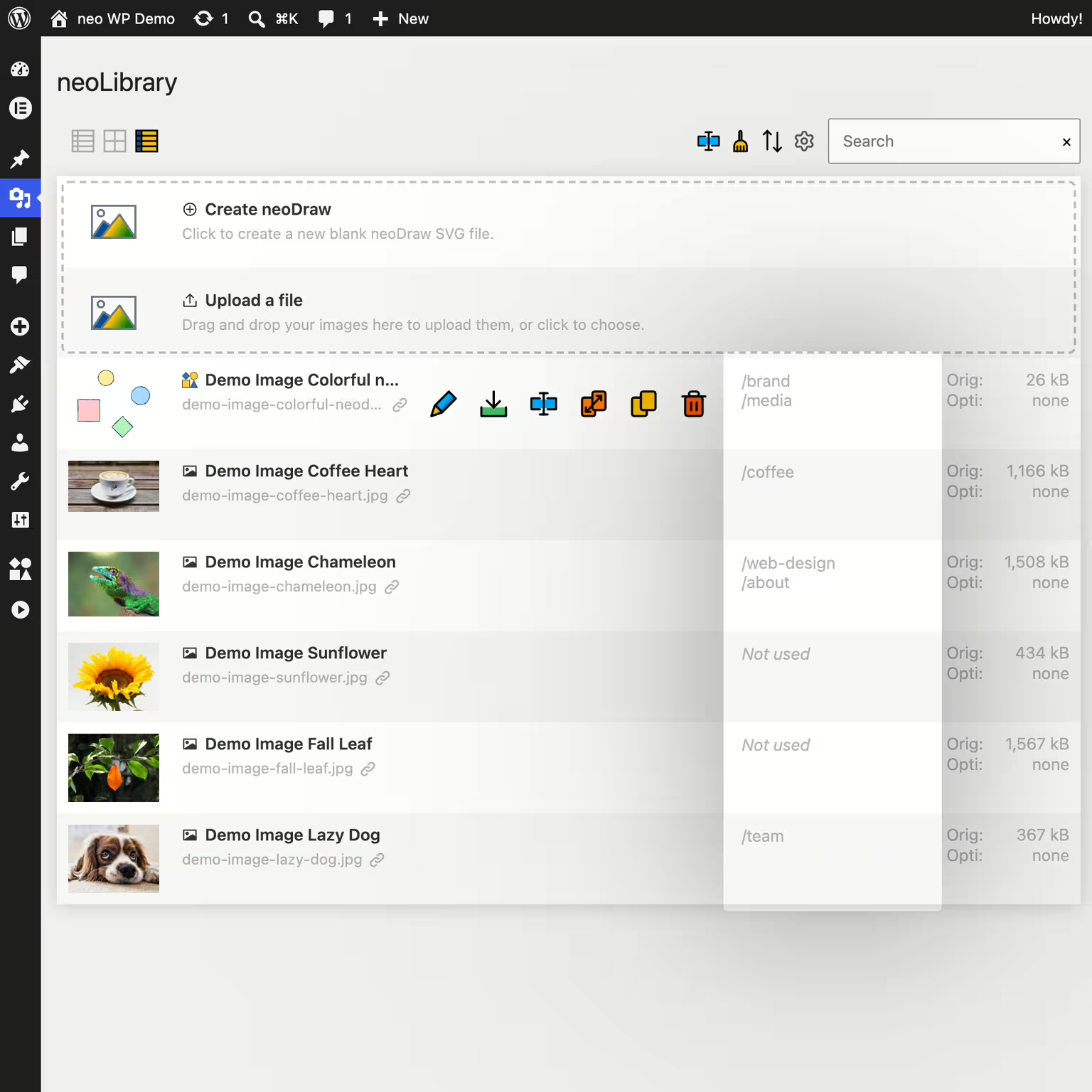


neo Library
Bring order to your media library and show where your images are being used!
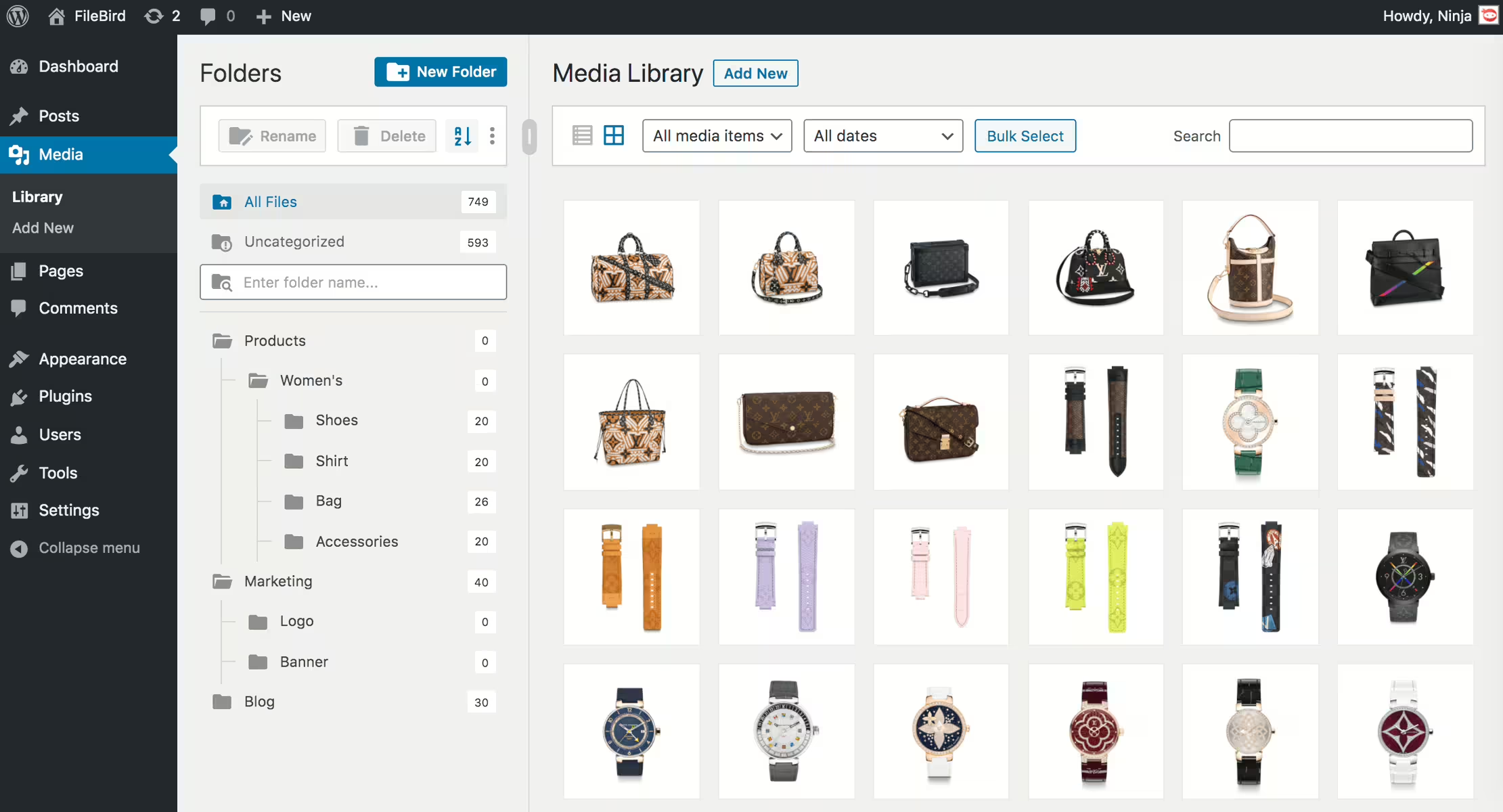
Filebird
FileBird – WordPress Media Library Folders & File Manager
#file manager #media #media folders #organization #WordPress media library folders

Real Media Library Lite
Real Media Library: Media Library Folder & File Manager
#file manager #media folder #media library folder #media library folders #WordPress media library folders
Media Library Plus
Media Library Folders
#media library folders #organize media library
