
Password correct. Please wait...
Disable the chat with .custom-disable-chat
WP Plugin Comparisonby neo-wp.com


WP Plugin Media Library Plus
Test report
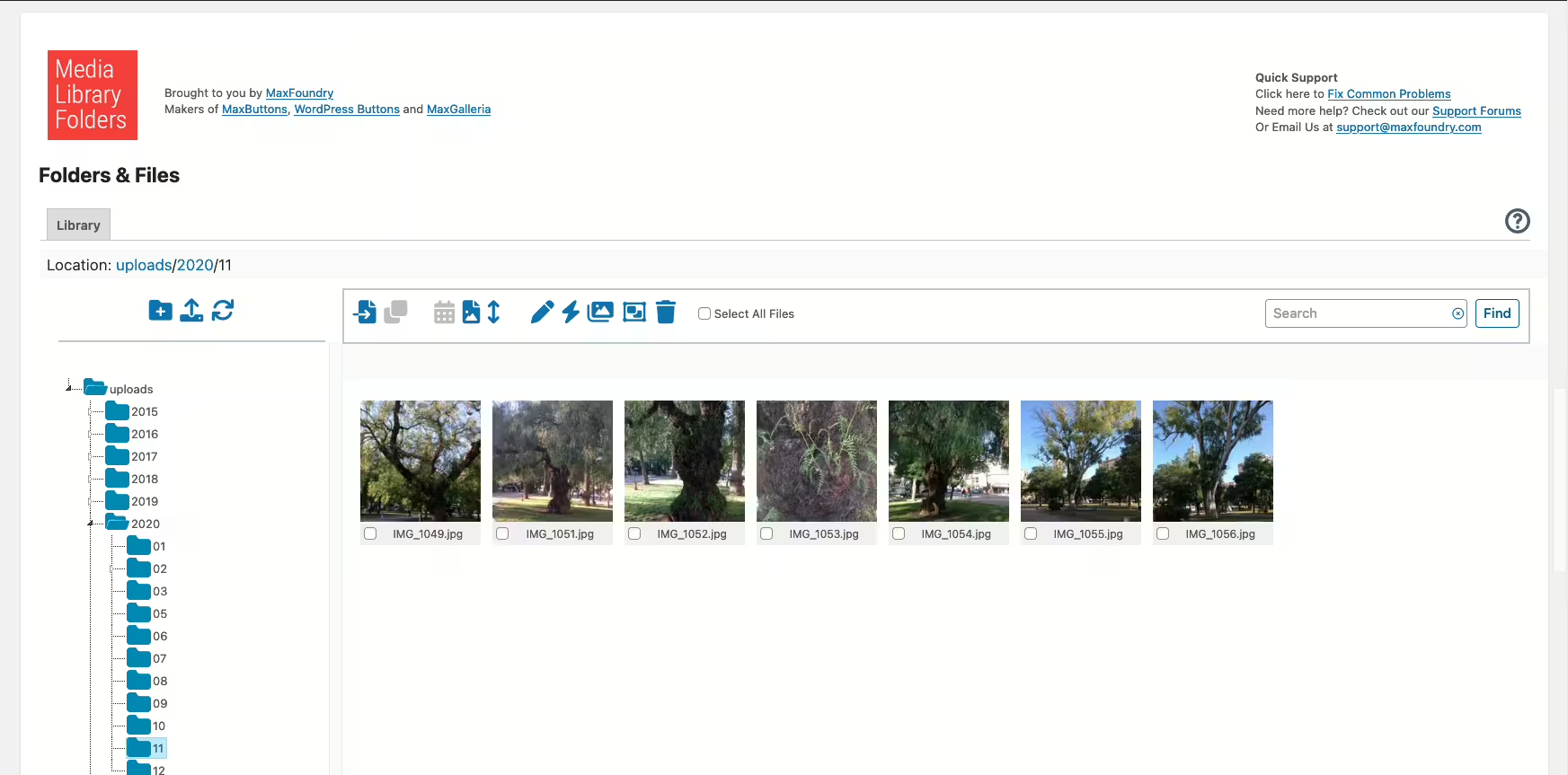
Media Library Folders
Media Library Plus - An Overview
Media Library Plus is a WordPress plugin developed by Max Foundry and was released on 2015-09-12. It has over 10 000+ active installations. The plugin is designed to simplify organization of the WordPress media library by providing an actual folder structure for media files. Key features include a drag and drop interface that enables intuitive file management through moving, copying, renaming, and deleting. The target audience is primarily users with high demands on file structure, such as professional website operators or those working with large amounts of media files. With a average rating of 4.3 out of 5 stars from 463 reviews in the official WordPress Plugin Directory, it shows broad acceptance and satisfaction within the community. The following paragraph highlights the core features of this plugin and delves into the possibilities it offers.
"This plugin made a huge difference! I have hundreds of photos and PDF files in my media library."
Features - Extensive media management capabilities
The Media Library Plus plugin offers a range of features that optimize organization and management of media files within WordPress. Besides the aforementioned drag-and-drop file management interface, the plugin provides a way to block direct access to certain files. This protects sensitive and copyrighted content from unauthorized access and offers options such as creating custom access denied pages or blocking Google search indexes.
"The ability to control access rights for my media has really helped me make my workflow more secure."
Free Features - Basic management tools
The free version of the plugin offers numerous features that cover basic media management needs:

- Real folders - Optimizes organization of the WordPress media library.
- Add and create folders - Labels and organizes files individually.
- Manage files and folders - With an integrated drag-and-drop interface.
- Regenerate thumbnails - Enables regeneration of thumbnails.
- SEO images - Set ALT and TITLE attributes.
- Sync folders/files - Synchronization with FTP.
- Create MaxGalleria gallery - Allows creation of galleries.
- Block direct access - Controls file access.
Pro Features - Advanced functionality for demanding users
If advanced features are needed, the plugin also offers a Pro version with additional features:
- Select and add images from the editor - Direct integration into the editor.
- Media library categorization - Organization via categories.
- Create new MaxGalleria and NextGEN galleries - Direct access from folders.
- Advanced media library and categories - Interchangeable categories.
- ACF support - Integration with custom fields.
- Add images to WooCommerce product gallery - Special integration.
- Multisite support - Works in multisite environments.
"The advanced features of the Pro version are ideal for larger projects and offer a level of organization not possible with the base version."
License & price-performance - Use the basic features for free
The licensing structure of Media Library Plus offers a basic version that can be used for free and provides solid core features for organizing media files. Users appreciate being able to enjoy many useful features at no cost, while the Pro version can be purchased to unlock additional advanced features. Despite critical voices regarding the functionality of the free version, many consider the price-performance ratio to be reasonable.
"Although the free version is limited, the paid upgrade is a worthwhile investment for improved media management."
Technical details - Insight into the inner workings
The Media Library Plus plugin changes the way WordPress handles media files. Unlike the default WordPress media library, which only works with database entries, the plugin uses an actual file system structure. This means that for each file the backend creates a physical folder on the server, which can improve organization and access speeds. Developers appreciate the flexibility to manage files directly via the file system. The synchronization feature regularly checks the folder structure on the server and automatically integrates any new files into the WordPress media library. This feature is especially useful when using FTP uploads, which can be seamlessly integrated into existing workflows. The plugin uses its own database to store folder information and provides a reset plugin that can scan the database and reset it if needed.
"This plugin lets you organize media just like on your computer with your own folders."
System requirements - Technical prerequisites
To run Media Library Plus efficiently, you should follow certain system requirements. The plugin requires at least PHP version 7.4 or higher and WordPress version 4.0 or higher. It has been tested up to WordPress version 7.1, which ensures some compatibility with newer WordPress versions as well. The current plugin version number is 8.3.9, and the last update was in 2026-08. These requirements ensure the plugin runs on a stable and up-to-date WordPress installation and contributes optimally to managing media types.
"Although the free version is limited, the paid upgrade is a worthwhile investment for improved media management."
Quality - Strengths and weaknesses in media management
The WordPress plugin Media Library Plus brings a mix of strengths and weaknesses regarding quality and performance. One of the biggest strengths is the effective use of real folder structures, which enables easy organization and reduced server load. Users also appreciate the ability to increase media security by blocking access to certain content. The plugin offers solid integration with MaxGalleria, which simplifies logical and flexible structuring of the media library.
At the same time there are criticisms that cannot be ignored. Some users report slow loading speeds and difficulties when uploading and moving files. In addition, some describe the user interface as not particularly user-friendly. These issues can be frustrating for users who expect seamless media management.
"This plugin has saved me hours, if not days, of work, so I can only recommend it."
Support - Effective assistance for questions and problems
Support for the WordPress plugin Media Library Plus receives mixed feedback, with most users reporting that their inquiries are processed quickly. Many users are impressed by the fast response time of the support team. Requests were often answered within a short time, which is especially appreciated for urgent issues. Support is provided via email and through the official WordPress plugin forum. In addition, a commercial support alternative is available for prospective buyers, enabling direct communication with the developers.
Support for the plugin is largely praised, but there are also critical voices reporting unanswered questions. For specific, more complex issues, support sometimes seems to be lacking, especially for users of the premium version. These points indicate that support still needs improvement in some areas.
"Every time I had even the simplest questions, support was patient and helpful."
Rating - User opinions and app ratings
The Media Library Plus plugin enjoys positive feedback from the majority of users. With a average rating of 4.3 out of 5 stars based on 463 reviews, the plugin reflects solid acceptance in the WordPress community. Users often praise the plugin for its effective media management and its ability to bring order to large collections of media files. Critical voices note there is room for improvement, particularly in the user interface and the functionality of the free version.
"This plugin made a huge difference! I have hundreds of photos and PDF files in my media library."
Some users, however, are critical of the limitations of the free version:
"The free version only allows moving images into folders."
Nevertheless, many praise the time savings provided by the plugin:
"This plugin has saved me hours, if not days, of work, so I can only recommend it."
Criticism - Challenges and potential for improvement
The Media Library Plus plugin faces criticism in certain areas. Users report concerns about usability and plugin performance. In particular, the free version is often seen as limited because it lacks basic functionalities like effective management and searchability of folders. For some users this is a significant disadvantage that hinders daily use of the plugin.
There are also technical issues that users complain about, such as faulty synchronizations that result in an internal server error, as well as problems with accidental deletion or movement of file links. These errors can lead to data loss and require further technical improvements. From a security standpoint the plugin does not show specific vulnerabilities, yet some users wish for more comprehensive documentation to better use existing features.
Another aspect with room for improvement is the user interface. Some users find operation partially difficult and not intuitive enough. There is a desire for simplified usage to increase efficiency in media management.
"The free version only allows moving images into folders... You cannot browse these folders when you want to add an image!"
Conclusion - Summary of pros and cons
Media Library Plus, developed by Max Foundry, offers a variety of features that can significantly simplify media management in WordPress. The advantages lie clearly in the user-friendly drag-and-drop interface and the ability to use real folder structures. This enables a better organized media library and more efficient access to large collections of files. Positive reviews in the WordPress Plugin Directory reflect the predominantly good user experience, with the Pro version being recommended in particular for more demanding projects.
Nevertheless, there is also room for improvement. The free version is limited in its functionality and offers little beyond basic organization features. There are also some criticisms regarding usability and performance that cannot be ignored. Improved synchronization behavior and a more user-friendly interface could further optimize the user experience.
Overall, Media Library Plus is nevertheless a solid solution for WordPress users who want to simplify handling large media inventories, especially for those willing to use the features of the Pro version.
#media library folders #organize media library
Show more
Detailed plugin information
Plugin slug: media-library-plus
Plugin name: Media Library Plus
Plugin title: Media Library Folders
Plugin keywords: #media library folders #organize media library
Plugin version: 8.3.9
Last updated: 2026-08
Release date: 2015-09-12
Required WP version: 4.0
Required PHP version: 7.4
Tested with WP version: 7.1
Active installations: 10 000+
Average rating: 4.3
Number of reviews: 463
Number of support requests: 0 (in the last 2 months)
Number of resolved support requests: 0 (in the last 2 months)
Plugin author: maxfoundry
Developer homepage: https://maxgalleria.com
WP developer profile page: https://profiles.wordpress.org/maxfoundry/
Support URL in the WordPress Plugin Directory: https://wordpress.org/support/plugin/media-library-plus/
Developer support URL: https://wordpress.org/support/plugin/media-library-plus/#fallback-commercial-support-url
WP Plugin Directory: https://wordpress.org/plugins/media-library-plus/
Was the test report about Media Library Plus helpful?
Media Library Plus Was the right plugin?
Media Library Plus - Compare nowOpen plugin in sandboxTo the official WP StorePopular alternatives to Media Library Plus
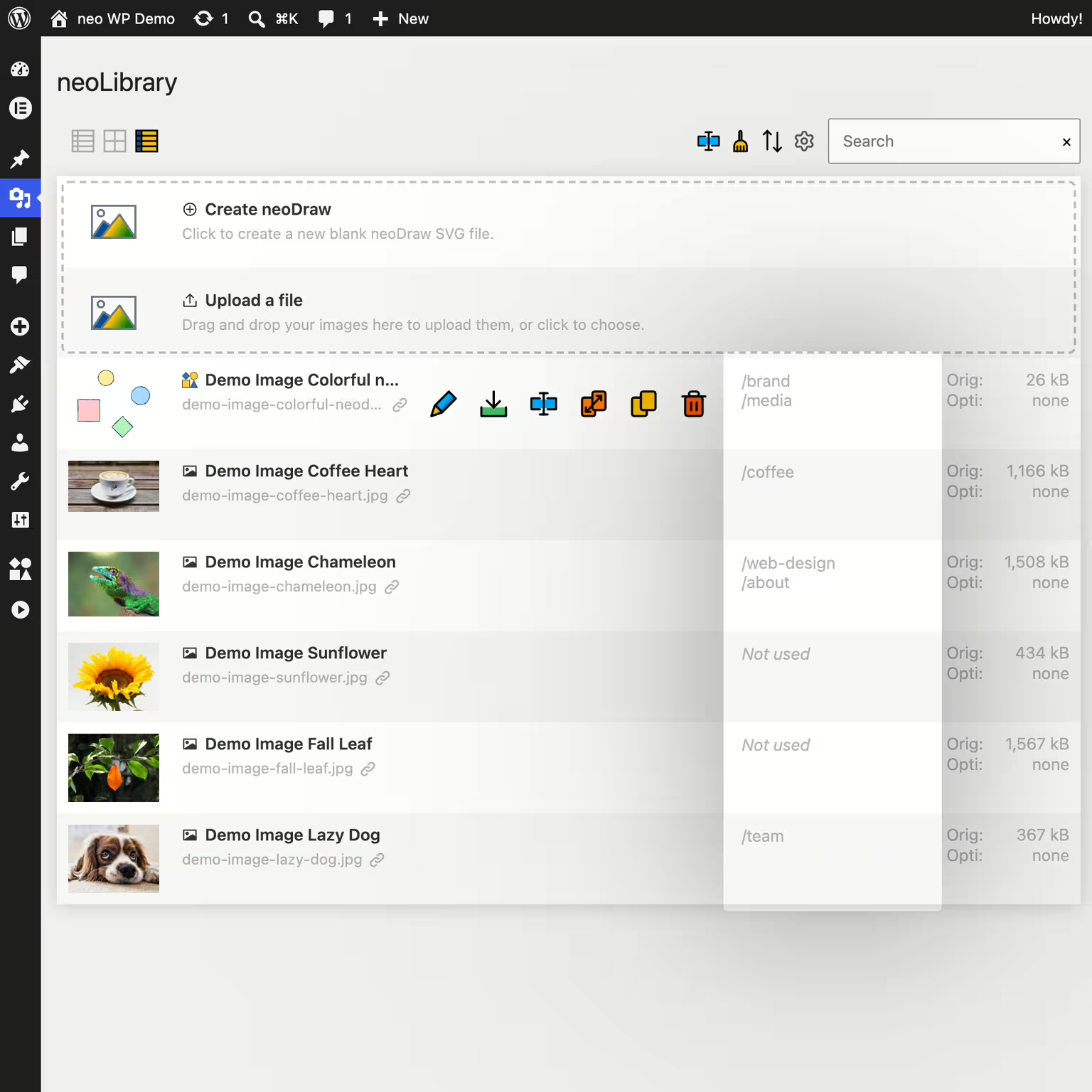


neo Library
Bring order to your media library and show where your images are being used!
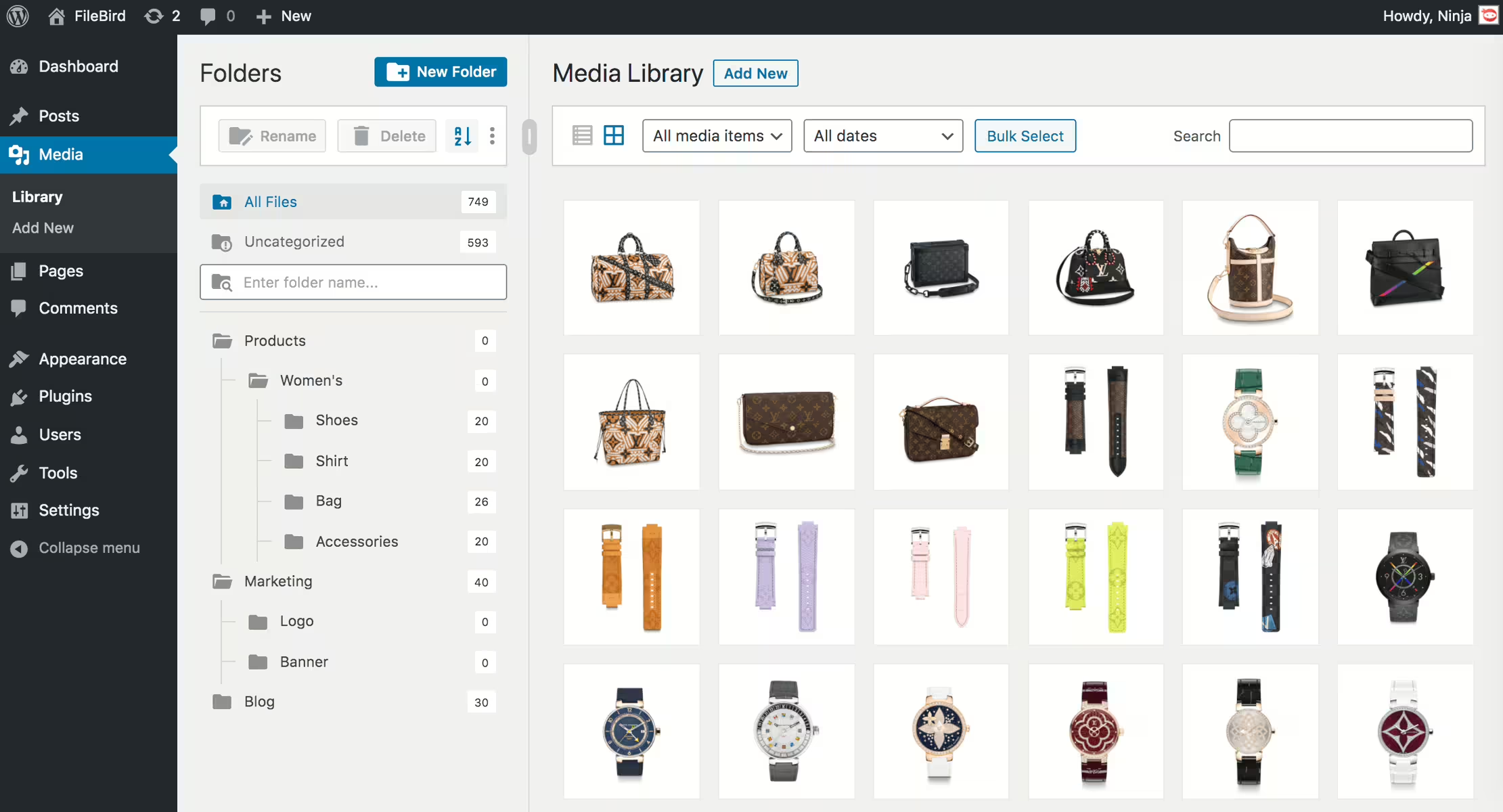
Filebird
FileBird – WordPress Media Library Folders & File Manager
#file manager #media #media folders #organization #WordPress media library folders
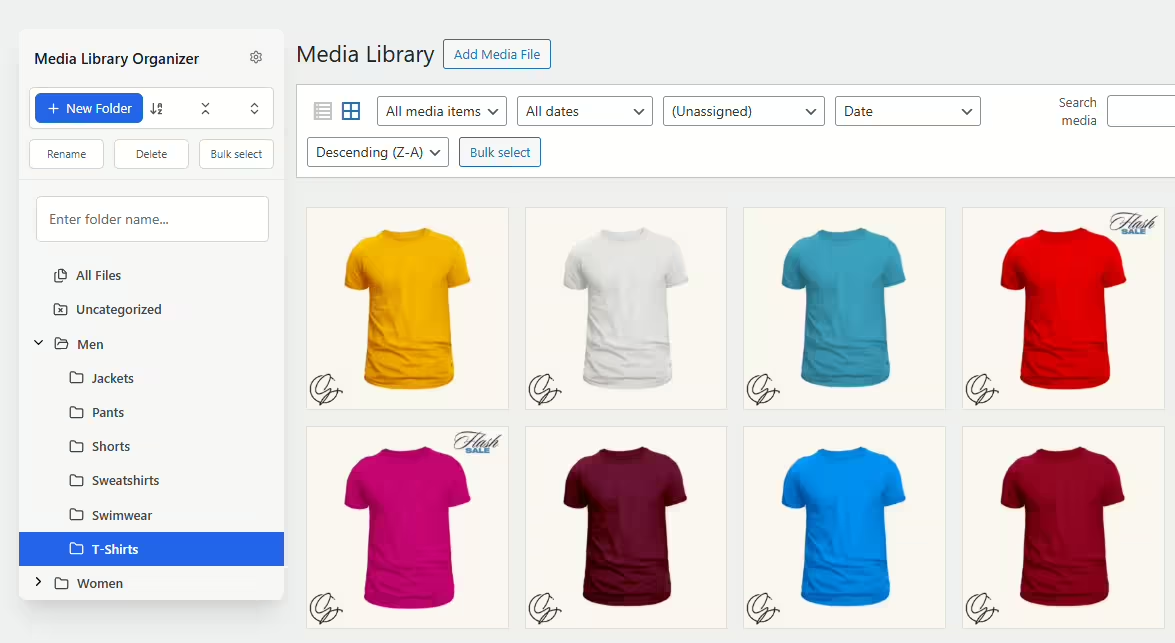
Media Library Organizer
Media Library Organizer – Folders, File Manager & Media Categories
#file manager #media categories #media folders #organize files #taxonomy
Real Media Library Lite
Real Media Library: Media Library Folder & File Manager
#file manager #media folder #media library folder #media library folders #WordPress media library folders
