
Password correct. Please wait...
Disable the chat with .custom-disable-chat
WP Plugin Comparisonby neo-wp.com


WP Plugin Draw Attention
Comparison & Alternatives
The 8 best alternatives for the WordPress plugin Draw Attention by NSquared
WordPress Plugin Best List
Comparison & Ranking
Number #
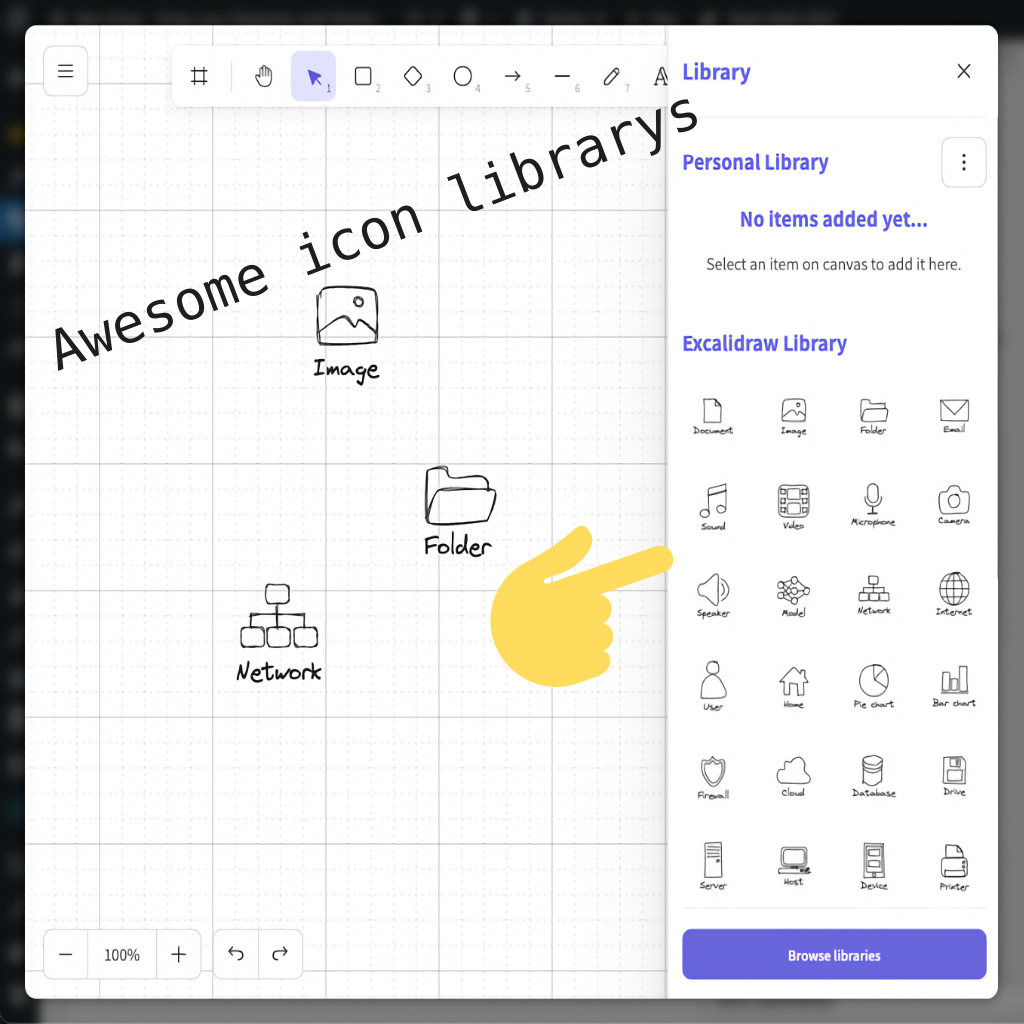
neo Draw - create diagrams & icons without leaving WordPress
The WordPress plugin neo Draw by neo WP was released on 2026-08-01 and is part of the new neoWP plugin series. The plugin leverages modern web development capabilities, which is reflected in its performance and intuitive design. From the reviews it can be inferred that the plugin has delighted users since its release with well-chosen and cleverly implemented features. Particularly notable is the solid coding. A look into the source code confirms that a company with experienced software developers stands behind the plugin.
“The plugins in the neo package are very well coordinated and solve all common image problems in WordPress.”
Features - Powerful tools cleverly implemented
- Unleash your creativity
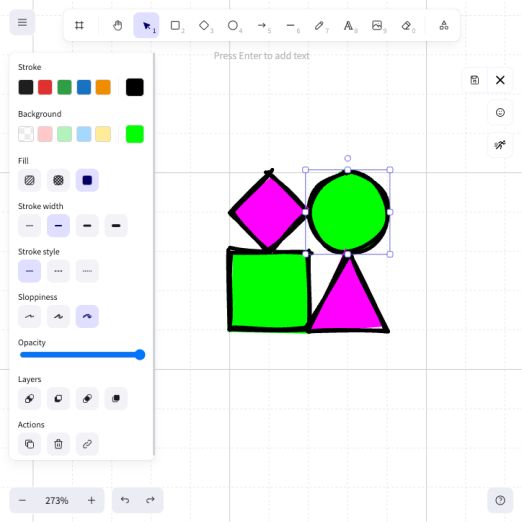
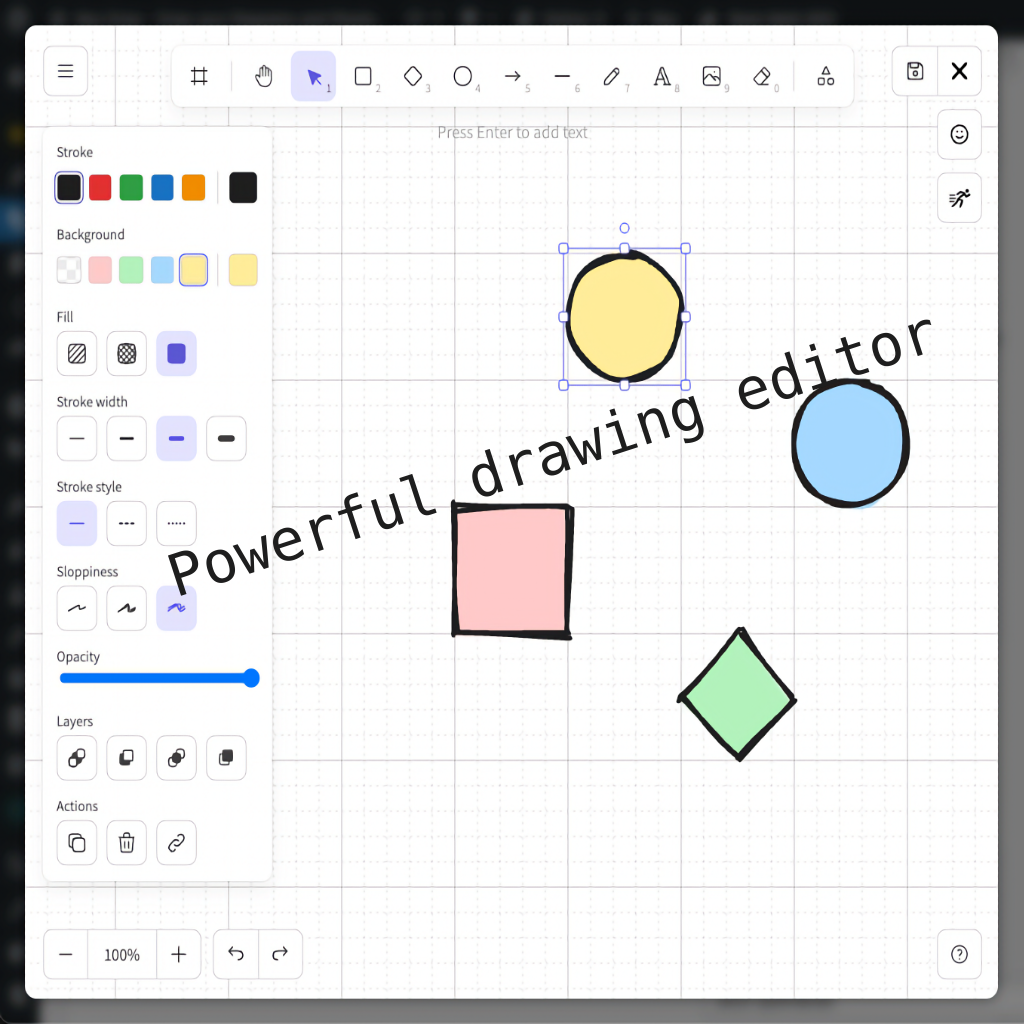
- Create diagrams with shapes, icons and freehand drawings
- Unlimited drawings
- Paint on existing images
- SVG export and import on other sites
- Image editing with Apple Pencil
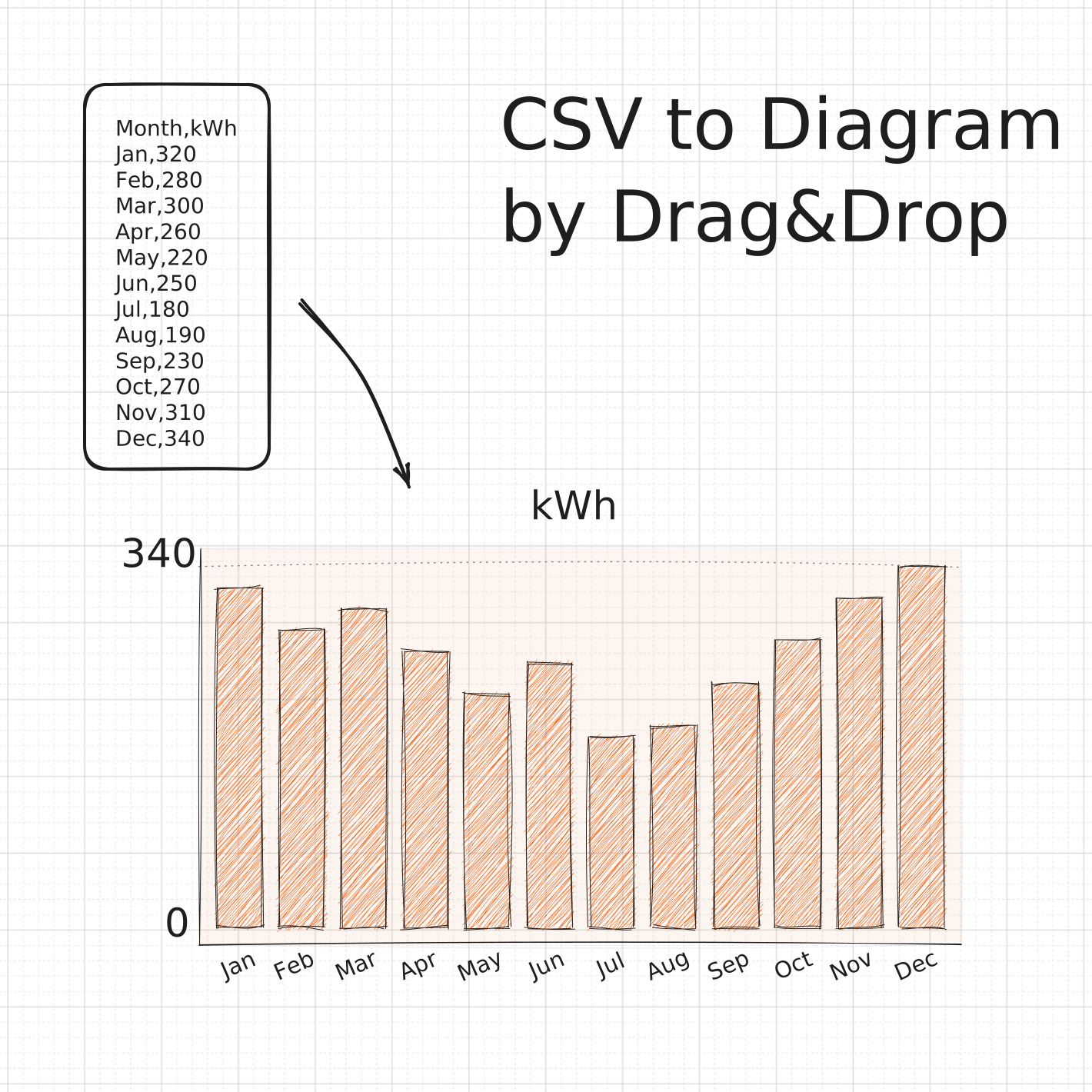
- Insert CSV content as a diagram
- Interactive image areas with hyperlinks
- More professional fonts
- Export as SVG or PNG
- Integration into Bricks, Elementor, Gutenberg and the Classic Editor
- Extensive icon library
- Pro icon libraries (Pro)
“Great what you can do with neo Rename. The Pro version takes it even further.”
Technical details - Modern implementation with high compatibility
The plugin neo Draw is available for free in the current version 1.0.0 for download. It requires at least WordPress version 6.2 and PHP version 8.0 or higher. The plugin was tested up to the current version 7.1 by the beta tester circle. The developers released the last update in 2026-08. The continuous updating and expansion of the plugin reflects the commitment to further development.
“It is convenient to get all media plugins from a single developer. The complete neo universe runs performant, reliable and stable.”
Quality and support - Fast and helpful assistance
Support for neo Draw receives mostly positive feedback, especially thanks to the fast response times and effective problem solving. Many users report that the developers provide dedicated and helpful support for both the free and Pro versions. The neo WP team can be reached directly via the developers' page by chat, email and contact form. Additionally, the official support forum is available for further assistance.
“The developers respond quickly, personally and are very helpful.”
Conclusion - Very high-quality WordPress plugin package
The plugin neo Draw lives up to its slogan “Bring creative ideas to life with drawings directly in WordPress!” in every respect. Even in the free version, the entire neo plugin series offers a comprehensive solution for the typical media management requirements in WordPress. If you already use neo Draw, it’s worth taking a look at the other plugins from neo WP.
Show more
Detailed plugin information
Plugin slug: neo-draw
Plugin name: neoDraw
Plugin title: neo Draw - Diagramme & Icons erstellen, ohne WordPress zu verlassen
Plugin keywords: #diagram #draw #drawing #image #edit
Plugin version: 1.0.0
Last updated: 2026-08
Release date: 2026-08-01
Required WP version: 6.2
Required PHP version: 8.0
Tested with WP version: 7.1
Active installations: 1+
Average rating: 5.0
Number of reviews: 3
Number of support requests: 0 (in the last 2 months)
Number of resolved support requests: 0 (in the last 2 months)
Plugin author: neo WP
Developer homepage: https://neo-wp.com/?ref=wporg-info
WP developer profile page: https://profiles.wordpress.org/neoplugins/
Support URL in the WordPress Plugin Directory: https://neo-wp.com/support/?ref=wporg-info
Developer support URL: https://neo-wp.com/support/?ref=wporg-info
WP Plugin Directory: https://neo-wp.com/plugin/neo-draw/?ref=wporg-info
0.0
/ 10
#diagram #draw #drawing #image #edit
Number #
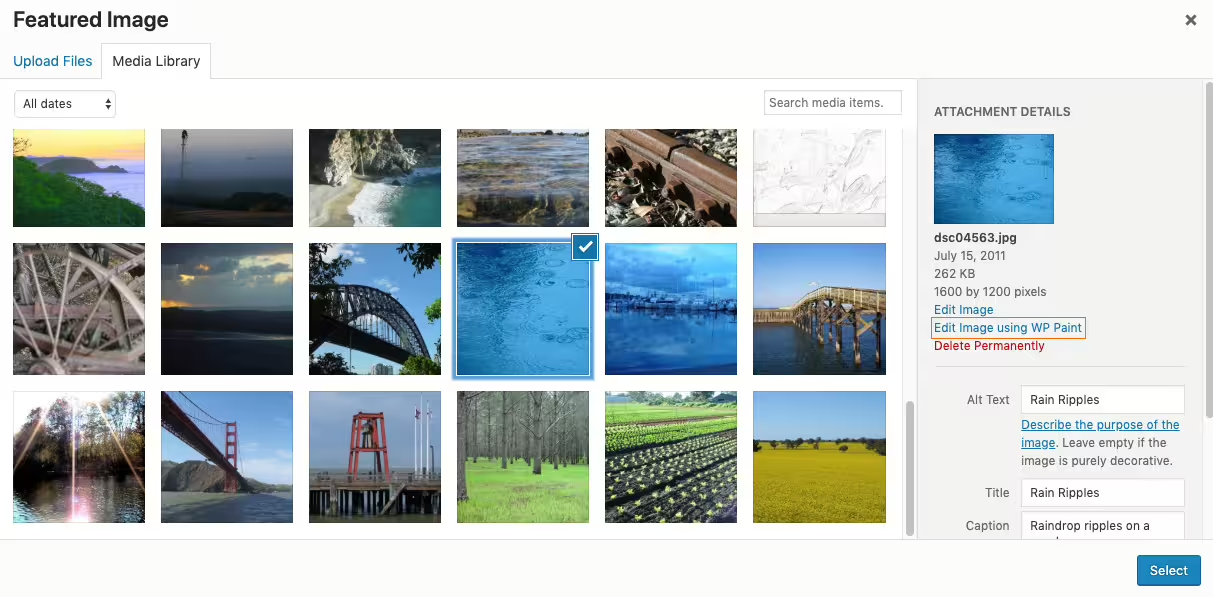
WP Paint - Image editing made easy in WordPress
Wp Paint is an HTML5 image editor for WordPress developed by ZetaMatic. Since its release on 2019-08-02 it has been very popular with over 6 000+ active installations. The plugin allows editing images directly in the WordPress backend - a perfect solution for users who want to avoid external tools. With an average rating of 4.8 out of 5 stars from 84 reviews it enjoys a good reputation. The Pro version offers image editing capabilities to non-admin users.
"This plugin makes image editing in WordPress child’s play."
Features - Extensive editing capabilities
- Intuitive user interface - Desktop-like image editing experience.
- Layer-based editing - Advanced composition tool.
- Rotate and scale images - Enables flexible adjustments.
- Add text - Personalize images with text.
- Stickers and watermarks - Visual enhancement and protection (Pro).
- Clone tool - Copy pixel areas (Pro).
- Pixabay integration - Find and insert images effortlessly (Pro).
"The Pro version offers many useful features that make editing even easier."
Technical details - Supported system environment
WP Paint provides fast image editing in the WordPress dashboard via its browser-based HTML5 editor, with no external dependencies. It uses HTML5 and JavaScript for responsive performance. Changes are temporarily saved before being stored in the WordPress media library. The plugin requires at least PHP version 7.4 and supports WordPress starting from version 4.5, tested up to version 5.8.15.
"The free version covers the basic needs well."
Quality and Support - user experiences and response times
WP Paint is appreciated for its ease of use, but there are issues with image quality on Retina devices. Some users report slow editing with large files. Support is inconsistent: ranging from good experiences with quick replies to reports that Pro-version support was discontinued, causing frustration.
"Unfortunately I have to change my review. I am sorry to see that the developer has discontinued support."
Conclusion - Summary of pros and cons
WP Paint offers a valuable image editing solution directly in WordPress. Praised for its powerful features, it receives criticism for image quality and support. It remains a useful resource, especially the Pro version for users who need advanced features.
Show more
Detailed plugin information
Plugin slug: wp-paint
Plugin name: Wp Paint
Plugin title: WP Paint – WordPress Image Editor
Plugin-Keywords: #Image editor #media #media editor #photo #photo editor
Plugin Version: 0.5.3
Last Updated: 2022-01
Released on: 2019-08-02
Required WP Version: 4.5
Required PHP version: 7.4
Tested with WP version: 5.8.15
Active Installations: 6 000+
Average rating: 4.8
Number of reviews: 84
Number of support requests: 0 (in the last 2 months)
Number of resolved support requests: 0 (in the last 2 months)
Plugin author: ZetaMatic
Developer Homepage: https://zetamatic.com/wp-paint
WP Developer Profile Page: https://profiles.wordpress.org/zetamatic/
Support URL in the WordPress Plugin Directory: https://wordpress.org/support/plugin/wp-paint/
Developer Support URL: https://wordpress.org/support/plugin/wp-paint/#fallback-commercial-support-url
WP Plugin Directory: https://wordpress.org/plugins/wp-paint/
0.0
/ 10
#Image editor #media #media editor #photo #photo editor
Number #
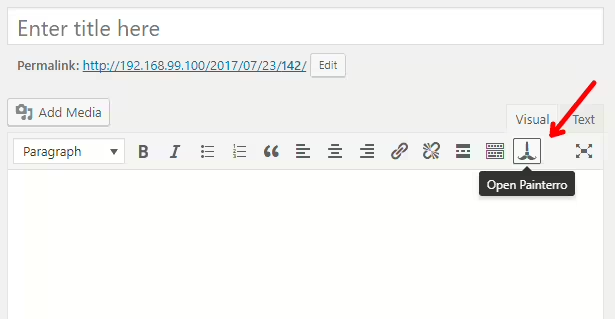
Painterro - A comprehensive image editing plugin for WordPress
Painterro is a versatile open-source solution, developed by Ivan Borshchov, for image editing in the WordPress admin area. With over 10+ installations and a 5.0-star rating, it is ideal for simple image editing tasks without leaving the platform.
"The product helped me increase my productivity."
Features - Extensive features right in the admin area
- Paste images from clipboard - Quickly paste screenshots and images.
- Crop image - Adjust to the required image size.
- Primitive paint - Support with alpha color.
- Add text - Direct text input on images.
- Rotate and scale image - For different requirements.
- Pixelate image areas - Protect sensitive data.
- Use hotkeys (Pro) - Increased efficiency with keyboard shortcuts.
"A solid tool with comprehensive features that gives me essential advantages in my daily work."
Technical details - Works directly from the WordPress admin area
Painterro uses a JavaScript frontend powered by a capable canvas element and requires no external dependencies. Minimum PHP version 7.4 and compatibility with WordPress versions from 3.7 are required. Reliable in modern WordPress environments.
"Runs reliably on my website and has not caused compatibility issues so far."
Quality and support - Fast, but still improvable
Performance is often praised, hotkeys like `Ctrl + Z` improve the workflow. Criticism: performance drops with high user numbers. Support is provided via the WP Plugin Directory Forum and directly from the developer. Support exists, but comprehensive user reports are lacking.
Conclusion - Recommended solution for integrated image editing
Painterro is a reliable choice for image editing in WordPress, perfect for users looking for a simple, open solution. Although there are some criticisms under heavy load, it remains a solid option with a cost-effective open-source approach and numerous features. Potential for improvement in performance and roadmap exists.
Show more
Detailed plugin information
Plugin slug: painterro
Plugin name: Painterro
Plugin title: Painterro
Plugin keywords: #crop #image #Image editor #paint
Plugin version: 1.2.92
Last updated: 2025-07
Released: 2017-07-25
Required WP version: 3.7
Required PHP version: 7.4
Tested with WP version: 5.5.20
Active installations: 10+
Average rating: 5.0
Number of reviews: 1
Number of support requests: 0 (in the last 2 months)
Number of resolved support requests: 0 (in the last 2 months)
Plugin author: Ivan Borshchov
Developer homepage: https://github.com/ivictbor/painterro
WP developer profile page: https://profiles.wordpress.org/vanbrosh/
Support URL in the WordPress Plugin Directory: https://wordpress.org/support/plugin/painterro/
Developer support URL: https://wordpress.org/support/plugin/painterro/#fallback-commercial-support-url
WP Plugin Directory: https://wordpress.org/plugins/painterro/
0.0
/ 10
#crop #image #Image editor #paint
Number #

Sketch - A tool for creative ideas
The Sketch plugin by Automattic, released on 2021-07-01, offers artists and designers with only 100+ active installations a versatile drawing tool with natural brush strokes and a positive rating of 5.0 stars.
“A compact yet versatile tool that opens creative possibilities in design.”
Features - Creative design possibilities
- Freehand drawing on a canvas with natural brush strokes
- Various brush sizes for flexible styles
- Comprehensive color palette for brilliant artistic expression
- Transparent background, integrable into container blocks
- Integration into container blocks for dynamic designs
- Free license for creative use (Pro)
“A solid plugin that offers maximum creative freedom under moderate system requirements. Easy to integrate and kept up to date.”
Technical details - requirements and architecture
The Sketch plugin uses the perfect-freehand library for natural brush strokes and requires at least PHP version 7.4 and WordPress version 5.9. It is compatible with WordPress version 6.1.12 and the current plugin version is 1.3.0 (last update in 2023-03). The code is viewable in the Github repository.
Quality and support - performance and support channels
Thanks to perfect-freehand, Sketch provides a fast backend and runs efficiently even on older devices. Users appreciate the speed but note performance drops with larger numbers of users. Support via the WordPress forum and Automattic is sparsely documented, but the open source approach on GitHub encourages community involvement.
“The backend speed is remarkable and provides a smooth user experience.”
Conclusion - basic but improvable plugin
The Sketch plugin offers a free solution for creative expression, ideal for designers and artists. Improvement is needed especially in performance under load and security aspects. The unclear roadmap and security concerns will require more development and communication to improve user satisfaction.
Show more
Detailed plugin information
Plugin slug: sketch
Plugin name: Sketch
Plugin title: Sketch Block
Plugin keywords: #block #blocks #drawing #freehand #sketch
Plugin version: 1.3.0
Last update: 2023-03
Release date: 2021-07-01
Required WP version: 5.9
Required PHP version: 7.4
Tested with WP version: 6.1.12
Active installations: 100+
Average rating: 5.0
Number of reviews: 1
Number of support requests: 0 (in the last 2 months)
Number of resolved support requests: 0 (in the last 2 months)
Plugin author: Automattic
Developer homepage: https://wordpress.org/support/plugin/sketch/#fallback-homepage
WP developer profile page: https://profiles.wordpress.org/automattic/
Support URL in the WordPress Plugin Directory: https://wordpress.org/support/plugin/sketch/
Developer support URL: https://wordpress.org/support/plugin/sketch/#fallback-commercial-support-url
WP Plugin Directory: https://wordpress.org/plugins/sketch/
0.0
/ 10
#block #blocks #drawing #freehand #sketch
Number #
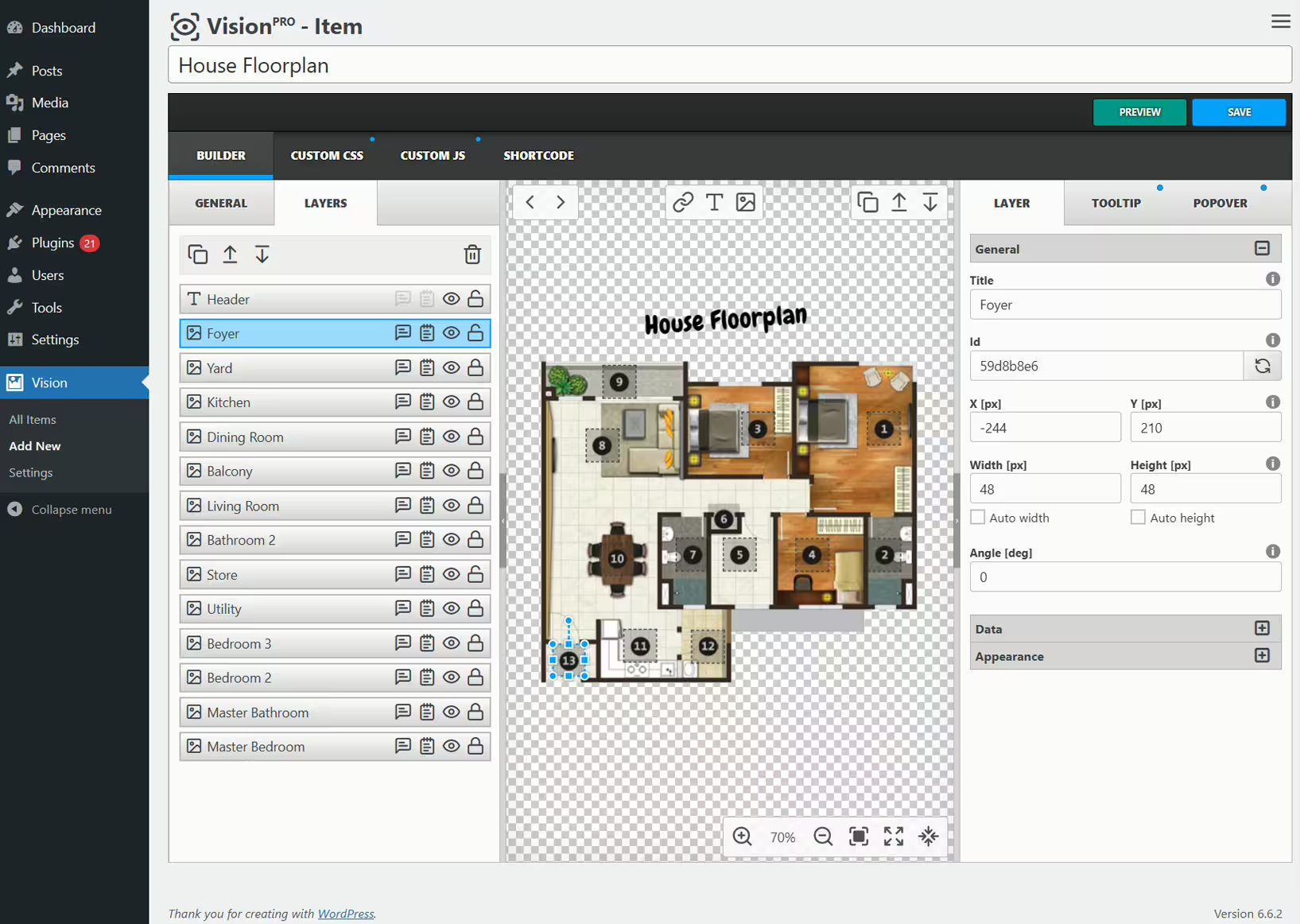
Vision - Innovative image map generator
Vision, a WordPress plugin by Avirtum, turns images into interactive media. With 2 000+ installations it is ideal for publishers looking to refresh content. Users rate it 4.9 out of 5 stars.
"Really great features, I use it for many images. Recommend it, the support is fast."
Features - Diverse interaction options
- Powerful Interface - Drag and drop for easy element placement.
- Layers - Clickable markers link to content.
- Tooltips - Information appears on hover.
- Popovers - Display multimedia in pop-ups.
- Responsive - Elements adapt on all devices.
- Animations - Over 100 effects for tooltips.
- Customization - Customize with CSS/JavaScript (Pro).
"Excellent plugin for creating interactive maps. Intuitive and effective. Thanks!"
Technical details - Powerful and compatible
Vision uses JavaScript for interactive image maps via HTML5 canvas. It requires PHP 7.4 and WordPress 6.0, tested with version 7.0.4. Ongoing updates ensure compatibility.
"No issues with compatibility with the latest WordPress versions. Works smoothly and reliably."
Quality and support - Efficient and user friendly
Vision stands out for easy integration and fast user support via the support forum as well as the developer website. High user praise for functionality and quick support.
Conclusion - A valuable tool with potential
Avirtum's Vision is a powerful plugin for interactive content with room for improvement in flexibility and update communication. It is well suited for visual content in WordPress.
Show more
Detailed plugin information
Plugin slug: vision
Plugin name: Vision
Plugin title: Vision – Interactive Image Map with Hotspots Builder
Plugin keywords: #floor plan #hotspots #image maps #infographics #interactive images
Plugin version: 1.12.2
Last update: 2026-07
Release date: 2018-11-16
Required WP Version: 6.0
Required PHP version: 7.4
Tested with WP version: 7.0.4
Active installations: 2 000+
Average rating: 4.9
Number of ratings: 9
Number of support requests: 1 (in the last 2 months)
Number of Resolved Support Requests: 1 (in the last 2 months)
Plugin author: Avirtum
Developer homepage: https://1.envato.market/getvision
WP developer profile page: https://profiles.wordpress.org/avirtum/
Support URL in the WordPress Plugin Directory: https://wordpress.org/support/plugin/vision/
Developer support URL: https://wordpress.org/support/plugin/vision/#fallback-commercial-support-url
WP Plugin Directory: https://wordpress.org/plugins/vision/
0.0
/ 10
#floor plan #hotspots #image maps #infographics #interactive images
Number #
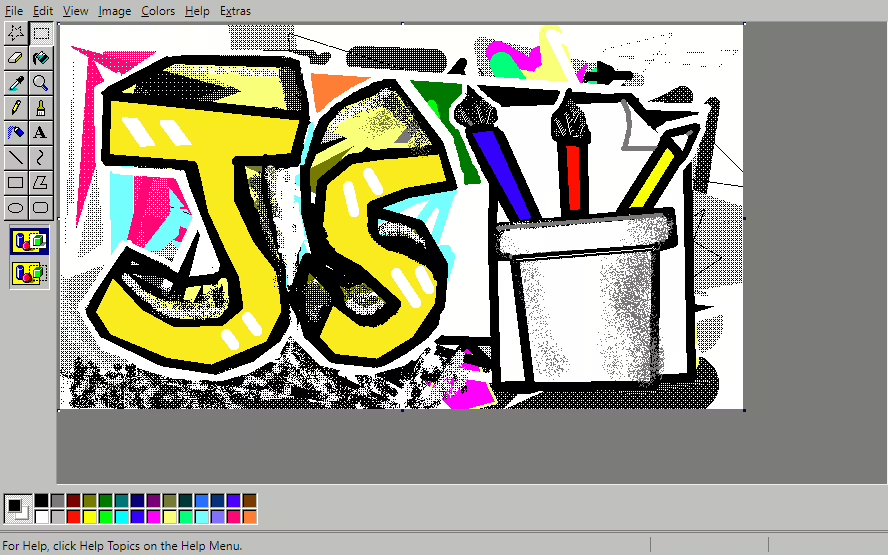
WoPo Paint - Innovative image editing directly in the comment area
Wopo Paint from WoPo Web allows drawing images as comments. Especially suitable for Windows fans, with a solid rating of 5.0/5 stars.
"The product helped me reach my goals faster."
Features - Extensive image editing capabilities
- Edit images in the Media Library - Allows simple adjustments.
- Add shortcode [wopo-paint] - Quick integration into pages.
- Post drawing as a comment - Encourages interactivity. (Pro)
- Open Painter with featured image or featured images - Seamless workflows. (Pro)
- Free with Pro version - Versatile usage options.
- Shortcode integration - Makes embedding easier.
- Flexibility in image editing - Optimizes user experience.
"The plugin offers a wide range of features that significantly improve usability."
Technical details - Requirements for smooth operation
Users need a PHP version 7.1 or higher, and a WordPress version 5.2 or higher. Integration tested up to the current WordPress version.
"The system requirements are moderate, which eases integration."
Quality and support - Fast but resource intensive application
Wopo Paint impresses with a fast backend but can cause high resource usage. Few known support options, recommended via the support forum in the WordPress Plugin Directory and the developer website.
"The backend speed is impressive, but the resource usage can impact performance."
Conclusion - A plugin with potential but limited reach
Wopo Paint by thanhbinh8703 offers creative commenting options but lacks reach and optimization, especially for older devices. Possible technical adjustments could improve the user base and the user experience.
Show more
Detailed plugin information
Plugin slug: wopo-paint
Plugin name: Wopo Paint
Plugin title: WoPo Paint
Plugin keywords: #Image editor #paint #painting #photo editor #wopo
Plugin version: 1.2.3
Last updated: 2025-08
Release date: 2020-04-24
Required WP version: 5.2
Required PHP version: 7.1
Tested with WP version: 6.8.8
Active installations: 70+
Average rating: 5.0
Number of reviews: 1
Number of support requests: 0 (in the last 2 months)
Number of resolved support requests: 0 (in the last 2 months)
Plugin author: WoPo Web
Developer homepage: https://web.wopo.cc/product/wopo-paint/
WP developer profile page: https://profiles.wordpress.org/thanhbinh8703/
Support URL in the WordPress Plugin Directory: https://wordpress.org/support/plugin/wopo-paint/
Developer support URL: https://wordpress.org/support/plugin/wopo-paint/#fallback-commercial-support-url
WP Plugin Directory: https://wordpress.org/plugins/wopo-paint/
0.0
/ 10
#Image editor #paint #painting #photo editor #wopo
Number #
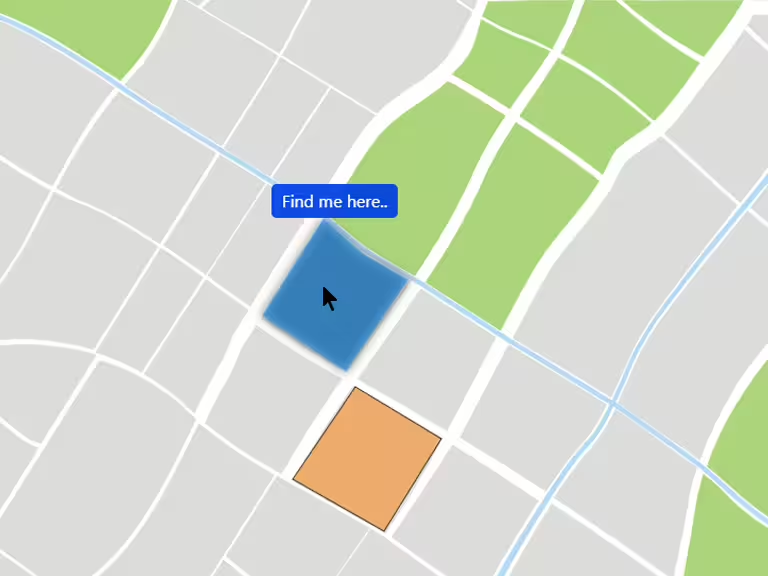
Interactive Image Map Builder - Beginner-friendly plugin for interactive image content
The Interactive Image Map Builder, developed by Mehjabin Orthi, has been available since 2023-01-25 and already has over 1 000+ active installations. The plugin lets you create interactive hotspots on images, useful for image maps, floor plans and more, without coding skills.
"Very nice plugin! Easy to use and gives any website a great style. There are many options to choose from for formatting etc. Very customizable!"
Features - Extensive application options for creating interactive image components
- Create clickable hotspots - Interactive points for conveying information or linking.
- Two view modes - Tooltip and modal views for content.
- Template variety - Over 20 custom templates.
- Drag-and-drop feature - Easily move hotspots.
- Custom CSS & shortcodes - Advanced customizations possible.
- Embedded videos and maps - Easy integration of media content (Pro).
- Compatibility - Support for latest WordPress themes and page builders.
"Even the free version is amazing! The free version is enough for small projects."
Technical details - Behind the scenes of seamless integration
The Interactive Image Map Builder is compatible with modern WordPress APIs and supports custom CSS as well as numerous shortcodes. It requires at least PHP version 7.0 and WordPress version 6.0. The last testing was for WordPress version 7.0.4, which ensures high compatibility. The efficient architecture provides responsive interactivity across all devices.
"The consistency regarding support for the latest WordPress versions gives me confidence when using it. You do not have to worry that something will stop working."
Quality and support - Reliability and excellent user assistance
The plugin is high quality and based on modern standards, which is reflected in its efficiency and compatibility. Support is described as fast and helpful, which increases user satisfaction. With an average rating of 5.0 from 17 reviews it is a preferred solution, especially for beginners.
Conclusion - Extensive functionality with room for improvement
The Interactive Image Map Builder offers an excellent way to integrate interactive elements into WordPress sites, supported by positive user reviews and a flexible feature set. The solid implementation is convincing, although there is room for improvement in areas such as security documentation. Overall a reliable choice for operators who want to implement interactive features.
Show more
Detailed plugin information
Plugin slug: interactive-image-map-builder
Plugin name: Interactive Image Map Builder
Plugin title: Interactive Image Map Builder
Plugin keywords: #draw floor plan #image canvas #image labeling tool #interactive image map #interactive image map builder
Plugin version: 3.2
Last update: 2026-07
Released on: 2023-01-25
Required WP Version: 6.0
Required PHP version: 7.0
Tested with WP version: 7.0.4
Active installations: 1 000+
Average rating: 5.0
Number of ratings: 17
Number of support requests: 0 (in the last 2 months)
Number of resolved support requests: 0 (in the last 2 months)
Plugin author: Mehjabin Orthi
Developer homepage: https://wordpress.org/plugins/interactive-image-map-builder/
WP developer profile page: https://profiles.wordpress.org/mehjabin6310/
Support URL in the WordPress Plugin Directory: https://wordpress.org/support/plugin/interactive-image-map-builder/
Developer support URL: https://wordpress.org/support/plugin/interactive-image-map-builder/#fallback-commercial-support-url
WP Plugin Directory: https://wordpress.org/plugins/interactive-image-map-builder/
0.0
/ 10
#draw floor plan #image canvas #image labeling tool #interactive image map #interactive image map builder
Number #
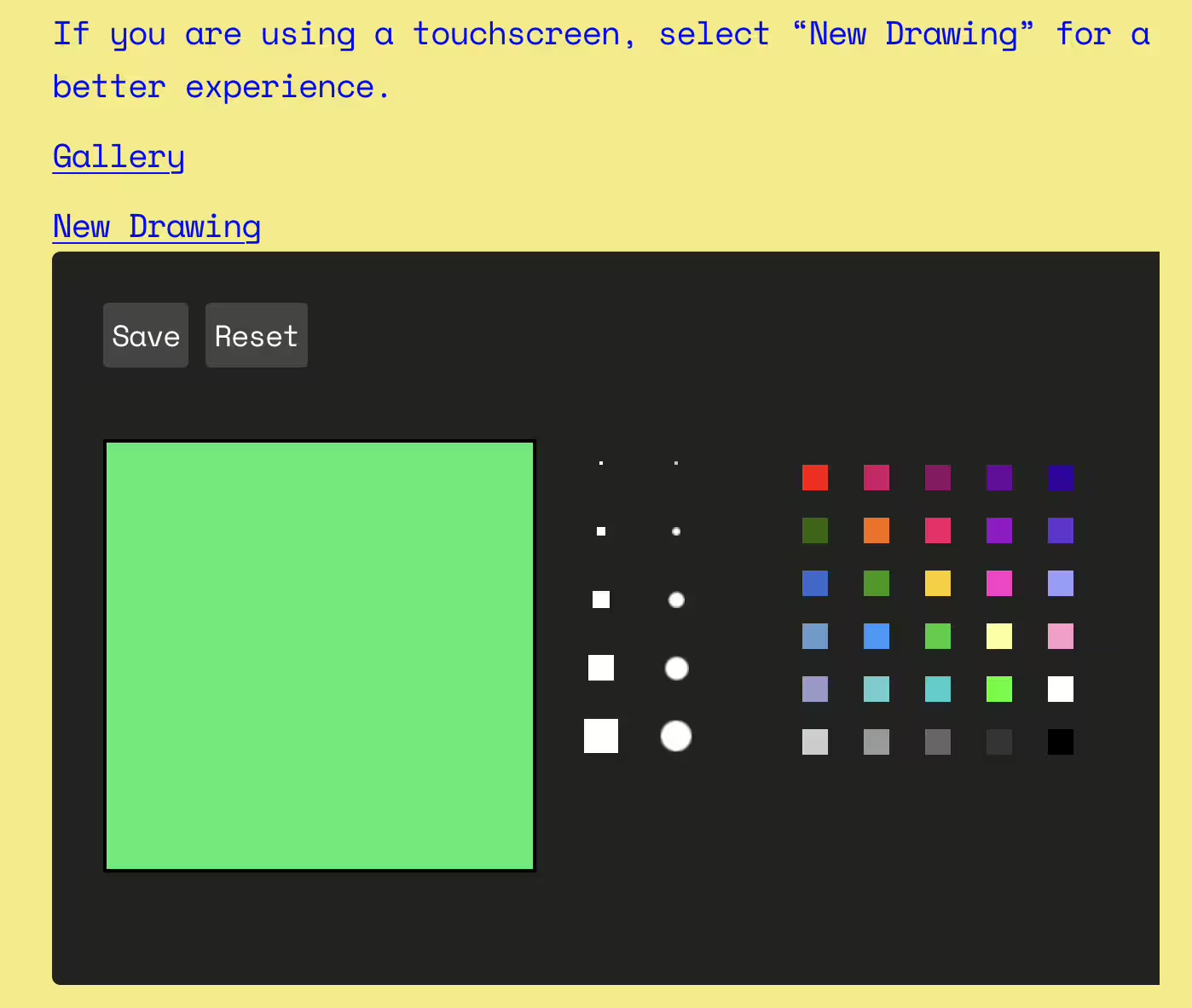
Dooodl - Creative interactivity for WordPress
Dooodl enables creative doodling on WordPress sites, ideal for blogs with visual content. With over 40+ active installations and a rating of 4.3 out of 5 stars, it is especially popular in child-friendly environments.
"I use it on a website for kids and they love it."
Features - Comprehensive functionalities for creative freedom
- Doodling feature: Users can create and save drawings.
- Versatile display options: Integratable via widgets, shortcodes and more.
- Free to use: Ideal for low-cost blog extensions.
- Creative customizability: Doodles adapt to individual website designs.
- Extensible: Plugin can be customized via API interfaces and hooks (Pro).
"It works and is fun."
Technical details - system requirements and structure
PHP version 7.4+ and WordPress version from 2.7 are required. Tested up to version 6.6.0. Structure simplified with custom post type "dooodl". Updates improve security and compatibility, last released in 2024-07.
Quality and support - user experiences and assistance
Users appreciate: creative doodling, ease of use and free availability. Criticism exists regarding technical bugs and stalled development. Support forum and commercial support are available, but detailed user reports about support are lacking.
"Wish it had been further developed with somewhat higher resolution and more tools."
Conclusion - a versatile solution with development potential
Dooodl enables interactive, creative freedom on WordPress sites and is especially popular in child-friendly environments. Despite technical issues and requests for improvements, it remains an attractive plugin due to its creative possibilities and flexible integration. There is potential for further development to enhance user experience and stability.
Show more
Detailed plugin information
Plugin slug: dooodl
Plugin name: Dooodl
Plugin title: Dooodl
Plugin keywords: #doodle #doodles #drawing #guestbook
Plugin version: 2.3.0
Last update: 2024-07
Release date: 2009-09-20
Required WP version: 2.7
Required PHP version: 7.4
Tested with WP version: 6.6.0
Active installations: 40+
Average rating: 4.3
Number of ratings: 7
Number of support requests: 0 (in the last 2 months)
Number of resolved support requests: 0 (in the last 2 months)
Plugin author: noCreativity
Developer homepage: https://wordpress.org/support/plugin/dooodl/#fallback-homepage
WP developer profile page: https://profiles.wordpress.org/nocreativity/
Support URL in the WordPress Plugin Directory: https://wordpress.org/support/plugin/dooodl/
Developer support URL: https://wordpress.org/support/plugin/dooodl/#fallback-commercial-support-url
WP Plugin Directory: https://wordpress.org/plugins/dooodl/
0.0
/ 10
#doodle #doodles #drawing #guestbook
In comparison with:
Draw Attention - Interactive image mapping tool for WordPress
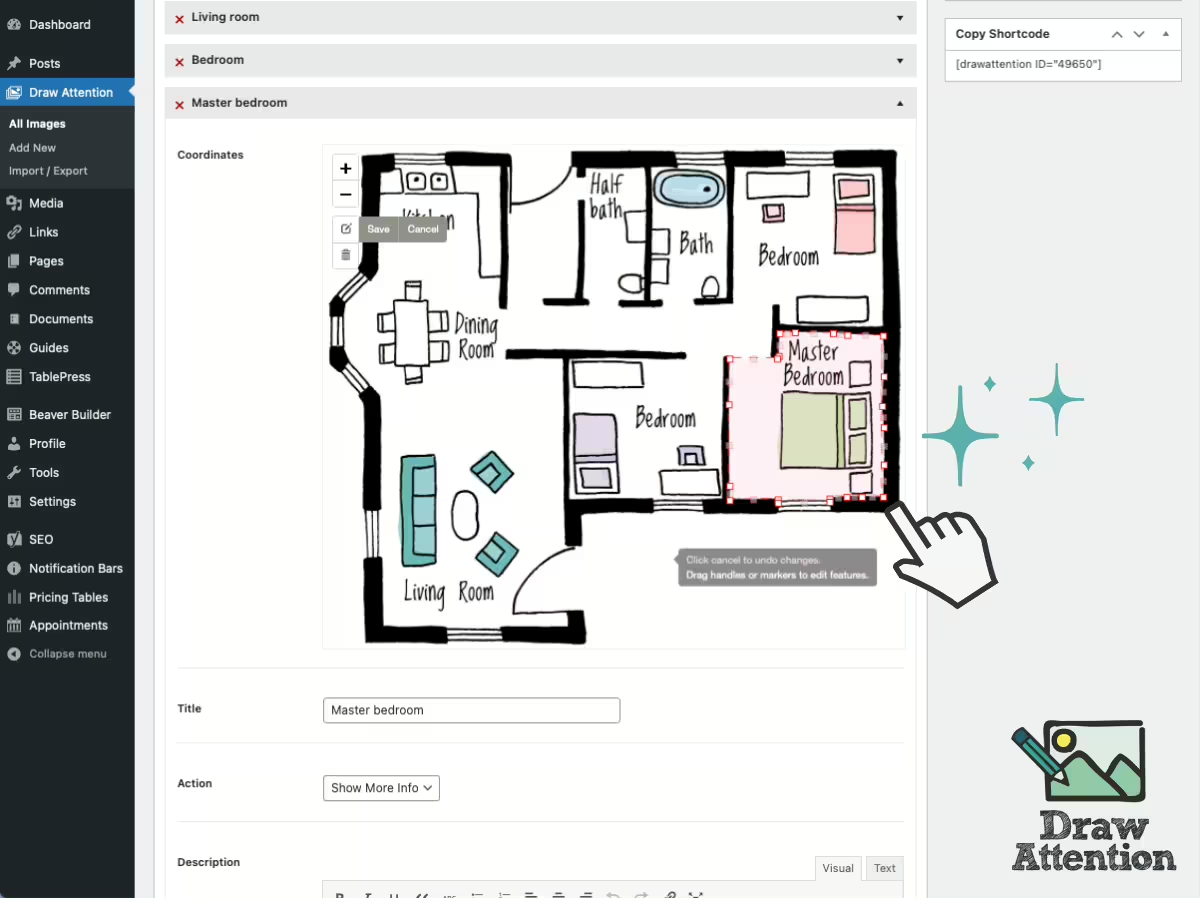
Draw Attention is a popular WordPress plugin by N Squared, known for its interactive image maps with hotspots. It enables high user interaction through unlimited hotspots and targets various industries. With a high rating and many active installations it remains a favorite for creative websites.
"This plugin elegantly solves a problem for me and my client - interactive floor plans!"
Features - Functionality
- Unlimited hotspots - Draw and highlight many areas.
- Responsive design - Optimal use on mobile devices.
- Customizable colors - Integration into website design.
- Additional info on click - Show more information.
- Linking to URLs - Hotspots as external links.
- Multiple image maps (Pro) - Create countless interactive images.
- Predefined color palettes (Pro) - Use diverse designs.
"The layout is intuitive so I could figure it out without really reading the documentation."
Technical details - complexity and compatibility
Draw Attention uses SVG and JavaScript for interactive image maps but also works without JS. It integrates seamlessly into WordPress themes and requires PHP version 7.4 and WordPress 5.3 or higher. Compatible with modern browsers and tested up to WordPress 7.1, it ensures smooth operation.
"The plugin's technical implementation shows a clear focus on flexibility and performance, particularly interesting for developers."
Quality and support - user experiences
Draw Attention impresses with stability, browser compatibility, and resource-efficient SVG usage. Support is perceived as fast and competent, reachable via the WordPress Support Forum and the support page. Reviews highlight intuitive use and time savings.
"The team behind the plugin is very friendly and helpful."
Conclusion - advantages and considerations
Draw Attention offers a variety of interactive options for image maps and is appreciated despite high pro version prices and occasional compatibility issues. Usability and reliable support make it a valuable addition, with flexible licensing options and notable quality. Potential users should still weigh the license terms and pricing.
Show more
Detailed plugin information
Plugin slug: draw-attention
Plugin name: Draw Attention
Plugin title: Interactive Image Map Plugin – Draw Attention
Plugin keywords: #floor plan #hotspot #Image Map #image maps #interactive images
Plugin version: 2.1.8
Last updated: 2026-08
Release date: 2015-02-12
Required WP version: 3.5.1
Required PHP version: 7.4
Tested with WP version: 7.1
Active installations: 20 000+
Average rating: 4.9
Number of reviews: 114
Number of support requests: 2 (in the last 2 months)
Number of resolved support requests: 0 (in the last 2 months)
Plugin author: NSquared
Developer homepage: https://wpdrawattention.com
WP developer profile page: https://profiles.wordpress.org/croixhaug/
Support URL in the WordPress Plugin Directory: https://wordpress.org/support/plugin/draw-attention/
Developer support URL: https://wordpress.org/support/plugin/draw-attention/#fallback-commercial-support-url
WP Plugin Directory: https://wordpress.org/plugins/draw-attention/
#floor plan #hotspot #Image Map #image maps #interactive images
Was the comparison to Draw Attention helpful?
Everything about Interactive Image Map Plugin – Draw Attention
Interactive Image Map Plugin - Draw Attention
Draw Attention is a WordPress plugin developed by N Squared and released on 2015-02-12. With over 20 000+ active installations and an average rating of 4.9 out of 5 stars based on 114 reviews in the official WordPress Plugin Directory, Draw Attention has become a popular choice for website owners. The plugin enables the creation of interactive image maps where specific areas can be highlighted with hotspots. These reveal additional information or direct the user elsewhere. A unique selling point is the ability to create an unlimited number of hotspots, allowing for custom designs. The plugin is mainly aimed at website owners who want to generate interactive content, whether in real estate, trade shows, or interactive infographics. The next section will go into detail about the plugin's feature-rich capabilities and compare them with other solutions available on the market.
"This plugin elegantly solves a problem for me and my client - interactive floor plans!"
Features - The plugin's capabilities
Draw Attention offers an impressive range of features to simplify the creation of interactive image maps. In addition to the ability to create unlimited hotspots, the plugin provides a responsive design that ensures the interactive areas work properly on mobile devices. Another noteworthy feature is the ability to customize colors and layout to seamlessly integrate the interactive areas into the website's design. Hover and click actions also allow flexible presentation of additional information, contributing to an intuitive user experience.
"The layout is intuitive so I could figure it out without really reading the documentation."
Free features - What the free version offers
The free version of Draw Attention already offers a number of useful features that make creating interactive image maps easier:
- Draw unlimited hotspots - Allows highlighting any number of areas within an image map.
- Highlight on hover - Shows hotspot areas when hovered over with the mouse.
- Customizable colors - Adjust color schemes to integrate image maps into the website design.
- More information on click - Additional information is displayed when clicked.
- Go to a URL - Link hotspots to external URLs.
Pro features - Advanced features of the Pro version
The Pro version of Draw Attention expands capabilities with additional features and customization options:
- Create multiple interactive image maps - Support for an unlimited number of interactive images and highlighted areas.
- Annotation layout options - Various layouts for presenting additional information such as lightbox and tooltip.
- Always show hotspots - Highlight hotspots regardless of whether they have been clicked.
- Define multiple highlight styles - Ability to use different highlight colors for hotspots.
- 20 predefined color palettes - Choose from predefined palettes or customize your own color scheme.
"Using the Pro version is great I appreciate all the features and how well they are made."
License & value for money - Pricing and user opinions
Draw Attention offers its base version at no cost, but the Pro version aims to provide advanced functionality for those who need more complex interactivity. The Pro license structure can be perceived as expensive, especially because usage is allowed for a single website only, which some users see as a limitation. Despite the price, many appear to find the Pro version worth the investment, as it provides a more complete and customizable solution for interactive image maps.
"If this plugin were in this price range, I would buy it immediately, but it is simply way too expensive."
Technical details - A look behind the scenes
Draw Attention is a complex, server-side loaded plugin that uses SVG technology to create and render interactive image maps. The functionality relies mainly on JavaScript to enable responsive hotspot areas, but it can also operate without JavaScript enabled by falling back to classic HTML image maps. Developed in PHP, the plugin can be seamlessly integrated into existing themes using WordPress shortcodes and custom post types. Although no dedicated hooks or APIs are mentioned, the plugin is designed to ensure maximum compatibility with modern browsers. It detects user environments for JavaScript capability and adjusts the presentation accordingly. This provides a flexible and robust foundation for developers looking for a solution to add image interactivity without extensive customization.
"The plugin's technical implementation shows a clear focus on flexibility and performance, particularly interesting for developers."
System requirements - What is needed
For running Draw Attention, some basic system requirements are necessary. The plugin requires at least PHP version 7.4 and runs on WordPress installations from version 5.3. The current version has been tested up to WordPress 7.1 and is at plugin version 2.1.8. The last update was in 2026-08. These requirements ensure that Draw Attention can be run on most modern WordPress installations, although the system is expected to be reasonably up to date.
"It is important to make sure the system is up to date to get the best results with this plugin."
Quality - How good is the plugin really?
The quality of Draw Attention is evident in several aspects that users consistently rate positively. Stability and reliability are especially emphasized, which is crucial for productive use on a website. Proper functioning across different browsers is repeatedly mentioned, indicating solid technical implementation. The responsive design also contributes to quality because the interactive image maps display correctly on all devices, from smartphones and tablets to desktop. On a technical level the plugin leverages SVG technology for responsive and resource-efficient rendering. However there are critical voices about performance when using very large images which can affect load times. The straightforward installation and reliable support service further add positively to the quality aspect.
"The plugin holds up well and works flawlessly."
Support - Experiences with assistance
Support for the WordPress plugin Draw Attention is described by many users as fast and effective. Users report that support responds to inquiries in a short time and resolves issues with high expertise. This satisfaction is also reflected in positive feedback about the friendliness and helpfulness of the support team. Contact options are available via the official WordPress support forum. There is also assistance via the developer's support page.
Although there are consistently positive experiences with response time and support quality, the text lacks detailed information about exact contact options or alternative channels for support requests.
"The team behind the plugin is very friendly and helpful."
Rating - User ratings and their significance
The WordPress plugin "Draw Attention" receives an average rating of 4.9 out of 5 stars, based on 114 reviews. This high score shows general satisfaction among users who are impressed by the plugin's functionality and ease of use. Many users praise the intuitive operation and time savings when creating complex image maps.
A frequently recurring praise in reviews refers to the stability and usefulness of the plugin:
"This plugin saves a lot of time and effort and is super easy to use."
Although the majority of reviews are positive there are critical voices that mainly point to the cost of the Pro version:
"The plugin is great but the Pro version is simply too expensive for small projects."
Yet the positive response clearly outweighs negatives with users who especially value the support and the wide range of features in the Pro version:
"Using the Pro version is great I appreciate all the features and how well they are made."
Overall the reviews show that Draw Attention is a valuable addition to many users' WordPress websites and despite some concerns about pricing the general opinion remains highly positive.
Criticism - Problems when using Draw Attention
The WordPress plugin "Draw Attention" is popular for creating interactive image maps but it also faces some criticisms. A central criticism concerns the occurrence of bugs and compatibility issues. Users report that the plugin can occasionally interfere with custom themes which might cause websites to crash. Problems in communication with other plugins are also mentioned such as conflicts that can lead to loss of functionality.
A key security aspect of the plugin has been improved over versions by implementing nonce checks and fixing a vulnerability that affected users with contributor rights. Nevertheless there are community voices asking for more clarity about long term support and security measures to build trust in the plugin's stability.
Another criticism concerns missing updates and slow integration of new features. Some users express a desire for more functionality and faster update cycles, to stay compatible with the latest WordPress versions. In particular the limitation in the free version that allows only one image is described as restrictive.
Despite positive feedback on the flexibility and creative possibilities of the Pro version there are complaints about the high price and license restrictions which limit use of the plugin to a single website.
"I was so disappointed to see the plugin stop working after an update and it took a while to get it fixed."
Conclusion - Summary of pros and cons
Draw Attention, developed by N Squared, offers a comprehensive solution for creating interactive image maps in WordPress. With its user-friendly interface and a wide range of customization options, the plugin stands out in both the free and Pro versions. Its responsiveness on mobile devices and flexibility for integrating into existing designs convince many users. However, there are also some criticisms, particularly regarding the price of the Pro version and occasional compatibility issues with custom themes and other plugins. Despite these challenges, the plugin remains a valued choice for those who want to integrate interactive images into their websites, thanks in part to reliable and friendly support. The consistency and quality make Draw Attention a worthwhile investment for creating interactive content, although potential users should carefully weigh the licensing restrictions and costs.
Show more
Detailed plugin information
Plugin slug: draw-attention
Plugin name: Draw Attention
Plugin title: Interactive Image Map Plugin – Draw Attention
Plugin keywords: #floor plan #hotspot #Image Map #image maps #interactive images
Plugin version: 2.1.8
Last updated: 2026-08
Release date: 2015-02-12
Required WP version: 3.5.1
Required PHP version: 7.4
Tested with WP version: 7.1
Active installations: 20 000+
Average rating: 4.9
Number of reviews: 114
Number of support requests: 2 (in the last 2 months)
Number of resolved support requests: 0 (in the last 2 months)
Plugin author: NSquared
Developer homepage: https://wpdrawattention.com
WP developer profile page: https://profiles.wordpress.org/croixhaug/
Support URL in the WordPress Plugin Directory: https://wordpress.org/support/plugin/draw-attention/
Developer support URL: https://wordpress.org/support/plugin/draw-attention/#fallback-commercial-support-url
WP Plugin Directory: https://wordpress.org/plugins/draw-attention/
Before switching to the alternative
If you run into problems with the plugin "Interactive Image Map Plugin – Draw Attention" it might be sensible to check the WordPress and server requirements before switching to an alternative plugin.
The current plugin version 2.1.8 from 2026-08 requires at least WordPress version 3.5.1 and was tested with WordPress 7.1. The server should preferably be an Apache server running at least PHP version 7.4.
WordPress offers a support forum for the Draw Attention plugin. In the last two months 2 questions were posted there and 0 of them were answered by NSquared, which indicates the level of support activity.
Further troubleshooting tips might be provided by the Draw Attention website and its support page.
Draw Attention has been developed by NSquared since 2015-02-12 and runs on a total of 20 000+ active WordPress installations. About 114 users have rated the plugin with an average of 4.9 stars. Still, some users are looking for an alternative with different features.
The alternative plugins can be found in the official WordPress Plugin Directory using the following tags and can be downloaded for free: #floor plan #hotspot #Image Map #image maps #interactive images
The comparison above presents and evaluates the most important features of these plugin alternatives.
Decision criteria of the plugin ranking
- Usability:
The plugin should be easy to install, configure and use. - Functionality:
The plugin should perform the promised functions reliably and efficiently. - Performance:
It should not negatively impact the site's load times and should be resource efficient. - Security:
The plugin must receive regular updates to ensure continuous secure operation. - Reviews:
Positive experiences from many users give a good indication of quality and reliability. - Support:
Good customer support and comprehensive documentation are crucial to resolve issues quickly. - Documentation:
Detailed and understandable documentation makes setup and use of the plugin easier. - Value for money:
The plugin should either be free or offer fair value for money. - Adaptability:
The plugin should be flexible enough to allow individual requirements and customizations. - Compatibility:
The plugin should be compatible with different WordPress versions, themes, and other plugins.
