
Password correct. Please wait...
Disable the chat with .custom-disable-chat
WP Plugin Comparisonby neo-wp.com


WP Plugin Painterro
Test report
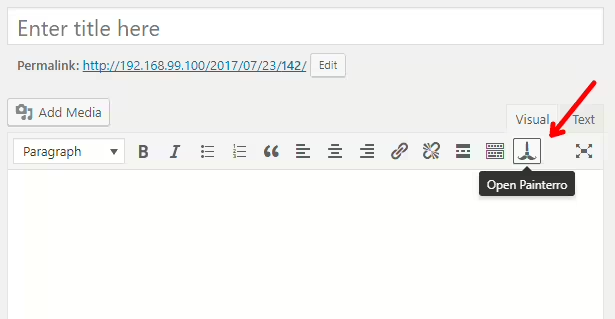
Painterro
Painterro - A robust image editing plugin
Painterro, developed by Ivan Borshchov and first released on 2017-07-25, offers an interesting solution for image editing directly within the WordPress admin area. With over 10+ active installations and an average rating of 5.0 stars from 1 review, the plugin aims to provide WordPress users with an uncomplicated way to edit images.
Particularly notable are the features that allow screenshots and images to be inserted and edited directly in the admin area. It is free and open source, making it an attractive option for anyone who needs versatile image editing tools without leaving the platform. Core features include pasting images from the clipboard, cropping images, drawing shapes, adding text, and pixelating areas to hide sensitive data.
The target audience for Painterro is primarily WordPress users looking for an integrated solution for everyday image editing tasks. The plugin's unique selling point is the ability to integrate and modify images directly in WordPress's editing mode, which can make workflows more efficient for content creators and websites.
The following section takes a closer look at Painterro's specific features and how they can be used in the context of image editing.
"The product helped me increase my productivity."
Features - Extensive capabilities for seamless integration
Painterro stands out for its wide range of image editing features that enable seamless integration with the WordPress admin area. This variety includes not only basic edits like cropping and adding text, but goes further with the ability to pixelate image areas to hide sensitive data. Another notable feature is the plugin's hotkey integration, which can significantly increase workflow efficiency. These hotkeys allow users to quickly and intuitively switch between different editing functions.
Free features - Free but powerful
- Paste images from clipboard - Allows quick insertion of screenshots or other images via drag & drop or the open dialog.
- Crop image - Crops to a defined area, suitable for easily adjusting to the required size.
- Primitive painting - With alpha color support for detailed adjustments.
- Add text - Adds text elements directly onto images.
- Rotate, scale, and adjust image - Includes basic manipulations to fit various requirements.
- Pixelate an area - Provides protection for sensitive data in the image by pixelating specific areas.
License - Open source with high utility
Painterro is completely free and open source, which means there are no financial barriers for users to use the plugin fully. This cost-free nature is generally viewed positively by users, as they can benefit from the features without restrictions. The openness of the software also allows developers to customize and optimize the source code if needed. Although information about value for money is limited, user satisfaction due to the offered performance at no cost is a commonly mentioned topic.
"A solid tool with comprehensive features that gives me essential advantages in my daily work."
Technical details - A deep look into Painterro's workings
Painterro is based on a JavaScript frontend that runs directly from the WordPress admin panel. Built with modern web technologies, the plugin is loaded as a standalone module that requires no external dependencies. The image editing features are embedded directly into the user interface and are supported by a powerful canvas element that enables a variety of real-time manipulations. The plugin uses a flexible architecture that developers can easily adapt and extend by integrating custom functions. Although specific information on database and filesystem management is lacking, the implementation suggests a clearly defined module design focused on flexibility and extensibility.
System requirements - Minimum requirements for smooth operation
Installation and operation of Painterro require at least PHP version 7.4 or higher. Compatibility is guaranteed for WordPress versions from 3.7, and full support is currently assured up to version 1.2.92. The plugin version is 1.2.92 and the last update in 2025-07. With these requirements, Painterro covers the basic standards to run in most modern WordPress environments without major complications.
"Runs reliably on my website and has not caused compatibility issues so far."
Quality - Ratings and critique
Painterro's quality is rated differently by users. On the one hand, the fast backend speed is often praised, resulting in a smooth user experience. This performance is supported by efficient use of resources, which can be particularly beneficial on older devices. Supported hotkeys, such as `Ctrl + Z`, can significantly speed up the editing process, indicating user-friendly design.
On the other hand, there is negative feedback. Noticeable performance drops occur under high user load, which calls the plugin's overall stability into question. Additionally, suboptimal software optimization is cited, which can sometimes lead to delays. These criticisms highlight that despite the positive aspects there is still room for improvement, especially when handling high loads.
"The backend speed is impressive, however there are performance degradations with many simultaneous users."
Support - Missing information but still reachable
Support for Painterro is only inadequately covered in the official plugin description. There are no detailed instructions on specific contact options or support response times. User reviews that could provide insight into support quality are also missing. Support is mainly provided via the support forum in the WP Plugin Directory, where questions can be asked and discussions held. Additionally, commercial support can be requested directly from the developer.
Despite the limited information, it can at least be established that users can access support in two ways if issues or questions arise.
Regarding reviews specifically about support, no quotes or ratings directly describing Painterro's support could be found.
Rating - Single review but still informative
Painterro receives an average rating of 5.0 stars, based on 1 review. This limited number of responses makes it difficult to form a comprehensive picture of overall user satisfaction, but it still offers some insights. The only available review gives the plugin the highest rating, indicating a very positive user experience.
Without further reviews or differentiated feedback, it remains unclear how consistent this positive assessment would be across a larger user base. The absence of negative reviews could indicate generally acceptable functionality but also leaves room for uncertainty about how the plugin performs under different conditions and requirements.
"An excellent plugin that does exactly what it promises."
Criticism - Missing criticism and known issues
The criticism section for the Painterro plugin shows a remarkable lack of specific negative feedback or detailed user complaints. No reports of problems, bugs, or security issues were found, which either suggests stability and functionality of the plugin or a small number of reviews submitted so far. However, this absence of negative comments does not necessarily mean the plugin is free of errors; it could also indicate a limited user base or that minor issues have not yet been widely documented.
There are also no concrete details regarding suggestions for improvement or a clear roadmap for the future, leaving room for potential developments and optimizations. This could be a disadvantage for developers and users seeking continuous improvement and long-term support for the plugin.
Since there are no specific reviews regarding criticisms, a quote on this topic is omitted.
Conclusion - A comprehensive image editing tool for simple tasks
Painterro, developed by Ivan Borshchov, offers a solid solution for seamless image editing within WordPress. With a free open-source license and layered features, it primarily appeals to users who need an easy-to-use image editing tool. Despite many positive aspects and theoretically convincing functionality, the rating suffers from a limited number of user reviews and leaves room for improvements, particularly regarding performance under higher user load and the presentation of a clear roadmap for further development. Considering its robust feature set and easy integration, Painterro remains a recommendable option, especially for those who prefer free and open solutions.
#crop #image #Image editor #paint
Show more
Detailed plugin information
Plugin slug: painterro
Plugin name: Painterro
Plugin title: Painterro
Plugin keywords: #crop #image #Image editor #paint
Plugin version: 1.2.92
Last updated: 2025-07
Released: 2017-07-25
Required WP version: 3.7
Required PHP version: 7.4
Tested with WP version: 5.5.20
Active installations: 10+
Average rating: 5.0
Number of reviews: 1
Number of support requests: 0 (in the last 2 months)
Number of resolved support requests: 0 (in the last 2 months)
Plugin author: Ivan Borshchov
Developer homepage: https://github.com/ivictbor/painterro
WP developer profile page: https://profiles.wordpress.org/vanbrosh/
Support URL in the WordPress Plugin Directory: https://wordpress.org/support/plugin/painterro/
Developer support URL: https://wordpress.org/support/plugin/painterro/#fallback-commercial-support-url
WP Plugin Directory: https://wordpress.org/plugins/painterro/
Was the review of Painterro helpful?
Painterro Was the right plugin?
Painterro - Compare nowOpen plugin in sandboxTo the official WP StorePopular alternatives to Painterro


neo Draw
Bring creative ideas to life with drawings directly in WordPress!
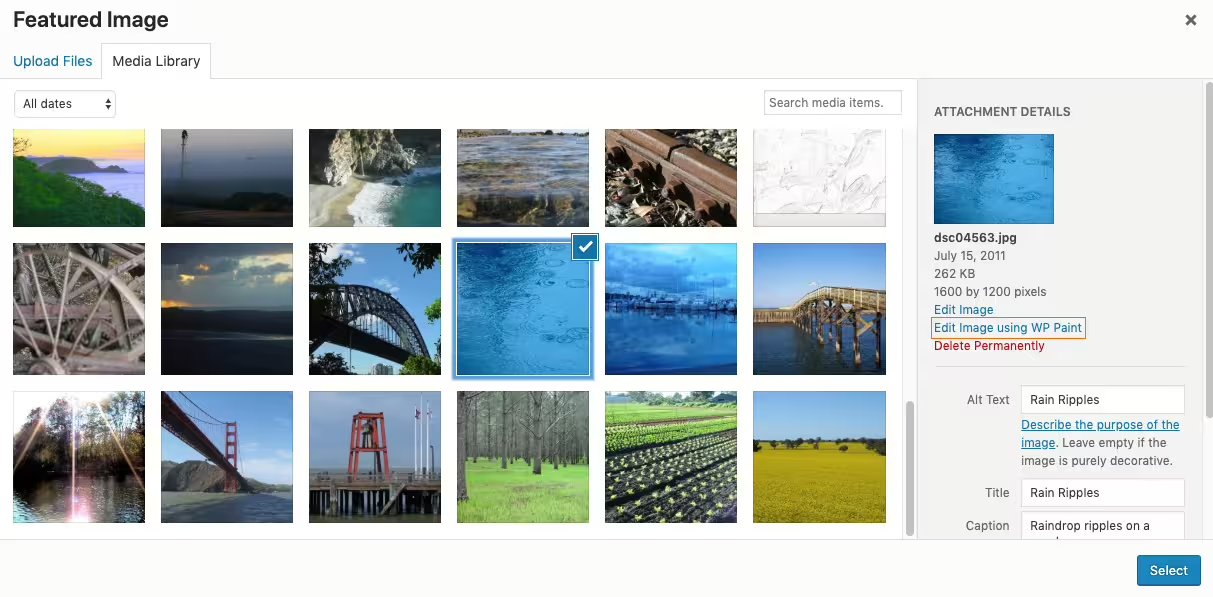
Wp Paint
WP Paint – WordPress Image Editor
#Image editor #media #media editor #photo #photo editor

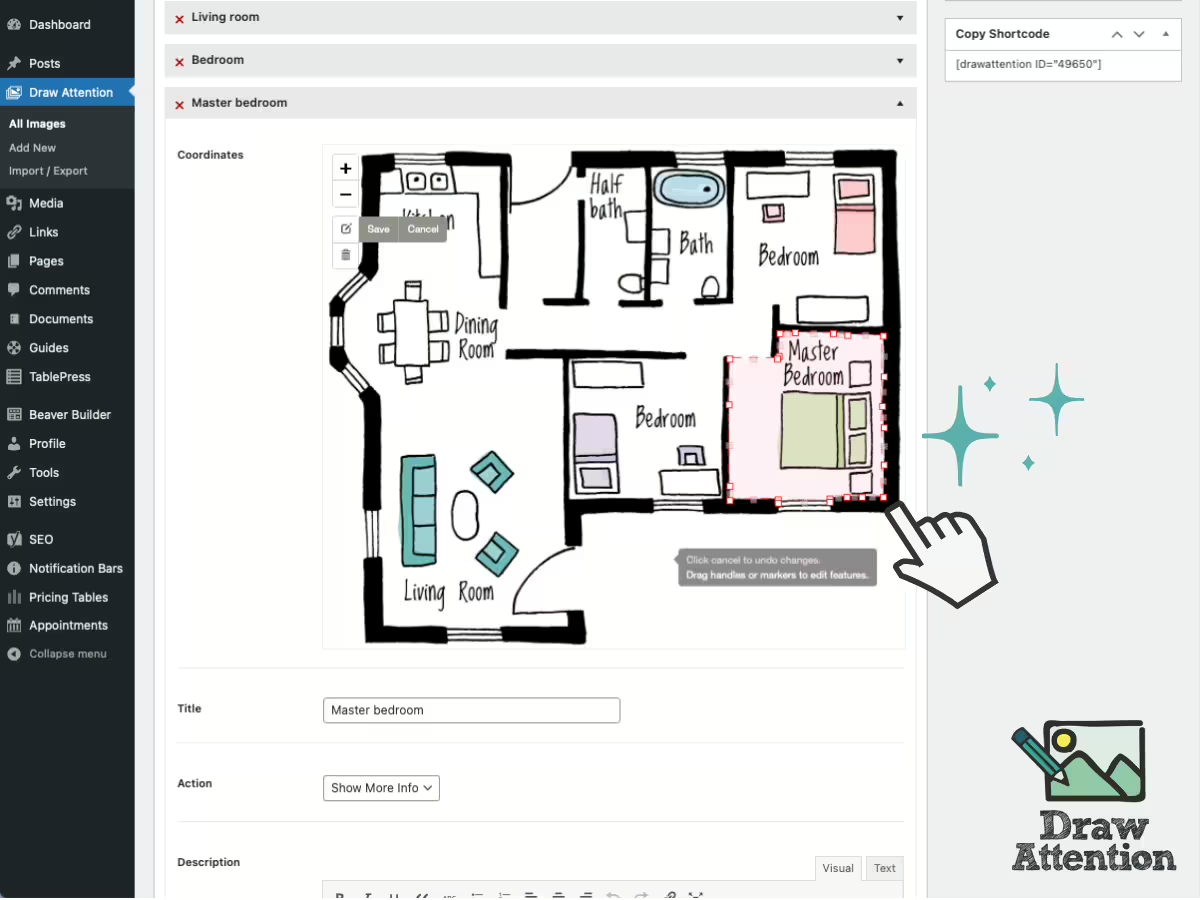
Draw Attention
Interactive Image Map Plugin – Draw Attention
#floor plan #hotspot #Image Map #image maps #interactive images
