Password correct. Please wait...
Disable the chat with .custom-disable-chat
WP Plugin Comparisonby neo-wp.com


WP Plugin Vision
Test report
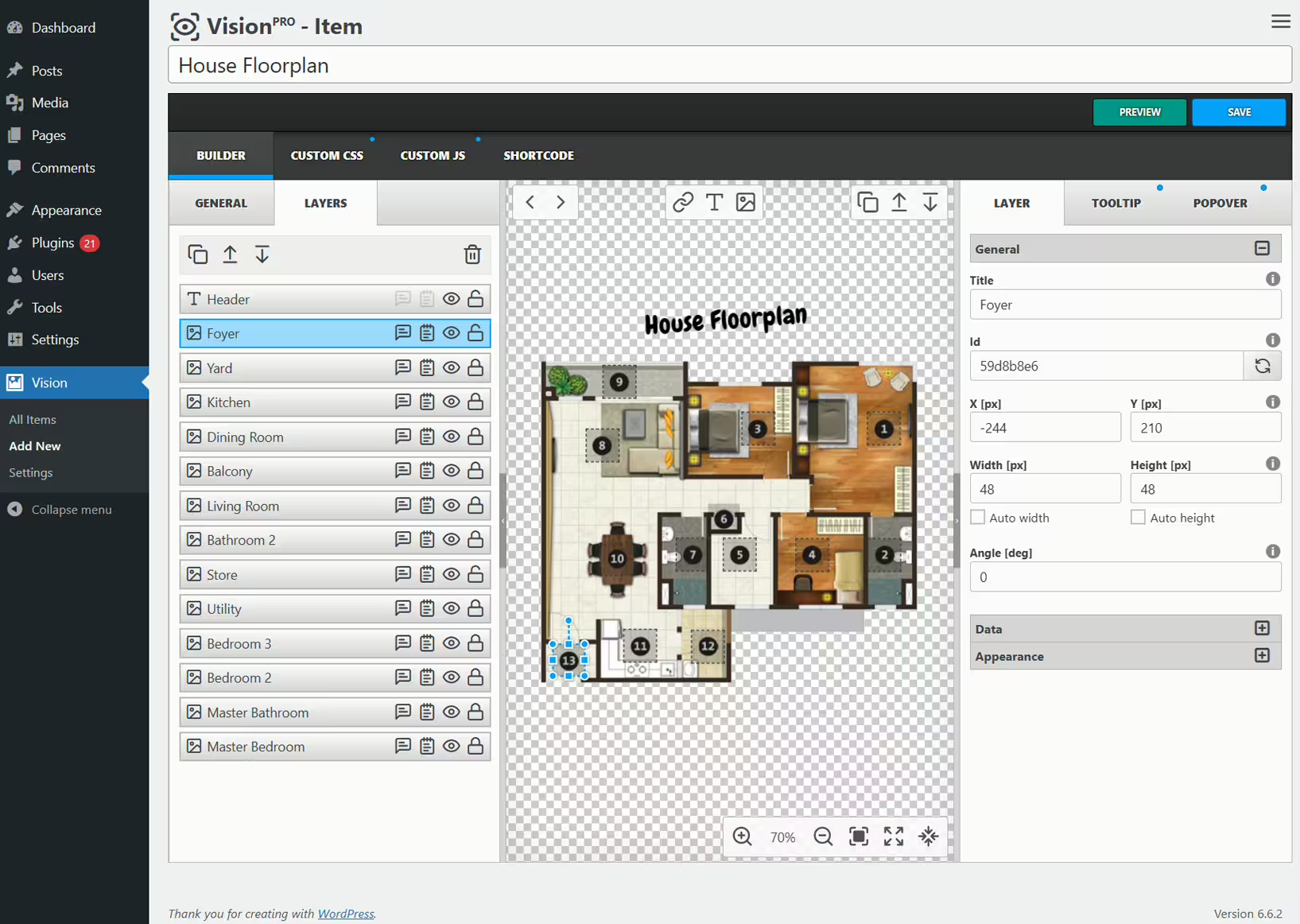
Vision - Interactive Image Card Generator
The WordPress plugin Vision from Avirtum has offered an innovative solution for interactive image editing since its release on 2018-11-16. With over 2 000+ active installations it has already established itself within the WordPress community. Vision enables images to come to life by enriching them with additional information and links. Its unique selling point is the ability to turn static images into dynamic media that invite users to engage more deeply with the content. This makes it particularly interesting for publishers and bloggers who want to enhance their content with interactive image cards, floor plans, or infographics. The plugin has received a total of 9 reviews, achieving an impressive average rating of 4.9 out of 5 stars. The next section goes into more detail about Vision's main features and benefits.
"Really great features, I use it for many images. Recommend it, the support is fast."
Features - Diverse Interaction Capabilities
The WordPress plugin Vision offers a wide range of features that allow users to present their images in innovative ways. In addition to well-known capabilities such as interactive image editing and seamless WordPress integration, another notable feature is the ability to include animations in tooltips. This function ensures interactive elements appear dynamically and effectively capture website visitors' attention. Users can choose from over 100 different animation effects to make their content exciting and engaging.
Free Features - Free basic package for interactive content
- Powerful Interface - Drag and drop enables intuitive positioning and arrangement of interactive elements.
- Layers - Clickable markers can be placed on images to link to relevant content.
- Tooltips - Informative tooltips appear when users hover over specific areas of the image.
- Popovers - Detailed information or multimedia content is shown in prominent popup windows.
- Smart - Advanced algorithms ensure optimal placement of interactive elements.
- Responsive - Automatic adjustment of the size and placement of markers, tooltips, and popovers on all devices.
- Animations - Over 100 show hide effects for tooltips to captivate the audience.
- Code editors & Customization - Customize the appearance and behavior of interactive elements, including custom CSS and JavaScript options.
License - Free plugin as a comprehensive solution
Vision Interactive is available as a free plugin, making it especially attractive for users who want to use the range of offered features without additional costs. The variety of free functions provides high value without requiring a pro version. Users appreciate the flexibility and performance the plugin offers while being able to test and use it without obligation.
"Excellent plugin for creating interactive maps. Intuitive and effective. Thanks!"
Technical details - Insight into how it works
The Vision plugin is technically well designed to ensure maximum compatibility with WordPress. It allows developers to create interactive image cards with clickable elements such as markers, tooltips, and popovers. The interactive components are controlled client-side using JavaScript, which enables a smooth and engaging user experience. Rendering is handled predominantly via the HTML5 canvas element. This supports flexible and powerful rendering of interactive elements that integrate seamlessly into responsive design. Vision offers developers the capacity to integrate custom CSS and JavaScript to extend functionality according to specific requirements.
System Requirements - Benchmarks for operation
To successfully deploy Vision on a WordPress system, certain system requirements must be observed. The plugin requires at least PHP version 7.4 or higher and supports at least WordPress version 6.0 or higher. It was most recently tested with WordPress version 7.0.4 or higher, which provides a measure of compatibility with current CMS updates. The latest plugin version number is 1.12.2, with the last update in 2026-07, highlighting the plugin's ongoing development and maintenance.
"No issues with compatibility with the latest WordPress versions. Works smoothly and reliably."
Quality - Stability and usability
The Vision plugin is distinguished by its high quality in several areas. It is particularly lightweight, which optimizes site performance while minimizing resource consumption. This efficiency is also reflected in the high compatibility with which Vision integrates into a variety of WordPress setups without affecting backend speed. Noteworthy is the plugin's responsive design, ensuring a consistent and appealing presentation of interactive elements across different devices. These attributes contribute to an overall positive user experience.
"Really nice features, I use it for many images. Recommendable, the support is fast."
Support - Availability and user experiences
The support for the WordPress plugin Vision is rated mostly positively by users, mainly due to quick response times to inquiries. Users highlight that the support team actively steps in with helpful solutions when compatibility issues with certain tools arise. A significant advantage is that support is reachable via various contact options, such as the official support forum and the developer website,. Experience shows that both technical and custom issues are handled efficiently and promptly.
"I recently had a small bug and the developer helped quickly to resolve the issue."
Rating - Positive response with limited reviews
The WordPress plugin Vision has received an impressive average rating of 4.9 out of 5 stars based on 9 reviews. This high score indicates a largely positive user experience, although the number of reviews is relatively small. Users praise the intuitive handling and effectiveness of the plugin, especially regarding the creation of interactive maps and the integration of additional information directly into images.
"Excellent plugin for creating interactive maps. Intuitive and effective."
However, there are also some notes on potential improvements, as mentioned in one review that criticized the need for updates for certain features and the lack of an in-app upgrade option.
"However, it requires an update to create more than one image card, but there is no link in the app to upgrade."
Overall, the plugin is highly valued by its users, especially those who need specific applications like interactive image cards. The support is described as quick and helpful, which further increases satisfaction.
"Really nice features, I use it for many images. Recommendable, the support is fast."
Criticism - Challenges and Areas for Improvement
Despite the overall positive reviews, there are some points that emerge as criticism of the WordPress plugin Vision. Users specifically complained about the lack of updates for certain features. This includes the desire to create more than one image card, which requires an upgrade for which there is no direct upgrade link within the application itself. This suggests opportunities for improvement in usability and access to advanced features.
Another aspect is the limited roadmap and the lack of information regarding future developments and improvements of the plugin. Users would like clearer insight into planned features and developments to better assess which features will be available soon and whether their specific requirements will be considered.
"However, it requires an update to create more than one image card, but there is no link in the app to upgrade."
Conclusion - A versatile tool with room to grow
The WordPress plugin Vision from Avirtum is a powerful tool for creating interactive image cards. It offers a variety of free features that help users make images appealing and informative. Especially the wide selection of animation effects and the seamless integration into WordPress make it an attractive option for many website owners. The user-friendliness and responsive support contribute to the positive reception.
Nevertheless, there are some areas that require development, such as flexibility in creating multiple image cards and clearer communication about upcoming updates. Despite these minor drawbacks, Vision remains a valuable plugin for anyone who wants to integrate interactive content into their WordPress sites.
#floor plan #hotspots #image maps #infographics #interactive images
Show more
Detailed plugin information
Plugin slug: vision
Plugin name: Vision
Plugin title: Vision – Interactive Image Map with Hotspots Builder
Plugin keywords: #floor plan #hotspots #image maps #infographics #interactive images
Plugin version: 1.12.2
Last update: 2026-07
Release date: 2018-11-16
Required WP Version: 6.0
Required PHP version: 7.4
Tested with WP version: 7.0.4
Active installations: 2 000+
Average rating: 4.9
Number of ratings: 9
Number of support requests: 1 (in the last 2 months)
Number of Resolved Support Requests: 1 (in the last 2 months)
Plugin author: Avirtum
Developer homepage: https://1.envato.market/getvision
WP developer profile page: https://profiles.wordpress.org/avirtum/
Support URL in the WordPress Plugin Directory: https://wordpress.org/support/plugin/vision/
Developer support URL: https://wordpress.org/support/plugin/vision/#fallback-commercial-support-url
WP Plugin Directory: https://wordpress.org/plugins/vision/
Was the review of Vision helpful?
Popular alternatives to Vision


neo Draw
Bring creative ideas to life with drawings directly in WordPress!
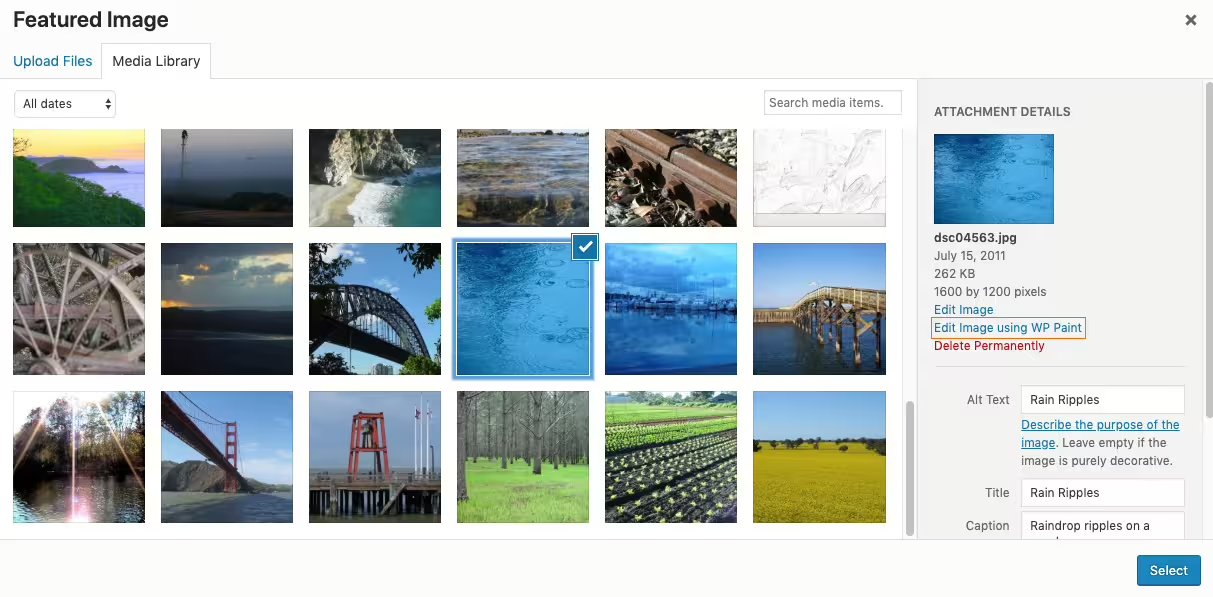
Wp Paint
WP Paint – WordPress Image Editor
#Image editor #media #media editor #photo #photo editor