
Password correct. Please wait...
Disable the chat with .custom-disable-chat
WP Plugin Comparisonby neo-wp.com


WP Plugin Wp Paint
Test report
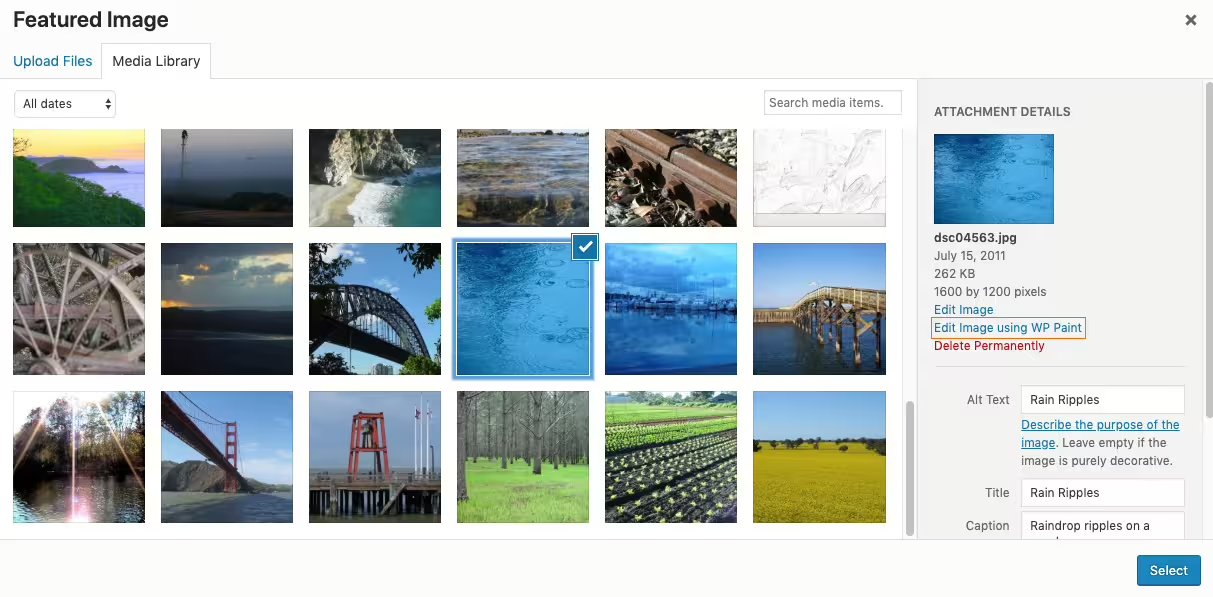
WP Paint - WordPress Image Editor
Wp Paint, a plugin by ZetaMatic, was released on 2019-08-02 and has since enjoyed over 6 000+ active installations. The plugin serves as a browser-based HTML5 image editor for WordPress media images and offers an intuitive user interface similar to many desktop photo editors. This makes it easier for users to edit images directly within WordPress without having to switch to external platforms. One of Wp Paint’s unique features is the ability in the Pro version to allow non-admin users to edit images, provided they have the necessary permissions. The plugin’s target audience includes both casual and advanced users looking for an efficient solution for image editing in WordPress. With a average rating of 4.8 out of 5 stars based on 84 reviews in the official WordPress Plugin Directory, the plugin enjoys a good reputation. The next section will look more closely at the specific features of Wp Paint.
"This plugin is great, it makes image editing in WordPress child's play."
Features - Scope of functions
The WordPress plugin WP Paint offers a wealth of features that allow users to edit images directly within the WordPress dashboard. In addition to the intuitive user interface that resembles desktop photo editors, WP Paint impresses with the ability to apply various effects to images. Particularly noteworthy is the support for working with layers, which enables detailed editing and adjustment of image compositions. This sets WP Paint apart from simple image editing plugins and gives advanced users more control and creative freedom.
"This plugin makes it very easy to edit images directly in the WordPress dashboard."
Free-Features - Functions available for free
- Image editor with intuitive desktop-like user interface - Provides a user-friendly environment for image editing.
- Ability to manage layers - Allows working with different image layers.
- Flip, rotate or scale images - Flexibility in adjusting images.
- Add custom text to images - Enables adding text for personalized designs.
- Crop images - Function to remove unwanted parts of images.
- Apply blur effects to images - Enables creative effects through blurring.
- Convert images to grayscale - Provides the option to make images monochromatic.
- Change image tint - Adjust the color nuances in images.
- Adjust image brightness and contrast - Improve image quality by adjusting lighting conditions.
- Add shapes over images - Enables adding graphic elements.
Pro-Features - Advanced features of the Pro version
- Stickers - Add cool stickers to images to make them more interesting and attractive.
- Watermarks - Add watermarks to images to protect them from copying.
- Clone tool - Copy pixel areas from one place to another within an image.
- Revisions - Easy access to older image revisions and the ability to revert to any revision.
- Search and insert images - Link to a Pixabay account to search for and add images.
- Access for non-admin users - Allows non-administrators access to the WP Paint Pro Editor.
"The Pro version offers many useful features that make editing even easier."
License & Value for Money - Evaluation of costs and functionalities
WP Paint is free to use in its basic version, making it accessible to a wide range of users. For users who need additional features, the Pro version offers a number of advanced tools available for a fee. Users generally rate the Pro version as good value for money, with the enhanced editing features and access to Pixabay highlighted as particularly beneficial. However, some users point out the limitations of the free version, which requires weighing whether to purchase the Pro version.
"However, the Pro version is vastly superior to the free version."
Technical Details - Insights into the system architecture
WP Paint is developed as a browser-based HTML5 image editor, which means image editing takes place directly in the WordPress dashboard without the need for additional server processes or dependencies on external applications. The editor uses common HTML5 and JavaScript technologies to ensure a seamless and responsive user experience. Special care was taken with the user interface to make the image editing features as accessible as possible. WP Paint does not store edited images in the file system temporarily; instead, changes are made in a temporary storage environment before the final files are integrated into the WordPress media library. Developers may be particularly interested in how WP Paint handles access and permission management, especially the implementation of permissions for non-admin users in the Pro version. The use of revision controls that allow reverting to previous image states may also be of interest to technically savvy users.
System Requirements - Compatibility check
WP Paint requires at least PHP version 7.4 or higher and a WordPress installation of at least version 4.5 or higher. The plugin has been tested up to WordPress version 5.8.15, demonstrating broad compatibility with recent WordPress releases. The current plugin version is 0.5.3, with the last update occurring in 2022-01. For smooth operation, you are advised to regularly check the system requirements and keep your WordPress installation up to date.
"The free version covers the basic requirements well, but the current development pace leaves much to be desired."
Quality - Good design but limitations on Retina devices
The quality of the WP Paint plugin is evident in its usability and the extensive features it offers. Users praise the intuitive interface that resembles familiar desktop editors, as well as the ability to effortlessly edit images within WordPress. However, there are reports from users who are dissatisfied with image quality on Retina devices. Images are sometimes reduced to a lower resolution than desired, which can affect visual presentation. Saving large files can also negatively impact performance, especially when editing speed is affected.
"Useless plugin - images are reduced to less than 800 pixels in height, resulting in very poor image quality for Retina devices."
Support - Experiences and availability
Support for the WordPress plugin WP Paint receives mixed reviews. Some users report quick and helpful responses from support, indicating generally good availability. These positive experiences suggest that the developer is actively interested in improving the plugin and assisting users in solving their problems. One user highlights: "Support responded quickly and helped me resolve the issue that was related to browser settings."
However, there are also reports indicating that support for the Pro version was discontinued, which leads to frustration for some users. This could mean that support may be less reliable in the future and long-term users may be particularly affected.
Several contact options are available for support. Users can contact via the official WordPress Plugin Directory or reach out directly to the developer.
"Unfortunately I have to change my review. I am sorry to see that the developer has discontinued support."
Rating - User opinions and reviews
The WordPress plugin WP Paint has an average rating of 4.8 out of 5 stars from a total of 84 reviews in the official Plugin Directory. This indicates an overall positive user response. Most reviews highlight the ease of use and the useful image editing features.
Some users are enthusiastic about the ability to edit images directly in the WordPress dashboard. But as with many plugins, there are also critical voices. Some users complain about compatibility with newer WordPress versions or express dissatisfaction with image quality on Retina displays.
"A really great plugin that is easy to use and offers excellent features."
"Unfortunately does not work with the latest WP version, too bad."
"Very useful and greatly simplifies image editing."
Criticism - Problems and suggestions for improvement
WP Paint not only receives positive feedback in the WordPress community but also faces some criticisms. A frequently criticized issue is poor image quality, especially on high-resolution Retina devices. Users report that images are sometimes reduced disproportionately and thus lose quality.
There are also complaints about a misleading presentation of the capabilities of the free version. The description lacks clear information about limitations, which disappoints users when they encounter restricted features. Another issue lies in the user interface, which some describe as cumbersome, making adding simple image elements more difficult than necessary.
Technical support or customer service for the plugin also appears to need improvement. Cases have been documented where the developer discontinued support, which poses challenges for long-term users, especially when new WordPress versions are released.
"Useless plugin, images are reduced to less than 800 pixels in height, resulting in very poor image quality for Retina devices."
Despite the criticisms mentioned, WP Paint offers some unique features that enable non-admin users to access and edit images within WordPress. The challenges with image scaling, the user interface, and support could be addressed to make the plugin more attractive to a broader user base.
Conclusion - Final thoughts on WP Paint
WP Paint, developed by ZetaMatic, provides a handy solution for image editing directly within the WordPress dashboard. It offers many features in both the free and Pro versions that are comparable to desktop photo editors. While the plugin is praised for its intuitive user interface and the variety of editing options, there are also limitations, especially regarding image quality on Retina devices and the restrictions of the free version. Criticism of technical support makes it clear that ZetaMatic could improve support to better meet users' needs. Overall, WP Paint offers a valuable resource for WordPress users looking for a simple, integrated way to edit images, though the Pro version may be worthwhile for users who need advanced features.
#Image editor #media #media editor #photo #photo editor
Show more
Detailed plugin information
Plugin slug: wp-paint
Plugin name: Wp Paint
Plugin title: WP Paint – WordPress Image Editor
Plugin-Keywords: #Image editor #media #media editor #photo #photo editor
Plugin Version: 0.5.3
Last Updated: 2022-01
Released on: 2019-08-02
Required WP Version: 4.5
Required PHP version: 7.4
Tested with WP version: 5.8.15
Active Installations: 6 000+
Average rating: 4.8
Number of reviews: 84
Number of support requests: 0 (in the last 2 months)
Number of resolved support requests: 0 (in the last 2 months)
Plugin author: ZetaMatic
Developer Homepage: https://zetamatic.com/wp-paint
WP Developer Profile Page: https://profiles.wordpress.org/zetamatic/
Support URL in the WordPress Plugin Directory: https://wordpress.org/support/plugin/wp-paint/
Developer Support URL: https://wordpress.org/support/plugin/wp-paint/#fallback-commercial-support-url
WP Plugin Directory: https://wordpress.org/plugins/wp-paint/
Was the review of WP Paint helpful?
Popular alternatives to Wp Paint


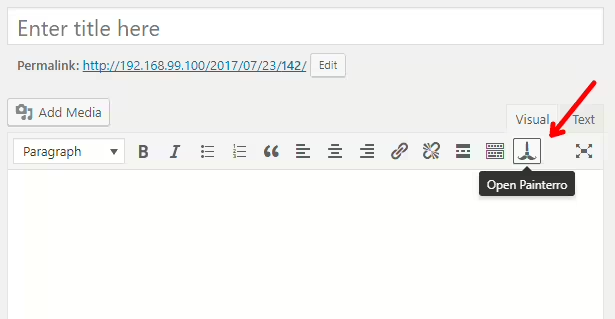
neo Draw
Bring creative ideas to life with drawings directly in WordPress!
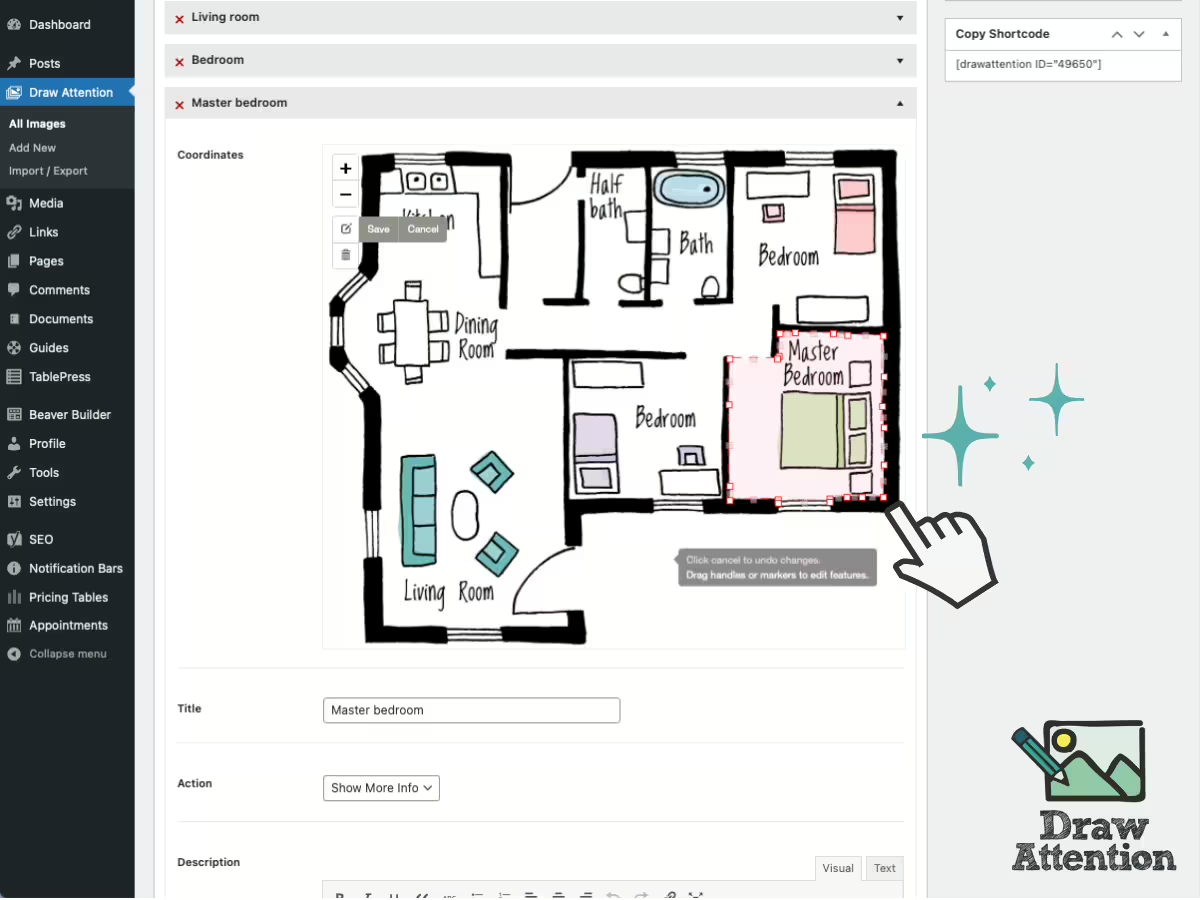
Draw Attention
Interactive Image Map Plugin – Draw Attention
#floor plan #hotspot #Image Map #image maps #interactive images
