
Password correct. Please wait...
Disable the chat with .custom-disable-chat
WP Plugin Comparisonby neo-wp.com


WP Plugin Sketch
Test report
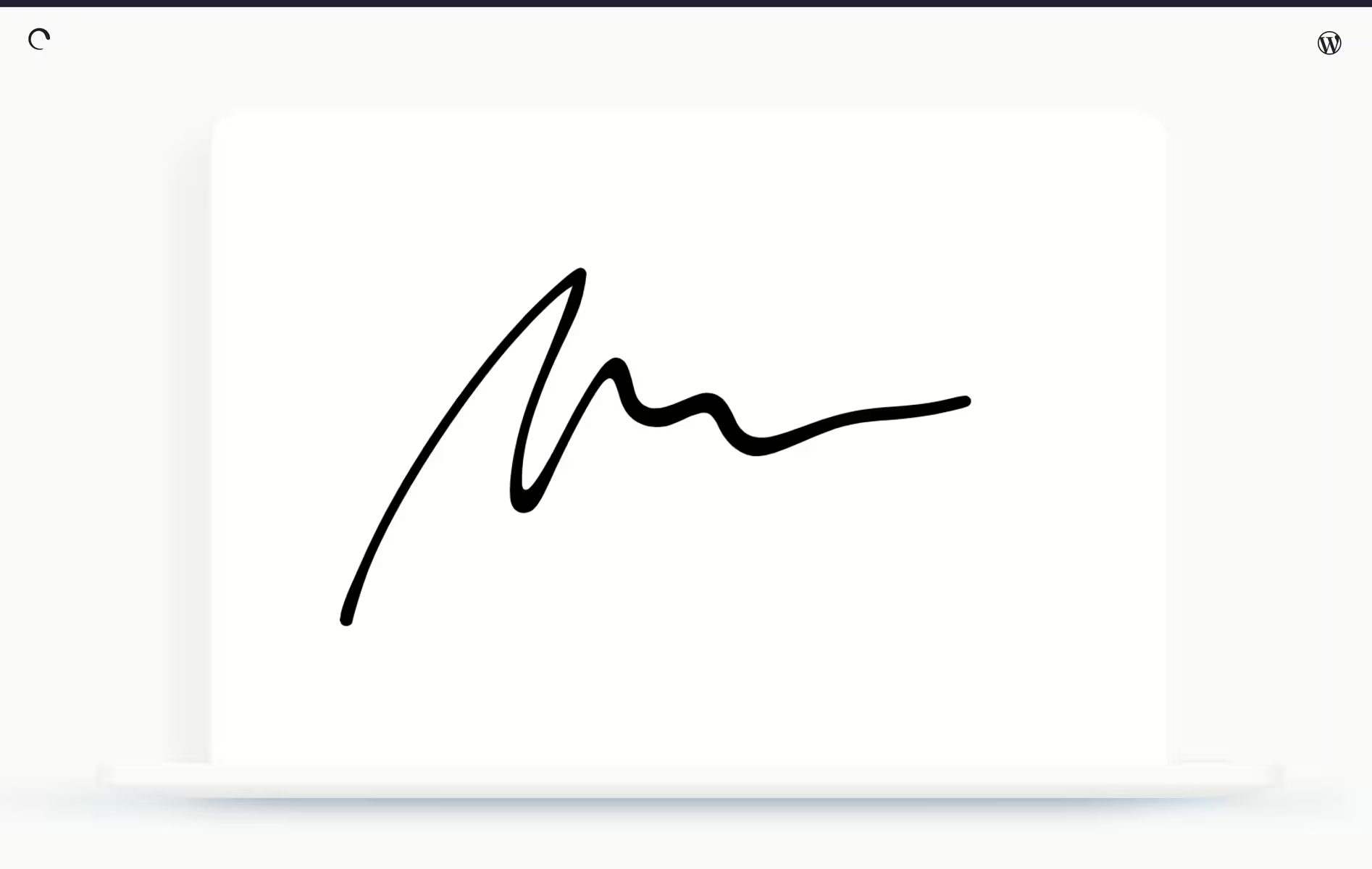
Sketch Block
Sketch - A flexible drawing solution
The Sketch plugin, developed by Automattic, was released on 2021-07-01. Despite the relatively low number of only 100+ active installations, Sketch stands out for its functionality and positive user feedback. With a focus on free sketching and drawing it enables natural brush strokes that greatly enhance the artistic experience. It offers a choice of three different brush sizes and a comprehensive color palette, making it ideal for designers and artists who value flexible and customizable tools. Another unique feature is the transparent background of the drawing block which can be integrated into container blocks to create unique visual effects. This particularly appeals to creative users who want to personalize their design projects. With a single rating of 5.0 stars in the official WordPress Plugin Directory current user sentiment is positive. The next section discusses the specific plugin features and their use cases.
“A compact yet versatile tool that opens creative possibilities in design.”
Features - Creative design possibilities
The WordPress plugin "Sketch" offers a range of creative tools that are ideal for flexible drawing solutions. In addition to the already mentioned natural brush strokes, the choice between different brush sizes, the comprehensive color palette and the transparent background another notable feature is the integration of the plugin into container blocks. This integration makes it possible to create complex and dynamic designs within websites which further underlines the versatility of the plugin.
“A compact yet versatile tool that opens creative possibilities in design.”
Free features - Free tools for artistic expression
- Free drawing on a canvas - Enables natural brush strokes that provide a realistic drawing experience.
- Choice of three different brush sizes - Offers flexibility when drawing and allows trying out different styles.
- Page color palette - Allows selection of colors that expand artistic expression.
License - Free use for creative projects
The Sketch plugin is offered with a free license making it an attractive option for individuals and creatives looking for a budget-friendly solution. Since no pro version is available users do not need to worry about potential costs for extended features. User opinions reflect satisfaction with the free availability without sacrificing essential features. As there is no specific information on value for money the focus remains on free use which can be highlighted as an advantage in this context.
Technical details - Insights into functionality and architecture
The Sketch plugin is based on the library perfect-freehand, which enables impressive drawing capabilities. This integration allows natural brush strokes and provides an optimized drawing experience. The plugin architecture is designed to ensure smooth operation within the WordPress environment. Due to current limitations in functionality regarding database file system migration and multisite the technical structure remains relatively simple and focuses mainly on user-friendliness in the creative environment. A detailed insight into the code and future developments can be followed in the Github repository which gives interested developers the opportunity to suggest customizations or extensions.
System requirements - Technical requirements for optimal use
The Sketch Plugin requires a minimum level of technical infrastructure to function efficiently. It needs at least PHP version 7.4 or higher and WordPress version 5.9 or higher, to be implemented correctly. During development and updates, compatibility with newer WordPress versions is ensured. The most recently tested WordPress version is 6.1.12, with the plugin at version number 1.3.0. The last update in 2023-03 of the plugin took place on August 10, 2023. These system requirements support smooth performance and ensure that essential security standards are maintained.
“A solid plugin that offers maximum creative freedom under moderate system requirements. Easy to integrate and kept up to date.”
Quality - Strengths and weaknesses in performance
The Sketch plugin stands out through the integration of the perfect-freehand library which enables high-quality brush strokes and thus an appealing drawing experience. Users particularly praise the fast backend speed which ensures smooth work even on larger projects. The low resource consumption helps the plugin run efficiently on older devices making it a flexible solution for various user requirements. Critical voices however complain about performance drops with a high number of users and occasional delays which point to a need for optimization. This balance between positive aspects and challenges shows that the plugin offers solid foundations but still has room for improvement.
“The backend speed is remarkable and provides a smooth user experience.”
Support - User experiences and contact options
Support for the Sketch plugin can mainly be reached through two channels: the official WordPress forum and the developer's support page Automattic. Existing information on user experiences with support is limited. It seems that the community itself is an important point of contact for help since the development process can be followed openly via the GitHub repository. This openness invites users to report issues or suggest new features. There is currently unfortunately no direct feedback or specific ratings about the support. The lack of extensive experience reports could indicate either that communication runs smoothly or that there are simply few support cases which is plausible for a lean plugin with low installation numbers.
No specific quotes from the reviews are available so this section remains without a suitable quote.
Rating - An overview of user feedback
The Sketch plugin is listed in the WordPress Plugin Directory with an average rating of 5.0 stars based on only 1 reviews. This rating suggests a positive perception by the existing user while a more comprehensive picture could be better represented by a larger number of reviews.
Due to the lack of further ratings and reviews the analysis of user opinions remains incomplete. As no specific comments are available no general or more detailed impressions can be drawn from these reviews either positive or negative.
“A compact yet versatile tool that opens creative possibilities in design.”
Criticism - Security concerns and missing roadmap
The Sketch plugin faces several critical challenges especially regarding security and development planning. Users have raised concerns about insufficient security measures. Important security information is missing from the official description which raises doubts about data safety. In addition there is uncertainty regarding future planning and improvement suggestions since the plugin's roadmap remains unclear. Missing concrete updates could indicate a stagnating development process.
Another issue is the lack of communication about existing security vulnerabilities or bugs, which creates a sense of uncertainty within the community. The absence of a clearly defined strategy or roadmap for the future suggests that users may expect a lack of continued development and support. These aspects highlight the need not only to strengthen security measures but also to establish a clear, communicated roadmap for future developments.
"The security precautions seem insufficient and there is a lack of clear updates that would provide more confidence."
Conclusion - A compact but improvable service
The Sketch plugin from Automattic offers an interesting, free option for artists and designers to implement their creative ideas flexibly and with various tools directly in WordPress. While the intuitive brush strokes, color selection and easy integration into container blocks facilitate creative design, there is still room for improvement, especially regarding performance under higher load and security. The limited user analytics and concerns about unclear security practices, as well as the need for a clearly defined roadmap, indicate that future updates and developments could be crucial to increasing user satisfaction and security. Despite its limitations, the plugin is a solid foundation for creative projects that could benefit from more user feedback and security-based updates.
#block #blocks #drawing #freehand #sketch
Show more
Detailed plugin information
Plugin slug: sketch
Plugin name: Sketch
Plugin title: Sketch Block
Plugin keywords: #block #blocks #drawing #freehand #sketch
Plugin version: 1.3.0
Last update: 2023-03
Release date: 2021-07-01
Required WP version: 5.9
Required PHP version: 7.4
Tested with WP version: 6.1.12
Active installations: 100+
Average rating: 5.0
Number of reviews: 1
Number of support requests: 0 (in the last 2 months)
Number of resolved support requests: 0 (in the last 2 months)
Plugin author: Automattic
Developer homepage: https://wordpress.org/support/plugin/sketch/#fallback-homepage
WP developer profile page: https://profiles.wordpress.org/automattic/
Support URL in the WordPress Plugin Directory: https://wordpress.org/support/plugin/sketch/
Developer support URL: https://wordpress.org/support/plugin/sketch/#fallback-commercial-support-url
WP Plugin Directory: https://wordpress.org/plugins/sketch/
Was the test report about Sketch helpful?
Popular alternatives to Sketch


neo Draw
Bring creative ideas to life with drawings directly in WordPress!
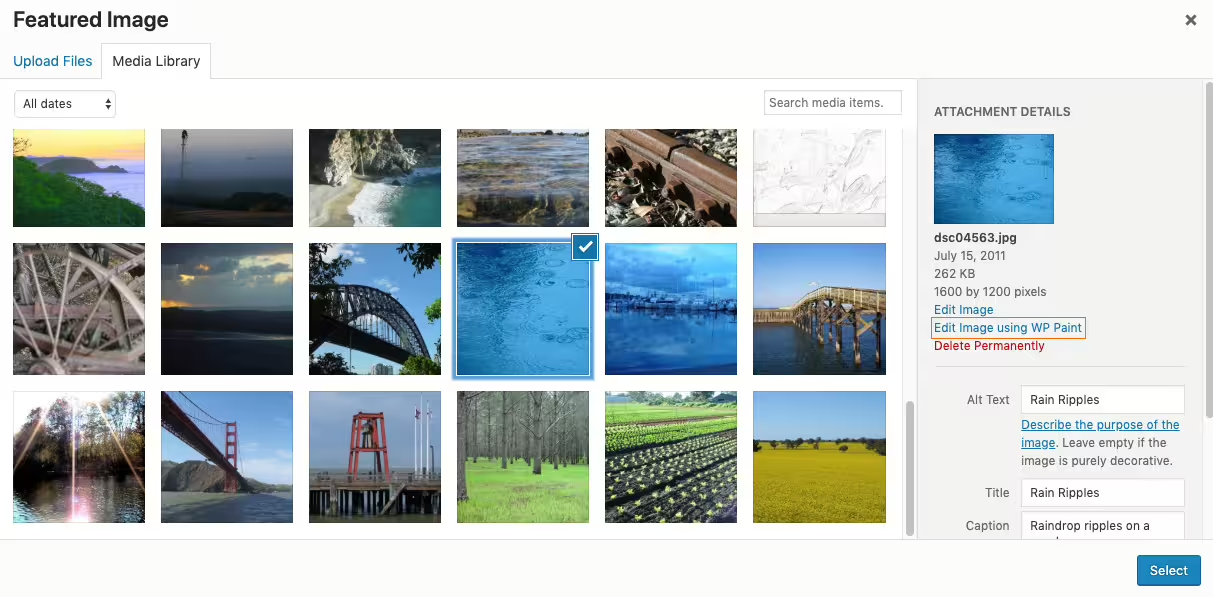
Wp Paint
WP Paint – WordPress Image Editor
#Image editor #media #media editor #photo #photo editor
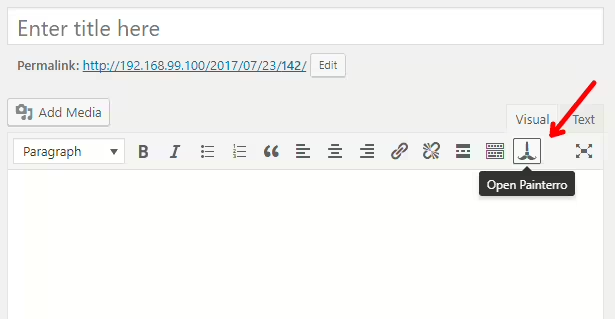
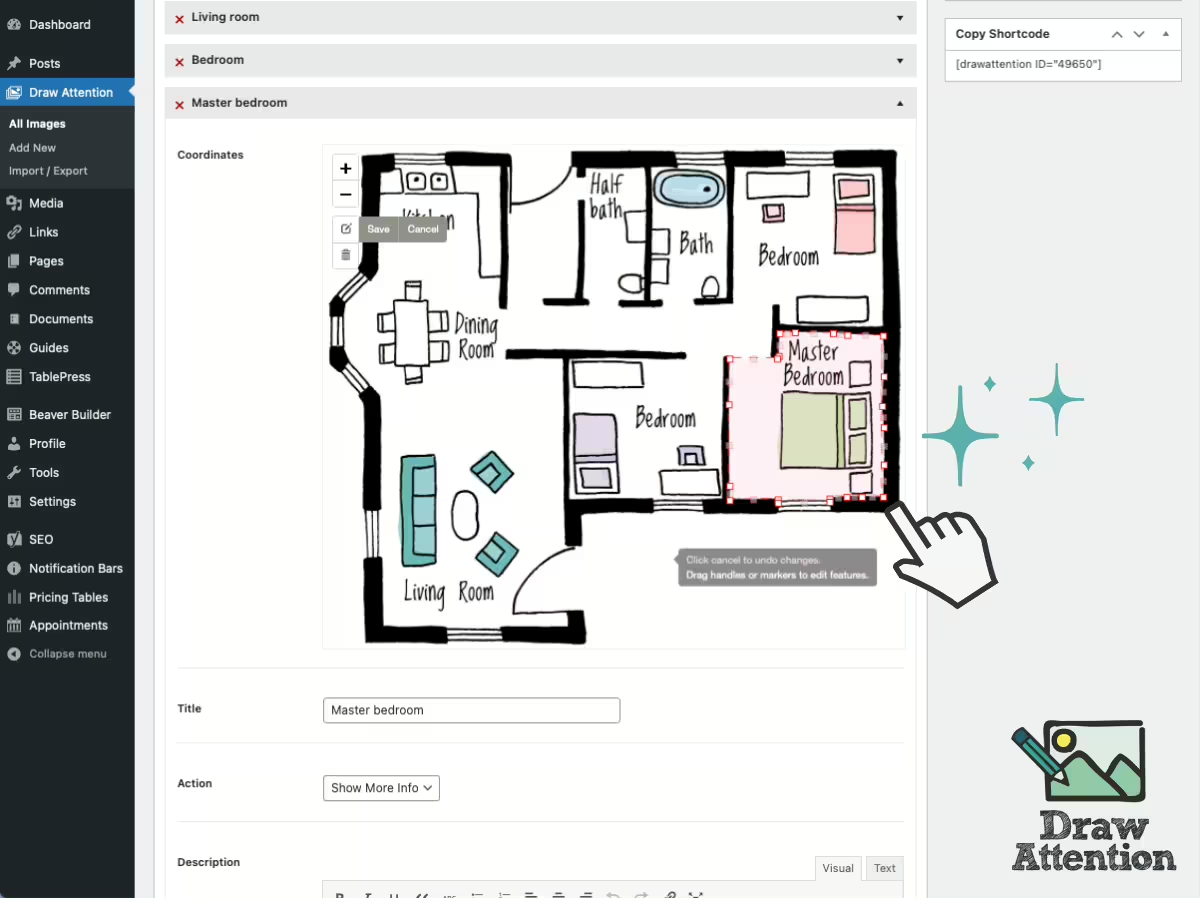
Draw Attention
Interactive Image Map Plugin – Draw Attention
#floor plan #hotspot #Image Map #image maps #interactive images
