
Password correct. Please wait...
Disable the chat with .custom-disable-chat
WP Plugin Comparisonby neo-wp.com


WP Plugin neoLazy
Comparison & Alternatives
The 6 best alternatives for the WordPress plugin neoLazy by neoWP
WordPress Plugin Best List
Comparison & Ranking
Farewell letter
It's a pity that you want to leave neo WP.
Your opinion is very important to us. Please contact us so we can help you. We greatly appreciate your feedback.
If you're still looking for an alternative, we've put together some suggestions for you below. We hope you find a suitable solution for yourself.
Number #

Lazy Loader - Effective optimization for websites
Lazy Loading Responsive Images, developed by Florian Brinkmann, is a WordPress plugin for lazy loading. It improves load times by supporting images, iFrames and video & audio elements. With over 9 000+ active installations and a rating of 4.7 out of 5 stars it is considered a popular tool for performance optimization.
"This is the best lazy-loading plugin I have used so far."
Features - Everything for higher performance
- Lazy loading for images: Supported
<img>and<picture>. - iFrames: Enable lazy loading for iFrames.
- Video- & Audio Elements: Supports lazy loading.
- Full Markup Processing: Ability to customize.
- Exclude CSS Classes: Disable lazy loading for specific elements.
- Native Lazy Loading (Pro): Use native browser features.
- Unveilhooks Plugin (Pro): Advanced media support.
"Works perfectly with masonry.js."
Technical Details - Powerful Script
The plugin uses the efficient lazysizes.js script for effective lazy loading. Customization via user scripts and styles is possible. Minimum required are PHP Version 7.0 and WordPress Version 4.9.8, tested up to Version 6.5.10. Flexibly integrable but may be incompatible with certain themes/plugins.
Quality and Support - Stability and Quick Help
The plugin impresses with stability and efficiency, significantly reduces load times and generally receives positive reviews. Minor incompatibilities with some themes/plugins may occur. Support is described as responsive; contact details are not provided. Users report positive experiences in the support forum.
"The developer responded quickly and helpfully to my questions."
Conclusion - Popular with Minor Flaws
Lazy Loading Responsive Images by Florian Brinkmann offers comprehensive lazy loading support for various media types and is highly rated by many users. Compatibility issues only slightly affect its overall impression. There is currently room for improvement in specific security details and incompatibilities, but this does not make the plugin any less of a valuable tool.
Show more
Detailed plugin information
Plugin slug: lazy-loading-responsive-images
Plugin name: Lazy Loading Responsive Images
Plugin title: Lazy Loader
Plugin Keywords: #images #Lazy Loading #lazysizes #performance
Plugin Version: 8.2.0
Last update: 2024-04
Release Date: 2015-12-01
Required WP Version: 4.9.8
Required PHP version: 7.0
Tested with WP version: 6.5.10
Active installations: 9 000+
Average rating: 4.7
Number of Ratings: 49
Number of support requests: 0 (in the last 2 months)
Number of resolved support requests: 0 (in the last 2 months)
Plugin author: Florian Brinkmann
Developer Homepage: https://florianbrinkmann.com/en/3350/responsive-images-and-lazy-loading-in-wordpress/
WP Developer Profile Page: https://profiles.wordpress.org/florianbrinkmann/
Support URL in WordPress Plugin Directory: https://wordpress.org/support/plugin/lazy-loading-responsive-images/
Developer Support URL: https://wordpress.org/support/plugin/lazy-loading-responsive-images/#fallback-commercial-support-url
WP Plugin Directory: https://wordpress.org/plugins/lazy-loading-responsive-images/
0.0
/ 10
#images #Lazy Loading #lazysizes #performance
Number #
LazyLoad Plugin - Efficient load optimization for images and videos
Rocket Lazy Load was developed by WP Rocket and has over 100 000+ active installations. It reduces load times by loading images and videos only when they become visible during scrolling, thus improving performance metrics like Google PageSpeed. It does not use JavaScript libraries like jQuery, making it resource-friendly. With a rating of 4.2 out of 5 stars it is a proven solution.
"It is incredibly efficient. The plugin reduced the number of requests from 70 to 48 in five seconds."
Features - Targeted optimization potentials
- Efficient lazy loading for images, videos and iframes.
- Support for diverse media content such as widgets and avatars.
- Preview thumbnails for YouTube videos to improve load time.
- No use of jQuery, to minimize script weight.
- Delay non-visible content (Pro).
- External LazyLoad integration via GitHub (Pro).
"The only plugin that worked for videos. I probably tried 5 plugins until finally this one worked."
Technical details - Resource-efficient usage
Rocket Lazy Load uses a slim script under 10KB and avoids JavaScript libraries, making it efficient in resource usage. The plugin runs on PHP version 7.3 and WordPress version 4.9, is regularly updated and compatible with most instances. The external LazyLoad script is maintained on GitHub, which contributes to flexibility.
"Runs on our website without issues, even after updates, which makes us confident we chose the right one."
Quality and support - Reliable with room for improvement
Users praise Rocket Lazy Load for significant performance improvements and ease of use. Despite many positive reviews there is criticism of image rendering and initial technical difficulties. Support is provided via WordPress.org and is fast, though response times may vary. Commercial support is also available.
"Worked immediately and drastically improved the score on Google PageSpeed Insights."
Conclusion - Indispensable tool with potential for optimization
Rocket Lazy Load is a valuable addition for WordPress websites to shorten load times. Positive user reviews attest to its reliability, but updates should be checked more closely. Improvements in support and compatibility are desirable to support diverse use cases. Despite challenges the plugin remains a decisive tool for website optimization.
Show more
Detailed plugin information
Plugin slug: rocket-lazy-load
Plugin name: Rocket Lazy Load
Plugin title: LazyLoad Plugin – Lazy Load Images, Videos, and Iframes
Plugin-Keywords: #defer offscreen images #lazy load #lazy load images #lazy load plugin #Lazy Loading
Plugin-Version: 2.4.0
Last updated: 2025-10
Release date: 2014-01-01
Required WP version: 4.9
Required PHP version: 7.3
Tested with WP version: 6.8.8
Active installations: 100 000+
Average Rating: 4.2
Number of reviews: 139
Number of support requests: 0 (in the last 2 months)
Number of resolved support requests: 0 (in the last 2 months)
Plugin author: WP Media
Developer homepage: http://wordpress.org/plugins/rocket-lazy-load/
WP developer profile page: https://profiles.wordpress.org/wp_media/
Support URL in the WordPress Plugin Directory: https://wordpress.org/support/plugin/rocket-lazy-load/
Developer support URL: https://wordpress.org/support/plugin/rocket-lazy-load/#fallback-commercial-support-url
WP Plugin Directory: https://wordpress.org/plugins/rocket-lazy-load/
0.0
/ 10
#defer offscreen images #lazy load #lazy load images #lazy load plugin #Lazy Loading
Number #
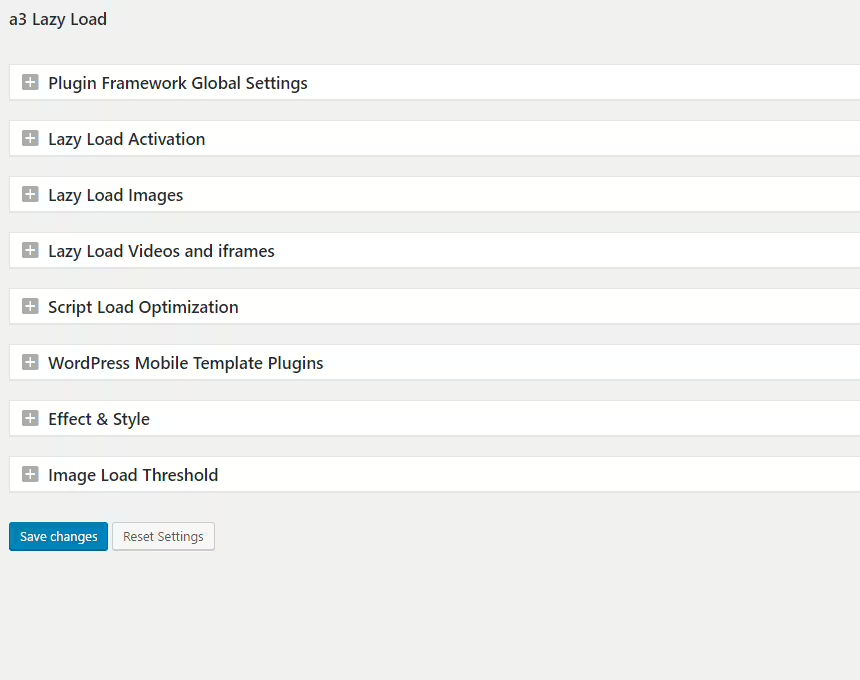
A3 Lazy Load - Improving load times with lazy loading
A3 Lazy Load is a WordPress plugin from a3rev Software, that speeds up the website by lazy loading. With an average rating of 4.3 out of 5 stars it is very popular with over 90 000+ active installations.
"This plugin is excellent! The only one that works on all images, iframes and videos on my website, including videos from other plugins!"
Features - Efficient media handling for better performance
- Image lazy load - Load media only when they appear in the viewport.
- iFrame lazy load - Supports lazy loading of external content.
- Video lazy load - Enable lazy loading for videos.
- WebP support - Automatic detection and handling of WebP images.
- Horizontal scroll support - Lazy load for images in scrollable containers.
- Theme & plugin compatibility - Works seamlessly with many themes and plugins.
- Advanced search (Pro) - Uses additional filters and options.
"This plugin made my website faster than I expected, it worked seamlessly with all media formats."
Technical details - Easy integration and adaptability
The plugin reduces initial load times through targeted lazy loading. It works with standards-compliant HTML elements, ensuring compatibility. Requirements include at least PHP version 7.4 and WordPress 6.0.
"Since I started using this plugin, my WordPress website runs faster and smoother, which makes my work as a developer easier."
Quality and support - Effective load time optimization
A3 Lazy Load significantly improves load times and requires fewer resources. Users praise the efficiency, although some incompatibilities and support issues have been reported. Support via the support forum and commercial services has mixed reviews: from quick and helpful to inadequate.
Conclusion - Strong features with minor challenges
A3 Lazy Load impresses with its user-friendly lazy loading functionality, especially for image-heavy websites. Despite occasional compatibility issues, it remains a recommendable choice for webmasters thanks to its extensive features and free usage.
Show more
Detailed plugin information
Plugin slug: a3-lazy-load
Plugin name: A3 Lazy Load
Plugin title: a3 Lazy Load
Plugin keywords: #a3 lazy load #image lazy load #Lazy Loading #lazyload
Plugin-Version: 2.7.9
Last update: 2026-07
Release date: 2014-12-20
Required WP Version: 6.0
Required PHP version: 7.4
Tested with WP version: 7.0.4
Active installations: 90 000+
Average rating: 4.3
Number of reviews: 148
Number of support requests: 1 (in the last 2 months)
Number of resolved support requests: 0 (in the last 2 months)
Plugin author: Steve Truman
Developer homepage: https://wordpress.org/support/plugin/a3-lazy-load/#fallback-homepage
Profile page of the WP developer: https://profiles.wordpress.org/a3rev/
Support URL in the WordPress Plugin Directory: https://wordpress.org/support/plugin/a3-lazy-load/
Developer's support URL: https://wordpress.org/support/plugin/a3-lazy-load/#fallback-commercial-support-url
WP Plugin Directory: https://wordpress.org/plugins/a3-lazy-load/
0.0
/ 10
#a3 lazy load #image lazy load #Lazy Loading #lazyload
Number #

Lazy Load for Videos - Load time optimization for websites
Lazy Load for Videos is an effective WordPress plugin for improving load times by delaying video loading. Developed by Kevin Weber, it is very popular with over 9 000+ active installations. Videos are only loaded on click, which avoids unnecessary JavaScript and increases the PageSpeed score. The privacy-friendly embedding of YouTube videos meets current requirements. It is aimed at websites with many videos that prioritize fast load times and privacy. With an average rating of 4.4 out of 5 stars from 105 reviews user satisfaction is high.
"Easy to understand, easy to use and it does its job well."
Features - Extensive optimization options for videos
- Improves page load time - Increases the Google PageSpeed score.
- Privacy-friendly embedding - By using "youtube-nocookie".
- Preview instead of direct loading - Loaded only on click, avoids unnecessary JavaScript.
- Custom CSS - Customize the video player.
- Multisite compatible - Ideal for operators with multiple sites.
- Compatible with multiple plugins - Smooth embedding, e.g. with TablePress.
- Display of video titles and privacy info on preview images - For user information and GDPR compliance.
- No related videos - Prevents distractions (Pro).
"This plugin reduces the page size by many MB. It is a lifesaver."
Technical details - insight into how it works
The plugin "Lazy Load for Videos" uses intelligent JavaScript load delays to load videos only on user interaction, which significantly improves performance. It is developed for PHP 7.2 or higher and replaces YouTube and Vimeo frames with preview images. Developers have access to extensions via hooks and APIs. The multisite functionality allows seamless integration into WordPress. Minimum requirements are PHP version 7.2 and WordPress version 5.6 or higher.
"Information about incompatibility with Jetpack should be at the top of the description."
Quality and support - Good reviews with minor weaknesses
Users praise the significant improvements in load times and PageSpeed scores. Simple installation and ease of use are advantages, but there are critical comments about compatibility with plugins like Jetpack. Support is mixed; quick problem resolution by Kevin Weber is praised, while other inquiries remain unanswered. Communication takes place via the support forum and the developer page.
"With version 2.0.1 I had a problem, I reported it in the support forum and received feedback from the plugin author. He fixed it within an hour..."
Conclusion - strengths and weaknesses at a glance
"Lazy Load for Videos", developed by Kevin Weber, scores with effective load time optimization and privacy-friendly video embedding. Despite outstanding functionality and high ratings there are compatibility issues, especially with plugins like Jetpack. For performance-oriented websites it is a valuable option, but it may require adjustments for optimal integration.
Show more
Detailed plugin information
Plugin slug: lazy-load-for-videos
Plugin name: Lazy Load For Videos
Plugin title: Lazy Load for Videos
Plugin keywords: #lazy load #performance #privacy #vimeo #youtube
Plugin version: 2.18.11
Last updated: 2026-05
Release date: 2013-03-11
Required WP Version: 5.6
Required PHP version: 7.2
Tested with WP version: 6.9.7
Active installations: 9 000+
Average Rating: 4.4
Number of reviews: 105
Number of support requests: 0 (in the last 2 months)
Number of resolved support requests: 0 (in the last 2 months)
Plugin author: kevinweber
Developer homepage: https://wordpress.org/plugins/lazy-load-for-videos/
WP developer profile page: https://profiles.wordpress.org/kevinweber/
Support URL in the WordPress Plugin Directory: https://wordpress.org/support/plugin/lazy-load-for-videos/
Developer support URL: https://wordpress.org/support/plugin/lazy-load-for-videos/#fallback-commercial-support-url
WP Plugin Directory: https://wordpress.org/plugins/lazy-load-for-videos/
0.0
/ 10
#lazy load #performance #privacy #vimeo #youtube
Number #
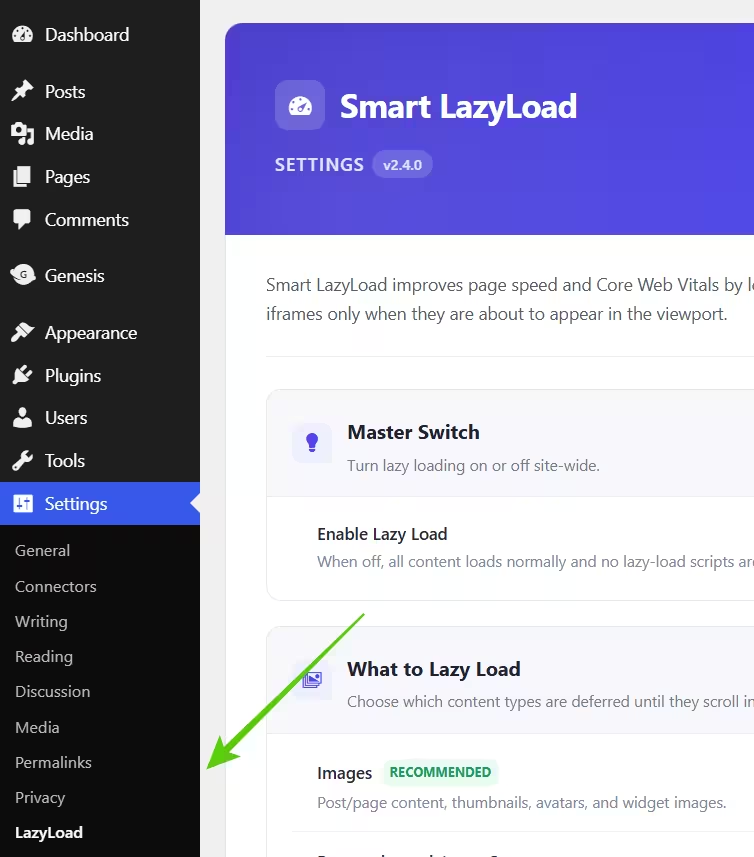
Lazy Load for Images - Optimizing load times
The WordPress plugin Lazy Load For Images, developed by Jumedeen Khan, improves website loading speed by only loading images when they become visible. With over 300+ active installations, an average rating of 5.0 stars and low memory usage, it is very popular. It is SEO-friendly and ideal for mobile users.
“An easy-to-install plugin that significantly improves loading speed and works perfectly.”
Features - Extensive optimization options
- Load images only when needed - Performance is improved by loading images within the user’s viewport.
- No configuration required - User-friendly installation with no additional settings needed.
- Uses pure JavaScript - No jQuery, which further improves load times.
- Optimized for mobile devices - Fast image rendering on smartphones and tablets.
- Gravatar support - Enhances use of Gravatar images.
- Genesis Framework support - Provides flexible deployment options for Genesis applications.
- SEO-friendly - Optimizes load times for better search engine visibility.
“Most lazy-load plugins cause issues somewhere on the site, but this one does not.”
Technical details - specifications and functionality
Lazy Load For Images optimizes load times through asynchronous image management, using pure JavaScript. It minimizes HTTP requests and requires no additional JavaScript frameworks. Compatibility with the Genesis Framework without mandatory adjustments speaks to its stability. Requirements: PHP 7.4 or higher; tested up to WordPress 5.8. Current version: 2.9.5.
"A must-have for the fastest load times, saves bandwidth costs."
Quality and support - reliability and contact options
The plugin is known for its reliability, as it does not cause loading issues. Reviews praise the speed and error-free operation, although specific support options are available on WordPress.org. Direct developer support options also exist, but without detailed information on response times.
Conclusion - Summary of features and benefits
Lazy Load For Images provides effective image optimization without jQuery, ideal for performance and SEO improvement. With easy operation and low data usage it is beneficial for mobile devices and saves bandwidth. Despite limited user feedback, reviews confirm its solid performance.
Show more
Detailed plugin information
Plugin slug: lazy-load-for-images
Plugin name: Lazy Load For Images
Plugin title: Smart LazyLoad – Lazy Load Images, Videos and Iframes
Plugin keywords: #lazy load #lazy load images #Lazy Loading #lazyload #performance
Plugin Version: 2.9.5
Last updated: 2026-08
Release Date: 2019-01-01
Required WP version: 5.8
Required PHP version: 7.4
Tested with WP version: 7.1
Active installations: 300+
Average rating: 5.0
Number of reviews: 5
Number of support requests: 0 (in the last 2 months)
Number of resolved support requests: 0 (in the last 2 months)
Plugin author: Jumedeen khan
Developer Homepage: https://www.mozedia.com/lazy-load-wordpress/
WP Developer Profile Page: https://profiles.wordpress.org/jumedeenkhan/
Support URL in the WordPress Plugin Directory: https://wordpress.org/support/plugin/lazy-load-for-images/
Developer Support URL: https://wordpress.org/support/plugin/lazy-load-for-images/#fallback-commercial-support-url
WP Plugin Directory: https://wordpress.org/plugins/lazy-load-for-images/
0.0
/ 10
#lazy load #lazy load images #Lazy Loading #lazyload #performance
Number #
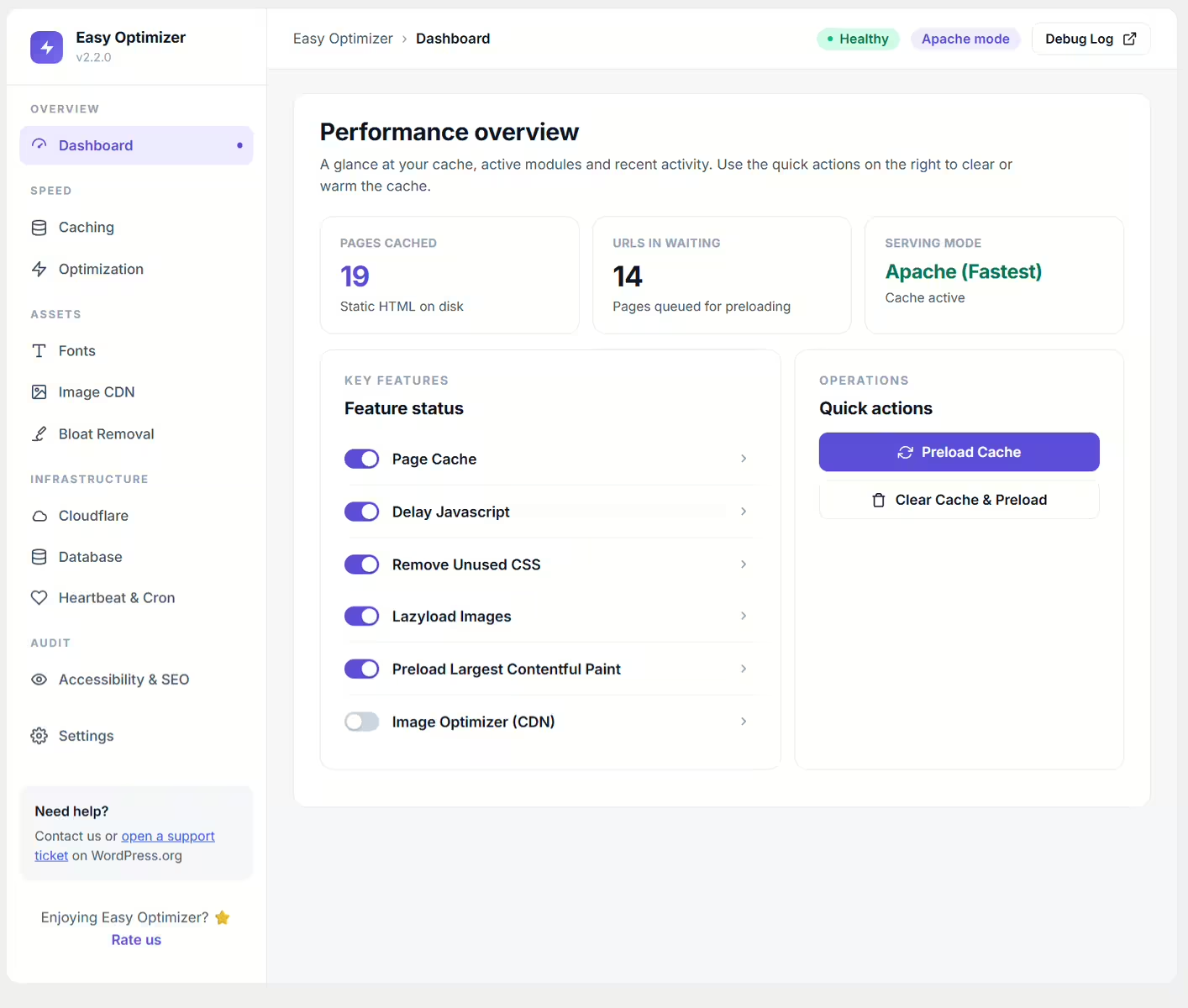
Lazy load, WebP & AVIF conversion - optimized performance
Easy Optimizer, developed by Uzair, has over 700+ active installations since its release on 2023-01-04. It optimizes WordPress sites through lazy-loading and conversion to modern image formats like WebP and AVIF. A special feature is preloading pages for improved load times. Integration is primarily aimed at Elementor users. The plugin has an average rating of 4.5 based on 14 reviews in the WordPress Plugin Directory.
"This plugin helped optimize a poorly coded theme where no other lazy-loading plugin worked."
Features - versatile performance boost
- Lazy Load Images - images are loaded only when needed.
- Lazy Load Iframes and Videos - supports additional media formats.
- Page Preloading - faster page visits through preloading.
- Images in Next-Gen Formats - WebP and AVIF via ShortPixel CDN.
- Automatic Image Dimensions - stable rendering with lazy loading.
- Elementor Integration - easy optimizations within websites.
- Smart Caching - optimizes script resources.
"The easy setup and integration with Elementor make optimization particularly user-friendly."
Technical Details - requirements and operation
Requires WordPress 4.7, PHP 7.4. Compatible up to WP 5.8, last updated on 2026-08. Plugin code is only loaded when needed, including memory optimization via service worker. Use of ShortPixel CDN via RESTful API ensures conversion to modern image formats.
"Even offers features on older PHP versions that other plugins often only provide with newer releases."
Quality and Support - strengths and challenges
Average rating points to mixed implementations despite notable efficiency with faulty themes. Effective coding, but instances of server errors sometimes relate to Google indexing. Support is offered via WordPress.org and Uzair, but detailed insights into response times are missing.
Conclusion - summary of strengths and weaknesses
Easy Optimizer offers essential optimization features like lazy loading and next-gen formats. Also usable on older PHP versions. The Elementor integration enhances usability. Still, some users report issues with server errors and security vulnerabilities. Improved support information and a clearer roadmap would be desirable. Developed by Uzair, the plugin remains an interesting choice for straightforward optimization solutions despite minor challenges.
Show more
Detailed plugin information
Plugin slug: easy-optimizer
Plugin name: Easy Optimizer
Plugin title: Easy Optimizer – PageSpeed, Cache & Core Web Vitals (Unused CSS, Delay JS, Lazy Load)
Plugin keywords: #cache #core web vitals #pagespeed #performance #speed
Plugin version: 2.6.5
Last updated: 2026-08
Release date: 2023-01-04
Required WP version: 6.4
Required PHP version: 7.4
Tested with WP version: 7.1
Active installations: 700+
Average rating: 4.5
Number of reviews: 14
Number of support requests: 9 (in the last 2 months)
Number of resolved support requests: 8 (in the last 2 months)
Plugin author: FluxPress
Developer homepage: https://fluxpress.io
WP developer profile page: https://profiles.wordpress.org/easywpstuff/
Support URL in the WordPress Plugin Directory: https://wordpress.org/support/plugin/easy-optimizer/
Developer support URL: https://wordpress.org/support/plugin/easy-optimizer/#fallback-commercial-support-url
WP Plugin Directory: https://wordpress.org/plugins/easy-optimizer/
0.0
/ 10
#cache #core web vitals #pagespeed #performance #speed
In comparison with:

neo Lazy - Native delayed lazy loading of images for PageSpeed
The WordPress plugin neo Lazy from neo WP was released on 2026-08-01 and is part of the new neoWP plugin series. The plugin leverages the possibilities of modern web development, which is reflected in its performance and intuitive design. From the reviews it can be inferred that the plugin has delighted users since its release with well-chosen and cleverly implemented features. Particularly noteworthy is the solid programming. A look into the source code confirms that a company with experienced software developers stands behind the plugin.
“The plugins in the neo package are very well coordinated and solve all common image problems in WordPress.”
Features - Powerful tools cleverly implemented
- Enables native lazy loading in the browser
- Delay loading images until they become visible
- Optimize mobile data usage
- Lazy-load iFrames and videos (Pro)
“Great what you can do with neo Rename. The Pro version takes it even further.”
Technical details - Modern implementation with high compatibility
The plugin neo Lazy is available for free for download in the current version 1.0.0. It requires at least WordPress version 6.2 and PHP version 8.0 or higher. The plugin was tested by the beta tester circle up to the current version 6.9. The developers released the last update in 2026-08. The continuous updating and expansion of the plugin reflects the commitment to further development.
“It is convenient to get all media plugins from a single developer. The complete neo universe runs performant, reliable and stable.”
Quality and support - Fast and helpful assistance
Support for neo Lazy receives predominantly positive feedback, mainly due to fast response times and effective problem solving. Many users report that the developers provide dedicated and helpful support for both the free and Pro versions. The neo WP team is reachable directly via the developer page by chat, email and contact form. Additionally, the official support forum is available for further assistance.
“The developers respond quickly, personally and are very helpful.”
Conclusion - Very high-quality WordPress plugin package
The neo Lazy plugin lives up to its slogan "Best user experience thanks to delayed loading of images!" in every respect. Even in the free version the entire neo plugin series offers a comprehensive solution for typical media management requirements in WordPress. For everyone already using neo Lazy, it’s worth taking a look at the other plugins from neo WP.
Show more
Detailed plugin information
Plugin slug: neo-lazy
Plugin name: neoLazy
Plugin title: neo Lazy - Natives verzögertes Lazy Loading von Bildern für PageSpeed
Plugin keywords: #lazyload #lazy #load #image #media
Plugin version: 1.0.0
Last updated: 2026-08
Release date: 2026-08-01
Required WP version: 6.2
Required PHP version: 8.0
Tested with WP version: 6.9
Active installations: 1+
Average rating: 5.0
Number of reviews: 3
Number of support requests: 0 (in the last 2 months)
Number of resolved support requests: 0 (in the last 2 months)
Plugin author: neo WP
Developer homepage: https://neo-wp.com/?ref=wporg-info
WP developer profile page: https://profiles.wordpress.org/neoplugins/
Support URL in the WordPress Plugin Directory: https://neo-wp.com/support/?ref=wporg-info
Developer support URL: https://neo-wp.com/support/?ref=wporg-info
WP Plugin Directory: https://neo-wp.com/plugin/neo-lazy/?ref=wporg-info
#lazyload #lazy #load #image #media
Was the comparison to neo Lazy helpful?
All about neo Lazy - Native delayed lazy loading of images for PageSpeed
neo Lazy - Native delayed lazy loading of images for PageSpeed
The WordPress plugin neo Lazy from neo WP was released on 2026-08-01 and is part of the new neoWP plugin series. The plugin leverages the possibilities of modern web development, which is reflected in its performance and intuitive design. From the reviews it can be inferred that the plugin has delighted users since its release with well-chosen and cleverly implemented features. Particularly noteworthy is the solid programming. A look into the source code confirms that a company with experienced software developers stands behind the plugin.
“The plugins in the neo package are very well coordinated and solve all common image problems in WordPress.”
Features - Powerful tools cleverly implemented
- Enables native lazy loading in the browser
- Delay loading images until they become visible
- Optimize mobile data usage
- Lazy-load iFrames and videos (Pro)
“Great what you can do with neo Rename. The Pro version takes it even further.”
Technical details - Modern implementation with high compatibility
The plugin neo Lazy is available for free for download in the current version 1.0.0. It requires at least WordPress version 6.2 and PHP version 8.0 or higher. The plugin was tested by the beta tester circle up to the current version 6.9. The developers released the last update in 2026-08. The continuous updating and expansion of the plugin reflects the commitment to further development.
“It is convenient to get all media plugins from a single developer. The complete neo universe runs performant, reliable and stable.”
Quality and support - Fast and helpful assistance
Support for neo Lazy receives predominantly positive feedback, mainly due to fast response times and effective problem solving. Many users report that the developers provide dedicated and helpful support for both the free and Pro versions. The neo WP team is reachable directly via the developer page by chat, email and contact form. Additionally, the official support forum is available for further assistance.
“The developers respond quickly, personally and are very helpful.”
Conclusion - Very high-quality WordPress plugin package
The neo Lazy plugin lives up to its slogan "Best user experience thanks to delayed loading of images!" in every respect. Even in the free version the entire neo plugin series offers a comprehensive solution for typical media management requirements in WordPress. For everyone already using neo Lazy, it’s worth taking a look at the other plugins from neo WP.
Show more
Detailed plugin information
Plugin slug: neo-lazy
Plugin name: neoLazy
Plugin title: neo Lazy - Natives verzögertes Lazy Loading von Bildern für PageSpeed
Plugin keywords: #lazyload #lazy #load #image #media
Plugin version: 1.0.0
Last updated: 2026-08
Release date: 2026-08-01
Required WP version: 6.2
Required PHP version: 8.0
Tested with WP version: 6.9
Active installations: 1+
Average rating: 5.0
Number of reviews: 3
Number of support requests: 0 (in the last 2 months)
Number of resolved support requests: 0 (in the last 2 months)
Plugin author: neo WP
Developer homepage: https://neo-wp.com/?ref=wporg-info
WP developer profile page: https://profiles.wordpress.org/neoplugins/
Support URL in the WordPress Plugin Directory: https://neo-wp.com/support/?ref=wporg-info
Developer support URL: https://neo-wp.com/support/?ref=wporg-info
WP Plugin Directory: https://neo-wp.com/plugin/neo-lazy/?ref=wporg-info
Before switching to the alternative
If you have problems with the plugin "neo Lazy - Natives verzögertes Lazy Loading von Bildern für PageSpeed" it might be sensible before switching to an alternative plugin to check the requirements for WordPress and the server.
The current plugin version 1.0.0 from 2026-08 requires at least WordPress version 6.2 and was tested with WordPress 6.9. The server should preferably be an Apache server running at least PHP version 8.0.
WordPress offers a support forum for the neo Lazy plugin. In the last two months 0 questions were asked there and 0 of them were answered by neo WP, which indicates the support activity.
Further troubleshooting information might be provided by the neo Lazy Website and its support page.
neo Lazy has been developed by neo WP since 2026-08-01 and runs on a total of 1+ active WordPress installations. About 3 users have rated the plugin an average of 5.0 stars. However, some users are looking for an alternative with different features.
The alternative plugins can be found in the official WordPress Plugin Directory using the following tags and can be downloaded for free: #lazyload #lazy #load #image #media
The comparison above presents and evaluates the most important features of these plugin alternatives.
Decision criteria of the plugin ranking
- Usability:
The plugin should be easy to install, configure and use. - Functionality:
The plugin should perform the promised functions reliably and efficiently. - Performance:
It should not negatively impact the site's load times and should be resource efficient. - Security:
The plugin must receive regular updates to ensure continuous secure operation. - Reviews:
Positive experiences from many users give a good indication of quality and reliability. - Support:
Good customer support and comprehensive documentation are crucial to resolve issues quickly. - Documentation:
Detailed and understandable documentation makes setup and use of the plugin easier. - Value for money:
The plugin should either be free or offer fair value for money. - Adaptability:
The plugin should be flexible enough to allow individual requirements and customizations. - Compatibility:
The plugin should be compatible with different WordPress versions, themes, and other plugins.
