


Password correct. Please wait...
Disable the chat with .custom-disable-chat
WP Plugin Comparisonby neo-wp.com


WP Plugin Lazy Loading Responsive Images
Test report

Lazy Loader
Lazy Loader - A comprehensive tool for optimized websites
Lazy Loading Responsive Images, developed by Florian Brinkmann, is a WordPress plugin that was released on 2015-12-01. With over 9 000+ active installations this plugin aims to optimize website load times through lazy loading. The plugin supports not only images but also iframes, video and audio elements by using the lightweight lazysizes script. The versatility and customizability regarding supported media provide a unique selling point aimed specifically at site owners who want to maximize performance and loading efficiency. In the official WordPress Plugin Directory it has an average rating of 4.7 out of 5 stars from 49 ratings. The next section gives an overview of the plugin's notable features.
"This is the best lazy-loading plugin I have used so far."
Features - Extensive support for different media types
The "Lazy Loading Responsive Images" plugin offers a wide range of features that make it a versatile tool for WordPress users. In addition to lazy loading for images, iframes and video elements, a standout feature is support for audio content. Extendable options allow customization to specific needs by offering numerous ways to modify and process the markup. This flexibility and support for various media types distinguish the plugin and significantly improve website performance and load times.
"Works perfectly with masonry.js."
Free Features - Comprehensive feature list for diverse media
- Lazy Loading for images - Supports images inserted via
<img>or<picture>in posts, pages, custom post types and text widgets. - Post thumbnails - Lazy loading for post thumbnails.
- Inline background images - Supports lazy loading of inline background images.
- iFrames - Lazy loading for iframes can be enabled.
- Video elements - Lazy loading for video elements can be enabled.
- Audio elements - Lazy loading for audio elements can be enabled.
- Full markup processing - Ability to process the entire page markup.
- Exclude CSS classes - Elements with specific CSS classes can be excluded from lazy loading.
- Show loading spinner - Option to display a loading spinner.
- Disable on specific pages - Option to disable the plugin on certain posts/pages.
- Fallback for disabled JavaScript - Adds a
<noscript>element as a fallback.
Pro Features - Advanced customization options for greater flexibility
The plugin also offers a Pro version that provides additional features to offer even more flexibility and customization options.
- Native Lazy Loading Integration of the lazysizes native loading plugin to use the native lazy loading feature of supporting browsers.
- Unveilhooks Plugin Support for more elements, like video and audio elements, via the lazysizes unveilhooks plugin.
- Lazy Loading for Poster Frames Enable lazy loading for poster frames of video elements.
- Modification of the lazysizes Configuration Textarea to customize the default lazysizes configuration values.
"Super flexible and fast."
License & price performance - Free plugin with powerful options
The plugin is available for free and offers comprehensive support for lazy loading of images, videos, iframes, and audio elements. With the customization options provided, it represents excellent value for many users. Users praise the efficiency and versatility of the plugin, although some minor compatibility issues with certain themes and plugins can occur. Overall, the plugin is generally rated positively for its stability and extensive features.
"Great lazy-load plugin that uses lazysizes.js, one of the best scripts for this task."
Technical details - Deep insight into how it works
The "Lazy Loading Responsive Images" plugin uses the powerful lazysizes.js script to implement lazy loading efficiently. From a technical perspective, the customization options are remarkable. Developers can integrate custom scripts and styles via manually modified markup to efficiently manage background images, scripts, and styles. Integration of plugins like the lazysizes native loading allows the plugin to leverage the native lazy loading feature of supporting browsers, further optimizing performance. For video and audio embeds, the unveilhooks plugin provides support. The flexible use of filters and hooks, for example the lazy_loader_generate_noscriptfilter to <noscript> fallbacks to control, also gives developers the ability to further optimize the loading process.
System requirements - Relevant metrics and compatibility
For using the plugin "Lazy Loading Responsive Images" there are specific system requirements to note. It requires at least PHP version 7.0 or higher and WordPress version 4.9.8 or higher, making it usable for most modern installations. The plugin has been tested up to WordPress version 6.5.10 and thus ensures broad compatibility with various systems. The plugin version is 8.2.0, and the last update in 2024-04 took place. Users report performance improvements, especially on mobile devices with slow connections, although there can be occasional complications when used in combination with certain themes and plugins.
"Works flawlessly on three different WordPress sites."
Quality - Balance of stability and possible incompatibilities
The quality of the WordPress plugin "Lazy Loading Responsive Images" appears in various facets. On one hand it convinces through its stability and efficiency, especially in implementing lazy loading for numerous media types. The use of the lightweight lazysizes script contributes to faster page loads and reduced resource usage. Many users highlight this positively because it significantly reduces download size and the number of requests. Experience shows that the plugin runs smoothly on most installations and delivers the expected performance. On the other hand, some reviews note that it can lead to incompatibilities on specific websites or in combination with certain themes and plugins. Such negative reports are, however, in the minority and contrast with the overall positive response.
"Super flexible and fast."
Support - Responsive and efficient customer service
The "Lazy Loading Responsive Images" plugin has received mixed reviews regarding support. On the one hand, support is described by some users as quick and helpful. The developer appears responsive and helpful with individual inquiries. The most common positive feedback refers to issues being resolved promptly. Despite the frequently highlighted quick response time, there are no specific details on official contact methods or a set response time.
Users have the official support forum available to seek help or ask questions. Additionally there is a direct support URL from the developer for special inquiries or commercial support, providing an additional contact option.
"The developer responded quickly and helpfully to my questions. I am very impressed with the plugin and the support!"
Rating - Excellent user ratings and rare criticisms
The WordPress plugin "Lazy Loading Responsive Images" has earned a reputation as a reliable tool for optimizing load times with an average rating of 4.7 out of 5 stars from a total of 49 reviews. Most reviews highlight the plugin's functionality and efficiency. Users often praise the seamless integration and flexibility in supporting different media types.
In summary, the ratings show a predominantly positive user experience, although some users occasionally point out specific compatibility issues. These issues, however, appear to be mostly isolated cases and do not detract from the plugin's overall high rating and popularity.
"This is the best lazy-loading plugin I have used so far."
Some negative reviews refer to incompatibilities with certain themes or plugin combinations. Given the total number of reviews, these criticisms seem marginal.
"I had a bad experience: This lazy load does not work with column galleries."
Despite these occasional issues, the overall impression remains positive, as reflected in the consistently good user ratings.
"Works without issues on three WordPress sites."
Criticism - discovering potential for improvement
The WordPress plugin "Lazy Loading Responsive Images" receives mostly positive reviews, but there are critical voices pointing out areas for improvement. A frequently mentioned issue is compatibility problems with certain themes or plugins, which leads to frustration for some users. For example, some users report that lazy loading does not work as expected for certain elements like column galleries or after an update. Such incompatibilities can negatively affect the appearance of the website. Additionally, some users note that the plugin lacks certain features, such as support for the CSS property background-image, which would enable broader applicability.
Another criticism concerns reactions after updates: users have reported unpleasant deformation of the site. Specific security information is also missing, which is a generally important aspect for web plugins and could affect confidence in the plugin's long-term use.
In summary, targeted improvements in compatibility and functionality, combined with clear security guidelines, could significantly enhance the plugin.
"I had a bad experience: This lazy load does not work with column galleries."
Conclusion - Summary of strengths and weaknesses
The WordPress plugin Lazy Loading Responsive Images, developed by Florian Brinkmann, provides a comprehensive solution for optimizing website load times. With its flexible support for various media types and extensive customization options, it offers valuable benefits for site owners looking to improve performance. The wide acceptance and high rating in the WordPress Plugin Directory attest to the plugin's effectiveness and versatility.
Nevertheless, there are some weaknesses regarding compatibility issues with certain themes or plugins. These issues are mostly perceived as isolated cases but only marginally diminish the plugin's positive overall impression. The plugin impresses with its broad feature set and stability, yet still has room for improvement regarding specific security information and incompatibilities. Overall, "Lazy Loading Responsive Images" is a powerful tool for improving website load times and rightly enjoys the status of a popular plugin in the WordPress community.
#images #Lazy Loading #lazysizes #performance
Show more
Detailed plugin information
Plugin slug: lazy-loading-responsive-images
Plugin name: Lazy Loading Responsive Images
Plugin title: Lazy Loader
Plugin Keywords: #images #Lazy Loading #lazysizes #performance
Plugin Version: 8.2.0
Last update: 2024-04
Release Date: 2015-12-01
Required WP Version: 4.9.8
Required PHP version: 7.0
Tested with WP version: 6.5.10
Active installations: 9 000+
Average rating: 4.7
Number of Ratings: 49
Number of support requests: 0 (in the last 2 months)
Number of resolved support requests: 0 (in the last 2 months)
Plugin author: Florian Brinkmann
Developer Homepage: https://florianbrinkmann.com/en/3350/responsive-images-and-lazy-loading-in-wordpress/
WP Developer Profile Page: https://profiles.wordpress.org/florianbrinkmann/
Support URL in WordPress Plugin Directory: https://wordpress.org/support/plugin/lazy-loading-responsive-images/
Developer Support URL: https://wordpress.org/support/plugin/lazy-loading-responsive-images/#fallback-commercial-support-url
WP Plugin Directory: https://wordpress.org/plugins/lazy-loading-responsive-images/
Was the test report about Lazy Loading Responsive Images helpful?
Lazy Loading Responsive Images Was the right plugin?
Lazy Loading Responsive Images - Compare nowOpen plugin in sandboxTo the official WP StorePopular Alternatives to Lazy Loading Responsive Images


Rocket Lazy Load
LazyLoad Plugin – Lazy load images, videos, and iframes
#defer offscreen images #lazy load #lazy load images #lazy load plugin #Lazy Loading
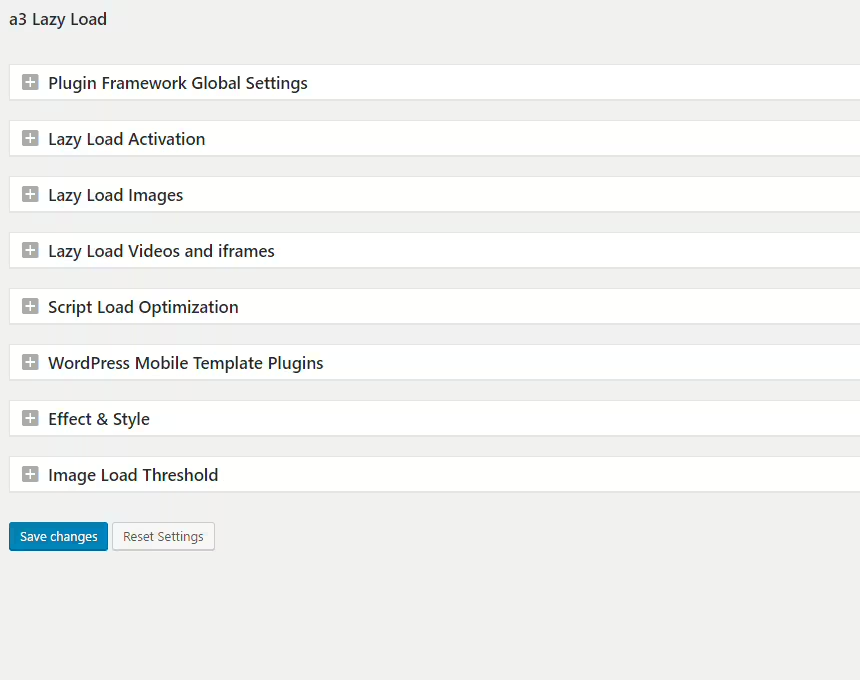
A3 Lazy Load
a3 Lazy Load
#a3 lazy load #image lazy load #Lazy Loading #lazyload

Lazy Load For Videos
Lazy Load for Videos
#lazy load #performance #privacy #vimeo #youtube
