


Password correct. Please wait...
Disable the chat with .custom-disable-chat
WP Plugin Comparisonby neo-wp.com


WP Plugin A3 Lazy Load
Test report
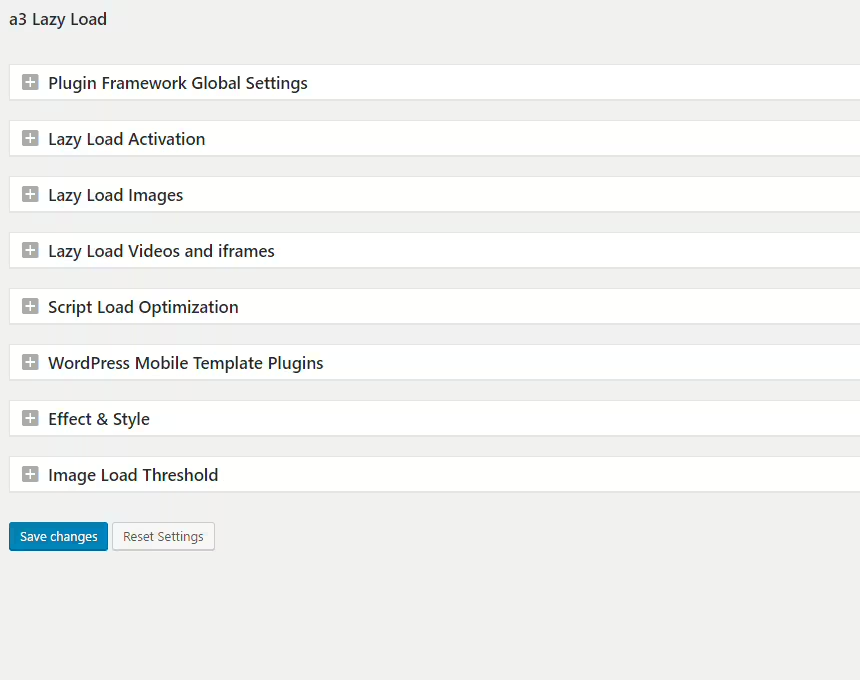
A3 Lazy Load
A3 Lazy Load - Introduction and Benefits
A3 Lazy Load is a popular WordPress plugin developed by a3rev Software. It was first released on 2014-12-20 and enjoys over 90 000+ active installations. The plugin aims to improve website loading speed by enabling lazy loading for images, videos and iFrames. This approach ensures media is only loaded when it appears in the user’s visible area, which significantly reduces load times.
A standout unique feature of the a3 Lazy Load plugin is its ability to effectively handle not only media from the WordPress media library but also external content. The target audience for this plugin is primarily WordPress users and developers who want to improve user experience on their sites through optimized load times. With an average rating of 4.3 out of 5 stars from 148 reviews, the plugin shows it can convince many users.
The next section will take a closer look at the various features of the a3 Lazy Load plugin and their applications in different WordPress environments.
"This plugin is excellent! The only one that works on all images, iframes and videos on my website, including videos from other plugins!"
Features - Diverse functionalities for optimal performance
The a3 Lazy Load plugin offers a wide range of features that set it apart from other lazy load plugins. In addition to the aforementioned extended support for various media formats, the plugin also enables lazy loading of external content such as embedded videos and iFrames. The ability to enable or disable lazy load for various post-based elements like widgets or thumbnails provides high flexibility. Another notable feature is support for WebP images, which are automatically detected and lazy loaded. This feature set makes the plugin versatile for significantly improving website load times.
"This plugin made my website faster than I expected, it worked seamlessly with all media formats."
Free Features - Extensive functionality at no cost
The free version of a3 Lazy Load offers a variety of useful features that improve a website’s performance:
- 100% compatible with WordPress 6.0 - Works with the latest WordPress versions and improves performance through lazy load for external images, iFrames and videos.
- Disable WordPress Lazy Load - Allows disabling WordPress' own lazy load feature.
- Image Lazy Load - Flexibility to enable or disable lazy load for images in various WordPress content.
- Horizontal Scroll - Support for lazy loading images in horizontally scrollable containers.
- Video Lazy Load - Enable or disable lazy load for videos in various WordPress elements.
- iFrame Lazy Load - Enables lazy load for non-WordPress iFrames.
- Post Embed - Compatibility with WordPress embed posts for faster loading.
- WordPress AMP - Automatic support for the WordPress AMP plugin.
- WebP Images - Automatic support for WebP images.
- Lazy Load Effects - Options to choose different lazy load effects.
- Performance Tweaks - Script loading options in HEAD or FOOT.
- Exclude Images & Videos - Ability to exclude certain media from lazy load.
- JavaScript Disabled Fallback - Support for users without active JavaScript.
- Theme & Plugin Compatibility - Works with common WordPress themes and plugins.
- More Features - Support for jQueryMobile, multi-site, RTL display and translations.
License - Free and yet versatile
A3 Lazy Load is a completely free plugin notable for its extensive features. This free availability makes it an attractive choice for webmasters who want to optimize their sites' loading times without extra cost. Users especially appreciate that the plugin offers many valuable features often found only in paid alternatives. This excellent value for money is consistently highlighted positively in reviews.
"Thanks for the fantastic plugin. It's free and has significantly improved my site's loading speed on both desktop and mobile."
Technical details - Deeper insights into implementation and operation
The a3 Lazy Load plugin works by selectively manipulating the HTML output to load media content only when it appears in the user's viewport. This technique reduces initial page load time and conserves both server resources and users' network bandwidth. Developers particularly benefit from extensive support through hooks and filters, which allow precise customization of the plugin's behavior to meet individual requirements. The implementation includes a noscript fallback option to ensure content remains accessible when JavaScript is disabled. By using standards-compliant HTML elements and optimized JavaScript methods, compatibility with a wide range of themes and plugins is ensured. Specific exclusion parameters make it possible to selectively exempt custom functions from lazy loading, which is especially relevant for developers working with complex theme structures.
System requirements - Technical requirements and compatibility
The a3 Lazy Load plugin requires at least PHP version 7.4 or higher and WordPress version 6.0 or higher to function seamlessly. It has been tested up to WordPress version 6.0 or newer, demonstrating robust support for current system environments. With the current plugin version 2.7.9 and a last update in 2026-07, the plugin ensures compatibility with modern WordPress installations. This provides you with a stable and reliable foundation for implementing lazy loading on your sites.
"Since I started using this plugin, my WordPress website runs faster and smoother, which makes my work as a developer easier."
Quality - Impressive load time improvements and performance
The a3 Lazy Load plugin impresses with its ability to significantly improve page load times, which is particularly beneficial for websites with many media assets. Users report dramatic improvements in load times, with emphasis on the performant and resource-efficient implementation of lazy loading. This is achieved by allowing flexible placement of the plugin code in the head or footer of the page, enabling a fine-tuned balance between speed and resource usage. Compatibility with the latest WordPress version and support for modern image formats like WebP underscore the plugin's technical currency. However, there are discussions about stability and compatibility, with some users reporting negative experiences, particularly in combination with specific plugins or themes. Despite these limitations, the overall user rating remains positive.
"The loading speed of my image-heavy website improved from 12 seconds to 2 seconds, which is an amazing improvement."
Support - User experiences and responsiveness
Support for the a3 Lazy Load plugin is a multifaceted topic. According to user reviews, experiences with the developer team's support are mixed. Some users praise quick response times and solution-oriented assistance from the team: "The developer responded quickly, and for that reason I give a 5-star rating." Contact options include the support forum on WordPress.org and the developer's commercial support services. Here support tickets can be submitted to get help with compatibility issues.
However, there are also critical voices pointing to a lack of responsiveness and inadequate support: "The support is very bad. There are many questions the developer hasn't answered yet." This differing perception could be due to factors like the scope of the request or delays in the support process.
"The support was fast and helpful, which is very important for using a plugin."
Rating - User experiences and sentiment
The WordPress plugin a3 Lazy Load has an average rating of 4.3 based on 148 reviews. These figures indicate a predominantly positive reception by users. Many users praise the plugin's effectiveness and the load time improvements on their sites. The plugin's ability to significantly improve performance on image- and media-heavy sites is particularly highlighted.
"This plugin is excellent! The only one that works on all images, iframes and videos on my website, including videos from other plugins!"
Nevertheless, there are also critical voices. Some users report unexpected problems after installation, such as the inability to remove the plugin completely or an impairment of their site's loading speed.
"It broke my website. Even after I deleted the plugin, the site is still broken."
Still, many users' experiences are positive, especially for those who previously had difficulties with other lazy-load plugins.
"My very image-heavy site benefited greatly from a3 Lazy Load; it now loads much faster and the plugin works seamlessly."
Criticism - Challenges in functionality and support
While the WordPress plugin a3 Lazy Load is appreciated by many users for its user-friendly features and load speed improvements, there is also extensive criticism focused mainly on technical issues and support responsiveness.
A frequently mentioned problem is occasional incompatibility with themes or custom functions, which can cause images or objects in certain areas not to load correctly. Users have noticed that uninstalling the plugin does not always resolve previously occurring issues. It has also been reported that the plugin can sometimes negatively affect load speed, contrary to its intended purpose. Another critical point is the lack of regular updates, which can lead to compatibility problems with newer WordPress versions.
There are few concerns regarding the plugin's security aspects, but the developer team's lack of responsiveness to support requests can be seen as a weakness, especially since this is decisive for many users in resolving problems.
"Made my site much slower."
"The developer does not care about the users."
Conclusion
The a3 Lazy Load plugin, developed by a3rev Software, offers a powerful solution for optimizing webpage load times by implementing lazy loading for various media. It stands out with a wide range of features, including support for external content and WebP images, compared to competing plugins. Not only is the free use an advantage, but the extensive customization options are also clear pluses.
Despite the many benefits, there are also challenges regarding stability and support that potential users should be aware of. While some report that support is quick and helpful, others mention long wait times or unresolved issues. Overall, the plugin remains a recommendable option for webmasters looking to improve their sites' load times, especially if the site is image- or media-intensive.
#a3 lazy load #image lazy load #Lazy Loading #lazyload
Show more
Detailed plugin information
Plugin slug: a3-lazy-load
Plugin name: A3 Lazy Load
Plugin title: a3 Lazy Load
Plugin keywords: #a3 lazy load #image lazy load #Lazy Loading #lazyload
Plugin-Version: 2.7.9
Last update: 2026-07
Release date: 2014-12-20
Required WP Version: 6.0
Required PHP version: 7.4
Tested with WP version: 7.0.4
Active installations: 90 000+
Average rating: 4.3
Number of reviews: 148
Number of support requests: 1 (in the last 2 months)
Number of resolved support requests: 0 (in the last 2 months)
Plugin author: Steve Truman
Developer homepage: https://wordpress.org/support/plugin/a3-lazy-load/#fallback-homepage
Profile page of the WP developer: https://profiles.wordpress.org/a3rev/
Support URL in the WordPress Plugin Directory: https://wordpress.org/support/plugin/a3-lazy-load/
Developer's support URL: https://wordpress.org/support/plugin/a3-lazy-load/#fallback-commercial-support-url
WP Plugin Directory: https://wordpress.org/plugins/a3-lazy-load/
Was the test report about A3 Lazy Load helpful?
A3 Lazy Load Was the right plugin?
A3 Lazy Load - Compare nowOpen plugin in sandboxTo the official WP StorePopular alternatives to A3 Lazy Load


Lazy loading responsive images
Lazy Loader
#images #Lazy Loading #lazysizes #performance
Rocket Lazy Load
LazyLoad Plugin – Lazy load images, videos, and iframes
#defer offscreen images #lazy load #lazy load images #lazy load plugin #Lazy Loading

Lazy Load For Videos
Lazy Load for Videos
#lazy load #performance #privacy #vimeo #youtube
