
Password correct. Please wait...
Disable the chat with .custom-disable-chat
WP Plugin Comparisonby neo-wp.com


WP Plugin Media Library Tools
Comparison & Alternatives
The 6 best alternatives for the WordPress plugin Media Library Tools by Tiny Solutions
WordPress Plugin Best List
Comparison & Ranking
Number #

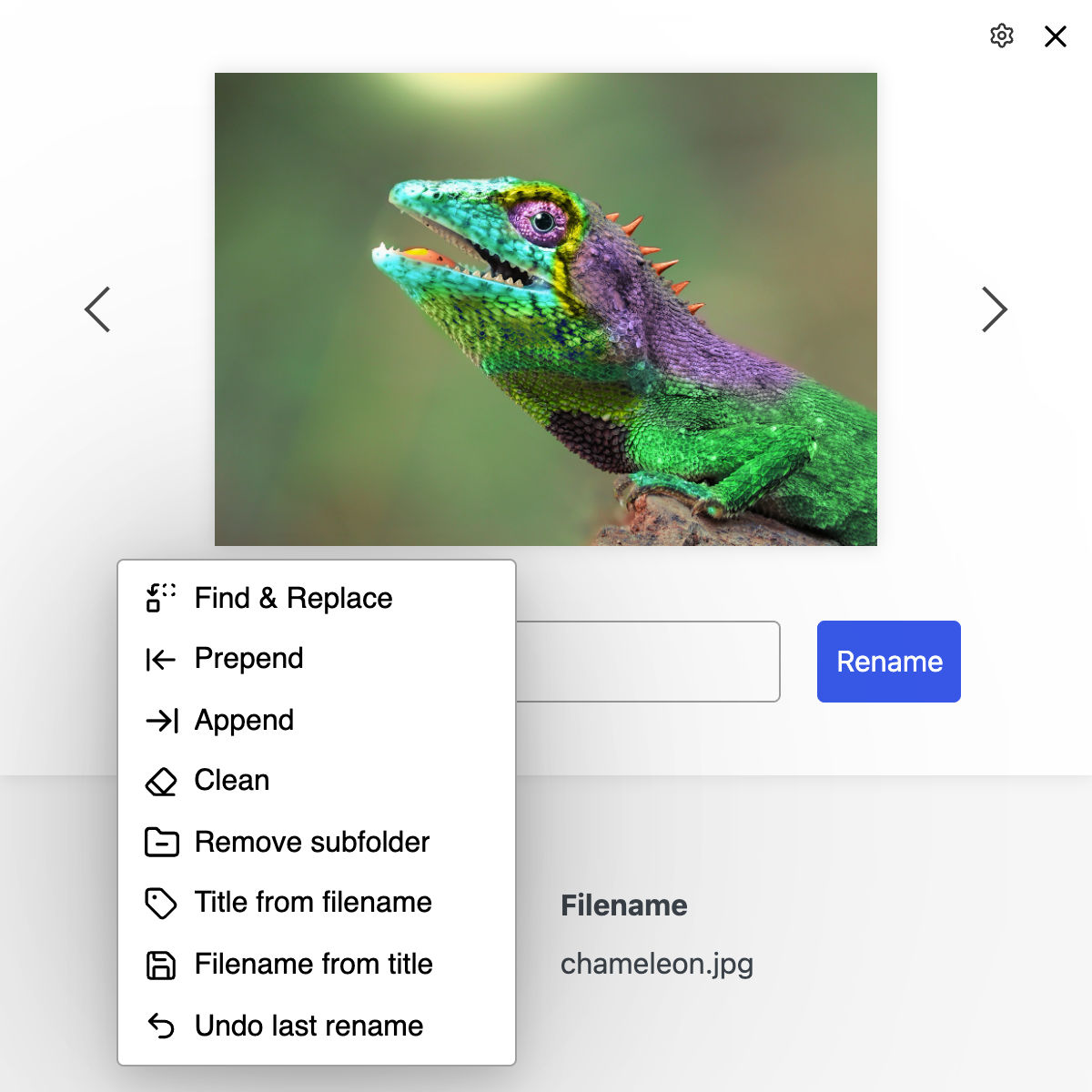
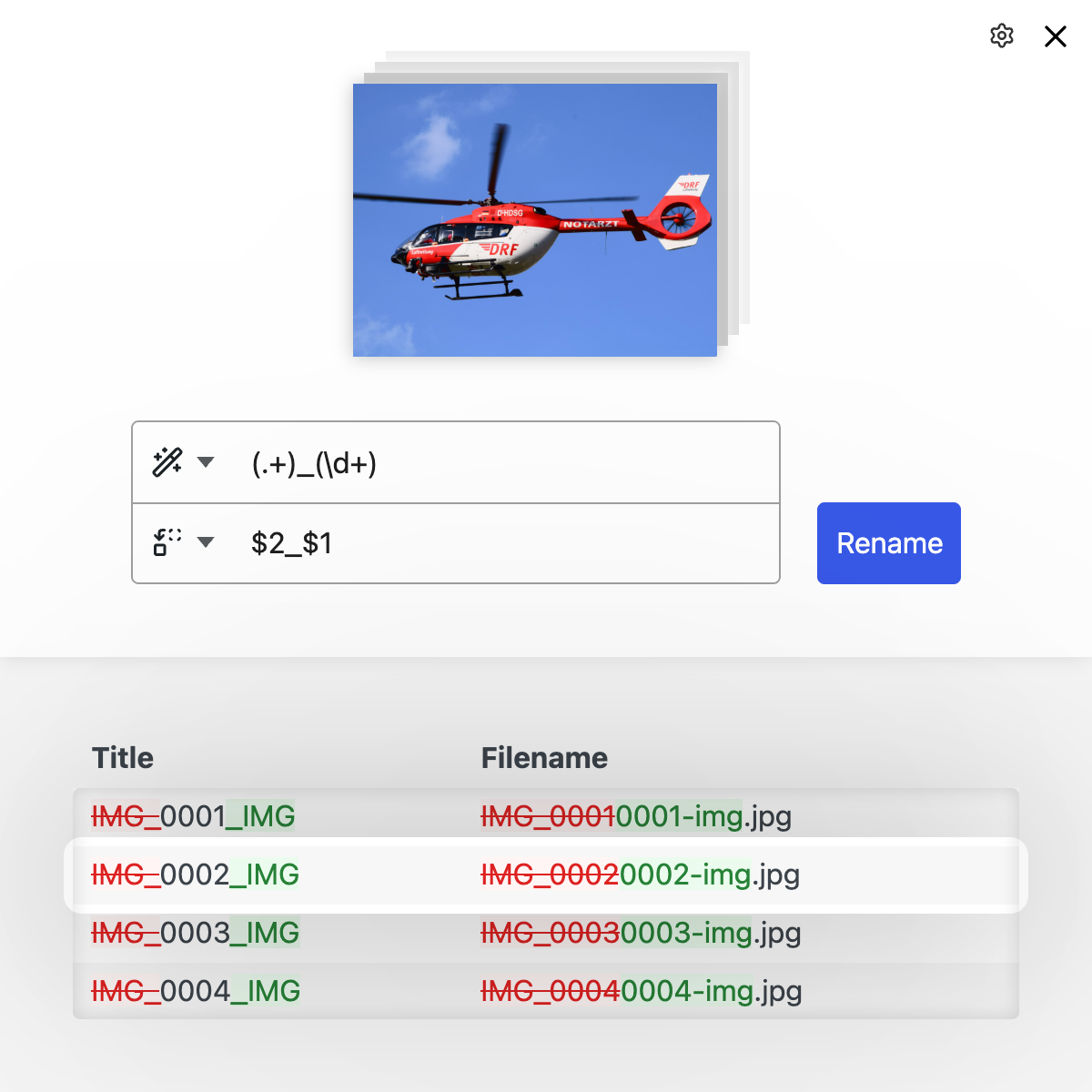
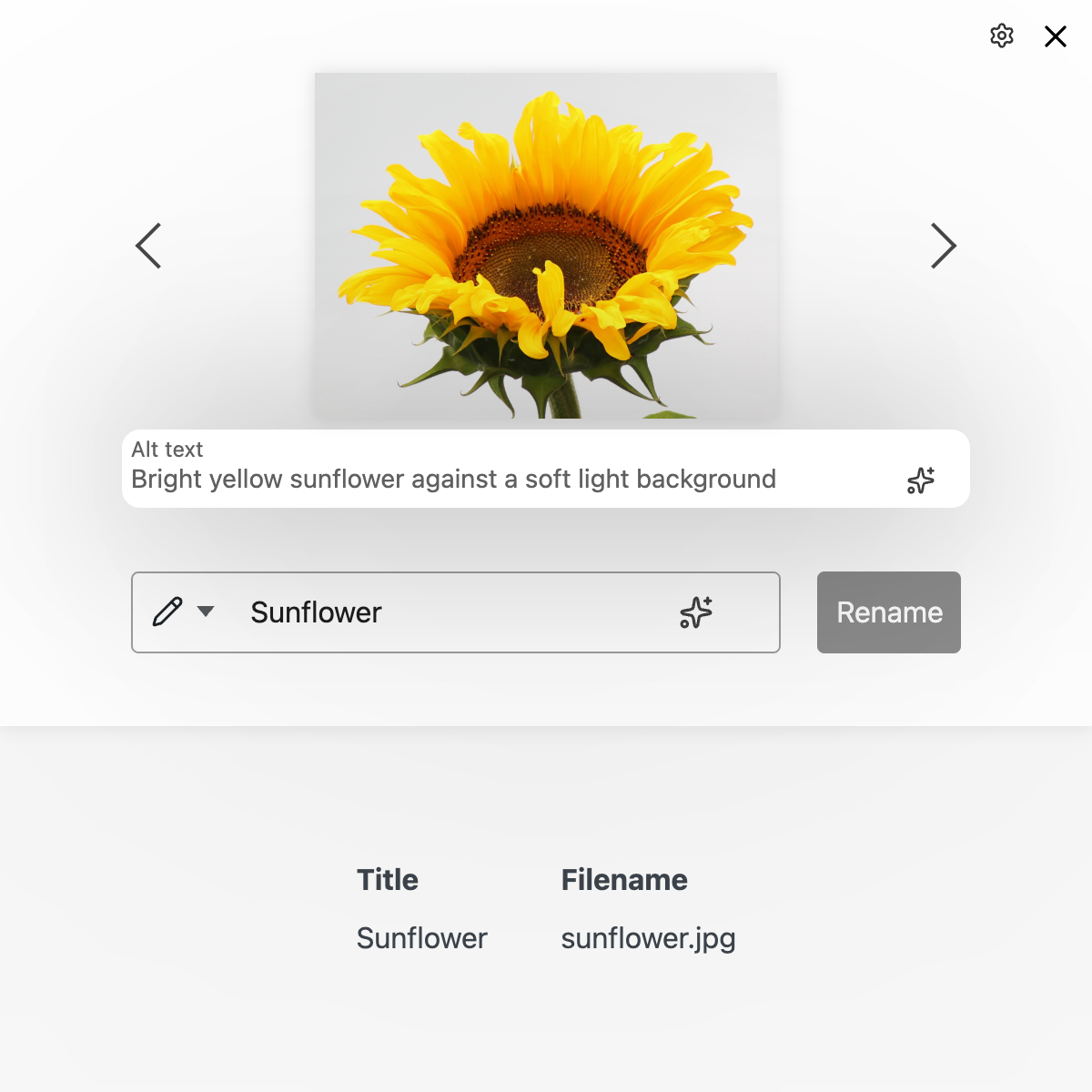
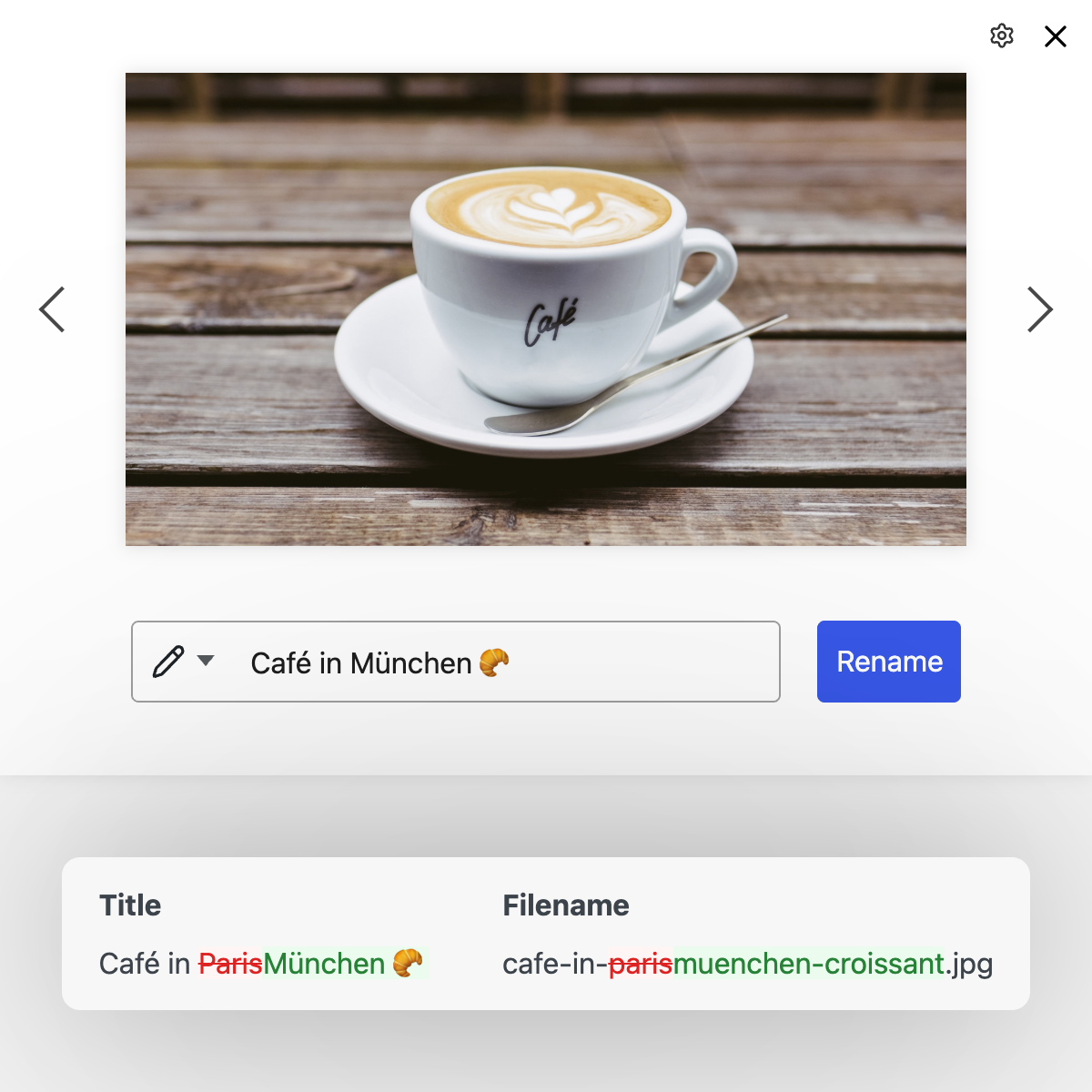
neo Rename - AI Media Renamer for renaming images & alt texts with batch processing
The WordPress plugin neo Rename from neo WP Media Image Plugins was released on 2026-05-14 and is part of the new neoWP plugin series. The plugin leverages modern web development capabilities, reflected in its performance and intuitive design. Reviews indicate that the plugin has delighted users since its release with well-chosen and cleverly implemented features. Notably, the solid coding stands out. A look at the source code confirms that an experienced software development company is behind the plugin.
“The plugins in the neo package are very well coordinated and solve all common image problems in WordPress.”
Features - Powerful tools cleverly implemented
- Optimize your SEO with AI-generated image names
- AI includes image content and website context when generating
- No credit packages required, you use your own API key
- Reliable renaming of filename, title, slug & alt text
- Batch processing to change multiple filenames at once
- Instant preview of changes between old and new names
- Undo renames
- Fast, automatic update of image URLs in all posts
- Supports all file formats, including videos and PDFs
- Generating missing alt texts for SEO
- SEO-friendly redirect to the new image URL (Pro)
- Remove year/month folders from the image path (Pro)
- Search, replace and filter with regex and advanced tools (Pro)
“Great what you can do with neo Rename. The Pro version takes it even further.”
Technical details - Modern implementation with high compatibility
The plugin neo Rename is available for free for download in the current version 26.8.25. It requires at least WordPress version 6.2 and PHP version 8.0 or higher. The plugin has been tested by the beta tester circle up to the current version 7.1. The developers released the last update in 2026-08. The continuous updating and expansion of the plugin reflects the commitment to further development.
“It is convenient to get all media plugins from a single developer. The complete neo universe runs performant, reliable and stable.”
Quality and support - Fast and helpful assistance
Support for neo Rename receives predominantly positive feedback, especially thanks to quick response times and effective problem solving. Many users report that the developers provide dedicated and helpful support for both the free and Pro versions. The neo WP team is directly reachable via the developer site by chat, email, and contact form. Additionally, the official support forum is available for further assistance.
“The developers respond quickly, personally and are very helpful.”
Conclusion - Very high-quality WordPress plugin package
The plugin neo Rename lives up to its slogan “Maximize your image SEO with AI efficiently. Free or with your own API integration.” in every respect. Even in the free version the entire neo plugin series offers a comprehensive solution for the typical requirements of media management in WordPress. If you already use neo Rename, it’s worth taking a look at the other plugins from neo WP.
Show more
Detailed plugin information
Plugin slug: neo-rename
Plugin name: neoRename
Plugin title: neo Rename - AI Media Renamer zum Umbenennen von Bildern & Alt-Texten mit Stapelverarbeitung
Plugin keywords: #AI #rename #renamer #image #alt
Plugin version: 26.8.25
Last updated: 2026-08
Release date: 2026-05-14
Required WP version: 6.2
Required PHP version: 8.0
Tested with WP version: 7.1
Active installations: 200+
Average rating: 5.0
Number of ratings: 7
Number of support requests: 5 (in the last 2 months)
Number of support requests resolved: 5 (in the last 2 months)
Plugin author: neo WP Media Image Plugins
Developer homepage: https://neo-wp.com/?plugin-slug=neo-rename&edition=wporg&ref=entry-file
WP developer profile page: https://profiles.wordpress.org/neoplugins/
Support URL in the WordPress Plugin Directory: https://wordpress.org/support/plugin/neo-rename/
Developer support URL: https://wordpress.org/support/plugin/neo-rename/#fallback-commercial-support-url
WP Plugin Directory: https://wordpress.org/plugins/neo-rename/
0.0
/ 10
#AI #rename #renamer #image #alt
Number #
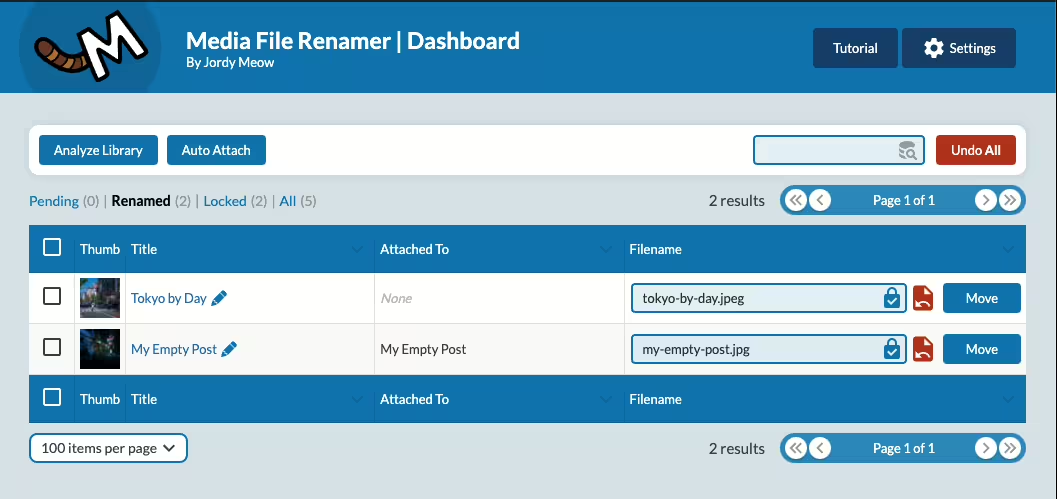
Media File Renamer - An SEO optimization tool
Media File Renamer by Jordy Meow has been a popular WordPress plugin since 2011-01-27. With over 40 000+ users it offers automatic and AI-assisted renaming of media files for optimized SEO in the media library. It has an average rating of 4.6 out of 5 stars based on 447 reviews in the Plugin Directory.
"This plugin saves a lot of time and is perfect for SEO."
Features - Efficient media file management
- Automatic renaming - Optimizes filenames for SEO.
- AI-powered name suggestions (Pro) - Intelligent assistance from AI.
- Annotation and encryption (Pro) - Provides file protection.
- Bulk move features (Pro) - Conveniently move files.
- Metadata synchronization - Consistent ALT texts and titles.
- Support for various formats - Retinas, WebP, PDFs.
"I use Media File Renamer Pro for every SEO project! It reliably redirects old image URLs."
Technical details - Metrics and requirements
The plugin works database-driven and efficiently updates metadata such as titles and ALT text. It can handle large amounts of data and remains consistent despite changed filenames. Requirements are at least PHP 8.1 and WordPress 6.0, tested up to version 7.0.4. The plugin version is 6.3.0, last updated in 2026-08.
Quality and support - Services and user experiences
Media File Renamer improves organization in the media library. Although some challenges occur with large data volumes, many users appreciate the support quality, though experiences are mixed. Support is offered via the official forum and the developer's support page.
"I had some problems and wrote an unfriendly support ticket. To his credit, Jordy replied very kindly."
Conclusion - Summary of pros and cons
The Media File Renamer plugin by Jordy Meow offers powerful features for SEO optimization of media files. It saves time through AI-powered suggestions and metadata synchronization. While it can cause issues during uninstallation, it remains an important WordPress tool for many. The Pro version expands functionality for more demanding users.
Show more
Detailed plugin information
Plugin slug: media-file-renamer
Plugin name: Media File Renamer
Plugin title: Media File Renamer: Rename for better SEO (AI-Powered)
Plugin Keywords: #file #media #move #rename #seo
Plugin-Version: 6.3.0
Last updated: 2026-08
Release Date: 2011-01-27
Required WP Version: 6.0
Required PHP version: 8.1
Tested with WP version: 7.0.4
Active Installations: 40 000+
Average Rating: 4.6
Number of reviews: 447
Number of support requests: 0 (in the last 2 months)
Number of resolved support requests: 0 (in the last 2 months)
Plugin author: Jordy Meow
Developer Homepage: https://meowapps.com
WP Developer Profile Page: https://profiles.wordpress.org/tigroumeow/
Support URL in the WordPress Plugin Directory: https://wordpress.org/support/plugin/media-file-renamer/
Developer Support URL: https://wordpress.org/support/plugin/media-file-renamer/#fallback-commercial-support-url
WP Plugin Directory: https://wordpress.org/plugins/media-file-renamer/
0.0
/ 10
#file #media #move #rename #seo
Number #
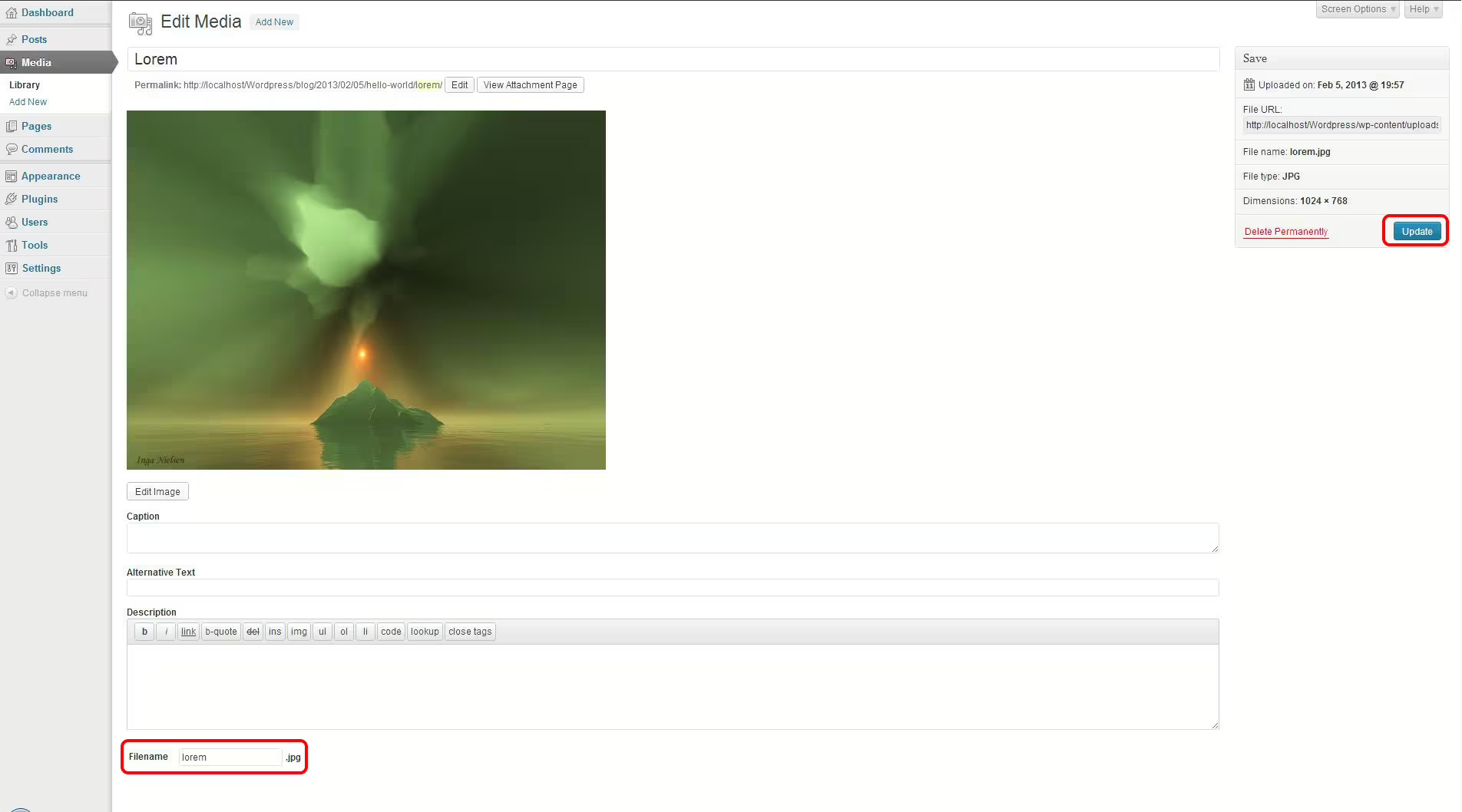
Phoenix Media Rename - Efficient SEO Optimization Tool
Phoenix Media Rename is a popular WordPress plugin by crossi72, released on 2016-08-29, with over 50 000+ active installations. It offers simple renaming of media files for better SEO.
"This plugin focuses specifically on doing one task right - namely renaming media files you uploaded carelessly with non-SEO-friendly names."
Features - Comprehensive media management functions
- Rename media filenames - Improves SEO.
- Bulk renaming - Allows simultaneous name changes of numerous files.
- Integration with the WordPress interface Directly usable in the familiar environment.
- Free and without a Pro version Full functionality without additional costs.
- Technical integrity Efficient, database-integrated renaming of files.
- Backward compatibility URL redirects preserve old links.
“In a time when many plugins are paid, this one is a welcome exception.”
Technical details - architecture and requirements
Phoenix Media Rename uses the WordPress API for metadata changes directly in the media library. Requires at least PHP Version 8.0, compatible with WordPress from Version 5.0, tested up to Version 7.0.4. Currently Version 3.13.3, last updated in 2026-07.
“Easy to install and compatible with the latest WordPress updates - it integrates smoothly into the existing system.”
Quality and support - positive user experiences
Excellent ratings with 4.7 out of 5 stars from 75 reviews. Praise for easy handling, especially for SEO optimization. Some technical issues are reported, but are compensated by efficient support on WordPress.org. Commercial support available through separate channels.
“This plugin works great! I used it to clean up some filenames on my site, it was super easy to use.”
Conclusion - strengths and weaknesses at a glance
Phoenix Media Rename offers efficient media file renaming with a strong SEO focus. Advantages are ease of use, free availability and high-quality integration. Technical issues and compatibility questions exist, but the benefits outweigh them, making it a useful SEO tool.
Show more
Detailed plugin information
Plugin slug: phoenix-media-rename
Plugin name: Phoenix Media Rename
Plugin title: Phoenix Media Rename
Plugin keywords: #file #image #media #rename #retitle
Plugin version: 3.13.3
Last update: 2026-07
Release date: 2016-08-29
Required WP version: 5.0
Required PHP version: 8.0
Tested with WP version: 7.0.4
Active installations: 50 000+
Average rating: 4.7
Number of reviews: 75
Number of support requests: 1 (in the last 2 months)
Number of resolved support requests: 0 (in the last 2 months)
Plugin author: crossi72
Developer homepage: https://www.eurosoftlab.com/en/phoenix-media-rename/
WP developer profile page: https://profiles.wordpress.org/crossi72/
Support URL in the WordPress Plugin Directory: https://wordpress.org/support/plugin/phoenix-media-rename/
Developer support URL: https://wordpress.org/support/plugin/phoenix-media-rename/#fallback-commercial-support-url
WP Plugin Directory: https://wordpress.org/plugins/phoenix-media-rename/
0.0
/ 10
#file #image #media #rename #retitle
Number #
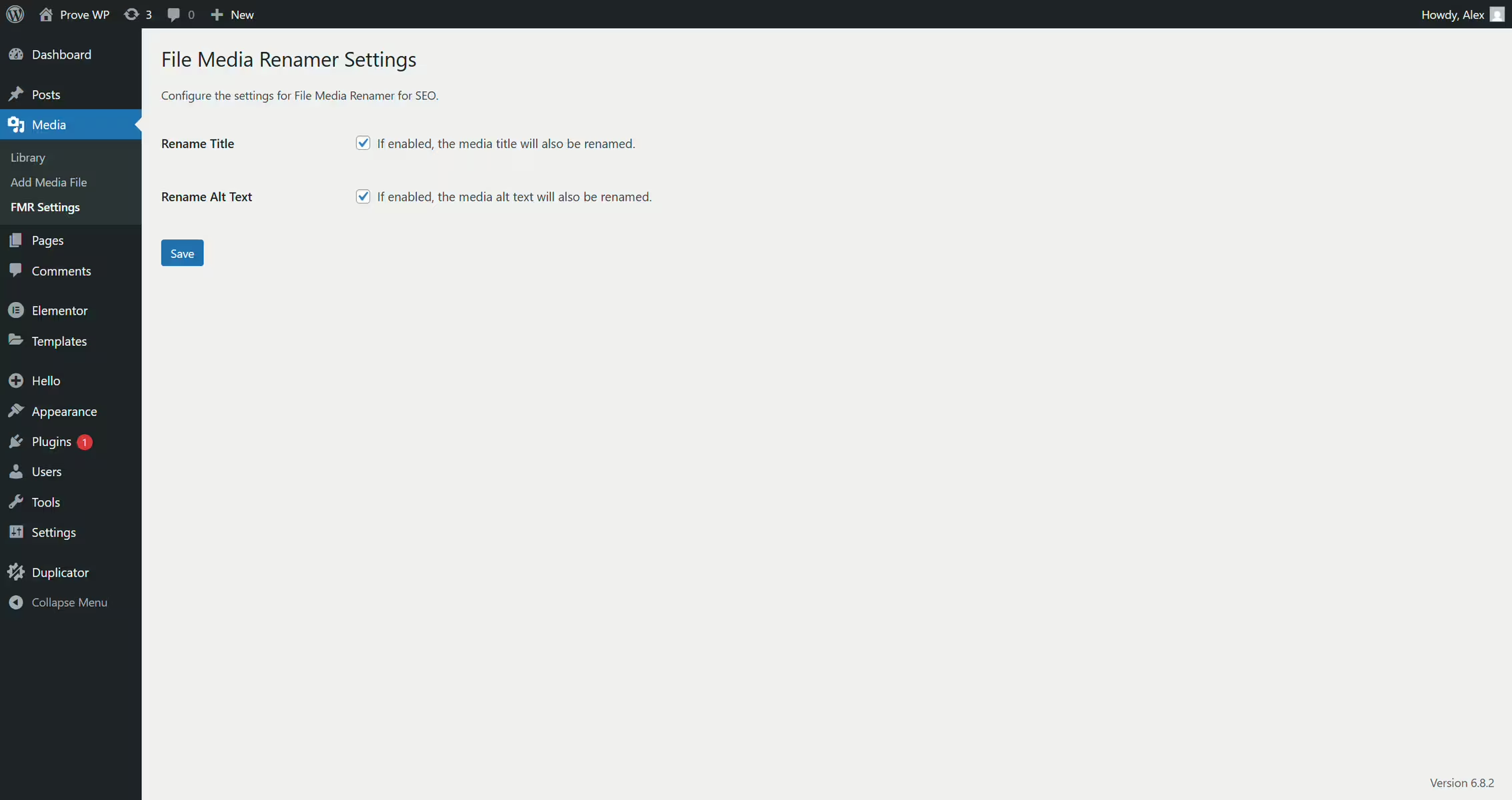
File Media Renamer For Seo
File Media Renamer For Seo - Secure media renaming with SEO and redirect protection
File Media Renamer For Seo by Alex Somale (since 2025-10-10, 200+ active installations) allows renaming files retroactively including automatic reference updates and 301 redirects. Rating: 5.0 (2).
"Works flawlessly and is very useful."
Features - Complete renaming with SEO logic and bulk processes
- Single & Bulk Renaming - Directly in the media library or as a batch process
- Automatic Reference Updates - Posts, pages, CPTs, metadata are adjusted
- 301 Redirects - Old URLs including thumbnails remain reachable
- SEO Metadata Sync - Optionally align titles and alt text
- History & Undo - Revert changes
- Conflict Avoidance - Unique filenames through validation
- AI Renaming - Automatic SEO names via OpenAI (Pro)
Technical details - Data consistency, background processing and redirect system
Renames apply systemwide including serialized data. Dedicated redirect table (wp_fmrseo_redirects) ensures performance. Batch processing via WP-Cron (up to 50 files) prevents timeouts. Cache invalidation, validation and versioning (undo) ensure stable operations. Requirements: PHP 7.0, WordPress 4.0, tested up to 6.9.7, version 1.1, update: 2026-02.
Quality and support - Solid implementation but few transparent experiences
Focus on performant mass processing with clean architecture, redirect handling and consistent data maintenance. Ratings are uniformly positive but very limited. Support via WP forum and developer site, but hardly any documented experiences.
"Works very well."
Conclusion - Technically strong but still little proven in wide use
File Media Renamer For Seo impresses with reliable renaming, complete reference updates and an integrated redirect system. Weaknesses are low adoption, little community experience and potential risks with file system access. Ideal for targeted SEO workflows, less as a universal standard solution.
"Works flawlessly."
Show more
Detailed plugin information
Plugin slug: file-media-renamer-for-seo
Plugin name: File Media Renamer For Seo
Plugin title: File Media Renamer for SEO
Plugin keywords: #Alt Text #bulk rename images #image seo #image titles #rename media files
Plugin version: 1.1
Last update: 2026-02
Release date: 2025-10-10
Required WP version: 4.0
Required PHP version: 7.0
Tested with WP version: 6.9.7
Active installations: 200+
Average rating: 5.0
Number of ratings: 2
Number of support requests: 0 (in the last 2 months)
Number of resolved support requests: 0 (in the last 2 months)
Plugin author: Alex Somale
Developer homepage: https://filemediarenamerwp.com/
WP developer profile page: https://profiles.wordpress.org/alexwebitaly/
Support URL in the WordPress Plugin Directory: https://wordpress.org/support/plugin/file-media-renamer-for-seo/
Developer support URL: https://wordpress.org/support/plugin/file-media-renamer-for-seo/#fallback-commercial-support-url
WP Plugin Directory: https://wordpress.org/plugins/file-media-renamer-for-seo/
0.0
/ 10
#Alt Text #bulk rename images #image seo #image titles #rename media files
Number #
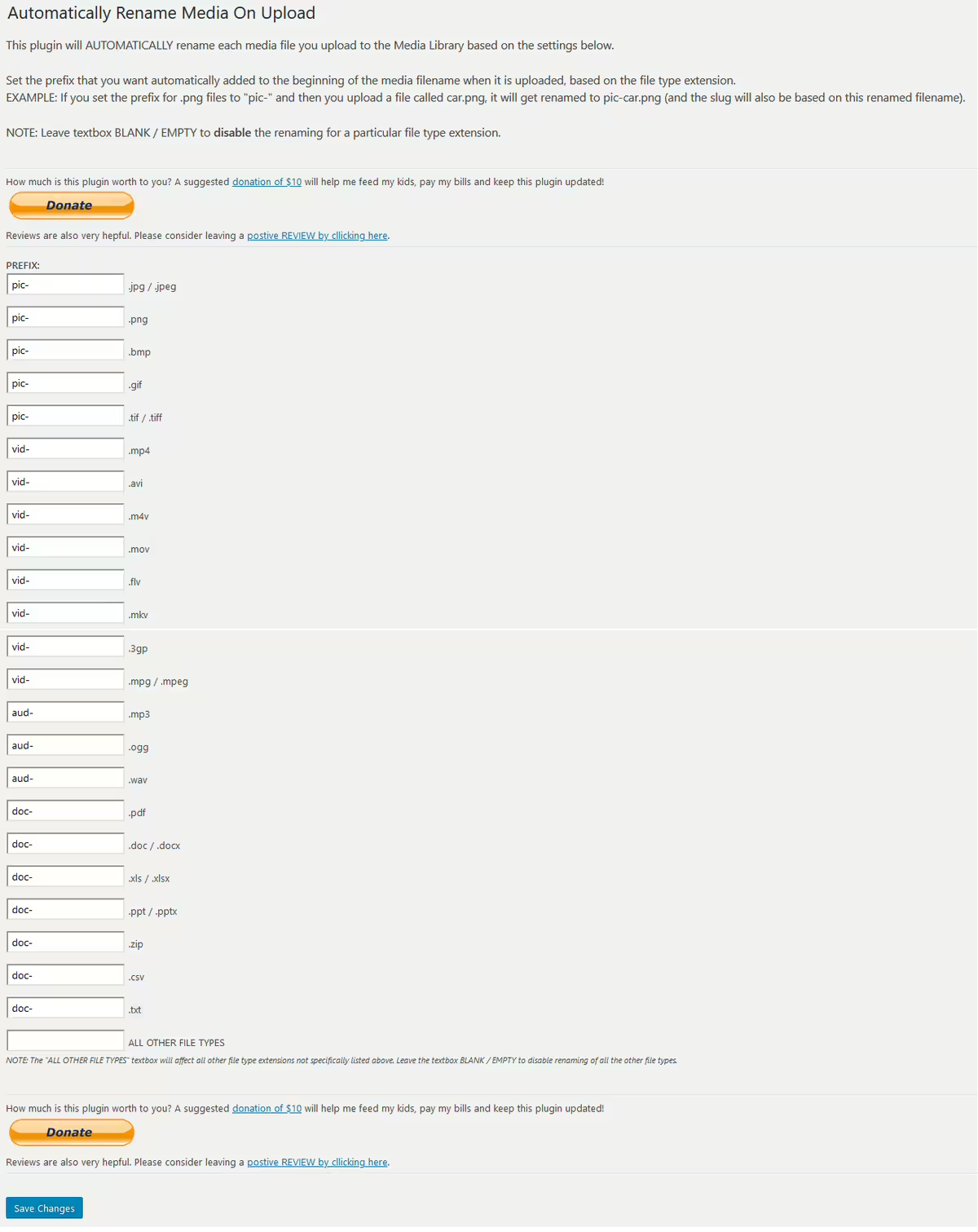
Auto Rename Media On Upload - Organized media files
Developed by Jeff Sherk, Auto Rename Media On Upload offers an automated solution for renaming media files in WordPress with 100+ active installations.
"I created this plugin because I needed this feature! Hope you like it too!"
Features - Automation and Flexibility
- Automatic renaming of media files - Adds a prefix based on file type.
- Custom prefixes for different file types - Supports formats like jpg, png, mp4, pdf and more.
- Settings page for prefixes - Prefixes can be set per file type.
- Integration into the URL structure - Improves SEO through clearly named files.
- Default behavior - Keep the original name until configured (Pro).
- Flexible prefix manager - Prefixes are defined via options in the plugin.
Technical details - insights and requirements
Uses WordPress hooks for renaming. Compatible from PHP version 7.4 and WordPress version 5.2. Current version is 1.1.0 from 2024-06.
"A simple but effective tool that does exactly what it promises without unnecessary frills."
Quality and support - user focus and accessibility
Users praise the ease of use and effectiveness. Support via WordPress Support and developer website. No detailed information on support quality.
Conclusion - effective media file management
Auto Rename Media On Upload impresses with simplicity and flexibility. Suitable for systematic file naming. The low number of reviews suggests a small user base. A valuable addition to media management in WordPress.
Show more
Detailed plugin information
Plugin slug: auto-rename-media-on-upload
Plugin name: Auto Rename Media On Upload
Plugin title: Auto Rename Media On Upload
Plugin keywords: #automatically #media #rename #sherk #upload
Plugin version: 1.1.0
Last updated: 2024-06
Release date: 2019-10-29
Required WP version: 5.2
Required PHP version: 7.4
Tested with WP version: 6.5.10
Active installations: 100+
Average rating: 5.0
Number of reviews: 1
Number of support requests: 0 (in the last 2 months)
Number of resolved support requests: 0 (in the last 2 months)
Plugin author: Jeff Sherk
Developer homepage: http://www.iwebss.com/wordpress/1550-automatically-rename-media-on-upload-plugin
WP developer profile page: https://profiles.wordpress.org/jsherk/
Support URL in the WordPress Plugin Directory: https://wordpress.org/support/plugin/auto-rename-media-on-upload/
Developer support URL: https://wordpress.org/support/plugin/auto-rename-media-on-upload/#fallback-commercial-support-url
WP Plugin Directory: https://wordpress.org/plugins/auto-rename-media-on-upload/
0.0
/ 10
#automatically #media #rename #sherk #upload
Number #
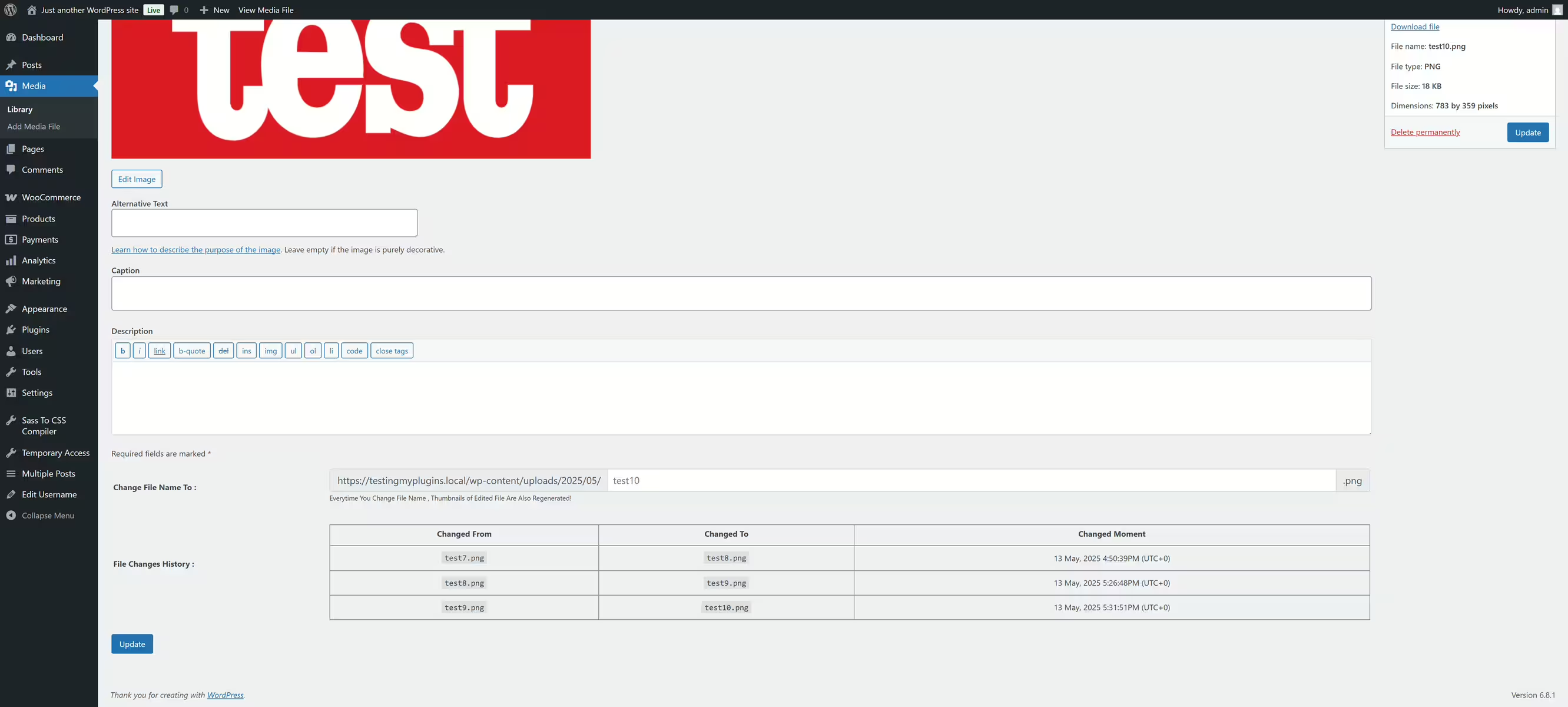
Rename WP Media Files Name - overview and main features
Wp Media Files Name Rename is a plugin by Sajjad Hossain Sagor, that helps efficiently organize media filenames. Especially appreciated for its ease of use by web designers.
"The plugin 'Rename WP Media Files Name' is exactly the option I needed."
Features - Diverse media management options
- Direct renaming of file names - Change the names directly in edit mode.
- Preservation of metadata - Metadata like 'Title' remain unchanged.
- Integration into existing workflows - No disruption to existing processes.
- Free to use - No hidden fees.
- Easy to use - No additional configuration required.
- Compact user interface (Pro) - Saves space in media management.
- Optimized API usage - Efficient integration into the WordPress ecosystem.
"The ability to rename files instantly without affecting other form fields has greatly simplified my media management."
Technical details - Requirements and compatibility
Requires PHP Version 8.0 and WordPress from 5.6. Tested up to version 7.0.4. Last update on 2026-05. Smooth integration guarantees minimal server load.
"For anyone working with older versions of PHP and WordPress, this plugin is a welcome solution."
Quality and support - Positive reviews and contact options
High reliability in changing file names without affecting metadata. Easy-to-use interface with direct contact via sagorh672(at)gmail.com and WordPress Directory. Feedback shows high satisfaction, but limited discussed support.
"Media File Renamer is exactly meant for those occasions where properly renaming files is necessary without compromising usability."
Conclusion - Effective solutions at no cost
The Wp Media Files Name Rename plugin offers a simple and effective solution for file naming in WordPress. It is ideal for users who value stability and straightforward handling. Developed by Sajjad Hossain Sagor, it could be further improved with batch renaming features. Overall a valuable addition to WordPress installations.
Show more
Detailed plugin information
Plugin slug: wp-media-files-name-rename
Plugin name: Wp Media Files Name Rename
Plugin title: Rename WP Media Files Name
Plugin keywords: #attachment #edit post #edit-media-file-name #post
Plugin version: 2.0.3
Last updated: 2026-05
Release date: 2018-04-28
Required WP Version: 5.6
Required PHP version: 8.0
Tested with WP version: 7.0.4
Active installations: 500+
Average rating: 5.0
Number of reviews: 4
Number of support requests: 0 (in the last 2 months)
Number of resolved support requests: 0 (in the last 2 months)
Plugin author: Sajjad Hossain Sagor
Developer homepage: https://wordpress.org/plugins/wp-media-files-name-rename/
WP developer profile page: https://profiles.wordpress.org/sajjad67/
Support URL in the WordPress Plugin Directory: https://wordpress.org/support/plugin/wp-media-files-name-rename/
Developer support URL: https://wordpress.org/support/plugin/wp-media-files-name-rename/#fallback-commercial-support-url
WP Plugin Directory: https://wordpress.org/plugins/wp-media-files-name-rename/
0.0
/ 10
#attachment #edit post #edit-media-file-name #post
In comparison with:
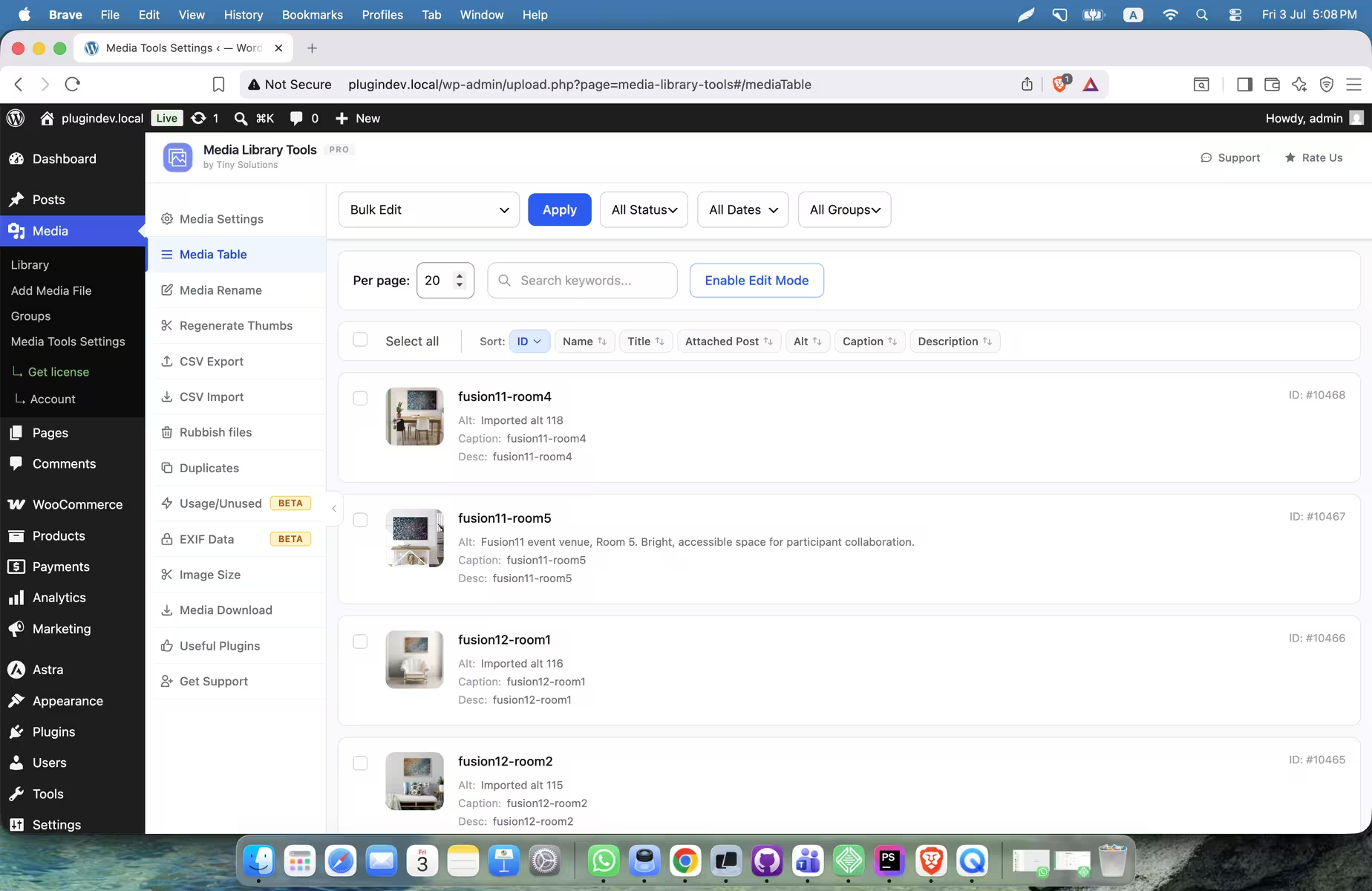
Media Library Tools - Effective media management for better SEO
Media Library Tools is a popular WordPress plugin by Tiny Solutions. It was released on 2023-03-07 and has over 1 000+ active installations as well as an average rating of 4.7/5 based on 13 reviews. The plugin simplifies renaming media files and updating metadata, improves media organization and SEO.
"Media Library Tools is an indispensable plugin for WordPress users! The media file rename feature is a real game changer that significantly simplifies organization."
Features - Key features for media optimization
- Media File Rename - Rename media files.
- CSV Export/Import - Exchange media data via CSV (Pro).
- Find Unused Media Files - Detect and delete unused files.
- SVG Support - Support for SVG files.
- Bulk Edit Metadata - Bulk edit titles, ALT texts etc.
- Register Custom Image Sizes - Register custom image sizes (Pro).
- Auto Alt Text & Description - Automatically add ALT text and descriptions.
"Finding unused files, SVG support and intuitive media editing give the plugin extra appeal."
Technical Details - Optimal performance and compatibility
The plugin requires at least PHP 7.4 and WordPress 6.5. Seamless integration with the database ensures efficient media management. Regular updates, most recently on 2026-08, enhance stability. It is compatible with WordPress versions up to 7.1.
"The plugin's compatibility with current WordPress versions is remarkable, ensuring smooth operation."
Quality and Support - Reliability and dedicated developers
Users praise the user-friendly organization of media files and positive performance effects such as removing unused files for faster load times. Support is described as highly dedicated, with quick solutions via the official support channel and additional options for Pro users through direct contact.
"Media Library Tools transformed my WordPress experience by making media management a seamless and efficient process."
Conclusion - Power and usability
Overall Media Library Tools offers a well-thought-out media management solution with a wide range of features. SEO optimization through efficient file and metadata management makes it a valuable tool for WordPress sites. Positive reviews and lack of criticism show user satisfaction. The plugin provides organized, resource-efficient media management.
Show more
Detailed plugin information
Plugin slug: media-library-tools
Plugin name: Media Library Tools
Plugin title: Media Library Tools – AI-Powered Rename, Clean & CSV Import/Export
Plugin Keywords: #Alt Text #cleaner #csv export-import #duplicate #rename
Plugin version: 2.2.15
Last updated: 2026-08
Release Date: 2023-03-07
Required WP version: 6.5
Required PHP version: 7.4
Tested with WP version: 7.1
Active installations: 1 000+
Average rating: 4.7
Number of Reviews: 13
Number of support requests: 1 (in the last 2 months)
Number of Resolved Support Requests: 1 (in the last 2 months)
Plugin author: Tiny Solutions
Developer Homepage: https://www.wptinysolutions.com/tiny-products/media-library-tools/
Profile page of the WP developer: https://profiles.wordpress.org/tinysolution/
Support URL in the WordPress Plugin Directory: https://wordpress.org/support/plugin/media-library-tools/
Developer support URL: https://wordpress.org/support/plugin/media-library-tools/#fallback-commercial-support-url
WP Plugin Directory: https://wordpress.org/plugins/media-library-tools/
#Alt Text #cleaner #csv export-import #duplicate #rename
Was the comparison to Media Library Tools helpful?
Everything about Media Library Tools – AI-Powered Rename, Clean & CSV Import/Export
Media File Rename, Find Unused File, Add Alt text, Caption, Desc For Image SEO - Media Library Tools
Media Library Tools is a WordPress plugin developed by Tiny Solutions and was first released on 2023-03-07. With over 1 000+ active installations and an impressive average rating of 4.7 out of 5 stars from 13 reviews in the official WordPress Plugin Directory, it quickly became a valuable tool for WordPress users who want to use their media library more efficiently. The primary benefit of the plugin is its ability to quickly rename media files and update important metadata such as titles, ALT texts, descriptions and captions. This improves both the organization of media files and SEO rankings since visibility in search engines is enhanced by optimized, keyword-rich file names.
A standout unique feature of Media Library Tools is the ability to export and import media files and their associated data via CSV files. This feature promotes collaboration and transfer between different systems and offers flexibility and efficiency in media management. Support for SVG files, which are scalable and lightweight, further helps optimize load times and user experience. The target audience is users who want to manage their media library efficiently and improve their website SEO. Media Library Tools is especially useful for managing media files in the WordPress media library, including editing metadata and performing bulk operations. The following section takes a closer look at the core features that distinguish the plugin.
"Media Library Tools is an indispensable plugin for WordPress users! The media file rename feature is a real game changer that significantly simplifies organization."
Features - Functionality and Key Characteristics
The WordPress plugin Media Library Tools offers a variety of functions to make media file management more efficient. In addition to the CSV export and import and SVG support already mentioned, the plugin also allows bulk renaming of media files, which greatly simplifies managing large media libraries. Another notable feature is the ability to easily find and delete unused or unwanted files, saving storage space and making media library maintenance easier. These practical features set the plugin apart in the media management landscape.
"Finding unused files, SVG support and intuitive media editing give the plugin extra appeal."
Free-Features - Comprehensive functions of the free version
The free version of Media Library Tools offers users a rich selection of features for daily media management:
- Image SVG Support - Support for SVG files in the media library.
- Individual Rename Media File - Rename individual media files.
- Bulk Rename Media File - Rename multiple media files.
- Number your files to allow for similar filenames - Number files to allow similar file names.
- Find Unused Media File - Find unused media files.
- Filter Junk/Rubbish File By File Extension - Filter junk files by file extension.
- Bulk Or individually Edit Media Content, Title, Alt text, Caption, And Description - Edit media content, titles, ALT texts, captions and descriptions individually or in bulk.
- Auto input Alt text - Automatic input of ALT text.
- Auto input Caption - Automatic input of captions.
- Auto input Description - Automatic input of descriptions.
- Media Library Categories - Categories for the media library.
- Search images by category - Search images by category.
- Identify blank ALT tags, captions, and descriptions by sorting image data - Identify empty ALT tags, captions and descriptions.
- Move images to trash instead of permanently deleting them - Move images to trash instead of permanently deleting them.
- Filter and search for images by trash status - Filter and search images by trash status.
- Permanently delete trash images with one click - Permanently delete trash images with one click.
- Easily disable any extra image sizes that generated by WordPress Or custom registered size - Easily disable extra image sizes generated by WordPress or custom registered sizes.
Pro features - advanced functions for professional users
For users who need additional capabilities, the Pro version of the plugin offers advanced functions:
- All free Features Included - All free features are included.
- CSV Export-Import Media Files Facilitating Media Library Transfer Across Servers - CSV export-import of media files to facilitate transferring the media library between servers.
- Renaming using CSV - Renaming files using CSV.
- Register New Image Size - Register a new image size.
- Bulk Renaming Based on Associated Post Title - Bulk renaming based on the title of the associated post.
- Renaming File Prior to Uploading Based on Attached Posts Title - Renaming files prior to upload based on the title of the attached post.
- Bulk Add Alt Text, Caption, and Description Based on Associated Post Title - Bulk add alt text, caption, and description based on the title of the associated post.
- Assign Post Title to Alt Text, Caption, and Description Upon Image Upload - Assign post title to alt text, caption, and description when uploading images.
- Auto Rename By Custom Name - Automatic renaming by custom name.
- Find And Delete Unnecessary / Rubbish File Bulk Mode - Find and delete unnecessary/junk files in bulk mode.
"I use the free version but plan to try the premium version in the future, which offers additional great features at a reasonable price."
License & value for money - flexible usage options and cost awareness
The Media Library Tools plugin is available in a free version that already offers numerous features. For users who need advanced functions, there is a Pro version that provides additional tools and options, including CSV export-import and more extensive media management. The Pro version's value for money is usually highlighted positively in user reviews because the additional features enable more efficient media management and make working with WordPress easier.
"The free version is useful, and the premium version seems to offer good value for money."
Technical details - a deeper insight for developers
Media Library Tools is a plugin that impresses with its technical implementation at the file and database management level. Core functions like renaming files and the CSV export/import dig deep into WordPress media management structures. Specifically the CSV export/import functionality proves to be a robust feature as it interacts directly with the WordPress database to manage media metadata efficiently. This requires precise database queries and manipulations, using SQL commands to ensure smooth data transfer. The ability to register custom image sizes or disable existing sizes is implemented via specific hooks deeply embedded in the WordPress core. These capabilities require a detailed understanding of WordPress internal API structures to achieve seamless integrations and extensions.
System requirements - basic requirements for the plugin
For the plugin to deliver its full functionality, certain system requirements must be observed. It requires at least PHP version 7.4 or higher, which corresponds to the modern standard and is an important security requirement. For the WordPress installation itself, the plugin sets the minimum requirement of WordPress version 6.5 or higher. The plugin is also compatible with the latest developments and has been successfully tested up to WordPress version 7.1. The current plugin version is 2.2.15, which shows that regular updates are made to improve and adapt to new circumstances. The last update was published on 2026-08.
"The plugin's compatibility with current WordPress versions is remarkable, ensuring smooth operation."
Quality - the plugin's effectiveness and reliability
The quality of the Media Library Tools plugin is determined by a combination of features that address both performance and usability. A central aspect of the quality assessment is the plugin's ability to efficiently organize media by identifying and removing unused files. This not only reduces server data but also improves site load times, indicating thoughtful resource management. Support for SVG files also contributes to optimized performance by allowing scalable media without loss of quality.
Additionally the plugin convinces through precise handling of image sizes. Users can disable unneeded image sizes to minimize resource usage, which benefits server efficiency. The ability to perform CSV imports and exports increases management efficiency and allows seamless integration with other systems. These efficiency-enhancing features are reflected in reviews that emphasize usability and the high utility of the plugin. The positive reviews also result from the stable and reliable performance the plugin provides when managing media files.
"Media Library Tools transformed my WordPress experience by making media management a seamless and efficient process."
Support - contact options response times and experience
Support for the WordPress plugin Media Library Tools is described mostly positively in user reviews, with the developer's engagement frequently highlighted. User reports indicate that the developer not only offers technical solutions but is also committed to understanding and fulfilling the specific requirements of each request. Communication mainly takes place via the official WordPress support channel; there is also an option to contact via a developer URL, especially for Pro users.
Specific information on average response time is missing. However, this aspect is often crucial for user satisfaction with support. Users who value fast support might consider first searching the official support forum for similar issues or considering the Pro version, which potentially provides additional support options.
"This is a first-class plugin and a great developer. Thanks again for the heart put into the products and the help provided."
Rating - Positive user feedback and the rare critiques
The WordPress plugin Media Library Tools enjoys a flawless average rating of 4.7 stars based on 13 reviews. This highlights the high satisfaction of users with the offered features and usability. The effusive positive feedback focuses primarily on the efficiency and practical capabilities of the plugin that simplify media management in WordPress.
"Media Library Tools is an indispensable plugin for WordPress users! The media file rename feature is a real game changer that significantly simplifies organization."
Although only present to a very limited extent, there are occasional remarks about the premium version of the plugin indicating a balanced price-performance ratio. This also shows that the added value of the Pro features is appreciated. Negative reviews are extremely rare, emphasizing the consistently positive perception.
"The free version is useful, and the premium version seems to offer good value for money."
Overall, users regard the plugin as an essential tool for improving media management in WordPress, standing out for its efficiency and robust feature set.
"Media Library Tools transformed my WordPress experience by making media management a seamless and efficient process."
Criticism - No negative aftertaste
Currently there are no specific criticisms or complaints in the reviews for Media Library Tools. Users report neither existing security vulnerabilities nor functional issues with the plugin. Suggestions for improvement are also absent, which could indicate that users are generally satisfied with the feature set and reliability. There are no signs of bugs, error messages, or missing updates. The absence of concrete criticism suggests that the plugin operates stably and reliably. A lack of negative feedback could be seen as a rare strength, especially in the context of software deeply integrated into WordPress’s media management structure.
"Media Library Tools transformed my WordPress experience by making media management a seamless and efficient process."
Conclusion - Summary of strengths and perspectives
Media Library Tools by Tiny Solutions is a powerful plugin for managing media files in WordPress. It offers a wide range of features in both the free and paid Pro versions that help make media organization and SEO optimization efficient. The ability to quickly manage media files, for example through bulk renaming or the use of CSV exports and imports, sets the plugin apart from others. Additionally, support for SVG files to improve load times is repeatedly highlighted positively.
The consistently positive user reviews underscore the plugin’s effectiveness and user-friendliness, while the lack of negative critiques is a sign of the solution’s reliability and longevity. From a technical perspective, the integrated management of the WordPress database is impressive, enabling seamless integrations. The developer’s active involvement in support also demonstrates a commitment to high customer satisfaction. Overall, Media Library Tools is a valuable addition to any WordPress installation that works with extensive media files and aims for efficient and organized management.
Show more
Detailed plugin information
Plugin slug: media-library-tools
Plugin name: Media Library Tools
Plugin title: Media Library Tools – AI-Powered Rename, Clean & CSV Import/Export
Plugin Keywords: #Alt Text #cleaner #csv export-import #duplicate #rename
Plugin version: 2.2.15
Last updated: 2026-08
Release Date: 2023-03-07
Required WP version: 6.5
Required PHP version: 7.4
Tested with WP version: 7.1
Active installations: 1 000+
Average rating: 4.7
Number of Reviews: 13
Number of support requests: 1 (in the last 2 months)
Number of Resolved Support Requests: 1 (in the last 2 months)
Plugin author: Tiny Solutions
Developer Homepage: https://www.wptinysolutions.com/tiny-products/media-library-tools/
Profile page of the WP developer: https://profiles.wordpress.org/tinysolution/
Support URL in the WordPress Plugin Directory: https://wordpress.org/support/plugin/media-library-tools/
Developer support URL: https://wordpress.org/support/plugin/media-library-tools/#fallback-commercial-support-url
WP Plugin Directory: https://wordpress.org/plugins/media-library-tools/
Before switching to the alternative
If you run into problems with the plugin "Media Library Tools – AI-Powered Rename, Clean & CSV Import/Export" it might be useful to check the WordPress and server requirements before switching to a plugin alternative.
The current plugin version 2.2.15 from 2026-08 requires at least WordPress version 6.5 and has been tested with WordPress 7.1. The server should preferably be an Apache server running at least PHP version 7.4.
WordPress offers a support forum for the Media Library Tools plugin. Within the last two months 1 question was asked and 1 of them was answered by Tiny Solutions, which reflects the support activity.
Further troubleshooting hints could be provided by the Media Library Tools Website and its Support page.
Media Library Tools has been developed by Tiny Solutions since 2023-03-07 and runs on a total of 1 000+ active WordPress installations. About 13 users have rated the plugin with an average of 4.7 stars. Still some users are looking for an alternative with different features.
The alternative plugins can be found in the official WordPress Plugin Directory using the following keywords and can be downloaded for free: #Alt Text #cleaner #csv export-import #duplicate #rename
The comparison above presents and evaluates the most important features of these plugin alternatives.
Decision criteria of the plugin ranking
- Usability:
The plugin should be easy to install, configure and use. - Functionality:
The plugin should perform the promised functions reliably and efficiently. - Performance:
It should not negatively impact the site's load times and should be resource efficient. - Security:
The plugin must receive regular updates to ensure continuous secure operation. - Reviews:
Positive experiences from many users give a good indication of quality and reliability. - Support:
Good customer support and comprehensive documentation are crucial to resolve issues quickly. - Documentation:
Detailed and understandable documentation makes setup and use of the plugin easier. - Value for money:
The plugin should either be free or offer fair value for money. - Adaptability:
The plugin should be flexible enough to allow individual requirements and customizations. - Compatibility:
The plugin should be compatible with different WordPress versions, themes, and other plugins.
