
Password correct. Please wait...
Disable the chat with .custom-disable-chat
WP Plugin Comparisonby neo-wp.com


WP Plugin Wp Media Files Name Rename
Test report
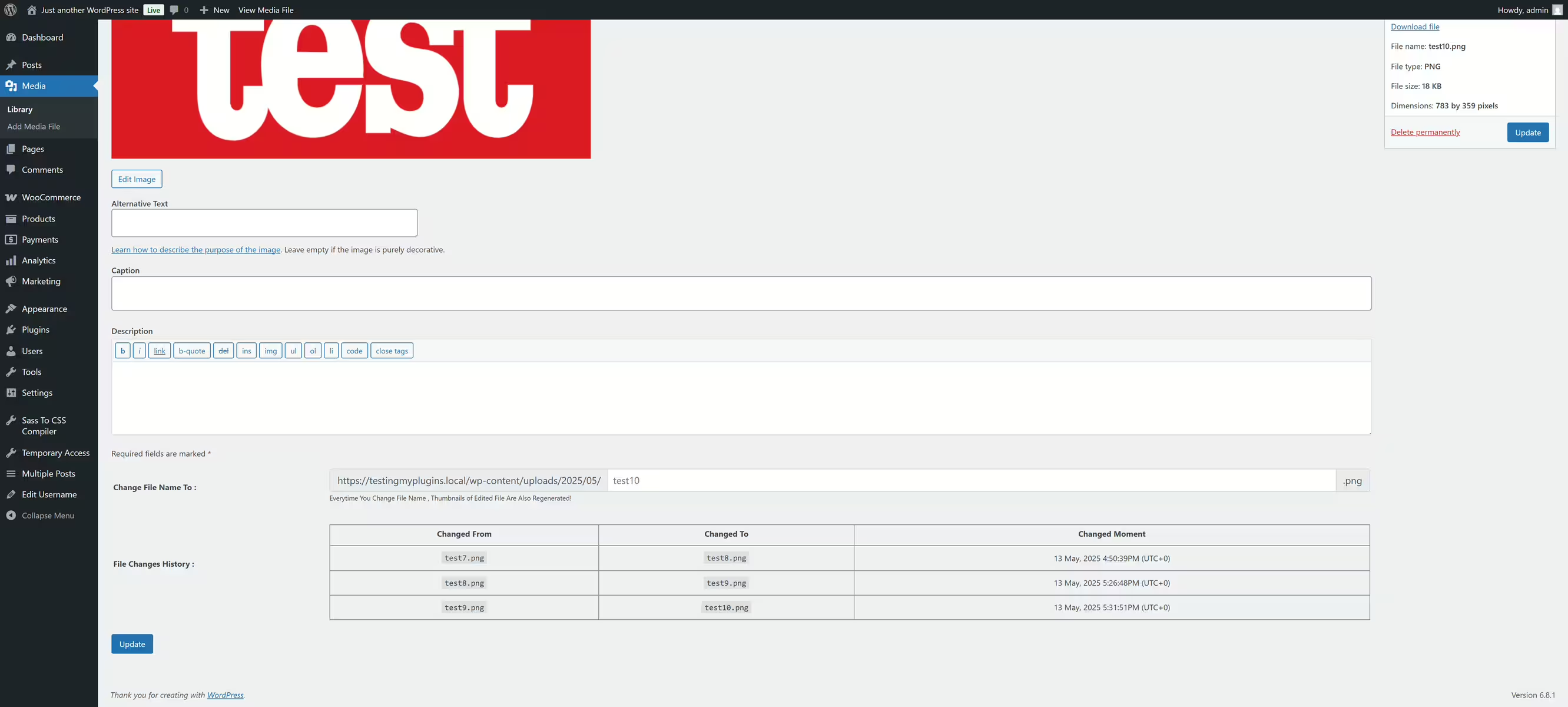
Rename WP Media Files Name
Wp Media Files Name Rename, developed by Sajjad Hossain Sagor, was first released on 2018-04-28 and has since been active on more than 500+ sites. The plugin allows users to quickly and easily change the filenames of media attachments, making it especially valuable for those who want to keep their media files organized and named in a user-friendly way. With an impressive average rating of 5.0 out of 5 stars from 4 reviews in the official WordPress Plugin Directory, this solution stands out for its clear focus on editing media attachments. The plugin’s unique selling point is its ease of use and the ability to change filenames directly from an attachment’s edit page without causing unwanted changes to other fields. This makes it a useful tool for web designers and other user groups who regularly work with media. The following paragraphs highlight the specific features the plugin offers.
"The plugin 'Rename WP Media Files Name' is exactly the option I needed."
Features - Easier media management
The Wp Media Files Name Rename plugin offers a simple way to change media attachment filenames directly from the edit page. A notable feature that differs from previously mentioned functions is the seamless integration into existing WordPress media management. This means no complicated configuration is necessary and existing workflows are not disrupted, saving time and effort.
"The ability to rename files instantly without affecting other form fields has greatly simplified my media management."
Free-Features - Useful functions at no cost
The plugin offers the following features in the free version:
- Simple renaming of filenames - Allows renaming filenames directly on the attachment edit page.
- Preservation of existing metadata - Ensures that other metadata fields, such as the 'Title', remain unchanged.
License - Free to use
The Wp Media Files Name Rename plugin is available completely free of charge. It provides important media management functions without additional costs or hidden fees. The positive reception by users is evidence that the plugin offers real value and fulfills its purpose efficiently without requiring a pro version or fees.
"No nonsense with hidden costs - the plugin does exactly what it promises, and it’s free."
Technical details - Deep insights into how it works
The Wp Media Files Name Rename plugin is built on a lean development architecture that integrates seamlessly into the WordPress ecosystem. The core functionality of the plugin is provided by manipulating filenames within the filesystem, with the actual editing performed on the media attachment edit page. It works directly with the WordPress backend by using existing hooks and filters to change filenames when an attachment is updated. This direct interaction with the WordPress API ensures that no unnecessary changes are made to the database or metadata fields. Technically skilled users will appreciate the efficient use of existing WordPress mechanisms, which guarantees an improved user experience without additional server load.
System requirements - Ready for various WordPress versions
The plugin Wp Media Files Name Rename has specific system requirements to function smoothly. It requires at least PHP version 8.0 or higher, ensuring it is ready even on older PHP releases. The minimum supported WordPress version is 5.6 or higher, and it has been tested for compatibility with newer WordPress versions up to 7.0.4. The current plugin version is 2.0.3, and the last update was updated on 2026-05. These details are crucial to ensure the plugin is compatible with your WordPress version and server environment.
"For anyone working with older versions of PHP and WordPress, this plugin is a welcome solution."
Quality - Reliability and practicality in focus
The quality of the Wp Media Files Name Rename plugin is reflected in its ability to efficiently change media attachment filenames without affecting other important data fields. The user interface is space-saving because the rename field is embedded directly in the edit form. This saves space within the media library and improves usability. The implementation is smooth, with no additional settings required after installation. This plugin stands out for its clear focus on essential functions, though it falls short in some areas, such as batch renaming. Nevertheless, it is overall positively rated, particularly for its ease of use and stable performance.
"Media File Renamer is exactly meant for those occasions where properly renaming files is necessary without compromising usability."
Support - Experiences and contact options
Support for the Wp Media Files Name Rename plugin is offered by the developer, but information about response times is limited. Users can contact support directly by email at sagorh672(at)gmail.com. Additionally, there is a support page in the WordPress Plugin Directory, as well as a specifically provided developer support URL as a fallback for commercial assistance. Reviews available do not discuss support in detail, suggesting that either not many users use the support services or there are no significant problems reported. The lack of information about response times could be an important factor for those who need quick assistance.
"Support issues are minimal, likely due to the simplicity of the plugin’s functionality, but detailed contact information is scarce."
Rating - Positive feedback underscores the value
The Wp Media Files Name Rename plugin has an impressive average rating of 5.0 stars, based on 4 reviews. Users are especially pleased with the functionality because it delivers exactly what it promises. Despite the small number of reviews, the plugin is consistently perceived positively in available reviews, indicating its usefulness and ease of use.
"I searched a long time for a good media renaming tool. Finally this is one that actually does what it promises."
Since there are no negative reviews, this can be seen as an indication that previous users have not experienced significant problems with the plugin. This speaks to the reliability and quality of the solution.
Another positive comment highlights the development by Sajjad Hossain Sagor:
"Thanks to Sajjad Hossain Sagor for developing a useful plugin."
Criticism - Pointing out potential improvements
Despite the positive reviews and the usefulness of the Wp Media Files Name Rename plugin there are also suggestions for improvement. One of the main critical points in the reviews concerns the lack of a batch file renaming feature. Users want a function that allows renaming multiple files at once ideally with sequential numbering comparable to functionality in applications like Photoshop. This shortcoming can affect efficiency when managing a large number of media files and represents room for improvement. Integrating such functionality could make the plugin significantly more attractive.
Security-related issues or error messages are not discussed in the available data. There is also no specific information regarding any security vulnerabilities that might affect the plugin. This lack of critical comments regarding security could however also indicate a solid implementation in this area although the information on this is limited.
Additionally there is no information about planned further development or a roadmap which could be of interest to potential users who rely on long-term support and continuous improvements.
"A batch file renaming feature with sequential numbering does not make it less valuable but this addition could make it indispensable."
Conclusion - Summary and outlook
The Wp Media Files Name Rename plugin offers basic functions for renaming file names in WordPress and is aimed especially at users who need simple and effective file naming options. The easy integration into existing WordPress media management and the absence of hidden costs or unnecessary complexity make it a solid choice for individual users and web designers looking for a free solution. The high user rating underlines its reliability and practical suitability.
Developed by Sajjad Hossain Sagor, its appeal could be increased by additional features such as batch renaming. While technical users appreciate the seamless integration and low resource usage notes on extensibility and future plans are missing. Users seeking a stable and simple solution will likely find the plugin a useful addition to their WordPress installation.
#attachment #edit post #edit-media-file-name #post
Show more
Detailed plugin information
Plugin slug: wp-media-files-name-rename
Plugin name: Wp Media Files Name Rename
Plugin title: Rename WP Media Files Name
Plugin keywords: #attachment #edit post #edit-media-file-name #post
Plugin version: 2.0.3
Last updated: 2026-05
Release date: 2018-04-28
Required WP Version: 5.6
Required PHP version: 8.0
Tested with WP version: 7.0.4
Active installations: 500+
Average rating: 5.0
Number of reviews: 4
Number of support requests: 0 (in the last 2 months)
Number of resolved support requests: 0 (in the last 2 months)
Plugin author: Sajjad Hossain Sagor
Developer homepage: https://wordpress.org/plugins/wp-media-files-name-rename/
WP developer profile page: https://profiles.wordpress.org/sajjad67/
Support URL in the WordPress Plugin Directory: https://wordpress.org/support/plugin/wp-media-files-name-rename/
Developer support URL: https://wordpress.org/support/plugin/wp-media-files-name-rename/#fallback-commercial-support-url
WP Plugin Directory: https://wordpress.org/plugins/wp-media-files-name-rename/
Was the test report about Wp Media Files Name Rename helpful?
Wp Media Files Name Rename Was the right plugin?
Wp Media Files Name Rename - Compare nowOpen plugin in sandboxTo the official WP StorePopular alternatives to Wp Media Files Name Rename
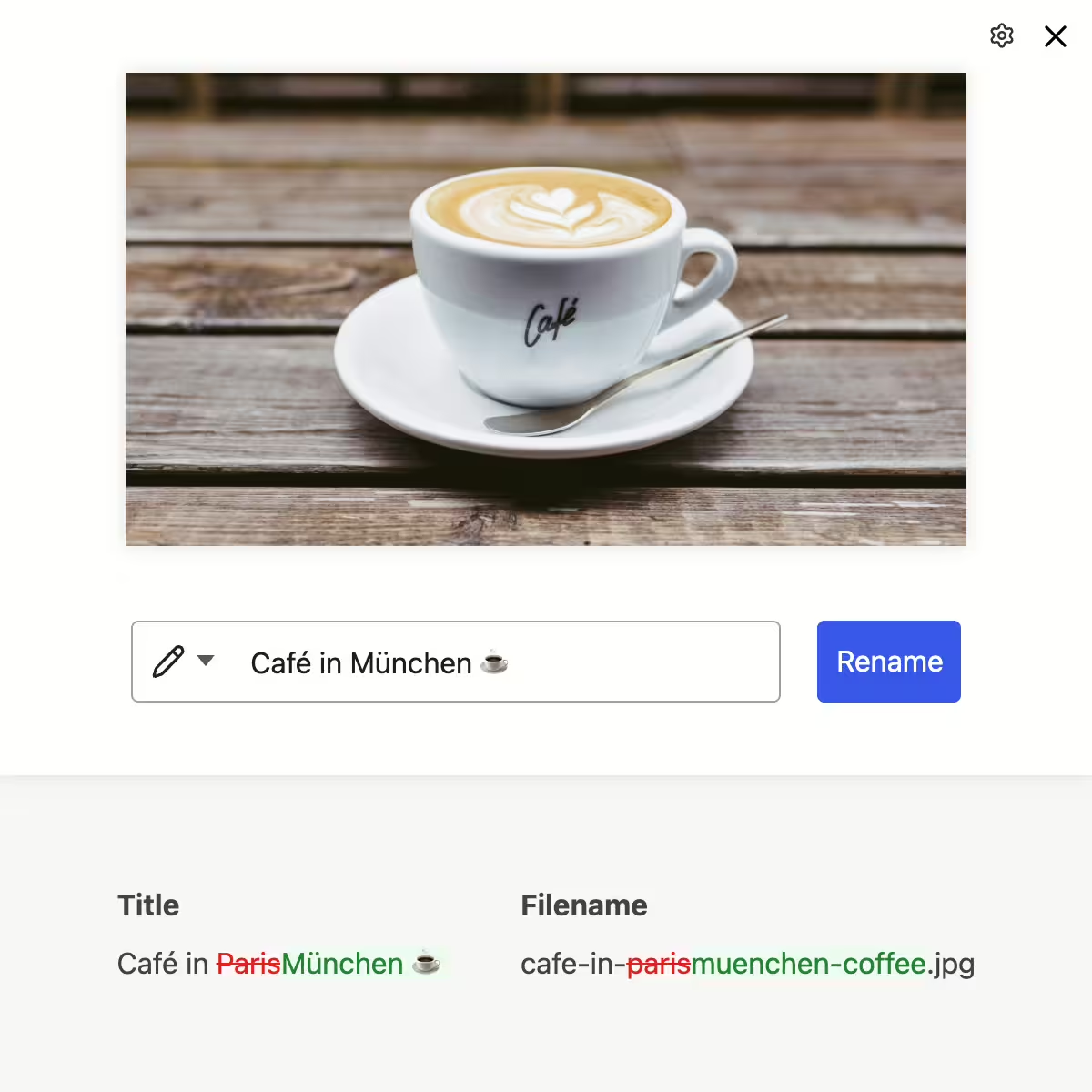


neo Rename
Maximize your image SEO with AI efficiently. Free or with your own API integration.
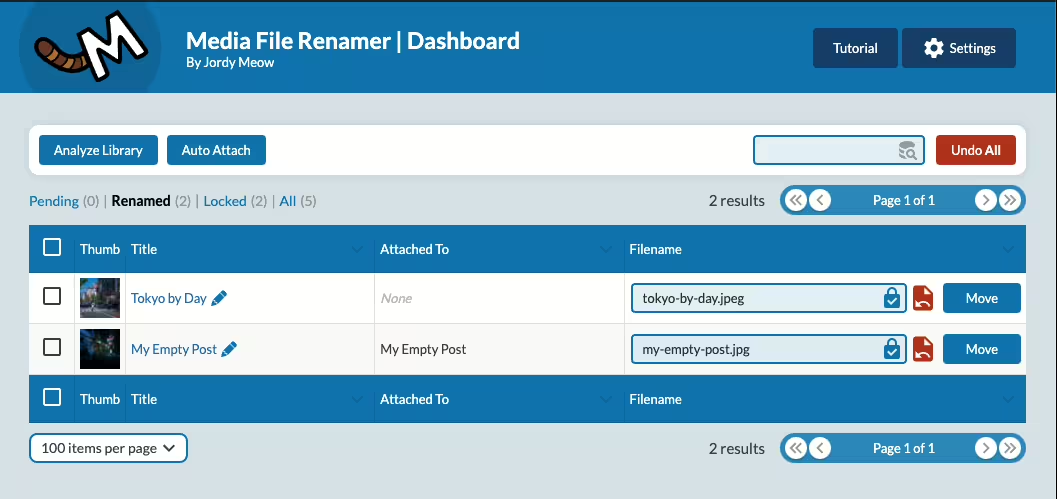
Media File Renamer
Media File Renamer: Rename for better SEO (AI-Powered)
#file #media #move #rename #seo
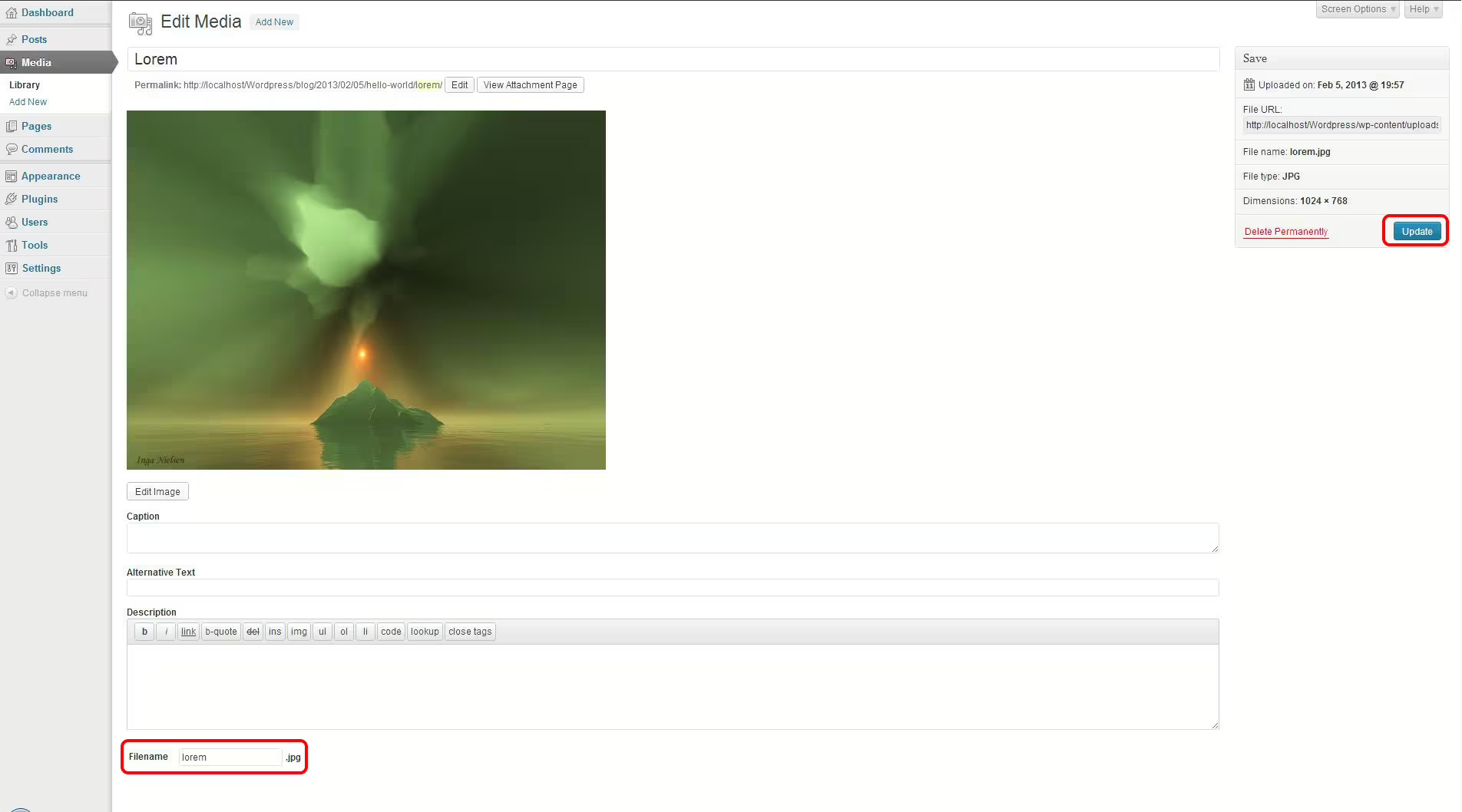
Phoenix Media Rename
Phoenix Media Rename
#file #image #media #rename #retitle
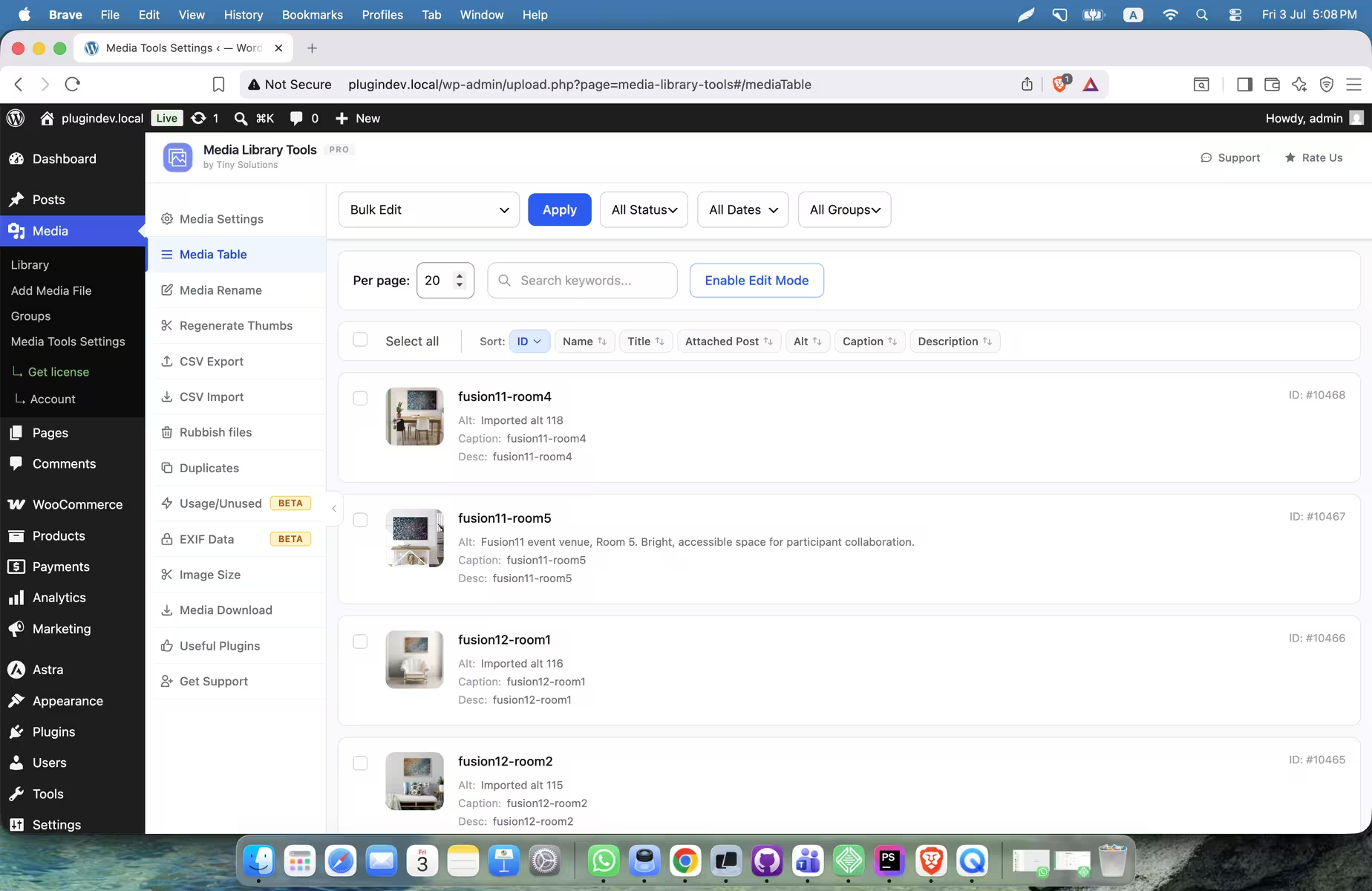
Media Library Tools
Media Library Tools – AI-Powered Rename, Clean & CSV Import/Export
#Alt Text #cleaner #csv export-import #duplicate #rename
