
Find missing alt texts in WordPress and add them automatically
Missing alt texts are hard to spot in a grown WordPress media library. Opening images one by one costs time. In this guide I show you how to find images without alt text, generate suitable alternative texts with AI and review each suggestion before saving.
Short & sweet: add missing alt texts
- Install and activate neoAlt.
- In the WordPress backend open Tools > neo Alt.
- Select the filter Images with empty alt texts.
- Generate alt texts individually or in bulk.
- Review the suggestions and save only the texts that fit the image and the page.
neo Alt works directly with your WordPress media library. You therefore do not need to export images or maintain a list outside WordPress. The filter shows you the gaps, AI generates suggestions and you keep control when saving.
The quick solution for missing alt texts in WordPress
Edit images without alt text in bulk
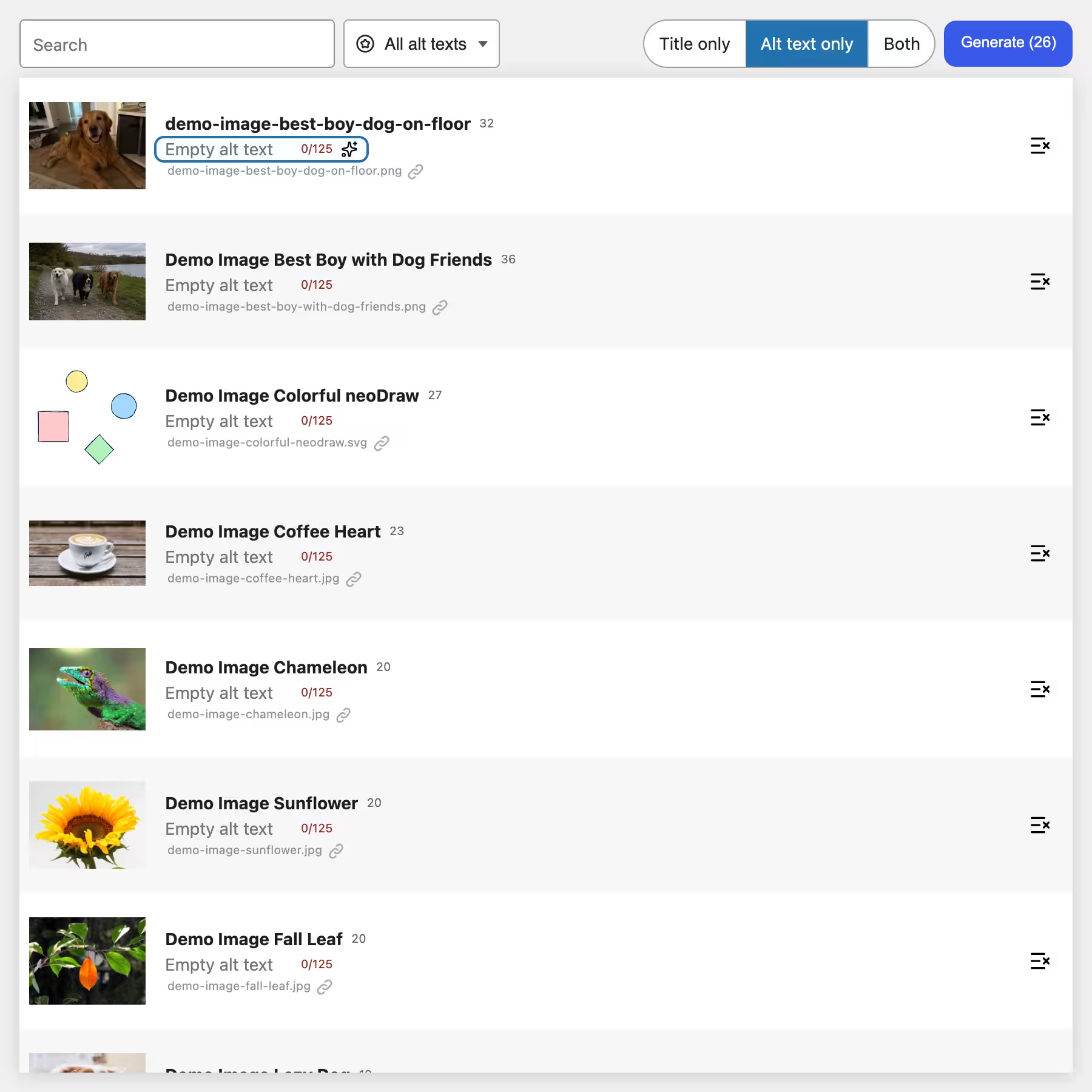
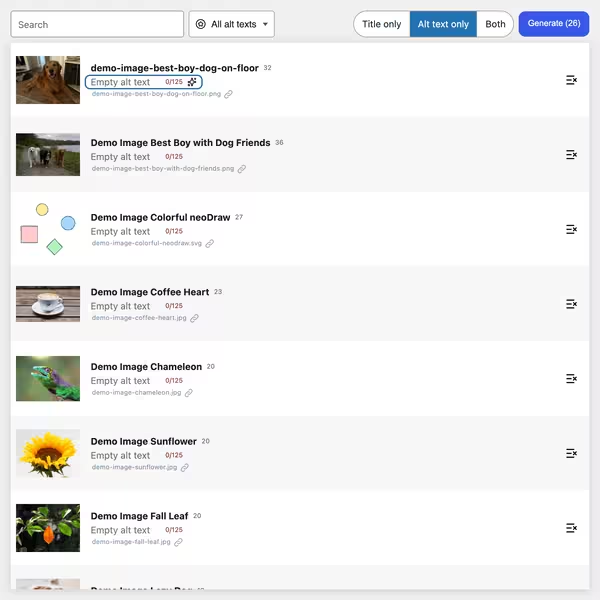
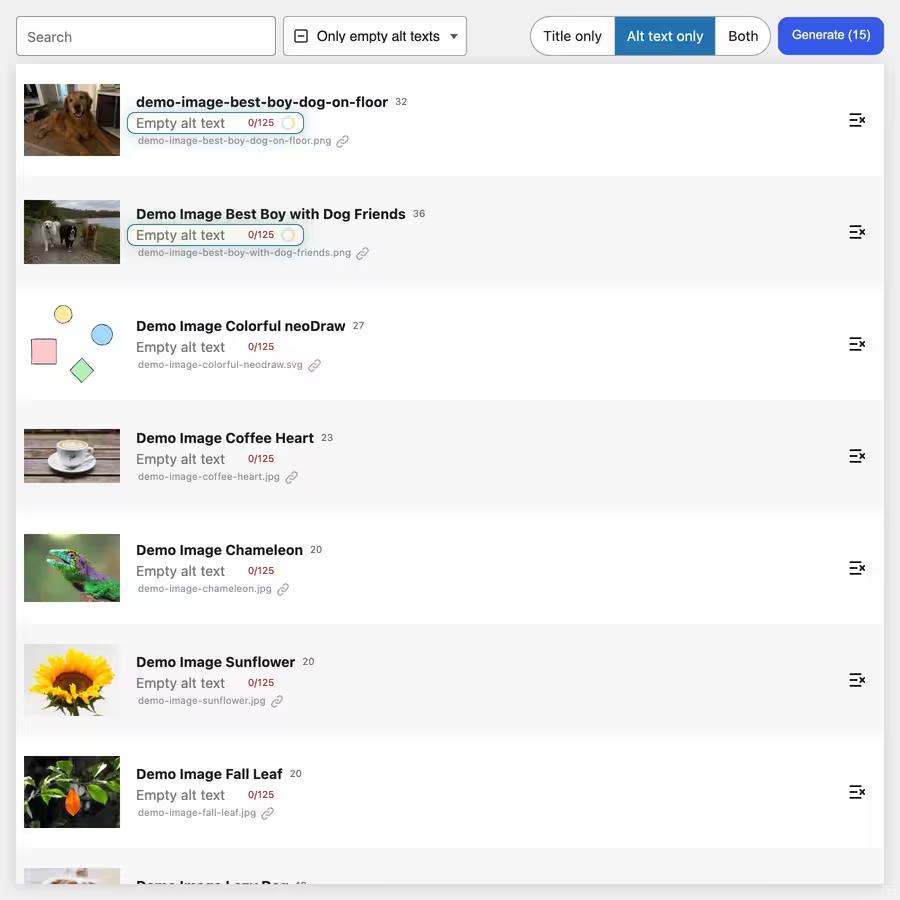
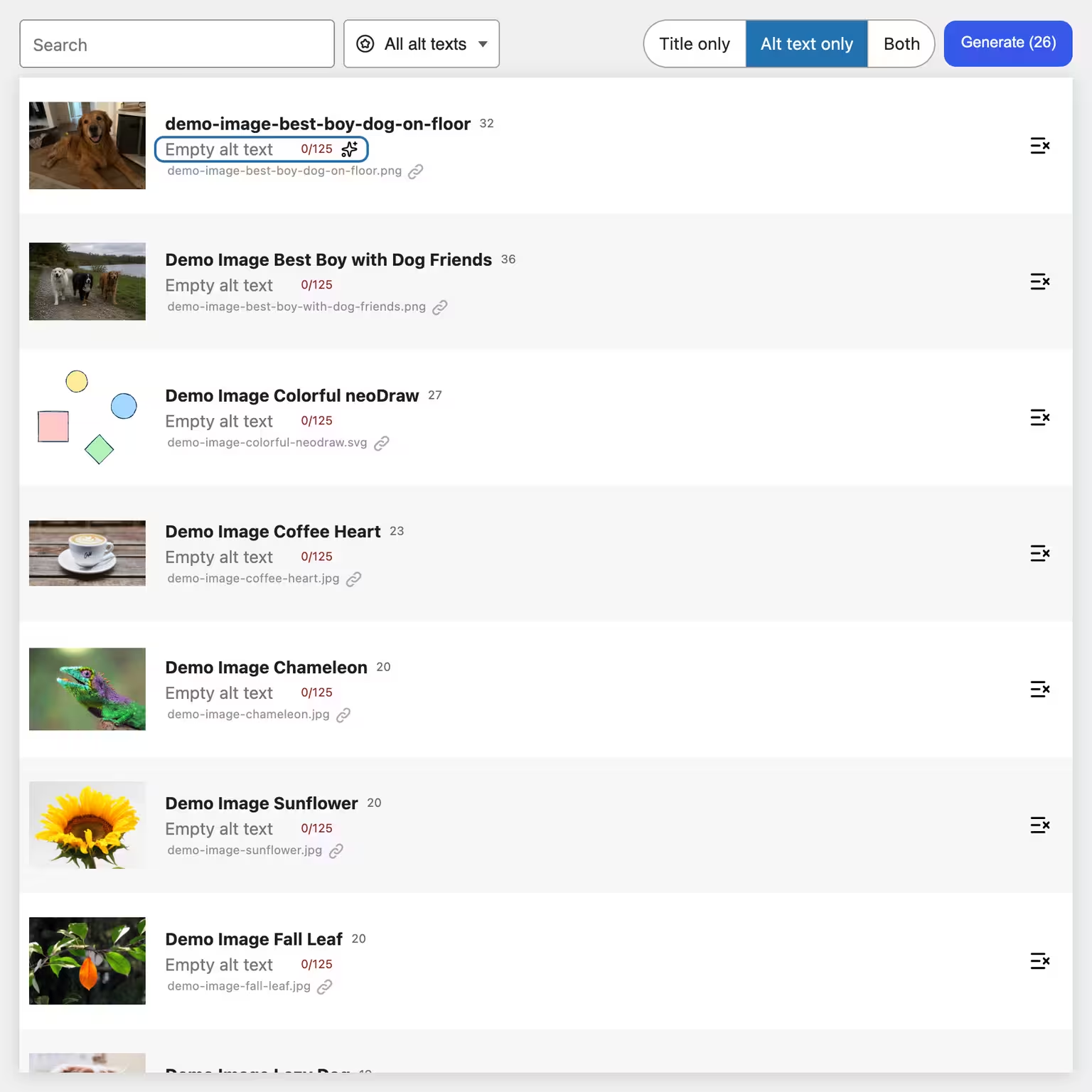
The central neoAlt overview shows image, filename, media title and alt text side by side. That way you can see what is missing even in a large media library. Activate the empty-alt filter, exclude individual images if needed and then start AI generation.
neo Alt covers the entire workflow:
- find missing alt texts in the media library
- Generate alt texts or image titles individually and in bulk
- Enter a custom addition for the current AI prompt
- Edit suggestions, save individually or apply in bulk
- Discard unsaved changes
What neo Alt handles for missing alternative texts
Create appropriate alt texts and image titles directly in your WordPress media library. neo Alt detects image content, takes the context of the page where the image is used into account, and provides clear suggestions for better accessibility and image SEO.
Use filters, search, and bulk processing to add to large image collections quickly. You can review, edit, and only then save each suggestion.
👑 Pro: Get a higher monthly neoAI allowance with neo Media Pro.
Features for alt texts, image titles and bulk editing
Why page context makes a difference
A single image does not always reveal which information matters on the page. neo Alt therefore searches for uses of the image and includes surrounding text in the generation. Existing image title and alt text also serve as context.
Try and download neo Alt directly
neo Alt is specialized in creating, adding and revising WordPress alt texts. The free use includes a free monthly neoAI quota. Alternatively you can connect your own supported AI provider; neo Media Pro increases the neoAI quota.


neo Alt
Create alt texts and image titles directly in WordPress using AI - 300 free image alt text generations included every month!
Enter alt text manually in WordPress
Without a plugin open an image in the media library and enter the alternative text in the Alternative Text field. In the block editor you find the same field on the selected Image, Cover or Media & Text block. That is sufficient for a few images. With many existing uploads however an overview list of empty fields is missing.
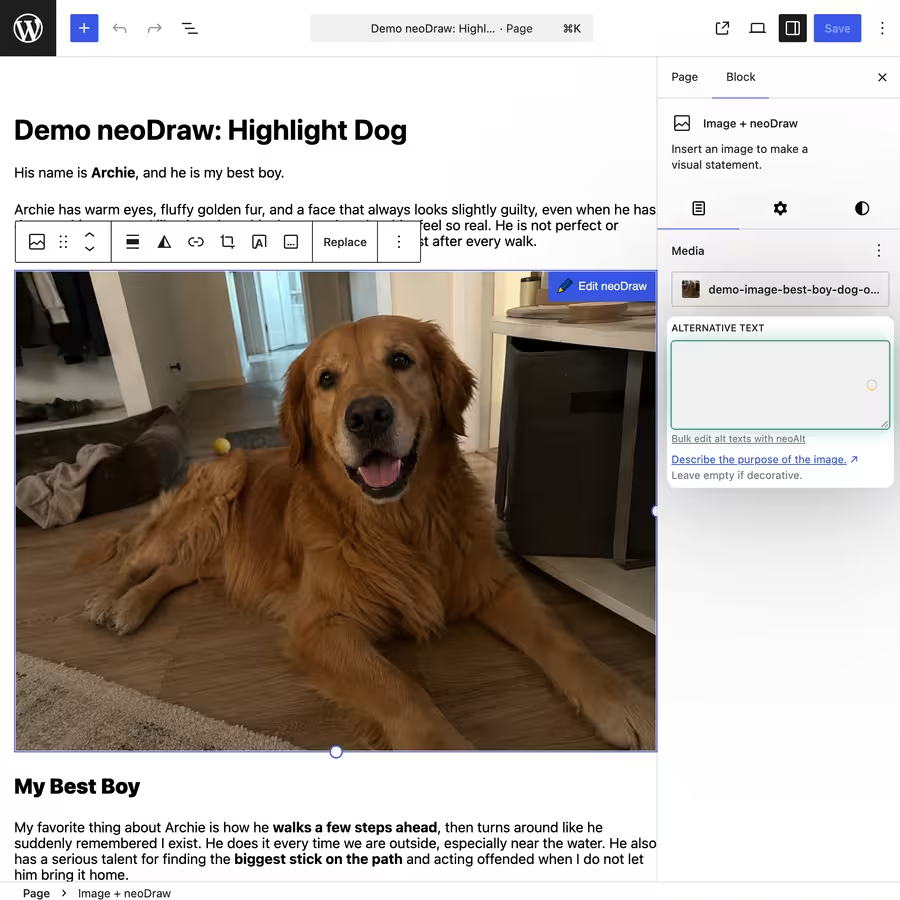
Why alt texts are important for accessibility and image SEO
An alt text describes the information or function of an image for people who cannot see it. Screen readers can read this text aloud. Google also uses alt text together with image analysis and page content to understand the subject. Good alt texts are specific and match the page content. A list of repeated keywords helps neither readers nor search engines. neo Alt can speed up the work but does not replace a final editorial review and by itself does not guarantee WCAG or BFSG compliance.
How the WordPress alt text generator neo Alt works
The following features work together. You can either only handle missing image descriptions or also improve media titles at the same time. Nothing is saved before your review.
1) Find images with missing alt text
In neo Alt select the filter for images with empty alt texts. The table is limited to real images and hides other media such as PDFs. Use the search to find uploads by title or filename; AND, OR, and wildcard searches are supported.
2) Generate alt text individually via AI
Use the ✨ button to generate a new suggestion for a single image. This works in the neoAlt table and directly in supported alt text fields in the media library, on the attachment page, and in the Gutenberg editor.
3) Generate missing alt texts in bulk
In bulk mode neo Alt processes all currently filtered and not excluded images. You decide beforehand whether to create only alt texts, only image titles, or both. A running queue can be canceled; suggestions already generated remain available for review.
4) Add a custom prompt instruction
Before a bulk generation you can enter an additional instruction, for example a desired technical focus. In the neoAI settings you can also store separate guidelines for image titles and alt texts and choose the output language.
5) Review, edit, and save suggestions
AI texts are initially shown as unsaved drafts. You can rewrite them, save per field, accept multiple suggestions at once, or discard them entirely. A character indicator marks the recommended range of 80 to 125 characters and warns from 150 characters. The generation itself produces at most 125 characters.
6) Sort media library by title, date, or URL
Sort media by upload date, modified date, title, or URL. The interface renders only the visible portion of the table and thus remains manageable even for large media libraries.
FAQ about missing alt texts in WordPress
How do I find images without alt text in WordPress?
Open Tools > neo Alt and enable the filter Images with empty alt texts. WordPress itself lets you edit alt texts per image but does not offer a comparable specialized overview.
Can WordPress generate alt texts automatically?
WordPress provides the alt text field but does not write descriptions for your existing image library. neo Alt adds AI generation for individual images and bulk processing.
What is the difference between alt text and image title?
Alt text describes the relevant information or function of the image. The media title mainly helps with management in WordPress. neo Alt can edit both fields separately or together.
Does an alt text improve image SEO?
Google uses alt text together with visible page content and image-recognition techniques. Therefore write an appropriate description and avoid keyword stuffing. Alt text alone does not guarantee ranking.
Can I use AI-generated alt texts without checking them?
I advise against it. Check names, products, visible text in images, and technical details. neo Alt deliberately shows the suggestions before saving.
Do I need my own API key for neo Alt?
No. You can use the free monthly neoAI quota. For other needs you can connect a supported AI provider.

