


Password correct. Please wait...
Disable chat with .custom-disable-chat
WP Plugin Comparisonby neo-wp.com


WP Plugin Wp Retina 2x
Test report
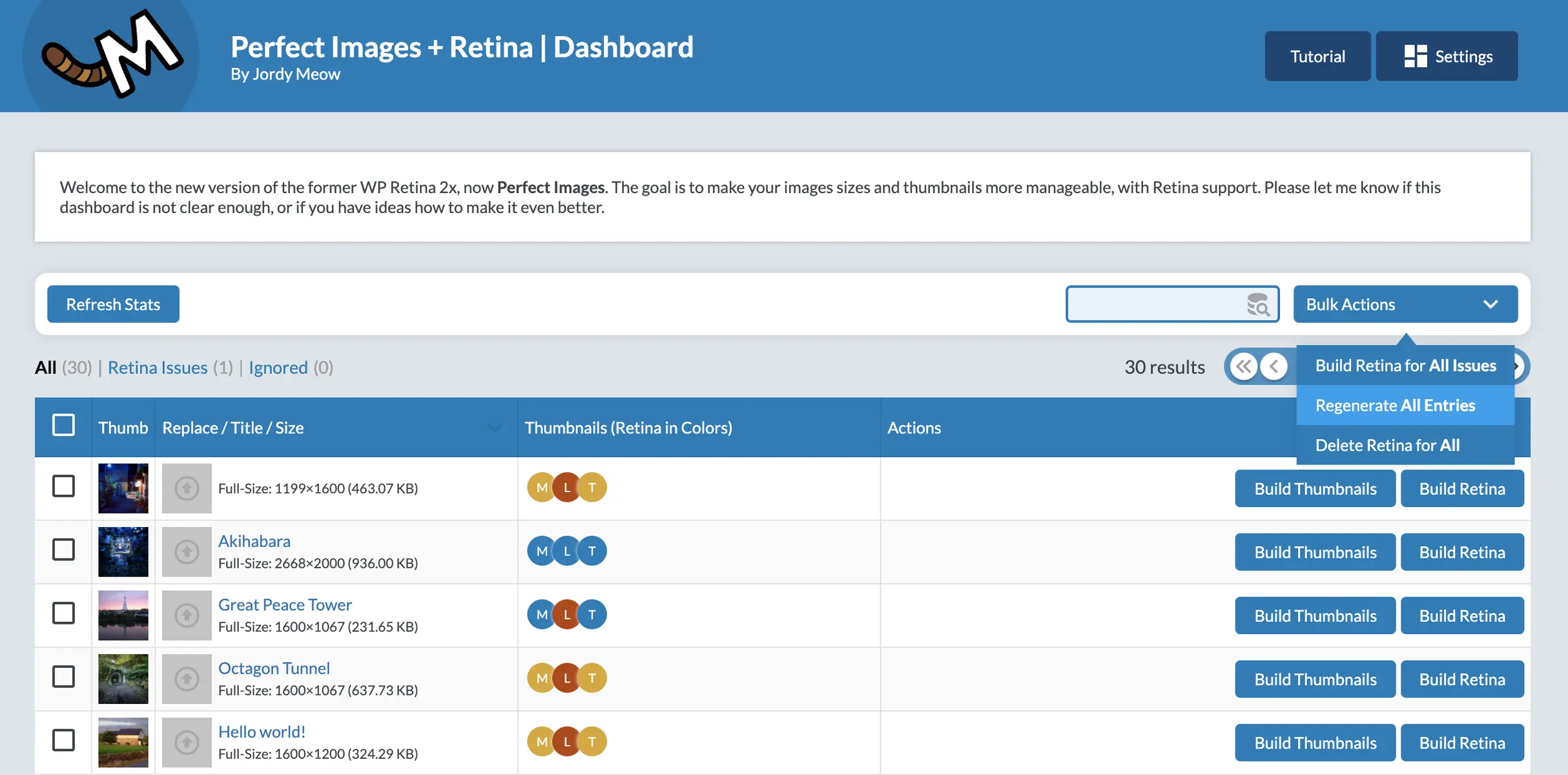
Perfect Images (Manage Image Sizes, Thumbnails, Replace, Retina)
Introduction - An overview of the plugin
Wp Retina 2x, developed by Jordy Meow, was first released on 2012-06-26 and now has over 70 000+ active installations. This WordPress plugin impresses with its ability to enable image optimization and management in a user-friendly way. It is notable for its ability to replace or regenerate existing images in bulk without impacting site performance. Wp Retina 2x’s unique selling point is its specific focus on high-resolution Retina displays, for which it automatically creates optimized versions of images. It is therefore an indispensable tool for site owners aiming for top visual presentation. With an average rating of 4.8 out of 5 stars from a total of 278 reviews in the official WordPress Plugin Directory the plugin’s reliability and efficiency are repeatedly highlighted. The following section details the plugin’s specific functions and features.
"This plugin makes it easy to get started with retina solutions."
Features - A deeper look into the plugin’s capabilities
Wp Retina 2x offers a variety of features that appeal to both novice and advanced users. In addition to the automatic creation of retina images mentioned above, the plugin allows management of image sizes by disabling automated image size options, saving storage space. Another notable feature is support for lazy-loading, which improves page load times by loading images only when they enter the viewport. This feature particularly supports responsive images that are optimized for display depending on the device. The automation of these processes makes image management efficient and user-friendly.
"The features are excellent and it’s always reliable."
Free features - What the free version offers
- Manage Image Sizes - Allows disabling unnecessary image sizes and tracking sizes created for media entries.
- Replace Image & Media - Allows quick replacement of images via the dashboard or media library.
- Regenerate Thumbnails - Updates thumbnails in bulk with a progress bar.
- Retina Images / High DPI - Automatically generates high-resolution images for high-density devices.
- Disable Image Threshold - Disables WordPress’s automatic image scaling.
Pro features - The advanced capabilities of the Pro version
- Support for Retina for Full-Size Images - Adds support for high-resolution full-size images.
- Lazy-Loading for Responsive Images - Supports lazy-loading for responsive images.
"The Pro version is absolutely worth it, especially with the advanced features."
License & value - A look at the terms of use
Wp Retina 2x is available in both a free and a paid Pro version. The free version already offers many useful image optimization features. The Pro version is affordably priced and offers additional features like full support for retina images and lazy-loading. Users often praise the Pro version’s value for money as fair and worthwhile. A common criticism is that the Pro version is not open source, which may matter to some users. Nevertheless, the price transparency and the benefits the plugin provides are appreciated by the majority of users.
"The Pro version costs only 30 USD, which is really fair."
Technical Details - Insight into how it works
The Wp Retina 2x plugin works without altering the database structure by not creating new tables. However, it requires file access to save optimized and retina-ready images directly on the server. Image processing is performed server-side, giving web developers control over storage and resource management. This server-side processing enables seamless creation of multiple image versions, especially for high-resolution displays. The plugin’s codebase is modular, easing extensions and customizations by developers. Another key component is the implementation of API hooks designed for interaction with other plugins and scripts. Developers can also use the API for integrating retina images in AJAX-driven image requests.
"It just works and removes all the extras you don’t want or need."
System Requirements - Technical requirements at a glance
The plugin requires at least PHP version 7.4 or higher, to function properly, making it compatible with modern hosting environments. It is suitable for WordPress version 6.0 or higher, ensuring broad support including older WordPress versions. The plugin has been tested up to the latest WordPress version, keeping it up-to-date and safe to use. The current plugin version is 7.1.4, with regular updates, last updated in 2026-03. These details are crucial for administrators ensuring compatibility with their existing WordPress installations.
"It just works and removes all the extras you don’t want or need."
Quality - A critical look at performance
Wp Retina 2x is particularly impressive for its reliability and stability. Users report that the plugin has worked error-free for years and technical issues rarely occur. The developer’s support is often praised, especially the quick response to reported bugs, which contributes to an overall stable user experience. The quality of the generated retina images is also rated as excellent, improving visual presentation particularly on high-resolution devices. Despite these positive aspects, some users note occasional challenges with image processing, for example when very large batches of images must be processed, which in some cases can lead to high resource requirements.
"I’ve been using this plugin for years and it has worked without errors during that time."
Support - user experiences and contact options
The WordPress plugin "Wp Retina 2x" offers various support options. User experiences with support are mostly positive; many users highlight the developer’s quick response and helpfulness. A frequently mentioned positive feature is the prompt problem resolution for technical issues. Users report that the developer often responds within a very short time and provides helpful answers. However, there are occasional negative reports indicating that for specific problems adequate support is sometimes not provided.
For support requests and issues you can use the official support page in the WordPress Plugin Directory. Alternatively, you can contact the developer directly via the developer’s support URL. In addition, comprehensive documentation, an FAQ page and tutorials are available that proactively answer many questions.
"Jordy replied to me in record time and helped me solve the problem with my theme."
Rating - a widely discussed plugin
Wp Retina 2x is rated very positively by users, with an impressive average rating of 4.8 out of 5 stars based on 278 reviews. This high rating reflects the plugin’s efficiency and user-friendliness, especially in optimizing images for retina displays. Many users praise the plugin’s stable and reliable features that are a great help in daily use.
"Great plugin that really works well. No more blurry images on retina displays. Thanks!"
However, there is also criticism. Some users report issues with the plugin’s functionality and point out that certain features may only be available in the paid Pro version. Such remarks indicate that user expectations and experiences can vary, especially when it comes to using the free features.
"This plugin doesn’t seem to work. Maybe you have to pay for the Pro version, I don’t know."
Alongside these varied reviews there are also success stories from long-term users who emphasize the plugin’s reliability and consistency over the years, reinforcing overall satisfaction and a positive impression.
"I’ve been using this plugin for years and it has worked flawlessly the whole time."
Criticism - challenges and improvement opportunities
While Wp Retina 2x shines with many positive reviews, some user reviews criticize the plugin’s functionality and compatibility. Users report issues with image scaling and automatic image generation, which can sometimes lead to excessive file sizes. These issues can often be resolved by disabling WordPress’s automatic image scaling, as described in the plugin’s documentation. Another common criticism concerns compatibility with certain WordPress themes. For example, logos in the header navigation are reported to display incorrectly when the plugin is active.
There are also reports of occasional server outages attributed to using the plugin. Users point out that Wp Retina 2x can struggle with processing large numbers of images, which can lead to performance degradation. In rare cases, problems with image rendering have also been reported, and the need for an update has been mentioned multiple times in these contexts.
Since there are no reports of specific security vulnerabilities, the aspect of potential security risks remains largely unaddressed. Overall, the plugin would benefit from more comprehensive documentation and a more intuitive user interface to address user criticism regarding usability and technical support.
"At first it seemed to work well, but then we had persistent problems with oversized files."
Conclusion - a final impression of the plugin
The Wp Retina 2x plugin, developed by Jordy Meow, offers a wide range of features for image optimization for high-resolution displays. Notably, the seamless integration of retina images enhances the visual experience on modern devices. The user-friendliness and good support from the developer are mentioned positively in reviews, increasing the plugin’s appeal to users. Critical points mainly relate to processing large image volumes and compatibility issues with certain WordPress themes. Overall, Wp Retina 2x is a valuable addition for websites that demand high image quality, but it is not entirely without challenges.
#AVIF #regenerate #retina #thumbnails #webp
Show more
Detailed plugin information
Plugin slug: wp-retina-2x
Plugin name: Wp Retina 2x
Plugin title: Perfect Images: Regenerate Thumbnails, Image Sizes, WebP & AVIF
Plugin-Keywords: #AVIF #regenerate #retina #thumbnails #webp
Plugin-Version: 7.1.4
Last update: 2026-03
Release date: 2012-06-26
Required WP version: 6.0
Required PHP version: 7.4
Tested with WP version: 6.9.4
Active Installations: 70 000+
Average rating: 4.8
Number of reviews: 278
Number of support requests: 1 (in the last 2 months)
Number of resolved support requests: 0 (in the last 2 months)
Plugin author: Jordy Meow
Developer homepage: https://meowapps.com
WP developer profile page: https://profiles.wordpress.org/tigroumeow/
Support URL in the WordPress Plugin Directory: https://wordpress.org/support/plugin/wp-retina-2x/
Developer's support URL: https://wordpress.org/support/plugin/wp-retina-2x/#fallback-commercial-support-url
WP Plugin Directory: https://wordpress.org/plugins/wp-retina-2x/
Was this review of WP Retina 2x helpful?
Wp Retina 2x - The right plugin?
Wp Retina 2x - Compare nowOpen plugin in sandboxTo the official WP StorePopular alternatives to Wp Retina 2x



Enable Media Replace
Enable Media Replace
#change media #remove background #replace #replace image #replace jpg
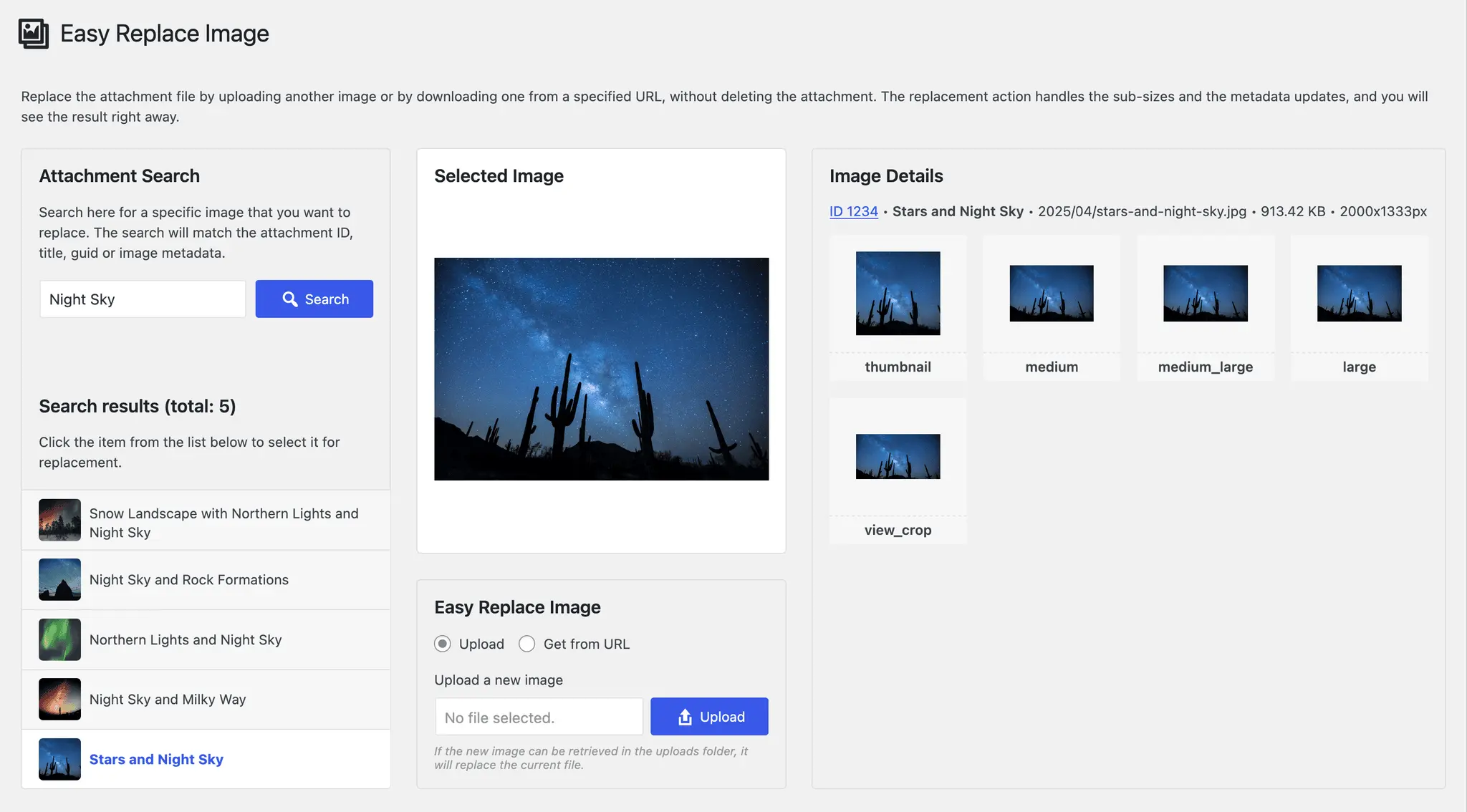
Easy Replace Image
Easy Replace Image
#change attachment file #download image #image refresh #repair broken image #replace image

