
Password correct. Please wait...
Disable the chat with .custom-disable-chat
WP Plugin Comparisonby neo-wp.com


WP Plugin Easy Replace Image
Comparison & Alternatives
The 5 best alternatives for the WordPress plugin Easy Replace Image by Iulia Cazan
WordPress Plugin Best List
Comparison & Ranking
Number #
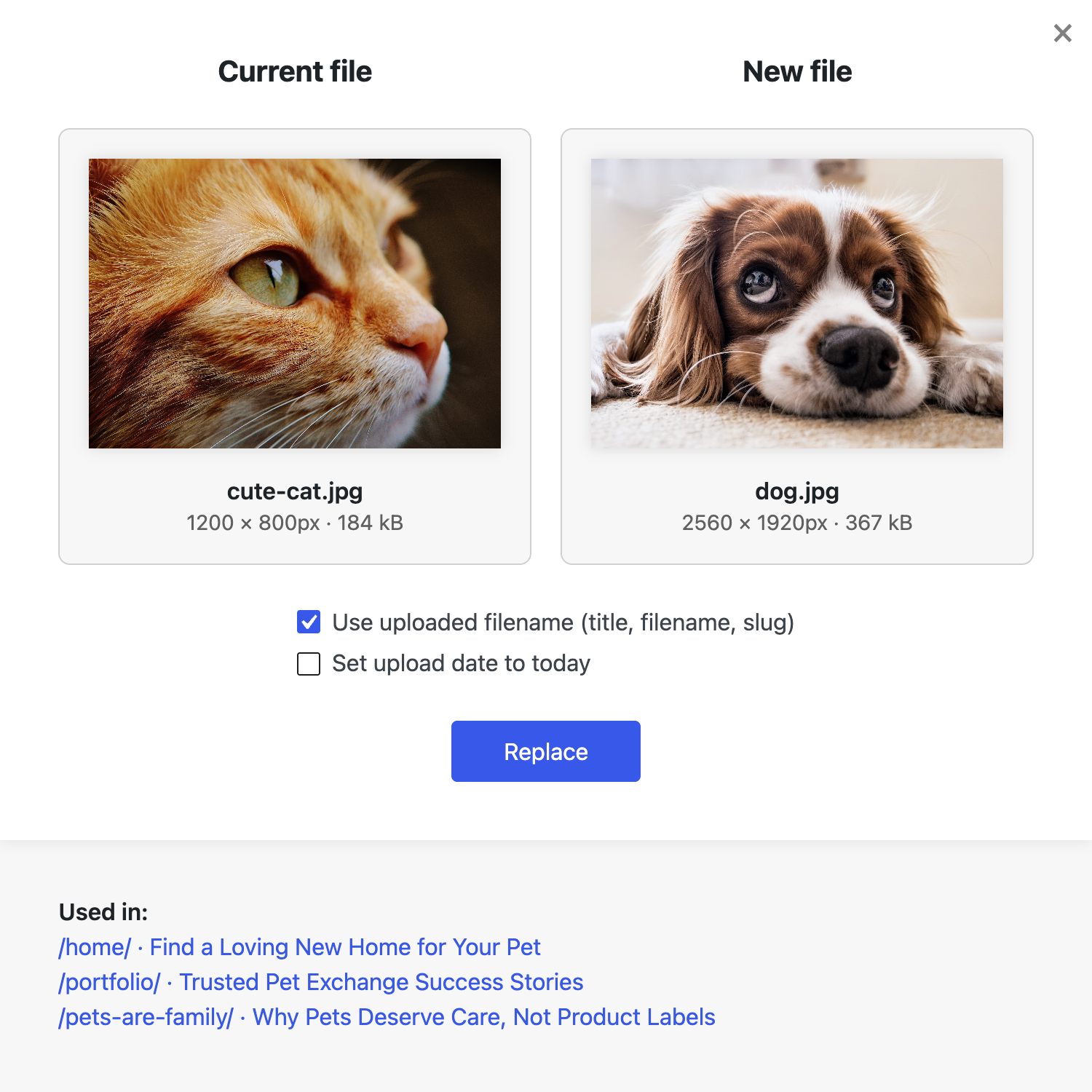
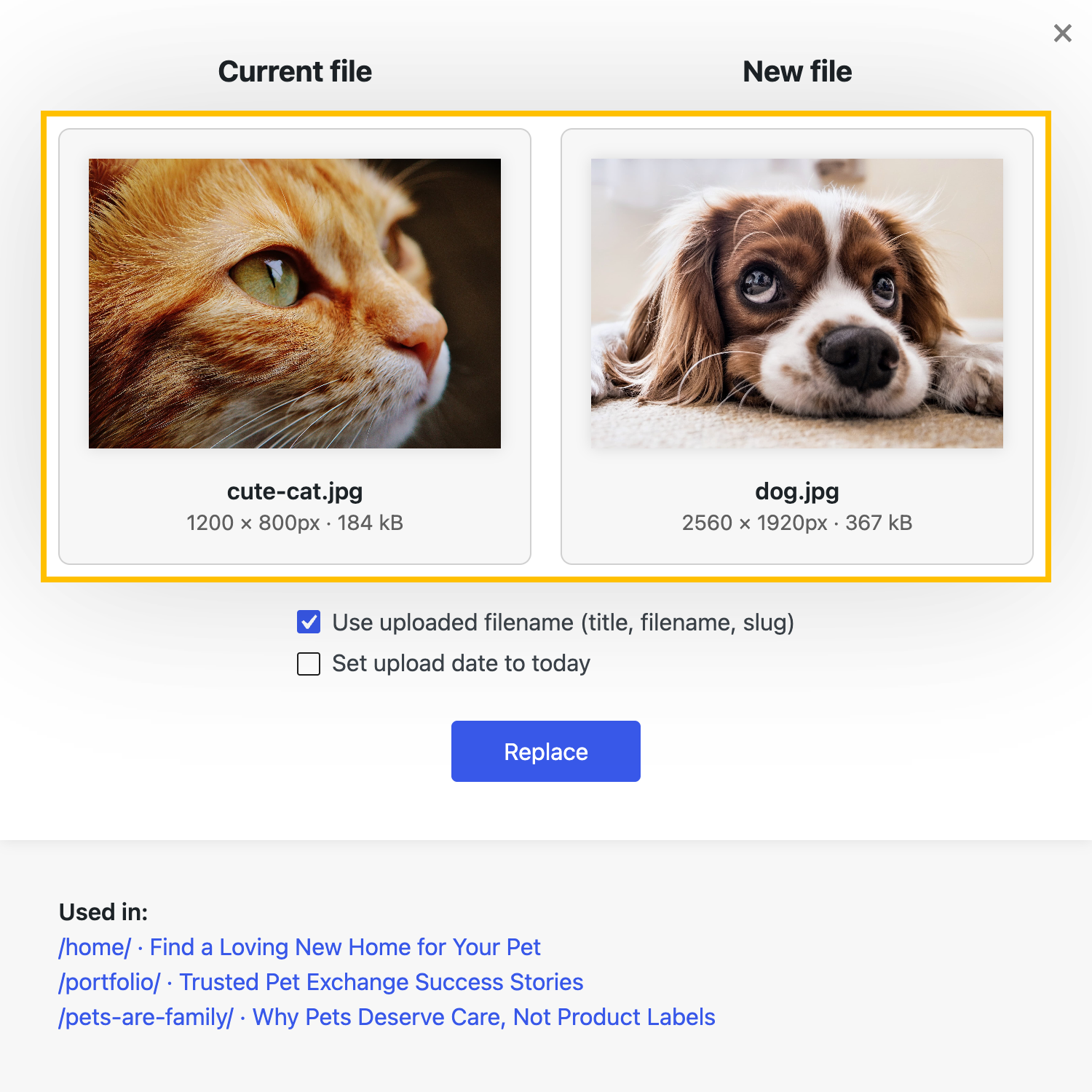
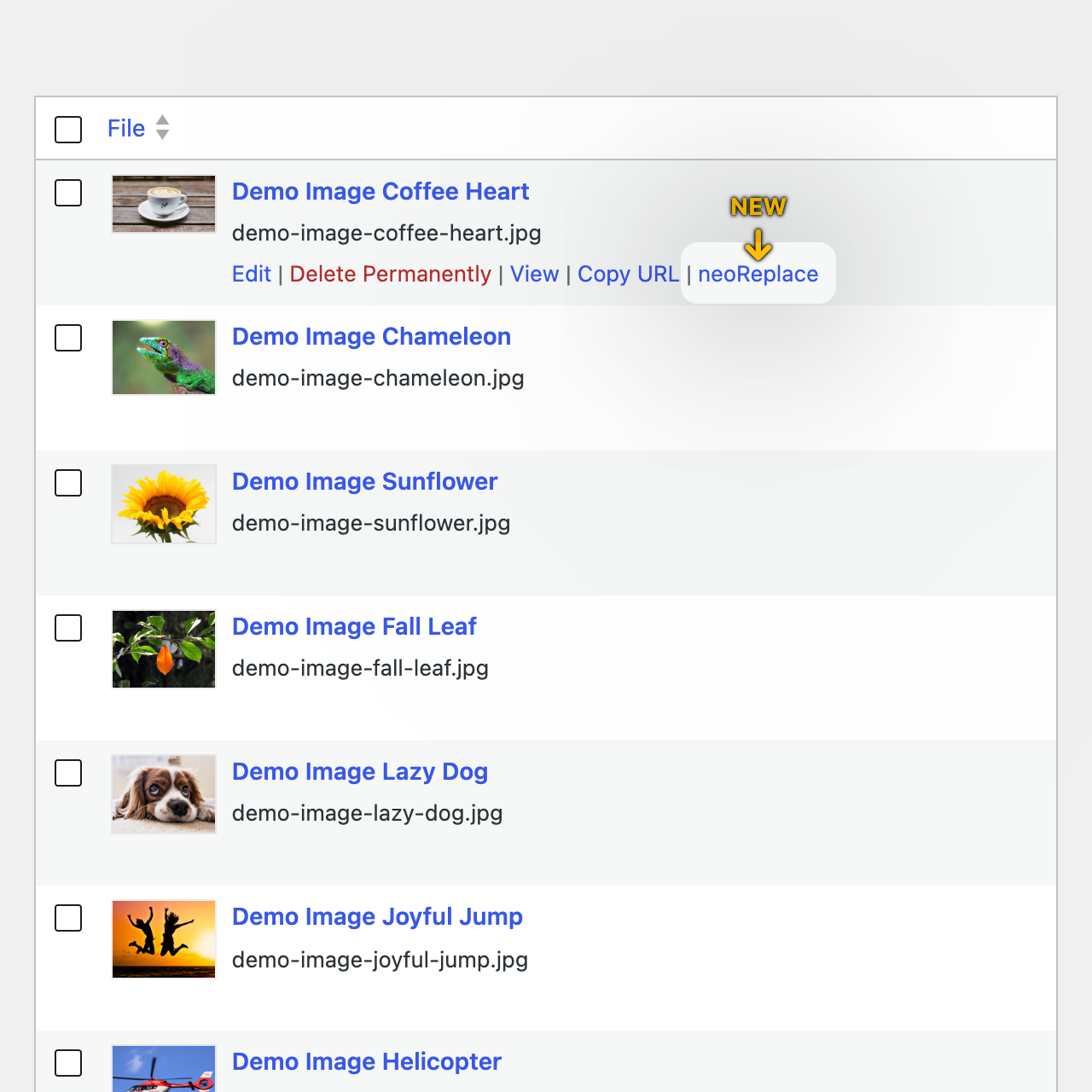
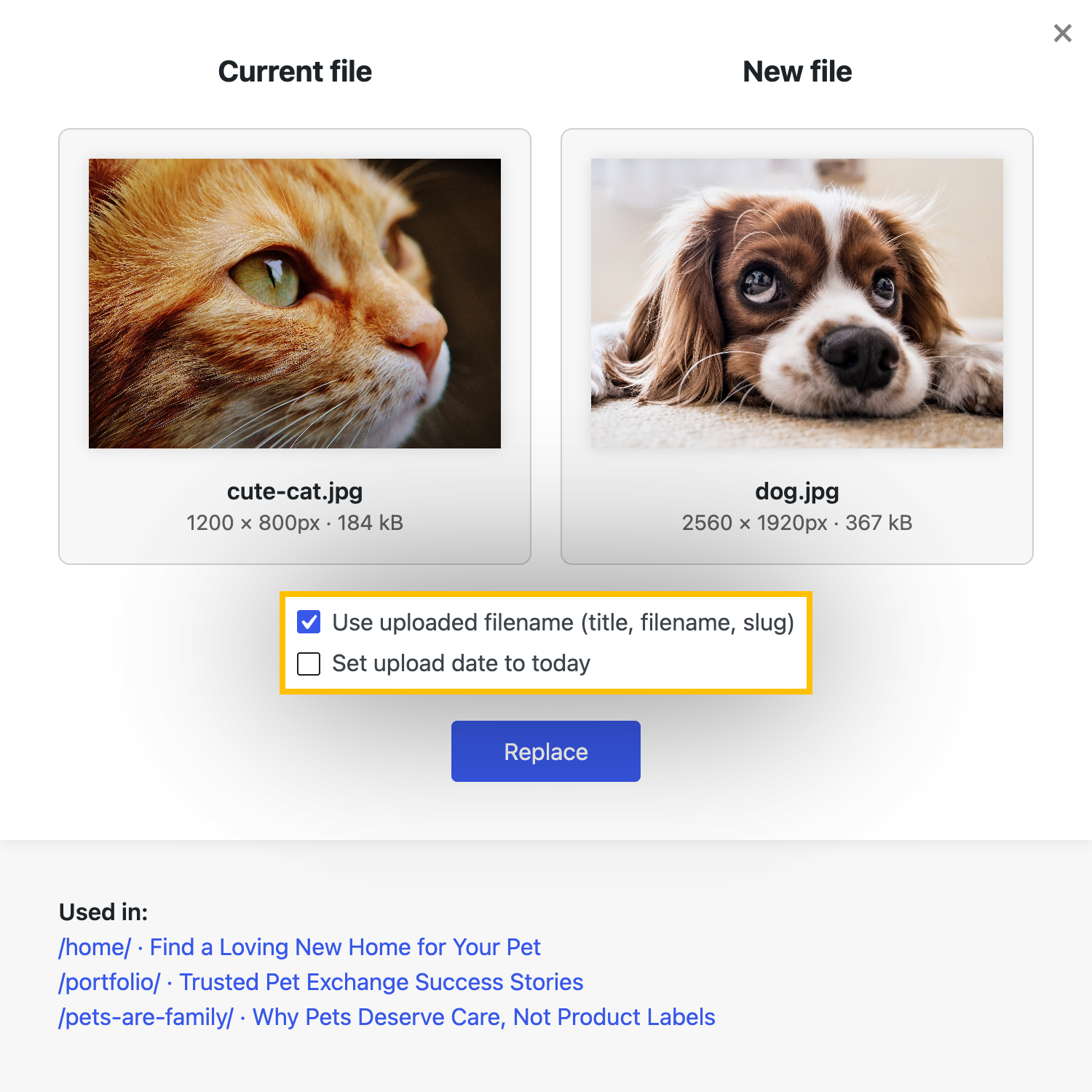
neo Replace - Easy replacement by Drag & Drop
The WordPress plugin neo Replace by neo WP Media Image Plugins was released on 2026-07-19 and is part of the new neoWP plugin series. The plugin leverages modern web development capabilities, reflected in its performance and intuitive design. Reviews indicate that the plugin has delighted users since its release with well chosen and cleverly implemented features. Particularly noteworthy is the solid coding. A look at the source code confirms that an experienced software development team is behind the plugin.
“The plugins in the neo package are very well coordinated and solve all common image problems in WordPress.”
Features - Powerful tools cleverly implemented
- Replaces the image and keeps references
- Simple file replacement via drag and drop
- Supports images, videos, audio files, and PDF documents
- Direct integration into the media library
- Automatically regenerates thumbnails
- Preserves description, caption, and alt text
- Replaces reliably across the entire website
- Lists posts that use the image before replacing (Pro)
“Great what you can do with neo Rename. The Pro version takes it even further.”
Technical details - Modern implementation with high compatibility
The plugin neo Replace is available for free in the current version 26.8.25 for download. It requires at least WordPress version 6.2 and PHP version 8.0 or higher. The plugin was tested by the beta tester group up to the current version 7.1. The developers released the last update in 2026-08. Continuous updates and expansions of the plugin reflect the commitment to ongoing development.
“It is convenient to get all media plugins from a single developer. The complete neo universe runs performant, reliable and stable.”
Quality and support - Fast and helpful assistance
Support for neo Replace receives predominantly positive feedback, mainly thanks to fast response times and effective problem solving. Many users report that the developers provide engaged and helpful support for both the free and Pro versions. The neo WP team is directly reachable via the developers’ page by chat, email, and contact form. Additionally, the official support forum is available for further assistance.
“The developers respond quickly, personally and are very helpful.”
Conclusion - Very high-quality WordPress plugin package
The plugin neo Replace lives up to its slogan “Easy replacing with drag and drop!” in every respect. Even in the free version the entire neo plugin series offers a comprehensive solution for the typical media management needs in WordPress. For anyone who already uses neo Replace, it’s worth taking a look at the other plugins from neo WP.
Show more
Detailed plugin information
Plugin slug: neo-replace
Plugin name: neoReplace
Plugin title: neo Replace - Einfaches Ersetzen durch Drag & Drop
Plugin keywords: #replace #replacer #swap #exchange #image
Plugin version: 26.8.25
Last updated: 2026-08
Release date: 2026-07-19
Required WP version: 6.2
Required PHP version: 8.0
Tested with WP version: 7.1
Active installations: 50+
Average rating: 5.0
Number of reviews: 1
Number of support requests: 1 (in the last 2 months)
Number of Resolved Support Requests: 1 (in the last 2 months)
Plugin author: neo WP Media Image Plugins
Developer homepage: https://neo-wp.com/?plugin-slug=neo-replace&edition=wporg&ref=entry-file
WP developer profile page: https://profiles.wordpress.org/neoplugins/
Support URL in the WordPress Plugin Directory: https://wordpress.org/support/plugin/neo-replace/
Developer support URL: https://wordpress.org/support/plugin/neo-replace/#fallback-commercial-support-url
WP Plugin Directory: https://wordpress.org/plugins/neo-replace/
0.0
/ 10
#replace #replacer #swap #exchange #image
Number #

Enable Media Replace - Efficient media management
Enable Media Replace by ShortPixel is a popular WordPress plugin for smooth media file replacement. With over 600 000+ active installations it is indispensable for webmasters who frequently update content and has a high 4.4 star rating.
"This plugin has made my work so much easier."
Features - Advanced functions for media replacement
- Replace file - Swap media files without deleting them.
- Replace file with new filename - Update all links when replacing the file.
- Remove background (Beta) - Image editing via the ShortPixel API (Pro).
- Show file modification time - Shortcode to document freshness.
"This plugin offers functionality that really should be part of the WordPress core."
Technical details - Compatibility and functionality
Requires at least PHP 5.6, compatible with WordPress from version 4.9.7 and tested up to version 7.1. Offers customization options and uses the ShortPixel API for advanced edits. Current version: 4.2.2, last updated on 2026-08.
"This plugin is easy to deploy and keeps up with WordPress requirements."
Quality and support - Reliability with mixed support
Users appreciate the plugin's efficiency and resource saving. While stability and compatibility are mostly praised there is mixed feedback about support. Official channels provide inconsistently reliable assistance but the community remains generally positive.
"Works seamlessly and without errors."
Conclusion - A well thought-out but not perfect solution
Enable Media Replace is a powerful plugin for quickly replacing media files in WordPress, but it leaves room for improvement, especially regarding storage formats and multilingual setups. Despite occasional issues, it remains a favorite for many who want to make their media management more efficient.
Show more
Detailed plugin information
Plugin slug: enable-media-replace
Plugin name: Enable Media Replace
Plugin title: Enable Media Replace
Plugin keywords: #change media #remove background #replace #replace image #replace jpg
Plugin version: 4.2.2
Last updated: 2026-08
Release date: 2009-06-01
Required WP version: 4.9.7
Required PHP version: 5.6
Tested with WP version: 7.1
Active installations: 600 000+
Average Rating: 4.4
Number of reviews: 302
Number of support requests: 7 (in the last 2 months)
Number of resolved support requests: 7 (in the last 2 months)
Plugin author: ShortPixel
Developer homepage: https://shortpixel.com
WP developer profile page: https://profiles.wordpress.org/shortpixel/
Support URL in the WordPress Plugin Directory: https://wordpress.org/support/plugin/enable-media-replace/
Developer support URL: https://wordpress.org/support/plugin/enable-media-replace/#fallback-commercial-support-url
WP Plugin Directory: https://wordpress.org/plugins/enable-media-replace/
0.0
/ 10
#change media #remove background #replace #replace image #replace jpg
In comparison with:
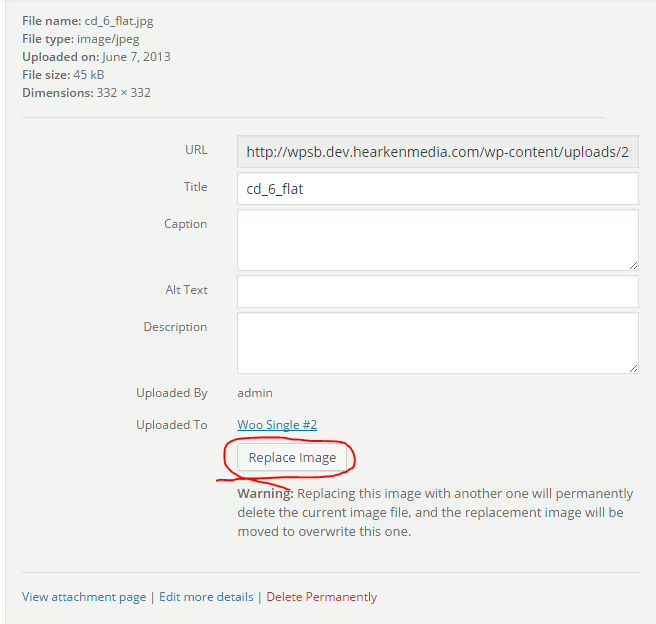
Replace Image - Handy plugin for image management
Replace Image by WP Zone is designed for WordPress users who want to manage images efficiently. It simplifies image swapping by keeping the URL and attachment ID intact, without changes to themes or posts. Users praise its ease of use and regular updates.
"This plugin helps a lot because it reduces images to the essentials instead of constantly having to upload and delete new images."
Features - Efficient image management at a glance
- Replace image: Swap without changing the URL and attachment ID.
- Bulk replacement: Replace multiple images at once.
- Easy to use: User-friendly interface.
- Efficient import-export: Supports WooCommerce integration. (Pro)
- Divi Builder compatible: Use of shortcodes. (Pro)
"Makes life so much easier, especially when doing a series of replacements!"
Technical details - requirements and functions
The plugin requires at least PHP version 7.4 and WordPress from version 3.5. It works directly with media in the WordPress database via hooks and filters and is suitable for webhooks for imports/exports.
"Great plugin! Saved me a lot of time and effort."
Quality and support - user experiences and help
Replace Image scores for ease of use and saves time on image replacements. However there is criticism about cache compatibility. Support experiences vary: while some praise quick help, others are dissatisfied with support. The developers can be reached on WordPress.org.
Conclusion - strong features with room for improvement
Replace Image offers valuable features like bulk image swapping and URL stability as well as easy installation. Despite high user satisfaction there are challenges with caching compatibility and support. Ongoing optimization could further improve performance to give the plugin even more potential.
Show more
Detailed plugin information
Plugin slug: replace-image
Plugin name: Replace Image
Plugin title: Replace Image
Plugin keywords: #image #images #media #overwrite #replace
Plugin version: 1.1.11
Last update: 2024-08
Release date: 2015-11-04
Required WP version: 3.5
Required PHP version: 7.4
Tested with WP version: 6.6.7
Active installations: 8 000+
Average Rating: 4.6
Number of reviews: 65
Number of support requests: 0 (in the last 2 months)
Number of resolved support requests: 0 (in the last 2 months)
Plugin author: WP Zone
Developer homepage: https://wordpress.org/support/plugin/replace-image/#fallback-homepage
WP developer profile page: https://profiles.wordpress.org/aspengrovestudios/
Support URL in the WordPress Plugin Directory: https://wordpress.org/support/plugin/replace-image/
Developer support URL: https://wordpress.org/support/plugin/replace-image/#fallback-commercial-support-url
WP Plugin Directory: https://wordpress.org/plugins/replace-image/
#image #images #media #overwrite #replace
Number #
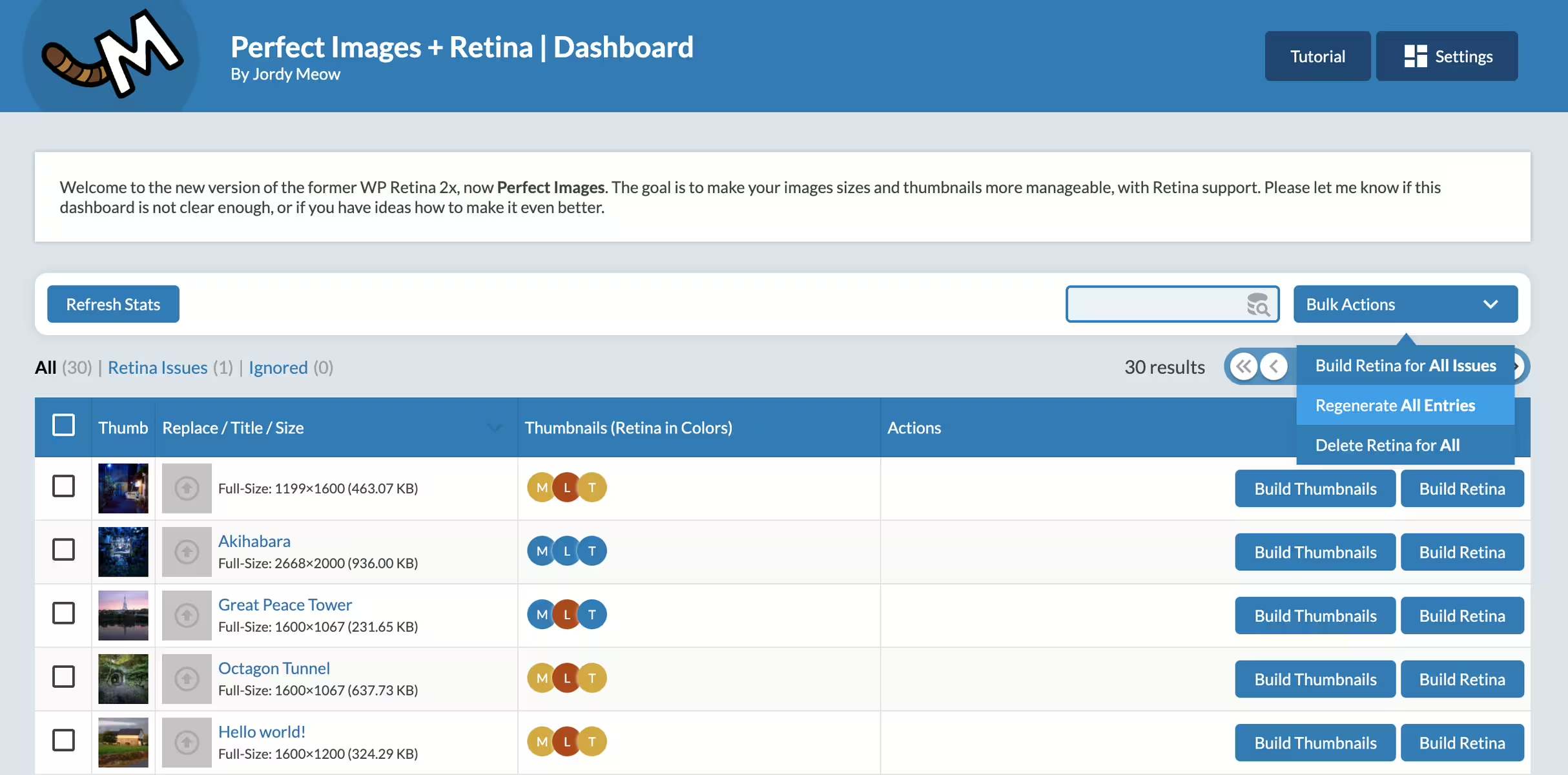
Perfect Images (Manage Image Sizes, Thumbnails, Replace, Retina) - a comprehensive image optimization solution
Wp Retina 2x, developed by Jordy Meow, optimizes images efficiently and is ideal for Retina displays. With over 60 000+ installations and a rating of 4.8 out of 5 stars it is very popular. It replaces and generates images without performance loss and is indispensable for visually appealing websites.
"This plugin makes it easy to get started with Retina solutions."
Features - Functions and capabilities in detail
- Manage Image Sizes - Disables unnecessary image sizes.
- Replace Image & Media - Quickly replaces images in the dashboard.
- Regenerate Thumbnails - Updates thumbnails efficiently.
- Retina Images / High DPI - Automatic high-resolution images.
- Disable Image Threshold - Prevents automatic scaling.
- Support for Retina for Full Images - (Pro) high-resolution support.
- Lazy-Loading for responsive images - (Pro) improves load times.
"The Pro version is absolutely worth it, especially with the advanced features."
Technical details - Requirements and compatibility
Wp Retina 2x requires PHP version 8.1+ and WordPress 6.0+. The modular codebase makes customizations easier, while API hooks improve integration with other plugins. Tested up to the latest version, regular updates, last on 2026-08, ensure security.
"It just works and removes all the extras you do not want or need."
Quality and support - Reliability and availability
Users praise the reliability. Technical issues are rare, while support is known for quickly fixing problems. Negative feedback concerns higher resource requirements with large numbers of images. For help, the official support page is available or directly the developer support.
"Jordy responded to me in record time and helped me resolve the issue with my theme."
Conclusion - A valuable image optimization solution
Wp Retina 2x offers comprehensive image optimization features, ideal for high-resolution displays. The ease of use and developer support increase its value, even though there are challenges with large image quantities and certain themes. Overall it is a valuable addition for websites with high demands on image quality.
Show more
Detailed plugin information
Plugin slug: wp-retina-2x
Plugin name: Wp Retina 2x
Plugin title: Perfect Images: Regenerate Thumbnails, Image Sizes, WebP & AVIF
Plugin-Keywords: #AVIF #regenerate #retina #thumbnails #webp
Plugin version: 7.1.9
Last updated: 2026-08
Release Date: 2012-06-26
Required WP Version: 6.0
Required PHP version: 8.1
Tested with WP version: 7.1
Active installations: 60 000+
Average rating: 4.8
Number of reviews: 279
Number of support requests: 2 (in the last 2 months)
Number of resolved support requests: 2 (in the last 2 months)
Plugin author: Jordy Meow
Developer Homepage: https://meowapps.com
WP Developer Profile Page: https://profiles.wordpress.org/tigroumeow/
Support URL in the WordPress Plugin Directory: https://wordpress.org/support/plugin/wp-retina-2x/
Developer Support URL: https://wordpress.org/support/plugin/wp-retina-2x/#fallback-commercial-support-url
WP Plugin Directory: https://wordpress.org/plugins/wp-retina-2x/
0.0
/ 10
#AVIF #regenerate #retina #thumbnails #webp
Number #
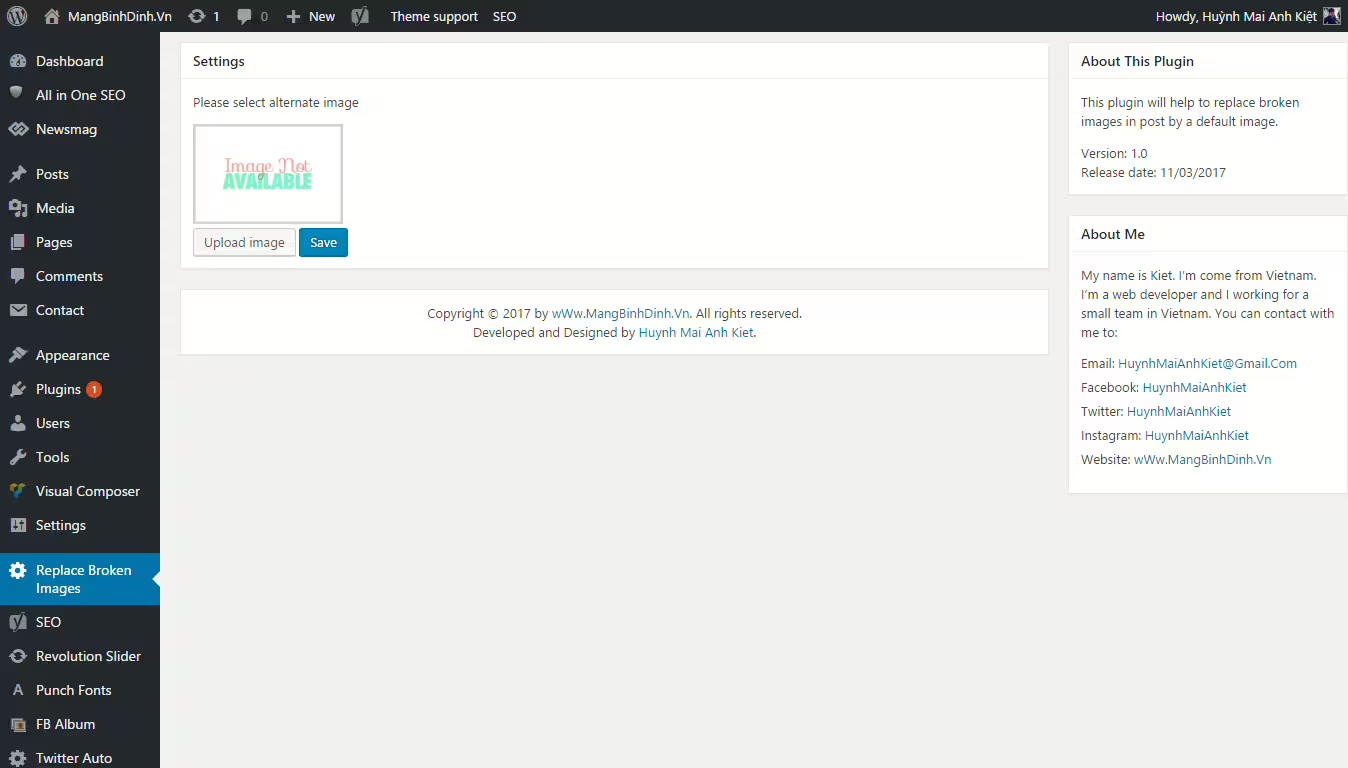
Replace Broken Images - Auto replacement of broken images for WordPress
Replace Broken Images by Hura Apps automatically replaces broken images in WordPress with a default image to ensure consistent image presentation. It has been available since 2017-03-11 and has over 1 000+ active installations. The rating is 4.5 out of 5 stars from 4 reviews.
"Perfect little plugin that works flawlessly."
Features - Versatile functions for many use cases
- Replace broken images - Automatic replacement with a default image.
- User-friendly setup - Easy installation without prior knowledge.
- Automatic updates - No manual intervention needed.
- Server-side replacement mechanism (Pro) - Offers additional customization options.
- Dynamic HTML modification (Pro) - Broken
-Tags are replaced.
"Great plugin if you need image placeholders. Exactly what I needed."
Technical details - System requirements and compatibility
Replace Broken Images operates server-side, checks image URLs for HTTP errors and replaces faulty images. Required software: at least PHP 7.4 and WordPress 3.0. The last compatibility check was in version 2026-06.
"On pages with a broken image the page kept reloading."
Quality and support - Reliability and help
The plugin convinces in functionality and user-friendliness but some users criticize endless reloads with broken images. Support options are limited but users can turn to the official support forum and the developer's support URL.
Conclusion - Efficient but with room for improvement
The Replace Broken Images plugin offers a simple and effective solution for broken images on WordPress sites. User-friendliness and free access make it attractive but technical issues like endless reloads should be considered. For many users it remains a valuable aid even though there is room for optimization.
Show more
Detailed plugin information
Plugin slug: replace-broken-images
Plugin name: Replace Broken Images
Plugin title: Replace Broken Images
Plugin-Keywords: #broken #image #page #post
Plugin-Version: 1.04
Last update: 2026-06
Release date: 2017-03-11
Required WP Version: 3.0
Required PHP version: 7.4
Tested with WP version: 7.0.4
Active installations: 1 000+
Average rating: 4.5
Number of reviews: 4
Number of support requests: 0 (in the last 2 months)
Number of resolved support requests: 0 (in the last 2 months)
Plugin author: Kiet Huynh
Developer homepage: https://wordpress.org/support/plugin/replace-broken-images/#fallback-homepage
WP developer profile page: https://profiles.wordpress.org/huynhmaianhkiet/
Support URL in the WordPress Plugin Directory: https://wordpress.org/support/plugin/replace-broken-images/
Developer support URL: https://wordpress.org/support/plugin/replace-broken-images/#fallback-commercial-support-url
WP Plugin Directory: https://wordpress.org/plugins/replace-broken-images/
0.0
/ 10
#broken #image #page #post
In comparison with:
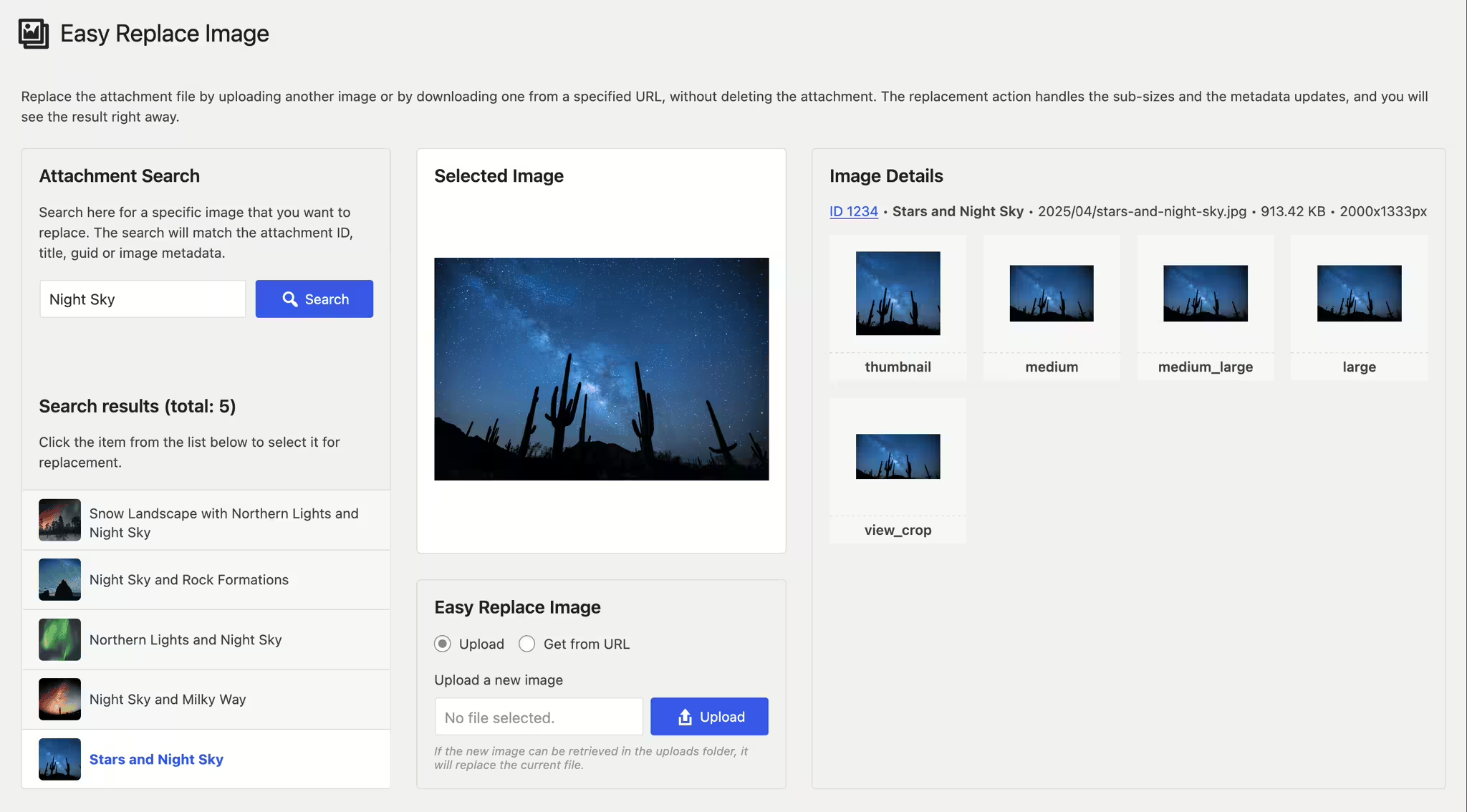
Easy Replace Image
Introduction - Effective image management with Easy Replace Image
Easy Replace Image is a WordPress plugin by Iulia Cazan, which with over 600+ active installations contributes to flexible image management. It allows replacing images without affecting existing files and automatically updates sizes and metadata.
"Finally a plugin that makes it easy to replace an image and automatically update it elsewhere..."
Features - Comprehensive capabilities for optimal image management
- Replace attachment files: Upload images or replace them from a URL.
- Automatic image size generation: Efficiently creates required image sizes.
- Metadata updates: Attachment metadata is updated.
- Immediate display: Changes visible immediately.
- Bulk replace: Replace multiple images at once (Pro).
- REST API support: Seamless integration for developers.
- Compatibility: Works perfectly with the latest WordPress version.
"This little plugin is a real gem! Small, simple and effective."
Technical details - Requirements and integration
Easy Replace Image integrates seamlessly with the WP media library system. It requires at least PHP Version 7.4 and WP version from 5.2 and enables image replacement via the WordPress REST API. Currently at Version 3.5.5, tested up to WP version 7.0.4.
Quality and support - Efficiency and user assistance
Easy Replace Image stands out for reliability and user-friendliness, though support reviews are lacking. Support is provided via the official support page or directly via this URL. Criticisms include cache issues and lack of SVG support.
"Quick to install, but support is not particularly responsive."
Conclusion - A solid tool with room for improvement
The Easy Replace Image plugin by Iulia Cazan offers efficient image management, ease of use and high compatibility. Improvements could include SVG support and cache management. It remains a recommended tool for efficient image handling.
Show more
Detailed plugin information
Plugin slug: easy-replace-image
Plugin name: Easy Replace Image
Plugin title: Easy Replace Image
Plugin keywords: #change attachment file #download image #image refresh #repair broken image #replace image
Plugin version: 3.5.5
Last updated: 2026-04
Release date: 2017-07-19
Required WP version: 5.2
Required PHP version: 7.4
Tested with WP version: 7.0.4
Active installations: 600+
Average rating: 4.9
Number of reviews: 10
Number of support requests: 1 (in the last 2 months)
Number of resolved support requests: 0 (in the last 2 months)
Plugin author: Iulia Cazan
Developer homepage: https://iuliacazan.ro/easy-replace-image/
WP developer profile page: https://profiles.wordpress.org/iulia-cazan/
Support URL in the WordPress Plugin Directory: https://wordpress.org/support/plugin/easy-replace-image/
Developer support URL: https://wordpress.org/support/plugin/easy-replace-image/#fallback-commercial-support-url
WP Plugin Directory: https://wordpress.org/plugins/easy-replace-image/
#change attachment file #download image #image refresh #repair broken image #replace image
Was the comparison to Easy Replace Image helpful?
Everything about Easy Replace Image
Easy Replace Image
Introduction - Effective image management with the plugin
Easy Replace Image is an innovative WordPress plugin developed by Iulia Cazan and was first released on 2017-07-19. With over 600+ active installations, it has proven to be relatively useful despite its rather low profile, thanks mainly to its flexible handling of image replacements. The main feature of Easy Replace Image is that it allows you to replace an attached image file by uploading a new image or downloading an image from a URL without removing the original file. This functionality sets the plugin apart from many others, as it automatically adjusts image sizes and updates metadata, making the results immediately visible. With an average rating of 4.9 out of 5 stars based on 10 reviews in the official WordPress Plugin Directory, it particularly appeals to users who are looking for a flexible and time-saving solution for regularly updating images on their websites. These features are especially beneficial for sites with frequently changing content. The following section will take a closer look at the specific features of the plugin and explain them in more detail.
"Finally a plugin that makes it easy to replace an image and automatically update it elsewhere without changing the attachment name..."
Features - Extensive image management capabilities
The plugin Easy Replace Image impresses with its ability to seamlessly replace image files without requiring manual steps. In addition to the main functions already mentioned, it offers users the ability to replace multiple images at once, which is especially useful for large sites with big media libraries. Also notable is the plugin's compatibility with the latest WordPress version, ensuring cross-platform functionality.
"This little plugin is a real gem! Small, simple and effective."
Free features - Core elements at no cost
- Replace attachment files - Allows uploading a different image or downloading an image from a specified URL without deleting the attachment.
- Automatic generation of image sizes - The plugin handles creating the required image sizes.
- Update of attachment metadata - The attachment's metadata is automatically updated.
- Immediate display of results - Changes are visible immediately.
License - Free use with no hidden conditions
Easy Replace Image is offered for free and disclaims any warranty or liability. Users have noted that the cost-effectiveness and the features provided are very favorable. The lack of pro versions makes all features openly accessible, which is a big advantage for a wide user base.
"Works perfectly with the latest WP version and is extremely easy to use!"
Technical details - Insight into the internal architecture
The plugin Easy Replace Image uses direct integration with the WordPress media library system to enable seamless image replacement. When replacing an image, the database is updated by adjusting the attachment metadata accordingly. This metadata includes information such as image size, orientation, and file path. At the file system level, the plugin ensures that the old image files remain intact, preventing unintended data loss and guaranteeing compatibility with existing links. In addition, automatic image size generation is carried out with each image change, using only the necessary resources. It is particularly noteworthy that replacement can be performed entirely via the WordPress REST API, giving developers the ability to integrate the plugin seamlessly into custom solutions.
System requirements - Requirements for using the plugin
The plugin Easy Replace Image requires at least PHP version 7.4 or higher and WordPress version 5.2 or later. It has been successfully tested up to WordPress version 7.0.4. It is currently available in version 3.5.5 and the last update was in 2026-04. This technical foundation ensures that the plugin can be used smoothly on current platforms while maintaining high backward compatibility. The intuitive user interface and low system requirements make it an attractive choice for users who prioritize maintenance efficiency and ease of use.
"Works perfectly with the latest WP version and is extremely easy to use!"
Quality - Efficient and flexible image management
The plugin Easy Replace Image proves to be an extremely reliable tool for managing images on WordPress sites. The ability to replace images directly and without data loss sets it apart from other solutions on the market. Automatic image size generation and immediate visibility of changes are particularly useful for making the workflow more efficient. Usability is supported by the simple and intuitive operation, which is positively highlighted in most reviews. However, occasional issues such as delays in displaying new images due to caching problems and the lack of support for SVG images indicate room for improvement. Still, the overall impression is positive, especially for users who value speed and simplicity.
"This little plugin is a real gem! Small, simple and effective."
Support - Support and contact options
There are few details available about support for the Easy Replace Image plugin. Neither specific contact options nor response times are clearly stated. There are no extensive user reports about developer support. However, the official support page on WordPress.org provides a platform for user inquiries and problem solving. Alternatively, users can also contact the developer directly via this support URL.
It should be noted that reviews about the plugin's support are largely missing, which may indicate the plugin's limited distribution.
"Quick to install, but support is not particularly responsive."
Rating - Excellent user rating with minor limitations
The plugin Easy Replace Image enjoys overall high user satisfaction. With an average rating of 4.9 out of 5 stars, based on 10 reviews, it is predominantly perceived as very useful and efficient. Many users especially appreciate the ease of use and the time savings it provides.
However, there are a few minor criticisms. One weakness mentioned by users is compatibility with SVG files, which this plugin does not support. Another note is that it can take some time and a few refreshes before a new image displays correctly, which could indicate caching issues.
Overall, the feedback is very positive, as users especially praise the reliability and straightforward operation.
"This little plugin is a real gem! Small, simple and effective."
Despite the smaller criticisms, the Easy Replace Image plugin is regarded as a valuable addition for WordPress users who need efficient image management.
Criticism - Areas for plugin improvement
The Easy Replace Image plugin has established itself on WordPress as a useful aid for image management. Still, there are some areas where users have raised concerns. A recurring comment concerns the lack of an image regeneration feature, which is desired as an extension to generate a completely new image in all required sizes. Compatibility with SVG files is also an issue, as this file format is not supported by the plugin. Another common concern is incorrect image display in specific browsers, particularly handling cache issues in Chrome. These problems can lead to delayed display of updated images, which affects the user experience.
The plugin was provided without specific security measures or guarantees, which makes some users skeptical about the software's timeliness and security. In addition, there is a lack of clear information about future planning and planned improvements, which increases uncertainty about future developments.
"I think the image regeneration is missing. Clearing the cache is not helpful."
Conclusion - A solid tool with room for improvement
The Easy Replace Image plugin by Iulia Cazan proves to be an effective tool for image management in WordPress, especially due to its simple operation and the ability to replace images seamlessly. The broad compatibility and high user-friendliness make it a valuable aid for many website owners, particularly those with a large media library. Despite its strengths, it has room for improvement, especially regarding support for newer image formats like SVG and handling caching issues. The overall positive reviews, combined with some suggestions for improvement, make Easy Replace Image a recommendable tool that could be continuously developed to provide even greater benefits. Nevertheless, it remains a useful plugin for users who value efficient and straightforward image management.
Show more
Detailed plugin information
Plugin slug: easy-replace-image
Plugin name: Easy Replace Image
Plugin title: Easy Replace Image
Plugin keywords: #change attachment file #download image #image refresh #repair broken image #replace image
Plugin version: 3.5.5
Last updated: 2026-04
Release date: 2017-07-19
Required WP version: 5.2
Required PHP version: 7.4
Tested with WP version: 7.0.4
Active installations: 600+
Average rating: 4.9
Number of reviews: 10
Number of support requests: 1 (in the last 2 months)
Number of resolved support requests: 0 (in the last 2 months)
Plugin author: Iulia Cazan
Developer homepage: https://iuliacazan.ro/easy-replace-image/
WP developer profile page: https://profiles.wordpress.org/iulia-cazan/
Support URL in the WordPress Plugin Directory: https://wordpress.org/support/plugin/easy-replace-image/
Developer support URL: https://wordpress.org/support/plugin/easy-replace-image/#fallback-commercial-support-url
WP Plugin Directory: https://wordpress.org/plugins/easy-replace-image/
Before switching to the alternative
If you run into problems with the plugin "Easy Replace Image" it might be useful before switching to an alternative plugin to check the WordPress and server requirements.
The current plugin version 3.5.5 from 2026-04 requires at least WordPress version 5.2 and was tested with WordPress 7.0.4. The server should preferably be an Apache server running at least PHP version 7.4.
WordPress provides a support forum for the Easy Replace Image plugin. In the last two months 1 question was asked and 0 of them were answered by Iulia Cazan, which shows the level of support activity.
Further troubleshooting tips might be provided by the Easy Replace Image website and its support page.
Easy Replace Image has been developed by Iulia Cazan since 2017-07-19 and runs on a total of 600+ active WordPress installations. About 10 users have rated the plugin with an average of 4.9 stars. However, some users are looking for an alternative with different features.
The alternative plugins can be found in the official WordPress Plugin Directory using the following keywords and can be downloaded for free: #change attachment file #download image #image refresh #repair broken image #replace image
The comparison above presents and evaluates the most important features of these plugin alternatives.
Decision criteria of the plugin ranking
- Usability:
The plugin should be easy to install, configure and use. - Functionality:
The plugin should perform the promised functions reliably and efficiently. - Performance:
It should not negatively impact the site's load times and should be resource efficient. - Security:
The plugin must receive regular updates to ensure continuous secure operation. - Reviews:
Positive experiences from many users give a good indication of quality and reliability. - Support:
Good customer support and comprehensive documentation are crucial to resolve issues quickly. - Documentation:
Detailed and understandable documentation makes setup and use of the plugin easier. - Value for money:
The plugin should either be free or offer fair value for money. - Adaptability:
The plugin should be flexible enough to allow individual requirements and customizations. - Compatibility:
The plugin should be compatible with different WordPress versions, themes, and other plugins.
