


Password correct. Please wait...
Disable the chat with .custom-disable-chat
WP Plugin Comparisonby neo-wp.com


WP Plugin Wp Duplicate Page
Test report
WP Duplicate Page
WP Duplicate Page - A simple solution for duplicating content
WP Duplicate Page is a plugin developed by Ninja Team and was released on 2020-12-05. With over 60 000+ active installations it quickly established itself as a useful tool for WordPress users. The plugin allows easy duplication of pages, posts, and custom post types with a single click. Particularly noteworthy is the clear and user-friendly interface that allows even beginners to work efficiently with the plugin. A unique selling point of the WP Duplicate Page plugin is its high compatibility with all WordPress themes and plugins, which sets it apart from many competing products that are often less flexible. The target audience for the plugin is primarily WordPress users who want to manage their content efficiently and save time when creating copies. With a average rating of 4.3 out of 5 stars based on 15 reviews in the official WordPress Plugin Directory, there is a high level of user satisfaction. The next section will examine the plugin's features in more detail to provide a more detailed insight into its functionality.
"The best solution for duplicating posts. Period. It does exactly what it is supposed to do."
Features - Extensive functionality for efficient use
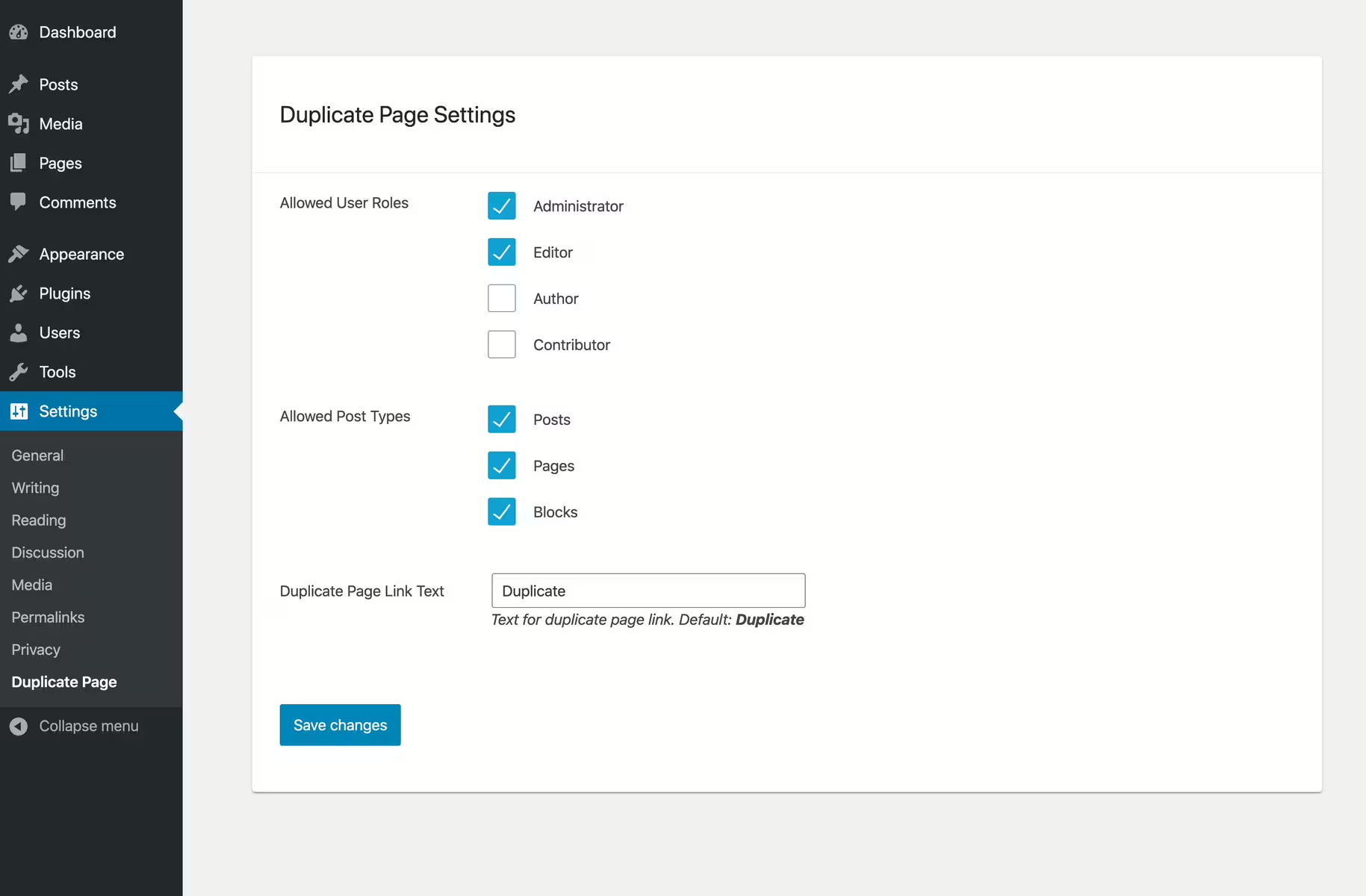
The WP Duplicate Page plugin offers a number of features that significantly simplify duplicating content on WordPress sites. In addition to the already known ability to duplicate posts and pages with one click, another notable feature is that users can customize the duplication button. This function allows changing the text for the duplicate button to better match individual needs and the site's central design. The plugin also allows customizing permissions based on user roles, providing additional convenience and security.
"No unnecessary features, no cluttered user interface. Simple and clear options."
Free features - Comprehensive and available at no cost
- Clone page, post, or custom post types - Allows duplicating different content types in WordPress.
- Clean user interface - A simple and user-friendly design.
- High compatibility - Works seamlessly with all WordPress themes and plugins.
- One-click duplication - Enables duplicating content with a single click.
- Permissions based on user roles - Ensures that only authorized users can duplicate content.
- Custom text for the duplicate button - Adjusts the button text to suit your needs.
License - Free to use for all WordPress users
The WP Duplicate Page plugin is available for free and already offers a variety of useful features in the free version. The aspect of being free combined with broad functionality convinces many users, as it is hard to find such a comprehensive solution without cost. Users greatly appreciate this benefit, especially when budget constraints prevent access to paid solutions.
"It works on all desired post types and is simple, fast and without anything superfluous."
Technical details - Behind the functionality
The WP Duplicate Page plugin is characterized by its minimal load on the WordPress database, as it primarily copies metadata and content elements when duplicating content. In practice, the plugin integrates into the WordPress core via internal hooks to maximize relevance and performance. By avoiding unnecessary data retrievals, efficiency is increased. For developers, the plugin offers simple options to make customizations via filters and actions. The use of WordPress' own "post meta" API for cloning ensures safe handling of data. Custom fields and post formats are also taken into account, supporting advanced use cases.
Integration - Compatibility aspects and caching potential
Even in its standard scope, the WP Duplicate Page plugin proves to be highly compatible with a variety of page builders and caching solutions. Due to the predefined compatibility, users can continue to use their existing setups unchanged while benefiting from the advantages of the plugin. A notable exception, however, is integration with the Elementor Page Builder, where several users have reported issues, which may limit the plugin for users of that specific platform.
"It simply serves its purpose and is a clean solution!"
System requirements - Optimal conditions for readiness
To effectively use WP Duplicate Page, some system requirements are necessary. The plugin requires at least PHP version 5.3 or higher and WordPress version 4.0 or higher, and it has been tested up to the current WordPress version. The current plugin version number at the time of the last update in 2026-08 is not specified. These moderate requirements make the plugin usable for a wide range of WordPress installations.
"No unnecessary features or a cluttered user interface."
Quality - Evaluation of the quality of the WP Duplicate Page plugin
The WP Duplicate Page plugin impresses with its high quality, which is based on several decisive factors. The optimization of the dashboard presentation ensures an efficient user interface that significantly increases productivity in the WordPress backend. The high compatibility with all WordPress themes and plugins is another plus that sets it apart from other solutions that often have limitations in this regard. Users particularly appreciate the ease of use: any post or page can be duplicated with a single click without deep technical knowledge. The stable integrations, even with complex page builders, underline the reliability of the solution despite individual reports of issues with Elementor.
Additionally the plugin allows permission customization based on user roles and offers help for possible issues through a support center. These features give the plugin a reputation as a robust and user friendly tool in the daily life of WordPress administrators.
"The tool is simple and effective and works exactly as described."
Support - User Experiences and Contact Options
Support for the WP Duplicate Page plugin is generally rated positively, although specific information in the reviews is rather sparse. Users report that help can be requested when problems occur and that the Ninja Team Support Center is available as a contact option. The official WordPress support area for the plugin provides a platform for support requests and the possibility to communicate directly with the developers. Additionally there is the option to get more direct contact via the developer's support URL.
Experiences with support vary depending on individual requests and issues. Overall however the committed effort of the development team is recognized and especially appreciated when it comes to responding to inquiries promptly.
"Quick response and helpful support - the support is simply great!"
Rating - user feedback and testimonials
The WP Duplicate Page plugin has achieved an impressive average rating of 4.3 out of 5 stars from 15 reviews in the official WordPress Plugin Directory. This high rating reflects the satisfaction of many users who appreciate the simplicity and effectiveness of the plugin in daily use. Reviews often highlight the trouble-free operation and the time savings it offers compared to other solutions.
Users particularly praise the user friendliness and reliable performance of WP Duplicate Page:
"The plugin works well and provides efficient and easy handling when duplicating content. Easy to set up and use."
Despite the general satisfaction there are also some critical voices questioning certain aspects of the plugin:
"For users of the Elementor Page Builder compatibility could be limited which may require additional adjustments."
Overall however the positive feedback still dominates:
"It simply does its job and is a clean solution without unnecessary complexity."
Criticism - weaknesses and challenges of the WP Duplicate Page plugin
Although the WP Duplicate Page plugin offers many advantages there are also some critical aspects highlighted by users and experts. A recurring theme is limited compatibility with certain WordPress tools in particular the popular page builder Elementor. This compatibility limitation can be a significant disadvantage for Elementor users and often requires additional adjustments to achieve the desired functionality. Despite a strong infrastructure and solid functionality some reviews lack specific information on security aspects which could be a potential concern for security conscious users. Furthermore no decisive security vulnerabilities or bugs have been documented in the plugin which is reassuring however ongoing improvement through regularly provided updates is missed.
Regarding further development there are suggestions for improvements such as adding features for more complex management of copies or the possibility to integrate more deeply with WordPress core features. These could increase the plugin's appeal and make it more versatile.
"Unfortunately it does not work with Elementor," users criticize regarding the integration of this tool.
The feedback and criticism underline the need for continuous technical development and the desire of many users for improved functionality in future versions.
Conclusion - Summary of strengths and weaknesses
The WP Duplicate Page plugin developed by Ninja Team, offers a remarkably user friendly solution for duplicating content on WordPress sites. Its lean user interface and one click duplication make it especially suitable for less technically experienced users. Numerous positive community reviews confirm its efficiency and stable performance.
Notably the free version already provides comprehensive functionality combined with high compatibility with most WordPress themes and plugins. However the limited compatibility with the Elementor Page Builder is seen as a major weakness which can restrict use for users of that platform.
For further improvements security aspects and more frequent updates would be desirable to ensure high user satisfaction in the future. Overall WP Duplicate Page remains a valuable addition for effective management of WordPress content especially for standardized requirements.
#backup #clone page #clone post #duplicate page #duplicate post
Show more
Detailed plugin information
Plugin slug: wp-duplicate-page
Plugin name: Wp Duplicate Page
Plugin title: WP Duplicate Page
Plugin keywords: #backup #clone page #clone post #duplicate page #duplicate post
Plugin version: 1.8.5
Last updated: 2026-08
Release date: 2020-12-05
Required WP version: 4.0
Required PHP version: 5.3
Tested with WP version: 7.1
Active installations: 60 000+
Average rating: 4.3
Number of reviews: 15
Number of support requests: 1 (in the last 2 months)
Number of Resolved Support Requests: 1 (in the last 2 months)
Plugin author: Ninja Team
Developer homepage: https://ninjateam.org
WP Developer Profile Page: https://profiles.wordpress.org/ninjateam/
Support URL in the WordPress Plugin Directory: https://wordpress.org/support/plugin/wp-duplicate-page/
Developer support URL: https://wordpress.org/support/plugin/wp-duplicate-page/#fallback-commercial-support-url
WP Plugin Directory: https://wordpress.org/plugins/wp-duplicate-page/
Was the review of Wp Duplicate Page helpful?
Wp Duplicate Page Was the right plugin?
Wp Duplicate Page - Compare nowOpen plugin in sandboxTo the official WP StorePopular alternatives to Wp Duplicate Page
Duplicate Page
Duplicate Page
#duplicate custom posts #duplicate page #duplicate post #Page Duplicate #Post duplicate
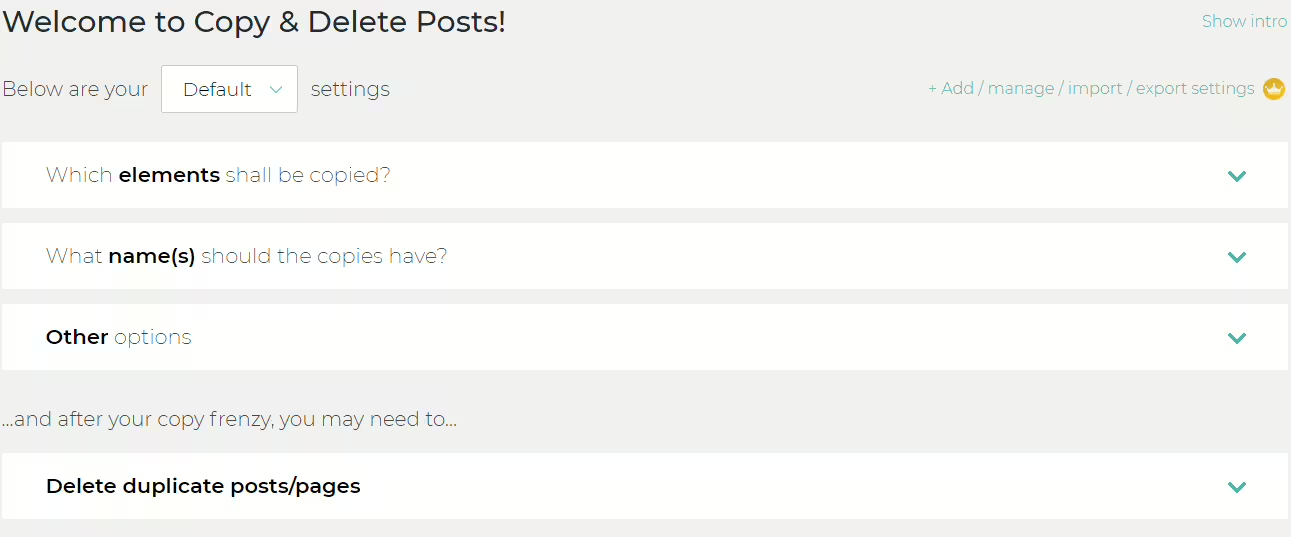
Copy Delete Posts
Duplicate Post
#copy pages #copy posts #duplicate pages #duplicate post #duplicate posts
