
Password correct. Please wait...
Disable the chat with .custom-disable-chat
WP Plugin Comparisonby neo-wp.com


WP Plugin Webp Converter For Media
Test report
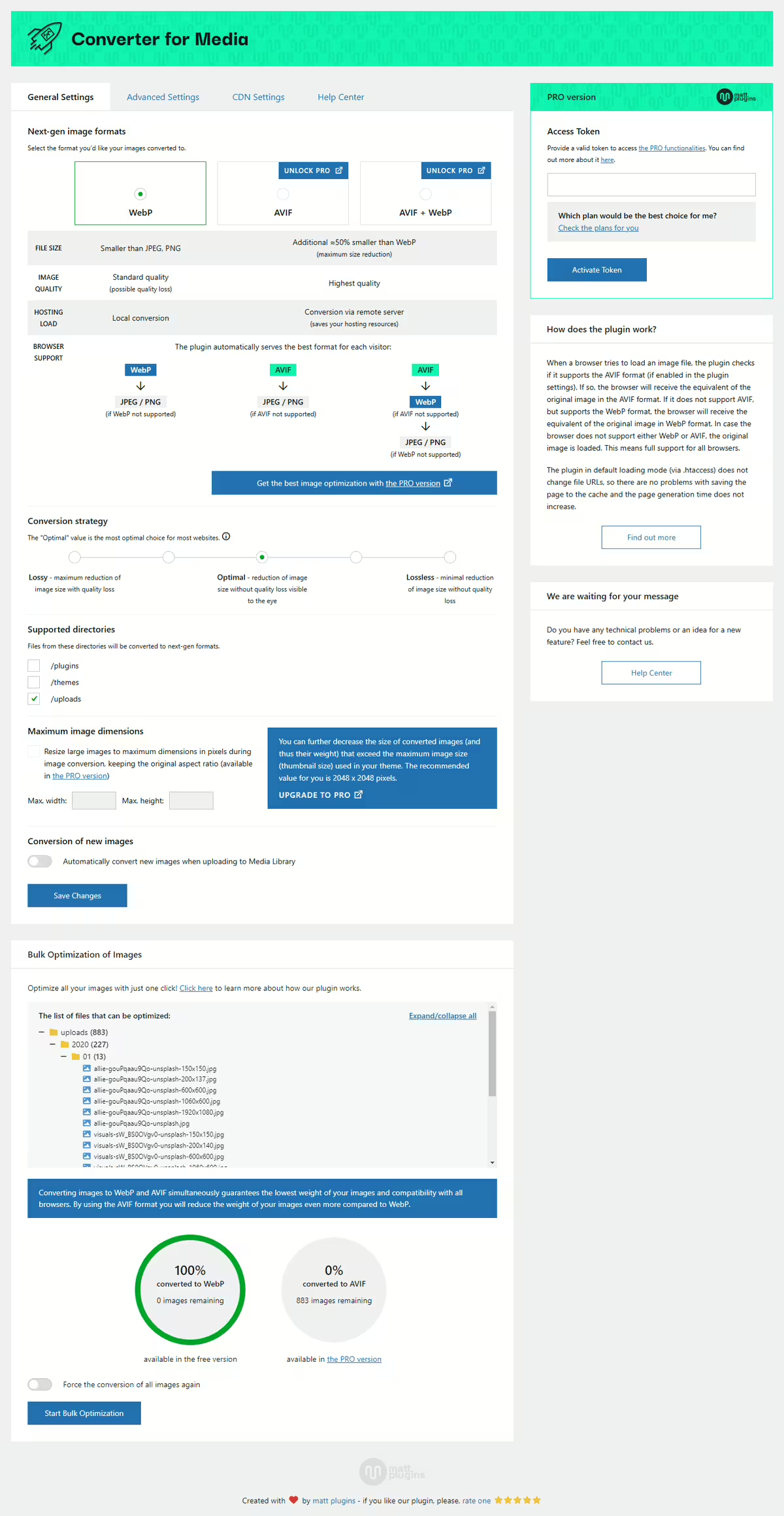
Converter for Media - Optimize images | Convert WebP & AVIF
Introduction - Comprehensive image optimization for WordPress
Webp Converter For Media by matt plugins - Optimize images by convert WebP & AVIF, first released on 2019-06-16, is an outstanding WordPress plugin that revolutionizes image optimization to boost website performance. With over 500 000+ active installations the plugin not only offers conversion of images to WebP and AVIF formats, but is especially known for its high compression rate without quality loss, leading to a significant reduction in page weight. Unique is the fully automatic image optimization that covers both existing and newly uploaded images, providing a continuous advantage for page speed and thus for SEO rankings. The target audience mainly includes users of modern browsers, of which over 90% support WebP. The excellent ratings with an average score of 4.9 out of 5 stars from 1 097 reviews in the WordPress Plugin Directory underscore user satisfaction. The following section addresses the specific features that enable these benefits.
"The plugin delivers what has been promised to us since WordPress 6.0: a proper way to replace JPEG and PNG with WebP images to make our websites faster."
Features - Automatic and versatile image conversion
The WordPress plugin Webp Converter For Media impresses with its automated image optimization that reliably converts both existing and newly uploaded images. A notable feature not mentioned in the first paragraph is the support for additional directories. This function allows optimization of images stored not only in the media library but also in directories such as /plugins and /themes for which the Pro version is required.
"The ability to optimize images in directories outside the media library sets this plugin apart from many other solutions."
Free-Features - Extensive functions at no cost
- Image optimization - Images are automatically converted to the WebP format, significantly reducing file size without quality loss.
- Automatic conversion - New images are converted immediately after being uploaded to the media library.
- Original image safety - Original images remain untouched and securely stored.
- WebP support - The plugin detects browsers that support WebP and delivers the appropriate images.
- No redirects - Optimized image delivery without extra load time from redirects.
- Compatibility with HTML tags - Works with common HTML elements for image display.
- Data reduction - Reduced data transfer when loading images, which decreases load times.
- No residue - Removes all plugin traces upon uninstallation.
Pro-Features - Advanced optimization options
- AVIF support - Enables conversion to the AVIF format for even better compression and image quality.
- Support for additional directories - Optimization of images in additional directories such as
/pluginsand/themes. - Access to advanced features - More image optimization options for improved performance.
"The Pro version is particularly valuable for sites with large image archives in various directories."
License & price-performance - balance between cost efficiency and functionality
The Webp Converter For Media plugin offers a free version that already provides a variety of important features. For users who have higher demands for image optimization and want to use the Pro features, a paid version is available. The Pro version is especially popular with users who run commercial websites and have large image libraries. The price-performance ratio is perceived as reasonable, particularly when the advanced features are used to further optimize load times. Some users however find the costs relatively high, while the effective image compression and the resulting performance gains are often highlighted positively.
"Wonderful plugin, I paid for the Pro version and it is worth the money."
Technical details - a look at the inner workings
The WordPress plugin Webp Converter For Media is characterized by a well-thought-out technical architecture that enables efficient conversion of images to WebP and AVIF formats. At the filesystem level it uses custom PHP routines to switch the MIME type dynamically while leaving the image URL unchanged. This technique minimizes potential integration issues with caching solutions and other WordPress plugins. Developers can use an alternative loading path via PHP if the standard rewrite rules are blocked, which is controlled by specific .htaccess settings. It also supports image conversion from directories such as /plugins and /themes, which can be extended via hooks and filters. Integration of shortcodes and APIs gives developers additional freedom to build advanced implementations.
System requirements - minimum requirements for smooth operation
To use the Webp Converter For Media plugin, certain system requirements are necessary. Minimum system requirements include PHP version 7.4 and WordPress version 4.9. The plugin is compatible with and tested up to WordPress version 5.8. The current plugin version is 6.6.5, and it was last updated on 2026-08. These requirements ensure the plugin works efficiently on both older, stable systems and modern setups, highlighting its broad compatibility.
"It is important to check the system requirements before installation to ensure smooth functionality."
Quality - efficient conversion without loss of quality
The quality of the Webp Converter For Media plugin is mainly characterized by excellent image optimization that occurs without noticeable quality loss. Converting images to WebP and AVIF formats not only reduces file size significantly but also preserves the visual integrity of the images. Image performance is greatly improved, resulting in fast load times and an optimized user experience. Additionally, automated conversion contributes to efficiency since it runs without manual intervention and leaves the original image files untouched, ensuring data security. The ability to convert images from other directories such as /plugins and /themes greatly increases the versatility of the plugin. In particular the Pro version convinces with various additional features that are of great benefit for sites with extensive media archives.
"It works very well, converts to WebP without losing quality. Greatly sped up my site."
Support - experiences with the support service
Support for the Webp Converter For Media plugin is consistently rated positively. Users praise the quick and effective assistance from the developer, which is repeatedly highlighted in reviews. When contacts are made primarily via the support forum in the WordPress Plugin Directory or directly via the developer site, users often receive a solution to their problems the same day. The personal and committed help of the developer team is frequently mentioned. Still there are isolated voices that point to inadequate help especially with more specific issues or during uninstallation. The recommendation to try the PRO version may imply that additional support is prioritized for paying users.
"The team's support is outstanding and really fast. Thanks, Mateusz, for your great work."
Rating - user opinions and experiences
The plugin Webp Converter For Media has received impressive ratings in the WordPress Plugin Directory, with an average of 4.9 out of 5 stars from a total of 1 097 reviews. This high rating reflects users’ largely positive experience with the functionality and effectiveness of the plugin. Many particularly praise the seamless integration and the noticeable improvement in website load times.
A frequently mentioned praise is the automatic image optimization which provides users significant relief in maintaining their websites. On the positive side the following quote was often stated as representative:
"It works very well, converts to WebP without losing quality. Greatly sped up my site."
But there are also critical voices reporting negative experiences. Not all users were satisfied with the plugin's performance. One critical feedback highlights issues caused by the plugin:
"Think a hundred times before you install this plugin. Things only got worse on my site."
Despite a few negative experiences, the vast majority of reviews remain very positive. Users appreciate the plugin's reliable performance, as highlighted in another complimentary comment:
"The plugin delivers what has been promised to us since WordPress 6.0: a proper way to replace JPEG and PNG with WebP images to make our websites faster."
In summary, the Webp Converter For Media is perceived by most users as very useful and effective despite isolated criticism.
Criticism - Potentials and Problem Areas of the Plugin
Criticism of the Webp Converter For Media plugin covers several aspects users have pointed out in their experiences. A frequently mentioned issue is the lack of communication and clarity from the developer regarding some plugin functions, particularly why conversion to the WebP format occasionally fails. Users also complain about the absence of a warning about the consequences of deactivating the plugin, which can lead to unexpected problems.
There are also reports that the plugin sometimes blocks the media library or increases the number of files, which can cause undesirable effects on the website. These problems seem to occur especially with specific server configurations, such as blocked htaccess rewrites, requiring technical support from the hosting provider. Another critical piece of feedback concerns the removal function for already converted images during uninstallation, which is considered inconvenient.
Users' suggestions for improvement propose that the plugin should better communicate which features are exclusive to the Pro version and how automatic compression could be optimized.
"I would like to see some improvements here."
Conclusion - Evaluation of Functionality and Popularity
The Webp Converter For Media plugin offers a comprehensive solution for image optimization on WordPress websites. Developed by Mateusz Gbiorczyk, it impresses with automation and support for modern image formats that can significantly improve loading times. A large number of satisfied users and high ratings underscore the plugin's efficiency and user-friendliness. However, there are criticisms, particularly regarding deactivation and removal of the plugin, and a need for more transparent communication about Pro features. Despite these challenges, it remains a preferred choice for many WordPress users who want to optimize their website performance due to its extensive features and flexibility.
#compress images #convert webp #image optimization #optimize images #webp
Show more
Detailed plugin information
Plugin slug: webp-converter-for-media
Plugin name: Webp Converter For Media
Plugin title: Converter for Media – Optimize images | Convert WebP & AVIF
Plugin-Keywords: #compress images #convert webp #image optimization #optimize images #webp
Plugin version: 6.6.5
Last updated: 2026-08
Release date: 2019-06-16
Required WP version: 4.9
Required PHP version: 7.4
Tested with WP version: 7.1
Active installations: 500 000+
Average rating: 4.9
Number of reviews: 1 097
Number of support requests: 6 (in the last 2 months)
Number of resolved support requests: 6 (in the last 2 months)
Plugin author: Mateusz Gbiorczyk
Developer homepage: https://mattplugins.com/products/webp-converter-for-media-pro
WP developer profile page: https://profiles.wordpress.org/mateuszgbiorczyk/
Support URL in the WordPress Plugin Directory: https://wordpress.org/support/plugin/webp-converter-for-media/
Developer support URL: https://wordpress.org/support/plugin/webp-converter-for-media/#fallback-commercial-support-url
WP Plugin Directory: https://wordpress.org/plugins/webp-converter-for-media/
Was the review of Webp Converter For Media helpful?
Webp Converter For Media Was the right plugin?
Webp Converter For Media - Compare nowOpen plugin in sandboxTo the official WP StorePopular alternatives to Webp Converter For Media
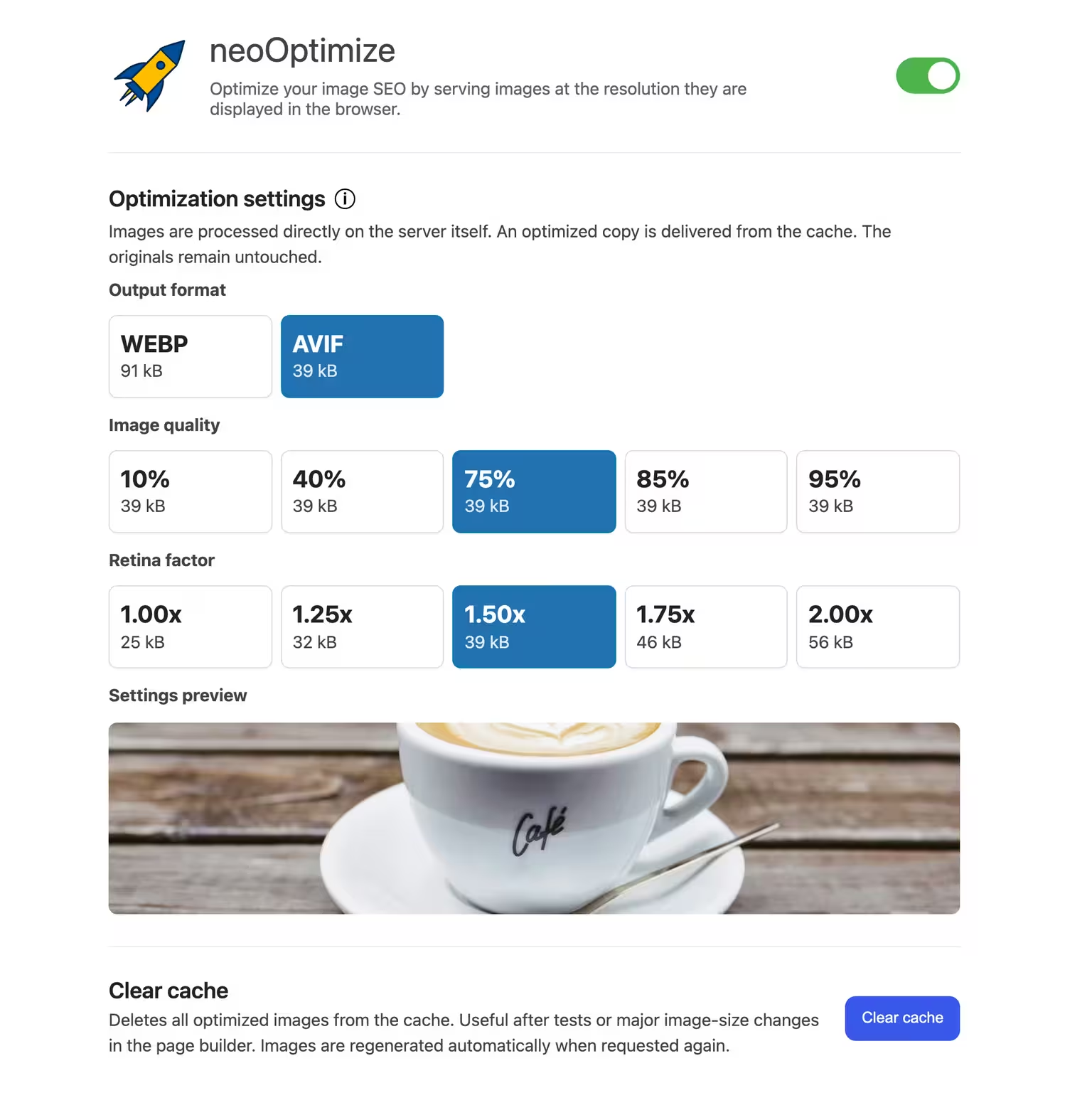


neo Optimize
Optimize your image SEO by serving images at the resolution they are displayed in the browser.
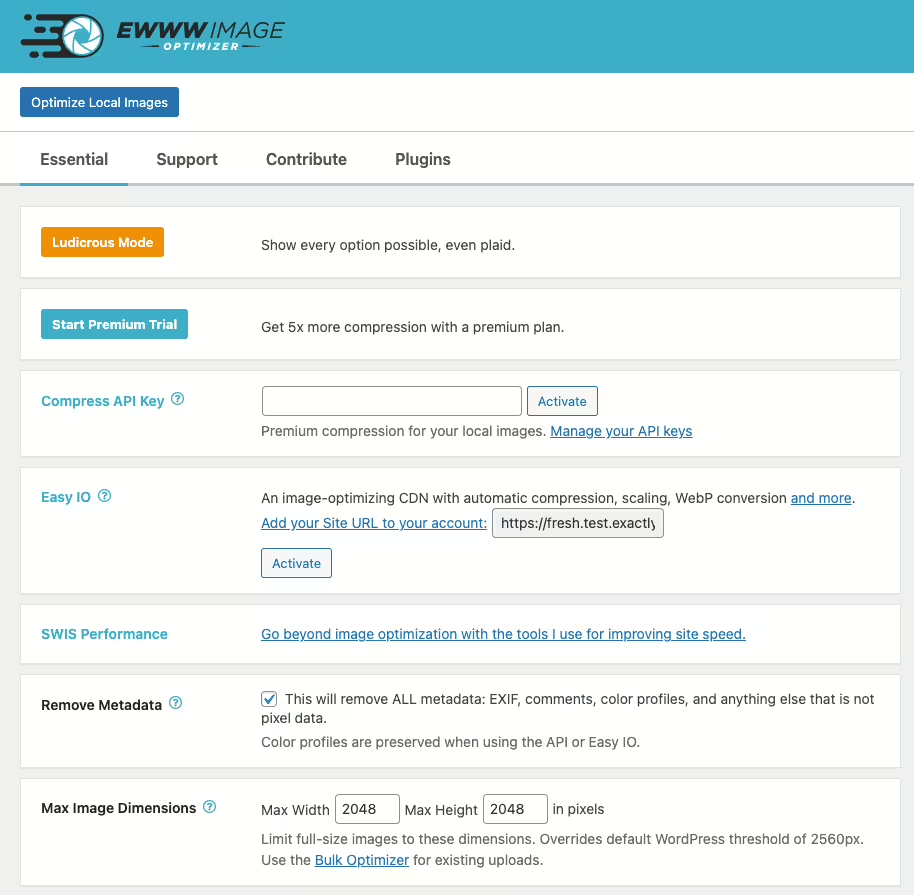
Ewww Image Optimizer
EWWW Image Optimizer
#compress #convert #lazy load #resize #webp
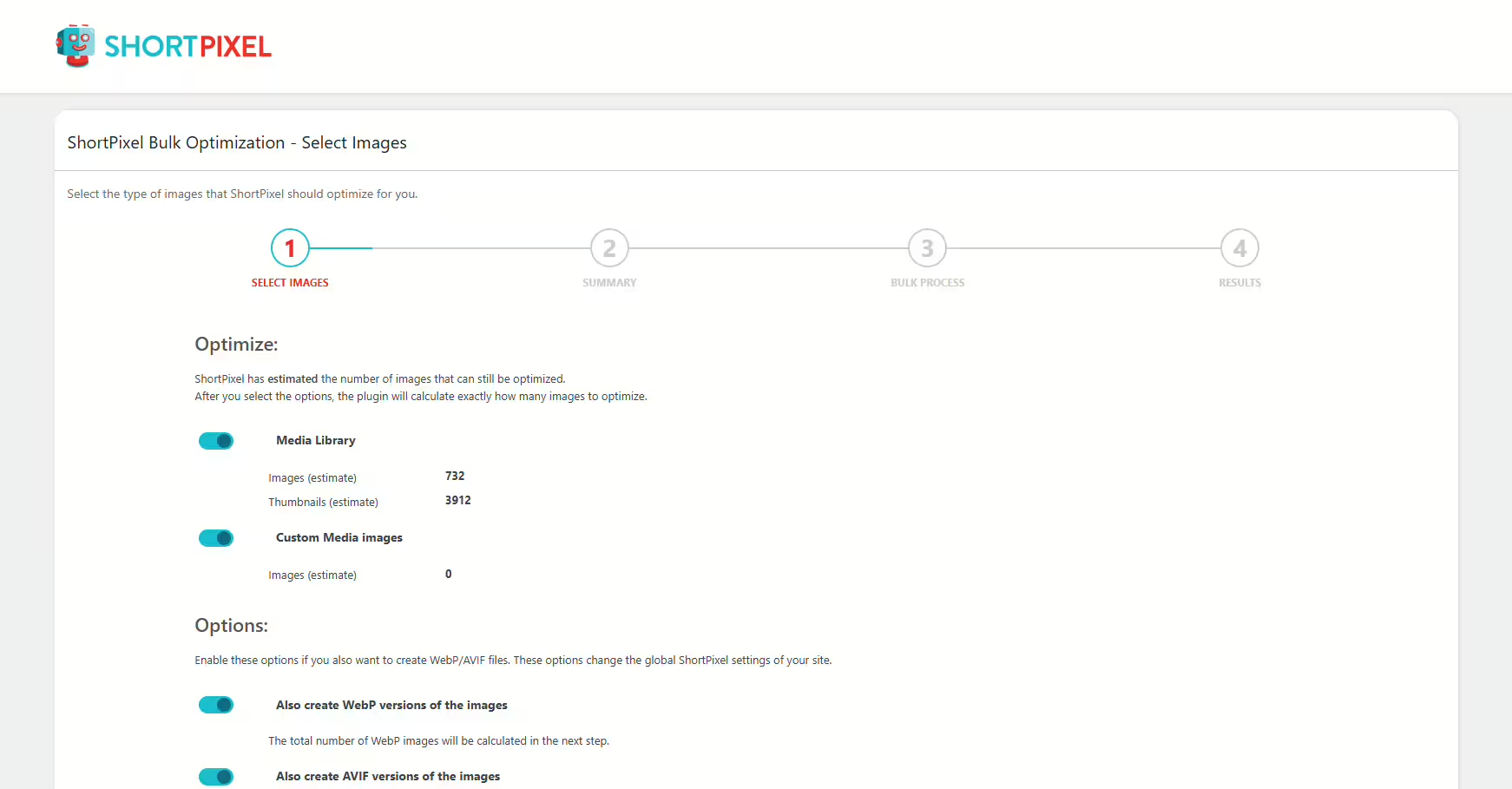
Shortpixel Image Optimiser
ShortPixel Image Optimizer – Optimize Images, Convert WebP & AVIF
#compress images #convert webp #image optimization #optimize images #resize
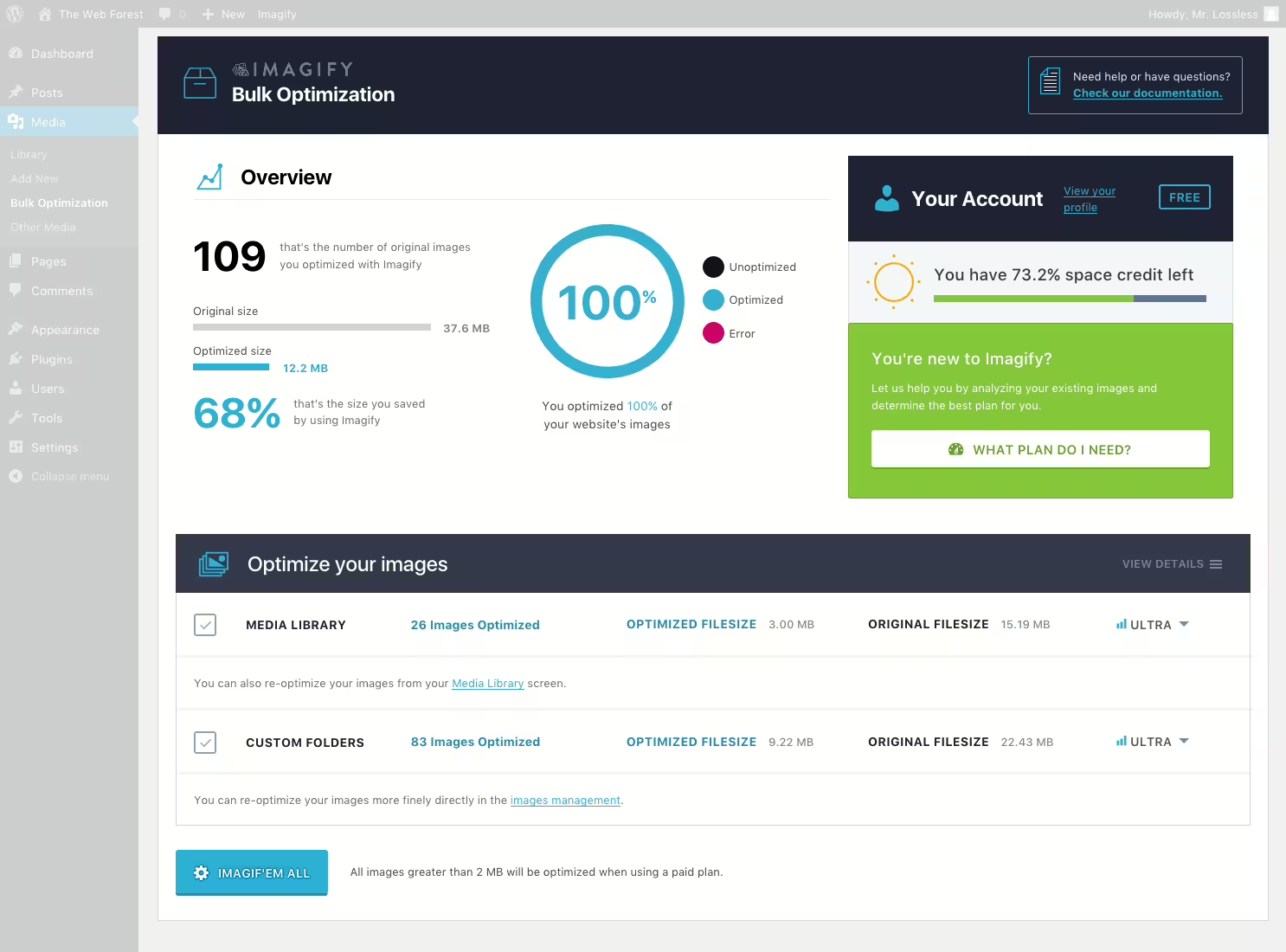
Imagify
Imagify Image Optimization: Optimize Images | Compress & Convert to WebP/AVIF
#compress images #convert AVIF #convert webp #image optimization #optimize images
