
Password correct. Please wait...
Disable the chat with .custom-disable-chat
WP Plugin Comparisonby neo-wp.com


WP Plugin Tiny Compress Images
Test report
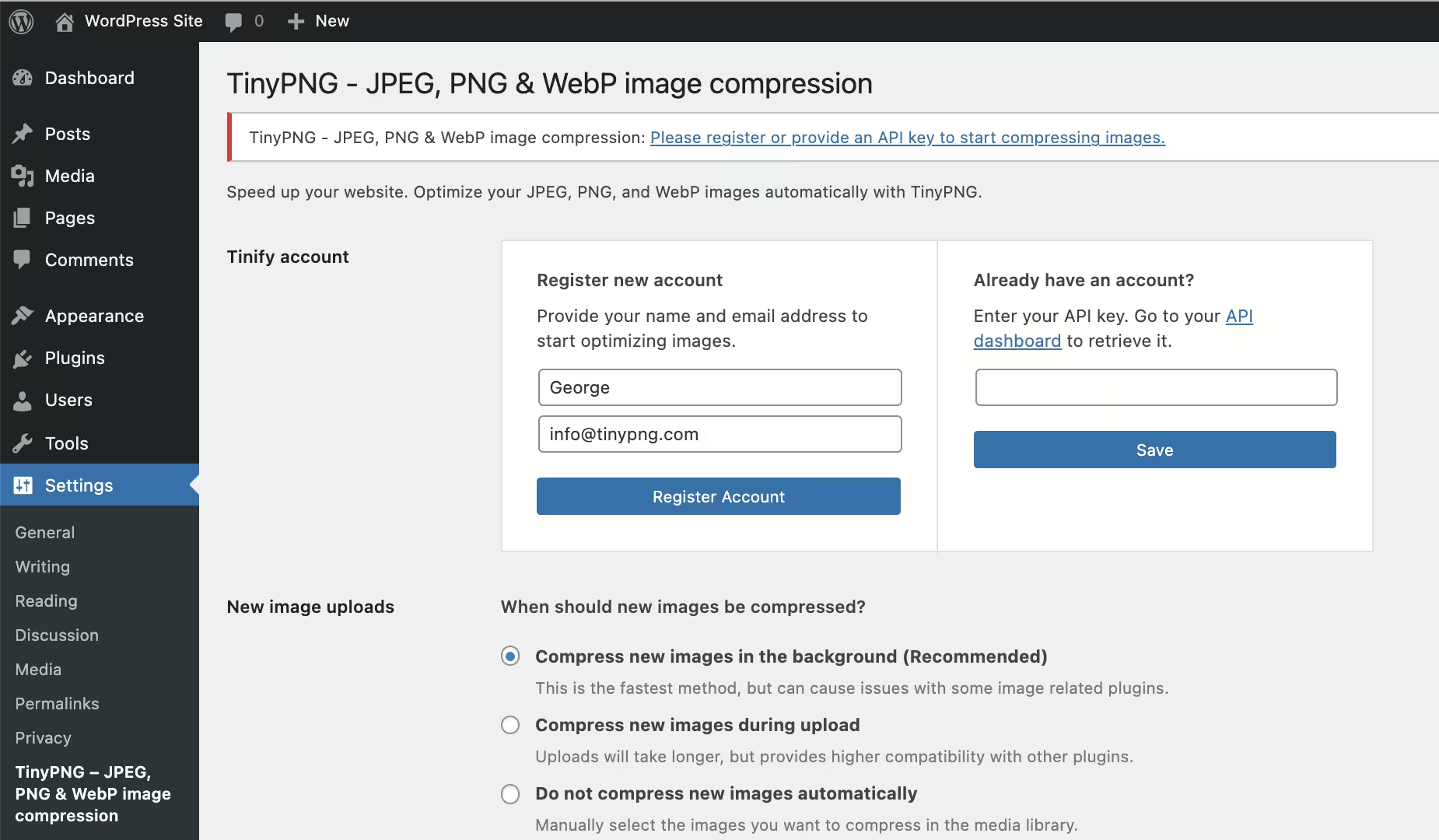
TinyPNG - JPEG, PNG & WebP image compression
Tiny Compress Images - A comprehensive overview
Tiny Compress Images is a WordPress plugin developed by TinyPNG and was released on 2015-02-12. With more than 100 000+ active installations, the plugin has established itself as an indispensable tool for users who want to improve their website performance through image optimization. It is particularly useful for compressing JPEG, PNG, and WebP images, thereby reducing page load times without significantly impacting image quality. Some of the unique features of this plugin are automatic optimization when uploading new images and the ability to efficiently compress existing images in the media library. The target audience includes WordPress users looking for a quick and easy way to optimize images, as well as operators of WooCommerce stores who want to improve the loading speed of their e-commerce pages. With a average rating of 4.5 out of 5 stars based on 176 reviews, Tiny Compress Images enjoys a solid reputation in the official WordPress Plugin Directory. The following section provides a more detailed look at the features of Tiny Compress Images, further highlighting the uniqueness and benefits of the plugin.
“I tested many other plugins, but none matched the quality and results of TinyPNG.”
Features - Different functions for optimization needs
The Tiny Compress Images plugin offers a wide range of features for effective image optimization. Besides automatic optimization on upload and bulk optimization in the media library, multisite compatibility is a notable feature. This allows a single API key to be used across multiple sites, which is especially advantageous for operators of multisite installations. This not only saves time but also administrative effort, as images can be optimized centrally across multiple sites.
“The ability to compress images directly from the admin area saves a lot of time.”
Free features - Extensive free optimization options
The plugin provides the following free features:
- Automatic optimization of new images on upload - Images are automatically optimized when uploaded.
- Advanced background optimization - Speeds up the workflow.
- Optimization of single images in the media library - Existing images can be optimized.
- Simple bulk optimization - All existing images in the media library can be optimized at once.
- Automatic resizing of large image uploads - Maximum width and/or height can be set.
- Progressive JPEG encoding - JPEG images display faster.
- Selection of thumbnail sizes to optimize - Specific thumbnail sizes can be chosen.
- Multisite support with a single API key - API key can be defined for all sites.
- Compatible with WPML - Support for multilingual sites.
- Compatible with WooCommerce - Plugin works well with WooCommerce.
- Dashboard widget with total savings - Displays the savings.
- Optimization and resizing of uploads with the WordPress Mobile App - Optimization is also possible on mobile.
License & value for money - Advantages and limits of the pricing structure
The Tiny Compress Images plugin offers a free version that allows you to optimize roughly 100 images per month at no cost. The free license is ideal for personal use or smaller projects, as it provides essential image optimization features. However, once this limit is exceeded, a paid account can be activated to optimize unlimited images. This represents good value for money, as prices for additional optimizations are considered reasonable. Users appreciate the ability to calculate their costs with a handy cost calculator available directly in the plugin settings.
“The prices for additional images are very reasonable.”
Technical details - behind the scenes of the plugin
The Tiny Compress Images plugin uses an API integration with the TinyPNG and TinyJPG services to enable efficient image compression directly from the WordPress environment. Once an image is uploaded to the media library, it is automatically sent to the external API, which applies advanced compression algorithms. This analysis selects the best possible optimization strategy based on the specific content of the image. The optimized image content is then returned to the WordPress database, where it replaces the original. Technically, data transmission occurs via HTTPS, which ensures the security of the transmitted data. The plugin also supports defining API keys in the `wp-config.php`, allowing developers flexible configuration across individual sites. This ability to centrally manage keys is especially beneficial for large multisite installations.
System requirements - required versions and compatibilities
The plugin Tiny Compress Images requires at least PHP version 7.4 or higher. WordPress must be at least version 4.0. Regarding tested compatibility, the plugin works smoothly up to WordPress version 5.9. To ensure the best performance, you should keep software versions up to date. The current plugin version number is 3.8.0, and the most recent update in 2026-08 was published. These regular updates play a key role in continuously maintaining both functionality and security.
“Regular updates and smooth operation are signs of good plugin maintenance.”
Quality - consistency in image compression and performance
The quality of Tiny Compress Images is highlighted by effective image compression and preservation of visual integrity. The plugin uses the reputable TinyJPG and TinyPNG services to significantly reduce both JPEG and PNG images, with JPEGs reduced by 40-60% and PNGs by 50-80%. This significant reduction happens with virtually no visible loss of quality, a point many users rate as remarkably good. Automating compression on upload improves workflow and saves time, which is especially appreciated by users with large image inventories. However, some users report a certain quality loss, particularly when the JPEG quality is preset to 85% before the actual optimization, which has attracted some criticism.
“This plugin does a great job optimizing images while maintaining impeccable quality.”
Support - experiences and availability of support
The support for Tiny Compress Images is generally described as efficient and fast. Users report prompt, helpful, and friendly assistance available through various communication channels. For questions or feedback, the email address support@tinypng.com is available. Contact via X (formerly Twitter) at @tinypng is also possible. The support section on WordPress also offers a space for discussing issues and questions in the community. Special mention is made of the support's ability to quickly respond to technical problems and present solutions, which users highlight positively.
Some reviews, however, also point to frustrations, especially with unclear instructions for API key setup and occasional inactivity of support for specific inquiries. The developer support URL can provide an additional resource if response times in the official thread are insufficient.
"Their support is fantastic. A recent update caused the plugin to stop working on my sites, and after I commented in the support thread, they contacted me the next day."
Rating - a look at user opinions
The rating of the Tiny Compress Images plugin shows a high level of user satisfaction with a average of 4.5 out of 5 stars. The 176 reviews reflect a largely positive experience, especially for those who value effective image compression.
"This is the best free tool for image compression. I tried many and this one is simply great!"
However, some users express criticisms. A recurring issue is the limitation of free image compression and related misunderstandings:
"I just received an email three days after installing this plugin telling me I reached my limit of 500 images. I only have 50 images on my entire site. Rip off!!"
Nevertheless, positive voices prevail, praising the ease of use and the quality of the compression:
"I have been using this plugin for some time across all my sites and it works very well."
Criticism - problems, security issues, and improvement opportunities
Criticism of Tiny Compress Images focuses mainly on specific issues that can occur when using the plugin. Users have repeatedly reported bugs and malfunctions that sometimes had serious impacts on their websites. A frequent complaint is the alleged bug in bulk optimization, where users unexpectedly reach their image limits much faster, even if they reportedly compressed fewer images. This experience raised questions about the authenticity of the reported image count and the plugin's operation.
There are also reports of technical problems that affect website performance, especially after performing mass optimizations, which can lead to affected sites becoming unreachable. One highlighted aspect is the lack of available updates, which could mean the plugin may have security vulnerabilities. Despite existing criticisms of technical difficulties, there is a lack of concrete security vulnerabilities or privacy issues, which is also seen as a drawback because transparency and specific information in these areas could increase user safety.
"It seems the plugin is deliberately faulty because I compressed far fewer images than I was told."
In summary, despite the useful features and large user base, the plugin struggles with certain technical issues and causes dissatisfaction for some users. For future versions, greater consideration of user feedback and strengthening security and stability could be priorities to address existing criticism and improve the plugin's reliability.
Conclusion - A well-designed plugin with room for improvement
Tiny Compress Images by TinyPNG is a powerful image compression tool that stands out for its wide range of features and user-friendliness. It provides a good foundation for small to medium projects with free options, while larger projects benefit from the flexible pricing structure. The integration of the TinyPNG and TinyJPG services enables high-quality image compression without significant loss of image quality. Despite many advantages, the plugin faces criticism in some areas, particularly in managing free quotas and occasional technical difficulties.
To further improve the user experience, more transparency about limits and more intensive bug fixing would be desirable. Active responses to feedback and improvements in the update strategy could further increase user satisfaction and solve future challenges. Overall, however, Tiny Compress Images remains a valuable compression solution for WordPress users.
#compress images #compression #image size #Page Speed #performance
Show more
Detailed plugin information
Plugin slug: tiny-compress-images
Plugin name: Tiny Compress Images
Plugin title: TinyPNG – JPEG, PNG & WebP image compression
Plugin keywords: #compress images #compression #image size #Page Speed #performance
Plugin version: 3.8.0
Last updated: 2026-08
Release date: 2015-02-12
Required WP version: 4.0
Required PHP version: 7.4
Tested with WP version: 7.1
Active installations: 100 000+
Average rating: 4.5
Number of reviews: 176
Number of support requests: 1 (in the last 2 months)
Number of resolved support requests: 0 (in the last 2 months)
Plugin author: TinyPNG
Developer homepage: https://wordpress.org/support/plugin/tiny-compress-images/#fallback-homepage
WP developer profile page: https://profiles.wordpress.org/tinypng/
Support URL in the WordPress Plugin Directory: https://wordpress.org/support/plugin/tiny-compress-images/
Developer support URL: https://wordpress.org/support/plugin/tiny-compress-images/#fallback-commercial-support-url
WP Plugin Directory: https://wordpress.org/plugins/tiny-compress-images/
Was the review of Tiny Compress Images helpful?
Tiny Compress Images Was the right plugin?
Tiny Compress Images - Compare nowOpen plugin in sandboxTo the official WP StorePopular alternatives to Tiny Compress Images
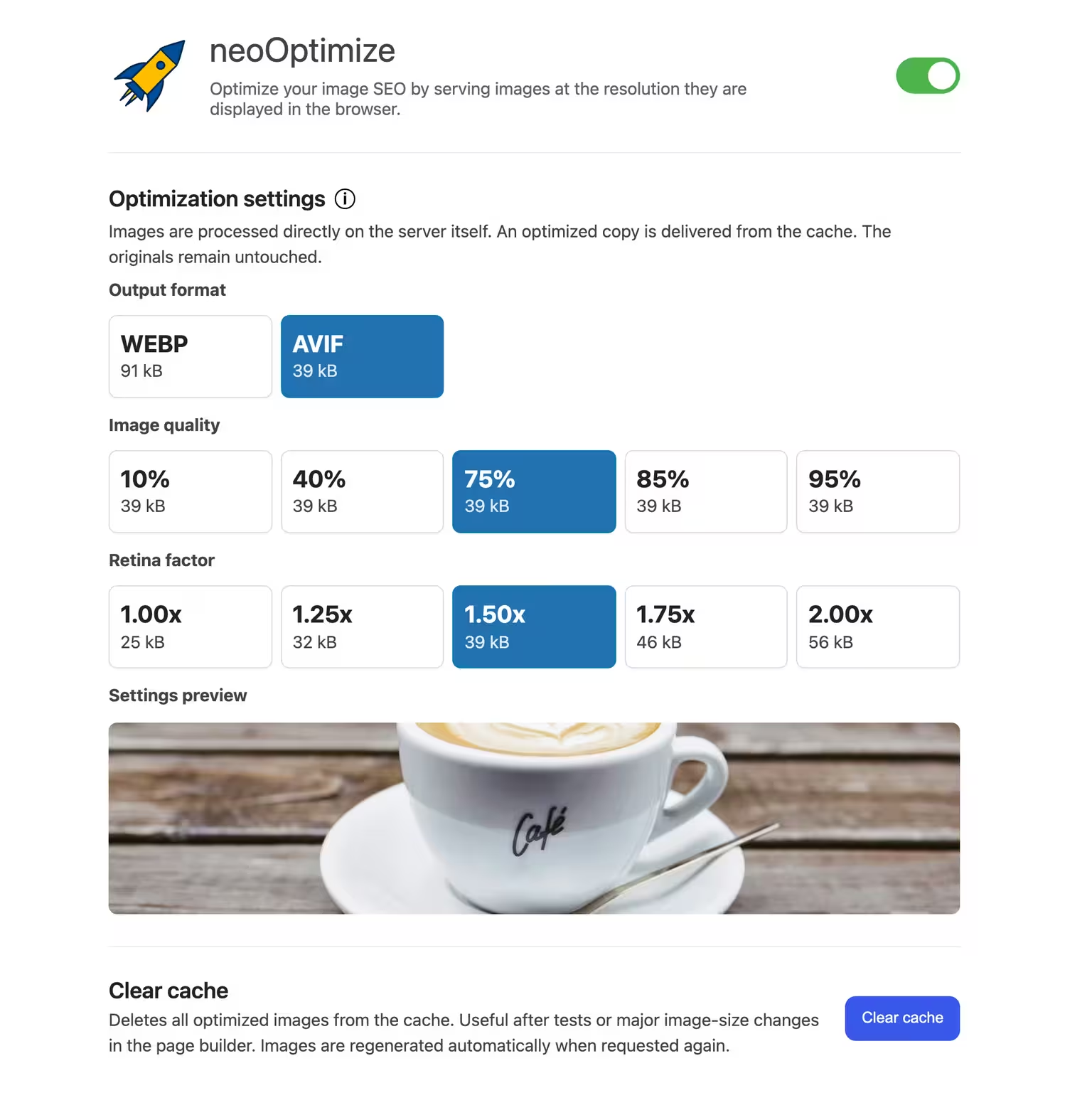


neo Optimize
Optimize your image SEO by serving images at the resolution they are displayed in the browser.

Ewww Image Optimizer
EWWW Image Optimizer
#compress #convert #lazy load #resize #webp

Webp Converter For Media
Converter for Media – Optimize images | Convert WebP & AVIF
#compress images #convert webp #image optimization #optimize images #webp
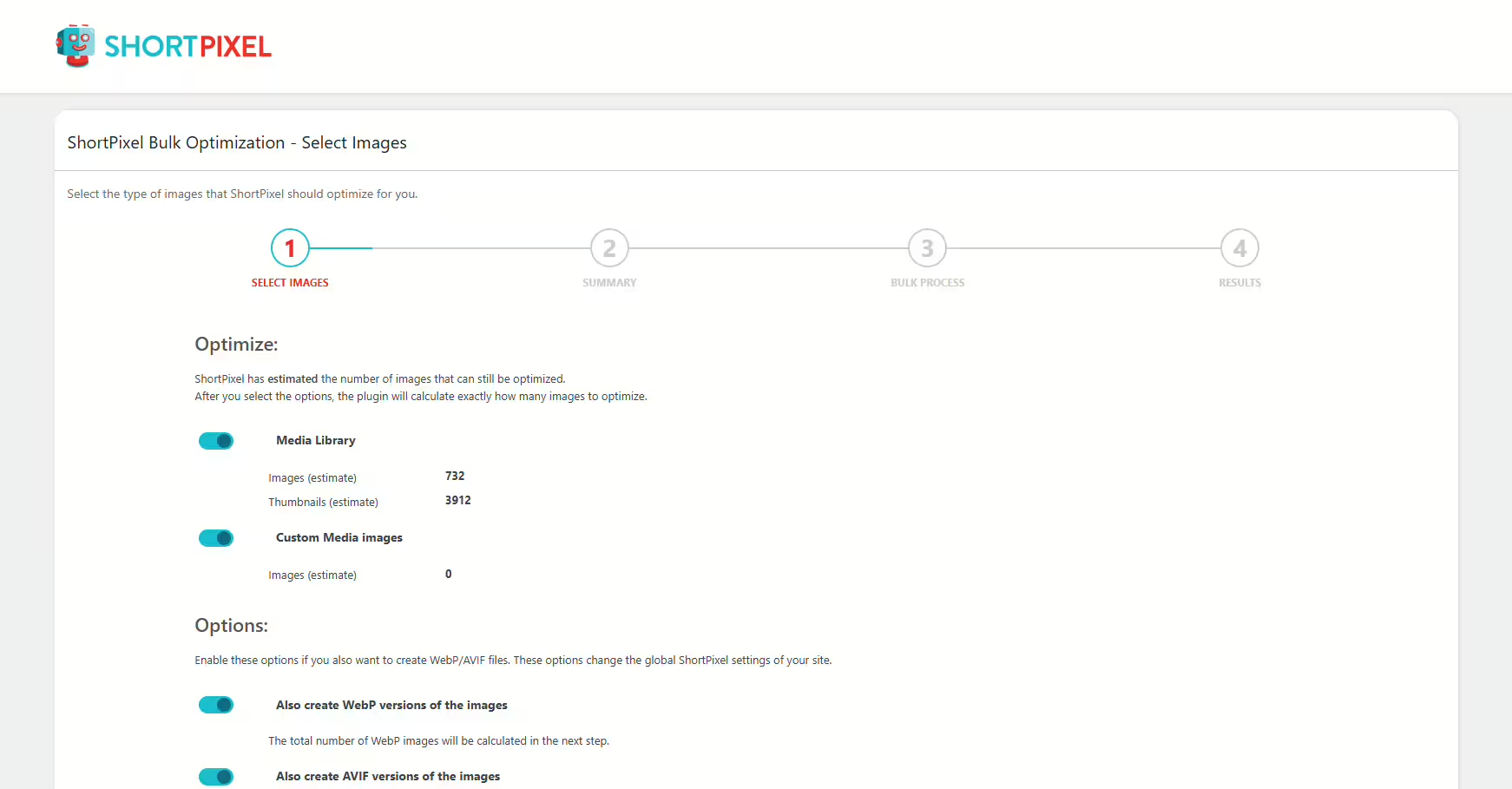
Shortpixel Image Optimiser
ShortPixel Image Optimizer – Optimize Images, Convert WebP & AVIF
#compress images #convert webp #image optimization #optimize images #resize
