
Password correct. Please wait...
Disable the chat with .custom-disable-chat
WP Plugin Comparisonby neo-wp.com


WP Plugin Shortpixel Image Optimiser
Test report
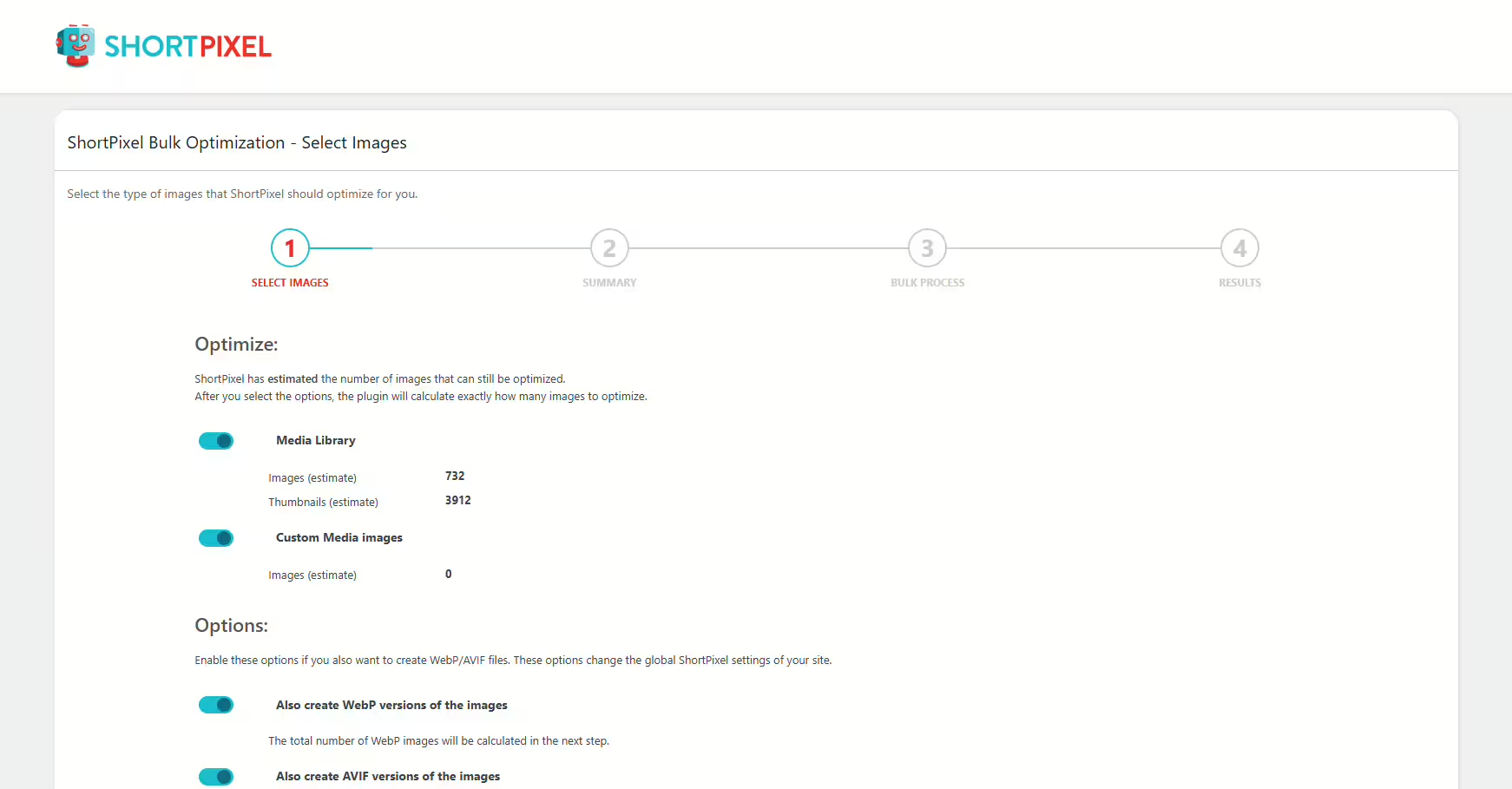
ShortPixel Image Optimizer - Optimize Images, Convert WebP & AVIF
ShortPixel Image Optimizer is a versatile WordPress plugin developed by ShortPixel - Convert WebP/AVIF & Optimize Images and was first released on 2014-11-05. With over 300 000+ active installations, the plugin aims to improve website speed through efficient image and PDF optimization. ShortPixel stands out from competitors by supporting a wide range of compressed image formats such as JPG, PNG, GIF, WebP, and AVIF. Particularly notable is the automatic conversion to modern formats, which can significantly improve both SEO and user experience. The plugin targets a variety of users, from small blogs to large WooCommerce online stores and agencies that offer unlimited image optimization for a monthly fee. The average rating in the official WordPress Plugin Directory is 4.5 out of 5 stars, based on 819 reviews. The next section will take a closer look at the specific features of the ShortPixel Image Optimizer.
"ShortPixel really sped up my website and significantly improved the results in GTmetrix and PageSpeed Insights."
Features - Various image optimization options
The ShortPixel Image Optimizer impresses with its comprehensive feature set that goes far beyond conventional image compression functions. In addition to the already mentioned support for various image and file formats and automatic conversion to modern formats, the plugin offers advanced optimization options such as bulk image optimization. This makes it possible to optimize all images in the media library with a single click, significantly speeding up the workflow. Another notable feature is the support for smart cropping, particularly useful for e-commerce websites to generate the right thumbnails.
"The variety of features ShortPixel offers makes it one of the most versatile image optimizers on the market."
Free features - Limited but useful capabilities
- 100 free credits per month - Allows optimizing images up to a certain limit at no cost.
- Compression of JPG, PNG, GIF and PDF - Supports the most common image formats.
- Automatic conversion from PNG to JPG - Reduces file size when beneficial.
- CMYK to RGB conversion - For better color representation.
- Backup of original images - Original images are stored locally and can be restored with one click.
Pro features - Advanced options for comprehensive image optimization
- Unlimited image optimization for agencies - Flat rate for agencies with many images.
- Bulk optimization - Optimize all images in the media library with one click.
- Background optimization - Images can be optimized without keeping a browser tab open.
- Automatic conversion to WebP and AVIF - For better performance and SEO ranking.
- Smart Cropping - AI-powered generation of thumbnails, ideal for e-commerce websites.
- Advanced exclusion options - Exclude images based on filename, path or size.
- Automatic scans of custom media folders - For new images.
- Integration with Cloudflare - Automatic synchronization with the Cloudflare cache.
"With the Pro version of ShortPixel I was able to take my image optimization to a new level, and the integration with Cloudflare is a real bonus."
License & value for money - User ratings and options
ShortPixel offers flexible licensing options that include both free and paid plans. For users who only perform image optimizations occasionally, the 100 monthly credits are a generous option. For more intensive use there are pro plans that allow unlimited image optimizations without limits. Users particularly praise the cost-effective pricing model where they only pay for the optimizations they actually need. This makes ShortPixel an attractive option for site owners and agencies with high image volumes. The pricing reflects the plugin's comprehensive features, and the option to purchase one-time credit packages is seen as advantageous.
"The costs are very reasonable compared to the performance and results I was able to achieve."
Technical details - A look under the hood of the plugin
The ShortPixel Image Optimizer provides an extensive repertoire of developer options that meets even advanced technical requirements. Developers benefit from a variety of actions and filter hooks that allow the plugin's behavior to be influenced in depth. For example, upon successful image optimization the hook do_action( 'shortpixel_image_optimised', $post_id ); called, offering the ability to make custom adjustments after optimization. There are also specific filters that affect backup folder management, such as apply_filters("shortpixel_backup_folder", $backup_folder, $main_file_path, $sizes);. These integrations give developers flexibility to further customize image optimization and adapt it to specific use cases. A particular technical refinement is the plugin's ability to work seamlessly with multisite installations, allowing multiple websites to be efficiently managed under a single API key.
"The ability to create different API keys for each installation is a big advantage."
System requirements - Installation requirements
To use the ShortPixel Image Optimizer efficiently, certain system requirements must be met. The plugin requires at least PHP version 7.4, which ensures even older hosting environments are supported. Additionally, a WordPress version of 4.8.0 or higher is required. The plugin has been tested up to WordPress version 7.1 and therefore offers high compatibility with current WordPress versions. The current plugin version number is 6.5.5, and the last update in 2026-08 was performed. These regular updates ensure the plugin's security and performance.
"The regular updates and broad support for older PHP versions are definitely pluses."
Quality - Performance and user experience
The quality of the ShortPixel Image Optimizer is characterized by its advanced features and stable results praised by many users. The main advantage of the plugin is the speed and efficiency with which it optimizes images. By offloading optimization processes to the ShortPixel Image Optimization Cloud, local server resources are conserved, enabling operation even on shared hosting environments. The integration of advanced formats like WebP and AVIF not only improves website load times but also enhances overall user experience. Optimizations occur automatically and resource-efficiently, which is particularly beneficial for large image volumes.
The quality of the service is complemented by the excellent support from the development team, which many users praise, especially for quick and effective problem resolution. However, there are occasional critical voices noting suboptimal image compression that can produce artifacts with some image types. The ability to customize compression levels is appreciated, as it lets the user balance quality loss against file size.
"I was amazed by the results this plugin delivers. Other optimization plugins do not reach ShortPixel's level."
Support - Competent assistance around the clock
The ShortPixel Image Optimizer support is often cited as one of its standout features. Users report that the support is not only fast but also effective at resolving issues. Particularly emphasized is the ability to get support around the clock for questions or problems. A frequently mentioned advantage is the response speed, which in many cases occurs the same day. Support is available through various channels, including email, Twitter, Facebook and LinkedIn, allowing flexible communication. For specific inquiries you can consult the official support in the WordPress Plugin Directory or contact the developer support directly. Despite generally positive feedback, some users are not fully satisfied with the support's problem-solving ability, especially for more complex technical issues.
"The support exceeded my expectations."
Rating - User opinions and reviews
With an average rating of 4.5 out of 5 stars and 819 reviews, ShortPixel Image Optimizer enjoys strong approval among WordPress users. Many praise the efficiency and support of the plugin. Especially highlighted are the noticeable improvement in website speed and the support, which in only a few cases is described as insufficient.
One example of the positive reviews is:
"A great plugin, works very well, 62% reduction overall."
On the other hand, there are also critical voices that raise concerns about costs and suitability for larger image volumes:
"Not recommended if you have many images and want a free option."
Nevertheless, positive experiences prevail, as reflected in comments that highlight the plugin's added value and range of features:
"The secret ingredient for a WordPress website."
Criticism - Weaknesses and suggestions for improvement
Despite many positive aspects of the ShortPixel Image Optimizer, there are also some criticisms voiced in user reviews. A frequently complained-about issue is technical problems that can cause conflicts in certain setups. Some users report that the plugin made their websites unstable. Another critical aspect is inadequate protection against security vulnerabilities. According to one review, the plugin allows the creation of submenus that cannot be removed. These submenus give users the option to restore backups or perform mass actions like deleting optimizations, which could unintentionally lead to data loss.
"This plugin crashed my site, and I thought I had lost a year of hard work until I discovered it was incompatible with one of the apps I use."
Another common criticism concerns image quality after optimization. Some users report that images suffer a drop in quality after compression, which is especially noticeable with heavily compressed images. These complaints underscore the need for flexible settings to tailor the balance between file size and image quality individually.
"Some of my images were really awful quality, they were noisy due to heavy compression."
Additionally, it is criticized that the backup feature sometimes does not work adequately and cannot fully restore all images, which puts users in serious trouble. Suggestions for improvement aim to optimize this backup feature and ensure that a complete restoration is actually possible.
"The backup that was promised to be securely stored did not work - after trying to restore most images, they stayed exactly as ShortPixel left them: unusable."
Although many users are satisfied with the plugin's performance, these critical voices highlight room for improvement that ShortPixel could use to make its software even more user-friendly and secure.
Conclusion - A neutral overview of pros and cons
The ShortPixel Image Optimizer proves to be a powerful image optimizer with a variety of features that go beyond basic compression. Developed by ShortPixel, the plugin is particularly popular with users who value ongoing image optimization and want to benefit from integration with modern image formats like WebP and AVIF. Especially convincing is the ability to optimize many images at once and in the background, which significantly eases the workflow. While support is often praised for its efficiency, some concerns about technical issues and the backup feature are apparent. The flexible pricing model appeals to a wide user base, from occasional users to agencies with high image volumes. Overall, the ShortPixel Image Optimizer offers a solid combination of performance and usability, even though there is room for improvement in image quality for heavily compressed versions.
#compress images #convert webp #image optimization #optimize images #resize
Show more
Detailed plugin information
Plugin slug: shortpixel-image-optimiser
Plugin name: Shortpixel Image Optimiser
Plugin title: ShortPixel Image Optimizer – Optimize Images, Convert WebP & AVIF
Plugin keywords: #compress images #convert webp #image optimization #optimize images #resize
Plugin version: 6.5.5
Last updated: 2026-08
Release date: 2014-11-05
Required WP version: 4.8.0
Required PHP version: 7.4
Tested with WP version: 7.1
Active installations: 300 000+
Average rating: 4.5
Number of reviews: 819
Number of support requests: 1 (in the last 2 months)
Number of Resolved Support Requests: 1 (in the last 2 months)
Plugin author: ShortPixel
Developer homepage: https://shortpixel.com/
WP developer profile page: https://profiles.wordpress.org/shortpixel/
Support URL in the WordPress Plugin Directory: https://wordpress.org/support/plugin/shortpixel-image-optimiser/
Developer support URL: https://wordpress.org/support/plugin/shortpixel-image-optimiser/#fallback-commercial-support-url
WP Plugin Directory: https://wordpress.org/plugins/shortpixel-image-optimiser/
Was the test report about Shortpixel Image Optimiser helpful?
Shortpixel Image Optimiser Was the right plugin?
Shortpixel Image Optimiser - Compare nowOpen plugin in sandboxTo the official WP StorePopular alternatives to Shortpixel Image Optimiser
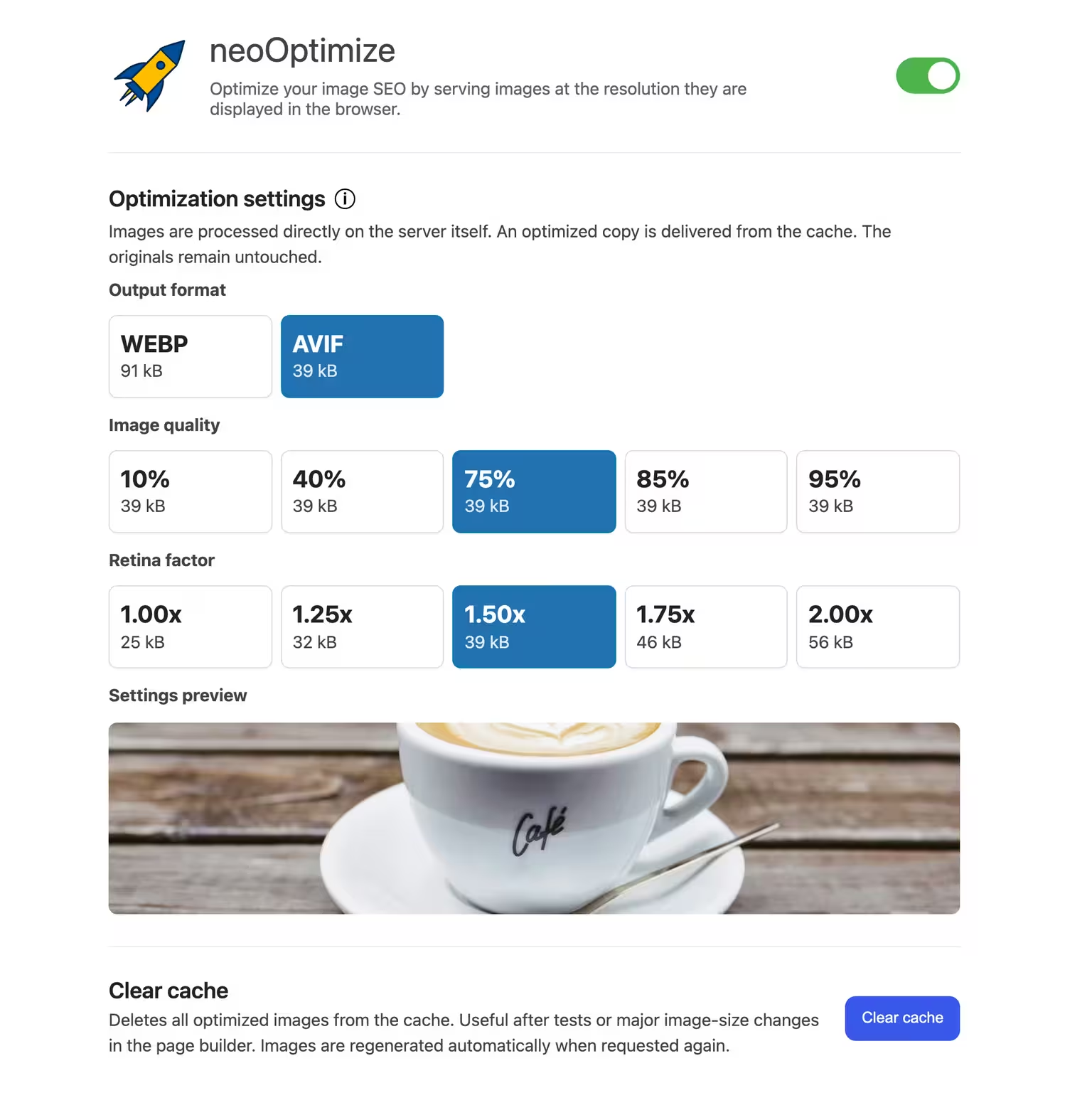


neo Optimize
Optimize your image SEO by serving images at the resolution they are displayed in the browser.
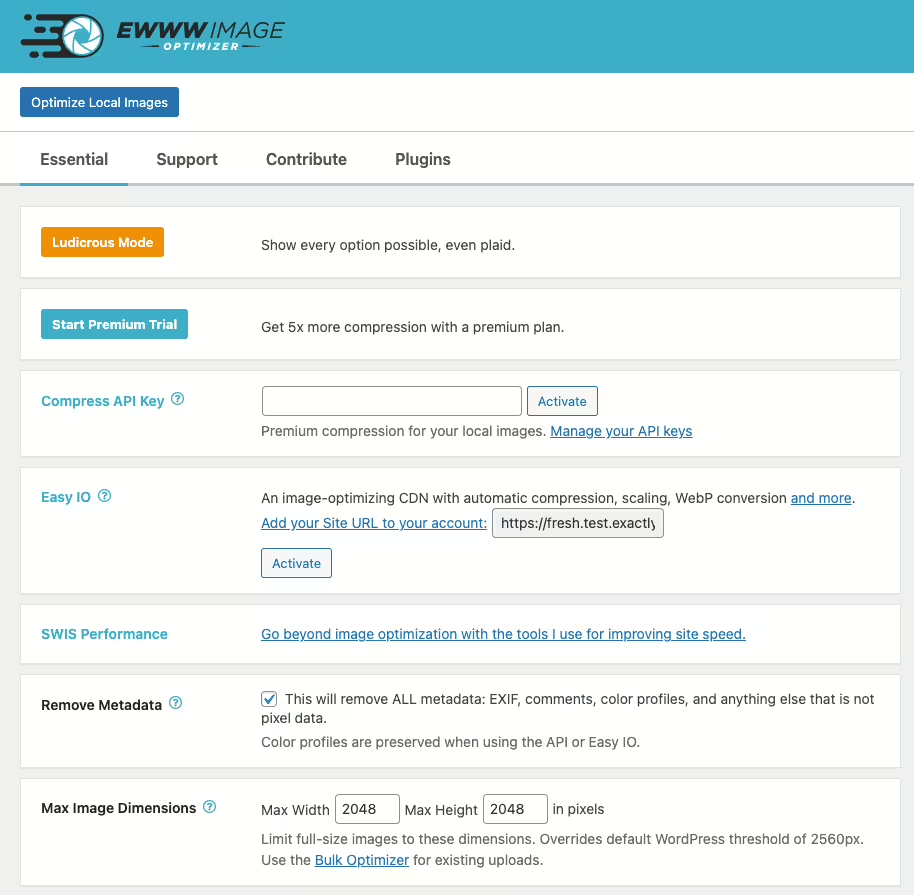
Ewww Image Optimizer
EWWW Image Optimizer
#compress #convert #lazy load #resize #webp
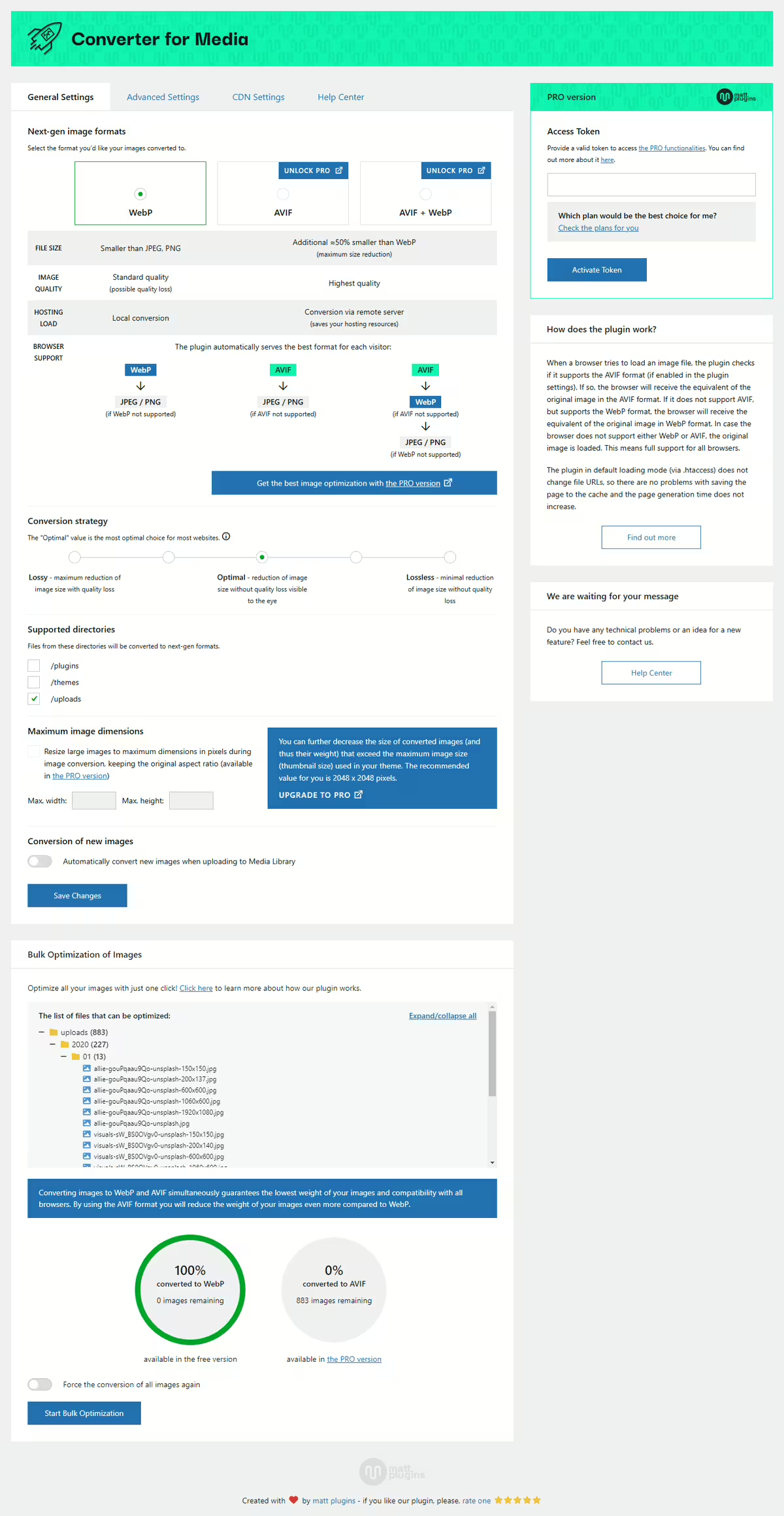
Webp Converter For Media
Converter for Media – Optimize images | Convert WebP & AVIF
#compress images #convert webp #image optimization #optimize images #webp
Imagify
Imagify Image Optimization: Optimize Images | Compress & Convert to WebP/AVIF
#compress images #convert AVIF #convert webp #image optimization #optimize images
