


Password correct. Please wait...
Disable chat with .custom-disable-chat
WP Plugin Comparisonby neo-wp.com


WP Plugin Real Media Library Lite
Test report

Real Media Library: Media Library Folder & File Manager
Real Media Library Lite, developed by devowl.io, is a WordPress plugin for improved media file management. Since its release on 2020-02-26, the plugin has already recorded over 100 000+ active installations. The main benefit is organizing WordPress’s often chaotic media library by allowing files to be sorted into folders, collections, and galleries. This is especially useful for users who work with a large number of media files such as images, videos, or documents. A standout unique feature is the full file and folder manager, which provides precise control over organization-a feature not included in the standard WP media library. The target audience mainly includes WordPress users who need to efficiently manage and organize their media files, such as growing blogs or websites with daily uploads. With an average rating of 4.8 out of 5 stars from 283 reviews in the official WordPress Plugin Directory, the plugin has built a strong user base. The following section examines the specific features of Real Media Library Lite in more detail.
"The plugin helps to get a better overview of all media uploads."
Features - Organization and customization of the media library
The Real Media Library Lite plugin offers numerous features to efficiently organize the WordPress media library. Another notable feature is the enhanced filter function in the media dialog, which allows media files to be sorted by folders. This makes finding specific files much easier, especially in large libraries.
"It has everything I need to keep my large collection easily accessible and tidy."
Free features - Free access to essential functions
- Create unlimited top-level folders - Enables organizing media files without limiting the number of folders.
- Complete file and folder manager - Functions like creating, renaming, moving, and deleting folders.
- Drag & Drop - Easily move files between folders by dragging and dropping.
- Create file shortcuts - Use SHIFT and drag & drop to create shortcuts of files in different folders.
- Filter in the media dialog - Provides the ability to filter by folders in the WordPress media dialog.
- Custom image order - Arrange images by drag and drop for a specific order.
- List mode - Also works in the list mode of the WordPress media library for better overview.
- Advanced upload management - Shows status, remaining time, and upload speed during uploads.
- Upload files directly into folders - Select the target folder during upload in the media upload dialog.
- Create galleries from folders - Integrate folders for gallery creation directly in the Gutenberg editor.
Pro features - Advanced functions for even more control
- Create subfolders - The Pro version expands media management possibilities by allowing the creation of subfolders.
"The only plugin that keeps my media well organized without creating tons of subfolders."
License & value for money - Free features and fair pricing for additional functions
Real Media Library Lite is available for free in its base version and already offers an extensive set of features that are sufficient for many users. The Pro version enables additional functions like creating subfolders, which eases organization for larger libraries. Users consider the Pro pricing fair because the extra features provide real added value.
"I use both the free and paid versions, and both are great."
Technical details - Features and API integrations
The Real Media Library Lite plugin is technically very interesting for developers because it offers a variety of developer APIs and customization options. On the frontend side the plugin is written in React and provides a JavaScript API for integration into React applications or for interaction with plain JavaScript. This API allows developers seamless integration and customization of media management functions into their own projects. On the backend side modern PHP is used, working with WordPress actions and filters to extend functionality. Notably, there is a comprehensive PHP API and REST API endpoints that enable deeper integration. This API architecture supports developers who want to create add-ons or make existing plugins compatible. The plugin uses WordPress’s internal database system to manage folder structures and fully supports managing media at the filesystem level, including features like drag & drop or immediate uploading into folders.
"This plugin is one of the few that has very detailed API documentation."
System requirements - Minimum requirements and compatibility
To use Real Media Library Lite, specific minimum server environment requirements must be met to ensure smooth operation. The required PHP version is at least 7.4.0, ensuring that the plugin’s basic features are supported. In addition, the plugin requires at least WordPress version 5.9, which is compatible with most current installations. The plugin has been tested up to WordPress version 7.0, guaranteeing high reliability and stability on those systems. The current plugin version number is 4.22.72, and the last update was released in 2026-03. These details underscore the active development and support for the plugin.
"This plugin helps you clear up the mess in the media library. It's easy to use and does its job perfectly."
Quality - Efficient organization and attention to detail
The plugin Real Media Library Lite stands out for its high quality and user-friendliness, with a particular focus on organizing media files in the WordPress media library. The ability to place files directly into specific folders during upload and the easy moving via drag & drop provide the user with an intuitive handling. Broad compatibility with common page builders and other WordPress plugins ensures it integrates seamlessly into existing systems without affecting performance. Despite its functionality, the plugin is occasionally criticized for its size, being described as too resource-intensive on the backend. This aspect should be considered when integrating into already heavily loaded systems. Still, for many users the benefit of an organized media management outweighs the disadvantage of possibly increased system load.
"The plugin offers exactly the features needed to manage a large media library."
Support - Contact options and user experiences
Support for the Real Media Library Lite plugin is described by many users as fast and helpful. Various contact options are available, including creating a support ticket specifically for plugin use. Comprehensive support is also offered for developers who write add-ons or ensure the plugin's compatibility with other systems. User experiences with support are predominantly positive. However, there are occasional reports of unsatisfactory assistance. Users can use the official developer support if further help is needed.
"The developers respond quickly and try to solve issues."
Rating - User opinions and reviews at a glance
Despite the extensive features of Real Media Library Lite, the plugin enjoys an impressive average rating of 4.8 out of 5 stars, supported by 283 user reviews. This high rating shows that many users appreciate the features and user-friendliness. The frequently highlighted benefit is the ease of organizing large media libraries, which is a valuable feature especially for users with many media files.
Positive feedback often highlights the reliable performance of the plugin:
"This plugin has been running smoothly for me for years, and I really appreciate the developers' work!"
However, there are also critical voices that refer to certain limitations, such as the need for the Pro version for some features:
"The biggest drawback is that only the Pro version offers the ability to import folders from an old plugin."
Another aspect that is positively rated is the time savings the plugin enables through efficient file management:
"I can find the image I need in a tenth of the time."
Criticism - Issues, security vulnerabilities and suggestions for improvement
The Real Media Library Lite plugin encounters some points of criticism that potential users should consider. A frequently mentioned problem is the occurrence of bugs that can, among other things, cause created folders in the media library to disappear, undermining the effectiveness of organization. Another significant concern relates to compatibility after updates, especially after version 4.18.6, as reports followed about sites being deactivated, requiring rollback measures. This issue raises doubts about the plugin's update strategy.
Security concerns are also expressed in some reviews, despite GDPR compliance and the statement that no personal data is collected without consent. Critics point out that the required consent for using the plugin with the condition links to data transfer is objectionable to some, which some consider unacceptable.
Suggestions for improvement often focus on documentation and the lack of new features after updates. Users report that the existing documentation is not sufficient to fully understand all functions, and a clearly structured guide would be desirable. Furthermore, the availability of new features in updates is demanded instead of just bug fixes and language additions.
"I stopped using the plugin because after two years only bug fixes and no new features were implemented."
Conclusion - Summary of pros and cons
Real Media Library Lite, a product of devowl.io, offers improved media management for WordPress users who want to bring order to their media libraries. The free version delivers basic yet powerful tools like folder creation, drag & drop and an advanced filter option that help especially with large collections. The feature set is sufficient in many cases, while the Pro version offers extended possibilities and despite additional costs is perceived as fairly priced.
On the technical side, the plugin scores with a well-thought-out API and a modern software architecture, although it is occasionally criticized for its resource usage. Support is largely perceived positively, yet the documentation could be further expanded to provide a better user experience. Discussions about security issues require a careful eye regarding data protection matters.
Overall, Real Media Library Lite offers a stable solution for orderly media management and is particularly suitable for users who want to organize their media with minimal effort. Potential issues should, however, be considered during updates to ensure smooth operation.
#file manager #media folder #media library folder #media library folders #WordPress media library folders
Show more
Detailed plugin information
Plugin slug: real-media-library-lite
Plugin name: Real Media Library Lite
Plugin title: Real Media Library: Media Library Folder & File Manager
Plugin keywords: #file manager #media folder #media library folder #media library folders #WordPress media library folders
Plugin version: 4.22.72
Last update: 2026-03
Release date: 2020-02-26
Required WP version: 5.9
Required PHP version: 7.4.0
Tested with WP version: 7.0
Active Installations: 100 000+
Average rating: 4.8
Number of reviews: 283
Number of support requests: 2 (in the last 2 months)
Number of resolved support requests: 1 (in the last 2 months)
Plugin author: devowl.io GmbH
Developer homepage: https://devowl.io/wordpress-real-media-library/
WP developer profile page: https://profiles.wordpress.org/devowl/
Support URL in the WordPress Plugin Directory: https://wordpress.org/support/plugin/real-media-library-lite/
Developer support URL: https://wordpress.org/support/plugin/real-media-library-lite/#fallback-commercial-support-url
WP Plugin Directory: https://wordpress.org/plugins/real-media-library-lite/
Was the test report about Real Media Library Lite helpful?
Real Media Library Lite - The right plugin?
Real Media Library Lite - Compare nowOpen plugin in sandboxTo the official WP StorePopular alternatives to Real Media Library Lite


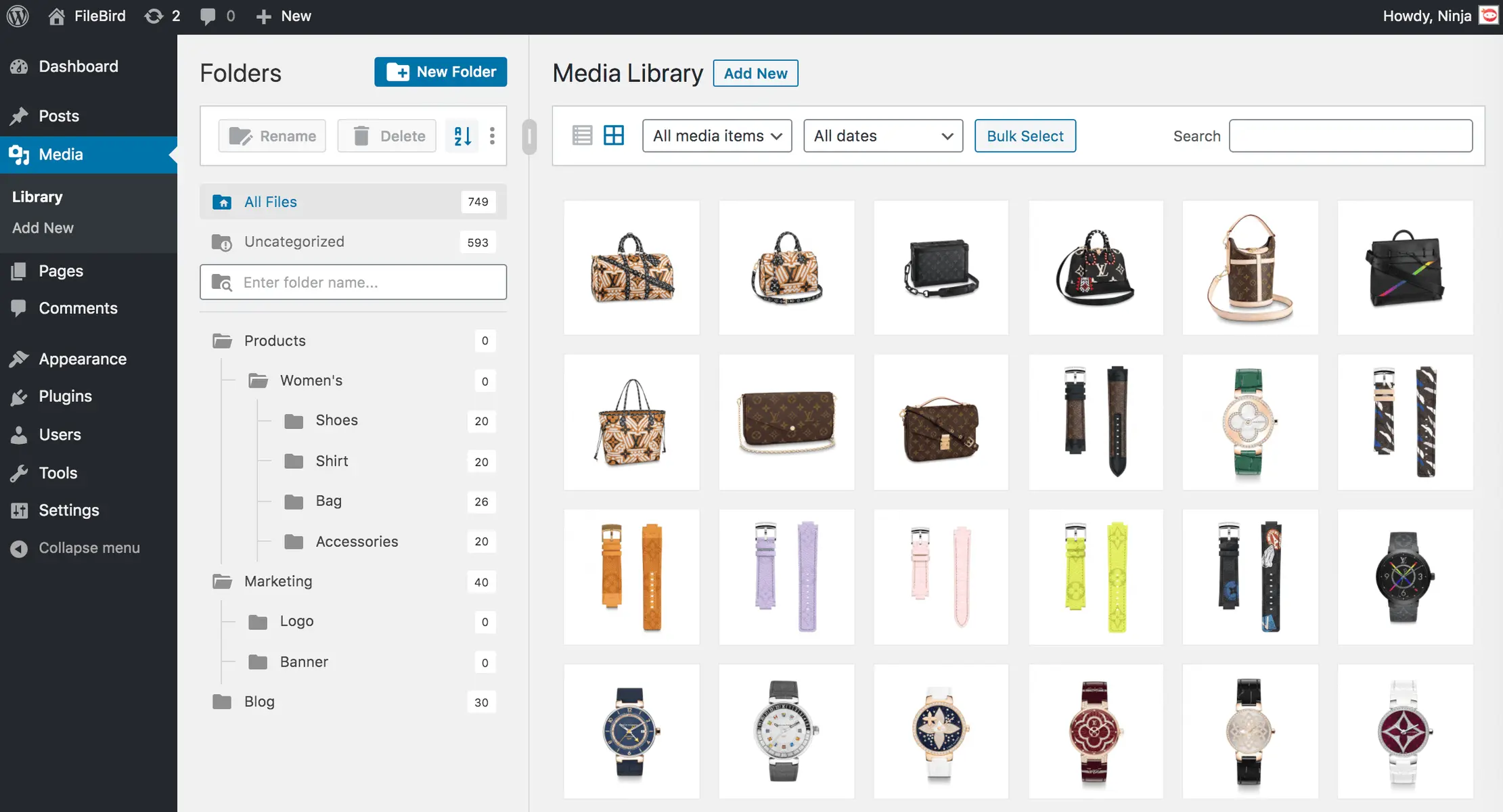
Filebird
FileBird – WordPress Media Library Folders & File Manager
#file manager #media #media folders #WordPress media library folders #wp media folders
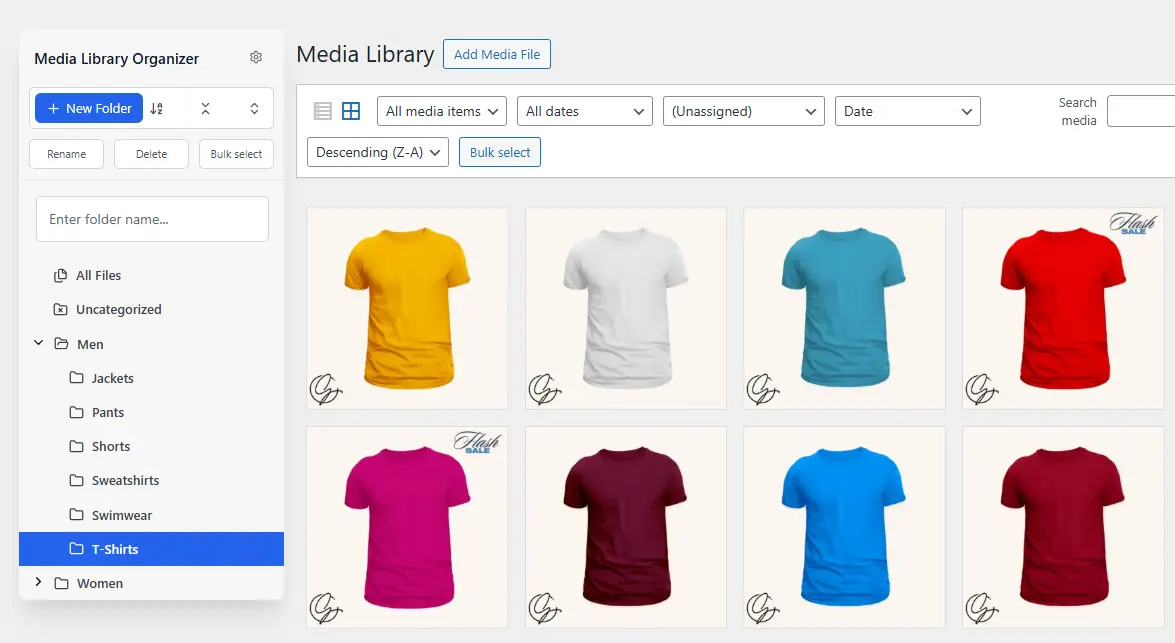
Media Library Organizer
Media Library Organizer – WordPress Media Library Folders & File Manager
#export media library #folders #media categories #media library folders #organize media library
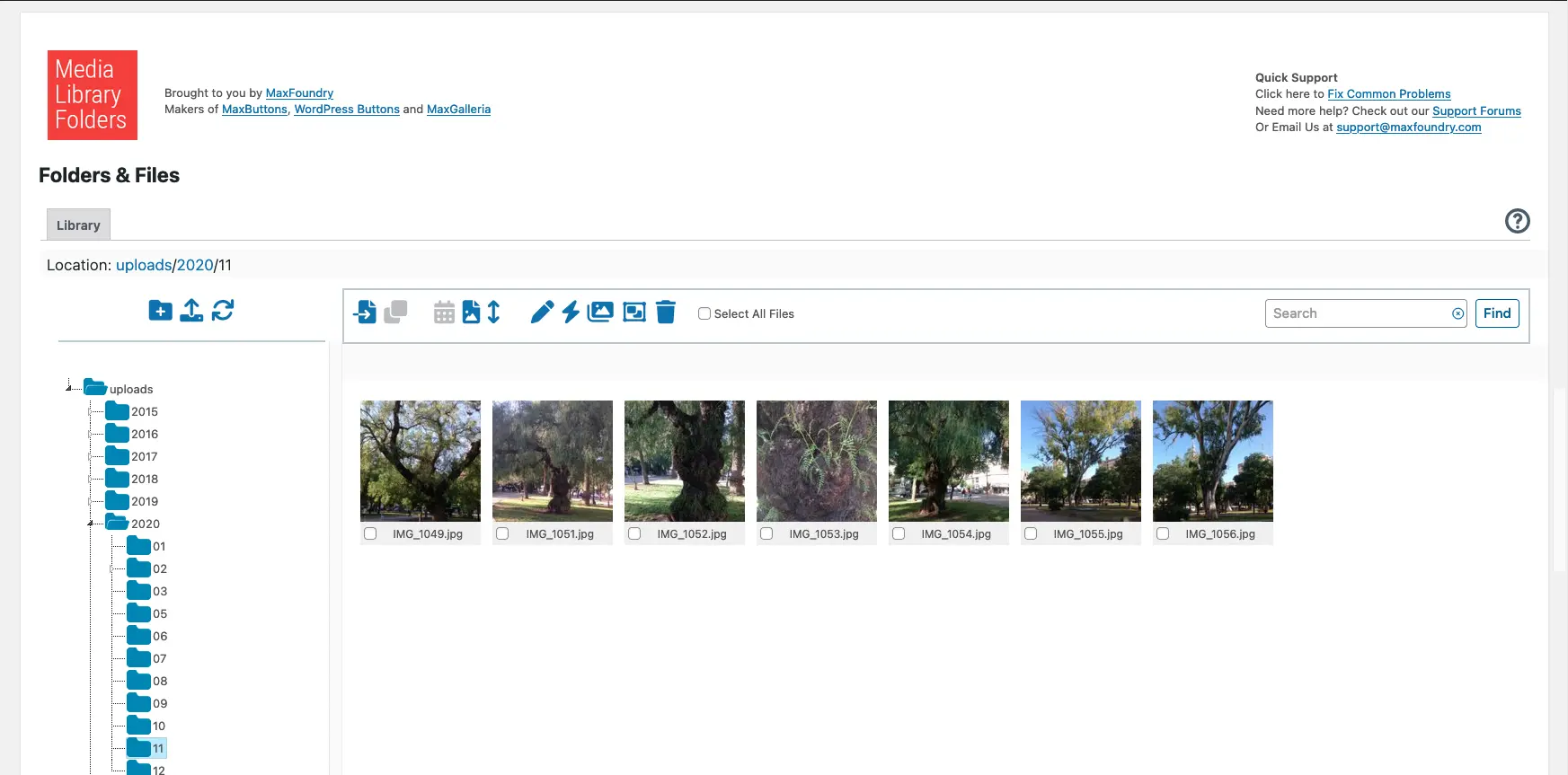
Media Library Plus
Media Library Folders
#media library folders #organize media library
