


Password correct. Please wait...
Disable chat with .custom-disable-chat
WP Plugin Comparisonby neo-wp.com


WP Plugin Organize Media Folder
Test report
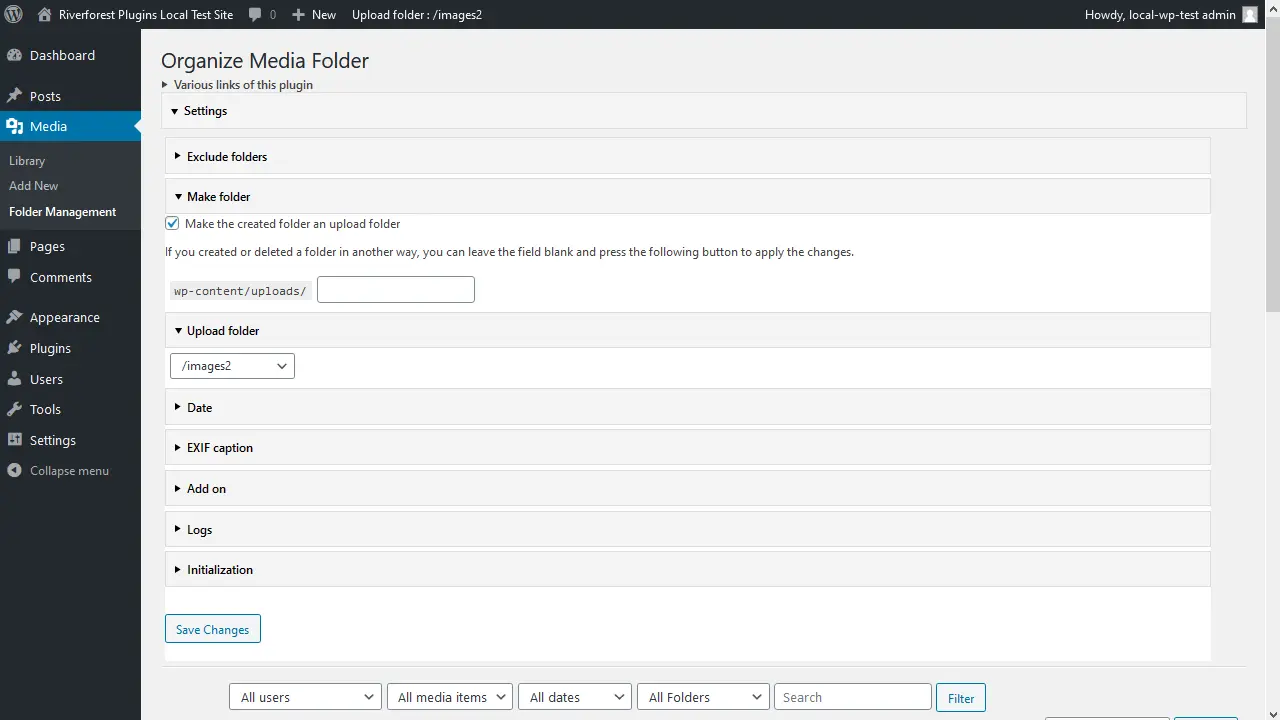
Organize Media Folder
Organize Media Folder, developed by Katsushi Kawamori, is a WordPress plugin that was released on 2020-12-25. With over 2 000+ active installations and an average rating of 4.1 out of 5 stars from 15 reviews in the official WordPress Plugin Directory, it offers a unique method to organize the WordPress media library into tidy folders. Users can customize the media library by creating and managing folders, which significantly simplifies access to and management of media files. This unique feature sets it apart from other solutions that often only offer a flat structure without such capabilities. The plugin primarily targets users who need a significant improvement in media management, such as operators of online shops with diverse product variations or website owners with extensive media files. The following section will cover the plugin’s features.
"A very useful plugin! It fixes the terrible organization of the default media library by allowing directories to be created within the upload directory."
Features - Extensive capabilities for better media management
The Organize Media Folder plugin offers comprehensive features that allow users to efficiently structure the WordPress media library. In addition to creating folders and uploading media directly into specific folders, the plugin is notable for being able to make physical changes to the uploads folder. This not only simplifies management but also greatly improves file discoverability. Another notable feature is the ability to adjust content URLs, which is useful when reorganizing media files. This plugin is aimed at anyone seeking a more optimized workflow for their media content.
"A very handy plugin that finally allows changing the media structure physically instead of just virtually."
Free Features - Free yet versatile
- Organize files into specified folders - Enables structuring of the media library.
- Create folders - Allows creating new folders for better organization.
- Filter searches by folders - Makes finding files easier through targeted filtering.
- Replace URL in content - Adjusts URLs in content during restructuring.
- Upload media into specified folder - Media can be uploaded directly into desired folders.
- Upload media at a specified date and time - Supports scheduled uploading of media content.
License - User-friendly pricing structure
The Organize Media Folder plugin is offered free of charge and impresses mainly with functionality that is often missed natively in WordPress. Users particularly appreciate that the plugin provides high value for free and gives them flexible media management options. Opinions on the plugin’s user-friendliness are mixed, however. Some users mention that onboarding takes time despite the plugin being free and that the plugin’s complexity can be somewhat intimidating.
"For a free plugin that offers so many features, it's really impressive."
Technical details - A look at the technical operation
The Organize Media Folder plugin takes a pragmatic approach to structuring media within the WordPress environment. Internally, it works at the file system level to create and manage folder structures inside the 'uploads' directory. Interesting for developers is the fact that the plugin makes physical changes to WordPress’s directory structure. Depending on server configuration, this can have various implications. While some features like automatic URL adjustments provide an extra layer of flexibility, this could pose challenges in very large installations in terms of performance and complexity. The plugin integrates seamlessly with the WordPress media library by extending native functions, but deeper customizations or integrations are not documented, making it interesting for developers who like to work directly with the code.
System requirements - Relevant technical requirements
The plugin requires at least PHP version 8.0 to be used. WordPress must be installed in version 4.7 or higher to ensure full compatibility. It has been tested up to WordPress version 7.0. The current plugin version 1.36 and the latest update was released in 03/2026. These details are essential to ensure the plugin runs smoothly and provides all features as expected.
"The plugin works well with the specified WordPress version, but older PHP versions could cause issues."
Quality - Unclear performance, but practical functionality
The quality of the Organize Media Folder plugin can mainly be judged by its functionality and integration with the WordPress media library. Users praise the plugin for providing a much-needed structure within the media library. This practical functionality is often described as a missing native feature in WordPress. However, detailed information on the plugin’s performance is lacking. There are no concrete indications of resource usage or impacts on backend speed. User reviews are mixed regarding the plugin’s reliability and stability. Some users report positive experiences and smooth integration, while others point out difficulties, especially with onboarding complexity and the lack of certain features. The plugin may be particularly suitable for users who need intensive folder structures, but the mixed reviews suggest room for improvement in terms of usability.
"A very useful plugin! It fixes the terrible organization of the default media library by allowing directories to be created within the upload directory."
Support - Availability and user experiences
Support for the Organize Media Folder plugin is available via the WordPress plugin forum and a developer support URL. However, detailed information about specific contact options or support response times is missing. The available reviews and information contain no direct references to users’ experiences with support. While user ratings comment on functionality and usability, there are few ratings or notes regarding support. This may indicate that support services are not prominently highlighted or that there are generally few issues requiring contact.
"I posted my requests in the support forum and received helpful responses within a reasonable timeframe."
Rating - Mixed opinions on user-friendliness
The Organize Media Folder plugin has an average rating of 4.1 out of 5 stars from a total of 15 reviews in the official WordPress Plugin Directory. These ratings show mixed opinions about the plugin’s user-friendliness and efficiency. Some users praise it for its practical features, while others have found it difficult to use.
A frequently highlighted positive feature is the plugin's ability to significantly improve the structure of the media library.
"Great plugin that does exactly what's needed to cover the basic management of physical media files in WordPress."
However, there are also critical voices that have dealt with the plugin's usability.
"This plugin doesn't even recognize folders that were already created."
Nevertheless, there are grateful feedbacks that emphasize the fundamental improvement of media management.
"Thank you for writing this plugin."
Overall, it appears that Organize Media Folder is suitable for users who have specific needs in media management, while others may experience issues with the plugin's complexity and user guidance.
Criticism - Challenges and Improvement Potential
Despite the useful functionalities of the Organize Media Folder plugin, there are significant criticisms, mainly regarding usability and technical difficulties. Users frequently complain that the plugin is too complicated and hard to understand, which makes it difficult to use. A major technical challenge is that the plugin apparently does not reliably recognize existing folders, which leads to frustration. There are also reports of error messages and bugs that interrupt the intended function and hinder effective use of the plugin. Additionally, missing features, such as more flexible organization of upload folders, are criticized. While the plugin works at the filesystem level, which some users see as advantageous, there are concerns that improper use could lead to security issues. It is noted that the lack of a clear roadmap for further development and specific improvement plans could affect the plugin's long-term prospects.
"I only needed a separate media folder, but this plugin just showed me errors."
In summary, there is room for improvement in several areas, particularly in user guidance and system stability.
Conclusion - A necessary but incomplete solution for many users
Organize Media Folder, developed by Katsushi Kawamori, offers a much-needed extension of media management options within WordPress. Above all, the ability to create and manage physical folder structures brings order to the media library, which many users consider a useful advancement. Still, mixed reviews and the occasional mention of complex user guidance suggest there is room for improvement. The plugin stands out from other solutions by enabling deeper filesystem-level interventions, which can be valuable for technically proficient users. Caution is advised to avoid potential security risks and performance issues. The overall average rating shows that the plugin can be useful for users with clear requirements, while for others it may not provide the expected relief.
#admin #directories #folders #media #media library
Show more
Detailed plugin information
Plugin slug: organize-media-folder
Plugin name: Organize Media Folder
Plugin title: Organize Media Folder
Plugin keywords: #admin #directories #folders #media #media library
Plugin version: 1.36
Last update: 2026-03
Release date: 2020-12-25
Required WP version: 4.7
Required PHP version: 8.0
Tested with WP version: 7.0
Active installations: 2 000+
Average rating: 4.1
Number of ratings: 15
Number of support threads: 0 (in the last 2 months)
Number of resolved support requests: 0 (in the last 2 months)
Plugin author: Katsushi Kawamori
Developer homepage: https://wordpress.org/plugins/organize-media-folder/
WP developer profile page: https://profiles.wordpress.org/katsushi-kawamori/
Support URL in the WordPress Plugin Directory: https://wordpress.org/support/plugin/organize-media-folder/
Developer support URL: https://wordpress.org/support/plugin/organize-media-folder/#fallback-commercial-support-url
WP Plugin Directory: https://wordpress.org/plugins/organize-media-folder/
Was the test report about Organize Media Folder helpful?
Organize Media Folder - The right plugin?
Organize Media Folder - Compare nowOpen plugin in sandboxTo the official WP StorePopular alternatives to Organize Media Folder


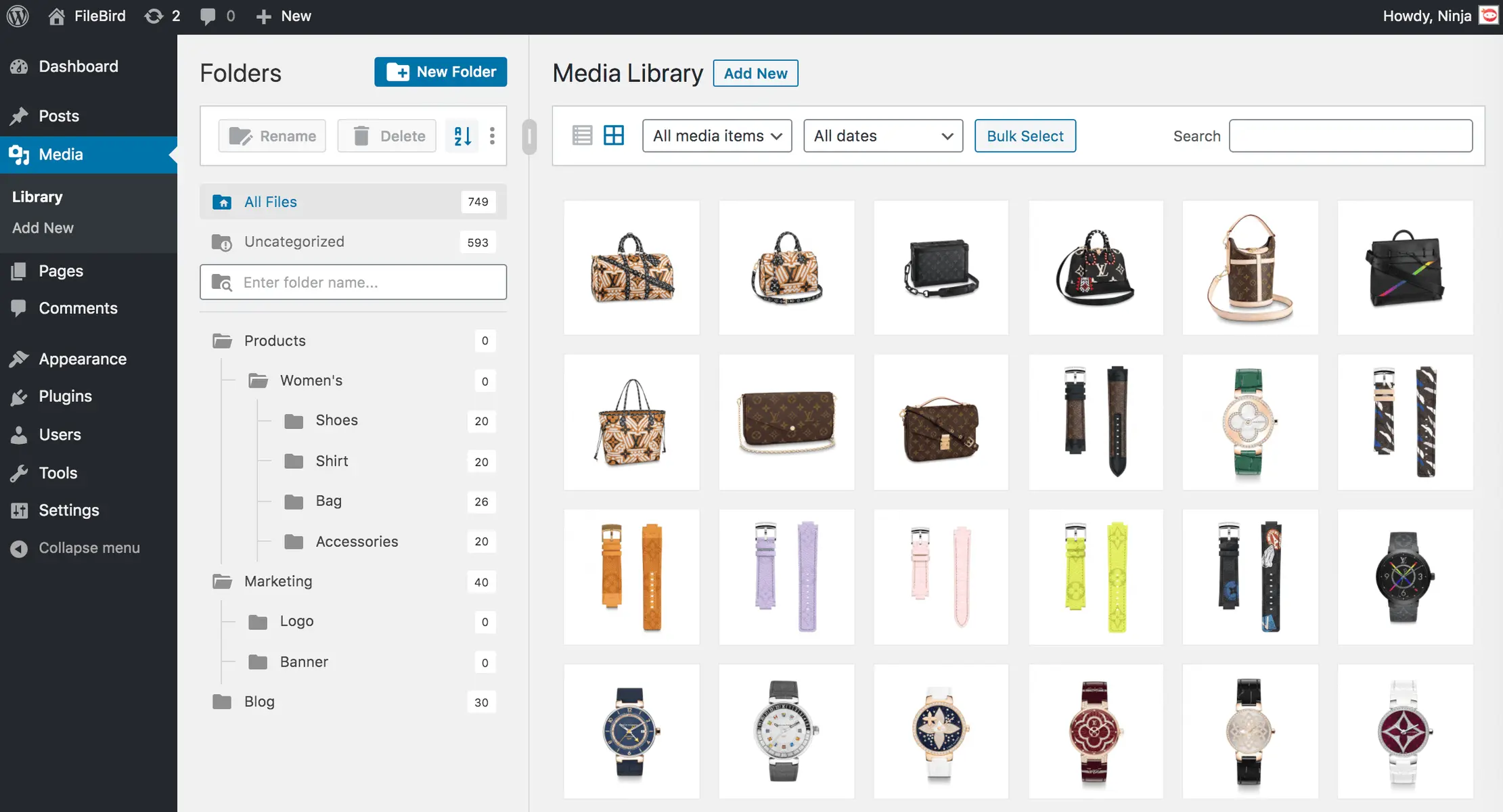
Filebird
FileBird – WordPress Media Library Folders & File Manager
#file manager #media #media folders #WordPress media library folders #wp media folders
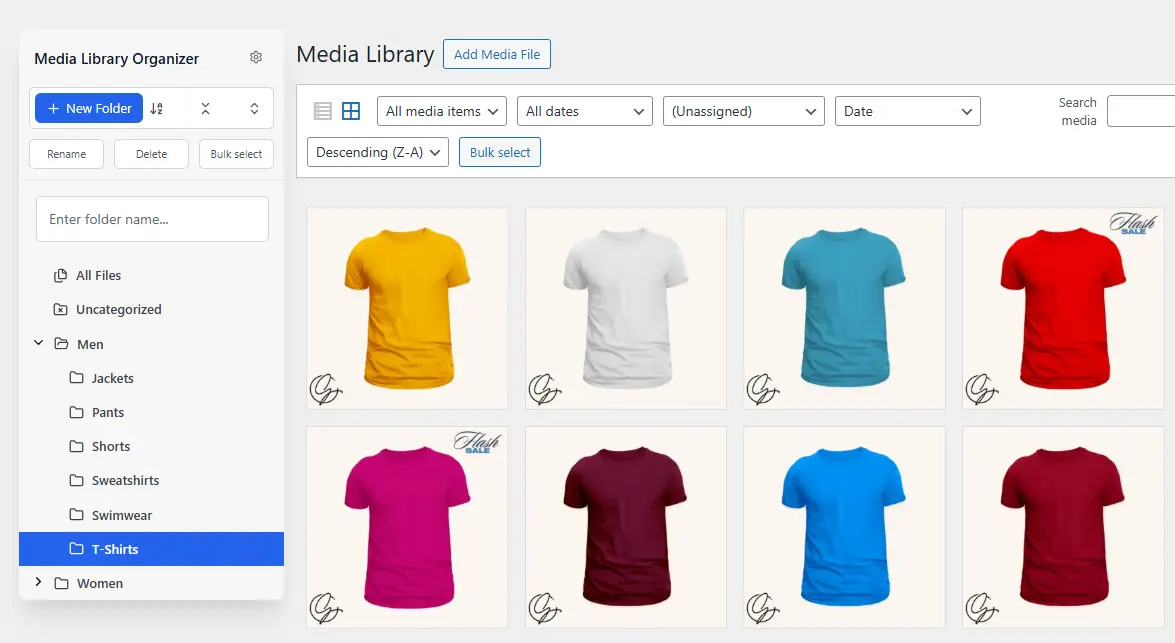
Media Library Organizer
Media Library Organizer – WordPress Media Library Folders & File Manager
#export media library #folders #media categories #media library folders #organize media library

Real Media Library Lite
Real Media Library: Media Library Folder & File Manager
#file manager #media folder #media library folder #media library folders #WordPress media library folders
