
Password correct. Please wait...
Disable the chat with .custom-disable-chat
WP Plugin Comparisonby neo-wp.com


WP Plugin Optimus
Test report
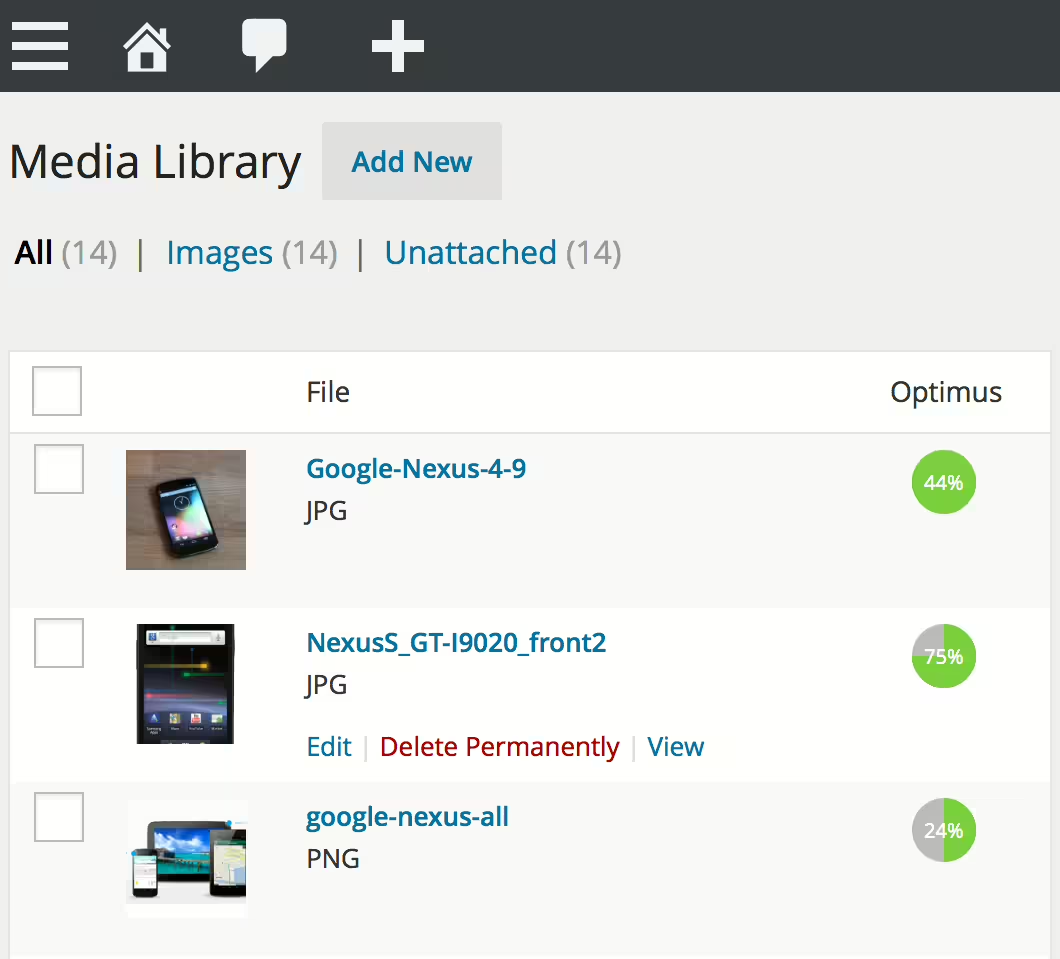
Optimus - WordPress Image Optimizer
Optimus is a WordPress plugin developed by KeyCDN and has been published since 2012-10-05. It now has over 30 000+ active installations. The main goal of the plugin is to automatically reduce the file size of uploaded media files, which significantly improves site performance without noticeably affecting image quality. One of Optimus’s unique selling points is the ability to compress images by up to 70% - this happens entirely in the background, which sets it apart from other solutions that often require more user intervention. Optimus is aimed specifically at bloggers, web developers and site owners who want to optimize their site for both load times and user experience. With an average rating of 4.2 out of 5 stars from 69 reviews in the official WordPress Plugin Directory, it’s clear that it’s a valued solution in the WordPress community. The plugin’s specific features are detailed below.
"Optimus not only saves a lot of time, but also works absolutely efficiently."
Features - Comprehensive image optimization capabilities
The WordPress plugin Optimus offers a variety of features that focus specifically on reducing image file sizes. In addition to the previously mentioned automatic file size reduction and seamless background optimization, there are other notable features. Another advantage is support for bulk optimization, which allows you to efficiently optimize not only new but also already uploaded images on the site. This enables a comprehensive performance boost without sacrificing convenience and ease of use. With this feature, Optimus stands out from many other image optimization plugins in the WordPress community.
"The bulk optimization is a feature many other plugins do not offer."
Free Features - Extensive functionality in the free version
- Reduce file size during upload - Automatic reduction of the file size of uploaded media.
- Optimize all preview images of a photo - Improve image quality while reducing file size.
- No code changes required - Easy integration without programming knowledge.
- Optional preservation of EXIF and IPTC metadata - Option to keep metadata in images.
- Faster load times for blog pages - Improve the website’s performance.
- Support for WooCommerce - Compatibility with WooCommerce for online stores.
- WordPress Multisite support - Works in multisite environments.
- Bulk optimization - Ability to optimize existing images.
Pro Features - Advanced features for professional users
- Optimus HQ - Enhanced functionality for personal projects.
- Optimus HQ PRO - Professional solution for client websites.
- Optional HTTPS connection for image transfer - Secure image transfer (only Optimus HQ).
- Optional conversion to the WebP image format - Support for the modern WebP format (only Optimus HQ).
"The ability to create WebP images is a big advantage for page load speed."
License & value - Free base version and fair premium options
Optimus offers a free base version that provides basic image optimization features but is limited to files under 100 KB. This limitation makes the free access less attractive for some users, for example for larger images. For advanced features, the paid versions Optimus HQ and Optimus HQ PRO are available. These premium versions allow you to fully utilize the plugin’s capabilities, such as WebP support and removal of size limits. Users often rate the pricing positively; the annual fee is considered fair and balanced, especially given the unlimited image optimization it offers.
"I love the pricing. Sometimes you can buy it for $19 and use it for unlimited images."
Technical details - Insight into how the plugin works
The Optimus plugin operates through tightly integrated server communication, where image optimization takes place on an external KeyCDN service. When uploading an image, the plugin sends the file directly to the Optimus server. There the image is losslessly compressed by discarding unnecessary metadata that increases file size but is rarely needed. The optimized images are returned in real time to the WordPress media library, making the process seamless and transparent for the user. Another technical feature is the ability to generate WebP formats, which can significantly improve page load times. By using caching mechanisms and the plugin’s minimal footprint (~0.19 MB backend and ~0.01 MB frontend), the web server’s performance is hardly affected, even when deployed on WordPress Multisite platforms.
System Requirements - Requirements and compatibility
Optimus is designed to offer broad compatibility with various WordPress configurations. The minimum requirements for the plugin include a PHP version 5.6 or higher and a WordPress version 4.6 or higher. It has been extensively tested up to WordPress version 4.6, ensuring its reliability on those versions. The current plugin version 1.6.3 and the last update in 2026-03 were released. These continuous updates and high compatibility standards ensure reliable integration of Optimus into different hosting environments, which is also confirmed by user reviews.
"Optimus runs reliably on my multilingual multisite installation without causing complications."
Quality - Focus on efficiency and image quality
Optimus impresses with its high efficiency in image compression without noticeably degrading image quality. Users report massive reductions in image sizes, which can lead to better website performance while preserving the visual integrity of images. Particularly notable is Optimus’s ability to compress without perceptible quality loss, setting it apart from many other image optimization plugins on the market. This advantage is enabled by integrated technology that achieves reductions of up to 70%, a result well above the average. The plugin’s quality is also reflected in user satisfaction, with many appreciating its stable operation and reliability.
“This tool helps deliver massively smaller images while keeping quality high.”
Support - Experiences with plugin support
The support for the WordPress plugin Optimus appears mixed in user reviews. Positively noted are the fast response times and effective help with issues. Users report prompt and helpful replies to their inquiries, indicating good and reliable support. The quick resolution of problems in particular sets Optimus apart from other plugins. On the other hand, there are critical voices describing support as unfriendly and not very helpful. In some cases, no response to support requests was received, leading to frustration.
For support inquiries there is a support page in the WP Plugin Directory and a developer support URL available. Experiences with support are therefore varied, which potential users should consider when making their decision.
"Support is great with quick responses and problem resolution."
Rating - Average rating and user opinions
Optimus achieves an average rating of 4.2 out of 5 stars based on 69 reviews in the official WordPress Plugin Directory. This suggests the plugin is received positively by the majority of users. Many users appreciate the efficiency and ease of use that Optimus offers, especially in image compression without quality loss. However, there are also some critical voices regarding the plugin’s functionality and the value for money of the Pro version.
Some users praise Optimus for its practical features:
“This plugin is really practical. After installation and uploading, all images are already optimized.”
Others are less satisfied, especially with the paid version:
“For this price it is the worst purchase of all time, even most free plugins had more options and did a better job.”
Still, many are very satisfied with Optimus and highlight its benefits:
"Optimus not only saves a lot of time, but also works absolutely efficiently."
Criticism - problems, vulnerabilities and suggestions for improvement
Although Optimus is praised by many users for efficiency and simplicity, there are also some criticisms that become clear in the reviews. A major drawback is the limitation of the free version to image sizes of up to 100 KB. This restriction makes the plugin unusable for many users who rely on larger media files and leads to dissatisfaction. Furthermore, the functionality of the paid version is described as inadequate, especially compared to other, often free plugins. Users complain that the paid version lacks features that are standard in competing products.
Another criticism is slower load times when many image sizes are generated. This leads to increased processing time for websites and thus reduces usability. Regarding security vulnerabilities or serious bugs, no specific reports were found in public information, which suggests the plugin is solid in terms of privacy and security.
Despite error-free operation, the lack of support for images uploaded via the WordPress API is also seen as a disadvantage. This incompatibility limits users who frequently work with such images and is viewed as another area for improvement.
“In the standard version only photos that are not larger than 100 kb can be optimized - totally pointless, unfortunately!”
Conclusion - Summary of strengths and weaknesses
The WordPress plugin Optimus from KeyCDN stands out for its efficient image compression, which enables noticeable website performance improvements. Seamless integration into the workflow and the ability to perform bulk optimization are significant advantages over other plugins. While the free basic version offers core features, its 100 KB limit may be less attractive to many. The paid versions, on the other hand, offer more extensive possibilities, e.g. support for WebP formats and removal of size restrictions.
Another plus is the technically advanced processing on external servers, which keeps the website’s server load low while still achieving high efficiency. Nevertheless, support attracts some critical voices regarding user-friendliness and functionality. The pricing structure of the paid versions is generally seen as reasonable, but not all users are convinced by the provided features. Optimus presents itself as a strong solution for specific needs, but the limitations of the free version and comparison with other options should be taken into account.
#image optimizer #images #Optimize image #webp #wordpress image optimizer
Show more
Detailed plugin information
Plugin slug: optimus
Plugin name: Optimus
Plugin title: Optimus – WordPress Image Optimizer
Plugin Keywords: #image optimizer #images #Optimize image #webp #wordpress image optimizer
Plugin Version: 1.6.3
Last Update: 2026-03
Release Date: 2012-10-05
Required WP version: 4.6
Required PHP version: 5.6
Tested with WP version: 6.9.7
Active Installations: 30 000+
Average Rating: 4.2
Number of Reviews: 69
Number of support requests: 0 (in the last 2 months)
Number of resolved support requests: 0 (in the last 2 months)
Plugin author: KeyCDN
Developer Homepage: https://optimus.io
WP Developer Profile Page: https://profiles.wordpress.org/keycdn/
Support URL in the WordPress Plugin Directory: https://wordpress.org/support/plugin/optimus/
Developer Support URL: https://wordpress.org/support/plugin/optimus/#fallback-commercial-support-url
WP Plugin Directory: https://wordpress.org/plugins/optimus/
Was the test report about Optimus helpful?
Popular alternatives to Optimus
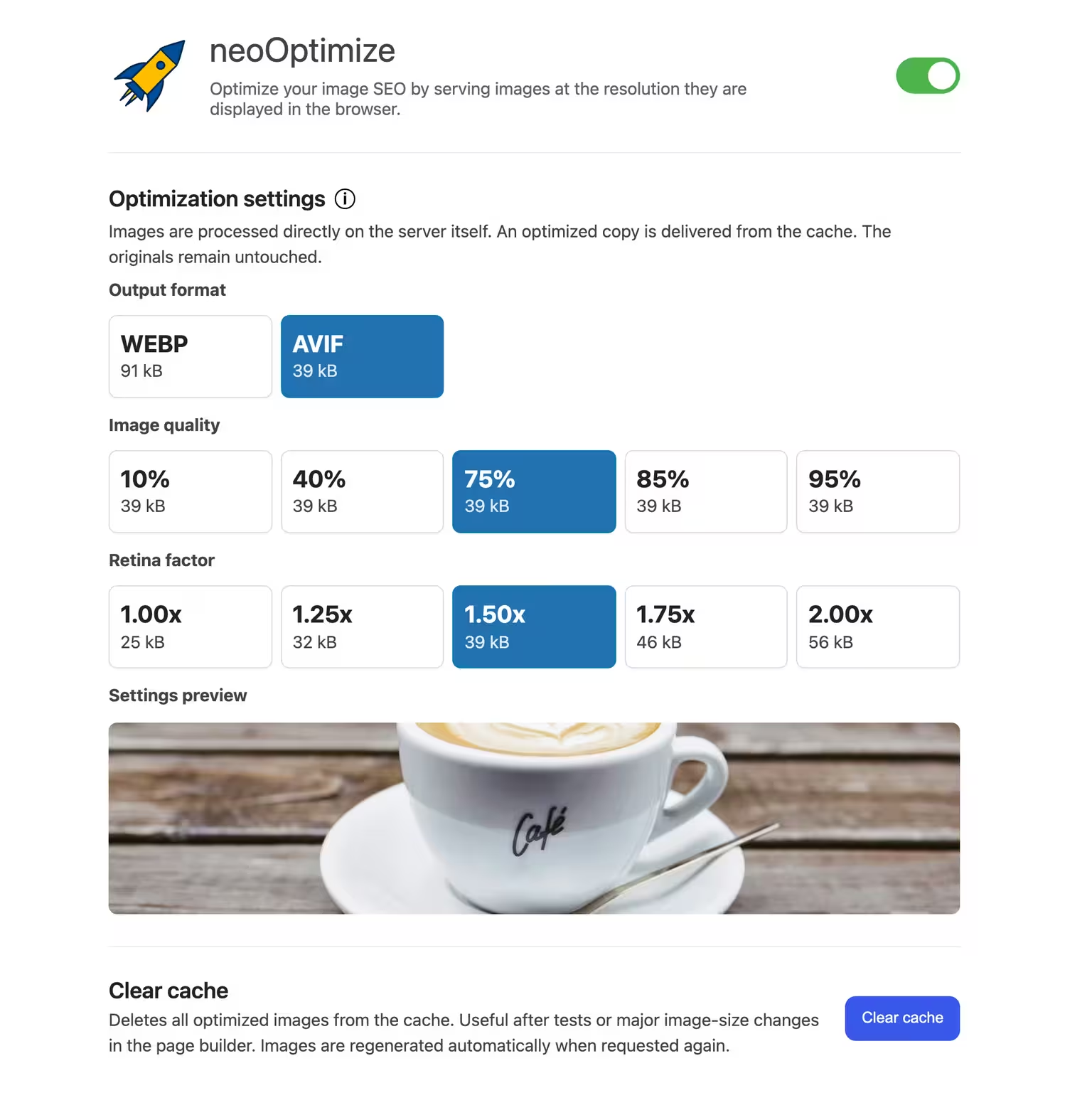


neo Optimize
Optimize your image SEO by serving images at the resolution they are displayed in the browser.
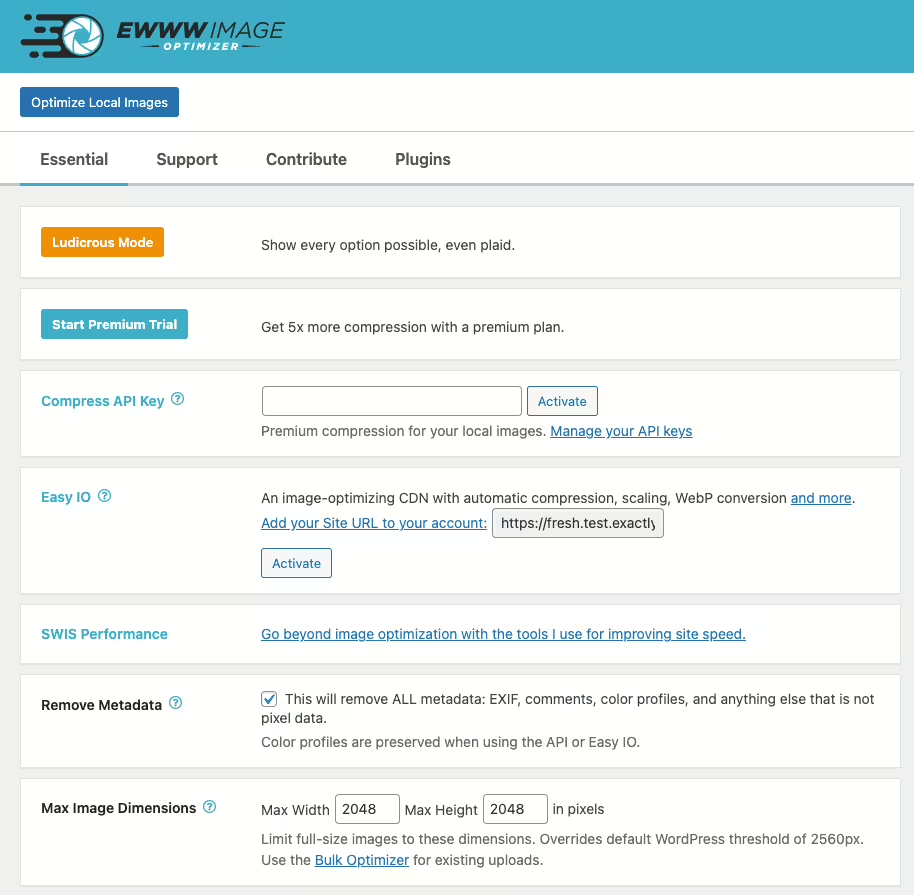
Ewww Image Optimizer
EWWW Image Optimizer
#compress #convert #lazy load #resize #webp
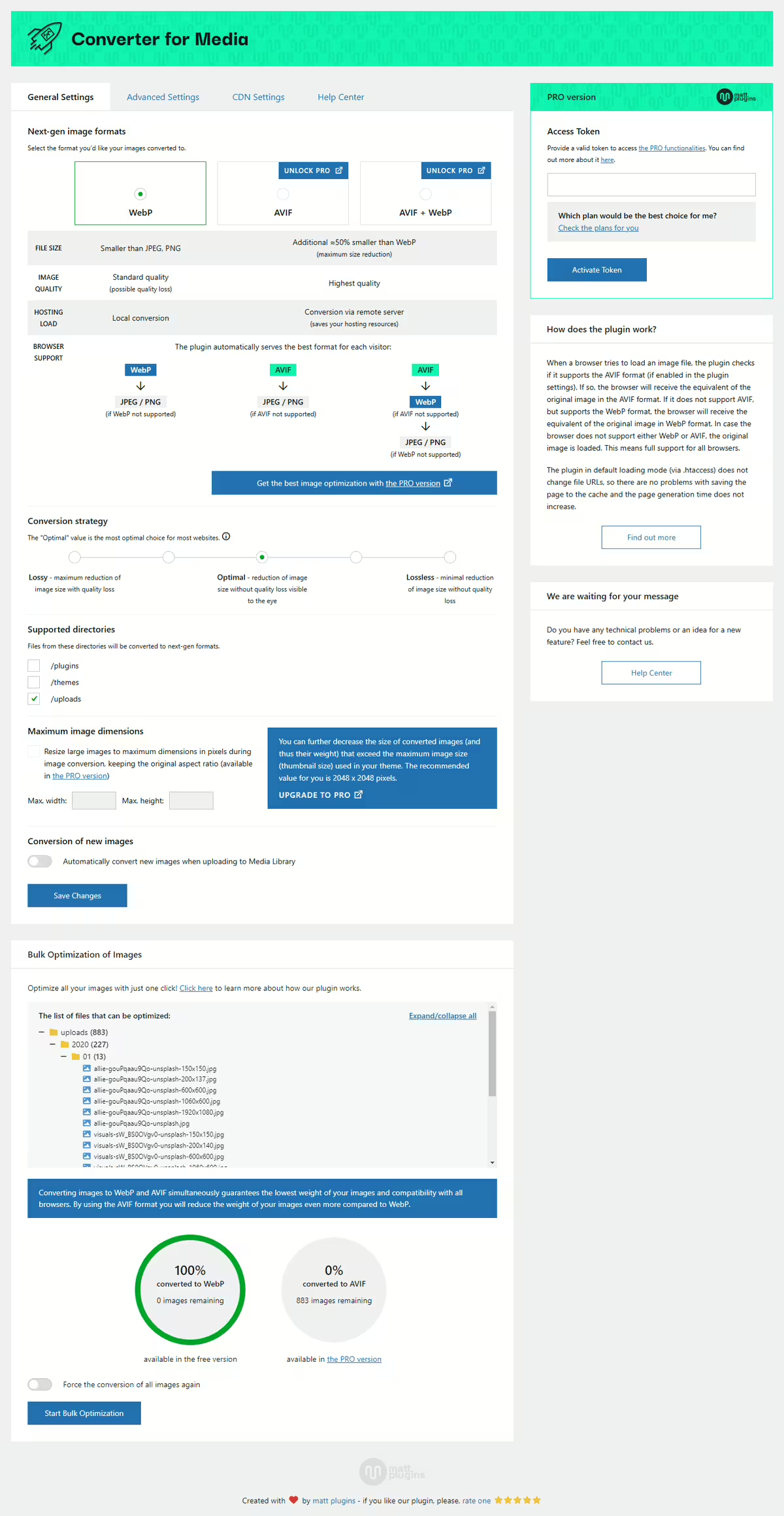
Webp Converter For Media
Converter for Media – Optimize images | Convert WebP & AVIF
#compress images #convert webp #image optimization #optimize images #webp
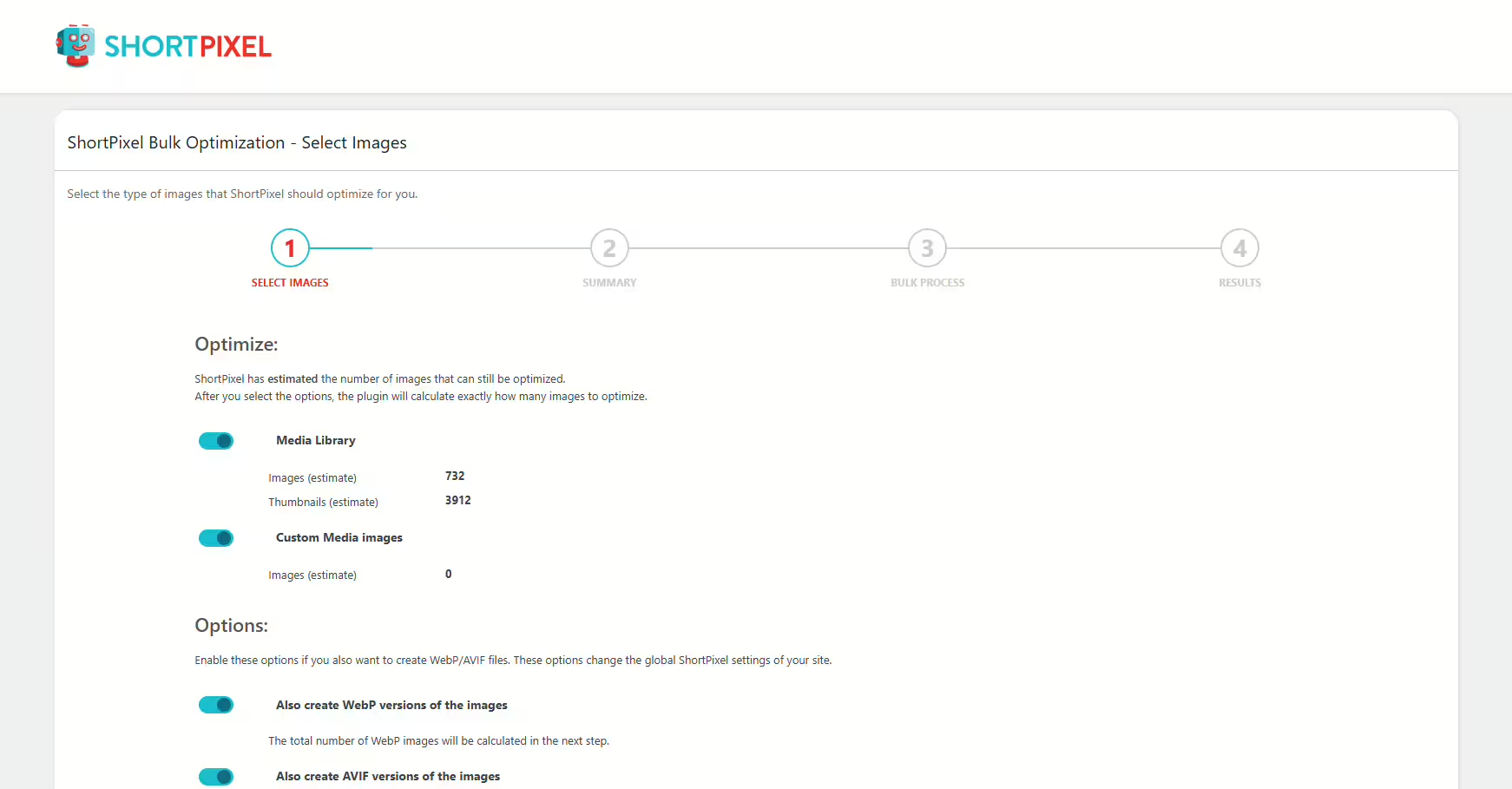
Shortpixel Image Optimiser
ShortPixel Image Optimizer – Optimize Images, Convert WebP & AVIF
#compress images #convert webp #image optimization #optimize images #resize
