
Password correct. Please wait...
Disable the chat with .custom-disable-chat
WP Plugin Comparisonby neo-wp.com


WP Plugin Optimole Wp
Test report
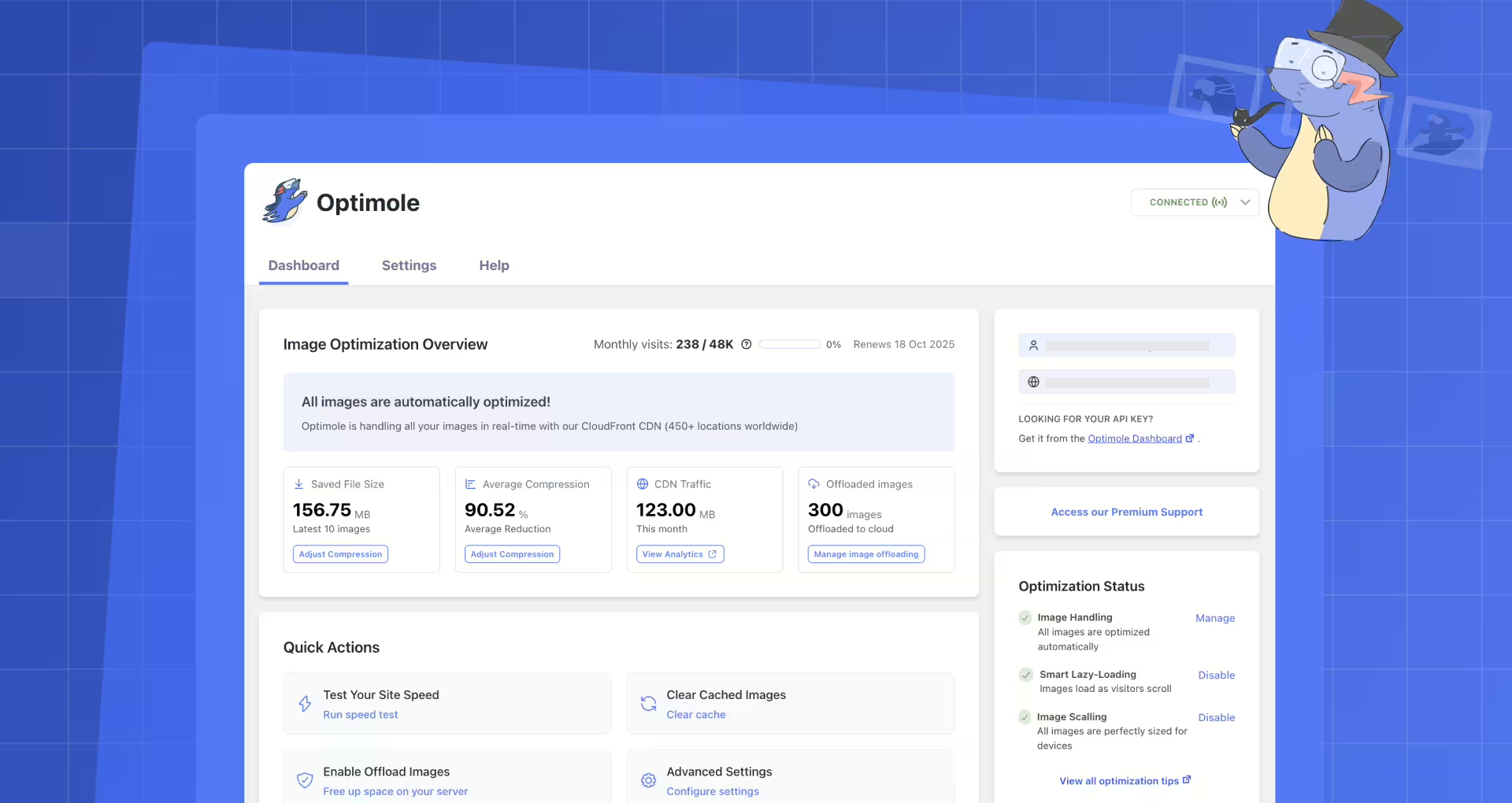
Image Optimization by Optimole - Lazy Load, CDN, Convert WebP & AVIF
Optimole Wp is a powerful WordPress plugin for image optimization, developed by Optimole, and released on 2018-09-23. The plugin has established itself with 200 000+ and offers a comprehensive solution for image optimization that runs fully automated and efficiently with minimal effort. It is a cloud-based platform that optimizes images in real time for various devices, including support for Retina and WebP image formats. A unique selling point is the advanced machine learning that ensures the best balance between image quality and file size. Optimole is mainly aimed at website owners, bloggers and online shop owners who want to improve their loading times and user experience. In the official WordPress Plugin Directory, Optimole receives an impressive average rating of 4.7 out of 5 stars, based on 638. The following section will take a closer look at the specific features of the plugin and how they compare to other solutions.
"The combination of lazy loading, CDN delivery, and automatic conversion to WebP and AVIF formats is fantastic."
Features - Comprehensive image processing capabilities
Optimole Wp offers a range of features designed to automate and improve image optimization for WordPress websites. A distinctive characteristic often highlighted is real-time image optimization via a cloud-based system that automatically provides the best image sizes and formats for various devices. Another notable feature is Smart Cropping, which automatically creates image crops to retain the essential image focus. These features enable seamless integrations and optimizations that can significantly improve website load times.
"The plugin not only optimized my images seamlessly, but also improved the overall performance of my website."
Free Features - Diverse capabilities at no cost
- Real-time image optimization - Optimole optimizes images in real time via a cloud-based system, providing tailored image sizes and qualities depending on the device.
- Automated image compression - Automatic compression through machine learning provides the best balance between image quality and file size.
- Support for all image formats - Allows displaying images in various formats, including Retina and WebP.
- Cloud library support - Images can be uploaded directly to the Optimole Cloud, saving server storage space.
- Digital asset management (DAM) - Manage media with the ability to integrate into the Elementor builder.
- Retina support - Adjusts image formats to the best possible device pixel ratio (DPR).
- Smart Cropping - Automatically crops images to preserve the important image focus.
- Lazy Load without jQuery - Deferred loading of images for improved load times.
- Watermarking - Automatically add watermarks to images as protection.
- CDN access - Free access to an AWS CloudFront CDN with over 450 locations worldwide.
- Support for more file types - Enables uploading various documents, videos and other media.
Pro Features - Advanced capacities for a fee
- Advanced image optimization - Premium users benefit from image optimization for more than 40,000 monthly active users, which can be crucial for higher-traffic sites.
- Advanced CDN features - Images are delivered via AWS CloudFront with over 450 global locations, further increasing load speed and reach.
"Far surpasses other free plugins. The CDN is great The WebP integration works flawlessly."
License & value for money - Free and paid options
Optimole offers a fully functional free version that is sufficient for many users, especially for websites with low media load. The paid plans, however, offer extended features and larger capacities for higher-traffic sites. Many users appreciate the generous quotas of the free version, but criticize the limited limits and the push to upgrade to paid plans. The value-for-money rating varies because some users appreciate the advanced functionality while others feel bothered by the hidden limits in the free version.
"The free version has a pretty generous quota, especially when you are starting out and the site is not very media-heavy."
Technical details - An in-depth look under the hood
Optimole Wp uses cloud-based image optimization techniques that allow the plugin to compress and transform images in real time. Images are delivered via CDN, minimizing latency. The plugin replaces the original image URLs with its cloud-based URLs, enabling seamless integration. Device detection plays an essential role, as specific transformations like resizing dimensions and format conversions (e.g. to WebP or AVIF) are performed when an image is requested. These processes are automated, requiring minimal intervention. Optimole's caching system stores optimized images for up to a month, improving efficiency and reducing load times. Developers may be interested in the hooks and filters available for further customization, as well as the API integrations that can be used to connect external applications.
"The API offers enough freedom for customization, but there is room for improvement in the documentation and handling."
System requirements - key metrics at a glance
For smooth operation, Optimole Wp requires at least 7.4 or higher and 5.5 or higher. The plugin has been tested up to WordPress version 6.0 and guarantees a seamless integration. The current plugin version is 4.2.11, and the last update in 2026-08 was published in 2026-08. These requirements reflect the modern standard and ensure broad compatibility with most WordPress instances. Regular updates are also a sign of active development and support from the developers.
"Although the technical requirements are fairly low, the regular updates make it clear that the plugin is well maintained."
Quality - an analysis of image delivery
The quality of Optimole Wp is largely positive, especially regarding the delivery of compressed yet high-quality images. Thanks to cloud-based real-time optimization and machine learning techniques, images are served in modern formats like WebP and AVIF, which provide smaller file sizes while maintaining high quality. These approaches help improve website performance by combining faster load times with appealing image quality. Another plus is Retina support, which ensures images are delivered at optimal resolution for high-resolution displays. However, there are occasional reports of image delivery failures on high-traffic sites, suggesting quality may vary under certain conditions. The plugin's automated adjustments generally ensure consistent delivery of high-quality images across different device types.
"This plugin is great, lightweight, and does what it promises."
Support - customer service and support options
Support for the Optimole Wp plugin has received mixed user reviews. Many describe the support as responsive and helpful, indicating the team strives to assist customers with questions and issues. Users have reported that responses are prompt and effective in resolving problems.
Support is reachable via the official support forum on WordPress, providing a convenient place for user questions. The detailed documentation is also referenced, offering extensive guidance on using the plugin. The link to the commercial support page from the developers is also available.
However, there are reports of longer response times and, in some cases, a lack of replies. Some users expressed disappointment with support, especially when seeking help in urgent situations. This may indicate varying capacities or prioritizations within the support team.
"The team replied very quickly and helped solve the problem."
Rating - user experiences and general feedback
The WordPress plugin Optimole Wp receives an impressive average rating of 4.7 out of 5 stars in the official Plugin Directory, based on a total of 638. The high rating reflects a predominantly positive user experience. Many users highlight the plugin's performance and ease of use. Positive reviews often point to efficient image optimization and improved page load times as key benefits.
"I've been using Optimole for years on multiple sites and am very satisfied."
However, there are also critical voices. Some users report difficulties with image management by the plugin, such as reuploading images or technical issues that affect the website. These experiences sometimes add a negative tint to reviews from users who encounter reliability problems.
"The plugin worked very well and I really liked it... but it broke my site."
Overall, Optimole Wp is considered by many users to be a valuable tool that can significantly improve website performance. Free features are often seen as sufficient and useful by beginners and smaller site owners.
"The plugin works great!"
Criticism - potential weaknesses and challenges
Criticism of the Optimole Wp plugin mainly focuses on image management and transparency of terms of use. A frequently complained-about issue is images disappearing from websites, reported by several users. This can be particularly annoying if extensive manual work is required to restore them. Another critical aspect is insufficient communication about image limits in the plugin's free version. Users often feel unprepared when they exceed set limits, leading to unexpected complications.
Regarding security, Optimole appears relatively stable. The removal of EXIF data and the fact that the plugin does not collect visitor data contribute to a sense of security among users. Still, there is concern about dependence on external services like CDNs, which could impact functionality during outages or targeted attacks.
The plugin's support has also received mixed reviews. While some users express satisfaction with quick and effective responses, others report disappointing experiences with long response times or no replies in urgent cases. This variation in support quality suggests possible capacity constraints or prioritization issues.
"The plugin deleted over 400 images from my site, and I now have to reupload them manually."
Conclusion - final consideration of features and performance
Optimole Wp proves to be a versatile and powerful plugin for simplifying and improving image optimization in WordPress. Developed by Optimole, it offers a wide range of features, from real-time image compression to support for modern image formats. Particularly notable is the seamless integration with continuous device detection and the use of a global content delivery network to optimize loading times.
While the features and quality of Optimole are largely viewed positively, there are some challenges that should not be overlooked. The free version offers a wealth of options, but users with higher demands encounter limiting restrictions in the paid versions. Critics raise concerns about the transparency of the terms of use and occasional issues with image management.
The plugin is a solid choice for website operators who focus on performance and image quality. Nevertheless, a well-founded decision should be made about whether the advanced features of the premium version are necessary or if the free version is sufficient. Optimole Wp remains a recommendable solution that continues to stand out through regular updates and further development.
#AVIF #compress images #image optimization #optimize images #webp
Show more
Detailed plugin information
Plugin slug: optimole-wp
Plugin name: Optimole Wp
Plugin title: Optimole – Optimize Images | Convert WebP & AVIF | CDN & Lazy Load | Image Optimization
Plugin Keywords: #AVIF #compress images #image optimization #optimize images #webp
Plugin version: 4.2.11
Last updated: 2026-08
Release Date: 2018-09-23
Required WP Version: 5.5
Required PHP version: 7.4
Tested with WP version: 7.1
Active Installations: 200 000+
Average rating: 4.7
Number of reviews: 638
Number of support requests: 2 (in the last 2 months)
Number of resolved support requests: 2 (in the last 2 months)
Plugin author: Optimole
Developer Homepage: https://wordpress.org/support/plugin/optimole-wp/#fallback-homepage
WP Developer Profile: https://profiles.wordpress.org/optimole/
Support URL in WordPress Plugin Directory: https://wordpress.org/support/plugin/optimole-wp/
Developer Support URL: https://wordpress.org/support/plugin/optimole-wp/#fallback-commercial-support-url
WP Plugin Directory: https://wordpress.org/plugins/optimole-wp/
Was the test report about Optimole Wp helpful?
Optimole Wp Was the right plugin?
Optimole Wp - Compare nowOpen plugin in sandboxTo the official WP StorePopular alternatives to Optimole Wp
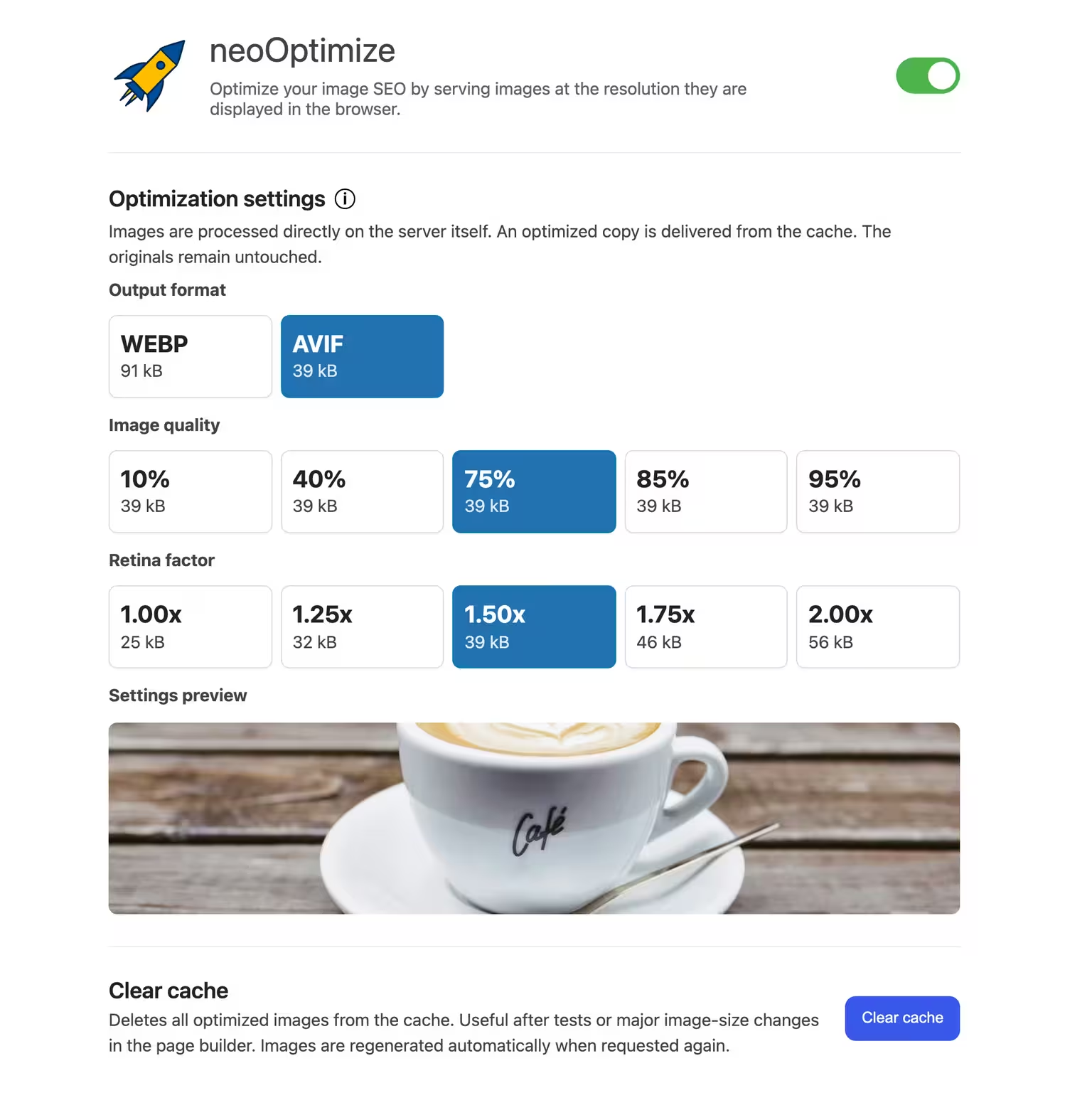


neo Optimize
Optimize your image SEO by serving images at the resolution they are displayed in the browser.
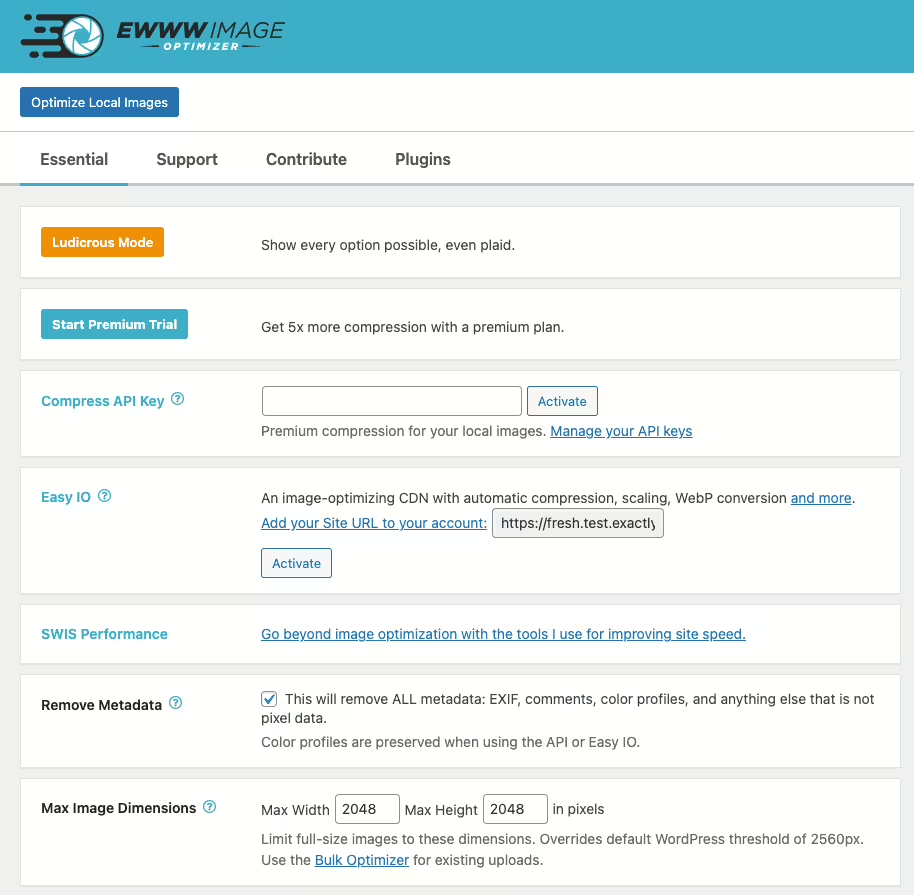
Ewww Image Optimizer
EWWW Image Optimizer
#compress #convert #lazy load #resize #webp
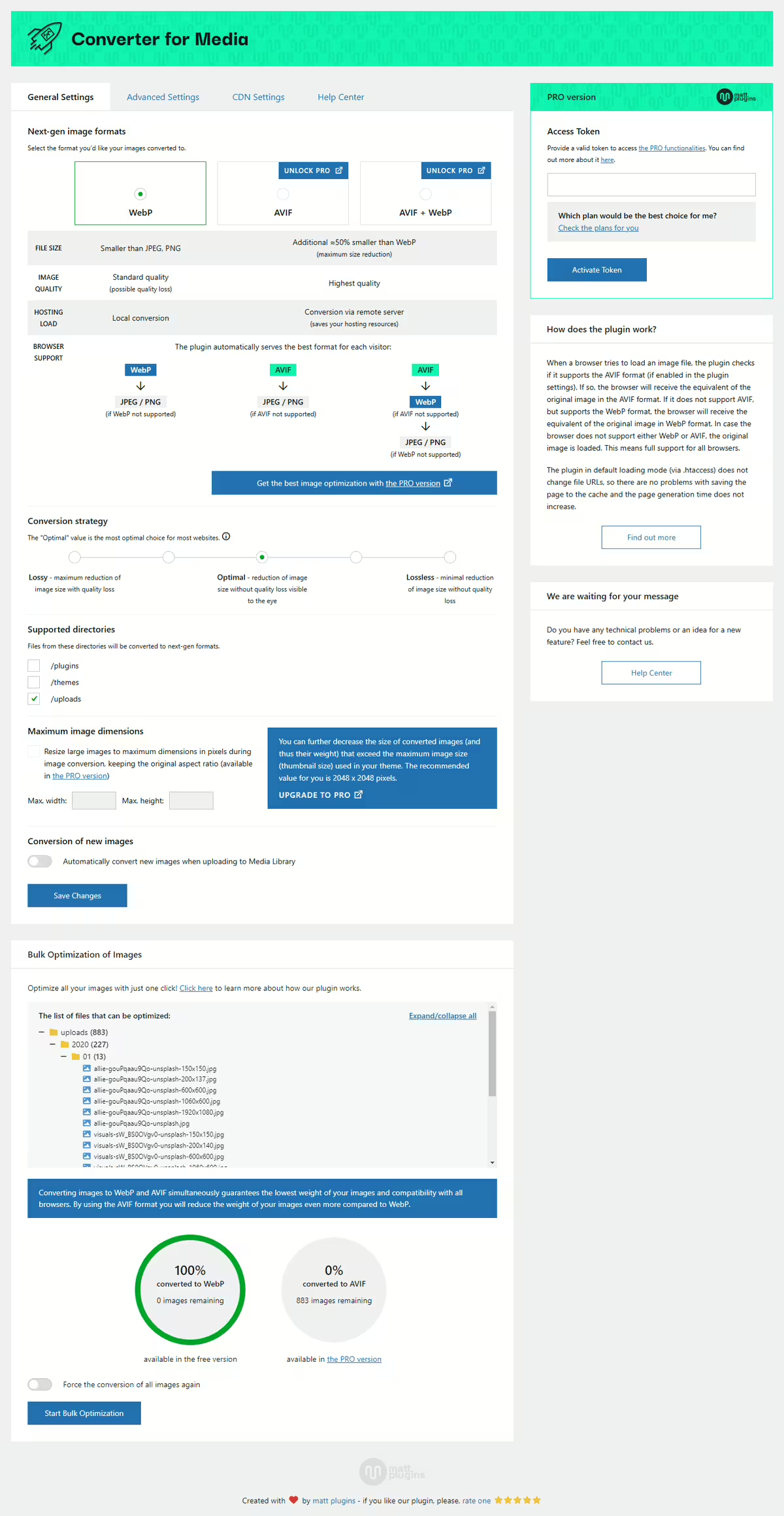
Webp Converter For Media
Converter for Media – Optimize images | Convert WebP & AVIF
#compress images #convert webp #image optimization #optimize images #webp
Shortpixel Image Optimiser
ShortPixel Image Optimizer – Optimize Images, Convert WebP & AVIF
#compress images #convert webp #image optimization #optimize images #resize
