


Password correct. Please wait...
Disable chat with .custom-disable-chat
WP Plugin Comparisonby neo-wp.com


WP Plugin neoDraw
Test report


neo Draw - Create diagrams & icons without leaving WordPress
The WordPress plugin neo Draw from neo WP was released on 2026-02-01 and is part of the new neoWP plugin series. The plugin takes advantage of modern web development, which is reflected in its performance and intuitive design. Reviews indicate that the plugin has excited users since its release with well-chosen and cleverly implemented features. Particularly noteworthy is the solid coding. A look at the source code confirms that a company with experienced software developers stands behind the plugin.
“The plugins in the neo package are very well coordinated and solve all common problems with images in WordPress.”
Features - Powerful tools cleverly implemented
- Unleash your creativity
- Create diagrams with shapes, icons and freehand drawings
- Unlimited drawings
- Draw on existing images
- SVG export and import on other sites
- Image editing with Apple Pencil
- Insert CSV content as a diagram
- Pro icon libraries (Pro)
- Interactive image areas with hyperlinks (Pro)
- Additional professional fonts (Pro)
- Export as SVG or PNG (Pro)
- Integration with Bricks, Elementor, Gutenberg and the Classic Editor (Pro)
“Great what can be done with neo Rename. The Pro version takes it even further.”
Technical details - modern implementation with high compatibility
The plugin neo Draw is available for free in the current version 1.0.0 for download. It requires at least WordPress version 6.2 and PHP version 8.0 or higher. The plugin was tested up to the current version 6.9 by the beta tester circle. The developers released the last update in 2026-02. The continuous updating and expansion of the plugin reflects the commitment to further development.
“It's convenient to get all media plugins from a single developer. The complete neo universe runs performantly, reliably and stably.”
Quality and support - fast and helpful assistance
Support for neo Draw receives mostly positive feedback, thanks to fast response times and effective problem-solving. Many users report that the developers provide dedicated and helpful support for both the free and Pro versions. The neo WP team is reachable directly via the developer page by chat, email and contact form. Additionally, the official support forum is available for further assistance.
“The developers respond quickly, personally and are very helpful.”
Conclusion - very high-quality WordPress plugin package
The neo Draw plugin lives up to its slogan “Turn creative ideas into drawings directly in WordPress!” in every respect. Even the free version offers the entire neo plugin series as a comprehensive solution for common media management needs in WordPress. For anyone already using neo Draw, it’s worth checking out other plugins from neo WP.
#diagram #draw #drawing #image #edit
Show more
Detailed plugin information
Plugin slug: neo-draw
Plugin name: neoDraw
Plugin title: neo Draw - Diagramme & Icons erstellen, ohne WordPress zu verlassen
Plugin keywords: #diagram #draw #drawing #image #edit
Plugin version: 1.0.0
Last update: 2026-02
Release date: 2026-02-01
Required WP Version: 6.2
Required PHP version: 8.0
Tested with WP version: 6.9
Active Installations: 1+
Average Rating: 5.0
Number of reviews: 3
Number of support threads: 0 (in the last 2 months)
Number of resolved support requests: 0 (in the last 2 months)
Plugin author: neo WP
Developer Homepage: https://neo-wp.com/
WP Developer Profile Page: https://profiles.wordpress.org/neoplugins/
Support URL in the WordPress Plugin Directory: https://neo-wp.com/support/
Developer Support URL: https://neo-wp.com/support/
WP Plugin Directory: https://neo-wp.com/plugin/neo-draw/?ref=wporg-info
Was the test report about neo Draw helpful?
Popular alternatives to neo Draw


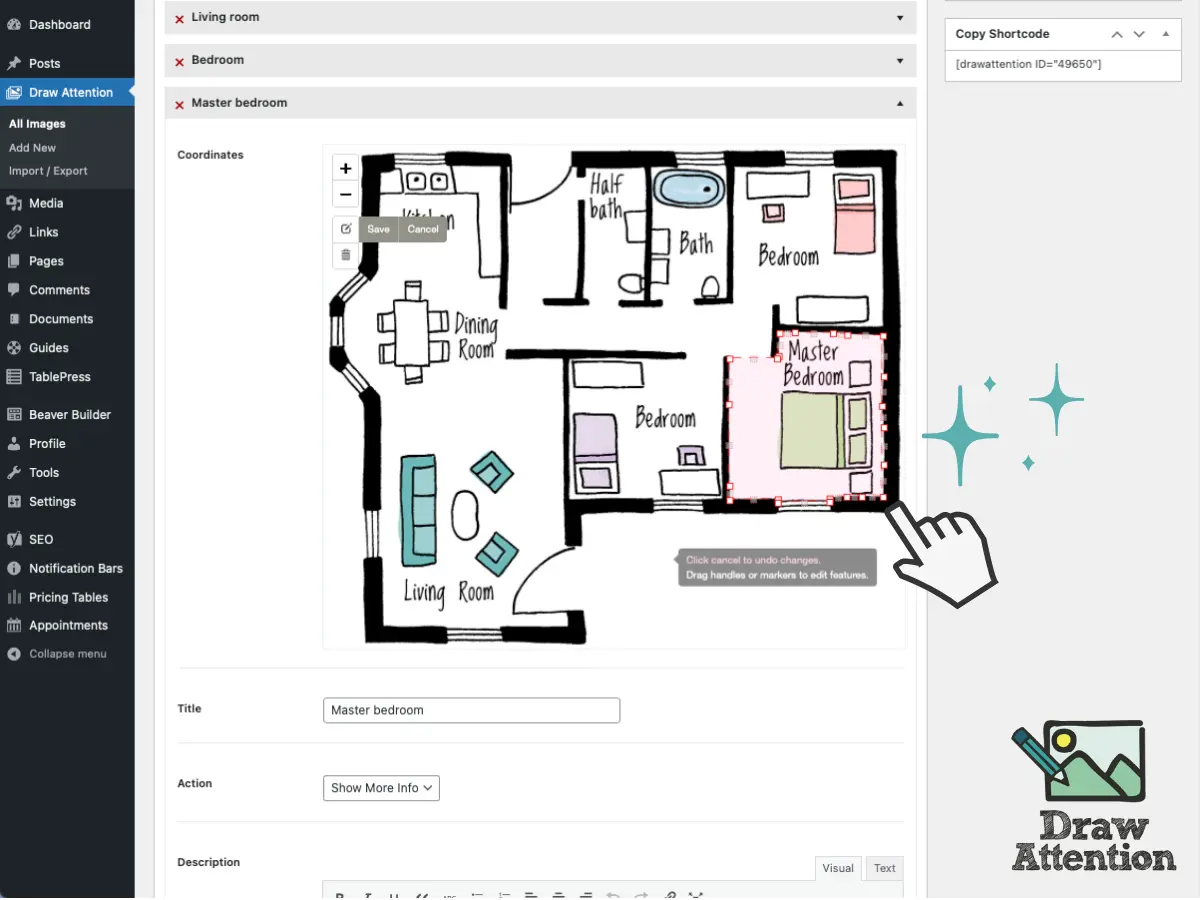
Draw Attention
Interactive Image Map Plugin – Draw Attention
#floor plan #hotspot #Image Map #image maps #interactive images
