


Password correct. Please wait...
Disable chat with .custom-disable-chat
WP Plugin Comparisonby neo-wp.com


WP Plugin Media Library Tools
Test report
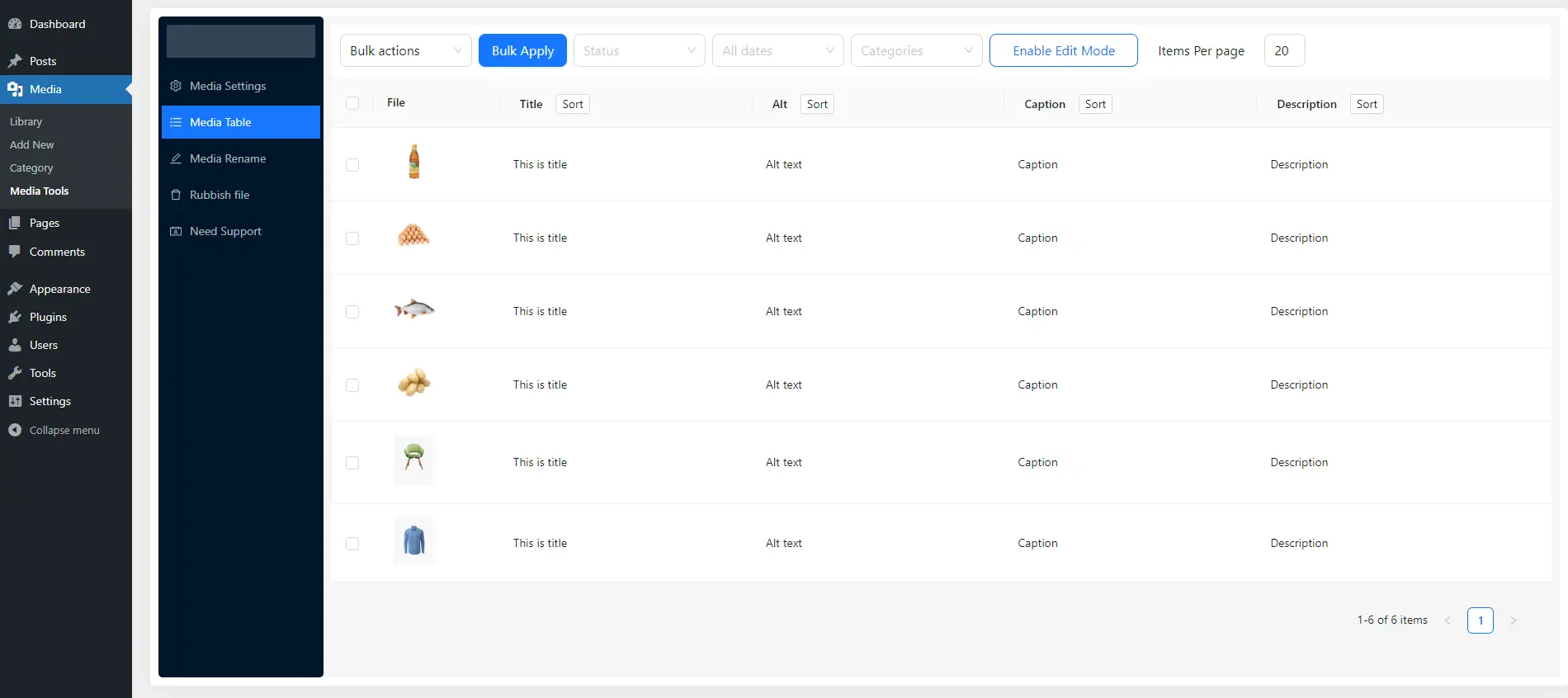
Media File Rename, Find Unused File, Add Alt text, Caption, Desc For Image SEO - Media Library Tools
Media Library Tools is a WordPress plugin developed by Tiny Solutions and was first released on 2023-03-07. With over 1 000+ active installations and an impressive average rating of 4.7 out of 5 stars from 12 reviews in the official WordPress Plugin Directory, it has quickly become a valuable tool for WordPress users who want to use their media library more efficiently. The primary benefit of the plugin is its ability to quickly rename media files and update important metadata such as titles, ALT texts, descriptions, and captions. This strengthens both the organization of media files and SEO performance, as visibility in search engines is improved by optimized, keyword-rich filenames.
A distinctive unique selling point of Media Library Tools is the ability to export and import media files and their associated data via CSV files. This feature promotes collaboration and transfer between different systems and offers flexibility and efficiency in media management. Support for SVG files, which are scalable and lightweight, further contributes to optimizing load times and user experience. The target audience is users who want to manage their media library efficiently and improve their website SEO. Media Library Tools is especially used for managing media files in the WordPress media library, including editing metadata and performing bulk operations. The following section takes a closer look at the core features that distinguish the plugin.
"Media Library Tools is an indispensable plugin for WordPress users! The media file renaming feature is a real game-changer that greatly simplifies organization."
Features - Scope of functions and key characteristics
The WordPress plugin Media Library Tools offers a variety of functions to make managing media files more efficient. In addition to the aforementioned CSV export and import and SVG support, the plugin also enables bulk renaming of media files, which greatly simplifies managing large media libraries. Another notable feature is the ability to easily find and delete unused or unwanted files, which saves storage space and simplifies library maintenance. These practical features make the plugin stand out in the media management landscape.
"Finding unused files, support for SVG, and intuitive media editing give the plugin extra charm."
Free-Features - Comprehensive functions of the free version
The free version of Media Library Tools offers users a rich selection of features for daily media management:
- Image SVG Support - Support for SVG files in the media library.
- Individual Rename Media File - Rename individual media files.
- Bulk Rename Media File - Rename multiple media files at once.
- Number your files to allow for similar filenames - Number files to allow similar filenames.
- Find Unused Media File - Find unused media files.
- Filter Junk/Rubbish File By File Extension - Filter junk files by file extension.
- Bulk Or individually Edit Media Content, Title, Alt text, Caption, And Description - Edit media content, titles, ALT text, captions, and descriptions individually or in bulk.
- Auto input Alt text - Automatically input ALT text.
- Auto input Caption - Automatically input captions.
- Auto input Description - Automatically input descriptions.
- Media Library Categories - Categories for the media library.
- Search images by category - Search images by category.
- Identify blank ALT tags, captions, and descriptions by sorting image data - Identify blank ALT tags, captions, and descriptions.
- Move images to trash instead of permanently deleting them - Move images to trash instead of permanently deleting them.
- Filter and search for images by trash status - Filter and search images by trash status.
- Permanently delete trash images with one click - Permanently delete trash images with one click.
- Easily disable any extra image sizes that generated by WordPress Or custom registered size - Easily disable extra image sizes generated by WordPress or custom-registered sizes.
Pro Features - Advanced Features for Professional Users
For users who need additional capabilities, the Pro version of the plugin offers advanced features:
- All free Features Included - All free features are included.
- CSV Export-Import Media Files Facilitating Media Library Transfer Across Servers - CSV export-import of media files to facilitate transferring the media library between servers.
- Renaming using CSV - Renaming files using CSV.
- Register New Image Size - Register a new image size.
- Bulk Renaming Based on Associated Post Title - Bulk renaming based on the associated post title.
- Renaming File Prior to Uploading Based on Attached Posts Title - Renaming files prior to upload based on the attached post's title.
- Bulk Add Alt Text, Caption, and Description Based on Associated Post Title - Bulk add ALT text, caption, and description based on the associated post title.
- Assign Post Title to Alt Text, Caption, and Description Upon Image Upload - Assign post title to ALT text, caption, and description when uploading images.
- Auto Rename By Custom Name - Auto rename by custom name.
- Find And Delete Unnecessary / Rubbish File Bulk Mode - Find and delete unnecessary/junk files in bulk mode.
"I use the free version but plan to try the premium version in the future, which offers additional great features at a reasonable price.",
License & Value for Money - Flexible Usage Options and Cost Awareness
The Media Library Tools plugin is available in a free version that already offers numerous features. For users who need advanced functionality, there is the Pro version, which provides additional tools and options, including CSV export-import and more extensive media management. The Pro version's value for money is generally highlighted positively in user reviews, as the additional features enable more efficient media management and make working with WordPress easier.
"The free version is useful, and the premium version seems to offer good value for money."
Technical Details - A Deeper Look for Developers
Media Library Tools is a plugin that stands out for its technical implementation at the file and database management level. Core features, such as file renaming and CSV export/import, dig deep into WordPress's media management structures. Specifically, the CSV export/import functionality proves to be a robust feature as it interacts directly with the WordPress database to efficiently manage media metadata. This requires precise database queries and manipulations, using SQL commands to ensure smooth data transfer. The ability to register custom image sizes or disable existing sizes is achieved through specific hooks deeply embedded in the WordPress core. These capabilities require a detailed understanding of WordPress's internal API structures to enable seamless integrations and extensions.
System Requirements - Basic Requirements for the Plugin
For the plugin to unfold its full functionality, certain system requirements must be observed. It requires at least PHP version 7.4 or higher, which corresponds to the modern standard and is an important security requirement. For the WordPress installation itself, the plugin sets the minimum requirement of WordPress version 5.5 or higher. The plugin is also compatible with the latest developments and has been successfully tested up to WordPress version 6.9.4. The latest plugin version is 2.1.0, which shows that regular updates are made to improve and adapt to new circumstances. The last update was published on 2026-03.
"The plugin's compatibility with current WordPress versions is remarkable, ensuring smooth operation."
Quality - The Effectiveness and Reliability of the Plugin
The quality of the Media Library Tools plugin is determined by a combination of features that address both performance and usability. A central aspect of the quality assessment is the plugin's ability to efficiently organize media by identifying and removing unused files. This not only reduces server storage but also improves website load times, indicating thoughtful resource management. Support for SVG files also contributes to optimized performance by enabling scalable media without loss of quality.
Additionally, the plugin impresses with precise handling of image sizes. Users can disable unneeded image sizes to minimize resource consumption, which benefits server efficiency. The ability to perform CSV imports and exports increases management efficiency and allows seamless integration with other systems. These efficiency-enhancing features are reflected in reviews that emphasize usability and the high utility of the plugin. Positive reviews also stem from the stable and reliable performance the plugin provides when managing media files.
"Media Library Tools transformed my WordPress experience by making media management a seamless and efficient process."
Support - Contact Options, Response Time, and Experience
Support for the WordPress plugin Media Library Tools is described mostly positively in user reviews, with the developer's commitment frequently highlighted. User reports indicate that the developer not only provides technical solutions but also strives to understand and meet the specific requirements of each request. Communication mainly takes place via the official WordPress support channel; there is also an option to contact via a developer URL, especially for Pro users.
Specific information about the average response time is missing. However, this aspect is often crucial for users' satisfaction with support. Users who value fast support might consider first checking the official support forum for similar issues or looking into the Pro version, which potentially provides additional support options.
"This is a top-notch plugin and a great developer. Thanks again for the heart put into the products and the help provided."
Rating - Positive user feedback and the rare criticisms
The WordPress plugin Media Library Tools enjoys a flawless average rating of 4.7 stars based on 12 reviews. This highlights the high user satisfaction with the offered features and ease of use. The effusive positive feedback focuses mainly on the efficiency and practical capabilities of the plugin that simplify media management in WordPress.
"Media Library Tools is an indispensable plugin for WordPress users! The media file renaming feature is a real game-changer that greatly simplifies organization."
Although only present to a very limited extent, there are occasional notes about the plugin's premium version that point to a balanced price-performance ratio. This also shows that the added value of the Pro features is appreciated. Negative reviews are extremely rare, which emphasizes the consistently positive perception.
"The free version is useful, and the premium version seems to offer good value for money."
Overall, users regard the plugin as an essential tool for improving media management in WordPress, standing out for its efficiency and robust feature set.
"Media Library Tools transformed my WordPress experience by making media management a seamless and efficient process."
Criticism - No negative aftertaste
Currently there are no specific criticisms or complaints in the reviews for Media Library Tools. Users report neither existing security vulnerabilities nor functional problems with the plugin. Suggestions for improvement are also absent, which could indicate that users are generally satisfied with the feature set and reliability. There are no signs of bugs, error messages, or missing updates. The absence of concrete criticism suggests that the plugin operates stably and reliably. A lack of negative feedback can be seen as a rare strength, especially in the context of software that is deeply integrated into WordPress's media management structure.
"Media Library Tools transformed my WordPress experience by making media management a seamless and efficient process."
Conclusion - Summary of strengths and perspectives
Media Library Tools by Tiny Solutions is a powerful plugin for managing media files in WordPress. It offers a wide range of features in both the free and paid Pro versions that help make media organization and SEO optimization efficient. The ability to quickly manage media files, for example through bulk renaming or using CSV exports and imports, sets the plugin apart from others. In addition, support for SVG files to improve load times is repeatedly highlighted positively.
The consistently positive user reviews underscore the plugin's effectiveness and user-friendliness, while the lack of negative critiques is a sign of the solution's reliability and longevity. From a technical standpoint, the integrated management of the WordPress database is impressive, enabling seamless integrations. The developer's active involvement in support also demonstrates a commitment to high customer satisfaction. Overall, Media Library Tools is a valuable addition to any WordPress installation that works with extensive media files and relies on efficient and organized management.
#cleaner #csv #export #media #rename
Show more
Detailed plugin information
Plugin slug: media-library-tools
Plugin name: Media Library Tools
Plugin title: Media Library Tools – Rename, Clean & CSV Import/Export
Plugin keywords: #cleaner #csv #export #media #rename
Plugin version: 2.1.0
Last update: 2026-03
Release date: 2023-03-07
Required WP Version: 5.5
Required PHP version: 7.4
Tested with WP version: 6.9.4
Active installations: 1 000+
Average rating: 4.7
Number of reviews: 12
Number of support threads: 0 (in the last 2 months)
Number of resolved support requests: 0 (in the last 2 months)
Plugin author: Tiny Solutions
Developer homepage: https://www.wptinysolutions.com/tiny-products/media-library-tools/
WP developer profile page: https://profiles.wordpress.org/tinysolution/
Support URL in the WordPress Plugin Directory: https://wordpress.org/support/plugin/media-library-tools/
Developer support URL: https://wordpress.org/support/plugin/media-library-tools/#fallback-commercial-support-url
WP Plugin Directory: https://wordpress.org/plugins/media-library-tools/
Was the test report about Media Library Tools helpful?
Media Library Tools - The right plugin?
Media Library Tools - Compare nowOpen plugin in sandboxTo the official WP StorePopular alternatives to Media Library Tools

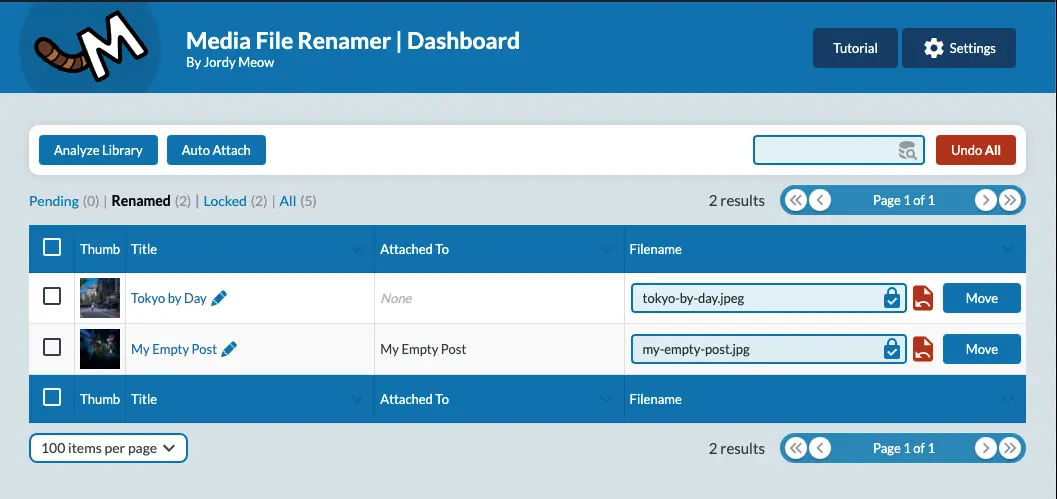
Media File Renamer
Media File Renamer: Rename for better SEO (AI-Powered)
#file #media #move #rename #seo
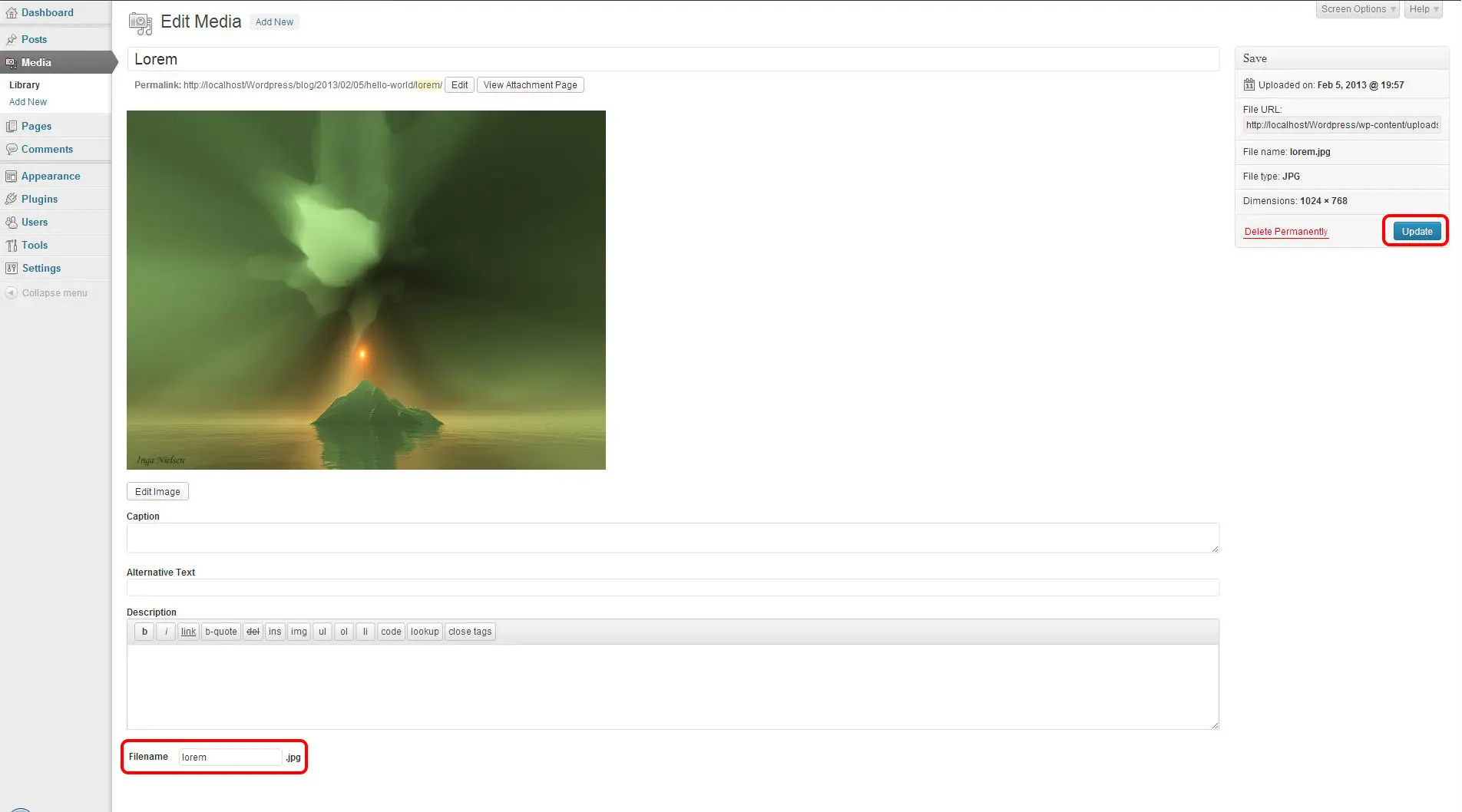
Phoenix Media Rename
Phoenix Media Rename
#file #image #media #rename #retitle
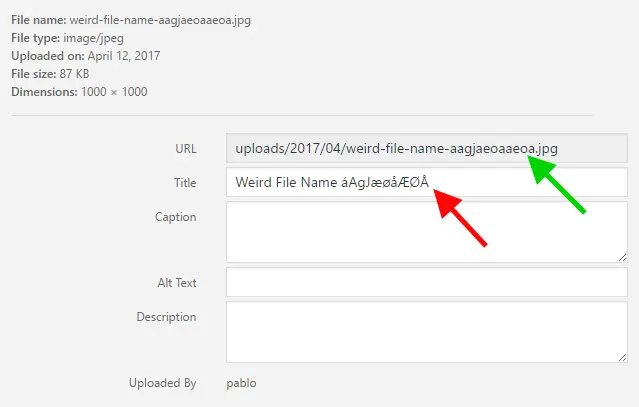
File Renaming On Upload
Rename Media Files: Improve Your WordPress SEO
#characters #media #rename #renaming #seo
