


Password correct. Please wait...
Disable chat with .custom-disable-chat
WP Plugin Comparisonby neo-wp.com


WP Plugin Media Library Organizer
Test report
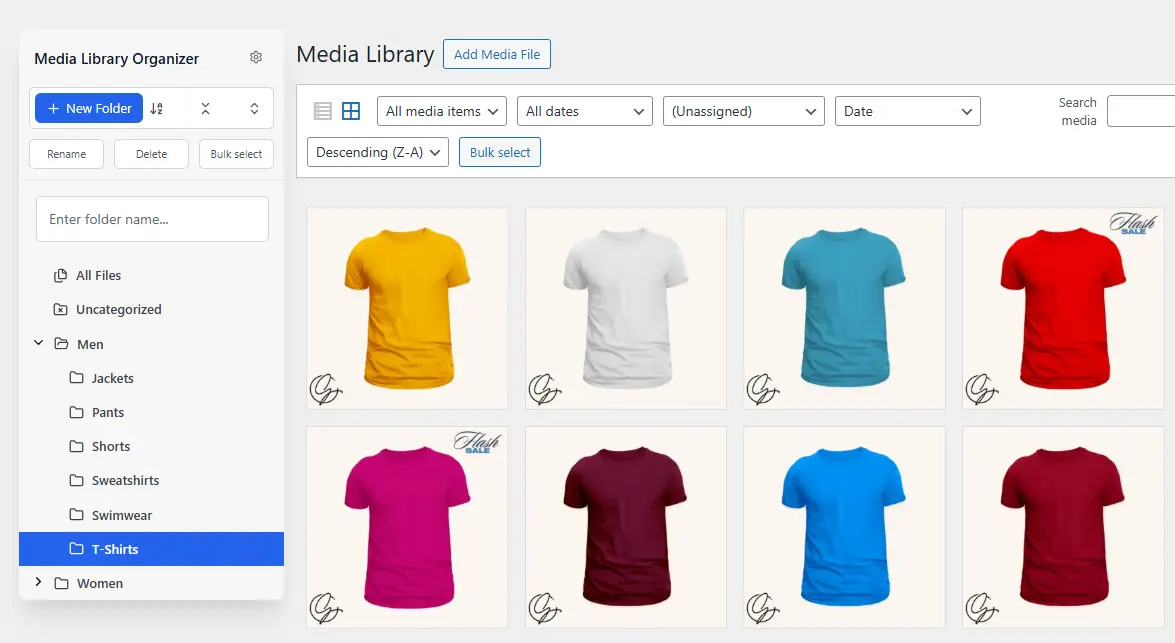
Media Library Organizer - WordPress Media Library Folders & File Manager
Media Library Organizer by Optimole was released on 2017-08-14 and has since been installed over 20 000+ times. This WordPress plugin lets you add media categories to images, videos, and other files, enabling better organization of media files in the WordPress Media Library. A standout feature is the ability to create unlimited categories and subcategories, which sets it apart from other similar plugins that often have categorization limits. The primary audience for the Media Library Organizer is WordPress users seeking more effective management of large media libraries. The average rating of 4.7 out of 5 stars from 141 reviews in the official WordPress Plugin Directory highlights overall satisfaction. The following section examines the plugin’s various features in more detail.
"This plugin is necessary to organize the WP library."
Features - Comprehensive feature set for optimal media management
The Media Library Organizer offers a variety of features to efficiently organize and manage the WordPress media library. In addition to the aforementioned unlimited categories and subcategories, the plugin provides a comprehensive tree view feature that simplifies media category management via an intuitive sidebar. This feature allows users to move media content easily via drag-and-drop. Another notable feature is the ability to bulk-edit media categories, significantly increasing media management efficiency. The import and export function for categorization data also ensures that data can be seamlessly backed up and transferred.
Free-Features - Robust features even in the free version
- Media categorization - Images, videos, and other media can be categorized with an unlimited number of categories and subcategories.
- Search and filtering - Attachments can be searched and filtered by category across all media library views.
- Bulk categorization - Multiple attachments can be categorized in bulk using the tree view.
- Tree view - A sidebar for quick management of media categories (add, edit, delete, drag & drop).
- Intuitive category selection - Seamlessly integrated into WordPress's native user interface.
- Import and export - Categories and categorization data can be imported from and exported to JSON or WordPress standard export files.
Pro-Features - Advanced features for power users
- Automatic categorization - Images uploaded via WordPress are automatically categorized using image recognition.
- Bulk and quick editing - Titles, descriptions, categories, and more can be edited in large quantities and quickly.
- Default attributes - Define default titles, alt tags, descriptions, and categories for newly uploaded files.
- Duplicate attachments - Duplicate one or more attachments in the media library.
- Dynamic galleries - Extends the WordPress shortcode to create paginated, dynamic galleries.
- EXIF and IPTC - Read, write, and display EXIF, GPS, and IPTC image data.
- Output customization - Change the size of thumbnails in the media library.
- Taxonomy manager - Define additional taxonomies alongside media categories.
- ZIP and unzip - Automatically unzip files on upload and zip multiple media files.
- Support - Access to personal email support.
- Documentation - Detailed documentation for plugin installation and configuration.
- Updates - One-click update notifications in the WordPress admin area.
- Seamless upgrade - Keep all current settings when upgrading to Pro.
"Has good potential, unfortunately the Pro with the really good add-ons is much too expensive."
License & value for money - Decision factor for many users
The Media Library Organizer offers a free version that provides basic media organization features, with support mainly handled through the WordPress forums. This version is ideal for users who don’t have extensive requirements but still want tidy media organization. The Pro version, on the other hand, which comes with a range of advanced features like automatic categorization and dynamic galleries, is available for a fee.
While some users find the price high, others see the potential-especially when working with very large media libraries. The ability to switch from the free version to Pro without losing any settings is viewed positively.
“The Pro version seems expensive to me - but it could make sense if you have lots of files...”
Technical details - Dive deep and explore the technical side
The Media Library Organizer plugin is built using WordPress’s native taxonomy API, resulting in seamless integration with the existing WordPress infrastructure. This ensures reliable extensibility and compatibility with a wide range of themes and plugins. Developers can benefit from a robust implementation of actions and filters, allowing customization and extension of functionality. Functionality also extends to taxonomy management, with additional custom taxonomies easily configurable to meet specific needs, such as categorization by color or size attributes.
Within the internal architecture there are built-in methods for import and export operations that support JSON or WordPress’s native XML format. These features also facilitate data migration from other plugins like FileBird or Wicked Folders via specific import routines. Additionally, standard file metadata like EXIF and IPTC image data can be imported and exported, easing data-intensive work with large image libraries.
System requirements - Requirements for smooth operation
The Media Library Organizer plugin has specific system requirements to ensure optimal performance. The minimum requirement is PHP version 5.6 or higher. Since WordPress is continuously updated, a minimum of WordPress 5.0 or higher must be installed to run the plugin. The plugin is thoroughly tested and supported up to WordPress version 5.0 or higher. The current version of the plugin is 2.1.0, and the last update was published in 2026-03. For many, this compatibility with recent versions ensures that new features and security improvements can be utilized.
"A solid plugin, however PHP and WP versions should be checked regularly to ensure the best compatibility."
Quality - Seamless integration and optimized user experience
The quality of the Media Library Organizer plugin is praised by many users, particularly for its seamless integration into the existing WordPress infrastructure. Unlike some plugins, Media Library Organizer doesn’t simply replace the media library views but enhances WordPress’s native interface. This provides a smooth and intuitive user experience appreciated by many users. Additionally, coding to WordPress standards ensures high compatibility with various themes and plugins, resulting in reliable and stable performance.
Another quality advantage is the ability to manage the media library without limits on categories and subcategories, which-combined with the tree view feature-enables efficient media organization and search. While there is some criticism about usability with very many categories, the overall functionality of the plugin is described as solid and reliable.
“Works as expected and I haven’t found any incompatibilities.”
Support - Contact options, response time and user experiences
Support for the Media Library Organizer plugin is provided mainly via the WordPress forums, which is common for a free plugin. According to user reports, response times from support are fairly quick, especially for urgent issues-one user noted positively that a bug was fixed the same day. This speaks to the developers’ proactivity and helpfulness.
However, support is limited due to the nature of a free plugin. For personalized email support, upgrading to the Pro version is recommended, which some users find justified and others see as a drawback, depending on individual support and feature needs. In addition to the forums, the full documentation provides a useful self-help resource.
For users seeking more comprehensive support, commercial support from the developer is also available; learn more at Fallback Commercial Support.
“Support is excellent; I received a reply within minutes.”
Rating - High ratings and mixed reviews
The Media Library Organizer plugin receives an impressive average rating of 4.7 out of 5 stars from 141 reviews in the official WordPress Plugin Directory. Users often praise the reliability and the plugin’s ability to effectively organize the media library. Several reviewers note that the plugin does exactly what it promises without causing technical issues and has been successfully used for years to manage large media libraries.
A predominantly positive rating reflects many users’ satisfaction:
“This is a first-class plugin that has helped me manage the media library daily for years and has never let me down.”
However, there are negative voices pointing out critical aspects, such as difficulties with uninstallation and intrusive review prompts:
“The message that appears on the dashboard asking for a rating = EXTREMELY ANNOYING.”
However, the overall feedback remains positive, as many reviews praise the plugin's usefulness and efficiency:
“This plugin is essential to organize the WP library. I have a separate folder for documents, photos and subcategories of photos. I can't live without it!”
Criticism - weaknesses and potential improvements
The plugin Media Library Organizer also has its weaknesses, which become apparent in user reviews. A frequent critique is the insufficient option to uninstall and deactivate directly via the plugin interface, which can lead to frustration. Furthermore, there is no bulk processing and assignment of media to categories, which can significantly slow workflows, especially for large libraries. Some users also point out the lack of support for existing WordPress taxonomies, making integration difficult for users who don't want to recategorize their entire media library.
There are currently no known security vulnerabilities or error reports indicating potential risks. However, irregular updates are noted, which could lead to compatibility issues with newer WordPress versions in the long term. Improvement ideas range from introducing a reliable auto-categorization feature to enabling the creation of dynamic galleries to strengthen functionality and improve usability.
“The only missing feature is the ability to select media in bulk and assign them to a category.”
Conclusion - Review of the Media Library Organizer by Optimole
The Media Library Organizer from Optimole shines with its comprehensive functionality, enabling efficient media organization in both the free and Pro versions. The plugin stands out for its flexible categorization feature and seamless integration into the existing WordPress ecosystem. While the Pro version offers more extensive features, the pricing of this version is debated. Some users find the costs too high, especially compared to the additional features offered. Nevertheless, the plugin's ability to manage large media libraries effectively is consistently praised. Criticisms mainly concern lacking uninstall options and the need for regular updates. Despite some weaknesses, the Media Library Organizer is consistently regarded as a reliable tool for improving media management in WordPress.
#export media library #folders #media categories #media library folders #organize media library
Show more
Detailed plugin information
Plugin slug: media-library-organizer
Plugin name: Media Library Organizer
Plugin title: Media Library Organizer – WordPress Media Library Folders & File Manager
Plugin Keywords: #export media library #folders #media categories #media library folders #organize media library
Plugin version: 2.1.0
Last update: 2026-03
Release Date: 2017-08-14
Required WP version: 5.0
Required PHP Version: 5.6
Tested with WP version: 6.9.4
Active Installations: 20 000+
Average rating: 4.7
Number of reviews: 141
Number of support requests: 6 (in the last 2 months)
Number of resolved support requests: 6 (in the last 2 months)
Plugin author: Themeisle
Developer Homepage: https://wpmedialibrary.com
WP Developer Profile Page: https://profiles.wordpress.org/themeisle/
Support URL in the WordPress Plugin Directory: https://wordpress.org/support/plugin/media-library-organizer/
Developer Support URL: https://wordpress.org/support/plugin/media-library-organizer/#fallback-commercial-support-url
WP Plugin Directory: https://wordpress.org/plugins/media-library-organizer/
Was the test report about Media Library Organizer helpful?
Media Library Organizer - The right plugin?
Media Library Organizer - Compare nowOpen plugin in sandboxTo the official WP StorePopular alternatives to Media Library Organizer


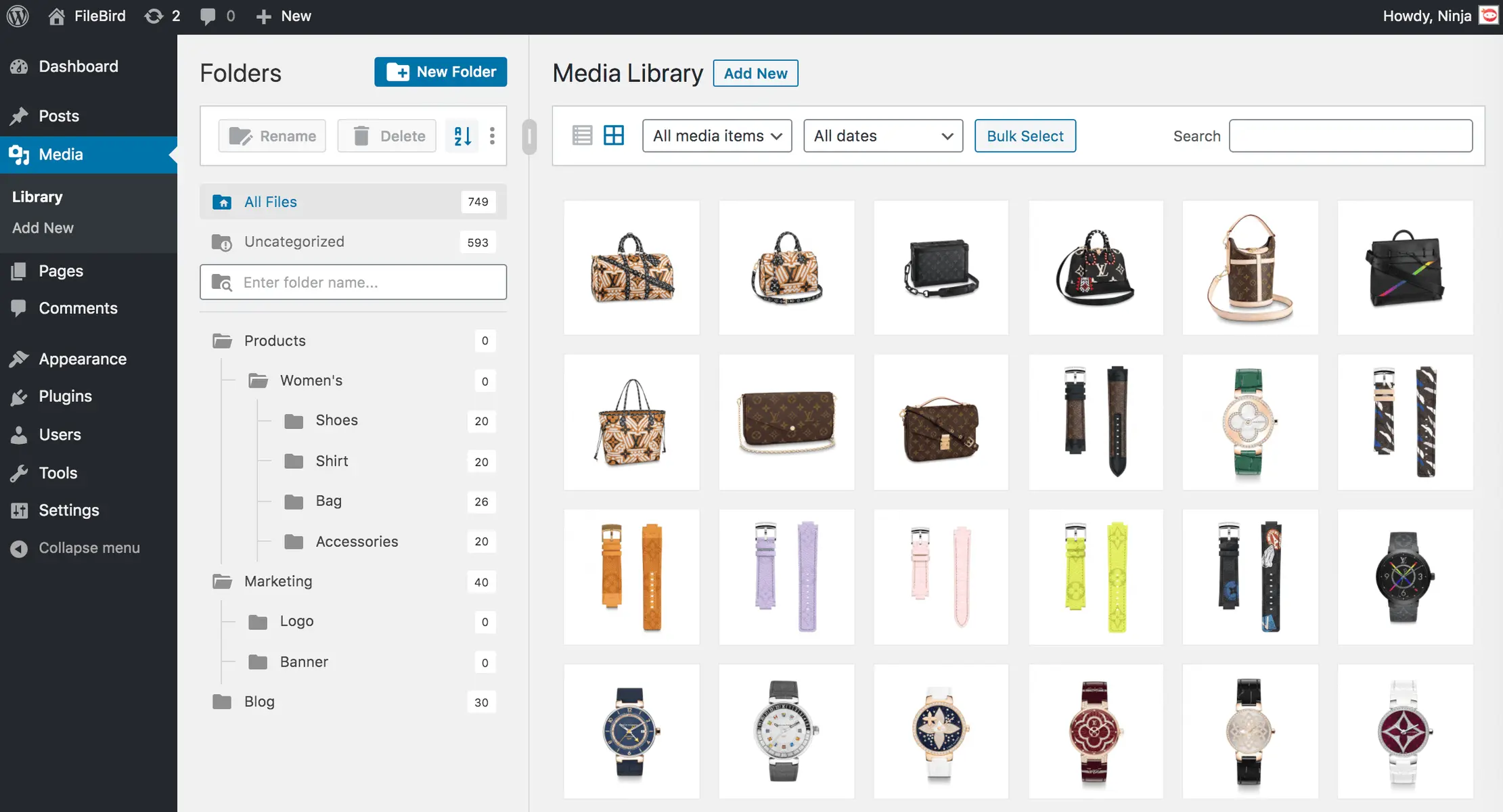
Filebird
FileBird – WordPress Media Library Folders & File Manager
#file manager #media #media folders #WordPress media library folders #wp media folders

Real Media Library Lite
Real Media Library: Media Library Folder & File Manager
#file manager #media folder #media library folder #media library folders #WordPress media library folders
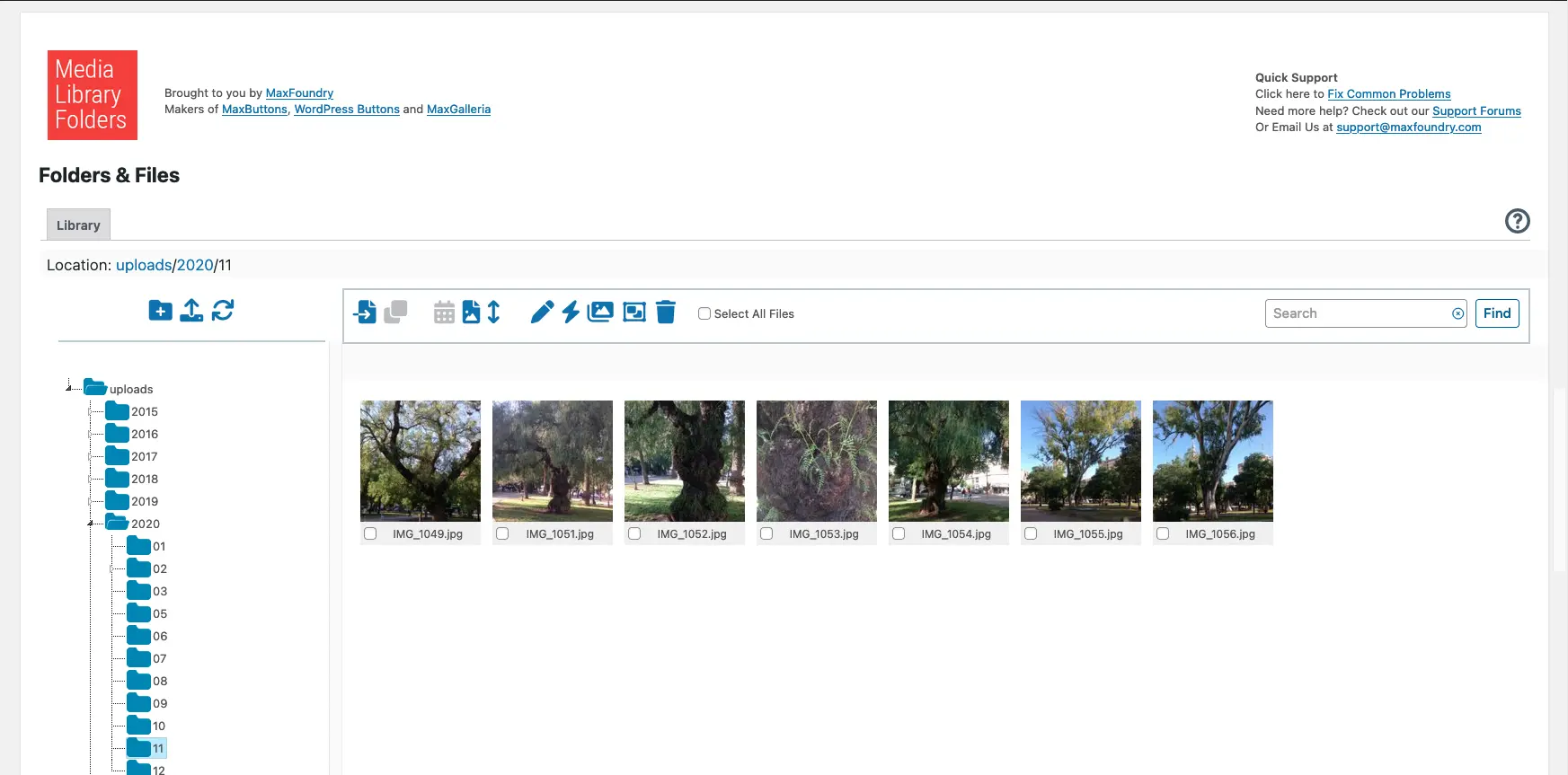
Media Library Plus
Media Library Folders
#media library folders #organize media library
