


Password correct. Please wait...
Disable chat with .custom-disable-chat
WP Plugin Comparisonby neo-wp.com


WP Plugin Media File Renamer
Test report
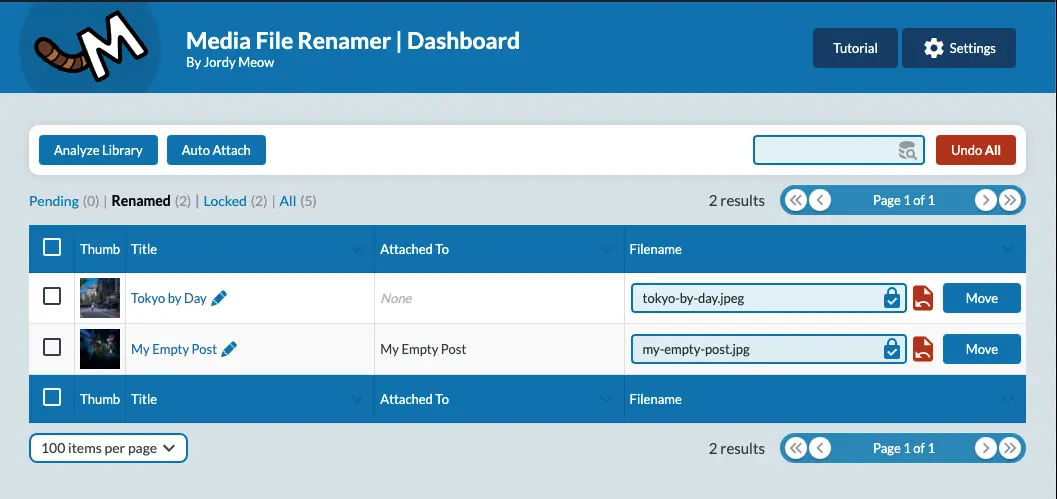
Media File Renamer: Rename for better SEO (AI-Powered)
Media File Renamer, developed by Jordy Meow, was released on 2011-01-27 and has since established itself as a useful tool for optimizing the media library in WordPress. With over 40 000+ active installations, the plugin is aimed at users who want to effectively organize their media files and optimize them for SEO purposes. What sets it apart is the ability to automatically rename file and metadata such as titles, ALT text, and descriptions, even offering AI-powered suggestions. This automation saves time and ensures orderly media libraries, and is especially attractive to WordPress users who value efficient management of their media files. It also has a average rating of 4.6 out of 5 stars from 434 reviews in the official WordPress Plugin Directory. The following paragraphs detail the full functionalities that the plugin offers.
"This plugin saves a ton of time and is perfect for SEO."
Features - Comprehensive tools for file management
The plugin offers a wide range of features that go beyond simple file renaming. In addition to automatic renaming that incorporates titles, ALT texts, and descriptions, Media File Renamer provides broad compatibility with other WordPress features and plugins. This compatibility also extends to Retina and WebP images as well as PDF thumbnails. Another notable feature is support for metadata synchronization, which enables keeping ALT texts and titles consistent.
"I use Media File Renamer Pro for every SEO project! Surprisingly, it also helps redirect old image URLs to the new ones it created."
Free Features - Basic functions of the free version
- Automatic renaming of media files - Assigns new, better names for SEO and organization.
- Manual changes possible - Users can customize media file names themselves.
- Support for various image formats - Compatible with Retina, WebP and PDF thumbnails.
Pro Features - Advanced functions for professionals
- AI Vision and suggestions for smart renaming - Uses AI to provide better name suggestions.
- Anonymization of files - Offers additional privacy.
- Bulk moving of files - Allows moving multiple files between directories at once.
- Metadata synchronization - ALT texts and titles can be synchronized.
- Numbering of files - Better organization by numbering files.
"The Pro version has everything needed to get things done right."
License & Value for Money - Free use with optional upgrades
Media File Renamer offers a free version that covers basic functions. For users who need advanced features, such as AI-powered naming or file anonymization, there is a Pro version. It is appreciated for its good value for money since the additional time savings justify the cost. However, some users note that the free version is limited in certain features, which can be a challenge for those who do not want to use the Pro version.
"The value for money is described as good because the time saved justifies the cost."
Technical details - Insights into functionality and architecture
The Media File Renamer plugin works with a mix of database-backed operations and direct file system manipulations. A core feature is the ability to efficiently update database entries regarding media files and their metadata such as titles, ALT text, and descriptions. This ensures that references within the WordPress system remain consistent even after file names have been changed. The plugin's architecture allows moving large amounts of files across different directories, with a focus on the integrity of database entries. Additionally, the plugin is designed to handle various encoding types, making it robust against international characters and special characters. Developers appreciate the detailed processing of file names performed with AI support, where intelligent suggestions are given based on metadata.
System requirements - Compatibility and requirements at a glance
The plugin requires at least PHP version 7.4 or higher to ensure stable and secure execution. The minimum WordPress requirement is version 6.0, and it has been tested and is compatible up to WordPress version 6.9.4. The current plugin version number is 6.2.3, with the last update in 2026-03. These requirements ensure that the plugin remains compatible with both older and the latest technological standards of WordPress.
"The plugin provides full support for the latest WordPress versions and ensures smooth operation with current web standards."
Quality - Reliability and Challenges in Focus
The quality of the Media File Renamer plugin is evident in its ability to promote order and efficiency within the WordPress media library. Users report that the plugin significantly improves file-structure organization by intelligently updating filenames and synchronizing them with alt text and title information. The integration of AI technology is also an innovative aspect, as it helps users get relevant, SEO-optimized filename suggestions. However, avoiding potential technical issues like broken image links after uninstallation requires precautions, so an individual backup is always recommended. Performance with very large datasets is seen by some users as an area for improvement, which could be relevant for extensive WordPress database setups.
"[...] This plugin was extremely helpful and saved me a lot of time [...]."
Support - User Reports and Availability
Support for the Media File Renamer plugin receives mixed reviews from users. Many praise the quick response times and the friendliness and helpfulness of developer Jordy Meow. Support experiences range from prompt and successful problem resolution to cases where inquiries went unanswered or were inadequately addressed. Two main channels are available for support: the official support forum on WordPress and the developer's direct support page.
"I had some issues and wrote an unfriendly support ticket. To his credit, Jordy replied very kindly. He addressed my problem and also responded to my side concerns."
Rating - A Collection of Opinions and Experiences
The WordPress plugin Media File Renamer has an impressive average rating of 4.6 out of 5 stars, based on 434 reviews. This high rating reflects overall user satisfaction. The majority of users highlight how the plugin helps efficiently organize media files and thus facilitates SEO tasks.
One positive aspect frequently mentioned is the time savings the plugin provides. One user points out:
"An essential plugin for SEO optimizations that saves me a lot of time."
At the same time, there are negative feedbacks that shouldn't be ignored. Critics sometimes complain that the plugin doesn't always work as expected and that renaming processes can be faulty in some cases:
"Unfortunately some functions don't always work reliably."
Another positive feedback again highlights strengths, especially how the AI-powered suggestions ease the workflow:
"It offers intelligent suggestions that have greatly simplified my work."
Overall, the majority of users are satisfied with the plugin, with positives outweighing negatives. However, challenges remain and should be considered when making a decision.
Criticism - Problems and Improvement Suggestions in Detail
Media File Renamer faces criticism, especially regarding reliability and functionality. A frequent complaint concerns faulty behaviors that can cause significant problems for some users. For example, there are reports that the plugin messed up websites, and certain features are only partially available without the Pro version. Another concern raised by users is the complicated user interface, which can make access to important settings difficult.
Another serious issue mentioned is the system's dependence on the plugin staying installed. Once it's uninstalled, widespread problems with image links can occur, potentially endangering the database and the website. One feedback complained that uninstalling caused 900 image links to stop working, which affected the site's integrity and required extensive follow-up work.
Although security vulnerabilities haven't been directly identified in the available information, the recommendation to create backups before use indicates that caution may be warranted when handling the plugin, especially in combination with other plugins that might interfere with the renaming process. Suggestions for improvements include a more user-friendly interface and more reliable support for issues.
"I have more than 10 years of experience with WordPress and never expected a plugin to mess up my site like this."
Conclusion - Strengths and Weaknesses at a Glance
The Media File Renamer plugin, developed by Jordy Meow, offers a solid solution for optimizing media files in WordPress, especially for SEO purposes. Its range of features, from simple renaming to AI-powered suggestions and metadata synchronization, provides a valuable resource for users seeking order and efficiency in their media libraries. The positive ratings underscore the plugin's general usefulness and the time savings it offers.
Nevertheless, there are challenges, particularly regarding potential complications during uninstallation and sometimes inconsistent functionality. For more advanced users, a Pro version is available that offers extended features and better control. The choice of plugin should be made carefully, especially when special requirements or large data volumes need consideration. Despite some criticisms, Media File Renamer remains a valuable addition to many users' WordPress toolbox.
#file #media #move #rename #seo
Show more
Detailed plugin information
Plugin slug: media-file-renamer
Plugin name: Media File Renamer
Plugin title: Media File Renamer: Rename for better SEO (AI-Powered)
Plugin Keywords: #file #media #move #rename #seo
Plugin version: 6.2.3
Last update: 2026-03
Release date: 2011-01-27
Required WP version: 6.0
Required PHP version: 7.4
Tested with WP version: 6.9.4
Active installations: 40 000+
Average rating: 4.6
Number of reviews: 434
Number of support requests: 1 (in the last 2 months)
Number of resolved support requests: 1 (in the last 2 months)
Plugin author: Jordy Meow
Developer homepage: https://meowapps.com
WP developer profile page: https://profiles.wordpress.org/tigroumeow/
Support URL in the WordPress Plugin Directory: https://wordpress.org/support/plugin/media-file-renamer/
Developer support URL: https://wordpress.org/support/plugin/media-file-renamer/#fallback-commercial-support-url
WP Plugin Directory: https://wordpress.org/plugins/media-file-renamer/
Was the test report about Media File Renamer helpful?
Media File Renamer - The right plugin?
Media File Renamer - Compare nowOpen plugin in sandboxTo the official WP StorePopular alternatives to Media File Renamer
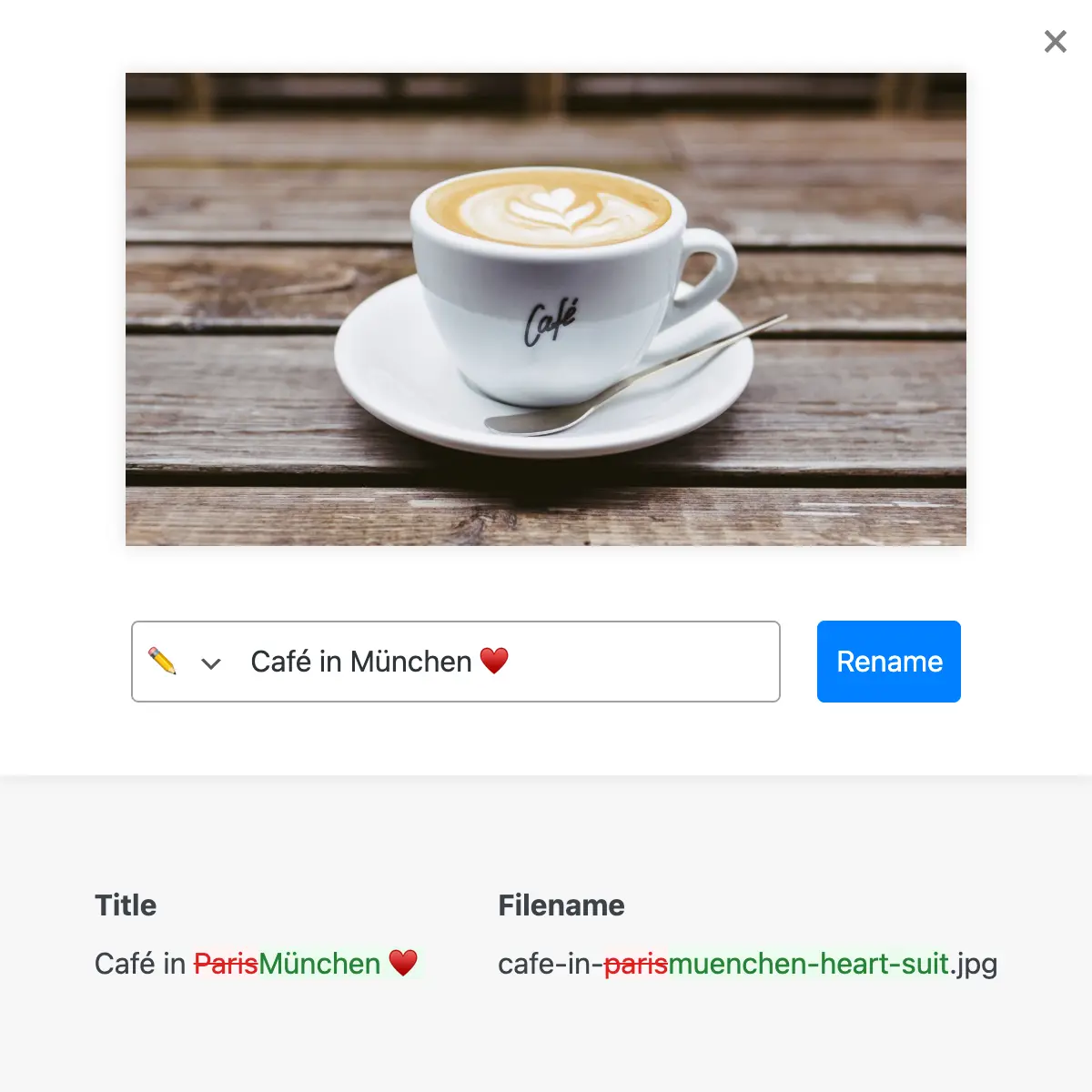
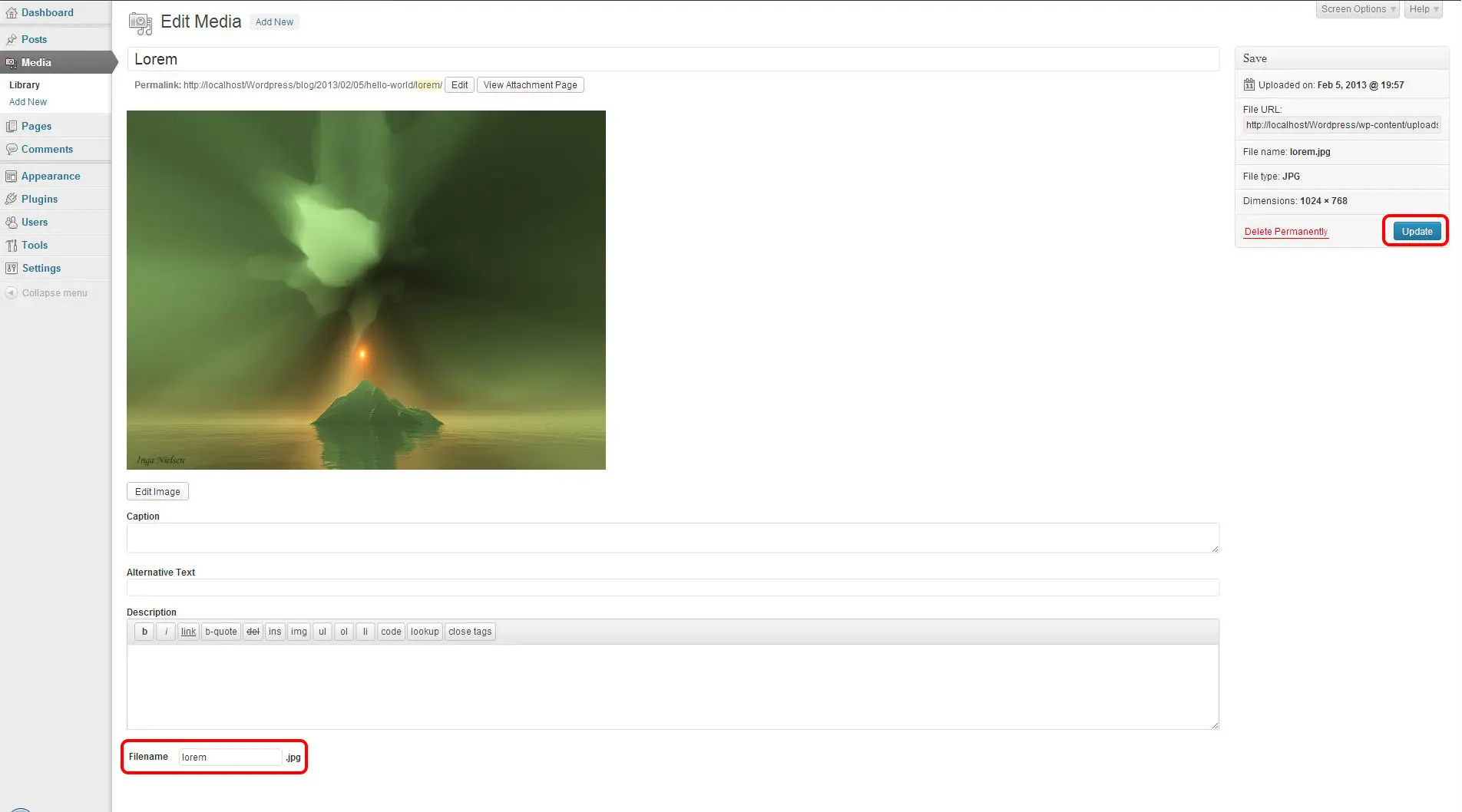
Phoenix Media Rename
Phoenix Media Rename
#file #image #media #rename #retitle
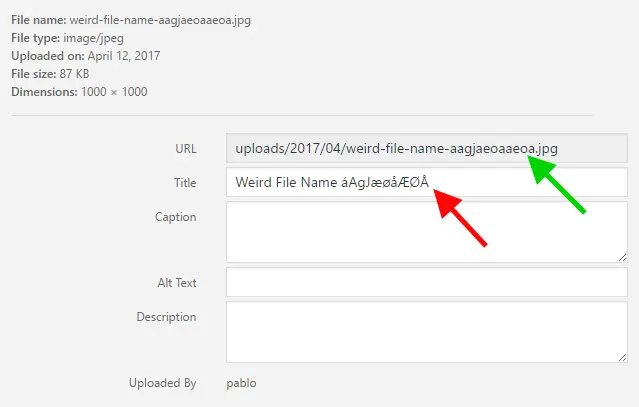
File Renaming On Upload
Rename Media Files: Improve Your WordPress SEO
#characters #media #rename #renaming #seo
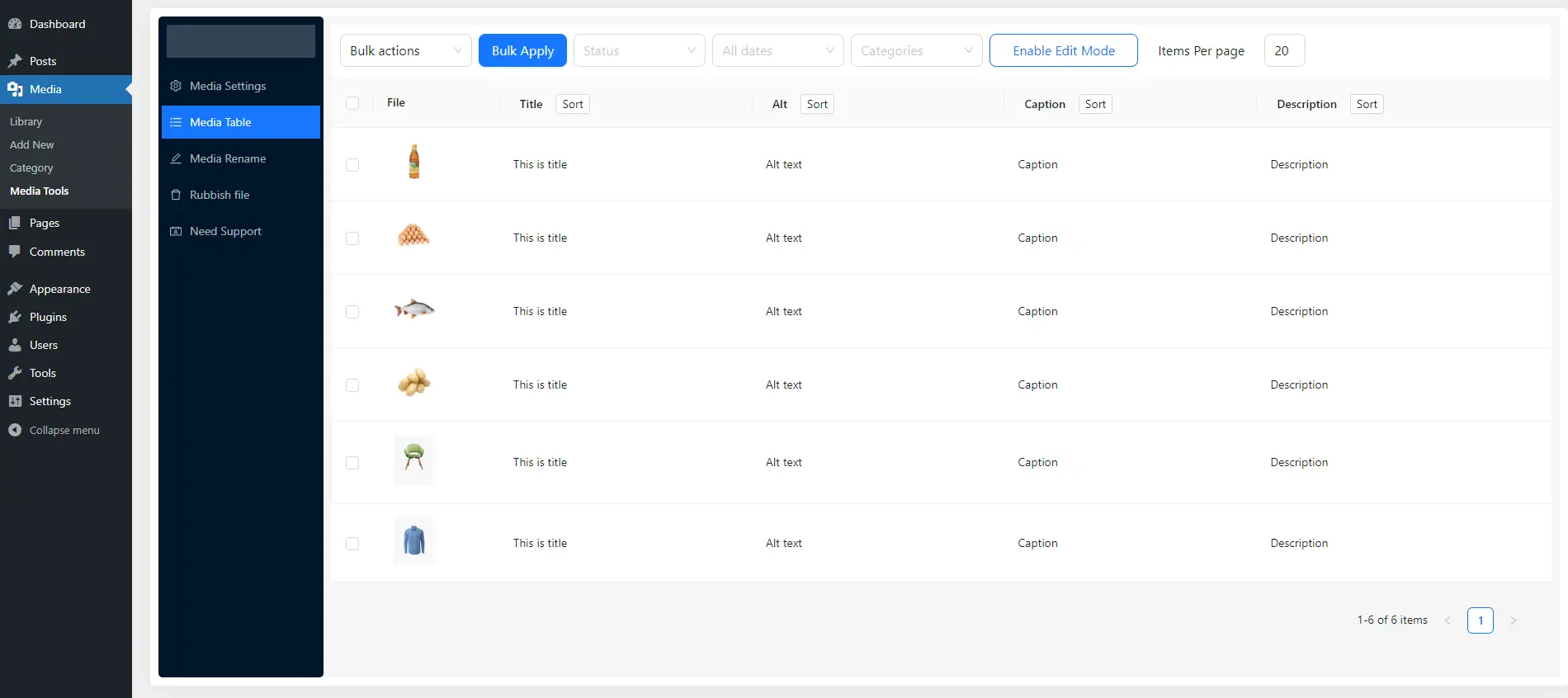
Media Library Tools
Media Library Tools – Rename, Clean & CSV Import/Export
#cleaner #csv #export #media #rename
