
Password correct. Please wait...
Disable the chat with .custom-disable-chat
WP Plugin Comparisonby neo-wp.com


WP Plugin Imagify
Test report
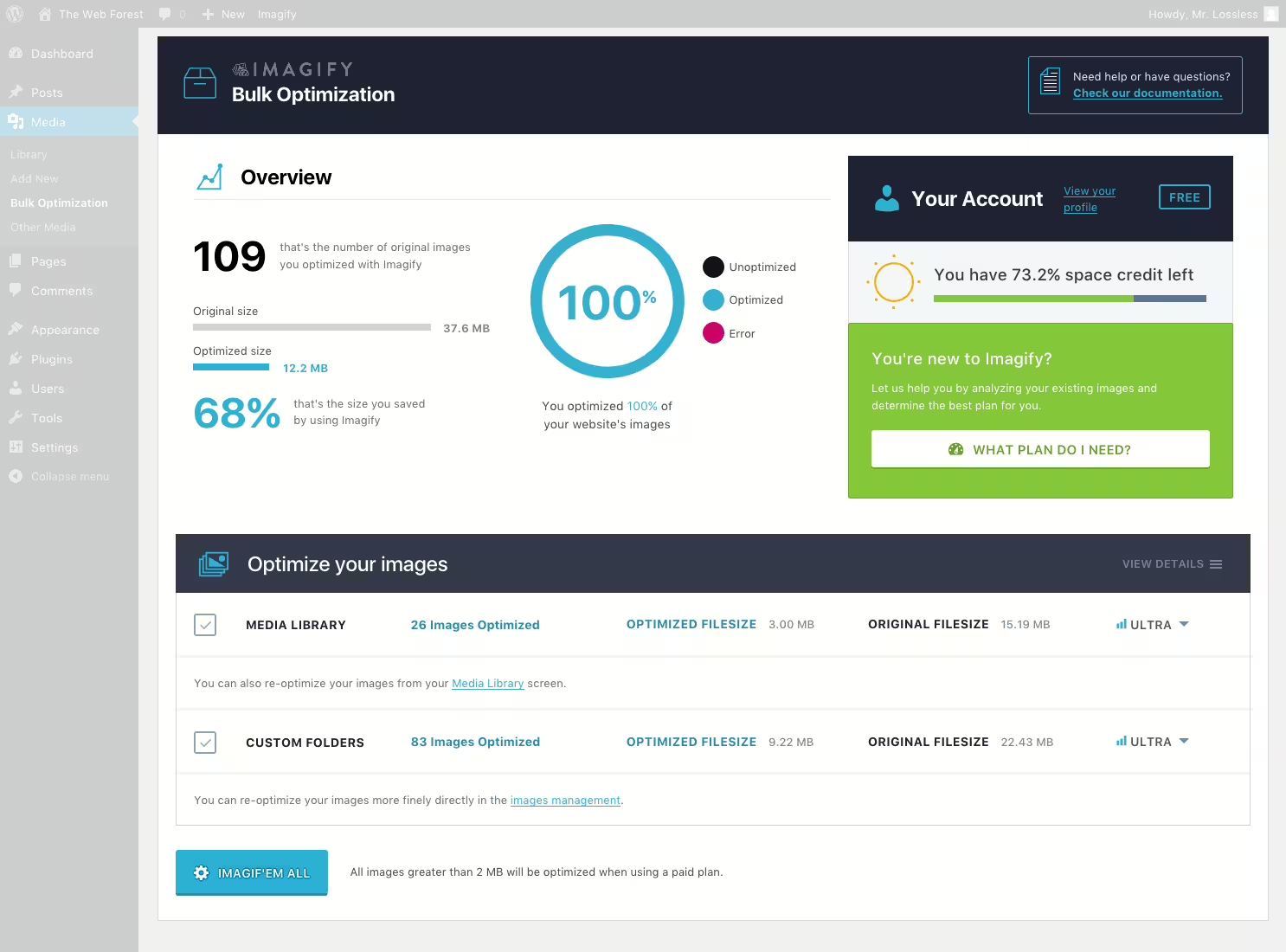
Imagify - Optimize Images & Convert WebP & AVIF | Compress Images Easily
Imagify, developed by Imagify Image Optimizer - Optimize Images & Convert WebP & AVIF, was released on 2016-01-27 and has since gained over 1 000 000+ active installations. The plugin is used for advanced image optimization in WordPress and is characterized by efficiently reducing and compressing images without affecting their quality. A standout unique feature is asynchronous bulk optimization, which allows optimizing multiple images at once with just one click, saving a significant amount of time. In addition, Imagify offers conversion of image formats to WebP and AVIF, improving website loading times. The plugin is primarily aimed at WordPress users who want to improve their website performance. With an average rating of 4.3 stars from 1 653 reviews in the WordPress Plugin Directory, Imagify proves popular with many users. The following paragraph highlights the core features of this plugin and delves into the possibilities it offers.
"The plugin helped me optimize the images on my site, which noticeably improved performance especially on mobile."
Features - Comprehensive optimization options
Imagify offers an impressive range of features that go beyond the well-known unique selling points. In addition to asynchronous bulk optimization and conversion to WebP and AVIF, the plugin also provides server-side optimization. This enables image compression without heavily taxing your own server resources. A clever integration with the popular caching plugin WP Rocket allows for seamless optimization of website speed and performance.
Free-Features - Free options for beginners
- Image optimization - Use the option to optimize up to 20 MB (approx. 200 images) per month for free.
- Conversion to WebP - Allows free conversion of images to the WebP format for better performance.
License - Web-compliant and user-friendly
Imagify is licensed under GPLv2 or later, giving users flexibility and safety when using the plugin. The free version offers basic features that, however, quickly reach their limits, especially for users with large image libraries. User feedback shows mixed opinions regarding value for money. While many consider the offered performance reasonable, there are concerns about the cost of advanced features.
"The license is fair, but if you seriously want to optimize, you should invest in the full version to bypass the limits of the free version."
Technical details - Insights into how it works
Imagify uses an external server to optimize images, enabling smooth and resource-efficient image compression. Communication with the Imagify servers is handled via an API, which requires an API key to use. This on the one hand ensures reliable image processing, but on the other hand is criticized by some users who would prefer processing on their own web server. Image compression is adjustable in three levels: Normal, Aggressive and Ultra, each with a different degree of compression and quality. This adaptability allows fine-tuning of optimization depending on the needs and goals of the website.
System requirements - Technical basics for use
Imagify requires at least PHP version 7.4 or higher and WordPress version 5.3 or higher to run. Currently the plugin is tested up to WordPress version 5.3. The current plugin version is 2.3.3, and the last update in 2026-08 was performed. These requirements take into account the latest security and compatibility standards, resulting in stable and efficient performance during operation.
"The plugin requires certain minimum versions of PHP and WordPress to work smoothly, which makes sense given the complex tasks it has to handle."
Quality - Image compression and user-friendliness
Imagify stands out for its excellent image compression, which occurs without noticeable quality loss. The Smart Compression Mode ensures that images are set to the optimal compression level, which improves not only image quality but also page load speed. Automated resizing and conversion to formats like WebP and AVIF also contribute to quality assurance. Despite the positive attributes, some users report quality-related issues, especially with aggressive compression, which can lead to blurry images. These mixed feedbacks indicate that experiences with quality may vary depending on users' specific needs and expectations.
"Despite the sometimes outstanding compression, image quality is sometimes unsatisfactory at very high compression levels. Especially for high-resolution images, it is advisable to choose settings carefully."
Support - Testimonials and contact options
Support from Imagify is a major focus in user reviews. Many use direct contact via the Imagify support page or the developers' contact page. Twitter also provides quick responses to questions or issues. Despite the available contact options, users' experiences vary significantly. Positive reviews praise the speed and competence of the support. Negative feedback criticizes inadequate response times and the helpfulness of support staff. Some users report that issues are not resolved within the promised time and that responses are often inaccurate or insufficient.
"Imagify's technical support is outstanding, but there have also been situations where response times were longer than expected."
Rating - High user satisfaction with minor deductions
Imagify achieves an average rating of 4.3 stars based on 1 653 reviews. The majority of users are satisfied with the functionality of the plugin, particularly praising the straightforward usage and effective image compression. Some users commend the improvement in website performance after implementing Imagify. However, there are also some critical voices reporting issues with stability and value for money. For example, some criticize the purchase process for upgrades and the setup of paid features.
"The plugin helped me optimize the images on my site, which noticeably improved performance especially on mobile."
"The plugin crashed my site, I could not access the admin interface!"
"I love it! With over 1 000 000+ newly optimized images on my site, it is now incredibly fast."
Criticism - Potential for improvements
Imagify receives some criticism despite its popularity, mainly concerning the plugin's functionality and support. Users report crashes, especially during bulk image optimization, which calls the plugin's stability into question. Some users complain that images disappear after optimization or lose quality. These issues point to the need to make image processing more stable and reliable.
There is also negative feedback regarding support for Imagify. Responses to user inquiries sometimes seem inadequate or delayed, which can negatively affect the overall perception of the service. Improvements to communication and support responsiveness are advisable.
Security or privacy concerns are not clearly defined, but one user's review indicates difficulties using and understanding the pricing structure, which can cause confusion.
"Bulk optimization did not work well for me, there were constant crashes."
"Support often responds late or not at all, which can be very frustrating when you have problems."
Conclusion - Final remarks on the plugin's assessment
Overall, Imagify delivers a strong solution for image optimization, particularly thanks to its integration into existing WordPress environments. The variety of features, especially asynchronous bulk optimization and the offering of different compression levels, allows for customization to different requirements and technical constraints. However, the limitations of the free version and occasional technical challenges with bulk optimization should be considered. Customer support is rated variably by users, indicating room for improvement. Imagify was developed by WP Media and provides a solid foundation for websites seeking better image optimization and willing to consider investing in premium services to achieve maximum functionality.
#compress images #convert AVIF #convert webp #image optimization #optimize images
Show more
Detailed plugin information
Plugin slug: imagify
Plugin name: Imagify
Plugin title: Imagify Image Optimization: Optimize Images | Compress & Convert to WebP/AVIF
Plugin keywords: #compress images #convert AVIF #convert webp #image optimization #optimize images
Plugin version: 2.3.3
Last updated: 2026-08
Release date: 2016-01-27
Required WP version: 5.3
Required PHP version: 7.4
Tested with WP version: 7.1
Active installations: 1 000 000+
Average rating: 4.3
Number of reviews: 1 653
Number of support requests: 2 (in the last 2 months)
Number of resolved support requests: 2 (in the last 2 months)
Plugin author: WP Media
Developer homepage: https://wordpress.org/plugins/imagify/
WP developer profile page: https://profiles.wordpress.org/wp_media/
Support URL in the WordPress Plugin Directory: https://wordpress.org/support/plugin/imagify/
Developer support URL: https://wordpress.org/support/plugin/imagify/#fallback-commercial-support-url
WP Plugin Directory: https://wordpress.org/plugins/imagify/
Was the test report about Imagify helpful?
Popular alternatives to Imagify
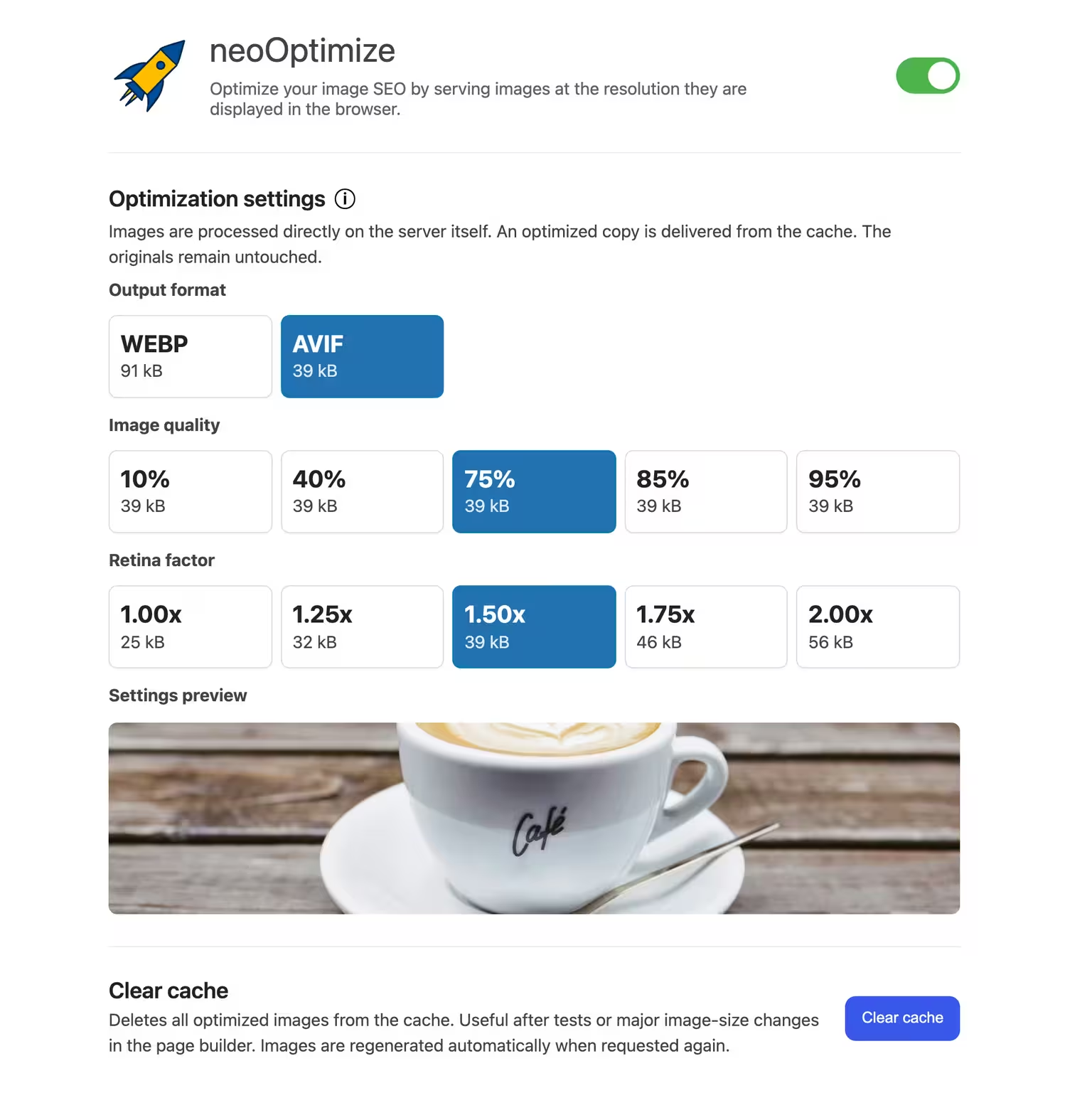


neo Optimize
Optimize your image SEO by serving images at the resolution they are displayed in the browser.
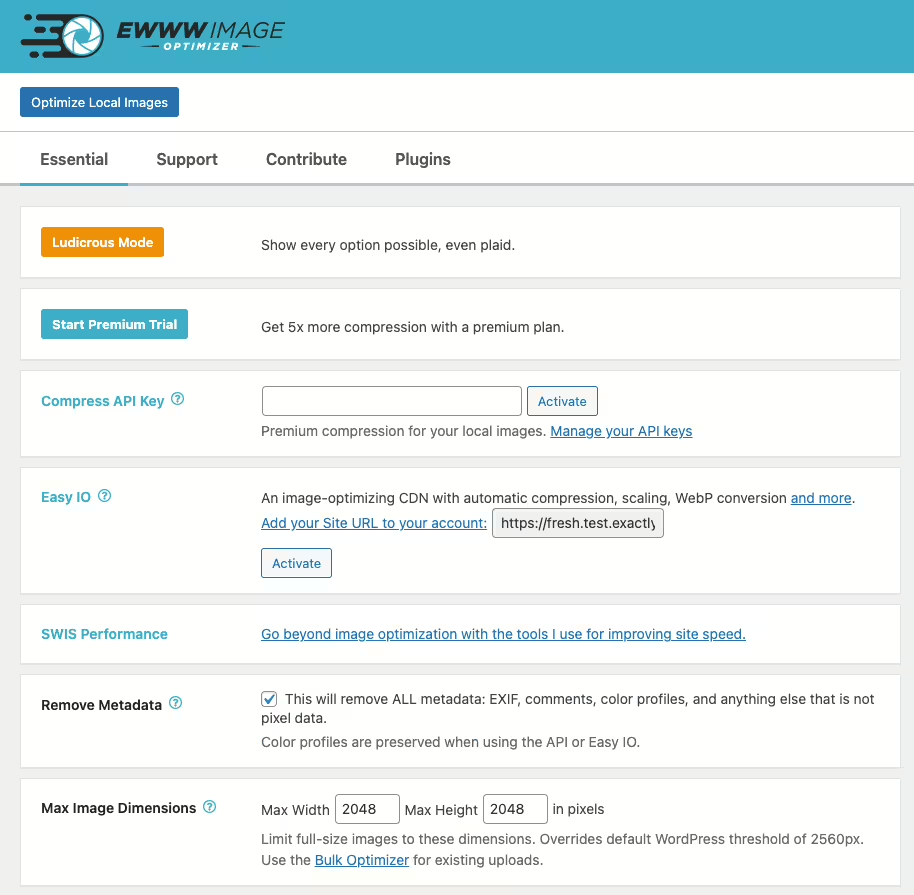
Ewww Image Optimizer
EWWW Image Optimizer
#compress #convert #lazy load #resize #webp
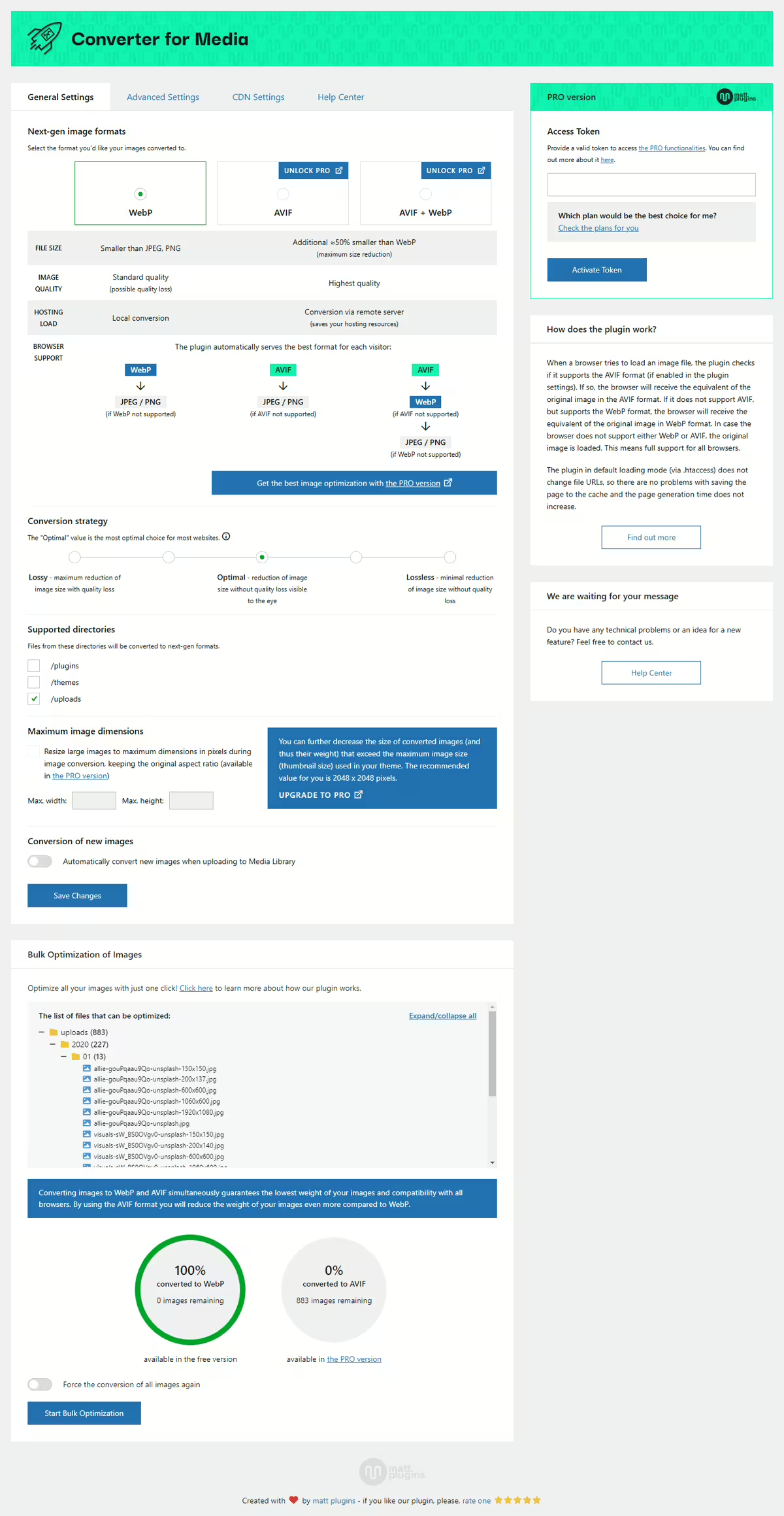
Webp Converter For Media
Converter for Media – Optimize images | Convert WebP & AVIF
#compress images #convert webp #image optimization #optimize images #webp
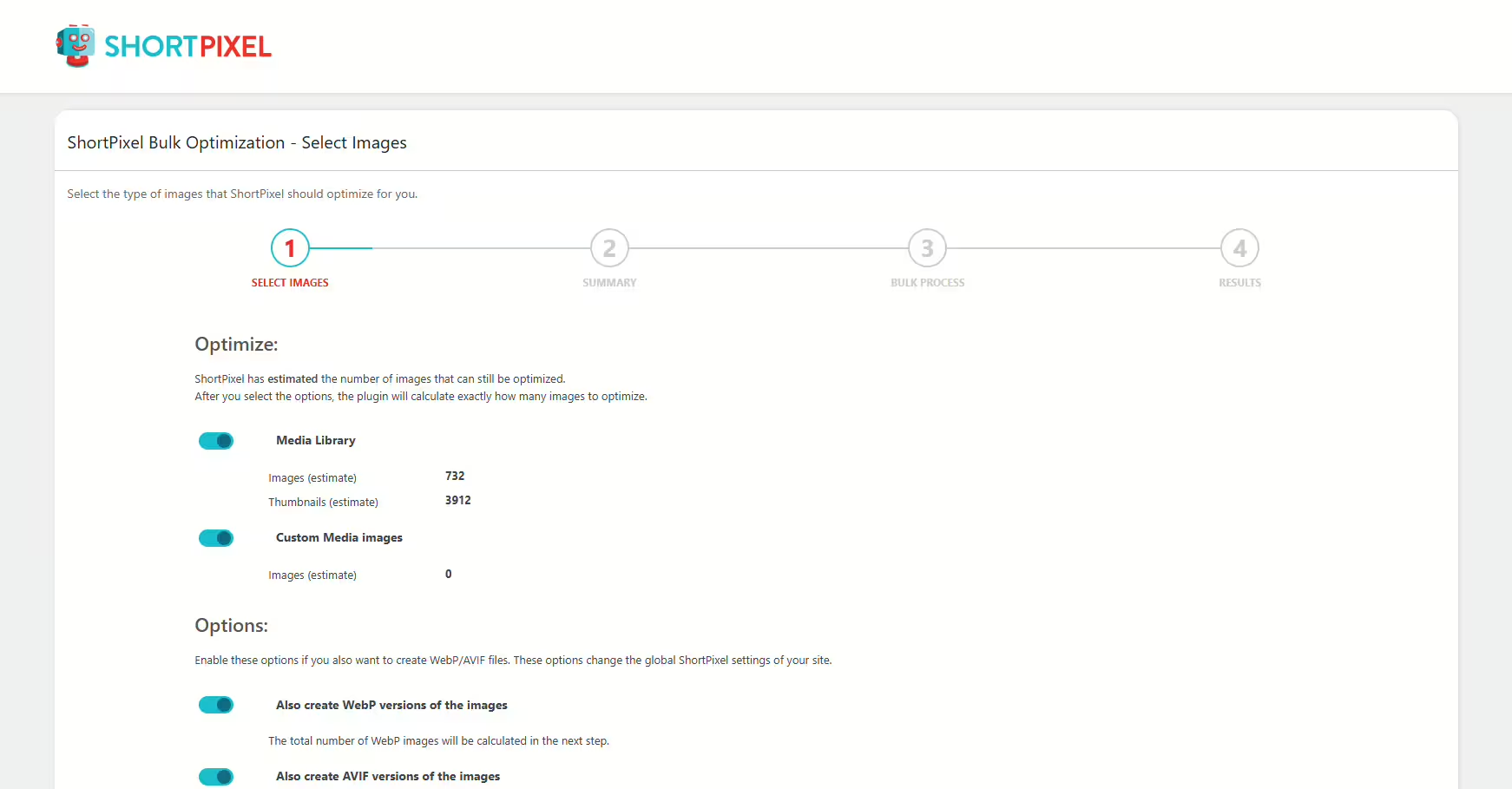
Shortpixel Image Optimiser
ShortPixel Image Optimizer – Optimize Images, Convert WebP & AVIF
#compress images #convert webp #image optimization #optimize images #resize
