


Password correct. Please wait...
Disable the chat with .custom-disable-chat
WP Plugin Comparisonby neo-wp.com


WP Plugin Duplicate Page
Test report
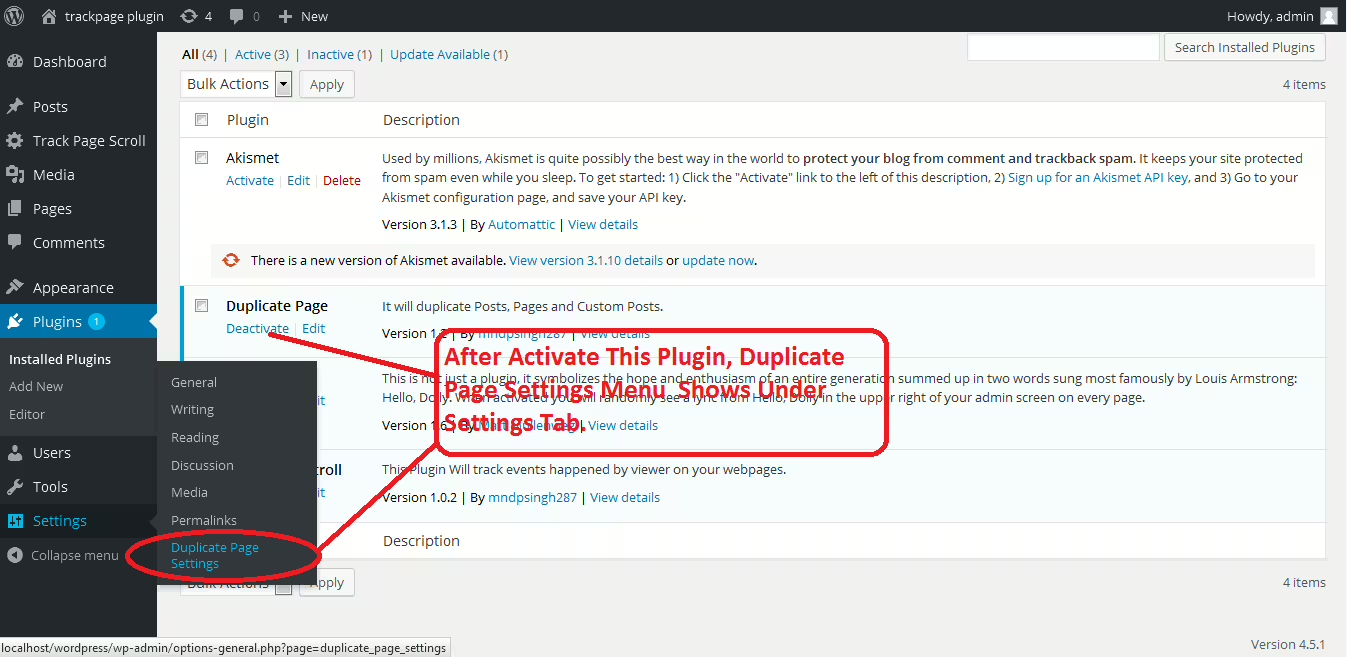
Duplicate Page
Duplicate Page - A versatile WordPress plugin for easy content reproduction
Duplicate Page is a helpful WordPress plugin by mndpsingh287, that was released on 2016-05-04. With over 3 000 000+ active installations it has established itself as an indispensable tool for WordPress enthusiasts who often copy content or need to create duplicates of posts and pages. The plugin stands out for its simple functionality, allowing users to duplicate existing content with one click. It also distinguishes itself with customizable options for the status and title of duplicates - a unique feature that offers flexibility in content management. The target audience ranges from developers to site administrators who regularly rely on this feature. It is rated on average 4.8 out of 5 stars across 465 reviews. Below is a deeper look at the plugin's specific features and benefits.
"This is one of those plugins you have to install when you start a WordPress site. It is easy to use, unobtrusive and serves its purpose!"
Features - Comprehensive content management capabilities
The "Duplicate Page" plugin not only offers the simple ability to duplicate pages and posts with one click but also provides customizable options for the created duplicates. This includes the ability to set the status of the duplicated content (such as draft or private) and to modify titles by adding prefixes and suffixes. The option to integrate with user roles, which allows administrators to assign duplication rights specifically, deserves special mention. These features provide significant flexibility and control over content.
"It is very easy to use and saves a lot of time managing and duplicating my content."
Free Features - Core functions at no cost
The free version of the plugin contains basic yet powerful features that enable users to manage their content efficiently:
- Simple duplication - Pages, posts, and custom posts can be duplicated with one click.
- Customizable duplication options - Allows selection of the duplicates' status and adjustment of titles by adding prefixes and suffixes.
Pro Features - Advanced functions for power users
The Pro version of the plugin offers a range of additional features that are especially useful in professional WordPress environments:
- User Roles - Allows specific user roles to access the duplication feature.
- Post Types - Filters to show the duplication link for specific post types.
- Clone Link Location - Option to choose the location for the duplication link.
- Redirection - Option to redirect after clicking the duplication link.
"The Pro version brings me a variety of practical features and is definitely worth the investment."
License & Value - Attractive options for free and paid users
The "Duplicate Page" plugin offers a free version with essential features that are more than sufficient for most users. The Pro version significantly extends the range of functionalities and is aimed at professional users who have specific needs for managing WordPress content. The value for money of the Pro version is often highlighted positively in reviews, as it provides additional value for active users without being bloated.
"The Pro features provide exactly what I need to work more efficiently."
Technical details - Insight into internal workings
The WordPress plugin "Duplicate Page" impresses primarily with its lean architecture, which relies on WordPress standards and enables efficient use of the database. At the core of its operation is the use of standardized WordPress hooks and filters to facilitate smooth duplication of posts and pages. Unlike more complex plugins that intervene deeply in the file system, "Duplicate Page" remains at the level of database operations, contributing to stability and reliability. Noteworthy is the ability to duplicate various post types and integration with WordPress hooks, allowing seamless extensibility and customizations by developers. Due to its lean structure, the plugin also causes only a small overhead on server resources, making it an excellent choice for sites of all sizes.
System requirements - Basic requirements for operation
To use the "Duplicate Page" plugin effectively, some basic system requirements must be met. The minimum required PHP version is 7.4, ensuring compatibility with most modern hosting environments. The minimum required WordPress version starts at 3.4, while the plugin has been tested up to the latest version of WordPress to ensure smooth updates. The current plugin version number at the latest update is 2026-05, with continuous updates ensuring functionality and security.
"The simple configuration and low system requirements make it suitable even for older server configurations."
In summary, the "Duplicate Page" plugin proves to be a responsive and resource-efficient solution for content duplication in WordPress. Its lean system requirements and use at the level of database operations provide a solid foundation for users who need efficient and reliable duplication functions.
Quality - Reliability and Efficiency in Focus
The "Duplicate Page" plugin stands out for its high quality, which shows in various aspects. Users consistently praise its ease of use and reliable operation. The plugin is lightweight and avoids unnecessary strain on server resources, contributing to smooth task execution. Another important quality aspect is compatibility with a wide range of WordPress installations, although there are some limitations when working with certain page builders. The continuous updates provided by the development team ensure the plugin remains compatible with the latest WordPress versions and that arising bugs are fixed promptly. The minimum requirements for PHP and MySQL are low, allowing the plugin to run stably on older systems as well.
"It serves its purpose, is easy to use, and is one of those plugins you quickly trust."
Support - User Experiences and Contact Options
Support for the "Duplicate Page" plugin shows that help options for users are primarily focused on the Pro-version user base. Free version users occasionally report problems that are hard to resolve due to lack of support, while Pro-version users are praised for receiving quick and efficient support. For the paid version of the plugin, the developers offer direct contact options via Contact us. General issues or discussions can be posted in the WordPress Support Forum, although response times and the level of detail in answers vary.
Reviews indicate that quick solutions are often offered for problems with the Pro version. One user described a positive experience where the developer resolved an issue within two days. However, this support may not be available to all users to the same extent, as some complain about insufficient help.
"There was an issue with Elementor templates and the author fixed it within 2 days - simply great!"
Rating - Strong User Ratings with Some Criticism
The reviews for the "Duplicate Page" plugin on WordPress.org are overwhelmingly positive. With an average rating of 4.8 out of 5 stars across 465 reviews, the plugin is clearly well received by the majority of users. Ease of use and seamless integration into existing websites are particularly highlighted. Many users appreciate the immediate time savings and reliability when duplicating content.
Despite the high rating, there are critical voices. Some users complain that the plugin does not work as smoothly as hoped in certain scenarios or that there may be compatibility issues with specific themes or page builders. Some would like expanded features in the free version that are currently only available in the Pro version.
"This is one of those plugins you have to install when you start a WordPress site. It is easy to use, unobtrusive and serves its purpose!"
Nevertheless, positive experiences clearly predominate, and many users emphasize that they have been using the plugin for years without problems. The continuous improvements and updates to the plugin help ensure that users can rely on a dependable and powerful solution for duplicating their content in the future.
"The Pro features provide exactly what I need to work more efficiently."
Criticism - Security Issues and Potential for Improvement
The "Duplicate Page" plugin has faced some criticism in the user community, particularly regarding compatibility problems and functional errors. A recurring theme is the lack of compatibility with popular page builders like Elementor, WP Bakery and Be Builder. Users report that certain page sections or elements are not copied correctly when duplicating, leading to incomplete and faulty pages. There are also concerns about integration with the Gutenberg editor, as some users have difficulty duplicating block-based content correctly.
Another critical point is the handling of permalinks. It is reported that duplicating pages occasionally leads to faulty redirects, which impairs the user experience. This is a serious issue, especially when the SEO integrity of a website is at risk.
A common improvement request concerns interaction with other plugins, for example "The Events Calendar", where events are overwritten instead of duplicated. Users also want more flexibility in selecting which plugins the "Duplicate Page" should work smoothly with.
Security aspects were also raised, with a lack of detailed information about data protection and security. Many users would like additional security policies to further strengthen trust in the plugin.
"Causes difficulties when used with Gutenberg blocks and lacks comprehensive support for other popular page builders."
"After cloning there are many problems with permalinks and redirects that are hard to fix."
Conclusion - A Useful Tool with Some Weaknesses
The "Duplicate Page" plugin by mndpsingh287 offers an efficient way to duplicate content in WordPress and is especially beneficial for users who regularly manage and duplicate pages. Its high user-friendliness and resource-efficient operation make it a popular tool in many WordPress installations. While the free version provides basic functions for everyday needs, the Pro version enables extended options that can be particularly useful for professional users.
However, there are also weaknesses, especially regarding compatibility with certain page builders and the handling of permalinks and redirects. Despite isolated criticisms, the plugin enjoys high user satisfaction, as confirmed by the positive average rating and numerous active installations. With continuous updates, the plugin could fulfill its promise of even smoother integration and expanded functionality.
#duplicate custom posts #duplicate page #duplicate post #Page Duplicate #Post duplicate
Show more
Detailed plugin information
Plugin slug: duplicate-page
Plugin name: Duplicate Page
Plugin title: Duplicate Page
Plugin keywords: #duplicate custom posts #duplicate page #duplicate post #Page Duplicate #Post duplicate
Plugin version: 4.5.9
Last updated: 2026-05
Release date: 2016-05-04
Required WP version: 3.4
Required PHP version: 7.4
Tested with WP version: 6.9.7
Active installations: 3 000 000+
Average rating: 4.8
Number of reviews: 465
Number of support requests: 4 (in the last 2 months)
Number of Resolved Support Requests: 1 (in the last 2 months)
Plugin author: mndpsingh287
Developer homepage: https://duplicatepro.com/
WP developer profile page: https://profiles.wordpress.org/mndpsingh287/
Support URL in the WordPress Plugin Directory: https://wordpress.org/support/plugin/duplicate-page/
Developer support URL: https://wordpress.org/support/plugin/duplicate-page/#fallback-commercial-support-url
WP Plugin Directory: https://wordpress.org/plugins/duplicate-page/
Was the test report about Duplicate Page helpful?
Duplicate Page Was the right plugin?
Duplicate Page - Compare nowOpen plugin in sandboxTo the official WP StorePopular alternatives to Duplicate Page
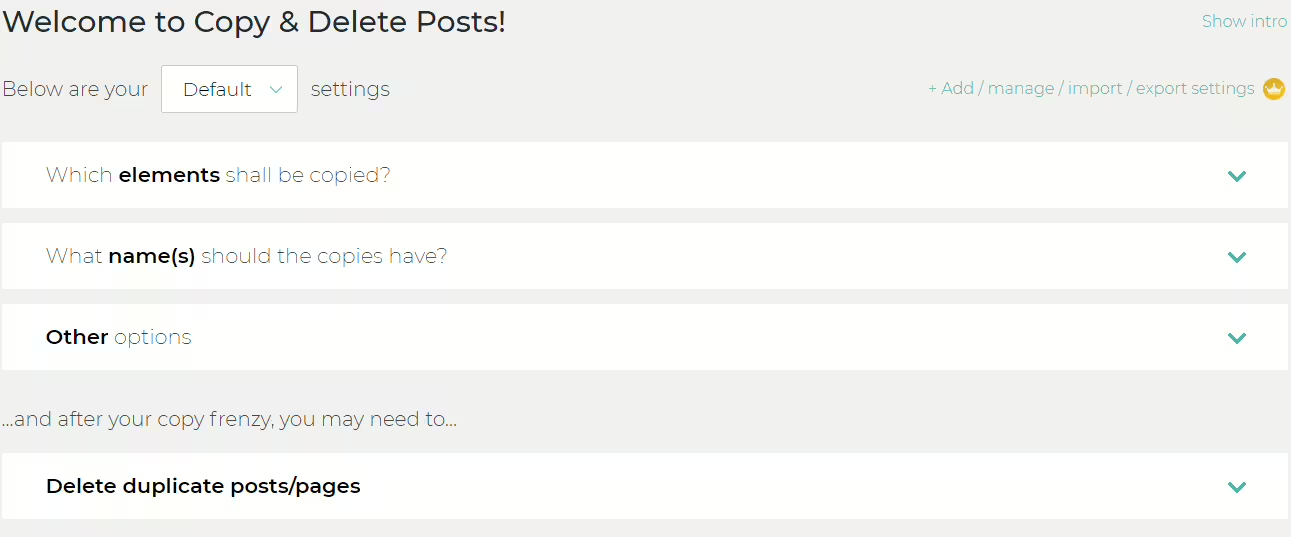
Copy Delete Posts
Duplicate Post
#copy pages #copy posts #duplicate pages #duplicate post #duplicate posts
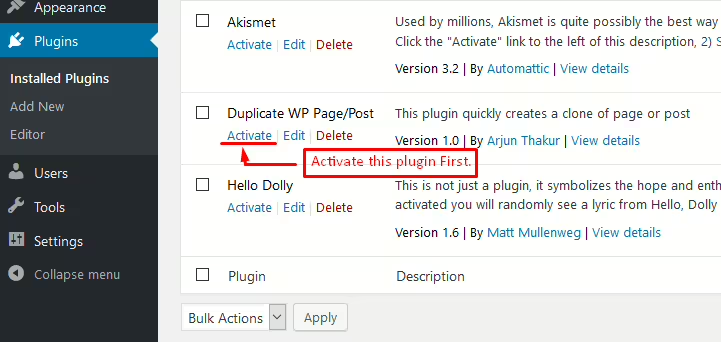
Duplicate Wp Page Post
Duplicate Page and Post
#clone page #clone post #duplicate custom posts #duplicate page #duplicate post
