
Password correct. Please wait...
Disable the chat with .custom-disable-chat
WP Plugin Comparisonby neo-wp.com


WP Plugin Auto Alt Text
Test report
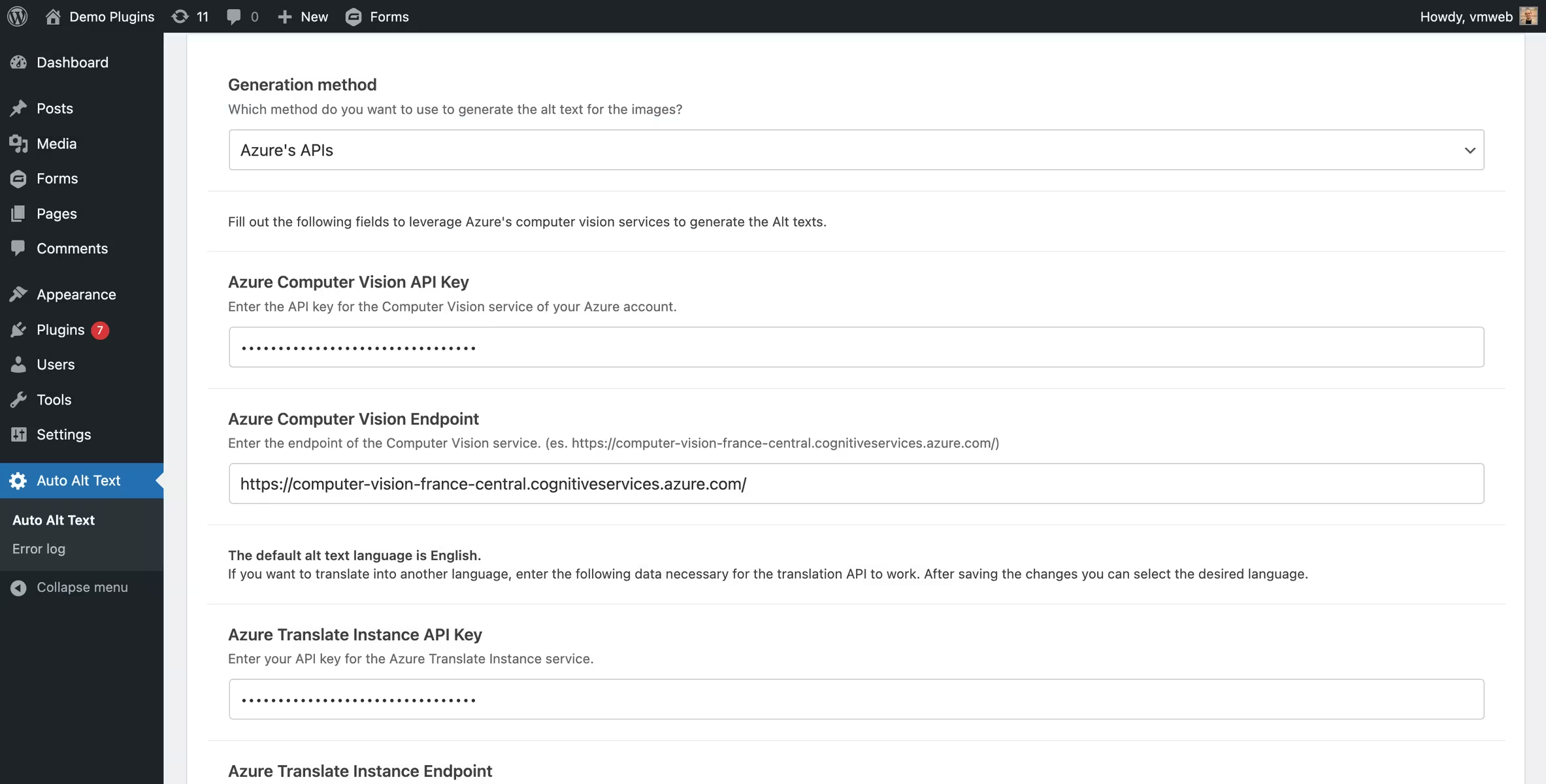
Auto Alt Text
Auto Alt Text - Automatic alt texts with flexible AI selection
Auto Alt Text by Valerio Monti was released on 2024-03-10 and currently has over 4 000+ active installations. The plugin automates the creation of alt texts for images directly on upload to the WordPress media library and can process existing media retroactively. Characteristic is the combination of multiple AI services (OpenAI, Anthropic, Azure) and simple fallback methods like the post or image title. This interplay makes it particularly flexible compared to solutions that use only one provider or exclusively AI. Another distinguishing feature is the bring-your-own-API approach: API keys are managed by you, giving more control over costs and data protection. The target audience ranges from technically savvy users to operators of larger websites with many images or automated content workflows. With a rating of 5.0 out of 5 stars from 8 reviews in the official WP.org plugin directory, feedback has so far been consistently positive. The next section covers the specific features and generation options in detail.
"Lightweight, no frills … own AI key, generate texts via prompt, WP-CLI for bulk processing."
Features - Wide choice of methods and technical control in detail
The feature set focuses heavily on flexible generation of alt texts via various ways. Besides choosing between multiple AI providers (OpenAI, Anthropic, Azure), simple strategies like adopting post or image titles can also be used. Notable is the ability to specifically adjust prompts and models, which can influence the quality and style of the generated texts. Additionally, the plugin offers technical features like WP-CLI support for automated batch processing and an integrated error log that makes failed API requests traceable. Compared to simpler plugins, this combination of customizability, multi-provider strategy and debugging options is a clear difference. Limitations are more apparent in scaling: for very large media libraries a true queue system is missing.
“Great, but it lacks a queue system for processing large volumes of existing media.”
Free-Features
- Automatic alt text generation on upload - Generates alt texts directly on upload based on the chosen method
- Multiple generation methods - Choice between OpenAI, Anthropic, Azure as well as title-based fallbacks
- Prompt and model configuration - Individual control of the AI output for supported APIs
- Bulk and single processing - Generate alt texts for existing images via the media library or individually
- WP-CLI support - Automated batch processing via command line with options like --force or --dry-run
- Error logging - Logs failed API requests in a dedicated database table
- Language options via Azure - Extendable via Translator API for multilingual alt texts
- Fallback mechanisms - Automatic switch to alternative methods when data is missing
"Simple plugin … you just have to add the OpenAI or Azure API key."
Technical details - API orchestration, CLI batch processing and internal error logging
From a technical perspective Auto Alt Text is heavily API-centered and acts at its core as an orchestrator for external image analysis and language models. The selection of the generation method is controlled at runtime via the plugin options, with different request pipelines applying depending on the provider. For OpenAI and Anthropic image data is transmitted together with a freely definable prompt, while Azure Computer Vision primarily provides visual analysis and can optionally be extended via a separate Translator instance. Notable is the clear separation of configurations per provider, including individual API keys, endpoints and model selection.
Errors in external requests are not only caught but persisted in a dedicated database table, which makes debugging and monitoring significantly easier. These logs are viewable in the backend and provide concrete API error messages. For security-relevant aspects the plugin recommends its own encryption constants (AAT_ENCRYPTION_KEY and AAT_ENCRYPTION_SALT) to protect sensitive data independently of the WordPress salts.
For automation scenarios the WP-CLI integration is relevant: via commands like wp auto-alt-text generate you can process specific attachments or entire media libraries in batches, including options like dry-run or forced overwriting of existing alt texts. Compared to other plugins without CLI support or with limited bulk functions this is a clear advantage, although the missing queue processing can become a bottleneck with large data sets.
"WP CLI for bulk processing … lightweight, without unnecessary extras."
Integration - Strengths in APIs, weaknesses in the editor context
The integration focuses less on classic WordPress extension points and more on external services. A positive point is the consistent support of multiple AI APIs with individual key management, which offers more flexibility compared to all-in-one plugins. At the same time there are weaknesses in editor integration and alternative media workflows: in some setups buttons to generate alt text in the grid or editor view do not work reliably, especially when images are embedded via third-party plugins. This creates a gap between technical API flexibility and practical integration into existing content workflows.
“The button in the editor does not work … in grid view nothing happens.”
System requirements - Current compatibility and regular maintenance
For operation, the plugin requires at least PHP version 7.4 or higher and WordPress version 6.2.0 or higher. It has been tested up to WordPress version 7.1.0, which indicates relatively recent compatibility. The currently available plugin version 3.0.3 is 3.0.3, last updated on 2026-08 2026-08. Specific requirements for server environments arise mainly indirectly from using external APIs, such as latency, timeouts, or API limits. Especially with large media libraries, performance can therefore depend less on the plugin itself and more on the connected services.
“Easy to use … works with the OpenAI API and is cheaper than many alternatives.”
Quality - Solid foundation but dependent on APIs and scaling scenarios
The plugin’s quality appears overall stable but shows clear dependencies on external services. A positive aspect is the robust error handling: if an API call fails, the upload is not blocked and the error is logged cleanly. This behavior is practical compared to more restrictive solutions because editorial workflows do not get stuck. At the same time, the detailed logging with its own database table provides transparency for issues, which is an advantage in more complex setups.
On the other hand, external APIs directly influence perceived quality. Uploads can be delayed because image data must be processed and responses awaited. This latency is not an isolated case but a structural difference from plugins without external dependencies. Batch processing also reveals a limit: WP-CLI enables efficient bulk processes, but without a queue system processing large numbers of images can appear uneven or slow. Compared to more scalable solutions, this is a noticeable drawback.
In terms of resource usage, the plugin is rather lean because it itself generates little additional load and offloads the actual processing. The downside is that network and API costs as well as response times become the decisive factors. Overall this paints a mixed picture: technically well implemented and flexible, but highly dependent on external infrastructure and less optimized for very large media collections.
“Lean, without unnecessary baggage …”
Support - Little structured help, focus on self-diagnosis
Support takes a rather technical and reserved approach. Classic support structures like an active community or documented response times are hardly visible. Instead, the focus is on self-diagnosis: AI generation errors are automatically logged and can be viewed in the backend under “Auto Alt Text → Error log”. Failed API calls (for example from OpenAI or Azure) are also stored in a dedicated database table, which is helpful for troubleshooting.
Direct contact points are the official WordPress support forum (https://wordpress.org/support/plugin/auto-alt-text/) and a separate developer support page (https://wordpress.org/support/plugin/auto-alt-text/#fallback-commercial-support-url). However, specific statements about response times or support quality are missing. Reviews show that problems often need to be analyzed independently, for example by deactivating other plugins or testing on different hosting environments. At the same time, there are indications of unresolved functional issues, which suggests limited or at least not clearly visible support.
Compared to plugins with an active community or documented support process, this approach seems functional but less user-driven. Those familiar with APIs and debugging will cope better than beginners.
“… disabled all plugins and the theme. Did not help … also not on another host.”
Rating - Small data set, predominantly very positive feedback with clear feature requests
With an average rating of 5.0 from 8 ratings, the sentiment appears clearly positive at first glance. However, the data set is still relatively small, so individual voices weigh more than with established plugins that have hundreds of reviews. Feedback mainly focuses on easy setup, the lean approach without unnecessary extra features, and cost control through own API keys. Criticisms concern not so much the core function but missing convenience and scaling features as well as individual technical issues in the editor context. Overall this is a typical picture for a still-growing plugin: strong core functionality but noticeable gaps in detail.
“Easy to use … very inexpensive compared to other solutions.”
“I wish it could automatically add alt texts to existing images in the media library …”
“This kind of plugin should be in the WordPress core … lightweight and without frills.”
Criticism - Functional gaps, API dependency and security configuration in focus
Criticism of Auto Alt Text focuses less on fundamental errors and more on structural weaknesses and missing convenience features. Particularly noticeable is the limited processing of existing media: without reuploading or WP-CLI, large legacy collections can only be edited tediously. Compared to other plugins with integrated bulk queues, there is no end-to-end workflow for extensive media libraries. Integration into the editor is also inconsistent in places especially in grid or gallery views some functions sometimes do not respond which limits practical use.
Technically, the strong dependence on external APIs brings additional problems. Uploads can be delayed and when requests fail alt texts remain empty without the process being automatically retried. The transparent logging does not replace automatic error recovery. There is also increased configuration effort, for example with Azure setups or when dealing with multiple API services.
In the security area the optional but practically necessary configuration of personal encryption keys stands out. If these are not set the plugin falls back to WordPress defaults which can lead to instability if those change. This is not a classic exploit but a potential weak point in the system architecture. Additionally responsibility for API usage data transmission and AI generated content remains entirely with users which is a clear difference compared to more encapsulated solutions.
Improvement potential lies primarily in native queue processing better editor integration and automatic reprocessing of failed generations. Features like caption generation or deeper integration of existing media libraries are repeatedly requested.
“Great but it needs a queue to automatically process large amounts of existing media.”
“I wish existing images without alt text would be processed automatically … right now I would have to reupload hundreds manually.”
Conclusion - Flexible AI orchestration with clear strengths and structural limits
Auto Alt Text by Valerio Monti positions itself as a technically flexible tool for automated alt text generation that stands out mainly by supporting multiple AI providers and a bring-your-own-API approach. Compared with more simplified plugins it offers significantly more control, but it also requires more technical understanding and personal responsibility. While its strengths are clearly in customizability, API flexibility, and CLI integration, weaknesses appear in scaling, workflow integration, and convenience features. Overall, the plugin is better suited to technically skilled setups than to fully automated plug-and-play solutions.
#accessibility #alt tag #Alt Text #openai #seo
Show more
Detailed plugin information
Plugin slug: auto-alt-text
Plugin name: Auto Alt Text
Plugin title: Auto Alt Text
Plugin keywords: #accessibility #alt tag #Alt Text #openai #seo
Plugin Version: 3.0.3
Last updated: 2026-08
Release date: 2024-03-10
Required WP Version: 6.2.0
Required PHP version: 7.4
Tested with WP Version: 7.1.0
Active Installations: 4 000+
Average rating: 5.0
Number of ratings: 8
Number of support requests: 1 (in the last 2 months)
Number of Resolved Support Requests: 1 (in the last 2 months)
Plugin author: Valerio Monti
Developer homepage: https://wordpress.org/support/plugin/auto-alt-text/#fallback-homepage
WP developer profile page: https://profiles.wordpress.org/valeriomonti/
Support URL in the WordPress Plugin Directory: https://wordpress.org/support/plugin/auto-alt-text/
Developer support URL: https://wordpress.org/support/plugin/auto-alt-text/#fallback-commercial-support-url
WP Plugin Directory: https://wordpress.org/plugins/auto-alt-text/
Was the test report about Auto Alt Text helpful?
Auto Alt Text Was the right plugin?
Auto Alt Text - Compare nowOpen plugin in sandboxTo the official WP StorePopular alternatives to Auto Alt Text
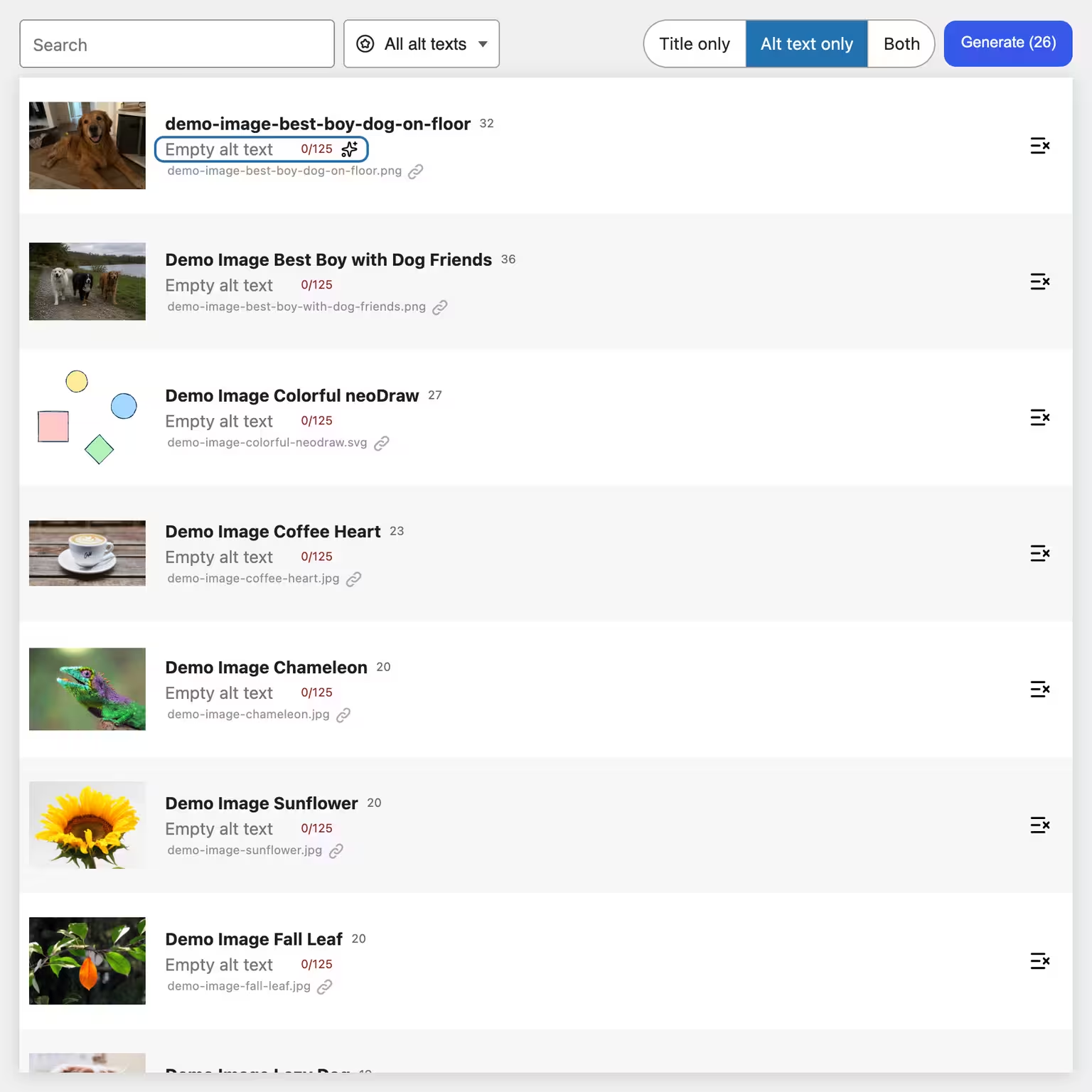


neo Alt
Create alt texts and image titles directly in WordPress using AI - 300 free image alt text generations included every month!
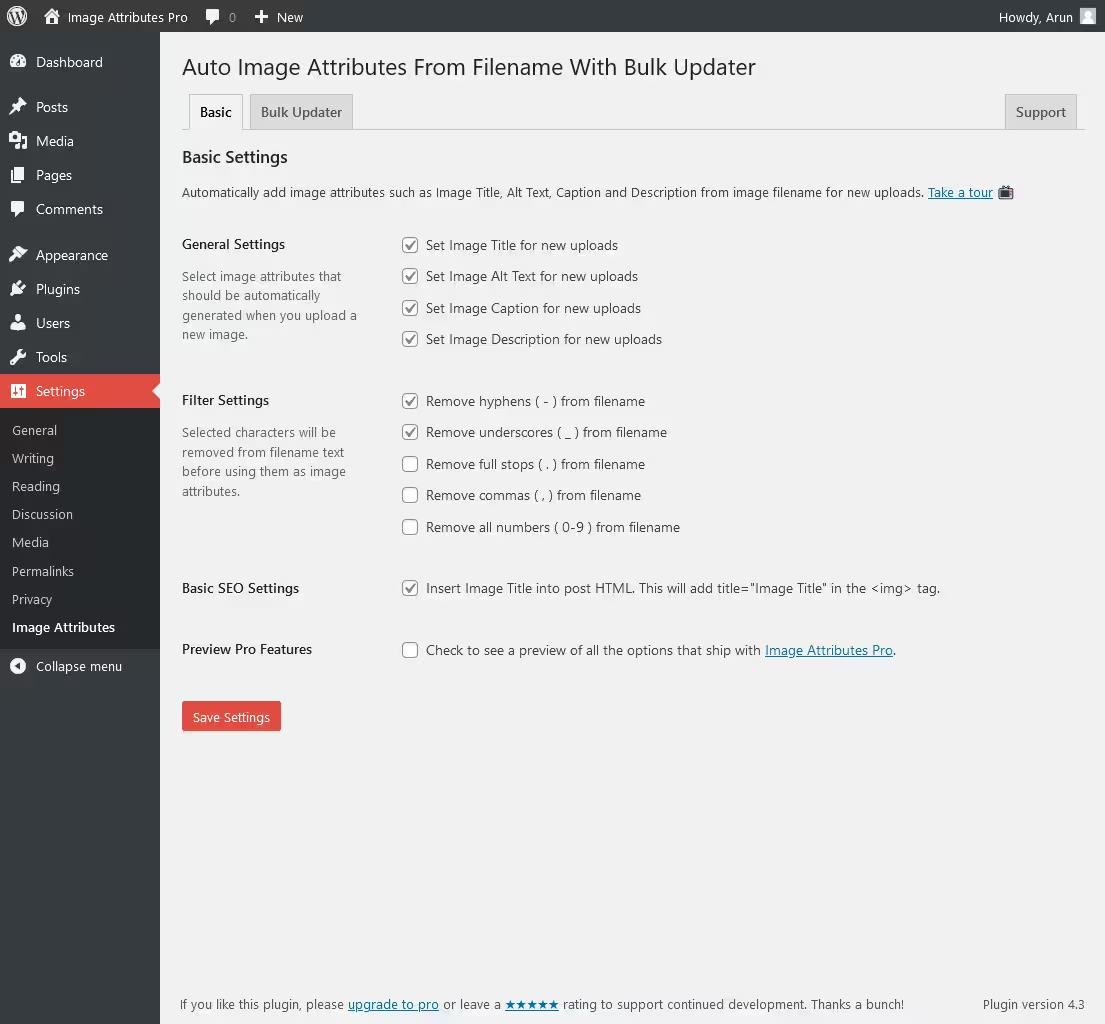
Auto Image Attributes From Filename With Bulk Updater
Auto Image Attributes From Filename With Bulk Updater (Add Alt Text, Image Title For Image SEO)
#accessibility #Alt Text #bulk edit images #image seo #image title
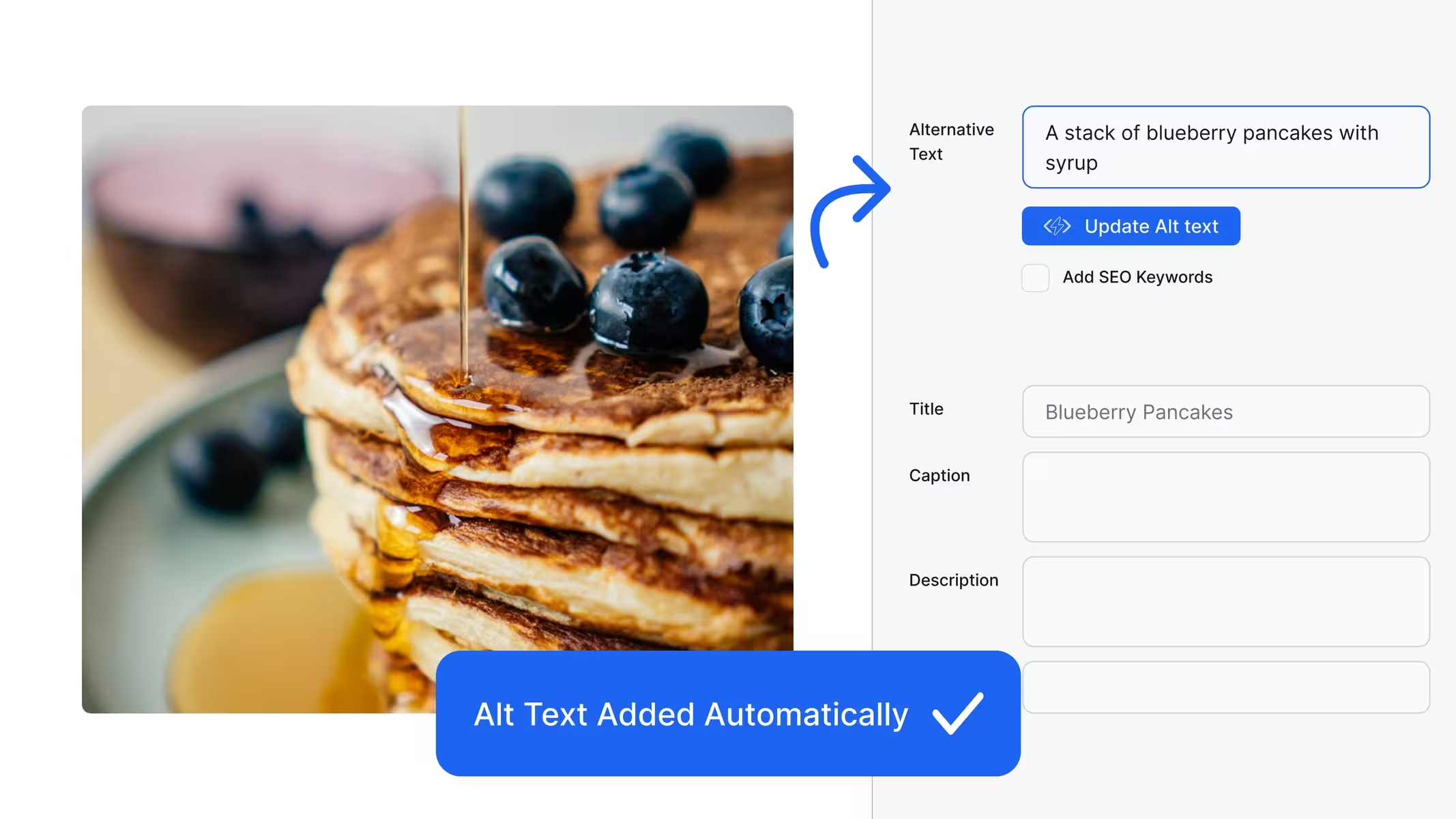
Alttext Ai
Alt Text AI – Automatically generate image alt text for SEO and accessibility
#accessibility #AI #Alternative Text #image alt text #image to text
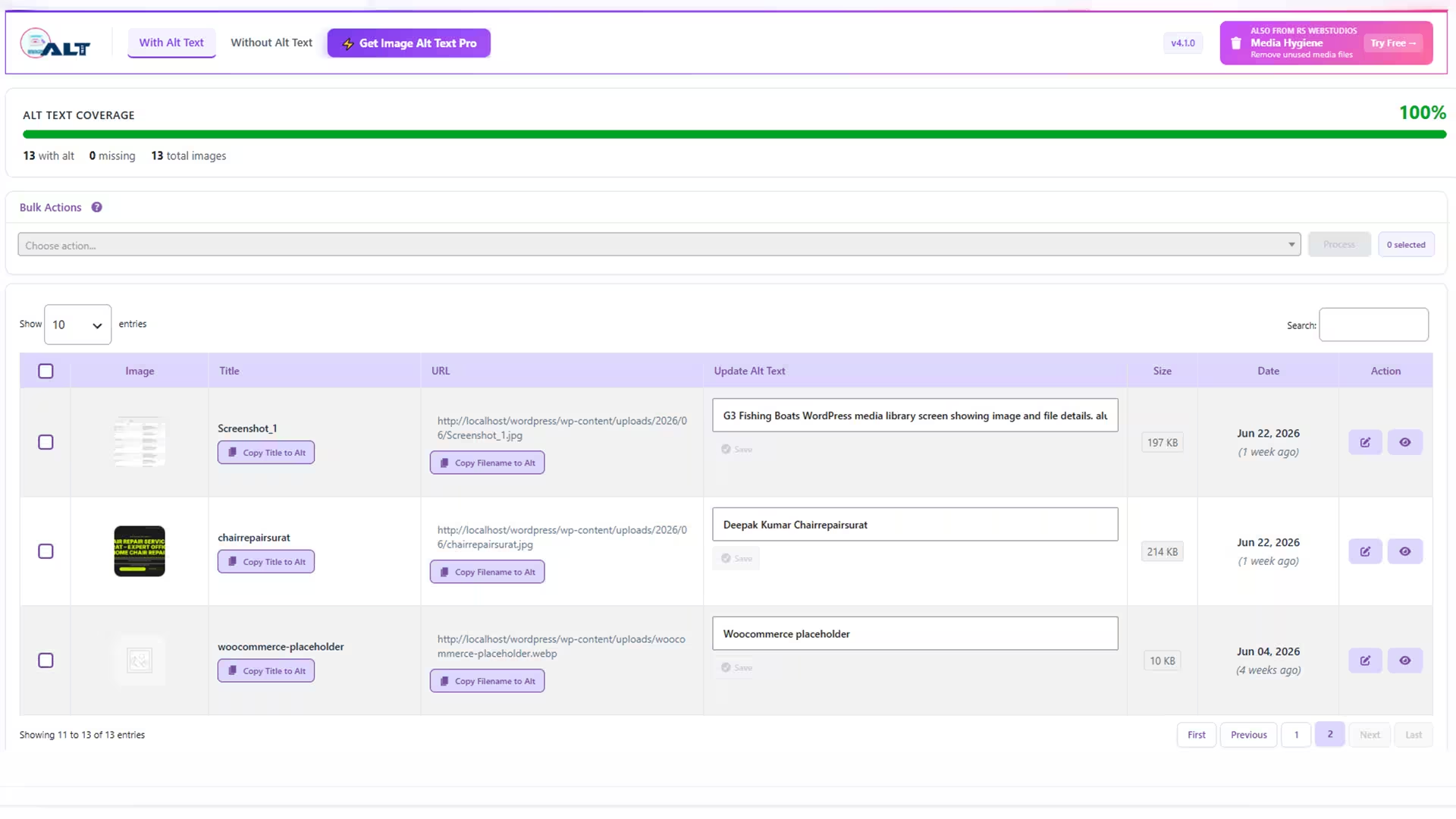
Image Alt Text
Image Alt Text
#AI alt text #Alt Text #bulk alt text #image alt text #image seo
