


Password correct. Please wait...
Disable chat with .custom-disable-chat
WP Plugin Comparisonby neo-wp.com


WP Plugin Wp Optimize
Test report
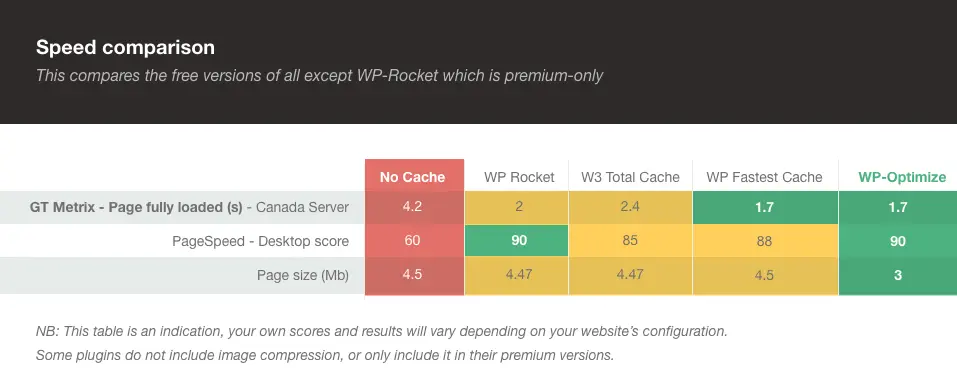
WP-Optimize - Cache, Compress images, Minify & Clean database to boost page speed & performance
WP-Optimize, developed by TeamUpdraft, DavidAnderson, was released on 2009-01-21 and has since reached over 1 000 000+ active installations. With an impressive average of 4.8 stars from 2 566 reviews in the official WordPress Plugin Directory, WP-Optimize offers a variety of features to significantly improve website performance and load times. The plugin combines caching, image compression, database cleaning, and minification into one to ensure comprehensive website optimization. A standout unique feature is the efficient database cleanup function, which regularly removes redundant data and saves valuable server resources. The main target audience is WordPress site owners who seek performance improvements without requiring deep technical knowledge. The plugin's individual features are explained in more detail below.
“I love the simplicity of this plugin. Finally a caching plugin I actually understand.”
Features - Extensive functionality for improved performance
WP-Optimize offers a set of features that go beyond basic optimization needs. In addition to efficient caching and database cleanup, it shines with image compression, which allows images to be compressed either losslessly or with loss to further minimize page load times. In addition, the minification feature optimizes HTML, CSS and JavaScript code, which speeds up the site and thus creates a smoother experience for both desktop and mobile users.
“The functionality of this plugin is amazing. It not only makes my pages faster, but also helps me understand the optimization processes.”
Free-Features - Powerful features at no cost
- Caching - Stores a temporary HTML version of the site on the server to increase load speed.
- Image compression - Identifies and compresses images in preferred lossy or lossless settings.
- Database cleanup - Cleans and optimizes the database to speed up the site and save server resources.
- Minification - Minifies HTML, CSS and JavaScript to improve performance.
Pro-Features - Advanced options for demanding users
- Cache Preloading - Emulates a visit to the site to make cached files available immediately.
- Preload Key Requests - Critical resources are loaded first to improve load times.
- Lazy Load - Loads only the images and parts of a page that are visible to the user.
- Flexible Clean-up Schedules - Allows specific time and day selection for database optimizations.
- Power Tweak - Turbo Boost for WooCommerce - Replaces slow queries in WooCommerce with more efficient ones.
- Premium Support - Provides fast technical support for complex cache settings.
“The Pro features have the potential to drastically improve our daily workflows. The extra features justify the price.”
License & Value - Free usage and extended Pro options
WP-Optimize offers users a comprehensive free version that already covers many of the necessary optimizations. Many users appreciate this as one of the plugin's main advantages. The Pro version is aimed at users who need advanced customizations and features such as multisite support and premium support. The investment in the Pro version is considered justified by many users, especially when extended performance and control options are necessary.
“I find the price-performance ratio very reasonable, especially when you consider the advanced features included in the Pro package.”
Technical Details - Insights into data processing and the caching system
WP-Optimize impresses with its deep optimization mechanisms, especially in the area of database management. Developed with the premise of maximizing the performance of WordPress sites, it includes various approaches to database cleanup. In addition to the functionality of removing unnecessary database entries like old post revisions and deleted comments, WP-Optimize offers the ability to index the postmeta table, which significantly improves query speed. A notable technical detail is the adaptability of the cleanup processes, allowing flexible scheduling so that specific database maintenance tasks can be performed at optimal times.
A unique aspect for WooCommerce users is the special optimization that replaces an inefficient query with two more efficient ones to improve overall performance. With WP-CLI support it provides developers with tools to automate site optimizations via the command line interface, which is especially useful when managing large networks.
Integration - Only when data is available
System requirements - Environment requirements
To run WP-Optimize on a WordPress installation, certain system requirements must be met. The plugin requires at least PHP version 7.2 or higher and WordPress version 4.9 or higher. It has been successfully tested up to WordPress version 7.0. Currently, WP-Optimize is available in version 4.5.1 and the last update was released in 2026-03.
These requirements ensure that WP-Optimize runs under current conditions and benefits from new features and security updates. It is noteworthy that the plugin maintains its compatibility with the latest WordPress versions to ensure smooth integration.
“Since I updated the system requirements, the plugin runs without issues and compatibility is a major advantage.”
Quality - Reliable performance with room for improvement
WP-Optimize is widely praised for its reliability and effectiveness. Users report that it significantly improves their websites' load times and reduces maintenance effort. In particular, database cleaning and caching functionalities are rated as high quality, as they noticeably contribute to performance improvements. However, there are also critical voices. Some users have reported compatibility issues with other popular WordPress plugins like Elementor. Problems with certain features, such as image compression, have also been criticized for not functioning flawlessly. These aspects show that despite the overall high quality of the plugin, further improvements are necessary to meet the diverse needs of users.
“WP-Optimize does its job excellently, but compatibility with other plugins needs to be improved.”
Support - User experiences and contact options at a glance
The support for WP-Optimize is highlighted positively by many users, especially the speed and helpfulness in resolving technical issues. Some users praise the patient and detailed responses to their inquiries, while others appreciate the effective assistance with configuring cache settings. Support requests can be made via the official support forum, where both free and Pro users receive help. For further assistance, there is also a separate contact channel for Pro users, which offers faster and prioritized service.
However, there are also critical comments pointing to slow response times and unresolved support tickets. In these cases, users have reported that their issues were not resolved promptly, which can lead to frustration.
“The support was very quick and helpful, but there is potential to improve turnaround time for more complex requests.”
Rating - High average rating and numerous reviews
WP-Optimize enjoys a high average rating of 4.8 stars, based on 2 566 reviews. This positive reception underscores the satisfaction of many users who appreciate the improvements in website performance and the ease of use. Reviews often highlight the plugin's efficiency in speeding up load times.
“I have been using WP Optimize for at least 7.2 years. It is my preferred optimization tool.”
However, there are also critical opinions. Some users report problematic experiences, particularly regarding compatibility with specific sites or plugins, which can lead to undesired outcomes.
“It temporarily crashed my website. The plugin did not work properly, and I then could not access the admin area of my site.”
Overall, however, the positive perception predominates, seeing the plugin as a reliable tool for improving website performance.
“This plugin helps significantly boost the speed of our website.”
Criticism - Problems and suggestions for improvement in focus
WP-Optimize is often praised for its comprehensive features, but there are also criticisms that mainly concern technical shortcomings. Users report faulty image compressions that caused this feature to stop working properly. This issue is exacerbated by developers closing support tickets on the topic without sustainable solutions. Another frequently criticized point is incompatibility with Elementor, a popular page builder tool for WordPress. Certain cache settings can cause Elementor pages to display incorrectly.
Additional criticism concerns the minification processes. There have been documented cases where minification of JavaScript and CSS files was insufficient or performed incorrectly. Some users also expressed frustration about limitations that appeared after updates. These changes sometimes resulted in certain plugin functions being disabled or becoming less efficient.
Such problematic aspects prompt some users to at least ask for a detailed roadmap for future improvements. Especially users who rely on the plugin for business-critical applications like WooCommerce and multisite management want more transparency and clarity about the development and planned features of the plugin.
“After an update I suddenly had fewer features. I hope for improvements soon.”
Conclusion - A versatile solution with room for improvement
WP-Optimize proves to be a powerful tool for website owners who want to optimize their WordPress sites without deep technical knowledge. Developed by David Anderson, the plugin combines database cleaning, image compression and caching in a single solution suitable for a variety of websites. Particularly impressive is the extensive functionality offered in both the free and paid versions.
However, it is unmistakable that there are also some points of criticism, particularly regarding compatibility with other plugins and occasional technical difficulties. These issues indicate that further improvements are necessary to fully exploit the potential.
Overall, WP-Optimize remains a reliable option for those who are looking for a simple and effective way to improve their websites' performance and who are willing to accept occasional technical challenges.
#cache #caching #image cache #minify #performance cache
Show more
Detailed plugin information
Plugin slug: wp-optimize
Plugin name: Wp Optimize
Plugin title: WP-Optimize – Cache, Compress images, Minify & Clean database to boost page speed & performance
Plugin keywords: #cache #caching #image cache #minify #performance cache
Plugin version: 4.5.1
Last update: 2026-03
Release date: 2009-01-21
Required WP version: 4.9
Required PHP version: 7.2
Tested with WP version: 7.0
Active installations: 1 000 000+
Average rating: 4.8
Number of reviews: 2 566
Number of support requests: 31 (in the last 2 months)
Number of resolved support requests: 19 (in the last 2 months)
Plugin author: David Anderson / Team Updraft
Developer homepage: https://teamupdraft.com/wp-optimize
WP developer profile page: https://profiles.wordpress.org/davidanderson/
Support URL in the WordPress Plugin Directory: https://wordpress.org/support/plugin/wp-optimize/
Developer support URL: https://wordpress.org/support/plugin/wp-optimize/#fallback-commercial-support-url
WP Plugin Directory: https://wordpress.org/plugins/wp-optimize/
Was the test report about Wp Optimize helpful?
Wp Optimize - The right plugin?
Wp Optimize - Compare nowOpen plugin in sandboxTo the official WP StorePopular alternatives to Wp Optimize


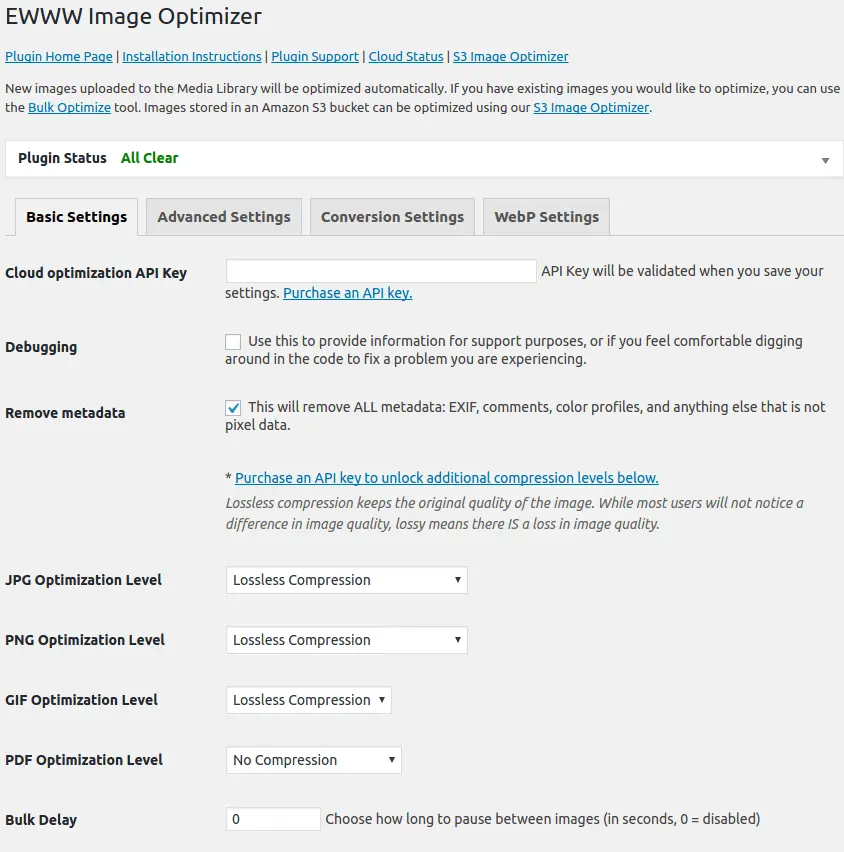
Ewww Image Optimizer
EWWW Image Optimizer
#compress #convert #lazy load #resize #webp
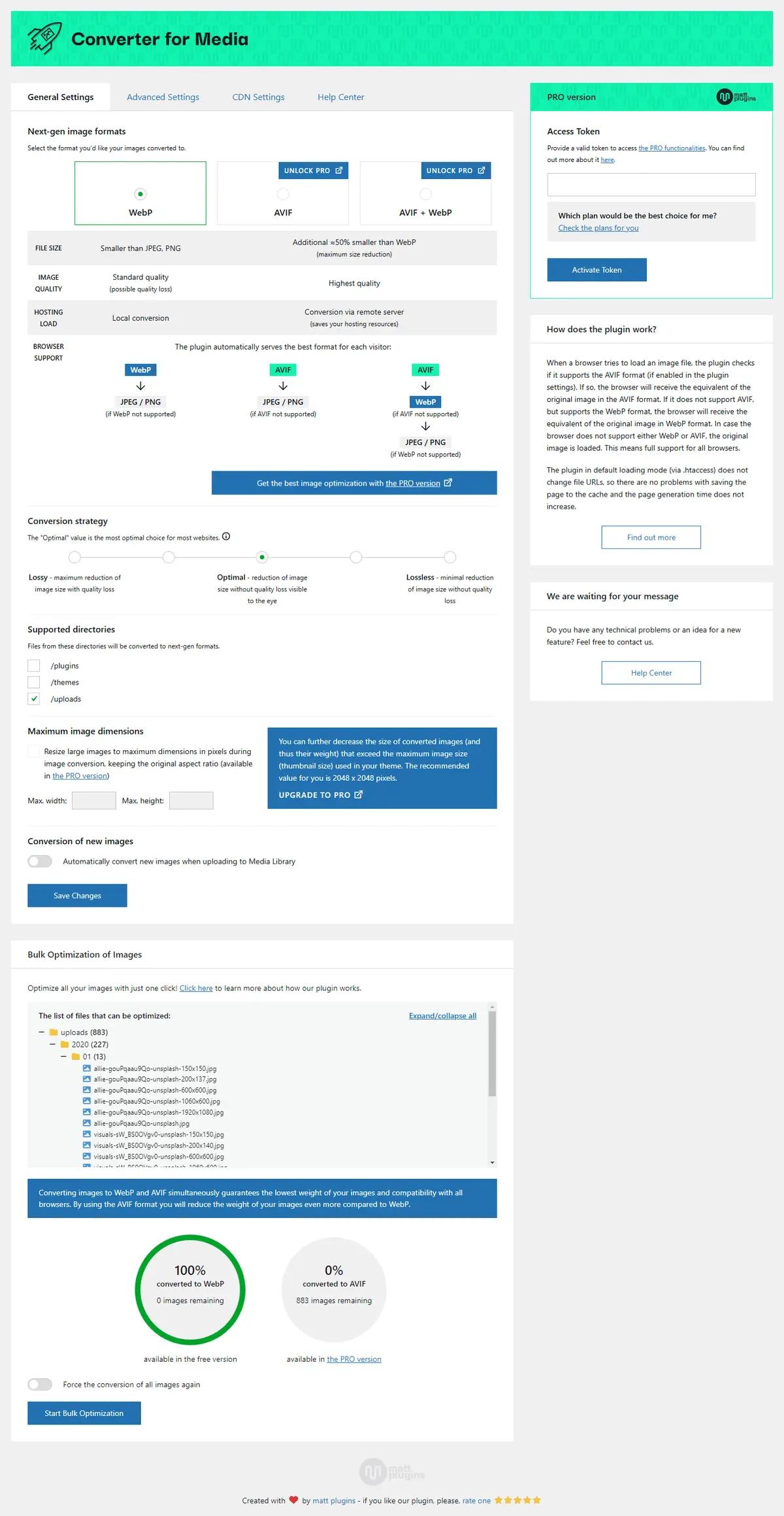
Webp Converter For Media
Converter for Media – Optimize images | Convert WebP & AVIF
#compress images #convert webp #image optimization #optimize images #webp
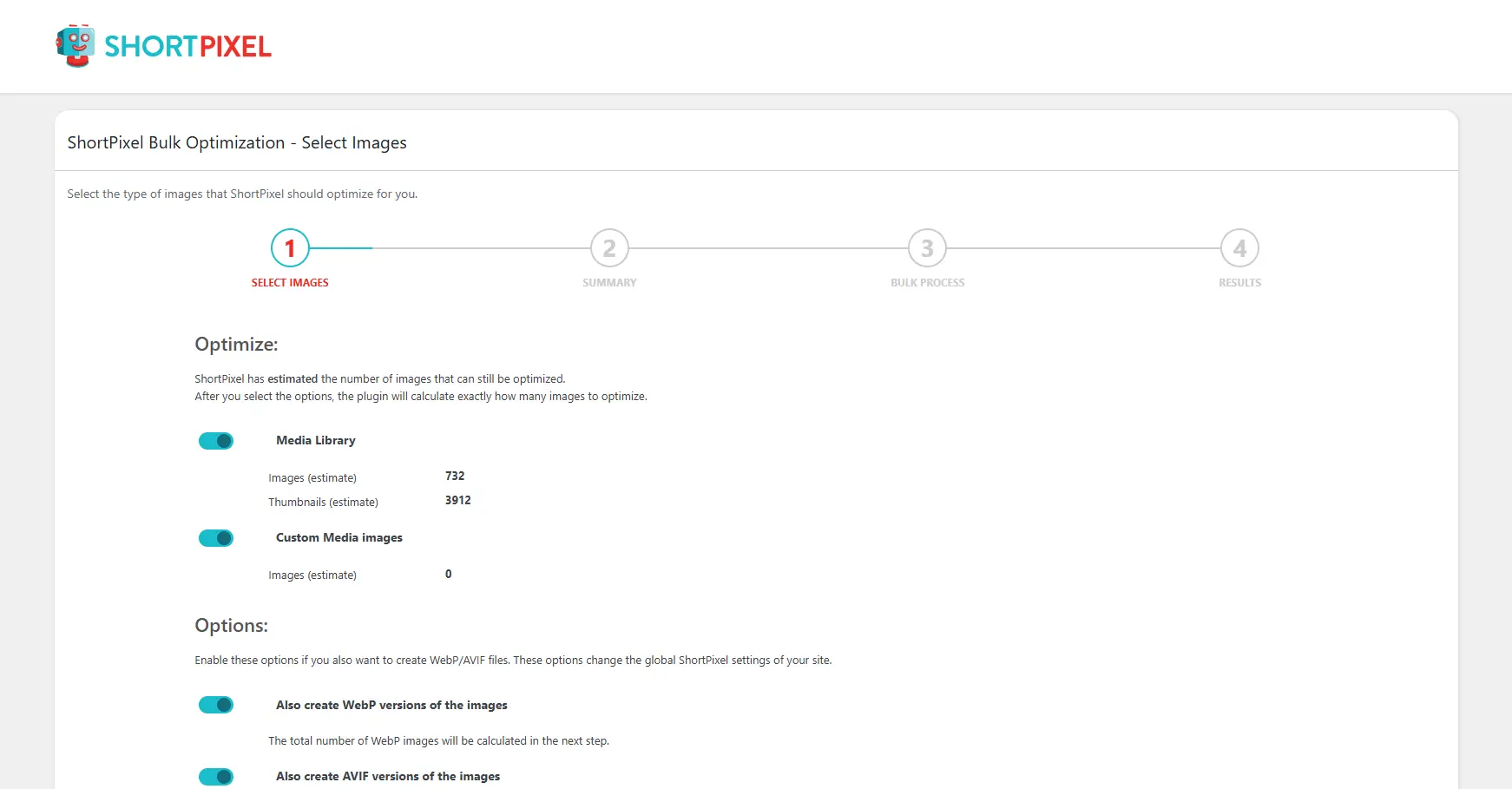
Shortpixel Image Optimiser
ShortPixel Image Optimizer – Optimize Images, Convert WebP & AVIF
#compress images #convert webp #image optimization #optimize images #resize
