


Password correct. Please wait...
Disable chat with .custom-disable-chat
WP Plugin Comparisonby neo-wp.com


WP Plugin Robin Image Optimizer
Test report
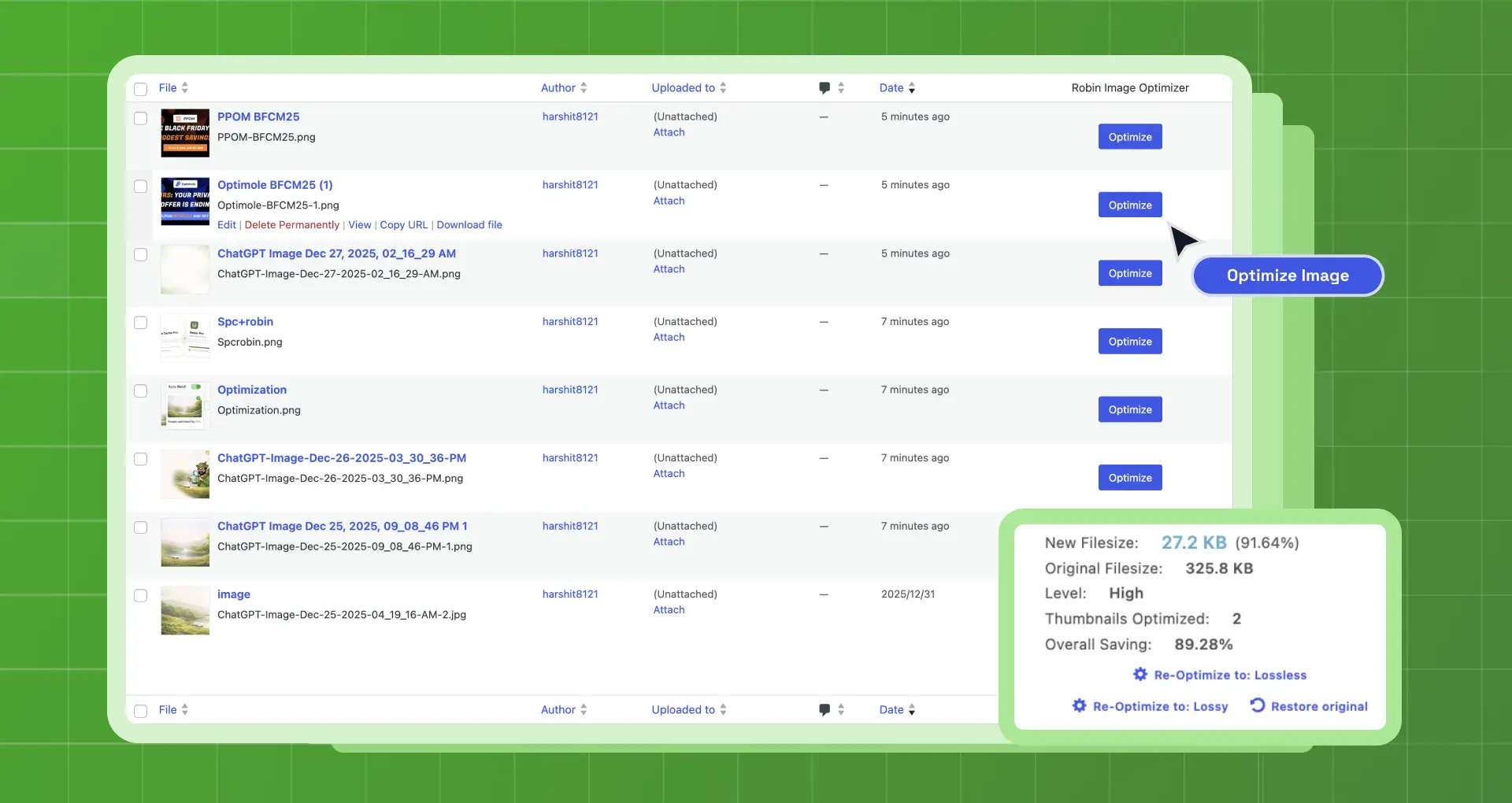
Robin Image Optimizer - save money on image compression
Robin Image Optimizer is a popular WordPress plugin developed by Creative Motion, that was released on 2018-08-12. With over 100 000+ active installations, this plugin offers users the ability to reduce the weight of their images by up to 80% without affecting image quality. Faster website load times are especially beneficial for mobile users to prevent high bounce rates and improve ad performance. Robin Image Optimizer stands out by being free to use without limitations compared to many other image optimization plugins. The target audience is WordPress users looking for a powerful yet free solution. The average rating in the official WordPress Plugin Directory is 4.4 out of 5 stars, based on 125 reviews. The following section examines the plugin's specific features in more detail.
“I used Robin Optimization, which worked much better for me than other optimizers I tried.”
Features - Full control over image optimization
Robin Image Optimizer offers numerous features that are especially attractive to users who want full control over optimizing their images. A notable feature is the detailed statistics function, which provides comprehensive information about optimized images. This feature allows users to track the degree of optimization and the amount of data saved. Additionally, the plugin offers a selection of compression modes and supports reducing image weight, which includes resizing images before optimization.
"This plugin optimizes images very well with three available levels. It also has a great user interface that outshines many paid options."
Free-Features - Extensive functionality at no cost
- Free Image Optimizer - The plugin offers fully free features and is on par with paid alternatives.
- No Restrictions - Optimization without limits on number of images or quality.
- Automatic Optimization - Images are automatically optimized in the background using a cron job.
- Manual Bulk Optimization - All images can be optimized at once, saving time.
- Image Backup - Original images are saved before optimization, allowing a revert to the originals.
- Choice of Compression Mode - Selection between various compression levels to optimize image quality and size.
- Optimization on Boot - Images are optimized directly on page load.
- Image Weight Reduction - Resizing images before optimization.
- Detailed Statistics - Access to extensive information about optimized images.
Pro Features - Advanced functions for professionals
- WP CLI Commands - Enables use of commands like
wp robin optimize,wp robin stop,wp robin statusfor more efficient management. - Available Areas - Support for Media Library, custom folders, and NextGen extensions.
“The webP option is only available in the Pro version.”
License & Value - Free features with convincing results
Robin Image Optimizer is completely free in its base version and offers features often found only in paid alternatives. The license without restrictions on image count or quality makes it an attractive choice for many users. Feedback from users is mostly positive, especially regarding the value for money of the Pro version, which is essential for certain features like webP support. Users appreciate the offering as very generous compared to other paid solutions. Despite occasional technical issues, many consider the value for money fair.
"The free version works perfectly as well!"
Technical Details - Insights into core functionalities
The Robin Image Optimizer stands out for its use of modern image compression algorithms. Developers benefit from WP CLI support, which allows automating recurring optimization tasks with commands like wp robin optimize, wp robin stop, and wp robin status The image optimization is performed via webhooks that ensure smooth background processing. A notable technical feature is compatibility with the media library and custom folder structures, which eases integration into existing file systems. The plugin often operates at the file system level and stores optimized images locally, enabling fast load times without server delays.
System Requirements - Compatibility and Requirements
Robin Image Optimizer requires at least PHP version 7.4 or higher to function properly. The minimum requirement for WordPress itself is WordPress version 5.6 or higher. The plugin's functionality has been tested up to WordPress version 5.6. The current plugin version 2.0.4 and the last update in 2026-03 were released. These regular updates ensure the plugin remains compatible with the latest WordPress versions and address potential security issues.
“The plugin is constantly updated, which shows the development team cares about long-term functionality and security.”
Quality - Effective image optimization without loss
The quality of Robin Image Optimizer is determined by several key factors. The plugin offers the ability to compress images by up to 80% without visible quality loss. This capability is supported by selectable compression modes that allow users to find an optimal balance between image size and quality. Another quality aspect is the plugin’s stability, which some users have highlighted positively after extensive testing. The simple and user-friendly interface ensures users of all experience levels can leverage the plugin’s full potential without major technical hurdles.
“The best of 100 000+, I’ve tried. The team that made this really did a great job.”
Support - Mixed experiences with support
Support for the Robin Image Optimizer plugin is available through various channels, including an official forum, where users can ask questions and get help from other users or developers. Premium support is also offered via the Webcraftic website. The quality and accessibility of support is a frequently discussed topic in the reviews.
Customer opinions about support are mixed. While some users praise the free support, there are also reports of inadequate response times, especially for the premium version. A significant negative point is the repeated mention of technical difficulties and the lack of assistance in resolving these issues. Some users report long wait times and unanswered requests, which make the support appear unreliable overall.
“I couldn’t log in at all or get in touch with any kind of support.”
Rating - User feedback: Positive and critical
Robin Image Optimizer has an average rating of 4.4 stars out of 5 in the official WordPress Plugin Directory, based on 125 reviews. These figures suggest that many users are satisfied with the plugin's performance and functionality. Positive feedback often highlights the efficiency and user-friendliness, particularly regarding the free use and the associated benefits.
One user praised the plugin highly:
“This is the best image optimization plugin there is. The free version also works perfectly!”
However, there are also some critical voices in the reviews. A frequently mentioned issue concerns the reliability of the free server:
“The free server has been going down constantly lately, which makes this plugin unusable.”
Still, the positive sentiment prevails, as another praise shows:
“I’ve been using Robin Image Optimizer for years. If you’re not a professional photographer, you don’t need it.”
Criticism - Issues, vulnerabilities and suggestions for improvement
Robin Image Optimizer has faced criticism for various issues that have arisen over time. A main criticism concerns bugs and technical error messages, especially after updates. Users report difficulties connecting to the server, which significantly impairs plugin use. Some users have also pointed out that the plugin changes the URLs of images on the website, leading to storage location issues and broken images. Another problem is faulty plugin uninstallation, which can only be performed via FTP.
Security vulnerabilities have not been explicitly reported so far, but the frequency of updates and the related issues raise concerns about the plugin’s long-term stability and security. The lack of support and slow bug fixes are also cited as major criticisms. Users increasingly want actions to improve server stability and the addition of new features to address current challenges more effectively.
"In the last few months or half a year there have been many errors or it can’t connect to the server. It’s not what the Robin Image Optimizer was a year ago anymore... Everything is going downhill."
Conclusion - Summary and reflections on the Robin Image Optimizer
Robin Image Optimizer, developed by Creative Motion, offers a solid solution for image optimization within WordPress, especially for users looking for free options. The wide range of features, including automatic optimization and detailed statistics, makes it a comprehensive solution often only found in paid plugins. Despite occasional technical issues and mixed support reviews, the plugin is perceived mostly positively, particularly regarding its effectiveness and ease of use. The Pro version sensibly complements the features, but for some users the webP option is indispensable. Overall, Robin Image Optimizer establishes itself as a valuable tool, especially for users who want to get maximum benefit from cost-effective means.
#compress images #image optimier #image optimization #unlimited image optimization #webp converter
Show more
Detailed plugin information
Plugin slug: robin-image-optimizer
Plugin name: Robin Image Optimizer
Plugin title: Robin Image Optimizer – Unlimited Image Optimization & WebP Converter
Plugin keywords: #compress images #image optimier #image optimization #unlimited image optimization #webp converter
Plugin Version: 2.0.4
Last update: 2026-03
Release date: 2018-08-12
Required WP version: 5.6
Required PHP version: 7.4
Tested with WP version: 6.9.4
Active Installations: 100 000+
Average rating: 4.4
Number of reviews: 125
Number of support requests: 5 (in the last 2 months)
Number of resolved support requests: 5 (in the last 2 months)
Plugin author: Themeisle
Developer homepage: https://robinoptimizer.com
WP Developer Profile Page: https://profiles.wordpress.org/themeisle/
Support URL in the WordPress Plugin Directory: https://wordpress.org/support/plugin/robin-image-optimizer/
Developer support URL: https://wordpress.org/support/plugin/robin-image-optimizer/#fallback-commercial-support-url
WP Plugin Directory: https://wordpress.org/plugins/robin-image-optimizer/
Was this review of Robin Image Optimizer helpful?
Robin Image Optimizer - The right plugin?
Robin Image Optimizer - Compare nowOpen plugin in sandboxTo the official WP StorePopular alternatives to Robin Image Optimizer


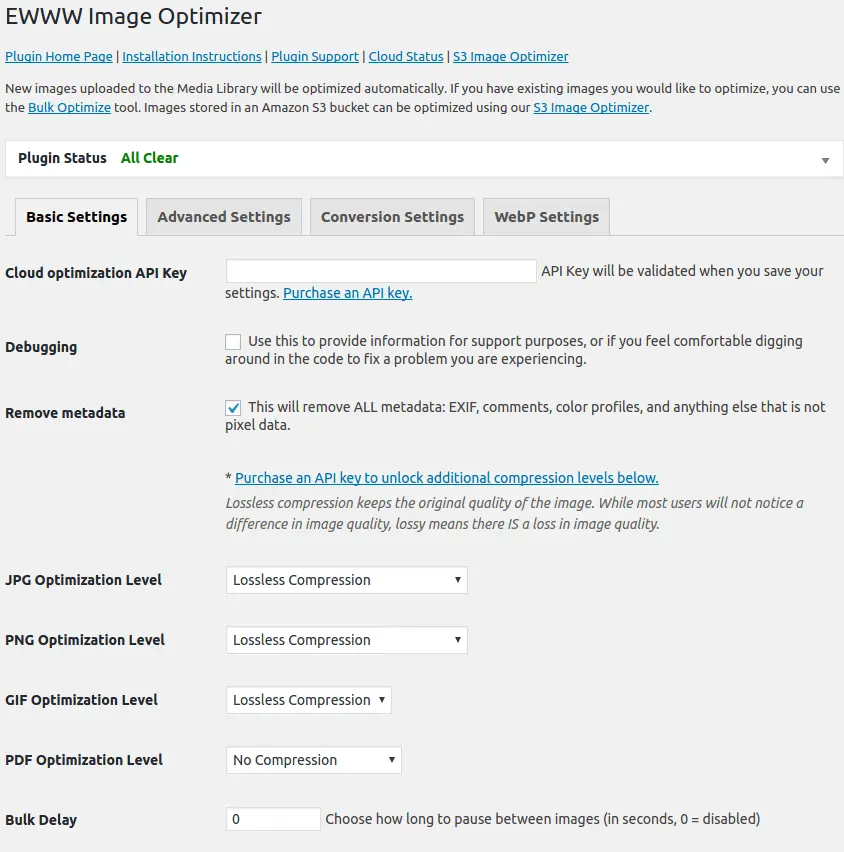
Ewww Image Optimizer
EWWW Image Optimizer
#compress #convert #lazy load #resize #webp
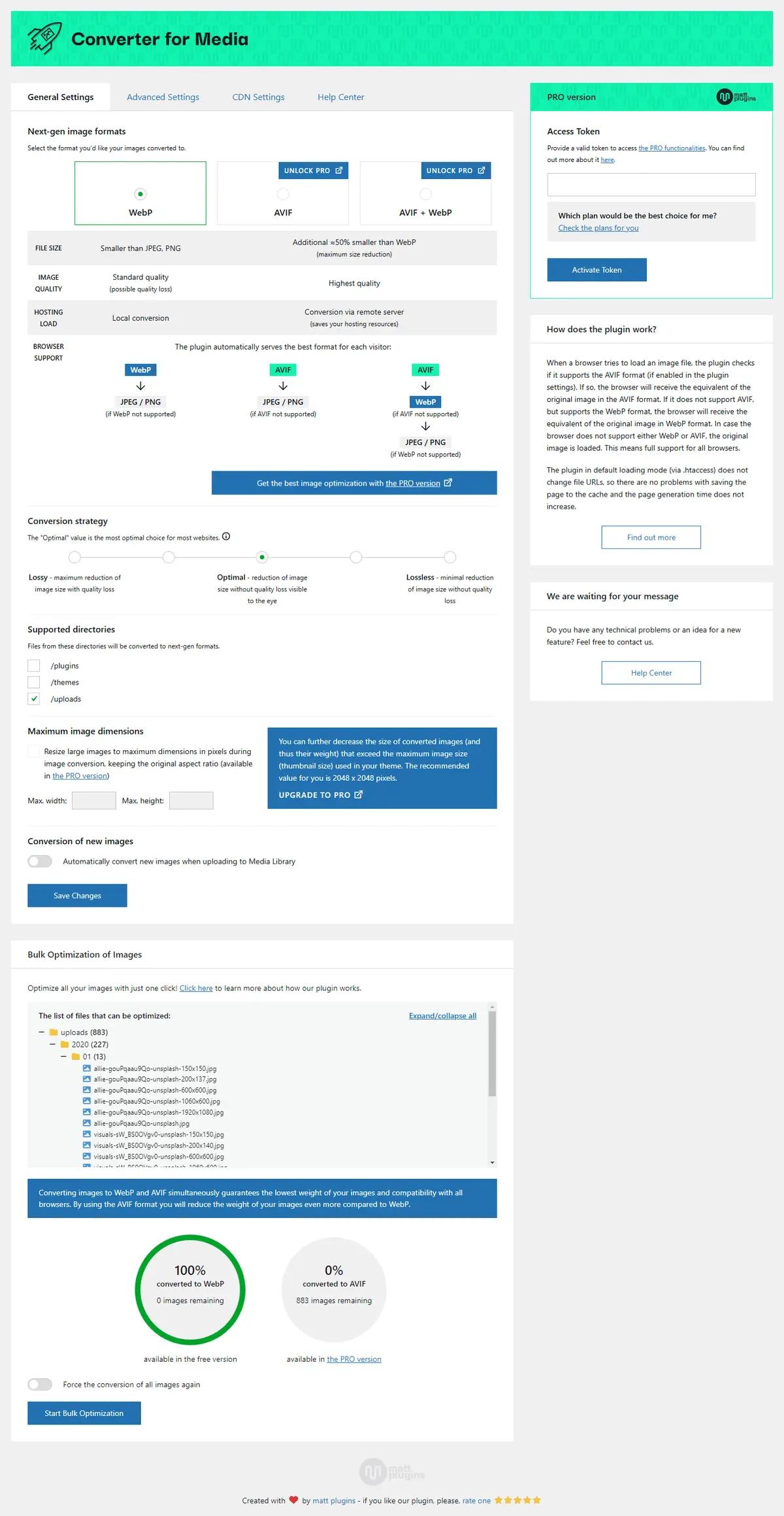
Webp Converter For Media
Converter for Media – Optimize images | Convert WebP & AVIF
#compress images #convert webp #image optimization #optimize images #webp
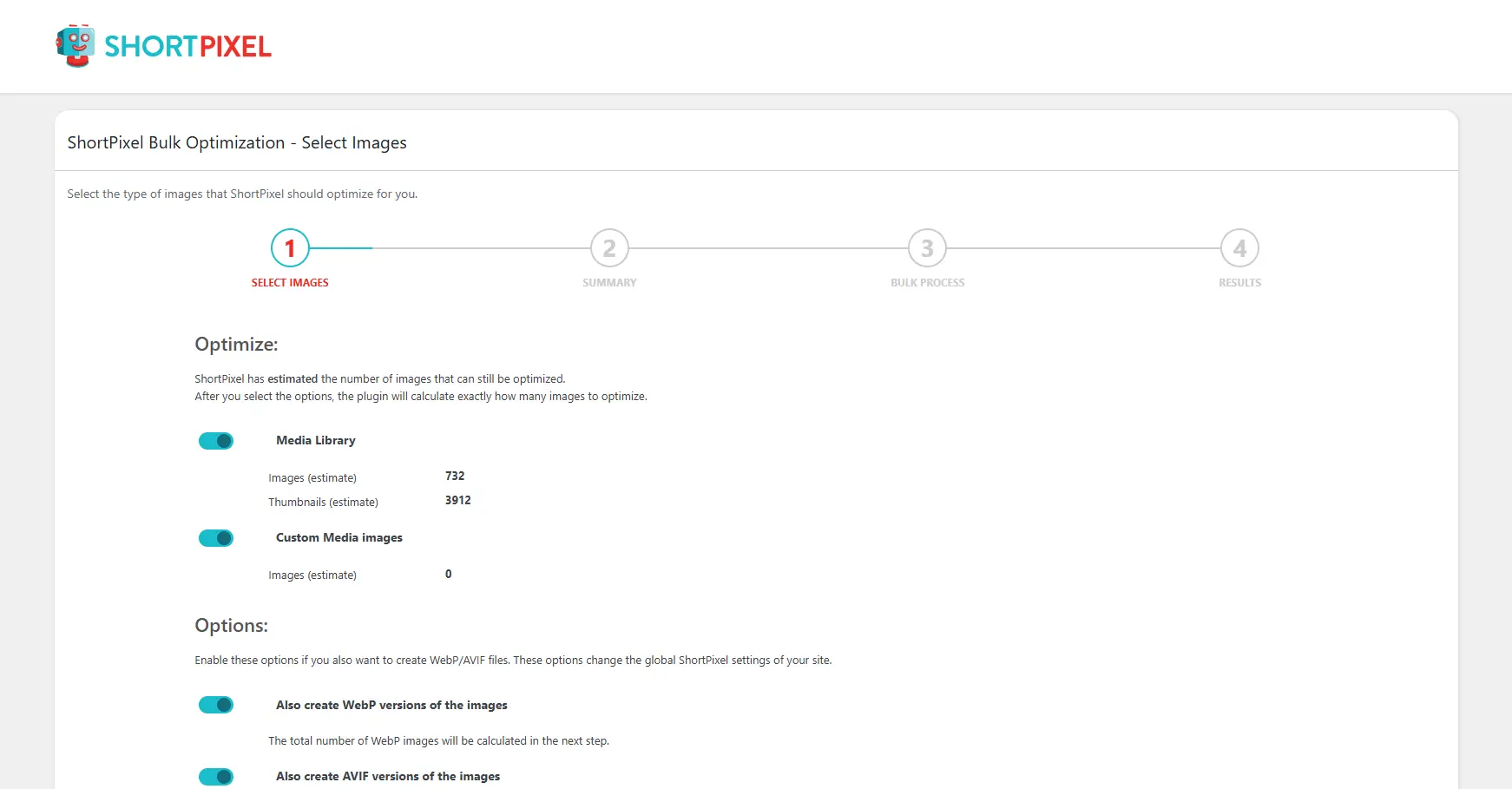
Shortpixel Image Optimiser
ShortPixel Image Optimizer – Optimize Images, Convert WebP & AVIF
#compress images #convert webp #image optimization #optimize images #resize
