


Password correct. Please wait...
Disable chat with .custom-disable-chat
WP Plugin Comparisonby neo-wp.com


WP Plugin Media Library File Size
Test report
Media Library File Size
Media Library File Size - Advanced media management for WordPress
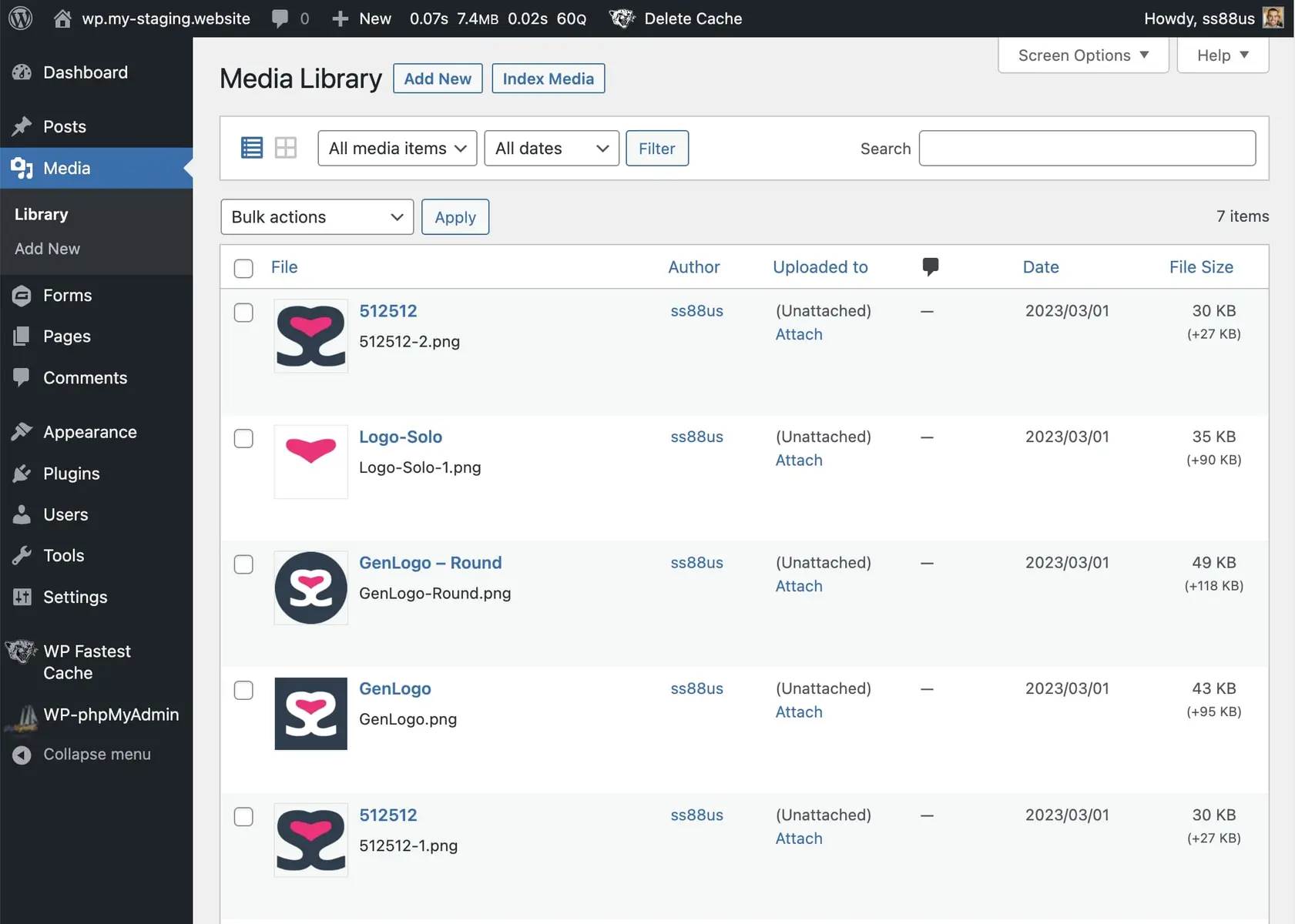
Media Library File Size, developed by SS88 LLC, was released on 2023-03-09 and has since recorded over 5 000+ active installations. The plugin enhances the WordPress media library by adding an extra column to display the file sizes of all stored media, including their combined variants. A standout feature is the ability to sort media content by file size, which is especially useful for users who need to manage large amounts of media content. This greatly facilitates control and optimization of storage space. The target audience is primarily website operators who need to efficiently manage a large number of images and videos-such as photographers or online shops. The plugin enjoys an average rating of 4.5 out of 5 stars from a total of 4 reviews in the official WordPress Plugin Directory. The following section will delve into the plugin's specific features and show how it compares to other similar solutions.
“A useful addition to the WP media library features. Helpful for identifying large media files that consume server storage.”
Features - Detailed information within the media library
In addition to the already mentioned ability to sort media content by file size, the Media Library File Size plugin offers the option to index or re-index all media items in the library via the so-called "Index Media Button." This enables an updated and accurate representation of media content, especially when new files are added or existing ones are changed. Compared to other plugins, it stands out by combining various useful file-management functions.
“I love the ability to sort the media library by file size.”
Free-Features - Useful features at no extra cost
- View Variants - Shows a modal with all variants of an image, including full URL, filename and file size.
- New Column for File Sizes - Adds a column that displays the sizes of files, including combined variants.
- Sort Files by File Size - Enables easy sorting of files based on their file sizes.
- Index Media Button - Allows indexing or re-indexing of media items in the media library.
License - Free use of the plugin
The Media Library File Size plugin is offered free of charge, making it particularly attractive for users on a limited budget. Users have noted that the plugin's features are sufficient to make media management in WordPress more efficient without additional financial expense. Reviews often highlight the user-friendliness and effective display of large media files.
Technical Details - A look into the depths of functionality
The Media Library File Size plugin operates on a technically well-considered basis to provide its functionality. It accesses the WordPress file system and media library to directly display the file sizes of uploaded media content. This information is updated as needed via an indexing process triggered by a dedicated "Index Media Button." This feature uses internal WP hook mechanisms to operate efficiently and with low resource usage. A noteworthy characteristic is the plugin's ability to consolidate the file sizes of media variants and present them as a total sum. At the database level, the plugin works with minimal overhead by avoiding additional indexes and instead using native queries to store and retrieve file size information. Overall, the plugin provides solid technical prerequisites to allow developers a smooth integration into existing WordPress instances.
System requirements - Requirements and compatibility
To successfully use Media Library File Size, certain system requirements must be met. The plugin requires at least PHP version 5.6 or higher to run. In addition, WordPress version 4.1 or higher is required to ensure compatibility. The current plugin version number is 1.7, and it was last updated on 2026-02. It shows reliable performance up to the tested WordPress version 6.9.4. These details make it clear that the plugin is ready for use in current WP environments.
“I needed something to help me manage my uploaded files. The default media manager in WordPress felt a bit lacking, and I was glad to try some plugins.”
Quality - Assessment of the plugin's performance
The quality of the Media Library File Size plugin is demonstrated by its useful features specifically aimed at managing and organizing media content in WordPress. The main advantage is the ability to see and sort file sizes at a glance, which is especially helpful with large amounts of media. However, there are reports of limitations in image size display, as some image sizes are not always shown correctly. Additionally, the sorting function is criticized by some users for not always working as expected. Nevertheless, the plugin is considered solid and useful, as reflected by the general satisfaction of many users who appreciate its core functions.
“A nice addition to the WP media library's feature set. Helpful for identifying large media files that consume server storage.”
Support - Experiences and contact options
Support for the Media Library File Size plugin remains largely unmentioned, which suggests some undocumented support experienced by users. No specific contact options or response times are stated in the official plugin description, indicating that support may occur via the general WordPress community or support forums. Users needing help can seek assistance via the official support forum on WordPress.org. There is also the option to contact the developer SS88 LLC directly. Despite these channels, there is no comprehensive feedback on the effectiveness and speed of developer-provided support. User opinions range from positive “Great work!” to suggestions for improvement. The overall tone suggests that support exists but could potentially be expanded.
“I hope this plugin will improve over time.”
Review - Usage assessments and development needs
The WordPress plugin Media Library File Size generally receives positive feedback and has an average rating of 4.5 out of 5 stars, based on 4 reviews. These reviews highlight both the strengths and weaknesses of the plugin.
One user praises that the extension of the media overview is helpful to display the file sizes of each image. It is seen as a practical tool that enhances media management in WordPress.
“Overall a great plugin, only the extension in the media overview shows the size of each image.”
Despite the positive feedback, there are also critical voices. Some users report limitations, such as the plugin's inability to show the size of more than 60 images. This limitation is considered a significant shortcoming in functionality.
“But it only shows the size of the last 60 images. All those after that (before May 2022) have no size information.”
Nevertheless, the general sentiment remains positive, especially among users who use the plugin specifically for sorting and managing media content. Compared to the default WordPress media manager, many see a clear improvement.
“I found the default media manager in WordPress somewhat inadequate and was glad to try a few. This is the one I stayed with, as it seems to do exactly what I need.”
In summary, the plugin is primarily praised for its ability to complement the media library with useful features. However, there are legitimate complaints that may require future developer updates to further improve the user experience. The number of reviews is currently limited, making a definitive assessment difficult, but the feedback remains largely positive.
Criticism - Challenges with the plugin's functionality
The Media Library File Size plugin, despite its useful extensions to the WordPress media library, also faces criticism. A frequently cited issue is the inadequate display of image sizes. Specific user reports indicate that the plugin only shows file sizes for the last 60 images and does not account for subsequent images. This limitation is a significant drawback for some users, especially those with extensive media libraries.
Another critical feedback concerns the sorting function. Users report that the option to sort media items by file size does not always work reliably. This unreliability can be particularly problematic for users who heavily rely on this feature for media organization.
Despite these challenges, there are no indications of security vulnerabilities or severe bugs in the plugin. This suggests that the core functionality of the plugin remains solid, even though there is room for improvement in certain areas.
“The media overview only shows the size of the last 60 images. All those after that have no size information.”
Conclusion - Summary of strengths and weaknesses
The WordPress plugin Media Library File Size, developed by SS88 LLC, provides a useful extension to WordPress's default media library. Users benefit from features for optimizing media management, particularly the ability to sort files by size. Despite the positive aspects and an average rating of 4.5 stars, the plugin faces criticism in parts, mainly regarding the limit on displayed image sizes and the reliability of the sorting function. The plugin's free nature makes it especially attractive for users with limited budgets. Overall, Media Library File Size is a solid option for users who need improved media management, with future updates desirable to address existing limitations.
#file size #image size #library size #media library
Show more
Detailed plugin information
Plugin slug: media-library-file-size
Plugin name: Media Library File Size
Plugin title: Media Library File Size
Plugin keywords: #file size #image size #library size #media library
Plugin version: 1.7
Last update: 2026-02
Release date: 2023-03-09
Required WP version: 4.1
Required PHP Version: 5.6
Tested with WP version: 6.9.4
Active installations: 5 000+
Average Rating: 4.5
Number of Reviews: 4
Number of support threads: 0 (in the last 2 months)
Number of resolved support requests: 0 (in the last 2 months)
Plugin author: Sully
Developer homepage: https://neoboffin.com/plugins/media-library-file-size?utm_source=wordpress&utm_medium=link&utm_campaign=mlfs
WP developer profile page: https://profiles.wordpress.org/ss88_uk/
Support URL in the WordPress Plugin Directory: https://wordpress.org/support/plugin/media-library-file-size/
Developer support URL: https://wordpress.org/support/plugin/media-library-file-size/#fallback-commercial-support-url
WP Plugin Directory: https://wordpress.org/plugins/media-library-file-size/
Was the test report about Media Library File Size helpful?
Media Library File Size - The right plugin?
Media Library File Size - Compare nowOpen plugin in sandboxTo the official WP StorePopular alternatives to Media Library File Size


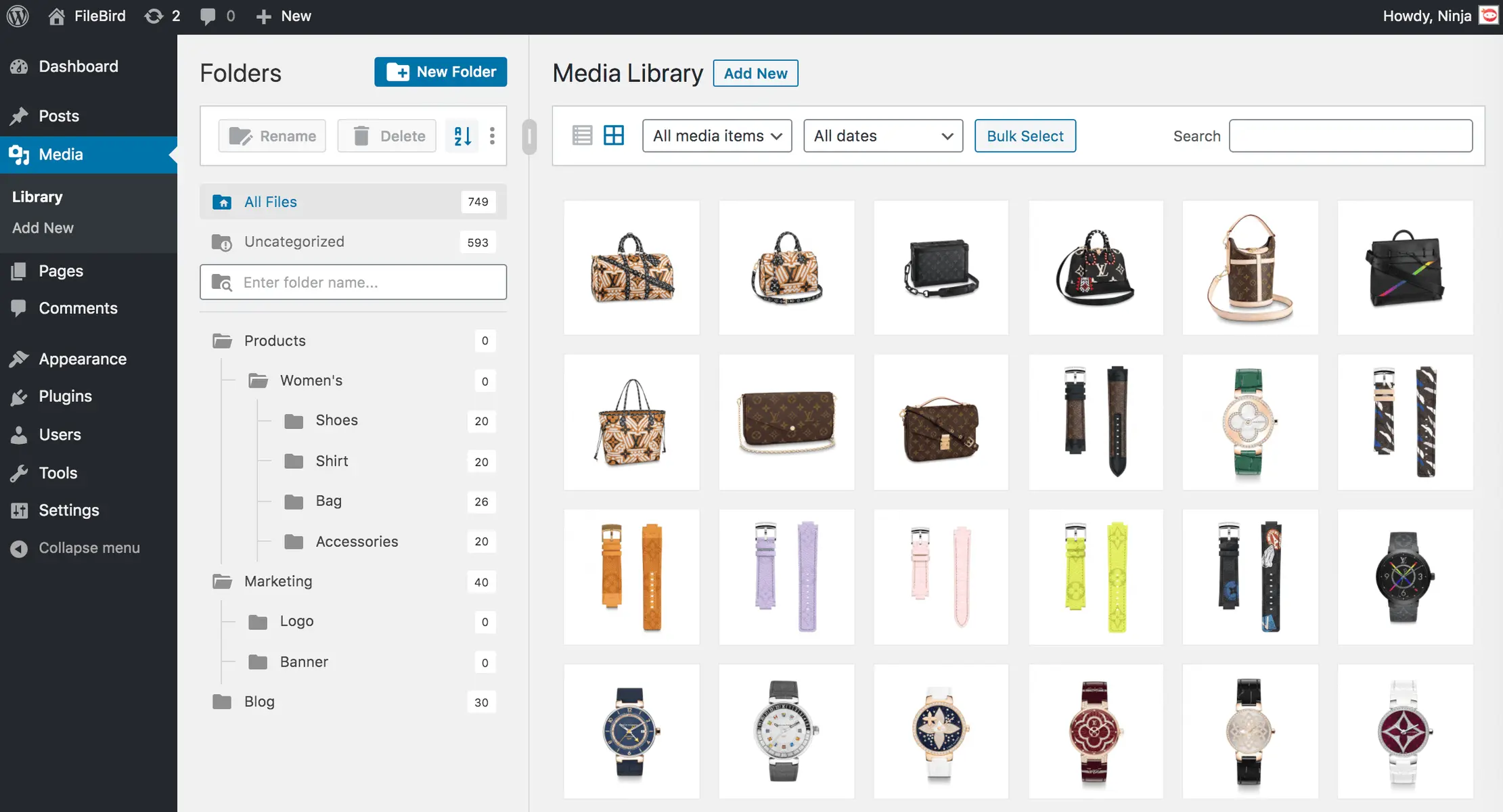
Filebird
FileBird – WordPress Media Library Folders & File Manager
#file manager #media #media folders #WordPress media library folders #wp media folders
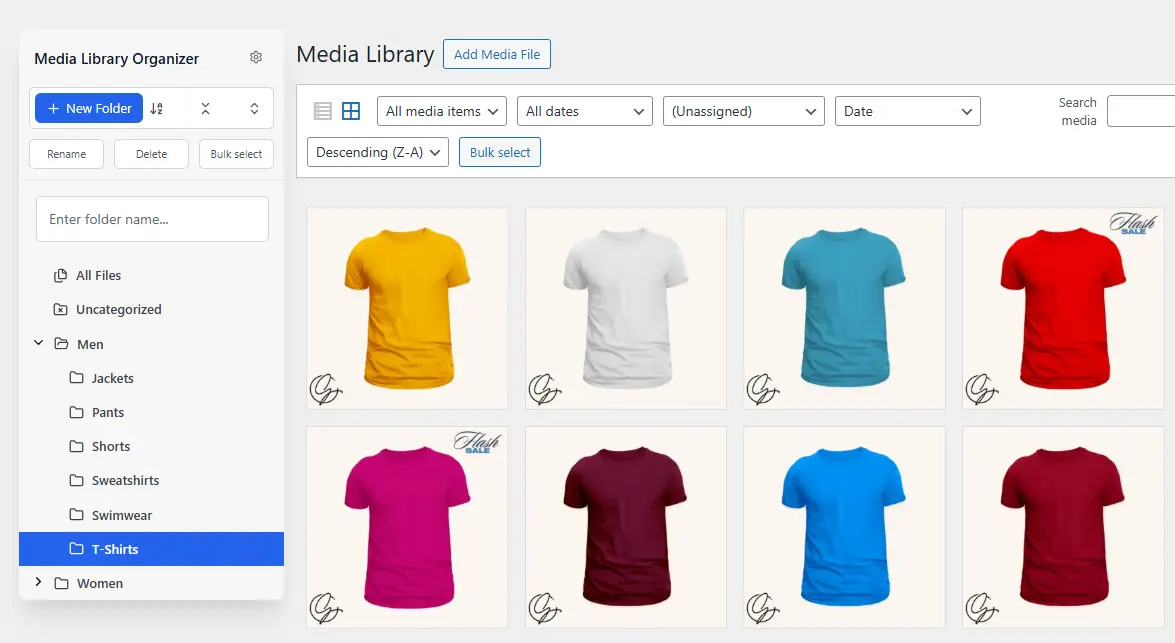
Media Library Organizer
Media Library Organizer – WordPress Media Library Folders & File Manager
#export media library #folders #media categories #media library folders #organize media library

Real Media Library Lite
Real Media Library: Media Library Folder & File Manager
#file manager #media folder #media library folder #media library folders #WordPress media library folders
