


Password correct. Please wait...
Disable chat with .custom-disable-chat
WP Plugin Comparisonby neo-wp.com


WP Plugin Media Library Assistant
Test report
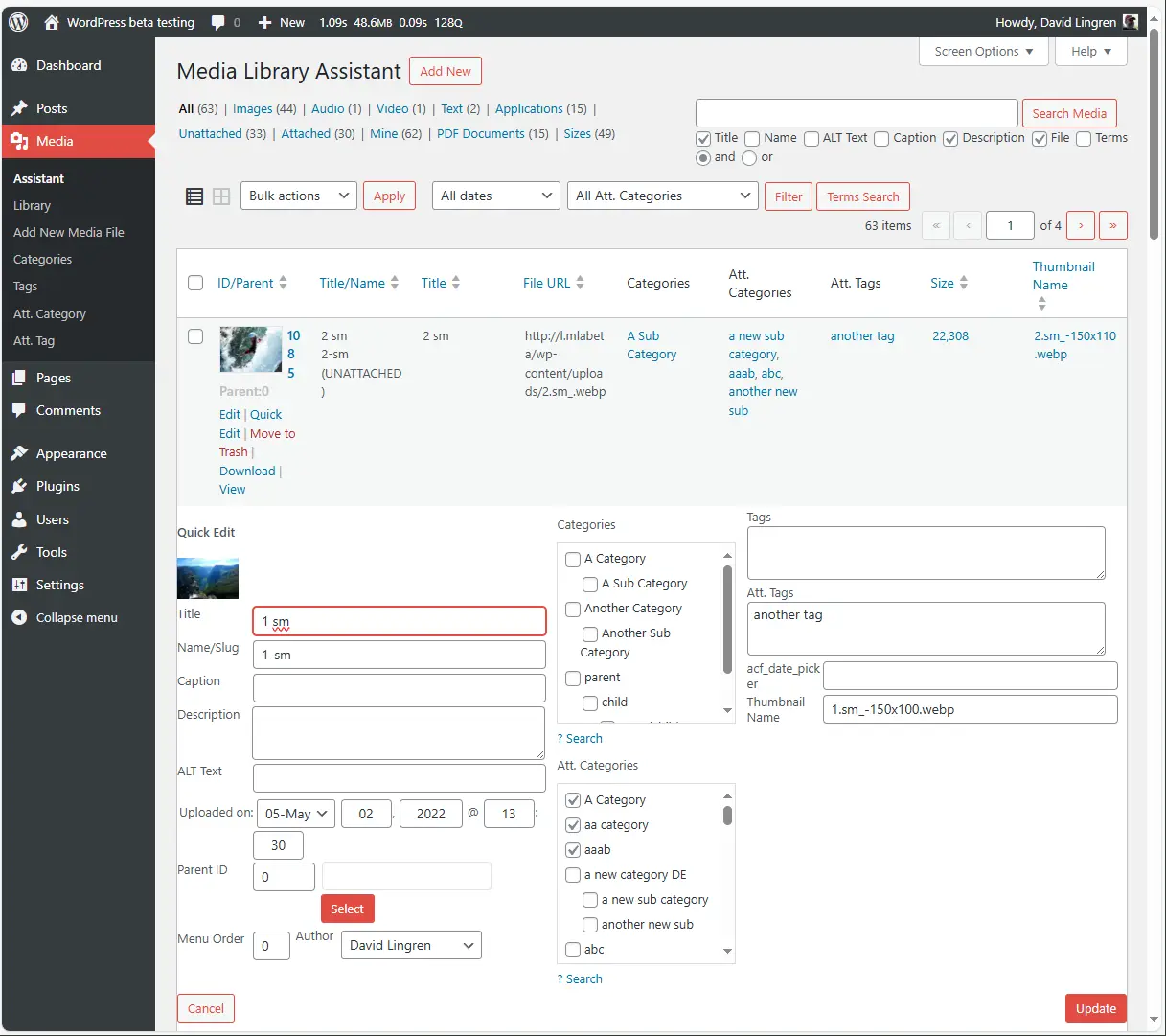
Media Library Assistant
Media Library Assistant was developed by David Lingren and released on 2012-08-13. It is now actively used on over 70 000+ websites. This WordPress plugin extends the standard media library with numerous features that enable more efficient management of media files. A standout characteristic is its flexibility and customizability, which set it apart from other plugins. Originally designed for WordPress users who need to organize extensive media libraries, the plugin has an average rating of 4.8 out of 5 stars from 198 reviews in the official WordPress Plugin Directory. The following section examines the plugin's specific features in more detail.
“This plugin adds features to the media library that should have always been there, like the ability to sort files and assign categories.”
Features - Extensive media management capabilities
The Media Library Assistant offers a variety of features that go beyond WordPress' default capabilities. A significant feature is the enhanced support for metadata such as IPTC, EXIF, XMP and PDF, allowing this data to be mapped to WordPress fields or custom fields. This greatly facilitates the management and organization of media files. The plugin also provides an improved search function that can be extended to various fields such as name, ALT text and captions to make finding media content easier.
“The plugin offers features that are missing in many paid plugins.”
Free Features - Comprehensive capabilities at no cost
- [mla_gallery] shortcode - Allows inserting a gallery of images and other media library items into posts, pages or custom post types and provides full support for WordPress categories, tags and custom fields.
- [mla_tag_cloud] shortcode - Displays the most frequently used terms in the media library, with the size of each term depending on its frequency.
- [mla_term_list] shortcode - Presents hierarchical and flat taxonomy terms in list, dropdown or checkbox formats.
- Support for WPML and Polylang - Compatible with multilingual CMS plugins.
- Integration with other plugins - Works with Photonic Gallery, Justified Image Grid, Jetpack and other plugins.
- Inline "Bulk Edit" and "Quick Edit" - Enables simultaneous updating of multiple attachments.
- Advanced search - Allows searching by various attributes such as name, ALT text and caption.
License - Free and well supported
The Media Library Assistant is a free plugin that charges no fees despite its extensive functionality. The developer, David Lingren, offers this plugin to the WordPress community without insisting on personal donations, which is highly appreciated by users. However, users who find the plugin helpful have the option to donate to the Chateau Seaview Fund of the ALS Network, which benefits the public good.
“Incredible that this functionality is available in a free plugin.”
These points highlight the value of the plugin as a free tool for comprehensive media management in WordPress.
Technical details - Insights into internal workings
The Media Library Assistant offers extensive customization through numerous shortcodes and hooks, ideal for developers who want to make deep changes. Core functionality includes shortcodes such as [mla_gallery], which provide enhanced gallery options. These shortcodes offer improved support for all post_mime_type values and do not require media to be attached to the post. Style and markup templates allow detailed control over gallery design. Additionally, 28 hooks ensure developers can perform full customization from theme or plugin code. The tag cloud and custom lists also come with their own hooks for extensive customization. IPTC, EXIF, XMP and PDF metadata can be mapped to existing WordPress fields or custom fields, greatly expanding management options.
System requirements - Requirements and compatibility information
To use the Media Library Assistant, certain system requirements must be observed. The plugin requires at least PHP version 7.4 or higher and WordPress version 4.7 or higher. It has been tested on WordPress up to version 5.8. The current plugin version is 3.35 and the last update occurred in 2026-03. These specifications ensure compatibility with a wide range of WordPress installations and plugin versions.
“The plugin runs stably even on older servers and brings many long-awaited media management features.”
Quality - Performance and Stability Compared
The quality of the Media Library Assistant is primarily evident in its versatility and robustness. These traits are visible not only in the seamless integration with a variety of WordPress plugins, including Photonic Gallery and Jetpack, but also in the tool's adaptability to meet users' specific needs. Usability can, however, vary depending on the user's experience. While the extensive customization options are considered a strength-along with 28 hooks for the [mla_gallery] shortcode-there is also a steep learning curve that some users find challenging. Furthermore, the plugin's performance with very large media libraries is a critical point, as it can sometimes cause slowdowns, particularly in resource-constrained environments. These factors mean that the overall quality of the plugin depends on the needs and expertise of each individual user.
“The plugin is stable and powerful, but the huge feature set requires time and patience to fully leverage.”
Support - User Experiences and Contact Options
Support for the Media Library Assistant plugin is described by users as prompt and efficient. David Lingren, the plugin's developer, is often praised for his quick response times and knowledgeable assistance. Users can obtain help in several ways: there is the official plugin support forum, which is actively used by the community. Additional options for commercial support are offered on the developer's support URL. The available documentation, both within the plugin and externally, also helps resolve many questions in advance.
Nevertheless, there have been critical voices regarding the documentation, which is sometimes perceived as too complex-especially for newcomers. The learning curve has proven challenging, indicating that less experienced users often require additional support.
“The support is also great, fast, with good understanding and direct communication.”
Rating - Community Response
The average rating of the Media Library Assistant is an impressive 4.8 out of 5 stars, based on 198 reviews from the official WordPress Plugin Directory. This high score reflects the largely positive feedback users have given about the plugin's features and usefulness. Many users praise it as one of the best available tools for managing media content, particularly highlighting the variety of features and the plugin's customizability.
“A truly indispensable tool for anyone who wants to manage their media library efficiently. The available features are impressive.”
Despite this general satisfaction, there are some critical voices. Some users complain that the plugin documentation could be better, as it is sometimes described as limited and confusing. This can make it especially difficult for less experienced users to fully utilize the plugin's potential.
“The documentation could be clearer. Without intensive study, progress is difficult.”
Still, positive experiences predominate, and many users are enthusiastic about the intuitive user interface and the time savings the plugin provides.
“An absolute must for any WordPress user. A tremendous help in managing and categorizing media.”
Criticism - Challenges and Suggestions for Improvement
Despite the many features of the Media Library Assistant, there are concrete criticisms that should not be ignored. A common point of criticism concerns the plugin's performance, especially with large media libraries. Users report significant delays and performance degradation, which could be due to inefficient SQL queries. This can limit the plugin's usability in resource-constrained environments.
Another frequently mentioned issue is error messages such as "ajax url is undefined" that can occur when activating the plugin, impairing usability. The documentation is also criticized as being at times limited and confusing, which can be particularly problematic for beginners.
Community suggestions for improvement include developing a clearer, more mobile-friendly user interface and introducing new features such as a copy function or a jQuery tree manager for better sorting and organization. There is also a desire for deeper integration into the WordPress core and a clear roadmap for future developments.
“The learning curve is steep and with large libraries the plugin can be simply too slow in places.”
These criticisms make it clear that despite the plugin's extensive functionality, there are still optimization opportunities to further improve the user experience and increase the plugin's performance.
Conclusion - Summary of pros and cons
The Media Library Assistant by David Lingren is a comprehensive tool for managing media files in WordPress. With a wide range of features, including advanced metadata support and powerful shortcodes, the plugin offers remarkable flexibility and adaptability. This makes it particularly valuable for users who need to manage extensive media libraries. At the same time, the steep learning curve and potential performance issues with large libraries should not be overlooked. The documentation could be improved to help beginners get started. Despite these challenges, the Media Library Assistant remains a popular choice within the WordPress community, as reflected in its high user rating.
#categories #images #media #media library #tags
Show more
Detailed plugin information
Plugin slug: media-library-assistant
Plugin name: Media Library Assistant
Plugin title: Media Library Assistant
Plugin Keywords: #categories #images #media #media library #tags
Plugin version: 3.35
Last update: 2026-03
Release Date: 2012-08-13
Required WP version: 4.7
Required PHP version: 7.4
Tested with WP version: 7.0
Active Installations: 70 000+
Average rating: 4.8
Number of reviews: 198
Number of support requests: 11 (in the last 2 months)
Number of resolved support requests: 10 (in the last 2 months)
Plugin author: David Lingren
Developer Homepage: http://davidlingren.com/#two
WP Developer Profile Page: https://profiles.wordpress.org/dglingren/
Support URL in the WordPress Plugin Directory: https://wordpress.org/support/plugin/media-library-assistant/
Developer Support URL: https://wordpress.org/support/plugin/media-library-assistant/#fallback-commercial-support-url
WP Plugin Directory: https://wordpress.org/plugins/media-library-assistant/
Was the test report about Media Library Assistant helpful?
Media Library Assistant - The right plugin?
Media Library Assistant - Compare nowOpen plugin in sandboxTo the official WP StorePopular alternatives to Media Library Assistant


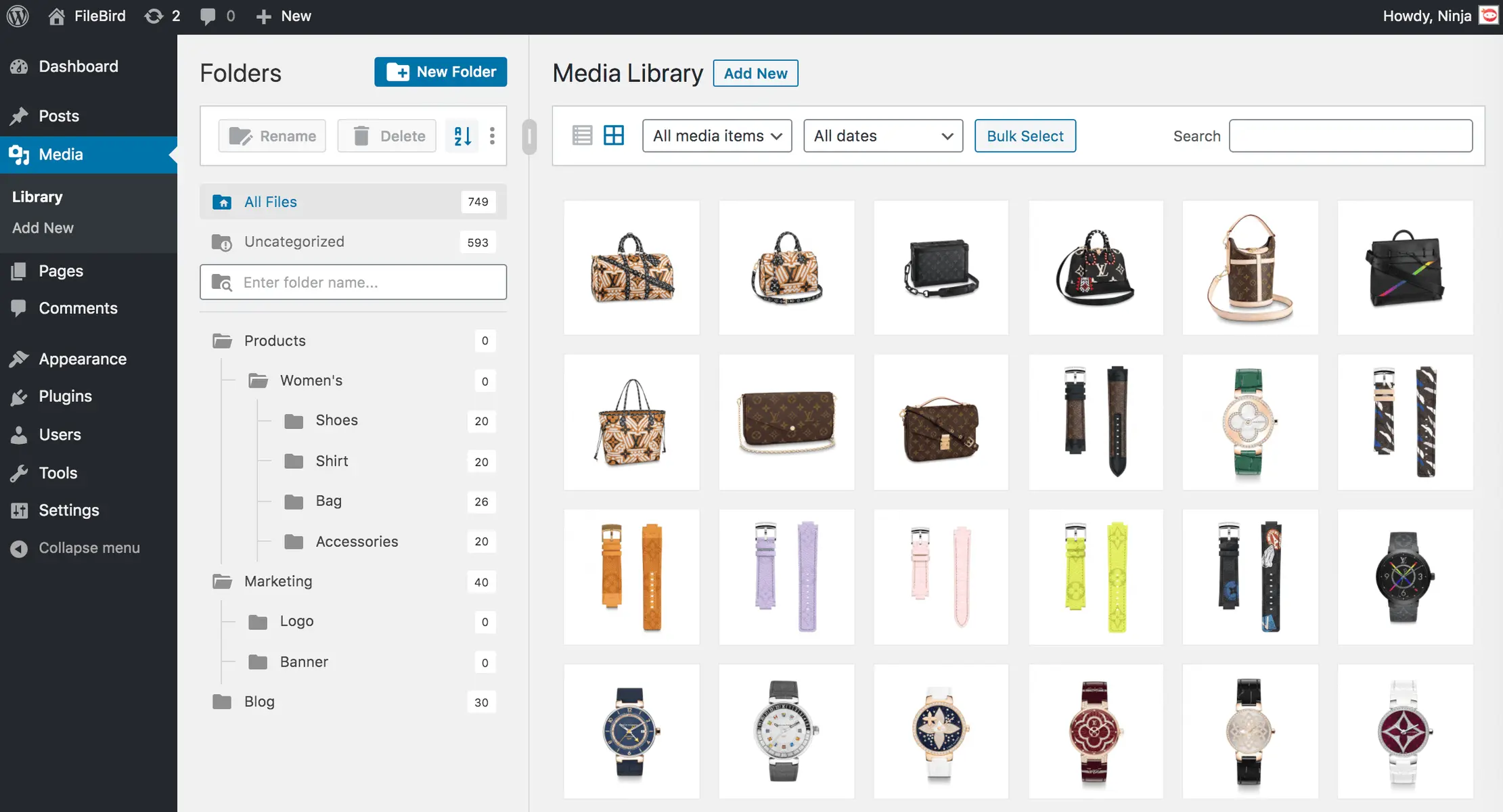
Filebird
FileBird – WordPress Media Library Folders & File Manager
#file manager #media #media folders #WordPress media library folders #wp media folders
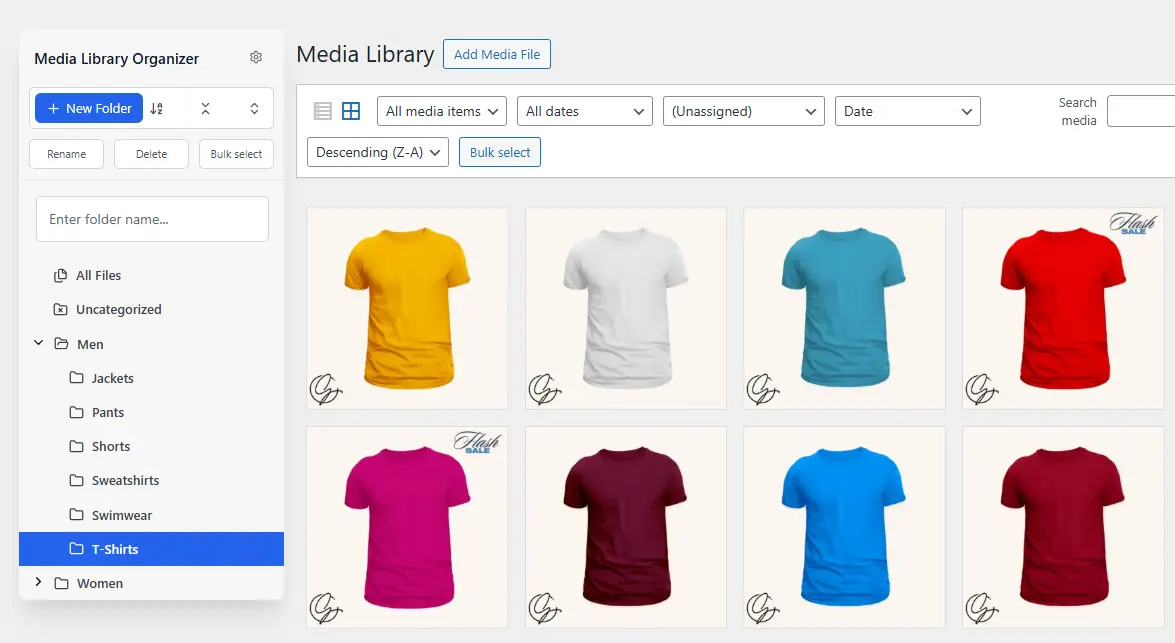
Media Library Organizer
Media Library Organizer – WordPress Media Library Folders & File Manager
#export media library #folders #media categories #media library folders #organize media library

Real Media Library Lite
Real Media Library: Media Library Folder & File Manager
#file manager #media folder #media library folder #media library folders #WordPress media library folders
