


Password correct. Please wait...
Disable chat with .custom-disable-chat
WP Plugin Comparisonby neo-wp.com


WP Plugin Media Folders Lite
Test report
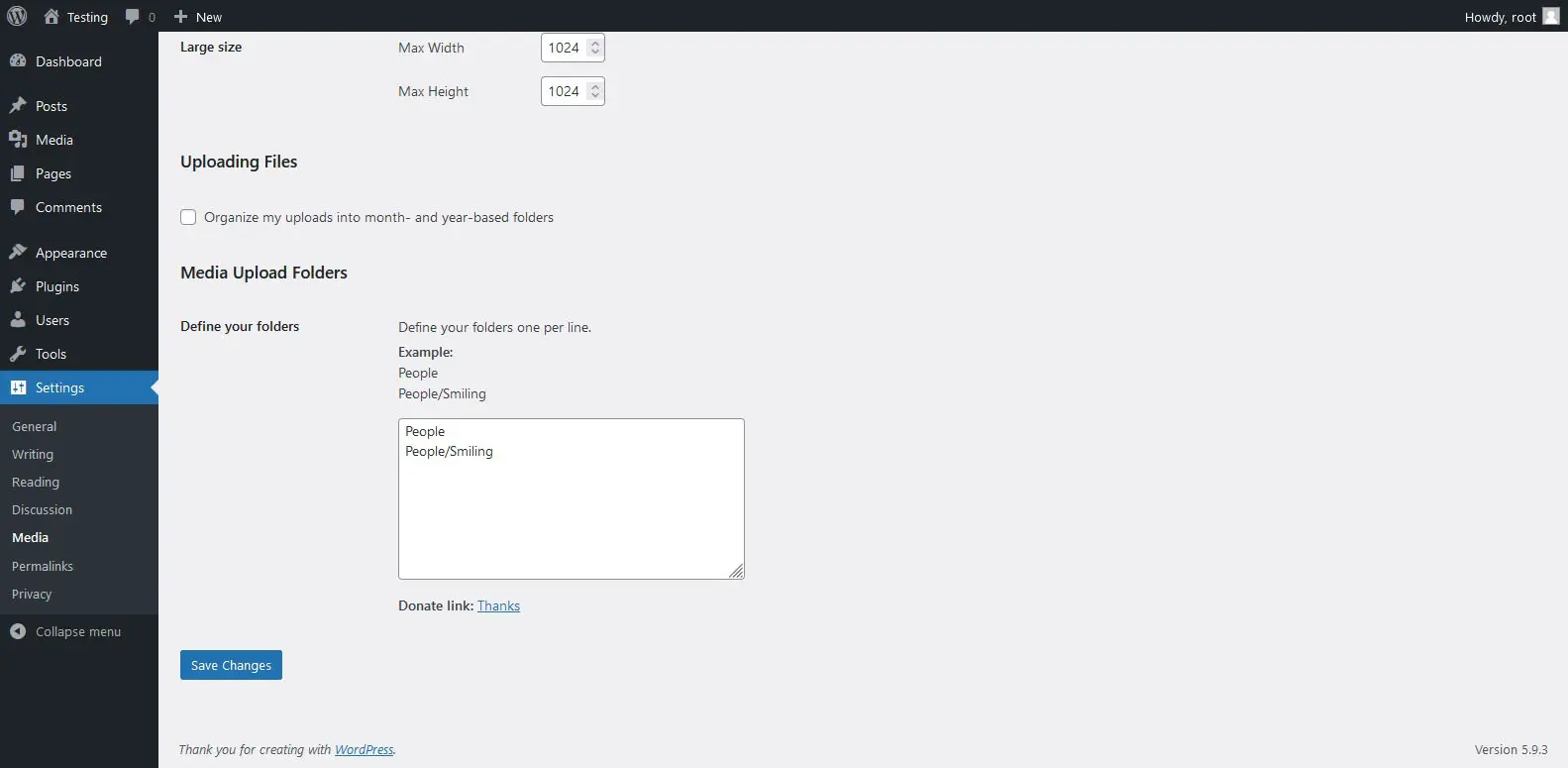
Media Folders Lite
Media Folders Lite is a WordPress plugin developed by jbulies. Since its release on 2022-04-28, the plugin has grown in popularity, reflected in over 200+ active installations. It allows users to customize the upload path for attachments in WordPress and filter files in the WordPress Media Library by folders. This provides a solution for performance issues that can occur on filesystems like EXT4 due to an excessive number of files in a single directory, and reduces the risk of filename conflicts. Media Folders Lite stands out by allowing the creation of real folders for attachments, which significantly structures and simplifies media management. The plugin's main target audience is WordPress users who want to organize their media efficiently. Despite its innovative approaches, the plugin is rated in the official WordPress Plugin Directory with average ratings of 5.0 out of 5 stars from 2 reviews. The features of the plugin are examined in more detail below.
“Simple and straightforward. Plugins like this are great!”
Features - Extensive functions for media organization
Media Folders Lite offers a range of features that greatly improve the organization and management of media files in WordPress. Another notable feature is the ability to choose the specific folder where new files should be saved when uploading. This saves time and improves organization by placing files directly in the desired location. The plugin also enables efficient filtering of attachments by folders within the Media Library, which is particularly helpful when dealing with a large number of files.
Free Features
- Create real folders for attachments - Provides the ability to organize attachments into specific folders.
- Choose the desired folder when uploading an attachment - Allows targeted selection of the storage location for new files.
- Filter attachments by folders in the WP Media Library - Makes finding and managing files easier through folder filtering.
License - Free use with basic features
Media Folders Lite is available as a free solution, making it especially attractive to users who do not want to incur additional costs. Despite its free availability, the plugin can suffer performance issues with a very large number of files, since the default WP media paths are not always optimal and can negatively affect SEO. Users appreciate the ease of use and the innovative concept, as reflected in reviews. However, some users see room for improvement in handling large file volumes.
“This is how the media library should be. Period.”
Technical details - Precise insights for developers
Media Folders Lite primarily works with the WordPress filesystem and offers a way to modify the default media paths. The focus is on options to either sort by year-and-month folders or store all files in a single folder. The latter can lead to performance problems on filesystems like EXT4, especially when managing a large number of files in one folder. The plugin's solution is to avoid this bottleneck by creating real folders for attachments at the server level, which optimizes media management. Of interest to developers is that no additional database tables are introduced, improving compatibility with existing WordPress installations.
“Simple and clear. Plugins like this are great!”
System requirements - Technical prerequisites for use
To use Media Folders Lite successfully, certain system requirements must be met. The plugin requires at least PHP version 7.4 or higher and WordPress version 5.0 or higher. It has been tested up to WordPress version 6.5.8. The current plugin version number is 1.0.2 and the last update took place in 2024-05. These technical parameters ensure that the plugin can be operated on a wide range of hosting environments while also supporting the latest WordPress functionalities.
“Simple and straightforward. Plugins like this are highly appreciated!”
Quality - Performance and user experience in comparison
The quality of Media Folders Lite is viewed both positively and critically. Users praise the plugin for simplifying media management, especially through the ability to create real folders, which improves clarity and can potentially reduce filename conflicts. The approach of modifying default WordPress media paths has the potential to positively influence SEO performance by optimizing organizational structures.
However, there are also concerns about performance with a large number of files. This is particularly problematic on filesystems like EXT4, where storing numerous files in a single folder can create bottlenecks. The plugin addresses this challenge by offering the ability to create real folders for attachments, which can increase efficiency. The average rating of 5.0 out of 5, however, indicates that not all users are fully convinced by the tool's operation. In particular, during migrations where metadata is not copied correctly, some users encounter difficulties that negatively affect the rating.
“This is how media management should be done. Period.”
Support - Experiences and contact options
Support for Media Folders Lite is an area that presents both opportunities and challenges. There is no specific information about contact options or the developer's response time for direct communication with support. However, the official support section in the WordPress Plugin Directory can be used to submit inquiries or discuss issues. There is also the option to get additional help on the developer's support page, giving users multiple channels for requests.
Experiences with support are not explicitly highlighted in reviews, which may indicate that either few users need support or they have not shared their experiences. For some users, the absence of detailed support information can lead to uncertainty and challenges in using the plugin, especially when resolving technical problems.
“The support responds quickly to requests, which is very helpful.”
Rating - User opinions present a mixed picture
Media Folders Lite achieves a average rating of 5.0 out of 5 stars, based on a total of 2 reviews. This small number of reviews suggests that it is not yet widely used or extensively reviewed. Despite the overall mixed rating, some users appreciate the plugin for its simplicity and usefulness. A retrospective look at the reviews shows mixed opinions about the functionality and effectiveness of the plugin compared to other solutions.
“Simple and straightforward. Plugins like this are great!”
Lower ratings often address technical difficulties. A recurring theme is dissatisfaction with how the plugin handles file migration processes. Critics complain that the plugin's folder structure does not match the actual file paths and that this can cause problems during migrations.
"I don't understand how they did that. The folders don't really exist, and the migration with Updraft Plus doesn't copy the metadata, so although there are images, there are ugly empty placeholders all over our site. I'm not really happy about that."
Despite the criticism, there are supporters who appreciate the organized media management the plugin enables. This is seen as an advantage for users who want a simpler, tidier solution for organizing media.
“This is how the media library should be. Period.”
Criticism - Mixed opinions and technical hurdles
Media Folders Lite isn't viewed positively in user reviews across the board. A central criticism is the migration issue: the plugin's folder structure doesn't match the actual file paths, which can cause problems during migration because metadata isn't transferred correctly. This can be especially frustrating when placeholders appear instead of the expected images. Another technical issue concerns performance on certain filesystems like EXT4 when too many files are stored in one folder, which can lead to performance bottlenecks.
Not all users consider the plugin's innovative approaches mature, reflected in an average rating of 5.0 stars. Suggestions for improvement from the community are scarce so far, yet expanded functionality for editing and storing metadata could be a helpful addition. Reviews do not mention security vulnerabilities or specific error messages.
"It's unclear how this was created, the folders don't really exist, and the migration with Updraft Plus doesn't copy the metadata, so despite the migrated images there are ugly empty placeholders visible across the site."
Conclusion - Summary of strengths and weaknesses
Media Folders Lite by jbulies offers basically practical features for managing media files in WordPress. By allowing the creation of real folders for attachments, media management becomes structured and simplified, which can be especially beneficial for users with large amounts of media. Despite these advantages, there are concerns about handling large numbers of files and performance on certain filesystems. The current rating of 5.0 stars shows mixed opinions about the plugin's efficiency and functionality. While some users praise the simplicity and structural order, technical challenges around file migration are a major focus of criticism. Better support for such processes could further strengthen the positive impression of Media Folders Lite.
#directories #directory #folders #media #upload
Show more
Detailed plugin information
Plugin slug: media-folders-lite
Plugin name: Media Folders Lite
Plugin title: Media Folders Lite
Plugin keywords: #directories #directory #folders #media #upload
Plugin version: 1.0.2
Last update: 2024-05
Release date: 2022-04-28
Required WP version: 5.0
Required PHP version: 7.4
Tested with WP version: 6.5.8
Active installations: 200+
Average Rating: 5.0
Number of Ratings: 2
Number of support threads: 0 (in the last 2 months)
Number of resolved support requests: 0 (in the last 2 months)
Plugin author: jbulies
Developer homepage: https://wordpress.org/support/plugin/media-folders-lite/#fallback-homepage
WP developer profile page: https://profiles.wordpress.org/jbulies/
Support URL in the WordPress Plugin Directory: https://wordpress.org/support/plugin/media-folders-lite/
Developer support URL: https://wordpress.org/support/plugin/media-folders-lite/#fallback-commercial-support-url
WP Plugin Directory: https://wordpress.org/plugins/media-folders-lite/
Was the test report about Media Folders Lite helpful?
Media Folders Lite - The right plugin?
Media Folders Lite - Compare nowOpen plugin in sandboxTo the official WP StorePopular alternatives to Media Folders Lite


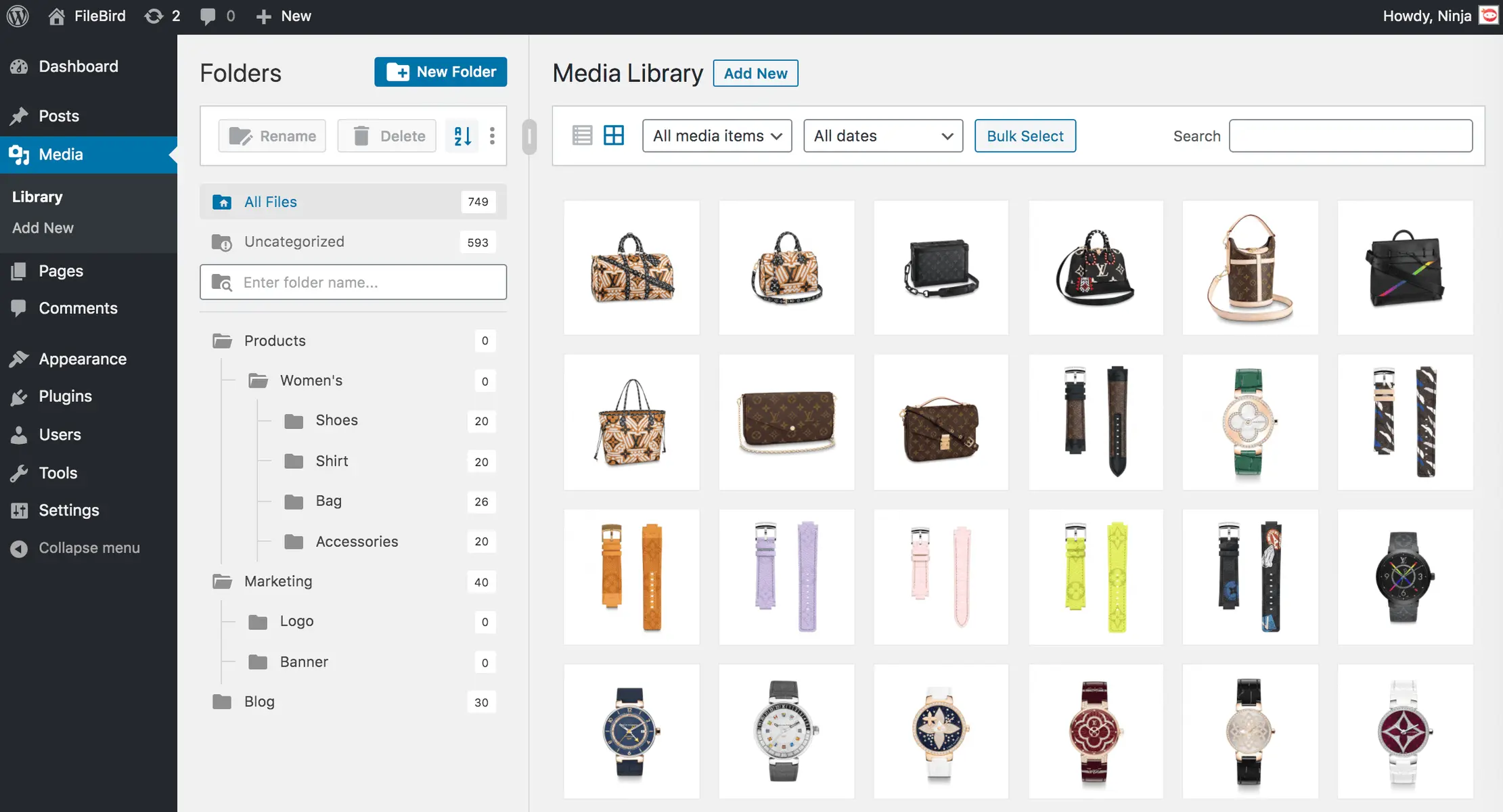
Filebird
FileBird – WordPress Media Library Folders & File Manager
#file manager #media #media folders #WordPress media library folders #wp media folders
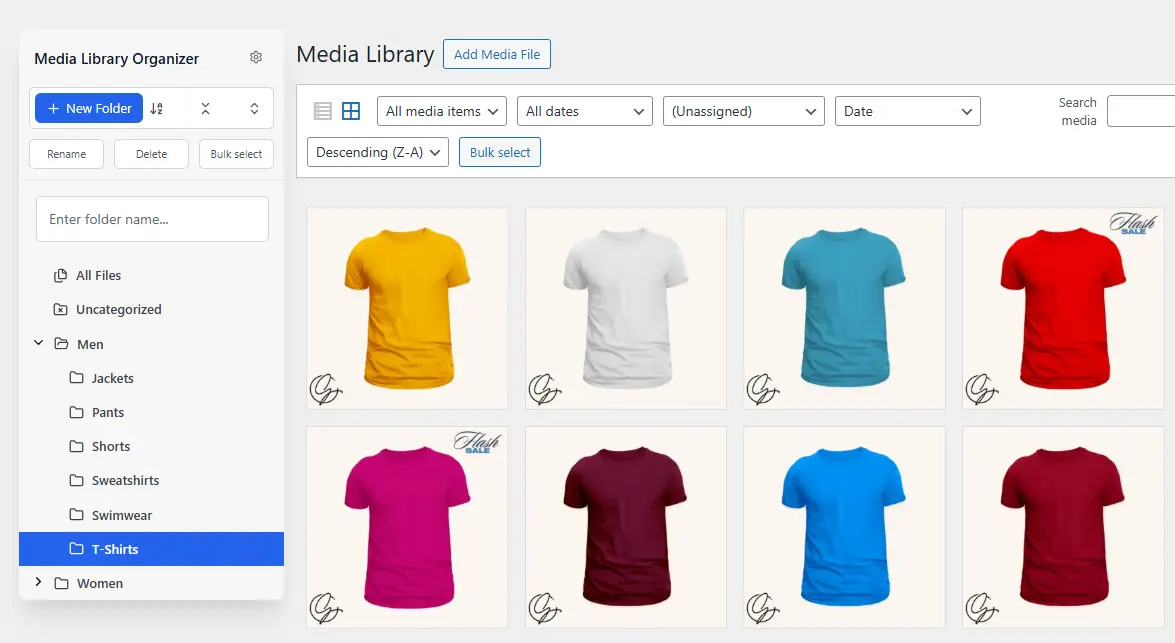
Media Library Organizer
Media Library Organizer – WordPress Media Library Folders & File Manager
#export media library #folders #media categories #media library folders #organize media library

Real Media Library Lite
Real Media Library: Media Library Folder & File Manager
#file manager #media folder #media library folder #media library folders #WordPress media library folders
