


Password correct. Please wait...
Disable chat with .custom-disable-chat
WP Plugin Comparisonby neo-wp.com


WP Plugin Ewww Image Optimizer
Test report
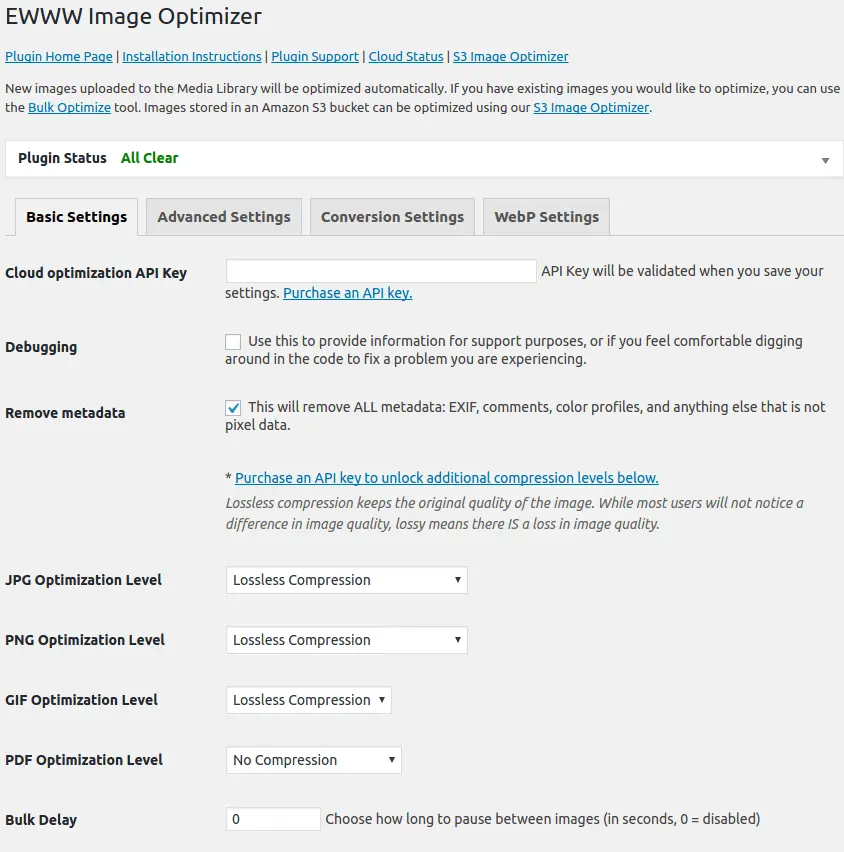
EWWW Image Optimizer
EWWW Image Optimizer, developed by Exactly WWW, has been a popular WordPress plugin since its release on 2012-06-07 with over 1 000 000+ active installations. The plugin improves website performance by optimizing images, leading to reduced bounce rates and better SEO performance. A key unique selling point of EWWW Image Optimizer is image optimization directly on your own server, giving users full control over the process. This functionality gives the plugin an edge over others that rely on external servers. The target audience primarily includes website operators seeking a faster and more user-friendly experience. With an average rating of 4.8 out of 5 stars from 1 821 reviews in the official WordPress Plugin Directory, user satisfaction and acceptance are clearly high. Below is an overview of the main features and functions of EWWW Image Optimizer.
"Optimizes all current and newly added images like magic."
Features - Extensive functionality for optimized image delivery
EWWW Image Optimizer offers a wide range of features to help you optimize images efficiently. In addition to server-side optimization, the plugin also provides a bulk optimization feature that lets you process all images on a site at once. Another notable feature is direct conversion of images to the WebP format, which delivers faster load times and reduced storage usage. This automation makes it a time-saving solution for web admins running high-performance sites.
"Works better than other optimizers. It was painless to use and ran stable."
Free Features - No-cost tools for comprehensive image optimization
- Optimize all existing images - Enables compression and conversion into a web-optimized format.
- Automatic image optimization - Automatic compression and adjustment of new images.
- Unlimited file size - No restrictions regarding image size.
- Pixel-perfect optimization - Precise control over every image using leading tools.
- Smart conversion options - Format changes tailored to the specific need.
- Free backup - 30-day storage of original images.
- Bulk optimization - Optimizes all images on a website centrally from a single page.
- Plugin compatibility - Broad support and compatibility with numerous plugins and themes.
- CDN support - Integration with various content delivery networks (CDNs).
License - Free to use for all users
EWWW Image Optimizer is available as freeware, making it especially attractive for small site owners and newcomers to web development. Users appreciate the benefits of a free plugin that still offers high-quality features. Availability at no cost provides access to comprehensive image optimization tools without financial investment. This contributes to the plugin's popularity and high installation rate.
"Grateful there's a free option available."
Technical details - A deep dive for developers
EWWW Image Optimizer excels at optimizing images server-side directly on the WordPress installation. For developers, the plugin offers WP-CLI support for seamless bulk optimization via the command line, improving efficiency-especially with large image collections. By default the plugin uses PHP's GD library to process images and also allows use of more specialized tools like ImageMagick, jpegtran, and OptiPNG if available. This extensibility provides precise control over compression settings and image quality. Another notable feature is WebP conversion, which can be handled by the GD library to serve more efficient formats. EWWW also supports database-backed storage of metadata and optimization histories, enabling you to track exactly which images were optimized and to what extent.
System requirements - Compatibility overview
The EWWW Image Optimizer requires at least PHP version 7.4 to function properly. Regarding WordPress, the plugin is compatible from version 4.7 onward and has been thoroughly tested up to the latest WordPress version 6.6. The plugin is currently available in version 8.4.1 and the last update was in 2026-02. This up-to-date information about compatibility and system requirements highlights the plugin's ability to operate smoothly in a modern web environment and to receive ongoing support and security updates.
"Updates come regularly and ensure seamless integration with new WordPress versions."
Quality - High-level image compression
EWWW Image Optimizer stands out for maintaining high image quality after optimization. It offers an excellent balance between file size reduction and preservation of image sharpness. The plugin uses industry-leading algorithms to ensure images not only load faster but also display at high quality. This optimization typically results in faster page load times, positively affecting user experience and SEO rankings. Despite automatic processes, the plugin also allows detailed control over compression settings so you can tailor preferences for different use cases.
"This optimizer reduces file size while preserving quality impressively well."
Support - Scope of support and user opinions
Support for the EWWW Image Optimizer is rated very positively by many users. The plugin offers comprehensive contact options to resolve issues and concerns. Users can visit the plugin's official support area on WordPress.org or contact the development team directly via the official website. Email support is available to all users for free, and existing customers often report fast and helpful assistance. In addition to general troubleshooting, the team also accepts feedback and suggestions for future features, which is appreciated by the community.
User experiences with support vary. While some praise the response speed and solution focus, there are reports of longer wait times and insufficient help with specific problems. Nonetheless, support stands out through numerous positive reviews, particularly in the personalized assistance for the Pro version.
"Excellent support and quick solutions despite complex issues."
Rating - High satisfaction despite occasional criticism
EWWW Image Optimizer enjoys a high average rating of 4.8 out of 5 stars from a total of 1 821 reviews. These positive responses highlight users' overall satisfaction with the plugin’s performance and features. Many users praise its efficiency and reliability in image optimization.
Among the positive reviews is a user convinced by the plugin's trouble-free user experience:
"Works better than other optimizers. It was painless to use and ran stable."
Despite these positive responses, there are also some critical voices. One user complains about the plugin's behavior after deactivation:
"I deactivated this plugin on about 1 000 000+ installations and it still prompts me to leave a review."
Another praise highlights the optimization performance the plugin offers in the WebP area:
"Excellent for self-hosted WP sites for image optimization and WebP conversion."
These reviews reflect strong community acceptance, although there are points that could be considered for future updates to further improve the user experience.
Criticism - Nuanced consideration of weaknesses
Although largely positively reviewed, the EWWW Image Optimizer is also the focus of some criticism. A common complaint is malware warnings reported by security platforms like VirusTotal. These warnings have caused concern for some users, although no actual harm has been detected to date. Such security concerns are taken seriously, and the developer collaborates closely with the Patchstack Vulnerability Disclosure Program to validate and fix vulnerabilities.
Another issue frequently highlighted concerns the often intrusive requests to rate the plugin, which appear even after the plugin is deactivated. Users find these prompts annoying and not user-friendly.
There are also reports of bugs and interface complications. Some users have found that the plugin occasionally operates inefficiently, converting images into unusable code or affecting the structure of websites. The documentation is criticized as insufficient, especially regarding default settings, which are often poorly documented and cause confusion.
Despite these points, it is acknowledged that the developer continuously works to fix reported bugs and respond to user feedback. A participatory roadmap allows the community to contribute to the plugin's development.
"While this EWWW Image Optimizer plugin triggers malware warnings on VirusTotal, no actual damage is visible so far." - translation of user feedback.
These mixed experiences suggest that while the user base is broadly satisfied, specific improvement areas have been identified to further optimize the plugin and adapt it to users' needs.
Conclusion - Summary of strengths and weaknesses
The EWWW Image Optimizer, developed by Exactly WWW, provides a powerful solution for optimizing images on WordPress sites. With a variety of features, including server-side processing and conversion to WebP format, the plugin provides a solid foundation for improving website performance. The free availability and compatibility with a wide range of plugins and themes make it an attractive option for many site owners.
The predominantly positive reviews testify to broad community satisfaction, although individual criticisms regarding security warnings and user experience have been raised. Despite these challenges, the developer continuously works on problem resolution and implementing improvement suggestions. Ultimately, the EWWW Image Optimizer positions itself as one of the leading plugins in the field of image optimization for WordPress users.
#compress #convert #lazy load #resize #webp
Show more
Detailed plugin information
Plugin slug: ewww-image-optimizer
Plugin name: Ewww Image Optimizer
Plugin title: EWWW Image Optimizer
Plugin keywords: #compress #convert #lazy load #resize #webp
Plugin version: 8.4.1
Last update: 2026-02
Release date: 2012-06-07
Required WP version: 6.6
Required PHP version: 7.4
Tested with WP version: 6.9.4
Active installations: 1 000 000+
Average rating: 4.8
Number of reviews: 1 821
Number of support requests: 8 (in the last 2 months)
Number of resolved support requests: 2 (in the last 2 months)
Plugin author: nosilver4u
Developer homepage: https://wordpress.org/plugins/ewww-image-optimizer/
Profile page of the WP developer: https://profiles.wordpress.org/nosilver4u/
Support URL in the WordPress Plugin Directory: https://wordpress.org/support/plugin/ewww-image-optimizer/
Developer support URL: https://ewww.io/
WP Plugin Directory: https://wordpress.org/plugins/ewww-image-optimizer/
Was the test report about Ewww Image Optimizer helpful?
Ewww Image Optimizer - The right plugin?
Ewww Image Optimizer - Compare nowOpen plugin in sandboxTo the official WP StorePopular alternatives to Ewww Image Optimizer


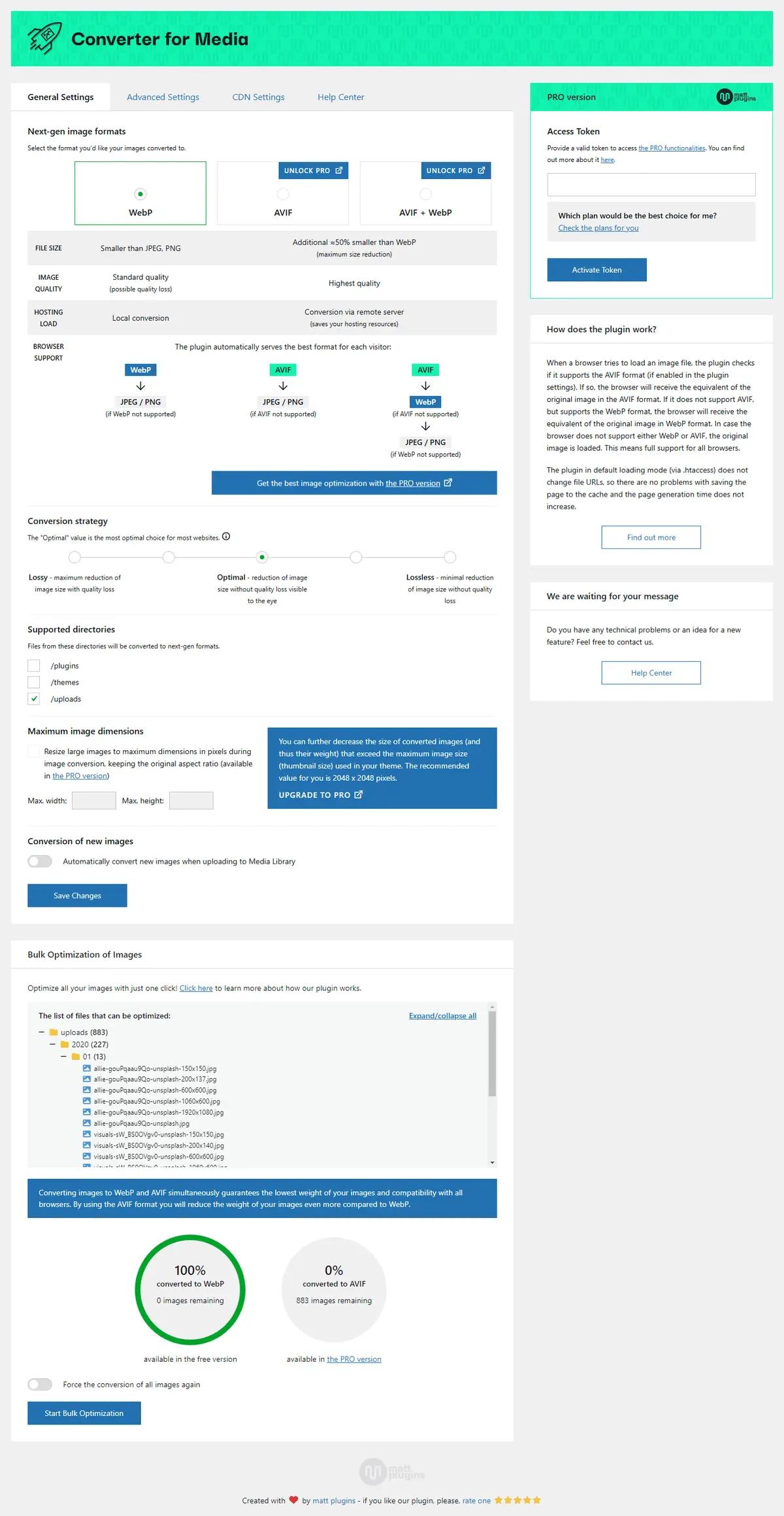
Webp Converter For Media
Converter for Media – Optimize images | Convert WebP & AVIF
#compress images #convert webp #image optimization #optimize images #webp
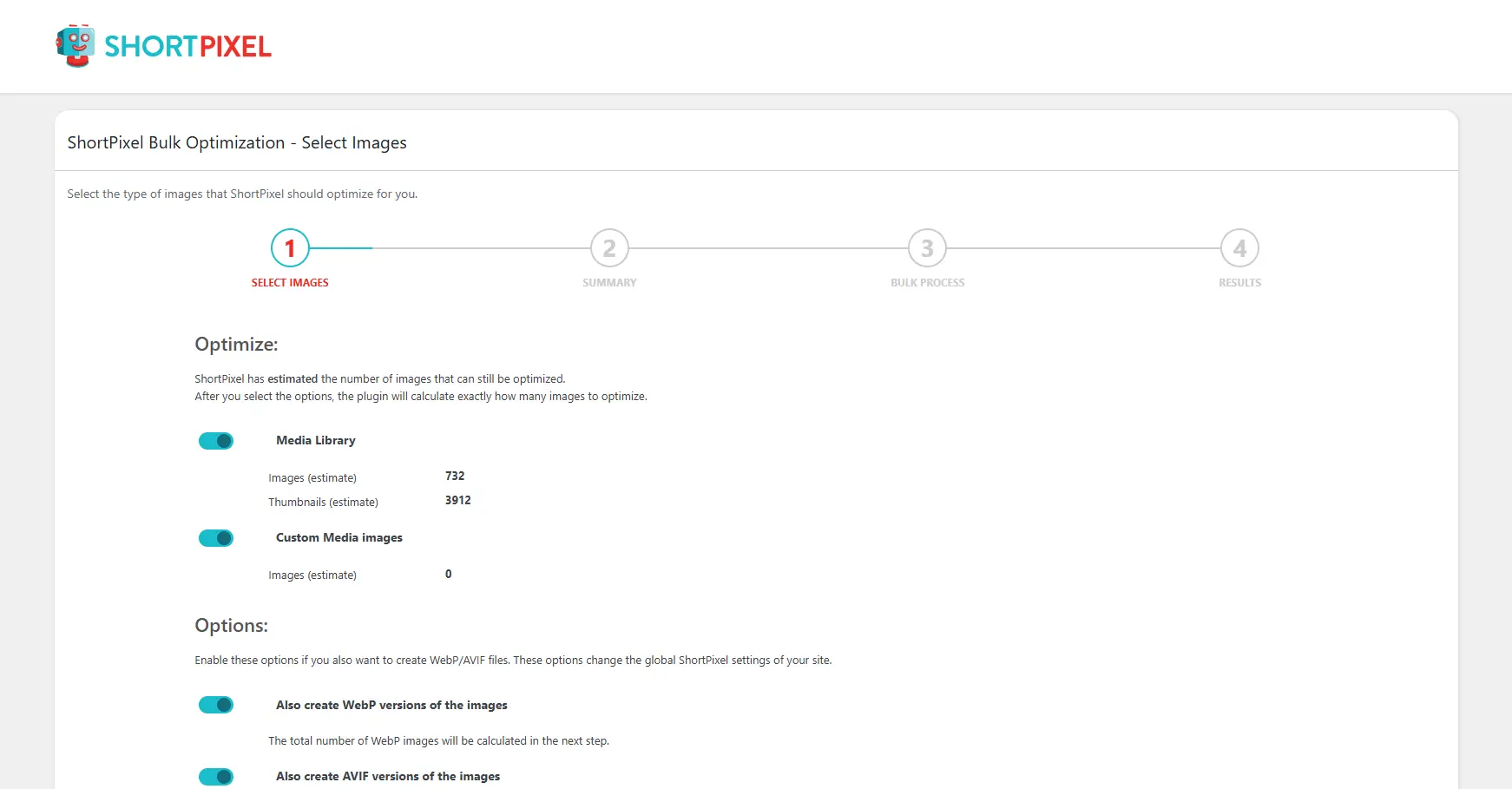
Shortpixel Image Optimiser
ShortPixel Image Optimizer – Optimize Images, Convert WebP & AVIF
#compress images #convert webp #image optimization #optimize images #resize
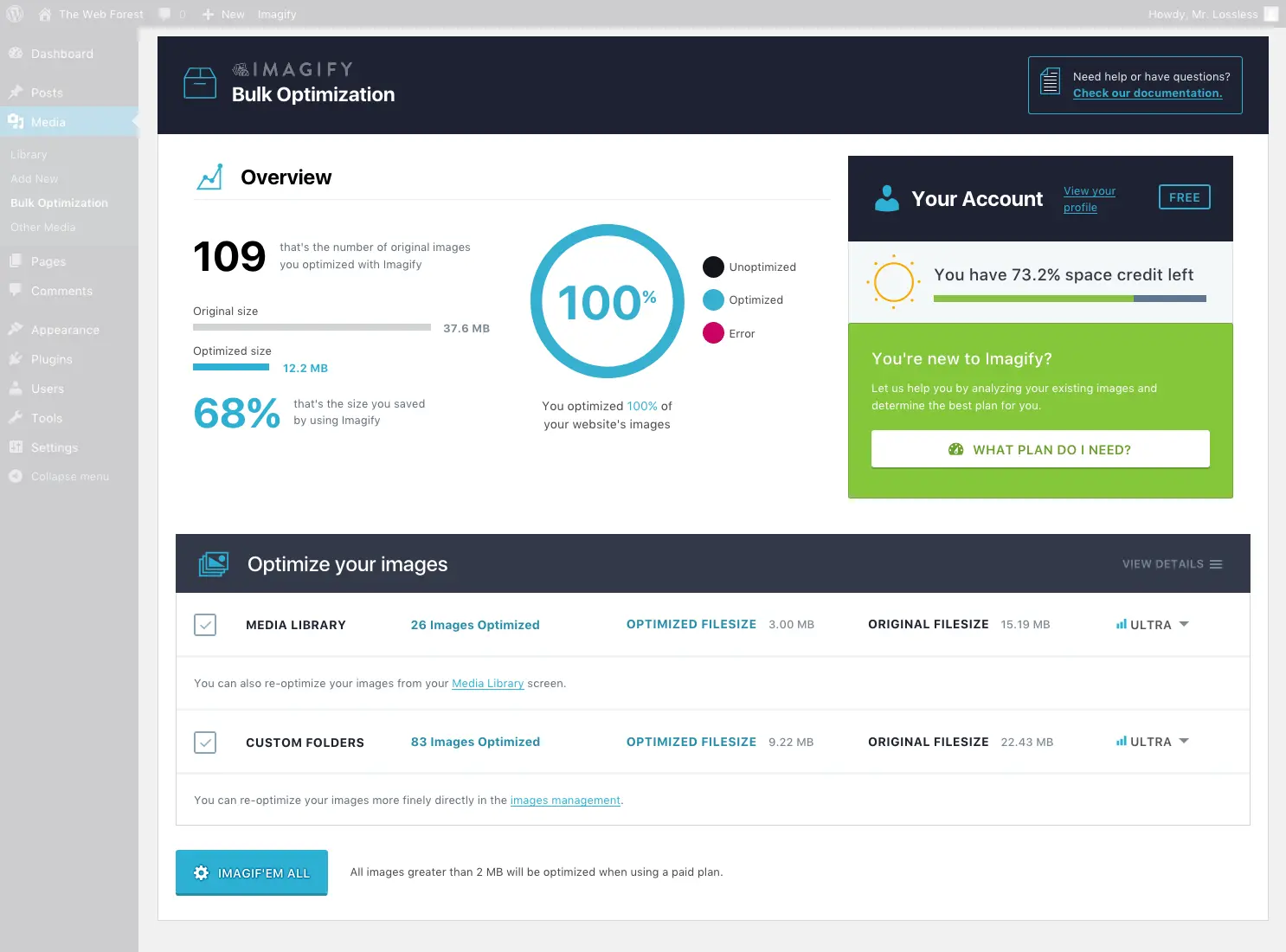
Imagify
Imagify Image Optimization – Optimize Images | Compress Images | Convert WebP | Convert AVIF
#compress images #convert AVIF #convert webp #image optimization #optimize images
