


Password correct. Please wait...
Disable chat with .custom-disable-chat
WP Plugin Comparisonby neo-wp.com


WP Plugin Enhanced Media Library
Test report
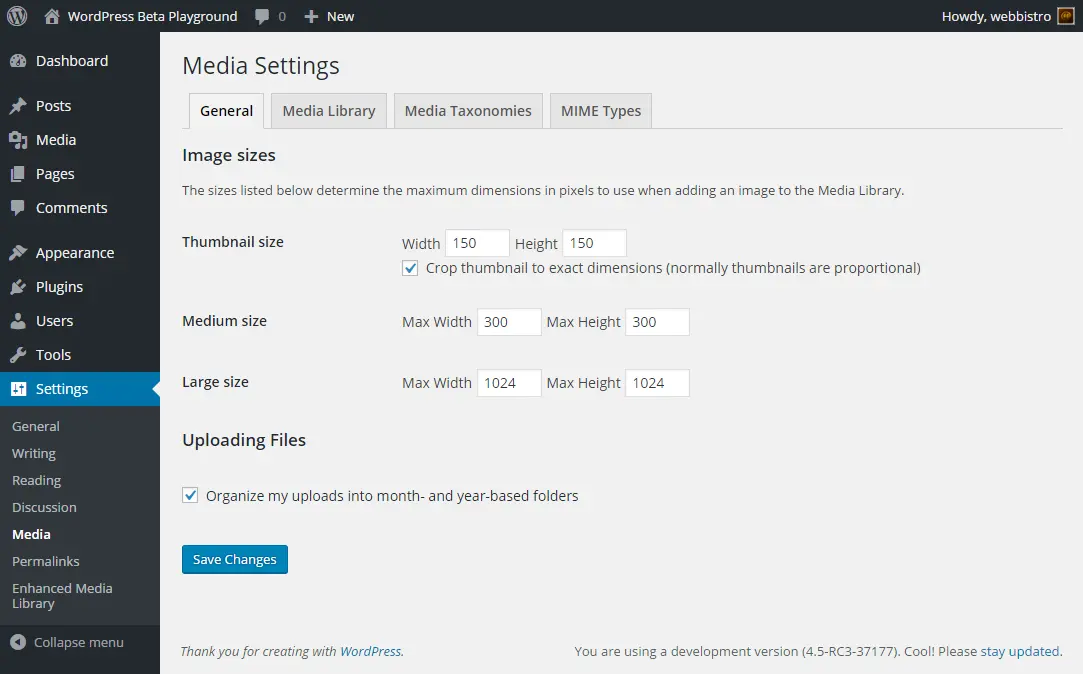
Enhanced Media Library
Enhanced Media Library is a powerful WordPress plugin, developed by wpUXsolutions, that was released on 2013-11-03 and now has over 70 000+ active installations. This plugin aims to significantly improve the media management of WordPress users, especially those with large media collections. What sets the Enhanced Media Library plugin apart is the ability to create unlimited categories and tags for media items and define custom taxonomies with just a few clicks. It offers a variety of features to optimize the media library, such as configurable filters, drag'n'drop reordering, and an intuitive user interface. Users with large media libraries will find an improved way to organize and manage their content. With a average rating of 4.3 out of 5 stars from 297 reviews, satisfaction is evident in the WordPress community. The outstanding features of the plugin are detailed below.
"It allows seamless integration into the media management workflow and is simple and intuitive to use."
Features - Extensive media management capabilities
The Enhanced Media Library plugin provides an extended framework for managing media content within WordPress. In addition to the ability to create unlimited categories and tags for media items, it stands out with a particularly useful feature: MIME types management. This feature allows you to add or remove file types and either allow or forbid the uploading of certain file types. This is especially relevant for users who have specific requirements for file formats in their media library. The drag'n'drop reordering and bulk selection ensure the user interface remains efficient and that organization is effortless.
"This plugin provides a way to organize media into 'folders' without actually moving the media or changing links."
Free Features - Plugin's free capabilities
- Unlimited Categories & Tags - Enable detailed organization of media items.
- Unlimited Custom Taxonomies - Create quickly and effortlessly.
- Unlimited Third-Party Taxonomies - Can be assigned to the media library.
- Configurable Filters - Show or hide filters like date, author, and taxonomy.
- Enhanced Media Library - Displays title, filename, or description fields for media items.
- Bulk Selection - Allows faster editing without a special mode.
- Drag’n’Drop Reordering - Possible directly within the media library.
- Infinite Scrolling - Manageable load options per page.
- MIME Types Management - Add or remove file types, allow or forbid uploads.
- Multisite Compatible - Network-activate the plugin and choose options for administrators.
- Export / Import / Restore Plugin Settings - To transfer the media library to another website.
Pro Features - Advanced capabilities of the Pro version
- Unlimited & Super-Fast Bulk Editing - Increased efficiency in management.
- User-Friendly Dynamic Galleries / Playlists - All options with dropdowns and checkboxes, no “coding” required.
- Advanced Search - Allows filtering media items by typing the first letters in the search field.
- Auto-Categorization - Automates the categorization of media items in posts.
"The Pro version offers useful features that justify the price."
License & Value for Money - Costs and customer experiences
The use of the Enhanced Media Library plugin is free in the basic version, while additional fees apply for the Pro version, which offers extended functionality. This version provides users with useful extras like fast bulk editing and advanced search options, which greatly facilitate organizing the media library. There is criticism that the free version is perceived as limited and that the Pro version's costs are relatively high. However, satisfaction with the Pro version comes from the added value it provides, and many users find the investment worthwhile.
"The Pro version is worth the small fee to enable bulk editing of media."
Technical Details - Insight into Internal Functions
Enhanced Media Library offers a variety of technical features that will likely appeal to developers. The plugin uses native WordPress hooks to integrate its functions seamlessly and supports custom taxonomies for media items without requiring custom tables. Particularly notable is full support for the WordPress REST API, which allows developers to interact with media items and their taxonomies. By avoiding additional database tables, the plugin remains as lightweight as possible, contributing to overall performance improvement. Deactivating the plugin does not affect media items or taxonomies, which helps with data safety and simplifies management. It also provides a robust implementation for multisite installations, where it can be enabled network-wide, with configurable options for which settings are available to individual sites.
System Requirements - Which Versions Are Required
To use the plugin’s full functionality, certain system requirements must be observed. Enhanced Media Library requires at least PHP version 5.6 or higher and a WordPress version of 6.0 or later. It was tested up to WordPress version 5.2.13. The current version of the plugin is 2.9.4, and the last update in 2024-07 was updated in 2024-07. This ensures compatibility with common WordPress systems, although it should be noted that recent reviews may indicate possible incompatibilities with the latest WordPress versions.
"In the current version the plugin is stable under the recommended PHP versions, but it does require regular updates for the newest WordPress updates."
Quality - Strengths and Weaknesses in Use
The Enhanced Media Library plugin is generally praised for its improved user experience and intuitive operation. In particular, the ability to effectively organize media by creating categories and tags is seen as a major advantage. The implementation of drag-and-drop and support for the REST API further contribute to ease of use and integration into existing workflows. These features highlight the plugin’s quality by noticeably simplifying and speeding up the management process.
However, there are also criticisms, especially regarding compatibility with newer WordPress versions and resource usage. Some users report issues caused by increased database queries, which can slow down the admin interface. Additionally, the lack of updates and insufficient adaptation to the latest WordPress versions are perceived as weaknesses. These aspects can mar the user experience and impair performance with large media libraries. Together, these criticisms show that the plugin’s quality varies across different areas, depending on specific requirements and environments.
"This plugin is needed by many... I’ve been using it for a long time and am very satisfied with it."
Support - User Reviews Are Divided
Users’ experiences with the Enhanced Media Library plugin support are mixed. On one hand, many users report quick response times and helpful support. Technical support promises to respond to inquiries within 24 hours, and this is met in many cases. Support is offered free to all plugin users, regardless of whether they use the free or Pro version. On the other hand, some users complain that inquiries go unanswered or that there is a lack of clear communication from the developers.
For support inquiries, users have several contact options: in the official support forum and via the developer's support URL. It can be inferred that despite the free availability of support, some users are disappointed by missing or slow customer service, which can partly be attributed to the lack of plugin updates.
"I submitted several requests and technical support was available within 24 hours."
Rating - Opinions and Experiences from the Community
The WordPress plugin Enhanced Media Library receives an average rating of 4.3 out of 5 stars, based on 297 reviews. This rating reflects the high satisfaction of many users. Numerous reviews praise the plugin for its usefulness and the significant improvements it brings to WordPress media management. Users particularly highlight the ability to create media categories and tags, which greatly facilitates media organization.
"This plugin is needed by many... I’ve been using it for a long time and am very satisfied with it."
Some of the critical voices relate to potential incompatibilities with newer WordPress versions and occasional performance issues. A frequently mentioned criticism is that the free version is relatively limited compared to the Pro version, and some users find the cost of the Pro version high.
"The free version is useless!"
Nevertheless, many users strike a conciliatory tone and highlight the benefits and additional features of the Pro version, which significantly improve the administrative workflow.
"The Pro version is worth the small fee to enable bulk editing of media."
Criticism - Challenges and Suggestions for Improvement
The Enhanced Media Library plugin faces various challenges often criticized in user reviews. A common point is the lack of compatibility with newer WordPress versions. Many users report problems that occur after platform updates and complain that the plugin is not updated to address these changes. These incompatibilities can lead to malfunctions in media management and significantly impair the user experience.
Another critical aspect is the issue of using it simultaneously with other plugins that provide similar functions such as adding media categories and managing MIME types. Using such plugins in combination with Enhanced Media Library is at your own risk, as different approaches to the same functions can lead to unexpected bugs and errors.
Although security vulnerabilities do not appear in the available information, users complain about the lack of support and missing updates, which undermines confidence in the ongoing security and reliability of the plugin. Suggestions for improvement include the need for regular updates and better communication from the developers to restore users’ trust.
"Since the update to WordPress 5.3 this plugin no longer works! There have been no updates from the developers for some time!"
Conclusion - Summary of Plugin Use and Rating
Enhanced Media Library, developed by wpUXsolutions, offers a variety of features for effective media management in WordPress. Its support for custom taxonomies and MIME type management is particularly notable. While the Pro version impresses with advanced features like bulk editing, the base version is often perceived as limited. Criticisms include compatibility issues with new WordPress versions and occasional performance limitations. Despite these challenges, many users are satisfied and appreciate the organizational possibilities the plugin provides. Regular updates and improved support could further enhance the user experience and ensure the tool's reliability in rapidly changing web environments.
#media categories #media folders #media library #media tags #mime-types
Show more
Detailed plugin information
Plugin slug: enhanced-media-library
Plugin name: Enhanced Media Library
Plugin title: Enhanced Media Library
Plugin keywords: #media categories #media folders #media library #media tags #mime-types
Plugin version: 2.9.4
Last updated: 2024-07
Release date: 2013-11-03
Required WP version: 6.0
Required PHP Version: 5.6
Tested up to: 6.5.7
Active Installations: 70 000+
Average Rating: 4.3
Number of reviews: 297
Number of support threads: 0 (in the last 2 months)
Number of resolved support requests: 0 (in the last 2 months)
Plugin author: webbistro
Developer homepage: https://wpUXsolutions.com/plugins/enhanced-media-library
WP developer profile page: https://profiles.wordpress.org/webbistro/
Support URL in the WordPress Plugin Directory: https://wordpress.org/support/plugin/enhanced-media-library/
Developer support URL: https://wordpress.org/support/plugin/enhanced-media-library/#fallback-commercial-support-url
WP Plugin Directory: https://wordpress.org/plugins/enhanced-media-library/
Was the test report about Enhanced Media Library helpful?
Enhanced Media Library - The right plugin?
Enhanced Media Library - Compare nowOpen plugin in sandboxTo the official WP StorePopular alternatives to Enhanced Media Library


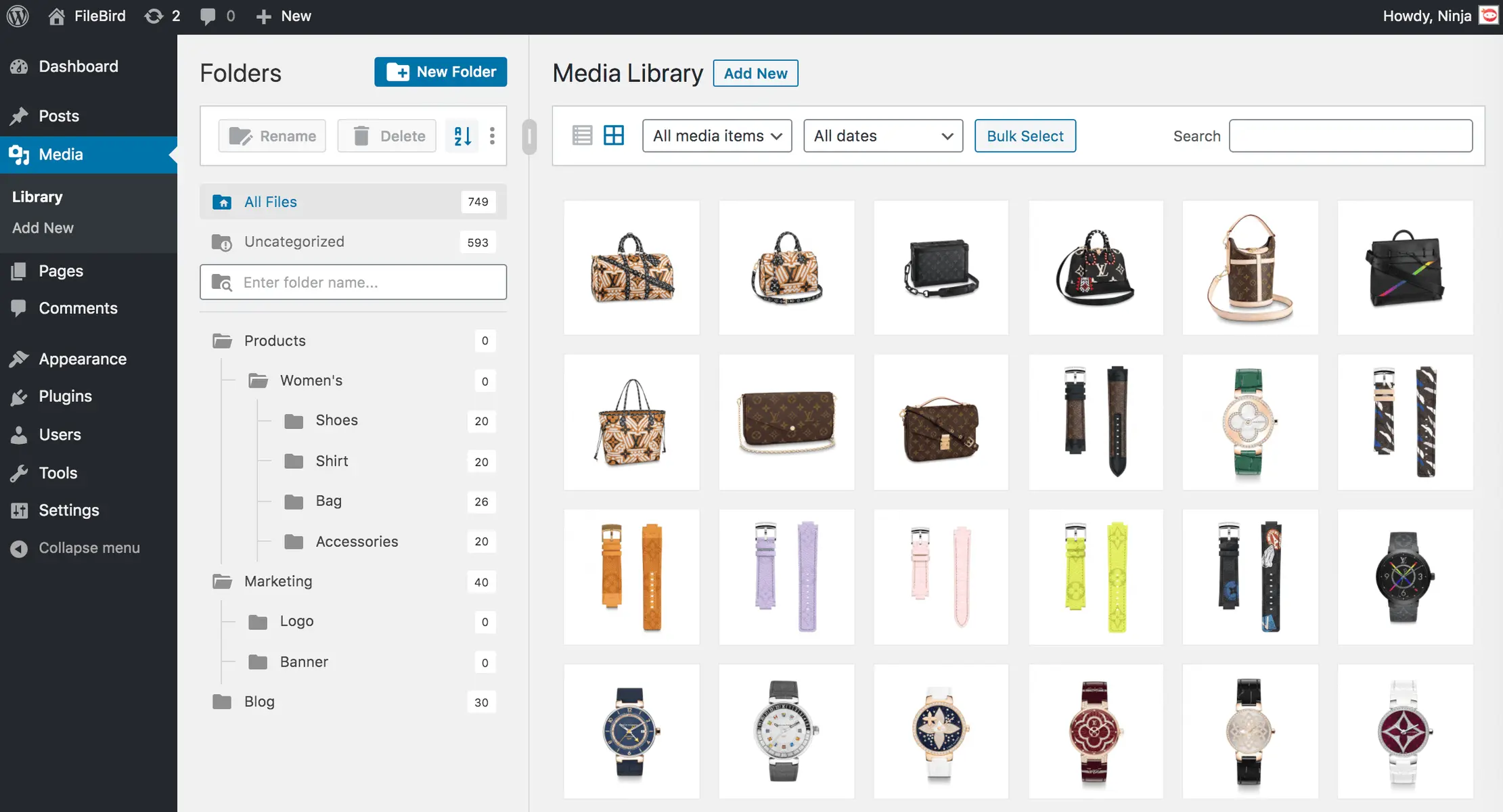
Filebird
FileBird – WordPress Media Library Folders & File Manager
#file manager #media #media folders #WordPress media library folders #wp media folders
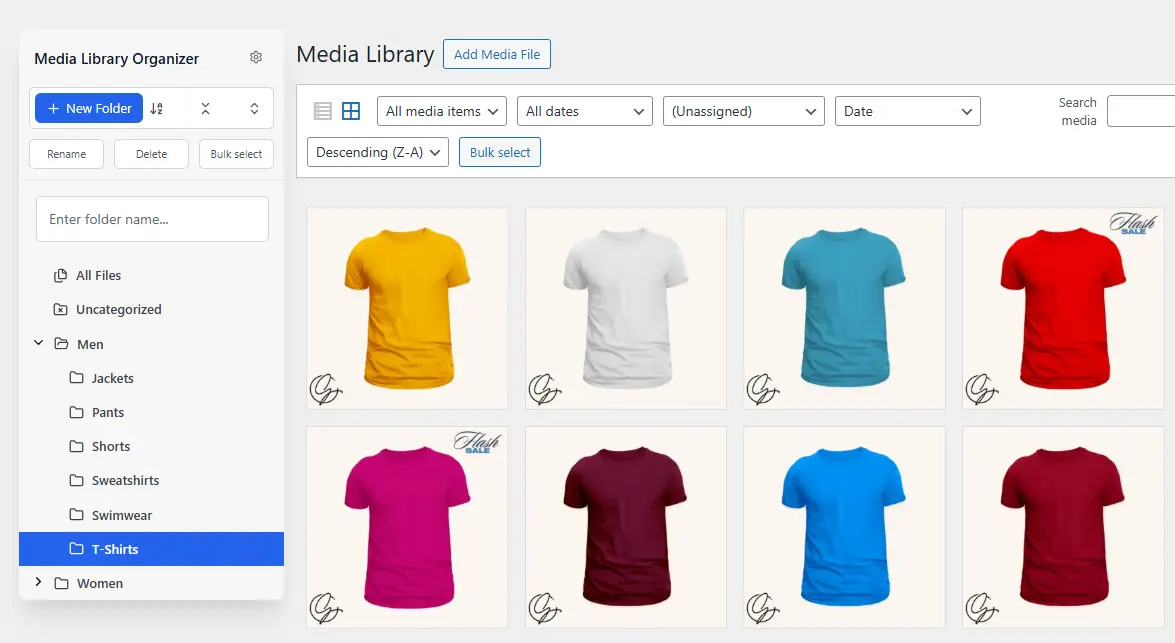
Media Library Organizer
Media Library Organizer – WordPress Media Library Folders & File Manager
#export media library #folders #media categories #media library folders #organize media library

Real Media Library Lite
Real Media Library: Media Library Folder & File Manager
#file manager #media folder #media library folder #media library folders #WordPress media library folders
